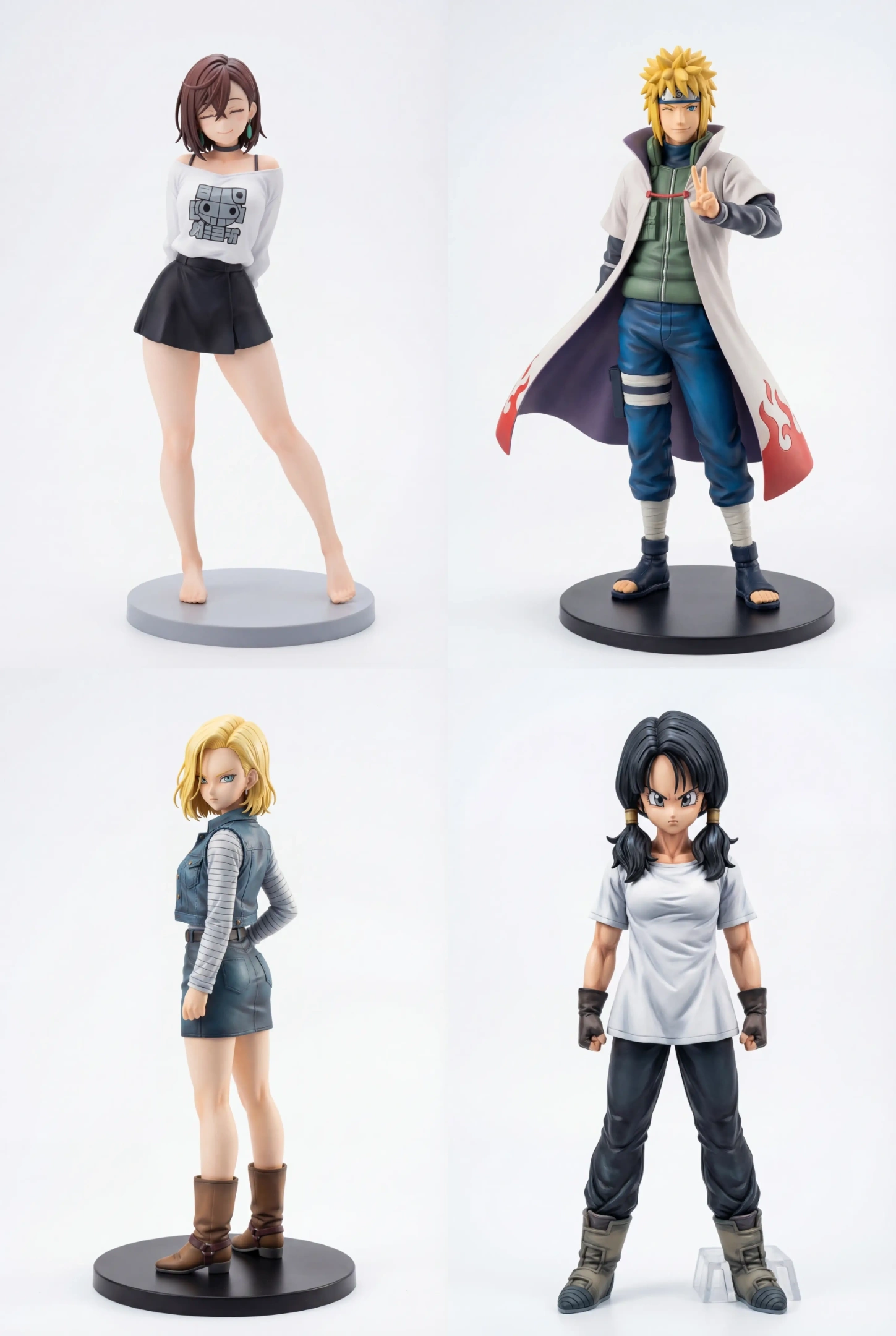
Figurine freedom
As a hardcore anime fan, there is always one figure missing from my room. No matter how many I buy, there is always an empty spot on the shelf waiting for the next one. But looking at the price tags of those exquisite plastic figures—easily costing hundreds of dollars—my wallet always breaks down before my resolve does.
So, I decided to take a different path. If I can’t afford it in reality (or if that niche character never got a figure release in the first place), why not make a “digital figure” myself?
Today, I’ll walk you through the process of using PicLumen and its powerful Nano Banana Pro model to turn your favorite anime character into a drool-worthy, 3D-textured figure.
1. Choose the Character You Want
It all starts with love.
This could be the heroine from a new anime you just watched, a supporting character from a childhood memory, or your own original character (OC).
At this stage, the most important question is: Who do you want to put in your “digital display case”?
Once you’ve picked your target, visualize them in your mind: What are they doing? What are they wearing? Is it a combat stance or a casual everyday look?
2. Prepare Source Material and Get Reference Images
AI is powerful, but it can’t read minds. If you just tell it “give me a cool swordsman with a red scarf,” it might generate a thousand different results, but none of them will be the one you want.
To make the generated “figure” more faithful to the original, we need to prepare a clear reference image.
If you already have an existing image: Use PicLumen’s Upload function to upload this image directly as a reference.
If you only have a text description: First, use a standard anime model (like an Anime style model) to generate a satisfactory 2D illustration. This image doesn’t need to have a plastic texture; it just needs accurate character features and clear composition.
Remember, this step is laying the foundation. If the foundation is weak, the building will tilt. I’m a Dragon Ball fan, so let’s make a Videl figure first. The image I prepared is from her first appearance: “Who exactly is this girl?”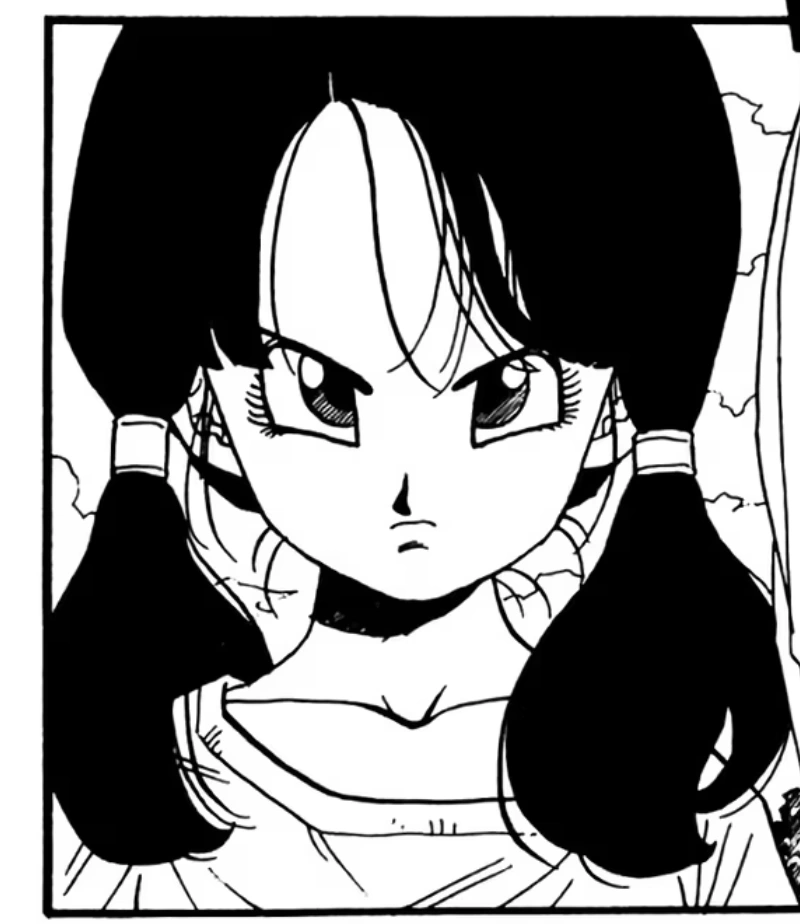 3. Use the Nano Banana Pro Model in PicLumen to Generate the Initial Figure
Now, let’s get to the main event. Why do we use Nano Banana Pro?
Nano Banana Pro is currently the most powerful editing model. I usually use Nano Banana for quick edits because it’s fast and economical. But when I need ultimate image quality, I switch to Nano Banana Pro. It has stronger comprehension capabilities and supports terrifyingly high 4K precision. It knows how to retain exaggerated anime proportions (big eyes, anti-gravity hair) while rendering extremely realistic PVC plastic, resin, and paint textures. At the same time, it possesses more world knowledge, allowing it to fill in missing information from my reference image, such as color.
Find Nano Banana Pro in the model selection menu and feed our reference image to it.
My prompt is: Convert the characters in the picture into figurines while keeping their expressions and poses unchanged
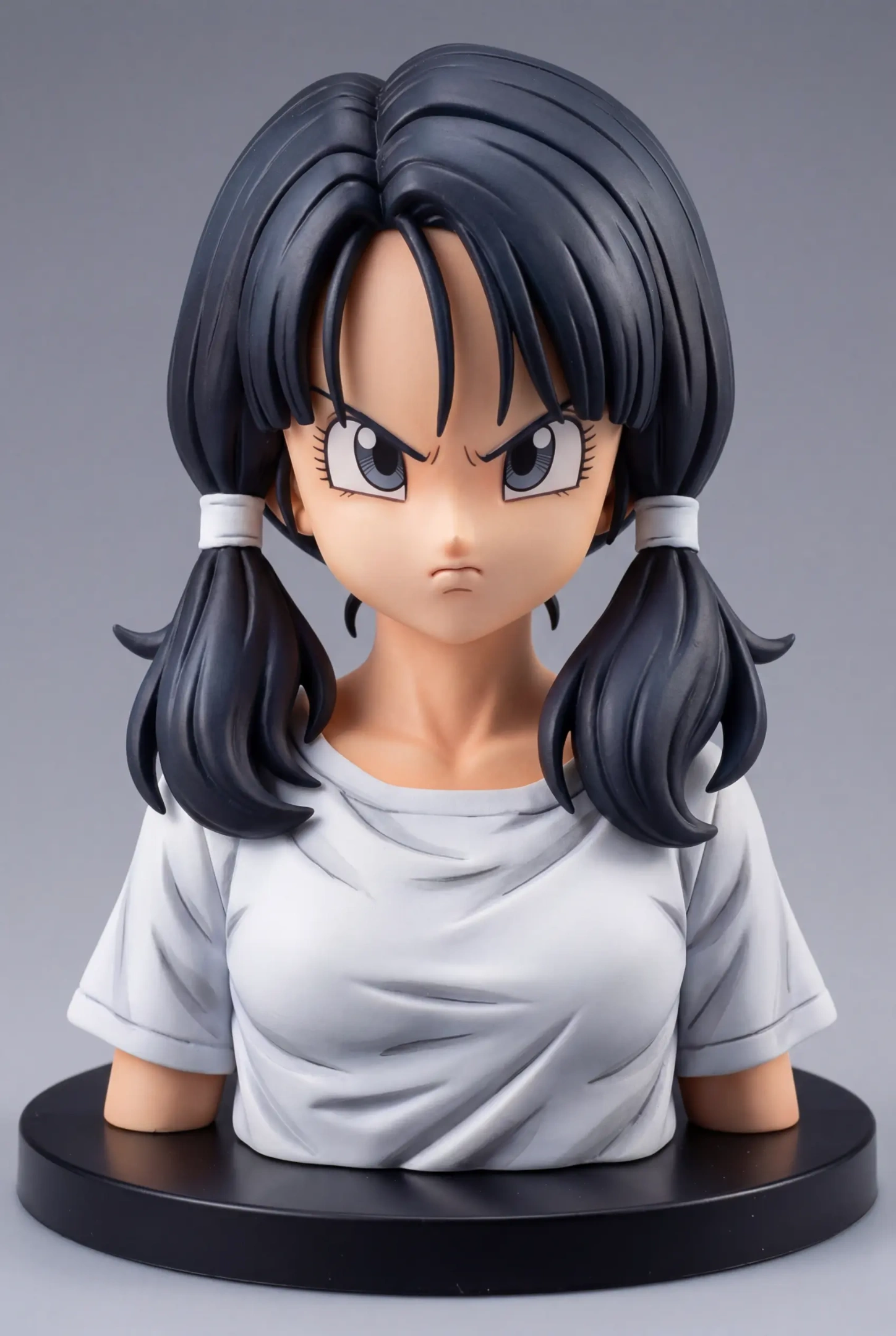 Very cool! The texture restoration and lighting are indistinguishable from a real figure.
4. Refine to Get the Desired Look and Pose
The initial generation might have the right texture, but a half-body figure isn’t what I want. I need a full-body figure in an iconic pose. Don’t panic; now we enter the refinement stage.
Adjust the Pose: If a standing pose is too boring, add dynamic descriptions to the Prompt, such as
dynamic pose,mid-air, orfighting stance. Nano Banana Pro has a strong understanding of dynamic poses.Add Effects: One of the biggest charms of figures is those transparent effect parts. Try adding
transparent flame effect,water splash effect, orenergy aura. These complex effect parts, which are difficult to mass-produce in reality, are free in AI.
In this stage, you need to act like a real prototype sculptor, polishing your work bit by bit until it is flawless.
I just want her pose to match her appearance in the story, so we continue to feed it a manga panel and then input the spell: Convert the character in image1 into a full figurine, keep the expression unchanged, keep the background clean and free of other debris, and follow the pose in image2
Done. Let’s look at the details.
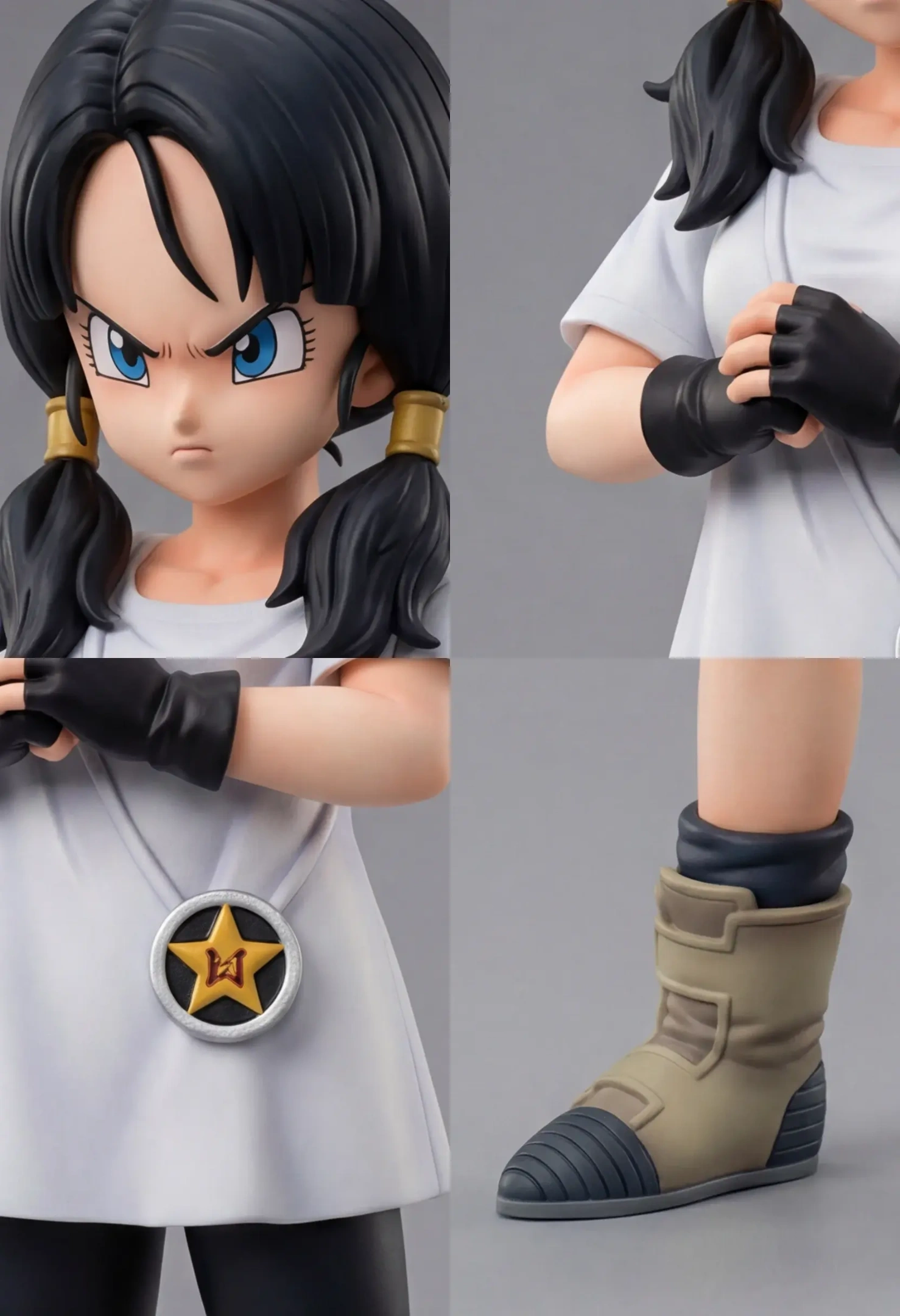 Final output.
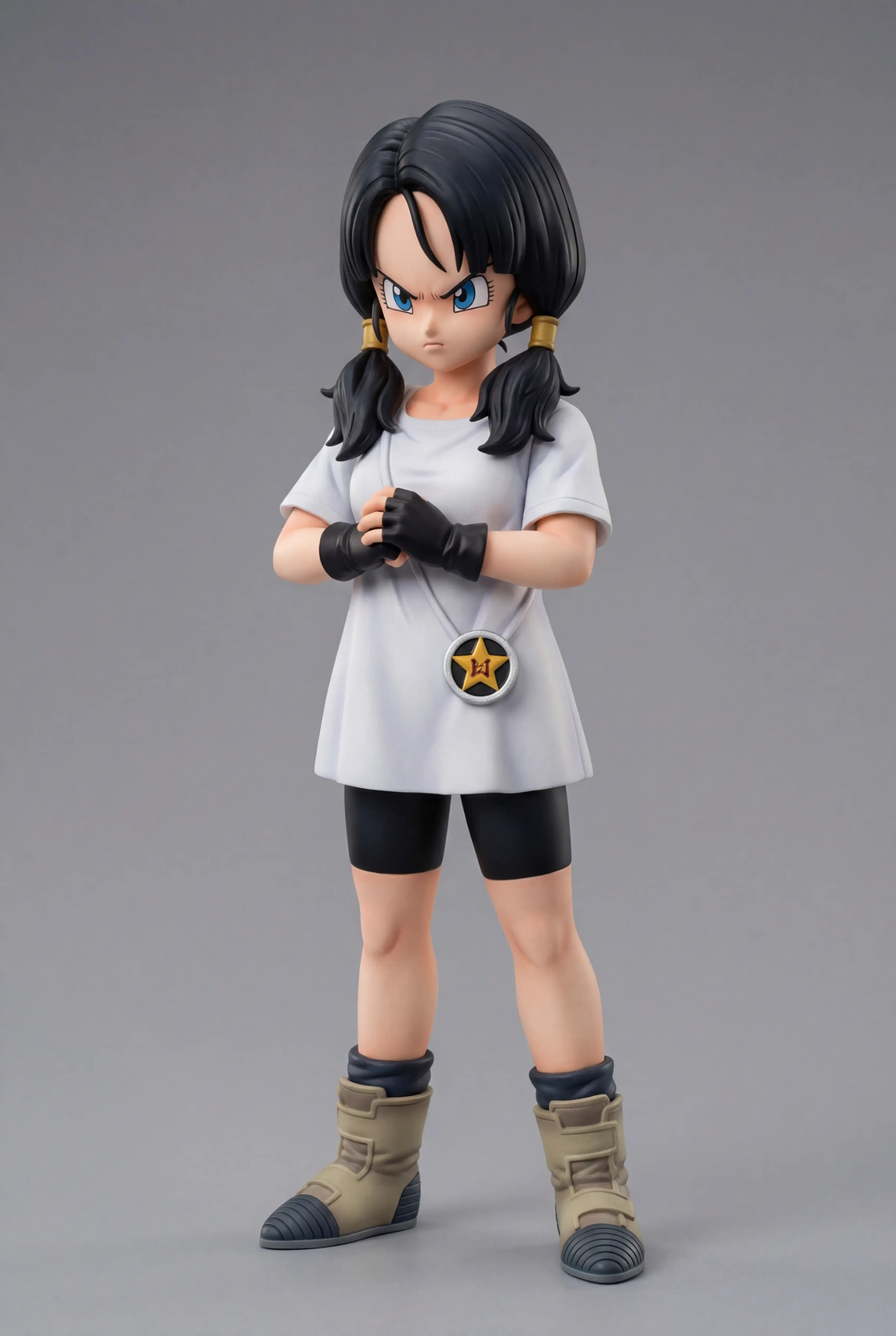 6. Completion
After some tinkering, you finally have a perfect “digital figure” photo.
Looking at Videl on the screen with her subtle skin reflections, three-dimensional clothing folds, and lively eyes, isn’t there a huge sense of accomplishment? It feels even more real than some of my actual figures.
You can save it as your phone wallpaper or print it out to stick on your wall. Although you can’t touch it, the visual satisfaction is very real.
7. Conclusion
The process of making electronic figures is actually the process of visualizing the love in our minds. PicLumen and Nano Banana Pro provide us with a low-threshold “digital figure factory.” Don’t forget that PicLumen also has the aesthetically renowned Midjourney model.
No expensive molds needed, no toxic paint fumes to inhale—just a little imagination and patient tuning, and you can own a unique collectible that belongs only to you.
Now, it’s your turn. Start your “creation” journey.
Happy Generating!