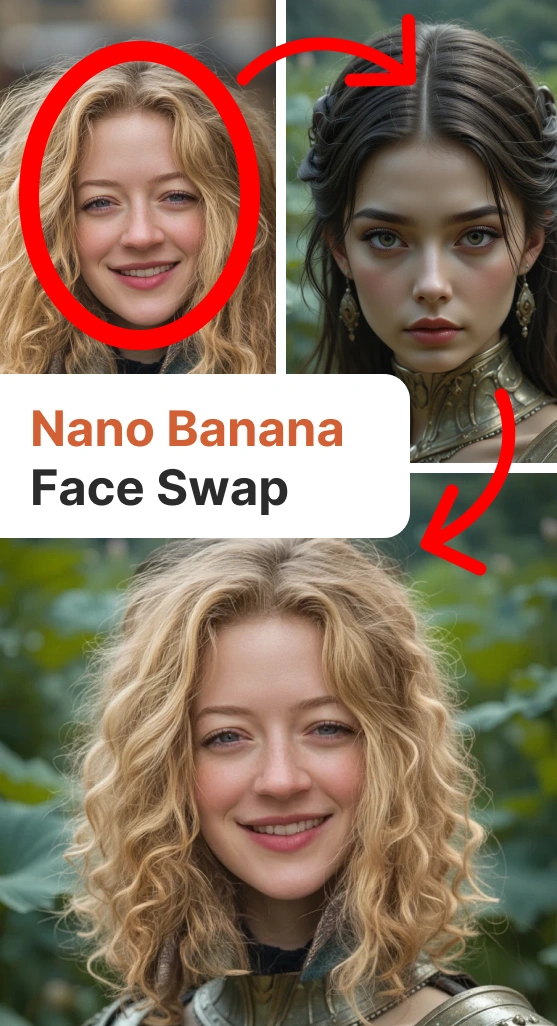
For some reason, Nano Banana (Gemini 2.5 Flash Image) doesn't like to swap faces, and you can make multiple attempts with different prompts without getting the desired result. I'll show you how to do it using masks, you can use any graphic editor.
Recommendations:
Faces should be similar in size and angle.
Resolution and graphic style should also match.
The general principle is as follows:
On the original photo, mask the face, and if necessary, the hair.
Place a new picture with a face.
Mask the extra parts on the new picture, such as the collar.
Ask Nano Banana to remove the "extra color".
In other words, you create a mask that you later ask to be removed, and Nano Banana figures out how to connect the two pictures by drawing the missing parts.
Here are some examples: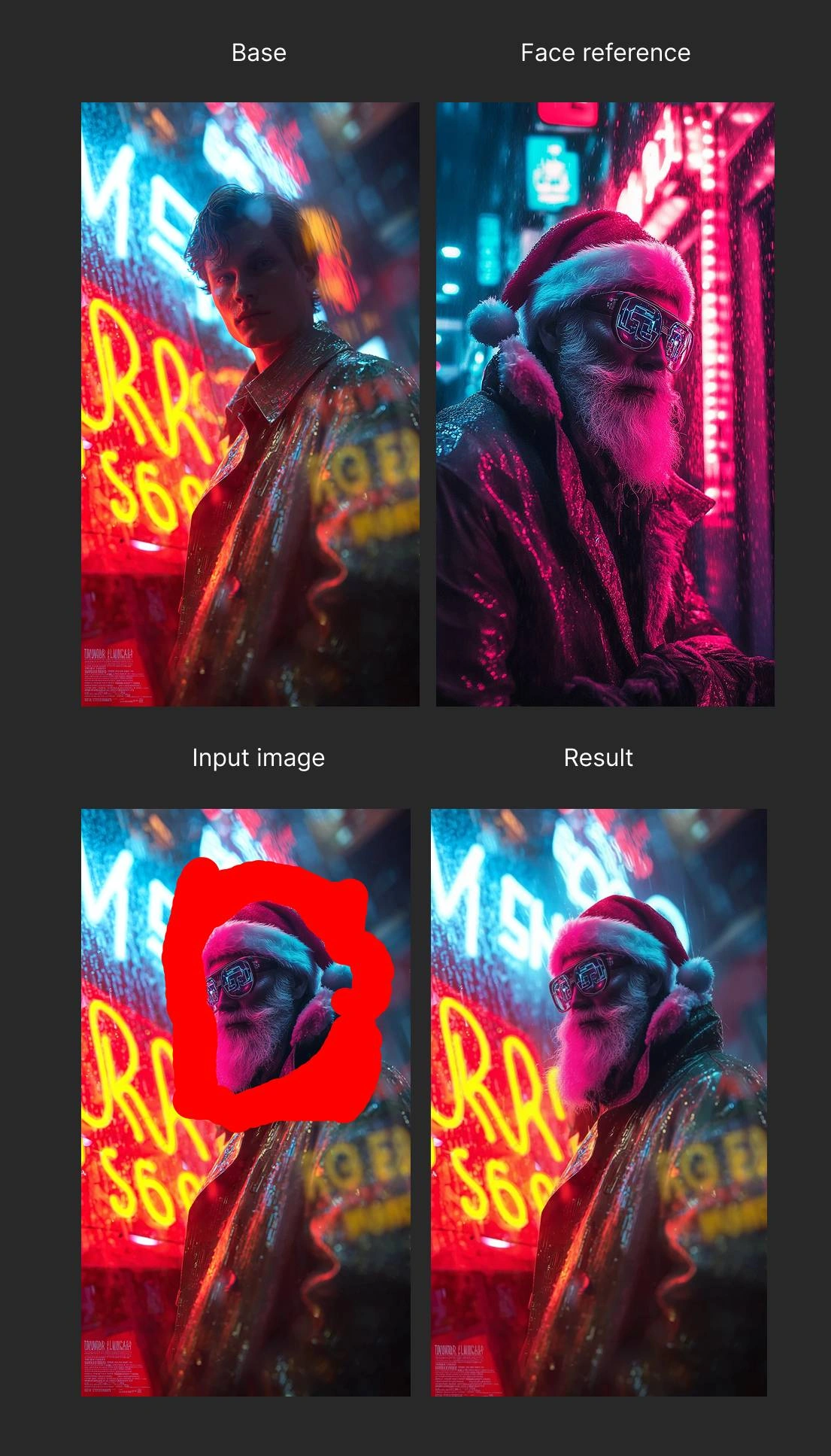
Cyber Santa: I mirrored Santa so that the characters would look in the same direction; they are made in the same style, and it looks ok.
Prompt: remove red brush strokes
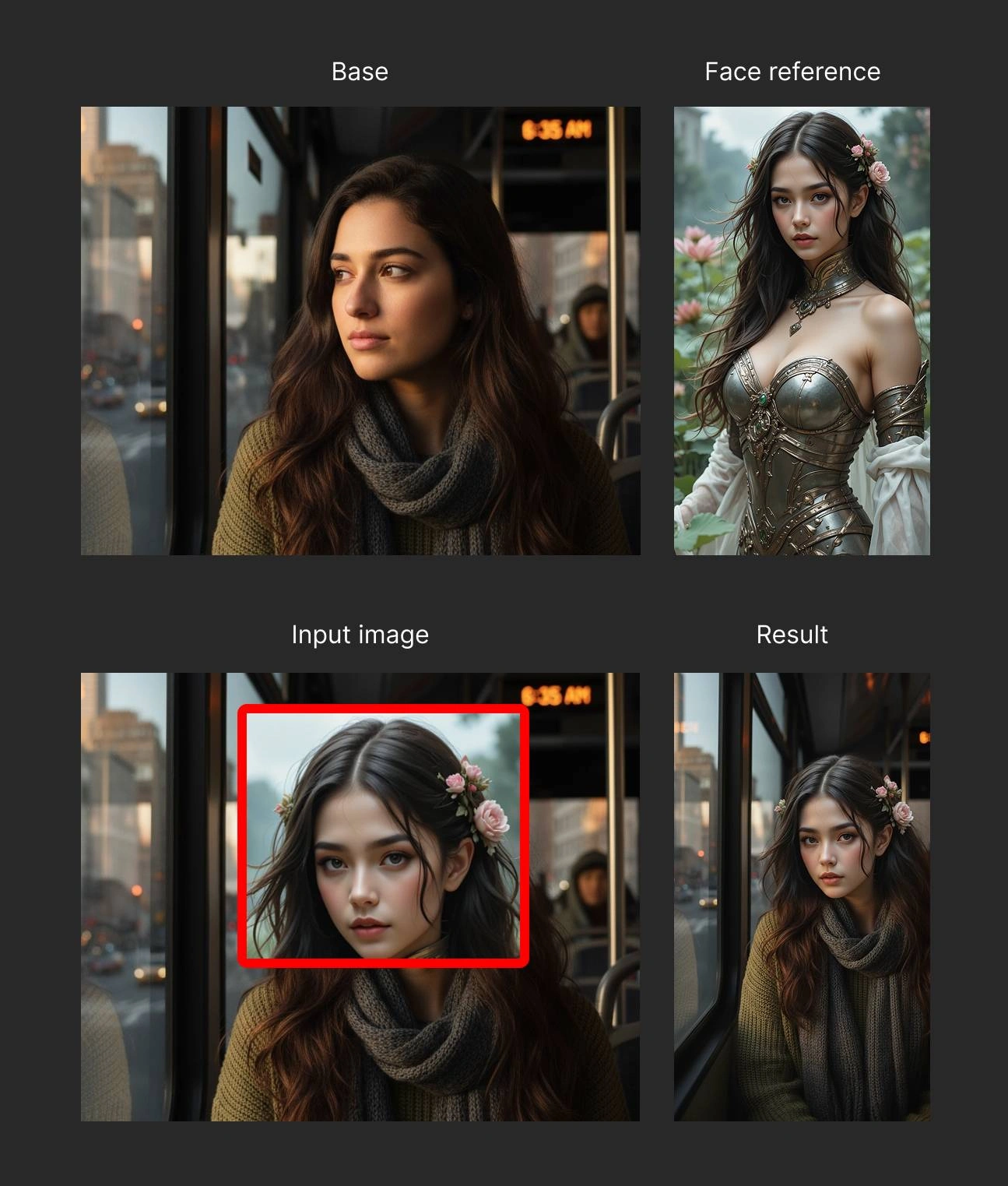
Woman in the bus: The face was taken from a less photorealistic picture, so the result doesn't look very natural.
Prompt: Remove red box
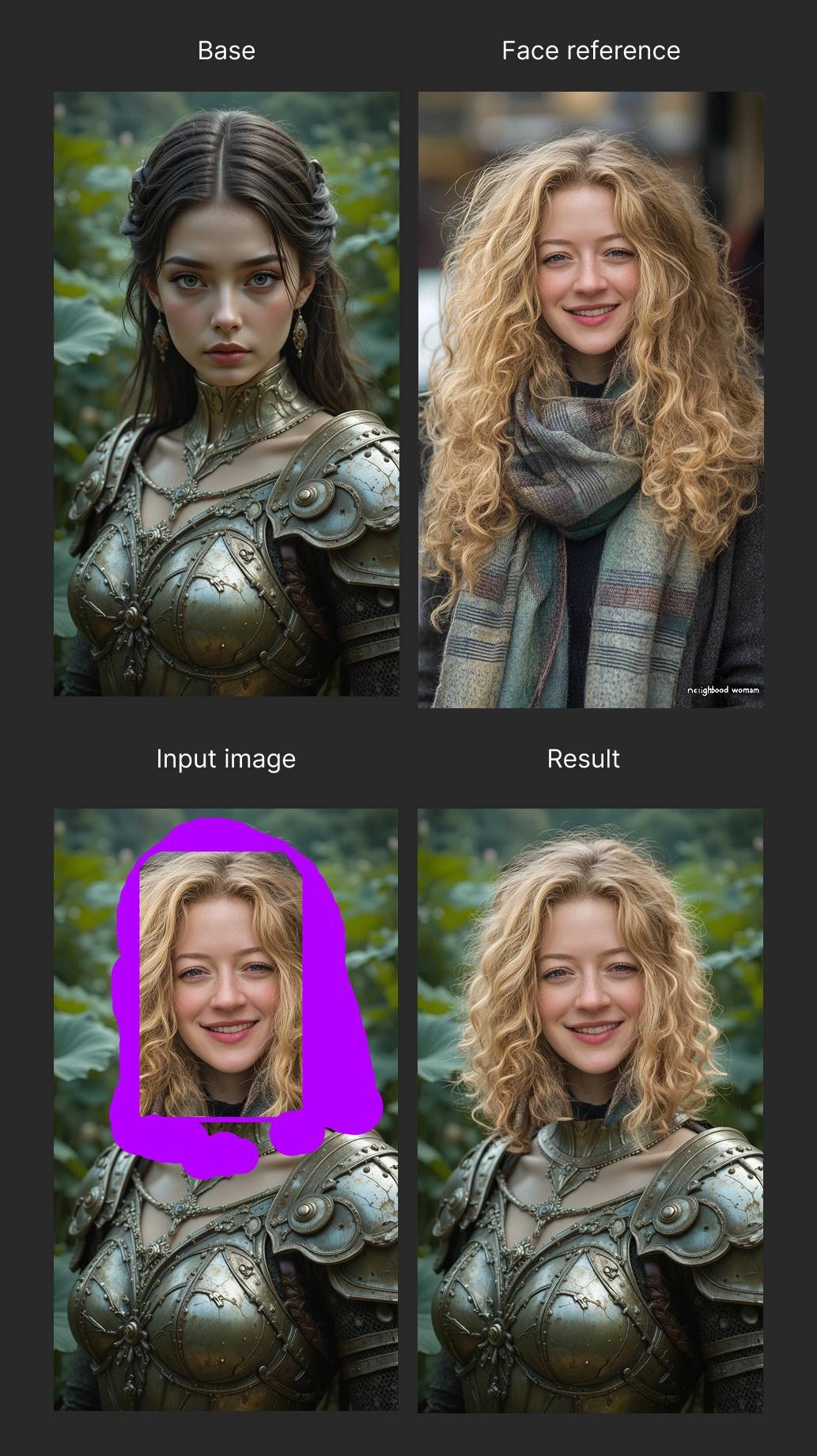
Female knight: I masked the hair on the original picture but left the collar. Therefore, the transition between them is too straight in the final image.
Prompt: Remove violet fill
All swaps were made in Nano Banana (not Pro) in Piclumen. Source images made from different models in Piclumen.