Want to freeze time and orbit your subjects like Neo? Here's exactly how to write prompts that make Kling 2.6 deliver that Hollywood bullet time effect—no filters needed.
Why Bullet Time? (And Why Kling 2.6 Is Perfect for It)
Remember that iconic scene in The Matrix where Neo dodges bullets in slow motion while the camera seems to float around him? That's bullet time—and it's finally accessible to creators like us.
With Kling 2.6's 5-second video generation, we have the perfect canvas for this effect. But here's the catch: you can't just type "slow motion" and expect magic. The AI needs to understand that the subject is completely frozen while the camera moves around them.
Let me show you exactly how to make that happen.
The Secret Language: Keywords That Unlock Bullet Time
Think of these as your incantations. Mix and match them:
The Core Phenomenon (The "Frozen" Rules)
Keyword | Why It Works |
|---|---|
Bullet time shot | The classic trigger—AI knows this reference |
Completely frozen, no limb movement | Explicitly tells AI nothing moves |
No pose change, like a paused moment in time | Reinforces the statue-like stillness |
Everything in the scene is static and unmoving | Locks down the entire environment |
Camera Movement (The Only Thing That Moves)
Keyword | Why It Works |
|---|---|
Only the camera moves | Critical distinction—subject still, camera active |
Camera orbits around | Forces the cinematic rotation |
360-degree orbiting shot | The classic bullet time camera path |
Visual Details That Sell the Effect
Keyword | Why It Works |
|---|---|
Suspended in mid-air | For objects, water, debris |
Floating particles | Visual proof that time has stopped |
Suspended debris | Adds drama and scale |
The Polish
Keyword | Why It Works |
|---|---|
Hyper-realistic | Kling excels at this |
Cinematic lighting | Mood-setter |
Shallow depth of field | Blurs background, focuses on subject |
The Golden Formula
Plug your ideas into this structure:
[Bullet time shot] + [Subject is completely frozen, no movement] + [Everything in scene is static] + [Only the camera moves] + [Camera orbits around subject] + [Floating elements as visual proof] + [Quality tags]
Simple, right? Now let's see it in action.
3 Proven Prompts That Work (Copy-Paste Ready)
I've refined these based on what actually works. The key insight: explicitly state what doesn't move, then tell the camera to do its job.
Scene 1: Martial Arts Master (Water + Action)
The Vibe: Rain-soaked warrior, epic kick, suspended droplets
Prompt:
Bullet time shot, a Shaolin monk performing a spinning kick in heavy rain, the monk is completely frozen, no limb movement, no pose change, like a paused moment in time. Rain droplets suspended in mid-air, water particles floating around the fist. Everything in the scene is static and unmoving. Only the camera moves, orbiting 360 degrees around the monk. Hyper-detailed, cinematic lighting, 8k resolution, unreal engine 5 render style, 5 seconds.
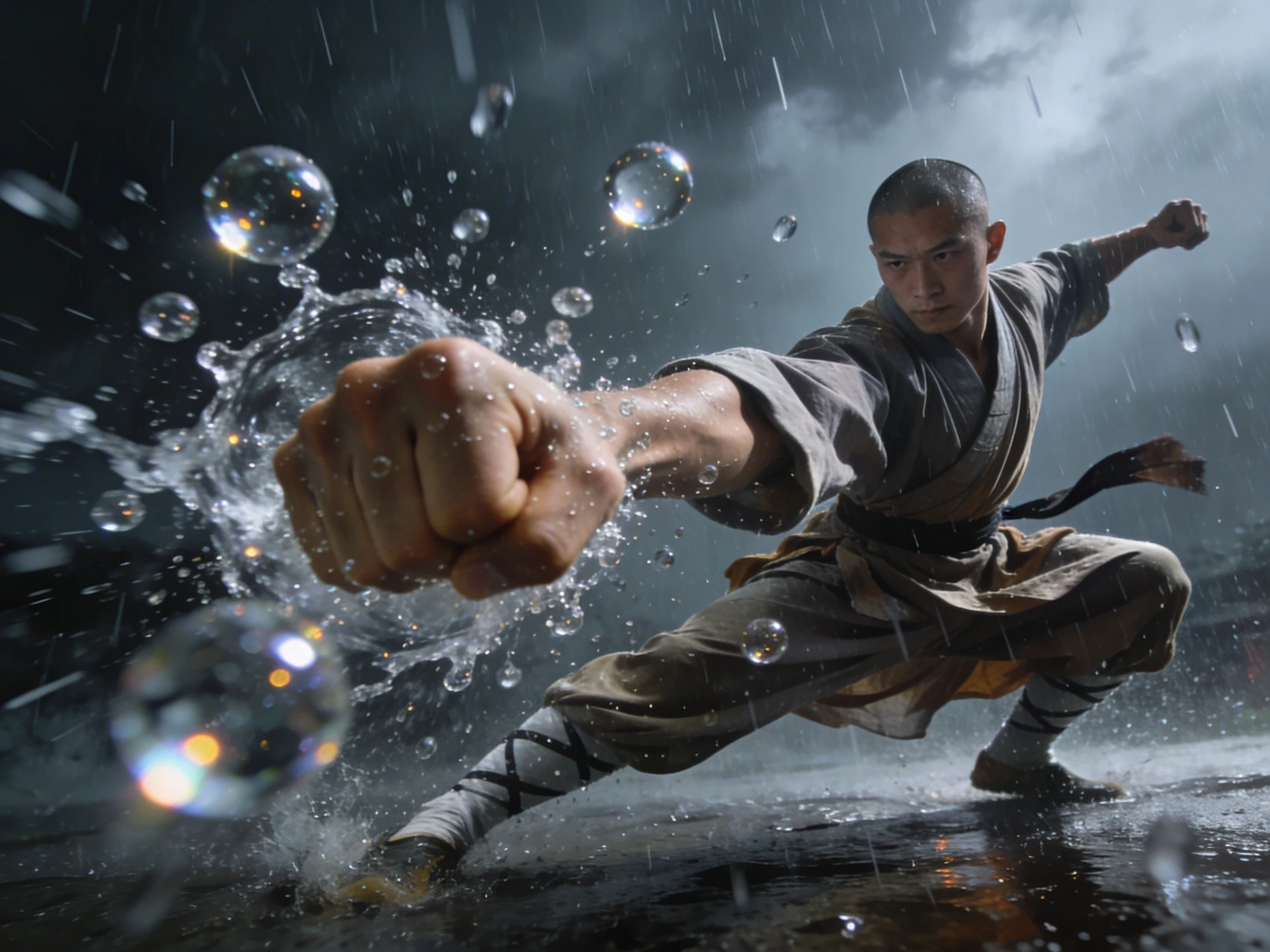
Why this works: The monk is explicitly frozen—no movement, no pose change. The rain droplets visually prove time has stopped. The camera orbit is clearly stated as the only moving element. Perfect for Kling 2.6's handling of particles.
Scene 2: Street Basketball (Sport + Chaos)
The Vibe: Urban court, epic dunk, spilled drink frozen mid-air
Prompt:
Bullet time shot, a basketball player mid-dunk on an urban court, the player is completely frozen, no limb movement, no pose change, like a paused moment in time. A spilled soda cup floating in the air next to him, liquid droplets frozen in time. Everything in the scene is static and unmoving. Only the camera moves, orbiting dynamically around the athlete. High contrast, photorealistic, 5 seconds.
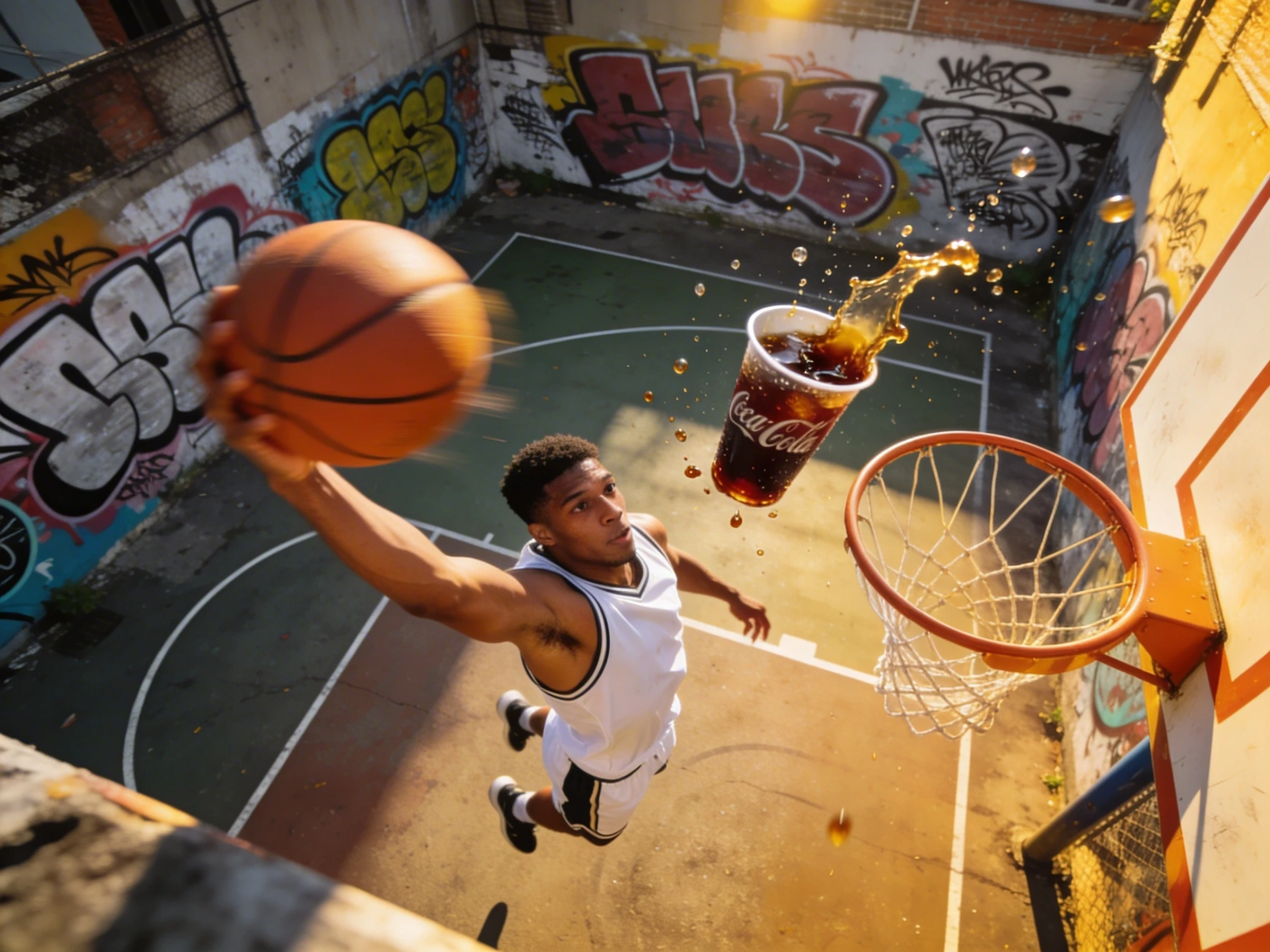
Why this works: The athlete is locked in place—no limb movement, just frozen perfection. Liquid droplets sell the time-stop illusion. The dynamic orbit keeps it from looking like a static photo.
Scene 3: Elegant Destruction (Beauty + Glass)
The Vibe: Ballerina mid-jump, shattered glass suspended like diamonds
Prompt:
Bullet time shot, a beautiful ballerina mid-jump, the ballerina is completely frozen, no limb movement, no pose change, like a paused moment in time. Shattered glass fragments suspended in air around her, every shard reflecting light. Everything in the scene is static and unmoving. Only the camera moves, rotating smoothly around the ballerina. Soft cinematic lighting, dreamy atmosphere, 4k, 5 seconds.
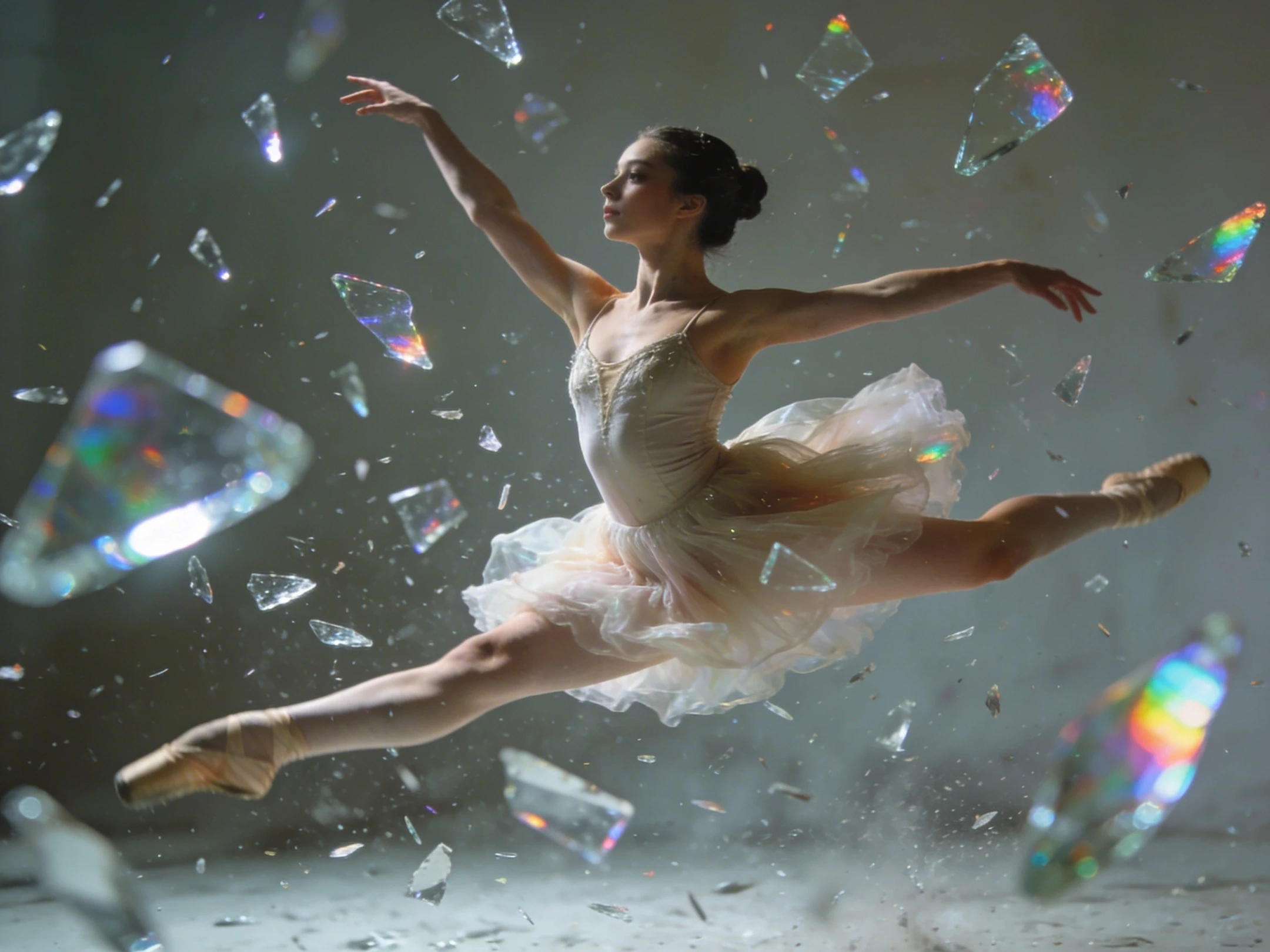
Why this works: The ballerina is explicitly frozen—no limb movement, no pose change, just a paused moment. Glass fragments catch light beautifully and prove time has stopped. The contrast between frozen grace and floating destruction is visually stunning.
Pro Tips: Taking It to the Next Level
1. The "Only Camera Moves" Rule
This is your most powerful instruction. When you explicitly tell Kling that only the camera moves and everything else is static, you eliminate the risk of unwanted motion blur or weird limb wiggles. The AI understands: subject = statue, camera = dolly.
2. Layer the "Frozen" Language
Don't just say "frozen" once. Layer it:
"Completely frozen"
"No limb movement"
"No pose change"
"Like a paused moment in time"
"Everything in the scene is static and unmoving"
Each phrase reinforces the instruction. Kling listens.
3. Speed Control in Post
Sometimes Kling's orbit moves too fast. Import your 5-second clip into CapCut or Premiere, slow it down by 50%, and use optical flow frame interpolation. Suddenly you have a 10-second buttery smooth bullet time shot—and since everything was frozen anyway, the slow-down looks flawless.
4. Negative Prompts Are Your Friend
Always add these to your negative prompt field:
No motion blur, no distortion, no limb movement, no camera shake, sharp details
Bullet time demands crystal clarity. Any motion on the subject ruins the illusion.
5. Kling-Specific Settings
For Kling 2.6, I recommend:
Resolution: 720p or 1080p (higher res helps with details)
Creative Mode: Balanced (gives you the best of both worlds)
Aspect Ratio: 16:9 for cinematic feel, or 9:16 for TikTok/Reels
Troubleshooting: When It Doesn't Work
Problem | Fix |
|---|---|
Subject still moves slightly | Strengthen the frozen language: "completely frozen, no limb movement, no pose change, like a statue" |
No orbit, just static shot | Add "only the camera moves, orbiting 360 degrees" and remove any "static camera" terms |
Too much motion blur | Strengthen negative prompts: "no motion blur, sharp focus, everything sharp" |
Particles disappear | Add "everything in the scene is static" to lock them in place |
Subject looks unnatural | Add "natural pose, well-defined features, clear face" |
Your Turn: Quick Start Template
Stuck? Use this:
Bullet time shot, [subject] [mid-action], the [subject] is completely frozen, no limb movement, no pose change, like a paused moment in time. [Floating elements like water/dust/glass] suspended in mid-air. Everything in the scene is static and unmoving. Only the camera moves, orbiting 360 degrees around the [subject]. Cinematic lighting, hyper-realistic, 5 seconds, 8k.
Fill in the blanks. You've got this. Also, I found the Orbit Shot template on PicLumen. You can have a trial.
The Bottom Line
Bullet time in Kling 2.6 isn't about luck—it's about precision. The winning formula is simple: tell the AI exactly what doesn't move, then tell it exactly what does move (the camera). Use floating particles as visual proof that time has stopped. Layer your frozen language. And when in doubt, orbit and suspend.
Now go make something that would make the Wachowskis proud.
Have you tried bullet time prompts? Drop your results in the comments—I'd love to see what you create.