The Puppy Time Machine: Using AI to Recreate the "Missing Moments"
Updated: March 23, 2026
March 23rd, is National Puppy Day. Social media is currently flooded with millions of adorable photos of young dogs. But for many pet owners—especially those who adopted their companions as adults—today is a reminder of a specific sadness: the moments they missed.
If you adopted your best friend after they were six months old, you likely have no idea what they looked like when they were a clumsy, tiny ball of fur.
My Counter-Intuitive View: We shouldn't use National Puppy Day to just generate generic cute dogs. We should use it to heal emotional gaps. In 2026, AI's greatest value is not creation; it is reconstruction and nostalgia. We can use PicLumen to build a "Digital Time Machine" and finally generate the puppy photos you never had.
The Workflow: Reverse-Aging with Precision
We aren't just prompting for "a younger version" of your dog. We are going to lock their core identity—their unique patterns and eye shape—and use Character Consistency (CREF) and advanced Nano Banana 2 prompting to regress their age.
For this guide, we are focusing on Static Images (Text-to-Image) because achieving the extreme, hyper-realistic detail required to make a "believable" photo is currently best handled by our static models.
Step 1: Establish the "Identity Reference" (I2I + CREF)
You need to take one of your current, high-quality photos of your adult dog and upload it. This is your "source of truth."
My Recommended Workflow: Instead of just using CREF, use a hybrid approach: Upload the photo in the AI Image Generator, activate Image-to-Image (I2I), and simultaneously set it as a Character Reference (CREF). This provides both the structural outline and the textural identity to the model.
Step 2: The "Reverse-Age" Prompt Formula
The magic happens in the prompt. If you just type "as a puppy," the AI will often fail, creating a generic dog that looks nothing like your reference. You must provide specific biological "puppy indicators."
For a photorealistic look, the best model to use is Nano Banana 2. Its casual realism and commercial-grade texture handle fur and wet noses flawlessly.
before | after |
|---|---|
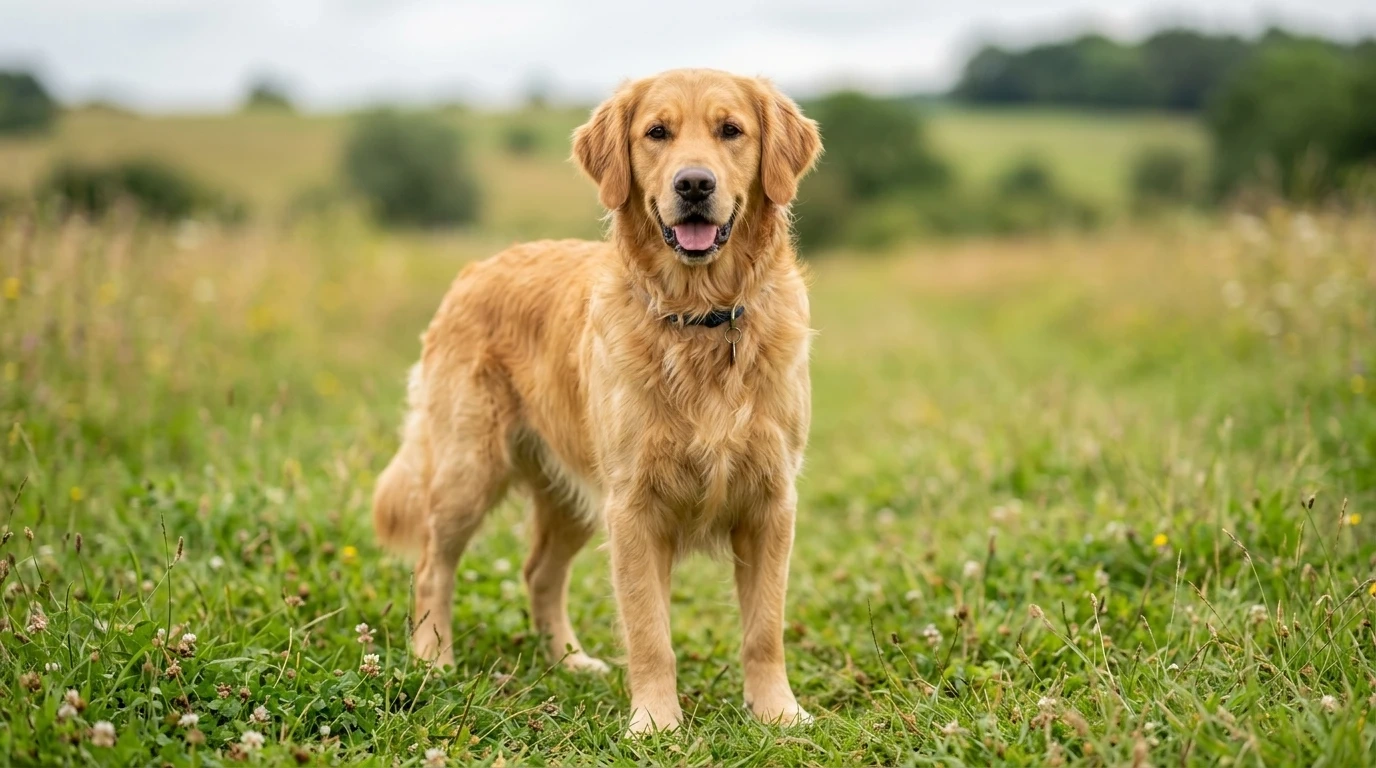 | 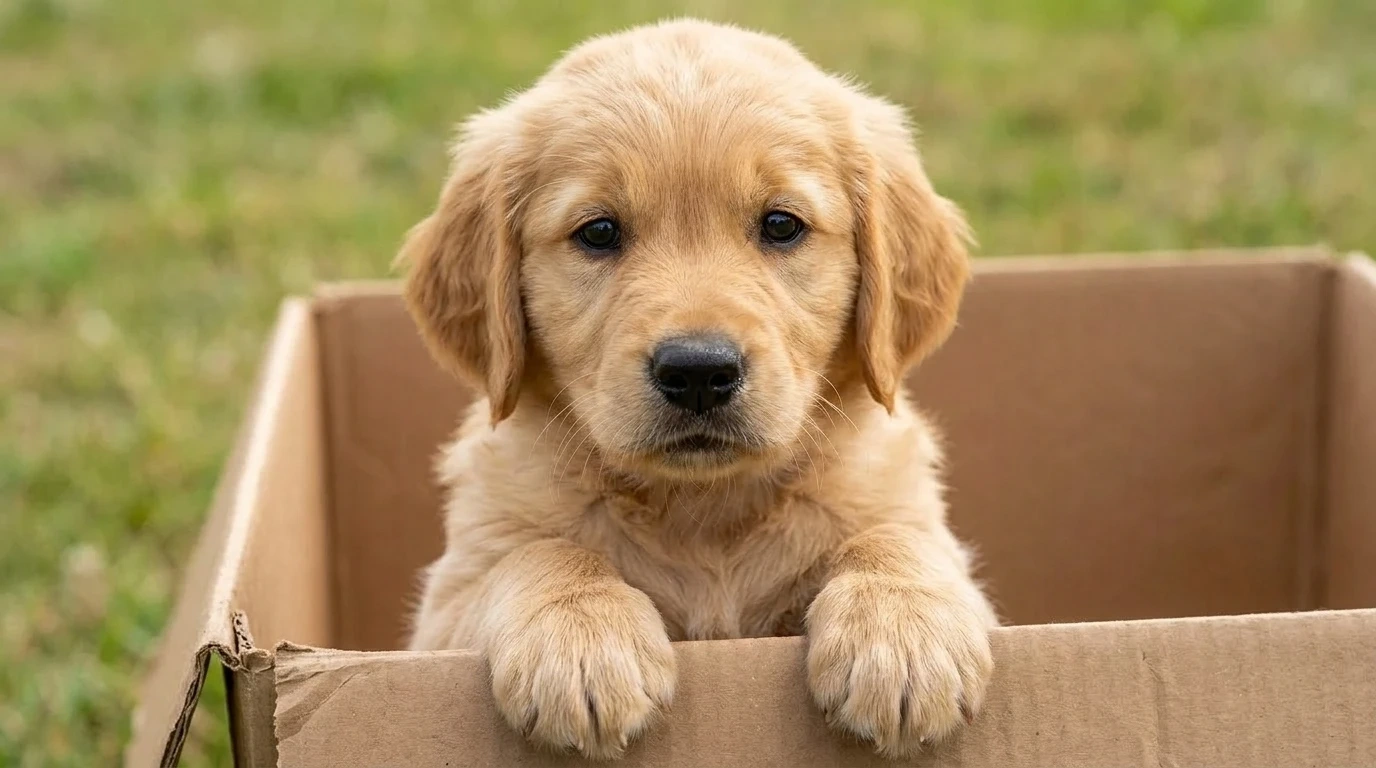 |
Feature Comparison: The Key to Belief
The difference between a generic puppy and your puppy is architectural.
Feature | Generic Prompting (Naive View) | Advanced Identity-Locked Workflow (PicLumen View) |
Unique Markings | Often randomized. A patch on the left ear might move to the right. | Locked 100% by CREF. Every unique color blend is preserved. |
Facial Structure | Muzzle length and head shape become generic "cute." | Uses I2I structural influence to ensure the reverse-aged face matches the adult anatomy. |
believable textures | Can look "smooth" or like a toy. | Nano Banana 2 adds realistic "weight" to the loose skin and fine fur. |
Looking to the Future: Evolving with Kling 3.0
While this guide focuses on static images to ensure maximum textural realism, the logical next step is movement. Once you have generated the perfect, identity-locked puppy photo, you can bring that asset into Kling 3.0.
Using Image-to-Video with Motion Control, you could create a 5-second video of your "reverse-aged" puppy taking its first clumsy steps across the kitchen floor.
👉 [Master Kling 3.0 Motion Control here]
Final Thoughts: Celebrate the Full Timeline
National Puppy Day doesn't have to be just for the puppies of today. By using AI not as a magic wand, but as a nostalgic reconstruction tool, you can complete your companion's timeline and finally see the moments you missed.
Start reconstructing your history on PicLumen.