AI video tools are getting good at motion. But what actually makes a drink ad feel premium isn’t motion—it’s continuity.
In this guide, I’ll walk through how to create a short, cinematic apple juice commercial using Kling 3.0 multi-shot, combining product consistency (via element upload) with controlled visual storytelling.
The goal isn’t just to generate clips. It’s to make them feel like they belong to the same world.
Start with a Simple Narrative (Before You Touch the Model)
Most AI-generated ads fail for a boring reason: they skip the story.
Here’s the structure used in this example:
Natural origin (apple in orchard)
Transformation (fruit → juice)
Product reveal (can + liquid)
Sensory impact (ice + splash)
Consumption cue (opening the can)
Nothing fancy. Just a clean cause-and-effect chain.
That’s enough to make the final video feel intentional instead of random.
Step 1: Lock Your Product with Element Input
 |  |
|---|
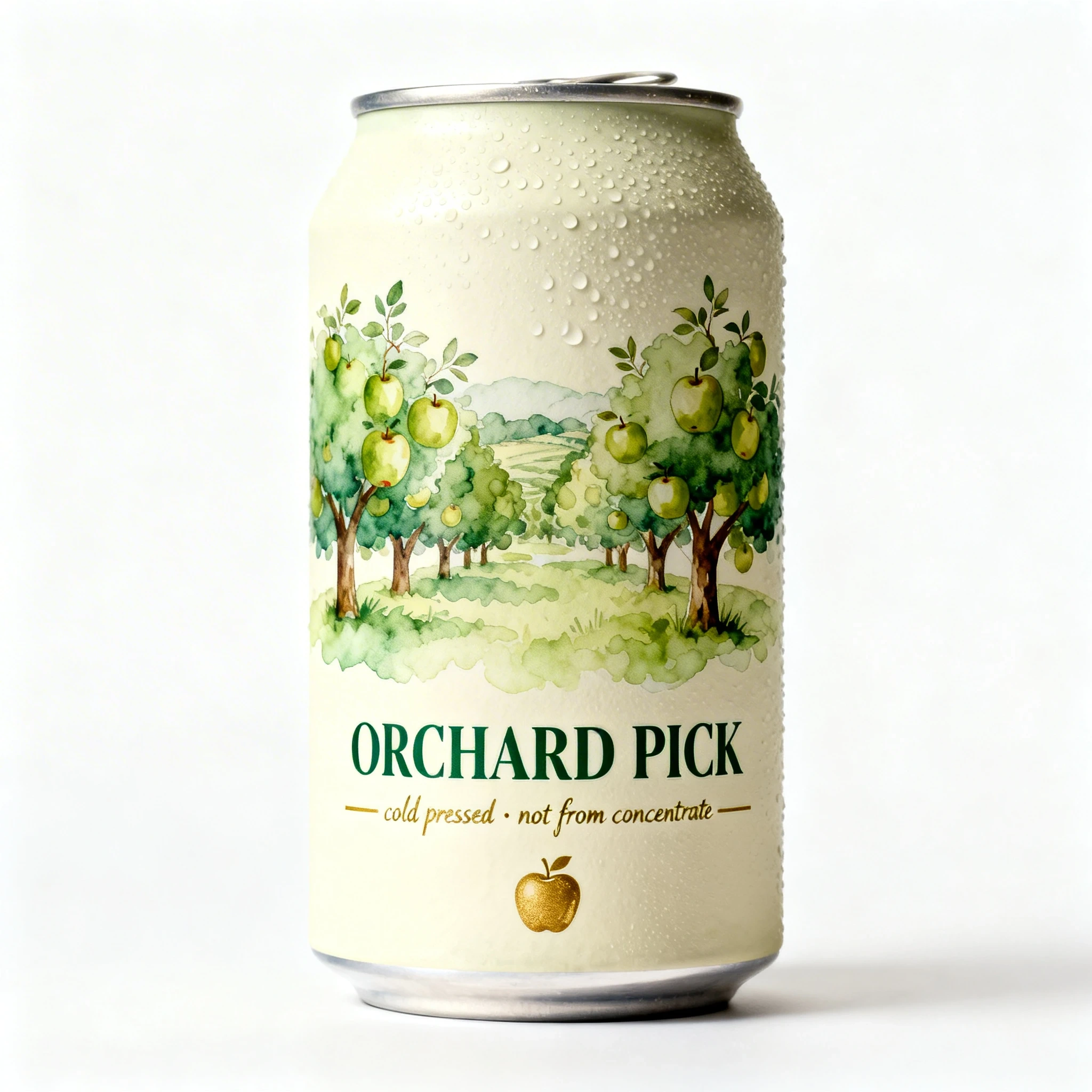
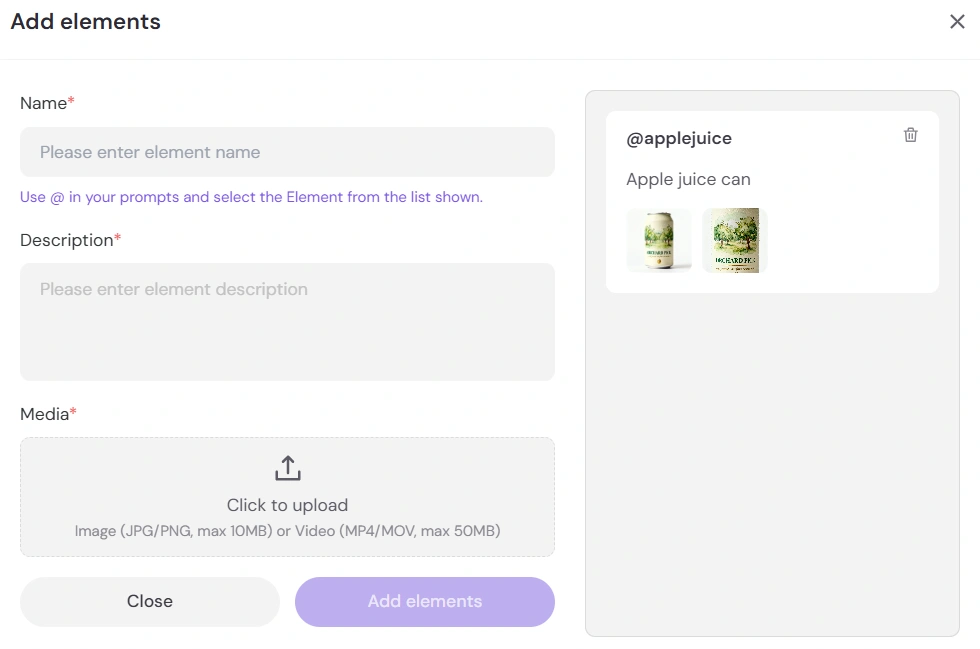
Before generating anything, upload your apple juice packaging as an element in Kling.
This does two things quietly in the background:
Keeps branding consistent across shots
Prevents the “AI drift” where your product mutates every cut
If you skip this, everything else becomes harder to control later.
Step 2: Build the Opening Mood (Shot 1)
Prompt core:
Cinematic macro shot, morning sunlight filtering through apple orchard leaves, a single fresh red apple covered in dew drops, a hand gently picking the apple, shallow depth of field, slow motion, photorealistic.
This shot does more than “look nice.” It establishes:
Natural origin
Freshness
A calm pacing baseline
The slow motion and shallow depth of field are doing quiet branding work here. You’re telling the viewer: this is premium, not mass-produced.
Step 3: Use Transformation as a Visual Hook (Shot 2)
Prompt core:
The red apple transforms into a golden liquid juice splash in mid-air, fluid dynamics, golden liquid flowing downwards, vibrant colors, high speed photography, seamless transition.
This is the moment where AI actually earns its place.
Instead of cutting from apple → juice, you blend them.
That “impossible transition” is something traditional production would need heavy VFX for. Here, it becomes the centerpiece.
If something feels slightly surreal here—that’s fine. It should.
Step 4: Anchor the Product (Shot 3)
Prompt core:
Extreme close-up of the juice can, golden apple juice being poured into the can, splashing, condensation on the can, refreshing, sparkling droplets, product photography lighting.
Now you shift from storytelling → selling.
Key details doing the work here:
Condensation = cold & refreshing
Macro lens = premium feel
Controlled lighting = ad realism
This is where the viewer starts recognizing it as a product, not just a visual sequence.
Step 5: Add Impact and Energy (Shot 4)
Prompt core:
Low angle close-up, the juice can on a wet surface... ice cubes drop... golden juice erupts upward... droplets catching light... condensation streaming...
This is your “hero moment.”
A few subtle choices matter here:
Low angle → makes the product feel dominant
Ice impact → adds physicality
Splash → injects energy after calmer shots
If the earlier shots whisper, this one wakes people up.
Step 6: Close with a Familiar Action (Shot 5)
Prompt core:
Hand opening the soda can, pull tab, popping sound, dynamic movement, product placement.
You end on something grounded.
After all the cinematic and slightly surreal visuals, this shot says:
Yes, this is real. You can actually drink this.
That small “pop” moment often sticks more than the splash.
Step 7: Control Timing and Rhythm
Your current timing works well:
2s (calm intro)
2s (transformation)
4s (product focus)
2s (impact)
2s (closure)
There’s a pattern hiding in there:
build → surprise → hold → hit → release
If something feels off in playback, it’s usually not the visuals—it’s the rhythm.
Final Thoughts
You didn’t just write prompts. You mapped a sequence where each shot answers the previous one.
That’s the difference.
Most AI ads look like five cool clips stitched together. This one feels like a single idea unfolding.
If you wanted to push it further, you could experiment with:
A subtle color grade shift (warmer → colder)
Sound design emphasis (dew → splash → crack)
Slight camera continuity between shots
But honestly, it’s already doing what it needs to do.
Clean. Intentional. Hard to scroll past.