If you’ve tried generating posters with AI, you’ve probably noticed something frustrating.
You can get something that looks “okay” pretty quickly. But getting something that is actually usable—a poster with a clear layout, readable text, and solid design—feels inconsistent.
Sometimes it works. Most of the time, it doesn’t.
The difference is not creativity. It’s control.
In this guide, I’ll walk through a simple system I’ve been using to get from rough ideas to usable AI posters more reliably. There are two common starting points: either you have a reference image or only an idea.
Path 1: When You Have a Reference Image
If you already have a poster you like, don’t try to describe it casually. That usually leads to vague prompts and unstable results.
Instead, you first turn the image into a structured prompt.
Step 1: Extract a Structured Prompt from the Image
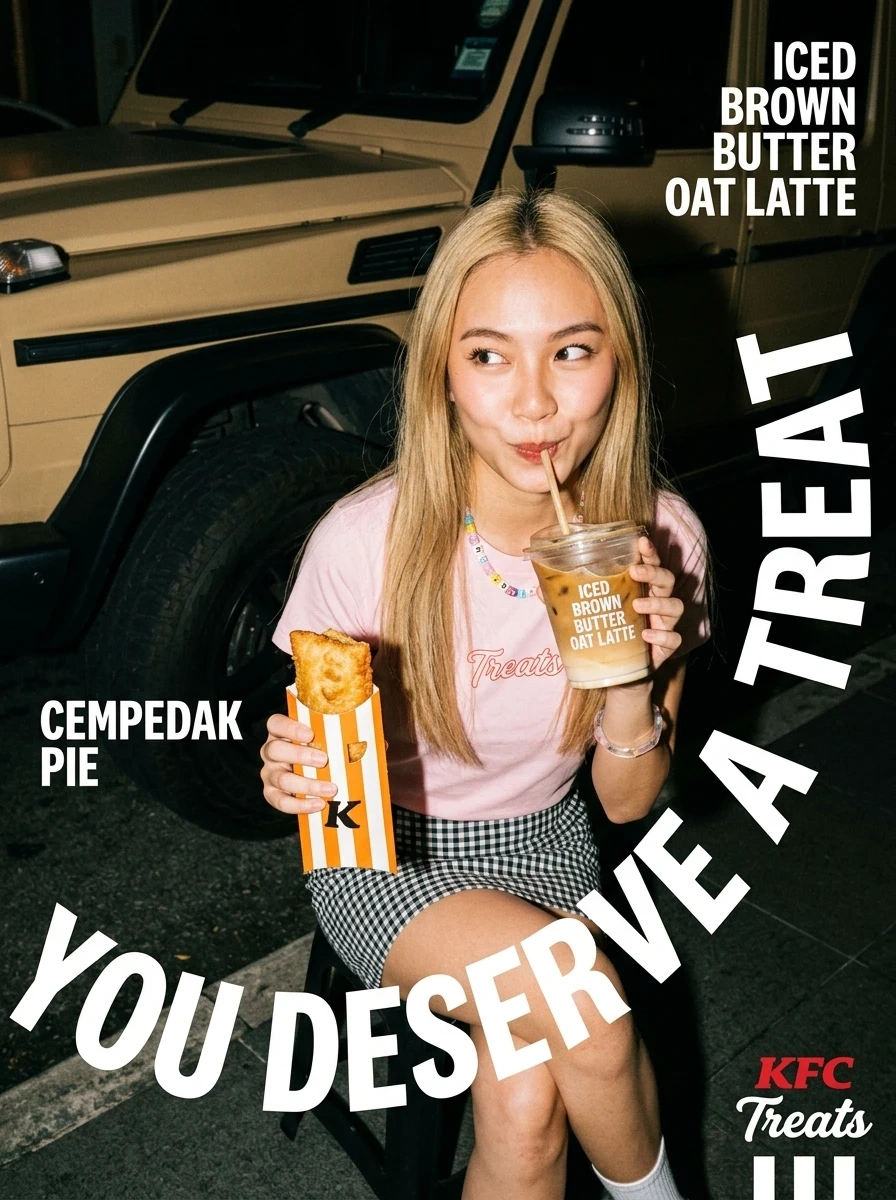
Reference Poster | Image2Text Prompt Poster |
|---|---|
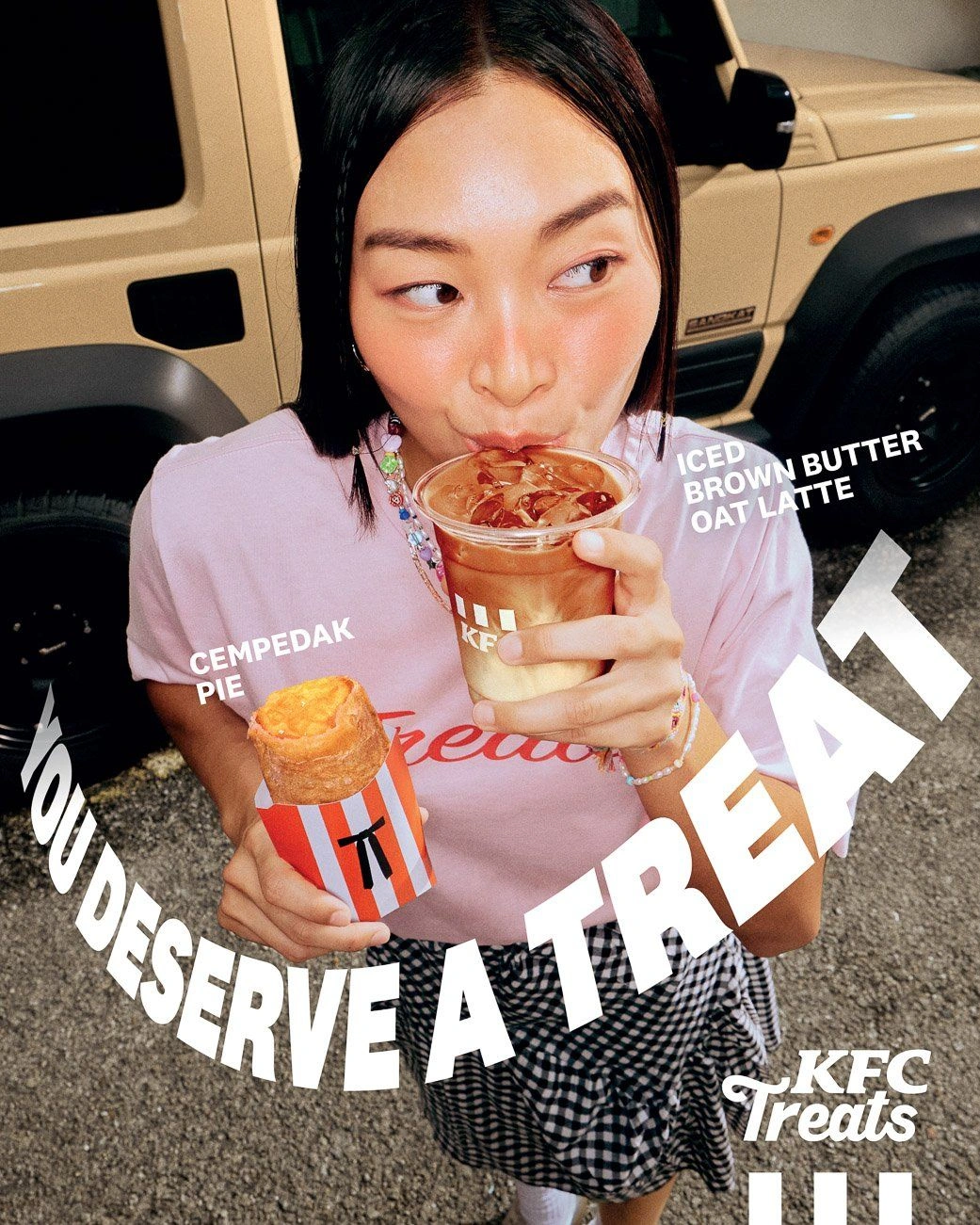 | 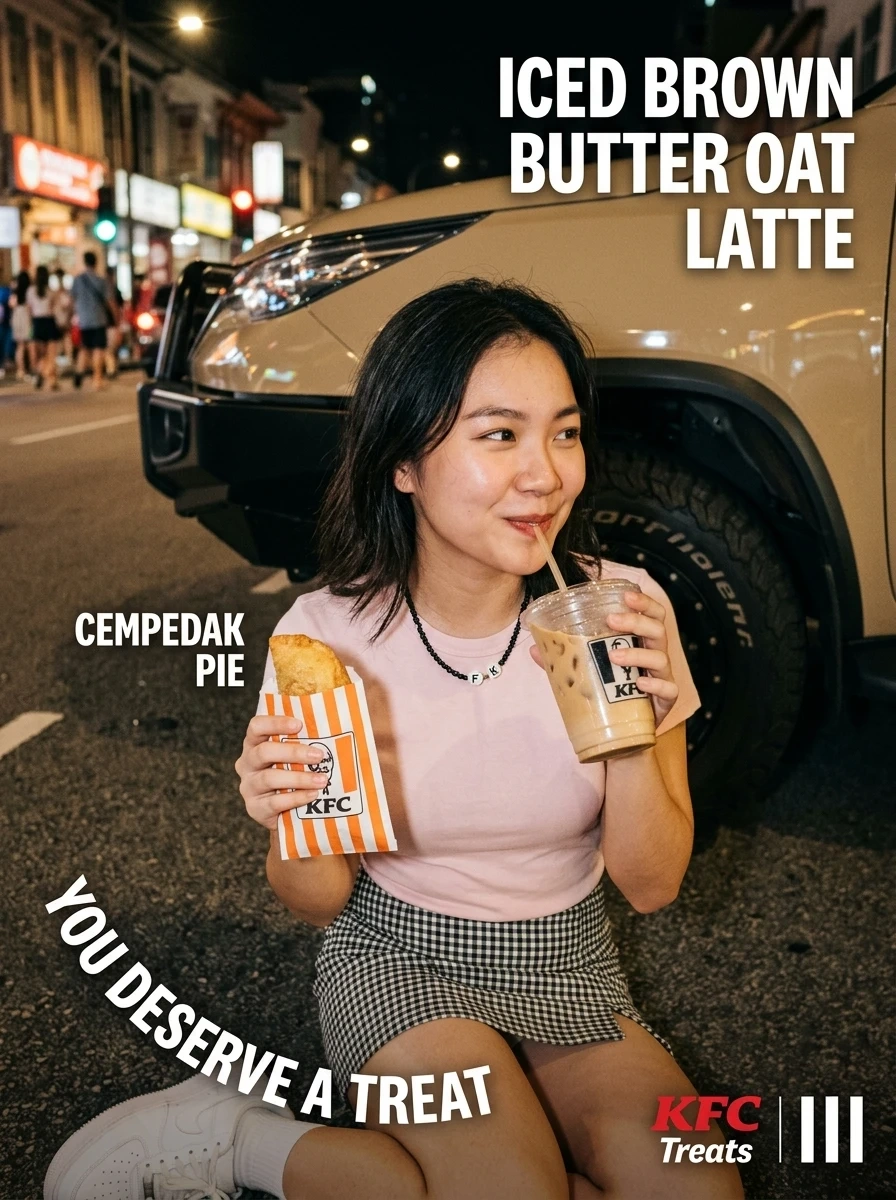 |
You can use tools like ChatGPT, Gemini, or any image-to-text capable AI. The key is to guide the model with a clear instruction.
Here is a ready-to-use prompt you can copy:
You are a professional image analyst and prompt engineer.
Your task is to analyze the reference image I provide and generate a detailed, structured prompt that can be used in AI image generation tools to closely recreate the original image.
Please analyze the image using the following structure:
Main Subject: Describe the primary subject, including appearance, pose, expression, clothing, or product details.
Scene & Environment: Describe the setting (indoor/outdoor), background elements, and environment details.
Composition & Camera: Describe layout (symmetry, rule of thirds, diagonal), subject position, and camera angle (close-up, top-down, wide shot, etc.).
Lighting & Mood: Describe lighting type (natural, studio, neon), direction, intensity, and overall mood.
Artistic Style: Define the visual style (photorealistic, 3D render, illustration, etc.) and possible references.
Color Palette: Describe dominant colors and tone (warm, cool, vibrant, muted).
Text & Graphics: Extract ALL visible text, including headlines, subtext, logos, and describe their positions clearly.
Details & Texture: Include materials, background details, and small visual elements.
Final Task:
Combine all the above into ONE complete, high-quality prompt in English (1500–2000 characters). Use commas to separate keywords. Include aspect ratio at the end.
Compared to shorter prompts, this structured format gives the model enough information to reproduce layout, style, and text more accurately.
Step 2: Generate and Refine
After generating the first image, you will usually see small differences from the reference. Instead of guessing what to change, you can run a comparison.
Here is a second prompt you can directly use:
You are an expert AI image generation specialist.
I will provide two images:
Image A: the generated result
Image B: the reference image
Your task is to compare them in detail and identify all differences in composition, typography, layout, lighting, and style.
Then, generate an improved prompt that minimizes these differences and better matches the reference image.
Output only the optimized prompt in English (1500–2000 characters), structured and ready to use.
This step is what turns a “close result” into something much more controlled. Most people skip it, but it’s where consistency actually comes from.
Path 2: When You Only Have an Idea
Starting from nothing is a different kind of problem. You’re not refining—you’re trying to begin.
The most common issues are simple: you don’t know what to write, and you don’t know where to start.
Instead of writing freely, it helps to use a fixed structure and let AI complete it for you.
Use a Prompt Blueprint
Here is a reusable template you can copy and fill in:
I am creating a promotional poster. I will provide partial information. Please complete the full prompt based on the structure below.
Requirements:
Output in English
Keep the total length between 1500–2000 characters
Use clear structure and natural phrasing
Do NOT use special symbols except commas, colons, and quotation marks
Structure:
Main Subject
Scene Setting
Composition & Camera
Lighting & Mood
Artistic Style
Color Palette
Text & Graphics
Details & Texture
Aspect Ratio
My input:
A high-resolution photorealistic food photography image, top-down view. The main subject is two iced tiramisu coffees. The composition uses a diagonal layout. The background is fully covered with fine dark brown cocoa powder.
Text design:
Top-left: logo "Mstand coffee"
Top center: white oval label with black text "New Release"
Main title: "TIRAMISU SERIES"
Bottom-left: "Tiramisu loves Latte"
Bottom-right: QR code with text "Scan to get 62 percent off coupon pack"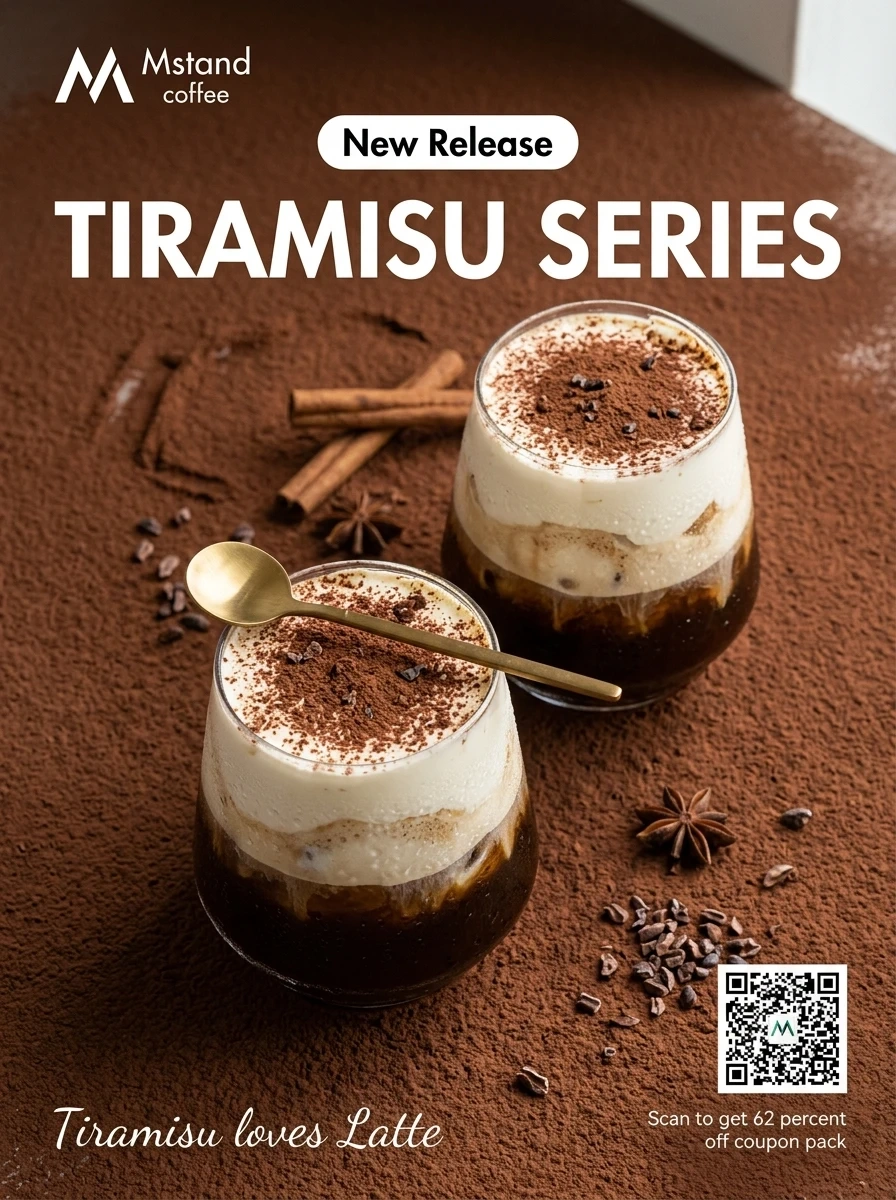
This approach removes the pressure of starting from zero. You provide direction, and the AI fills in the missing structure.
Controlling Text in AI Posters
Text is usually the weakest part of AI-generated posters. Even when the image looks good, the typography often breaks.
A few small adjustments can improve this a lot.
First, always put text inside quotation marks. This increases the chance that the model generates the exact wording.
Second, pay attention to order. Text that appears earlier in the prompt is more likely to be treated as the main title.
Third, if you want clean line breaks, split sentences manually. Instead of one long phrase, break it into two quoted parts. This helps guide layout without needing complex instructions.
AI does not really understand design rules, but it follows patterns very closely. Clear signals lead to better results.
Final Thoughts
Getting from 0 to 80 is not about writing longer prompts or trying more styles.
It comes down to three things: structured input, controlled iteration, and clear text signals.
Once the process becomes predictable, the results stop feeling random.