I came across this Phone on the Train trend on TikTok and immediately wanted to try making my own version.
I liked the idea of placing a phone against a train window and watching the person get left behind as the train pulls away. It looked like a fun trend to recreate with an AI character, so I decided to give it a shot using PicLumen's AI Video Workspace.
For my version, I used a character I had already created while keeping the Paris setting and main actions from the original video. I wanted to see how well I could recreate the trend with my own AI character.
Step 1: Break Down the Original TikTok Video
Here is the original video I used as my reference:
Original video: Watch the TikTok by @olliemuhl
I watched the video a few times to get a better feel for how each shot connected, especially the switch to the phone's recording perspective.
The main sequence I wanted to recreate was:
A person walks toward the camera on a train platform.
They turn and place their phone against the train window.
The view switches to the phone's recording perspective, looking out toward the platform.
The train starts moving, and the person runs alongside it.
The train gradually speeds up and leaves the person behind.
The view opens up into a city landscape as the train leaves the station.
I decided to use Paris for my version. I thought the Eiffel Tower and the Seine River would make a nice reveal at the end.
I also chose a 15-second, horizontal 16:9 format. There were quite a few actions to fit into such a short video, so I needed to keep the sequence moving.
Step 2: Prepare My Character Turnaround Reference
I already had a specific character in mind, so I prepared a three-view reference showing him from the front, side, and back.
He was a young East Asian man with messy, medium-length black wavy hair. His outfit was a dark navy knit cardigan, a light blue collared shirt, loose wide-leg grey trousers, brown leather shoes, and a light grey canvas shoulder bag.
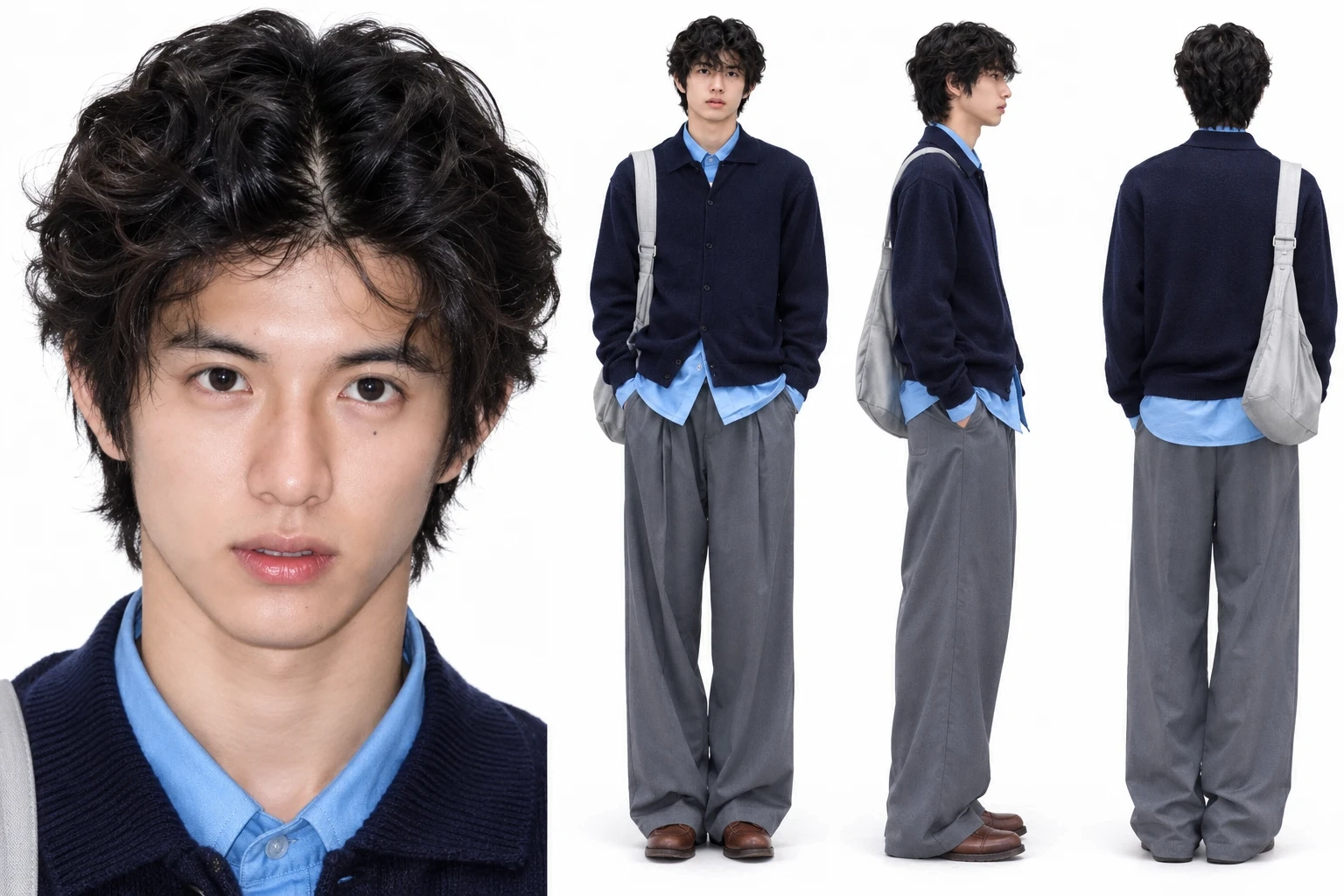
I uploaded the character turnaround reference to PicLumen's AI Video Workspace so the model could refer to his appearance from different angles.
I added the original TikTok video as well. I wanted to keep the character's appearance consistent while following the original video's actions and camera movements.
Step 3: Start with Seedance 2.5, Then Switch Models
I first tried generating the video with Seedance 2.5. I uploaded my character turnaround reference and the TikTok video, then submitted my prompt.
However, I kept getting warnings about possible copyright issues.
I tried removing the watermark from the reference video, but the warning was still there. I then removed the music and tried again. That didn't work either.
After those attempts, I switched to Wan 3.0 Prime and continued with the same character reference and video idea.
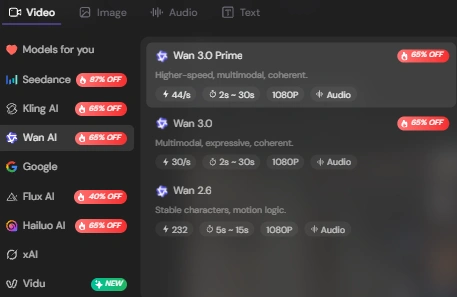
Step 4: Refine My Prompt to Fix the Generation Issues
Once I started testing the video with Wan 3.0 Prime, I noticed that some actions weren't coming out the way I wanted.
Getting the phone scene right took some work. In a few generations, the phone looked like it was floating instead of resting against the train window. Even when the placement looked right, the view didn't always switch to the phone's camera. I went back and made both actions clearer: the character needed to press the back of the phone flat against the glass, and the next shot had to come directly from its camera.
The running part was another challenge. In one generation, the character and train seemed to move in opposite directions. I had to spell out how the scene should unfold: the train starts slowly, the character runs alongside it, and the train gradually pulls ahead. I also added that he should get smaller in the frame as the distance increased. That was the effect I wanted from the original trend.
For the ending, I tried to make the Paris reveal feel like a continuation of the train's movement. Instead of suddenly cutting to a city view, I described how the scenery should gradually open up as the train exited the station, eventually revealing the Eiffel Tower and the Seine River.
The final landmark transition still wasn't quite as natural as I wanted, but the phone POV and running sequence were much closer to what I had pictured.
Step 5: Generate My Final Video
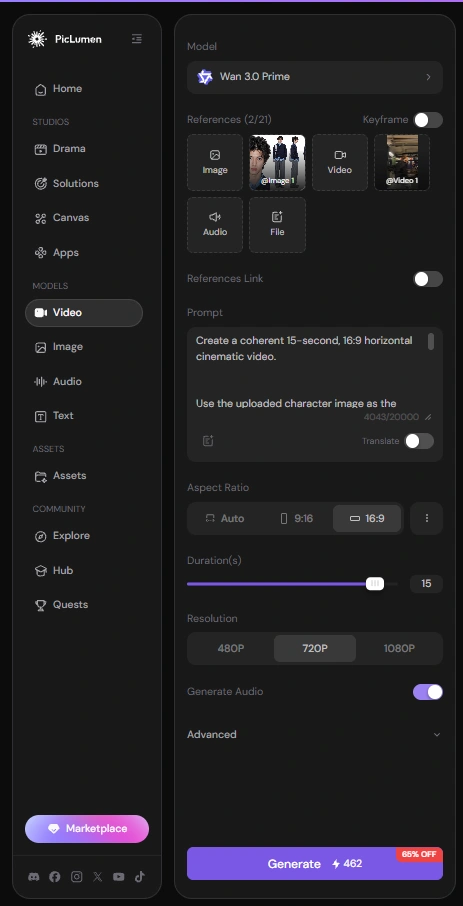
After a few rounds of prompt adjustments, I settled on the final version and generated the video with Wan 3.0 Prime in PicLumen's AI Video Workspace.
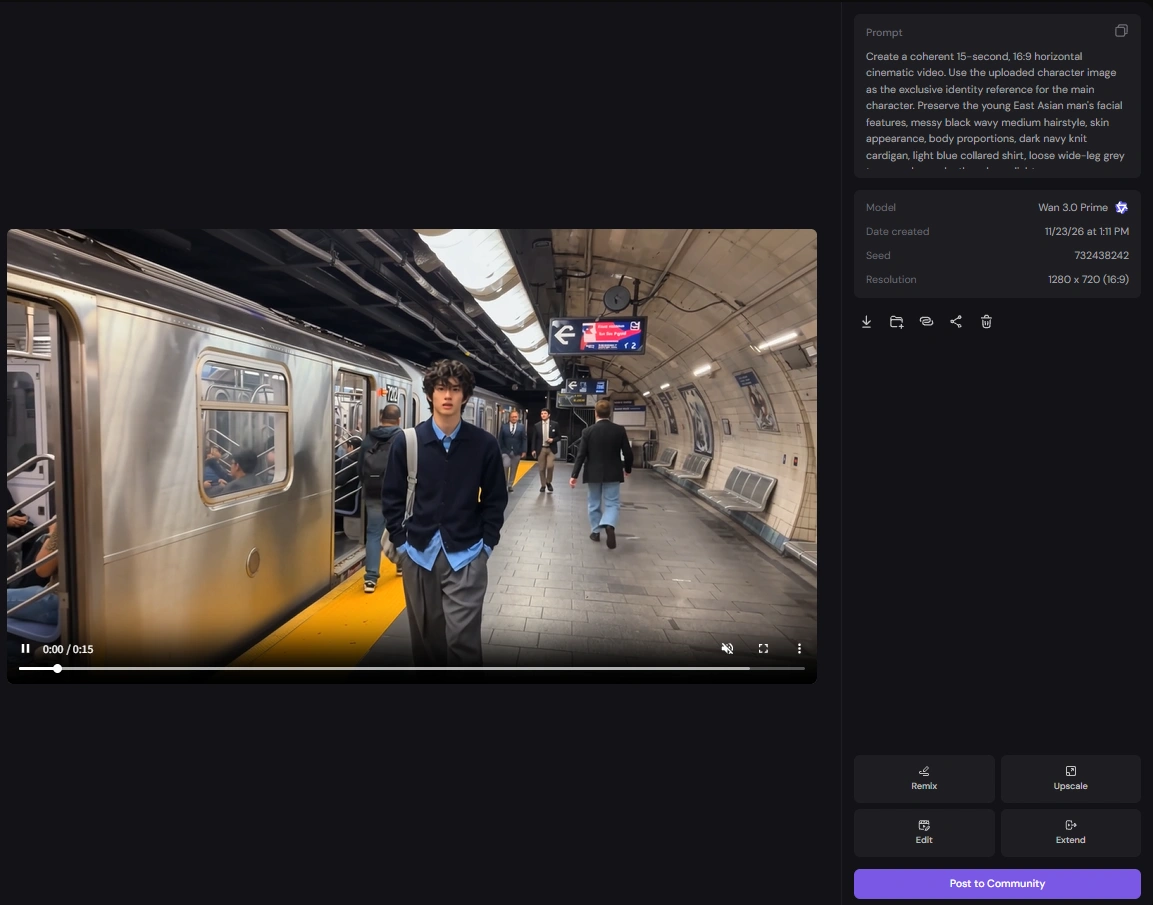
I was happy to finally get the main sequence working. The phone POV looked right, the character ran alongside the train, and the train gradually accelerated and pulled ahead instead of suddenly speeding away.
The Paris reveal was still a little abrupt, but I decided to keep the result. My character stayed recognizable throughout the video, and the main actions came together pretty well.
Here is the final prompt I used:
Final Video Prompt
Create a coherent 15-second, 16:9 horizontal cinematic video.
Use the uploaded character image as the exclusive identity reference for the main character. Preserve the young East Asian man's facial features, messy black wavy medium hairstyle, skin appearance, body proportions, dark navy knit cardigan, light blue collared shirt, loose wide-leg grey trousers, brown leather shoes, light grey canvas shoulder bag, and recognizable identity throughout the entire video.
Use the uploaded reference video as the primary visual guide for the action sequence, camera movement, shot composition, character positioning, train movement, and transitions.
0–3 seconds: The main character walks toward the camera along a Paris metro platform beside a stationary train. Use a medium-wide shot showing his full body and the platform environment. The camera smoothly tracks backward as he approaches, gradually moving closer. He looks naturally toward the camera.
3–5 seconds: The character turns toward the stationary train and places the back of his smartphone flat against the exterior train window glass. The phone must make clear physical contact with the glass, with its camera facing outward toward the platform. Show this action from a side angle, clearly establishing the phone's position against the window.
5–7 seconds: Transition naturally into the smartphone's recording perspective. The viewpoint now appears to come directly from the phone camera attached to the train window, looking outward toward the platform. The main character is visible outside, facing the phone and making expressive, natural gestures. Maintain the same spatial relationship between the phone, train window, and character.
7–9 seconds: From the same phone recording perspective, the train begins moving slowly. The character turns and starts running alongside the train, trying to keep up with it. The train initially moves gently, then gradually increases its speed. The character runs naturally alongside the platform as the distance between him and the moving train slowly increases.
9–12 seconds: The train continues accelerating smoothly and moves farther away from the character. Maintain the outward-facing phone camera perspective. The character gradually becomes smaller in the frame as the train pulls ahead. The platform, station structures, and surrounding scenery move increasingly quickly across the frame, creating a convincing sense of acceleration and forward motion.
12–15 seconds: As the train exits the station, the urban scenery outside gradually opens up into a wide view of Paris. Use the train's forward movement as a natural visual transition from the metro environment to the city landscape. Reveal the illuminated Eiffel Tower above the surrounding buildings, with the Seine River visible in the distance. The camera maintains a smooth forward-facing perspective and ends with the Eiffel Tower clearly visible as the main visual focus.
Cinematic visual aesthetic, realistic human movement, natural facial expressions, smooth camera tracking, physically believable smartphone placement, realistic train motion, gradual acceleration, coherent spatial relationships, natural lighting, detailed environments, and subtle motion blur.
Maintain consistent character identity, clothing, and appearance throughout all shots. Keep the Paris metro environment visually coherent. The smartphone recording perspective must feel continuous and physically connected to the train window once established.
Focus entirely on visual storytelling. Do not generate singing, lyrics, dialogue, music, or sound effects. Do not show a phone or camera physically attached anywhere other than against the exterior train window glass. Do not change the main character's identity or appearance. Do not introduce unrelated scenes, random characters, or unnecessary transitions. Avoid distorted faces, extra limbs, duplicated characters, unnatural running, abrupt acceleration, sudden camera cuts, and abrupt background changes.
Final Thoughts
The final video isn't perfect, but after a few rounds of adjustments, I'm pretty happy with how it turned out. It took some trial and error to get the phone POV and running sequence right, but I'm glad I kept working on it.