

About Us

Create. Share. Remix. Grow.

PicLumen brings AI creativity into one connected platform. In PicLumen Studio, specialized workspaces for drama, Canvas creation, apps, and business solutions help you move from a first idea to content worth sharing. Build AI short films and dramas, develop images and music, and reuse the characters, locations, props, and workflows behind every project.

Our Story

From AI Images to a Connected Creative Platform

PicLumen began as a free AI image generator, where anyone could turn a simple prompt into a visual idea. As creators moved from single images to videos, stories, and commercial projects, their work began to need more than another generation button. It needed connected tools, reusable references, and space to develop a project over time.

That is why PicLumen has grown to bring image, video, music, templates, workflows, business solutions, and community together. Studio is becoming the home for several specialized creative environments, while Canvas and reusable assets help projects retain their context as creators explore new directions.

Filmmaking and AI drama production are central to this direction. Our goal is to support not only the generation of a cinematic shot, but also the creative decisions around it: the plot, script, cast, props, locations, camera direction, editing, and the way a finished story reaches its audience.

Our Mission

To empower creators, professionals, and businesses to turn ideas into content, content into assets, and assets into long-term creative value.

One Platform with Specialized Studios

PicLumen Studio is the home for focused creative workspaces. Together they form a flexible AI creative suite: each studio is designed around a different kind of project, while Canvas workflows and reusable creative assets provide a way to carry ideas between stages instead of starting from scratch.

Drama Studio

A guided production workspace for AI dramas, short films, episodic stories, and trailers. It connects story development, production planning, shot creation, post-production, and promotional preparation. Characters, locations, props, and visual references become recurring assets that help a story hold together across scenes.
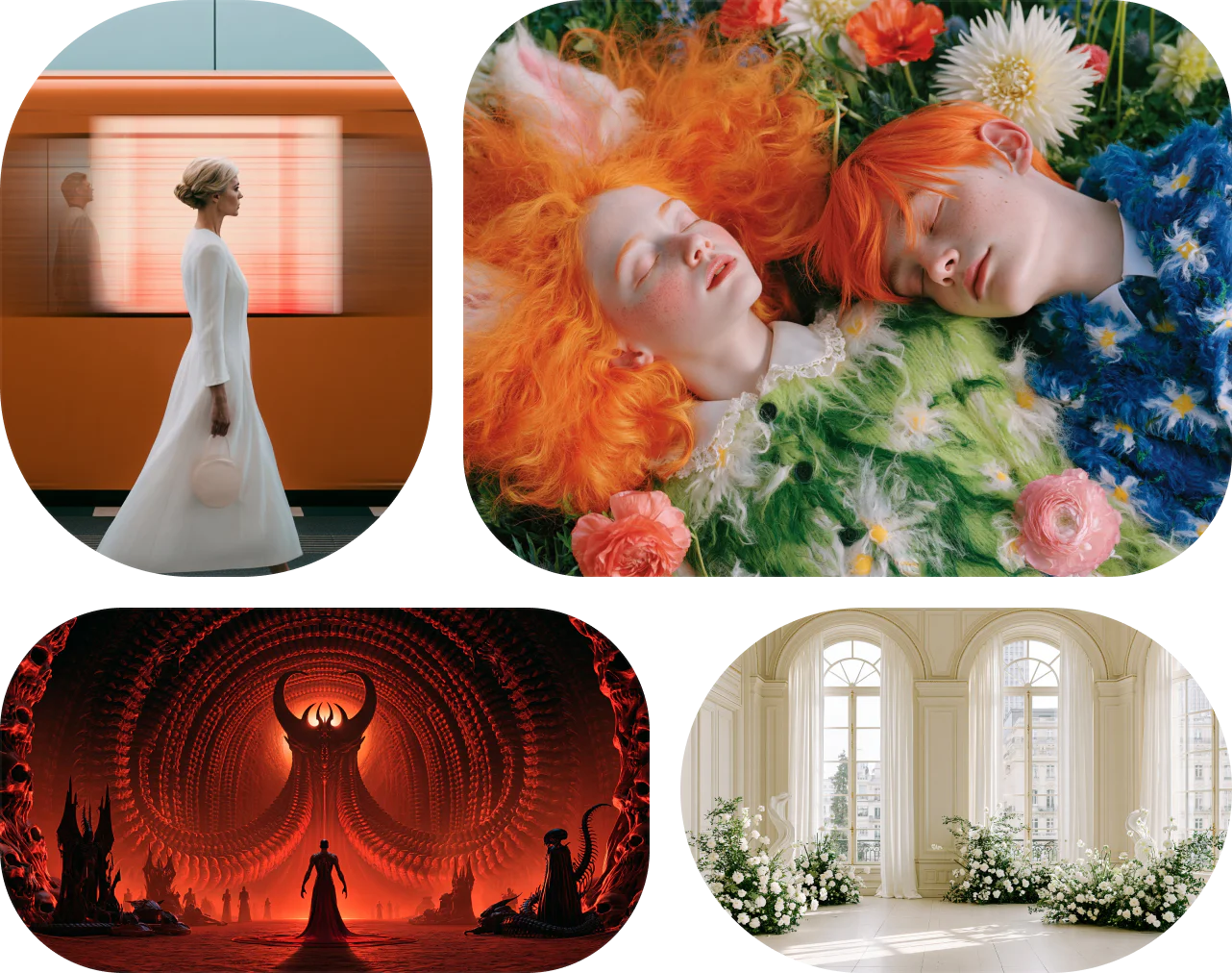
Canvas Studio

The flexible workspace for creators who want to design their own process. Its visual Canvas connects prompts, models, images, videos, references, and outputs in customizable workflows. Use it to explore alternatives, build reusable templates, or develop assets that feed a larger project.

App Studio

A focused environment for app-oriented creative experiences, bringing AI capabilities into formats that people can use and explore.

Solution Studio

Scenario-based creation for practical business needs, from product visuals and e-commerce content to advertising and marketing assets, with reusable tools and workflows suited to each task.

Drama Studio from Idea to Release

A memorable AI drama is more than a collection of clips. Characters need recognizable identities; locations, costumes, and props need a consistent visual language; camera choices need to serve the plot. Drama Studio brings these production decisions into a guided journey, with room to refine each stage rather than regenerate an entire project.

01 · DEVELOPMENT

Develop the Story

  • 01
    Ideation

    Start from a premise, genre, theme, or creative brief and explore the core story.

  • 02
    Planning

    Define the audience, episode structure, dramatic arc, and production direction.

  • 03
    Script Decisions

    Evaluate plot options, story beats, character motivations, and key turning points before committing.

  • 04
    Scriptwriting

    Develop scenes, dialogue, and a working script that can guide visual production.

02 · PRODUCTION

Prepare and Produce

  • 05
    Pre-production

    Build the cast, character references, locations, costumes, props, scene styles, shot lists, and storyboards.

  • 06
    Shooting

    Generate and direct shots with supported video models, using choices such as composition, camera angles, lens looks, movement, lighting, and performance where available.

  • 07
    Post-production

    Review footage, refine selected moments, work with sound and music, and shape the sequence toward a cohesive edit.

03 · RELEASE

Finish and Share

  • 08
    Final Film

    Assemble and review the completed short film, microdrama episode, or cinematic sequence.

  • 09
    Promotion

    Prepare trailers, teasers, posters, vertical reels, and other launch materials that help the story find its audience.

Canvas and Assets That Work Together

For a story to feel continuous, its visual identity must travel from one shot to the next. PicLumen treats creative assets as more than files to download: character looks, locations, recurring props, costume details, style references, prompts, and generated shots can all become material to revisit and build on.

CREATE · SHARE · REMIX
  • Make Characters, Locations, and Props Reusable

    A familiar object can matter as much as a familiar face. From a signature necklace to a vehicle, costume, or set detail, props help the audience recognize the world of a story. Organize these references alongside character and location assets to guide future scenes and reduce unnecessary rework. Visual continuity still depends on the selected models, references, and creative review.

  • Use Canvas to Connect the Work

    Canvas links ideas, assets, and generation steps in a visual workflow. Start with a script beat, branch into character or prop references, build a storyboard, generate candidate shots, and reuse the strongest results as inputs for the next scene. In Canvas Studio you can customize the path; in Drama Studio the path is organized around film production.

  • Keep What You Learn for the Next Project

    A tested character reference, location kit, prop design, prompt, or storyboard workflow should not disappear after one generation. Reusable assets and templates help creators explore new episodes, alternate cuts, social reels, and future productions with a stronger starting point.

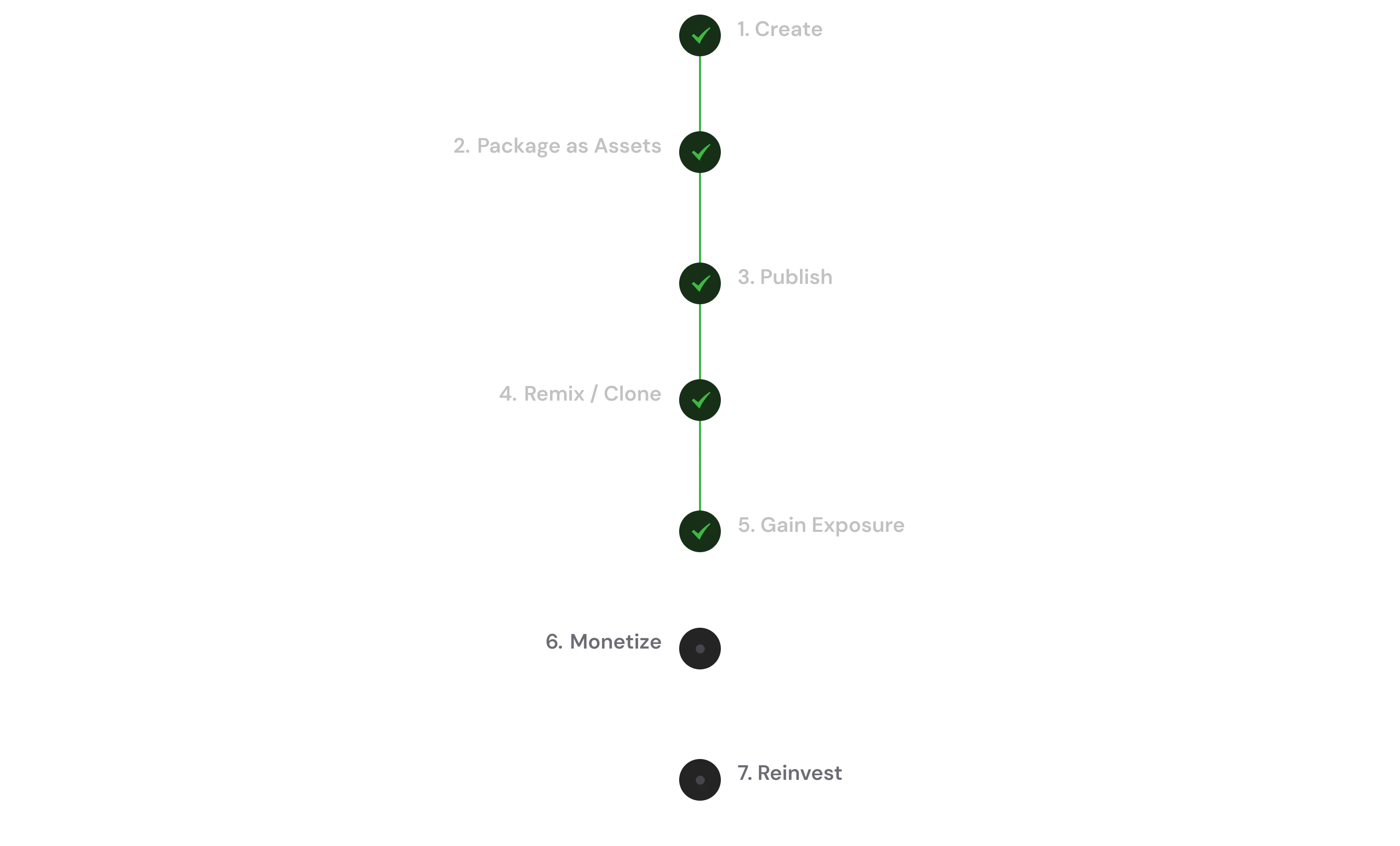
The Creator Flywheel

Creativity shouldn't stop at a single generation. On PicLumen, everything you make can become a reusable asset that inspires the next idea — and loops back into more creation.

What You Can Create

Whether you need a portrait, a product video, a cinematic reel, or a complete story project, PicLumen brings together models, purpose-built studios, and flexible workflows to support different creative goals.

Across the Platform

  • AI image generation, reference-based editing, and image enhancement.
  • Text-to-video and image-to-video generation for cinematic scenes, trailers, and social content.
  • Music and audio creation with model-specific options.
  • Canvas workflows and templates for visual exploration and repeatable production.
  • Business solutions for product photography, e-commerce, and marketing creative.
  • Community discovery, publishing, and supported remix experiences.

With Drama Studio

  • Story planning, script decisions, and scene development for AI short films and microdramas.
  • Production asset kits covering characters, locations, costumes, props, and visual styles.
  • Storyboards, shot planning, video production, and supported cinematic direction controls.
  • Post-production workflows and assets for finished episodes, trailers, posters, and reels.

Where We Are Heading

Deeper agent-assisted creative production across studios.

More connected assets, workflows, and collaboration options.

Additional ways for creators to earn value from their work.

Who It's For

Built for every kind of creator. Whether you're here to play or to produce, there's a place for you.

AI Art Enthusiasts

Experiment with new styles, portraits, characters, and worlds. Start small, discover new ideas, and enjoy the creative process.

Content Creators

Make social videos, promotional clips, vertical reels, images, and music for channels that need fresh content and a recognizable visual identity.

Professional Creators

Explore visual concepts, compare model outputs, and organize reusable creative materials for more involved productions and client work.

Filmmakers and Short Drama Creators

Develop characters, visualize locations, test cinematic shots, and produce scenes for AI films, microdramas, trailers, and episodic storytelling. Use Canvas references and workflows as practical building blocks for multi-scene projects.

E-Commerce Sellers

Create product photos, lifestyle visuals, listing assets, and product videos with tools suited to online selling.

Marketing Teams

Build campaign visuals, advertisements, branded storytelling, and social creative with references and workflows that can be adapted across projects.

What We Believe

The principles behind everything we build.

Creativity Should Be Accessible

You should be able to try a visual idea or tell a story without needing a traditional studio budget or a specialist production background.

Useful Work Should Be Reusable

An effective prompt, a clear reference, or a strong workflow can support more than one output. We design for exploration that carries forward.

Community Makes Ideas Better

Sharing work, exchanging feedback, and discovering new approaches can help individual experiments become stronger creative practices.

Our Vision

A Connected Future for AI Creation

We envision an AI creative platform where someone can explore a concept, develop a world, bring scenes to life, share a story, and build on the experience for the next project. Short films and AI dramas are important parts of that direction, alongside art, music, business content, and community creativity.

As the platform evolves, we want creation, reusable assets, collaboration, and potential creator monetization to fit together in a more complete ecosystem.

Frequently Asked Questions

  • What is PicLumen?

    PicLumen is an all-in-one AI creative platform for image, video, music, storytelling, and business creation. PicLumen Studio brings together focused workspaces such as Drama Studio, Canvas Studio, App Studio, and Solution Studio, supported by creative workflows, reusable assets, and a community.

  • What is the difference between Studio and Canvas?

    Studio is PicLumen's umbrella for specialized creative workspaces. Canvas is a flexible visual workflow environment at the heart of Canvas Studio, where creators connect prompts, references, models, and outputs. Drama Studio uses a production-focused journey, while Canvas Studio is designed for open-ended workflow building. Assets help link work across projects.

  • What can I do in Drama Studio?

    Drama Studio guides creators from ideation and planning through script decisions, writing, pre-production, shooting, post-production, final film, and promotion. It is designed for short films, AI dramas, microdramas, and episodic storytelling. Available generation and editing controls depend on the selected tools and models.

  • How do props and other assets help with AI filmmaking?

    Recurring props, costumes, locations, and characters give a story its visual identity. By creating and reusing references for these elements, you can guide new shots and reduce repeated setup work. Reuse helps with continuity, but it does not guarantee identical results across every model or scene.

  • Can I create an AI short film or movie with PicLumen?

    Yes. PicLumen offers AI movie generator tools for building cinematic shots and story scenes from scripts, prompts, or reference images. Drama Studio organizes the wider production journey. Multi-scene films still involve creative review and editing; PicLumen does not promise a finished feature film from a single prompt.

  • Can I use camera and lighting controls?

    Supported workflows offer ways to guide framing, camera angle, movement, lens style, lighting, and atmosphere. The exact controls and output quality vary by model and release version.

  • Can I use what I create commercially?

    Commercial use depends on PicLumen's Terms of Service and relevant model or tool conditions. Review the applicable terms and ensure your inputs and outputs respect third-party rights.

  • Can I share or remix other creators' work?

    You can discover and share creative work in the PicLumen community. Remix options depend on the content, product features, and permissions associated with the original work.

  • Who is behind PicLumen?

    PicLumen is a product of Grand Vision Tech Software Limited. Our team works to make AI creation useful for individuals, professionals, filmmakers, and businesses. Contact us at service@piclumen.com.

The Team Behind PicLumen

We build PicLumen for people with ideas worth exploring, from a first image or app concept to a new story world or commercial brief. Our work connects models, specialized studios, Canvas workflows, reusable assets, and community experiences so creators can focus on what they want to make.

PicLumen is a product of Grand Vision Tech Software Limited.

Contact us: service@piclumen.com