AI baby podcasts are quickly becoming one of the funniest emerging formats in AI video creation. Instead of realistic interviews or talking avatars, the idea is simple: two babies hosting a serious podcast about ridiculous topics.
It’s absurd, surprisingly expressive, and perfect for short-form content.
Today, I tried creating one myself using Kling 2.6 image-to-video on PicLumen, starting from a single baby image. The process turned out to be simpler than expected — but there were a few important lessons along the way.
If you want to experiment with an AI baby podcast generator workflow, here’s exactly how it worked.
The Idea: Babies Hosting a Podcast
The concept behind an AI baby podcast is intentionally ironic.
It’s amazing how humor and absurdity can be amplified when tiny humans tackle big adult problems.
You create a scene where two babies sit behind microphones in a podcast studio and discuss topics like:
Topic | Why It Works |
Why humans refuse to nap | Everyone can relate to the struggle of skipped naps |
Why adults drink coffee instead of sleeping | Funny observation on adult behavior |
Why humans work so much | Exaggerates absurdity through baby commentary |
Visually, the setup is straightforward: a podcast studio, microphones, headphones, and two babies acting like professional hosts.
Step 1: Generate the Podcast Scene Images
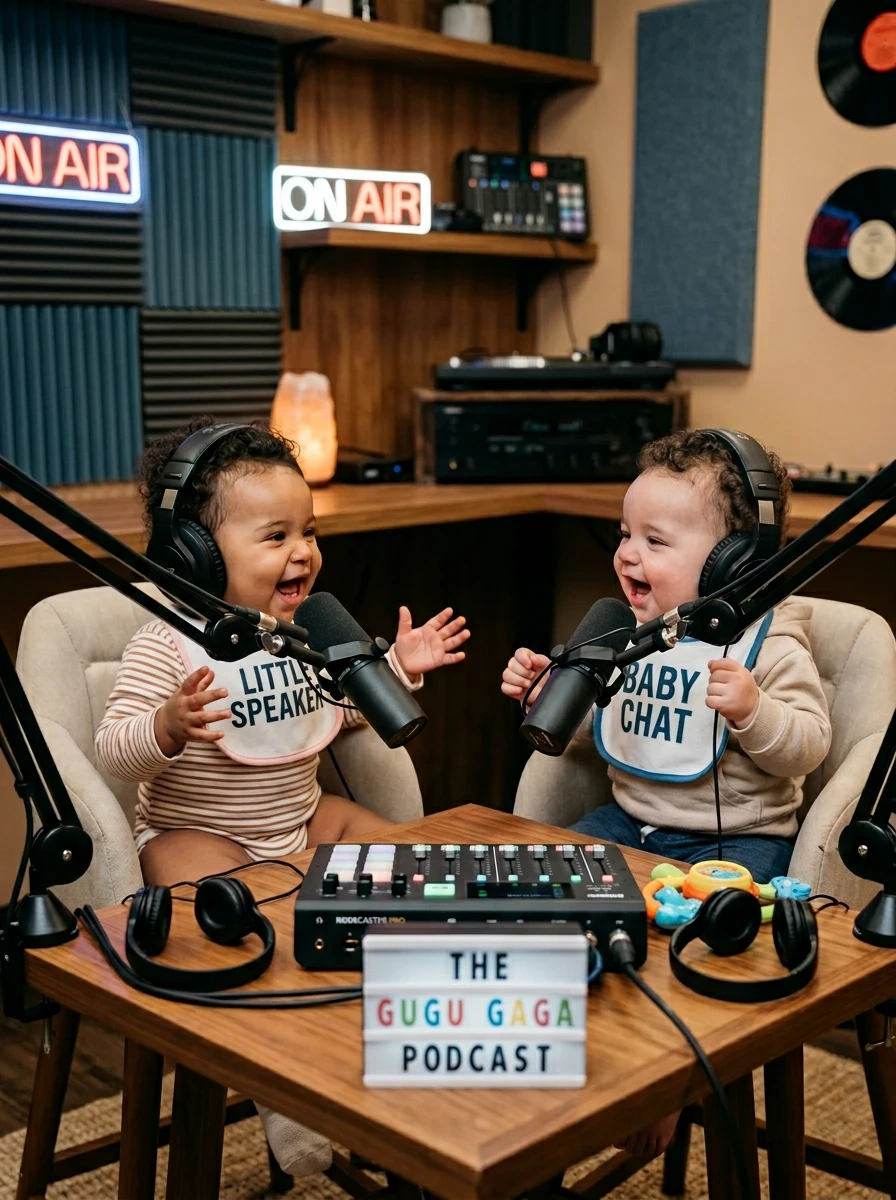
Before generating the video, I created the visual assets.
Instead of generating a full scene in one image, I prepared separate elements so they could be reused in different videos later:
Asset Type | Purpose |
Baby character image | Expressive faces, camera-friendly |
Baby outfit references | Can swap outfits for different episodes |
Empty podcast studio background | Reusable for multiple videos |
Example prompt used to generate the baby image:ultra realistic baby, sitting upright, wearing large podcast headphones, studio lighting, expressive face, high detail skin texture, soft cinematic lighting, professional podcast studio atmosphere
Tip: Keeping first-frame images clean helps the video model produce natural gestures and mouth movements.
Step 2: Use the Image as the First Frame for Video
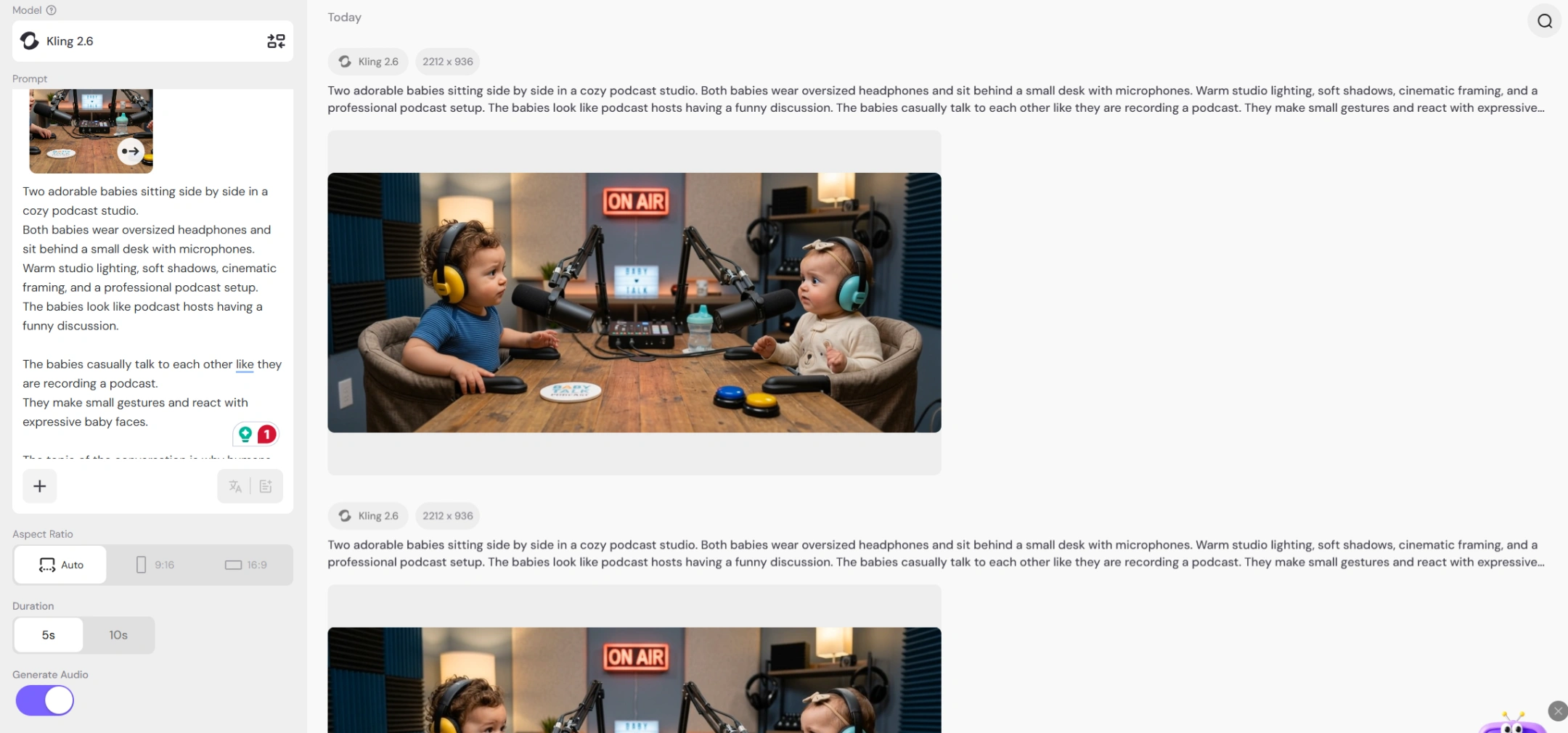
Next, the baby podcast image was used as the first frame in the video generation.
Originally I tried generating the video using another video model, but the prompt kept failing because long scripted conversations tend to break many AI video generators.
Switching to Kling 2.6 solved this:
Focus on the environment and the mood
Use short dialogue lines rather than full scripts
Let the AI handle gestures naturally
Step 3: Write a Simple Podcast Dialogue Prompt
The key is keeping dialogue short, playful, and clear.
Example prompt structure:
Two adorable babies sit side by side in a cozy podcast studio, wearing large headphones and speaking into microphones.
Warm studio lighting, cinematic framing, professional podcast setup.
The babies talk casually like podcast hosts.
The topic is why humans refuse to nap during the day.
One baby asks why humans don't nap.
The other baby jokes that humans drink coffee instead.
The mood is playful and humorous.
🔹 Note: This lets Kling animate mouth movements and reactions without rigid timing, which prevents awkward video glitches.
Why Kling 2.6 Worked Well for This
After testing several video generation approaches, Kling 2.6 turned out to be surprisingly reliable:
Advantage | Explanation |
Handles character motion | Works even with simple first-frame images |
Tolerates short dialogue | Many models fail with complex spoken scripts |
Cost-effective | ~320 lumens/5 seconds with audio ~160 lumens/5 seconds without audio |
💡 For experimental content like AI baby podcasts, this makes iteration much easier and faster.
Why AI Baby Podcast Videos Are Getting Popular
The reason this format works well on social media is simple: it’s instantly understandable.
Viewers immediately see two babies hosting a podcast — curiosity is piqued
Humor arises from babies commenting on adult problems
Combines cute characters + absurd humor + relatable topics, which is highly shareable
Experiment Ideas for Your Own AI Baby Podcast
Once you generate the first video, you can quickly test new topics:
Topic Idea | Fun Angle |
Why humans hate Mondays | Relatable frustration |
Human coffee addiction review | Observational humor |
Debate about naps | Exaggerated irony |
Explaining office meetings | Satirical adult commentary |
Pro Tip: Reuse the same studio setup and only swap the dialogue to create multiple episodes efficiently.
Final Thoughts
Creating an AI baby podcast was a surprisingly fun experiment.
Starting with a simple baby image and using Kling 2.6 image-to-video generation, only a few prompt adjustments were needed to produce a believable talking podcast scene.
Avoid overly complex scripts — let the AI handle gestures and reactions. The simpler the prompt, the smoother the video.
If you’re looking for a playful AI video format to experiment with, the AI baby podcast is definitely worth trying. Watching two babies debate why humans refuse to nap might just be the most relatable podcast episode ever.