AI is no longer just a creative toy.
For brands and creators running ads on social media, the real question is:
How do you produce more creative variations — faster — without multiplying your production cost?
The answer isn’t “one perfect model.”
It’s building the right AI ad production stack.
Below is a practical breakdown of the best AI tools for generating image and video ad assets in 2026 — plus when to use each one and how to prompt them effectively.
Part 1 — AI Image Models for Ad Visuals
Static visuals are still the backbone of paid ads.
They’re faster to test and cheaper to scale.
1️⃣ Midjourney (V6+)
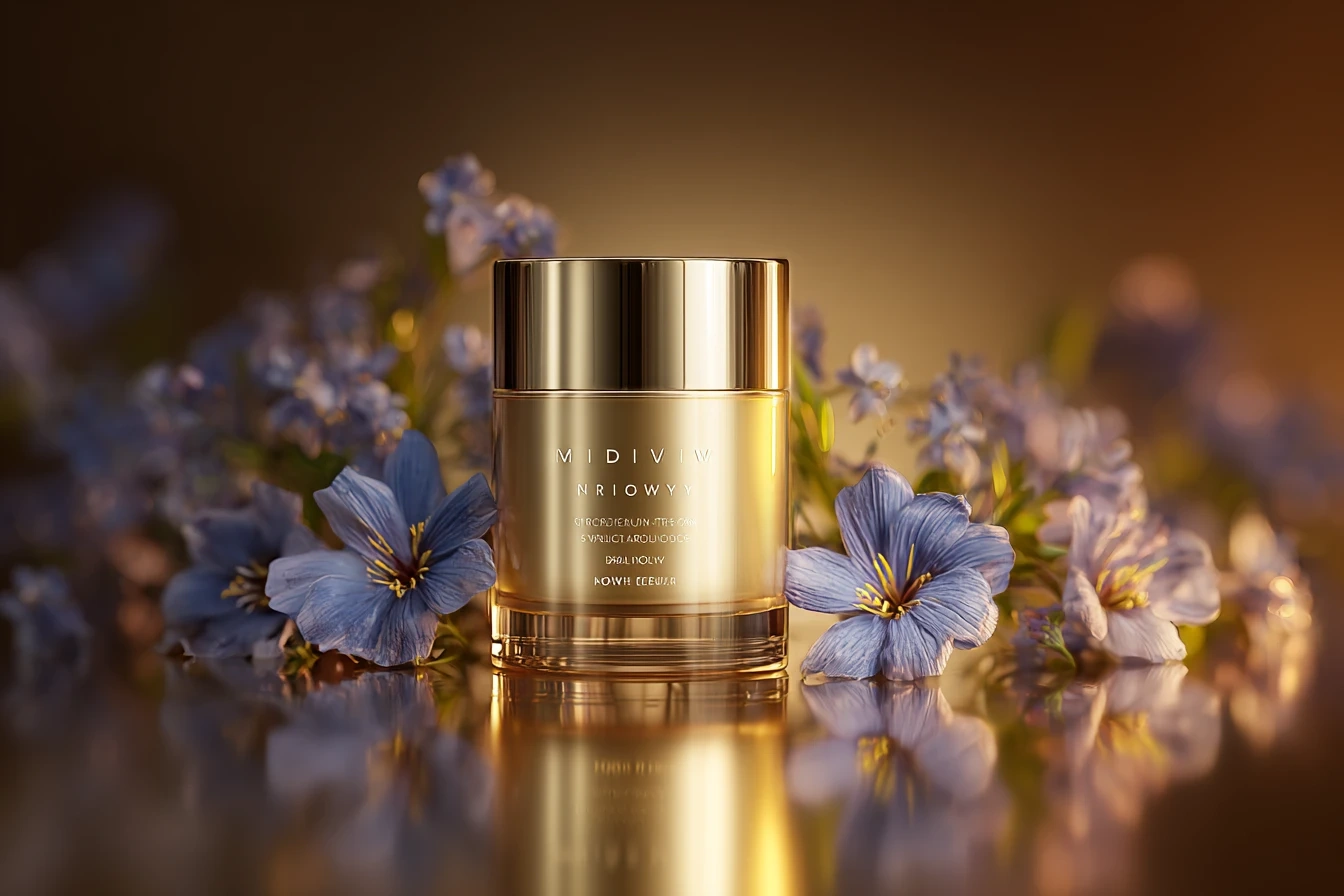
Best for: High-end product ads & cinematic brand visuals
Midjourney remains one of the strongest models for commercial-grade aesthetics. If you want polished, scroll-stopping visuals with strong lighting and composition control, this is a top choice.
Use it for:
Premium product showcase
Hero banner visuals
Luxury brand aesthetics
Prompt structure example:
Ultra-realistic product photography of a skincare bottle on marble surface, soft diffused studio lighting, shallow depth of field, cinematic color grading, commercial advertising style
Pro tip:
Always specify lighting style and camera lens feel. That’s what separates “AI image” from “ad-ready image.”
2️⃣ Adobe Firefly
Best for: Brand-safe commercial usage & clean lifestyle ads
If you're working with clients or corporate branding, Firefly is often preferred because of its commercial positioning and safer dataset policies.
Use it for:
Lifestyle product scenes
Social media product mockups
Clean, minimal brand visuals
Prompt example:
Create a modern lifestyle scene featuring a fitness smartwatch in use, natural daylight, realistic environment, Instagram ad composition
Why it matters:
Firefly outputs often require less cleanup before being used in actual ad creatives.
3️⃣ Leonardo AI (Stable Diffusion-based models)
Best for: High-volume A/B testing visuals
Leonardo shines when you need multiple variations quickly. It's ideal for performance marketers who want 10–20 visual angles of the same product.
Use it for:
UGC-style images
Casual product-in-use visuals
Social-friendly ad testing creatives
Prompt example:
User-generated style photo of a woman using wireless earbuds at home, natural light, casual environment, authentic smartphone photography look
Pro tip:
Add words like “authentic,” “handheld shot,” or “phone camera feel” to simulate real UGC aesthetics.
Part 2 — AI Video Models for Dynamic Ads
Short-form video dominates paid social platforms.
Even a static image can be upgraded into a higher-performing asset through motion.
4️⃣ Runway Gen-4
Best for: Controlled visual storytelling & scene refinement
Runway is powerful when you want to refine movement, adjust scenes, or combine footage layers.
Use it for:
Product reveal animations
Scene transitions
Text + product composite effects
Workflow idea:
Generate static hero image in Midjourney
Import into Runway
Add subtle camera push-in movement
Even minimal motion increases perceived production value.
5️⃣ Seedance 2.0 (Text-to-Video)
Best for: Concept-driven brand ads
Seedance is ideal when you want to generate a short branded scenario without filming anything.
Use it for:
Story-based 10–15 second ads
Product launch teasers
Creative visual hooks
Prompt example:
A dynamic 15-second ad showing a fitness tracker tracking heart rate during a high-energy workout, fast cuts, cinematic lighting, energetic pacing
Tip:
Specify pacing and camera behavior. Video models respond strongly to cinematic cues.
6️⃣ OpenAI Sora 2 (Advanced Video Generation)
Best for: Product demonstration & interaction scenes
Sora 2 excels in coherent object interaction and sequence realism.
Use it for:
Step-by-step product demo
Instructional social ads
Human-object interaction scenes
Prompt example:
Create a short product demo showing a user assembling a compact coffee machine step-by-step, clear camera framing, realistic hand movement
For conversion-driven ads, clarity > artistic abstraction.
Part 3 — Motion Control & Performance Layer
If you want character-driven ads, this is where things get interesting.
7️⃣ Kling 2.6 Motion Control
Best for: Precision motion transfer & animated brand characters
Kling motion control is where static brand mascots or stylized characters become dynamic ad assets.
Use it for:
Branded character ads
Dance trend participation
Gesture-based product promotion
Workflow example:
Generate brand mascot image
Upload dance or gesture reference video
Apply motion transfer
Add captions & CTA
Important:
Character image must show clear shoulders and joint structure for accurate motion mapping.
This enables:
TikTok-style dance ads
Reaction-based meme ads
Scroll-stopping animated loops
Putting It All Together: A Simple AI Ad Production Stack
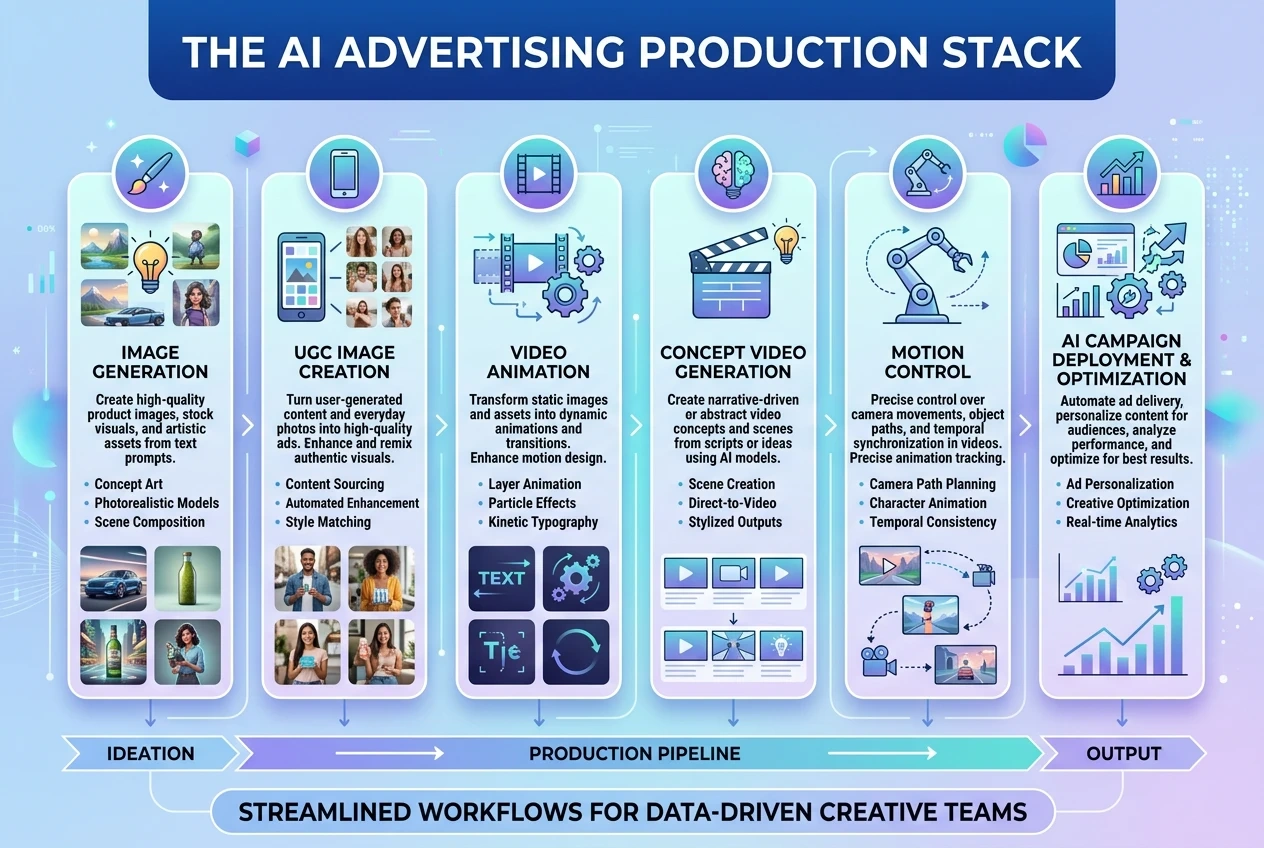
Here’s a scalable workflow you can actually use:
Generate 3 product visual styles (Midjourney or Firefly)
Create 5 UGC-style variants (Leonardo AI)
Turn best-performing static into subtle video (Runway)
Build one concept-based short video (Seedance or Sora)
Optionally animate a character with Kling for social hooks
Now you have:
Static test ads
Motion-enhanced creatives
Story-driven short videos
Character-based scroll hooks
All without traditional production costs.
Why This Matters for Real Ad Performance
Modern paid media isn’t about one “perfect ad.”
It’s about volume testing:
Multiple hooks
Multiple visuals
Multiple formats
AI enables:
Faster iteration
Lower production cost
Scalable creative experimentation
And in performance marketing, creative volume often correlates directly with better results.
Final Thought
AI doesn’t replace strategy.
But it dramatically increases your creative output per hour.
The brands winning with AI right now aren’t chasing novelty —
they’re using it to produce more testable assets, faster.