Pet mukbang videos are very popular on TikTok, YouTube Shorts, and Instagram Reels. Out of curiosity, I used Veo 3.1 to create an AI cat mukbang video, and the results were surprisingly impressive.
The video showed very strong visual consistency across scenes, and the character consistency of the cat remained stable throughout the video, which made the final result look smooth and natural. Overall, the quality was much better than I expected and demonstrated how powerful current AI video generation tools have become.
Why Are AI Pet Mukbang Videos so Popular?
Some of the main reasons include:
1️⃣Stress Relief: Watching a pet calmly eating food can be very relaxing. The repetitive chewing sounds and the slow, simple pacing create an ASMR-like effect that helps viewers unwind and temporarily escape daily stress.
2️⃣Cuteness Factor: Pets naturally trigger positive emotions. Their facial expressions, curiosity, and little reactions while eating make the video visually adorable and emotionally enjoyable to watch.
3️⃣Curiosity and Novelty: People are naturally drawn to unusual or creative concepts, such as a pet doing a “mukbang.” Presenting a cat in a human-style mukbang format feels fresh and entertaining, which easily captures attention on platforms like YouTube and TikTok.
4️⃣Short-Form Engagement: Mukbang-style videos are simple and easy to watch. Viewers don’t need any background context—just seeing a cute cat eating is enough to enjoy the content. This makes the videos perfect for fast-scrolling social media feeds and encourages repeat views.
How Do I Make an AI Cat Mukbang Video?
I only used two simple steps to create this video.
Step 1: Generate a Scene Image
First, I used AI to generate a scene image that included a pet and delicious food.
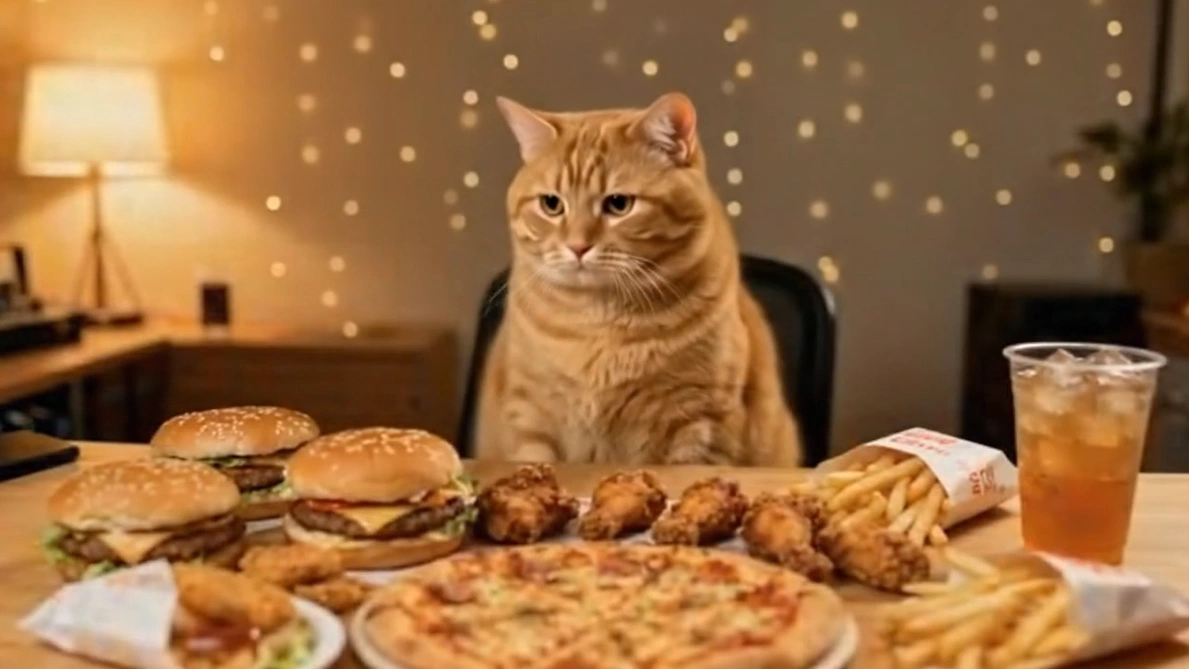
For example, you can create an image of a cute cat sitting in front of a table filled with different dishes or snacks. The goal is to design a visually appealing mukbang-style scene.
Step 2: Turn the Image into a Video
Next, I used the AI video generator on PicLumen to turn the image into a video. I uploaded the image and described the scene and action. The AI then generated a short video based on my description.
Here is my prompt:
The cat brings the hamburger to its mouth and takes a bite. The camera shows a clear chewing motion, with the cat happily chewing the hamburger.
After eating the hamburger, the cat picks up the cup of juice and takes a sip.The cat tilts the cup slightly and drinks naturally. After taking a sip, the cat shows a satisfied expression, slightly wagging its tail and relaxing its posture, as if enjoying the refreshing taste of the drink.
consistent cat character, consistent indoor background, no scene changes, smooth natural motion, realistic cat behavior, food textures clearly visible, mukbang food vlog style, high detail.
Improve Video Control with Kling 3.0
If you want to create a higher-quality AI pet mukbang video with more precise control over the video, Kling 3.0 is an excellent option because it provides much stronger control over the video generation process.
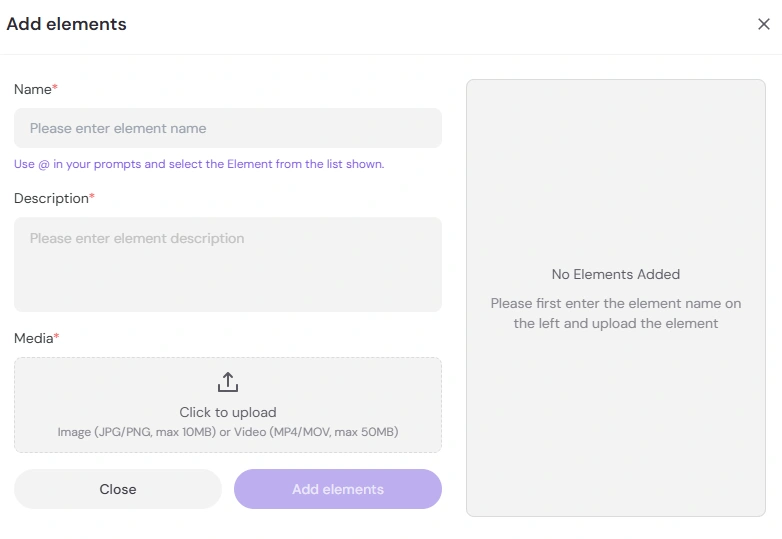
1. Control Each Element
You can upload specific elements—such as your pet, food, or background—and reference them directly in your prompt.
Simply use “@” in your prompt and select the element from the list, which allows you to precisely control what appears in the scene.
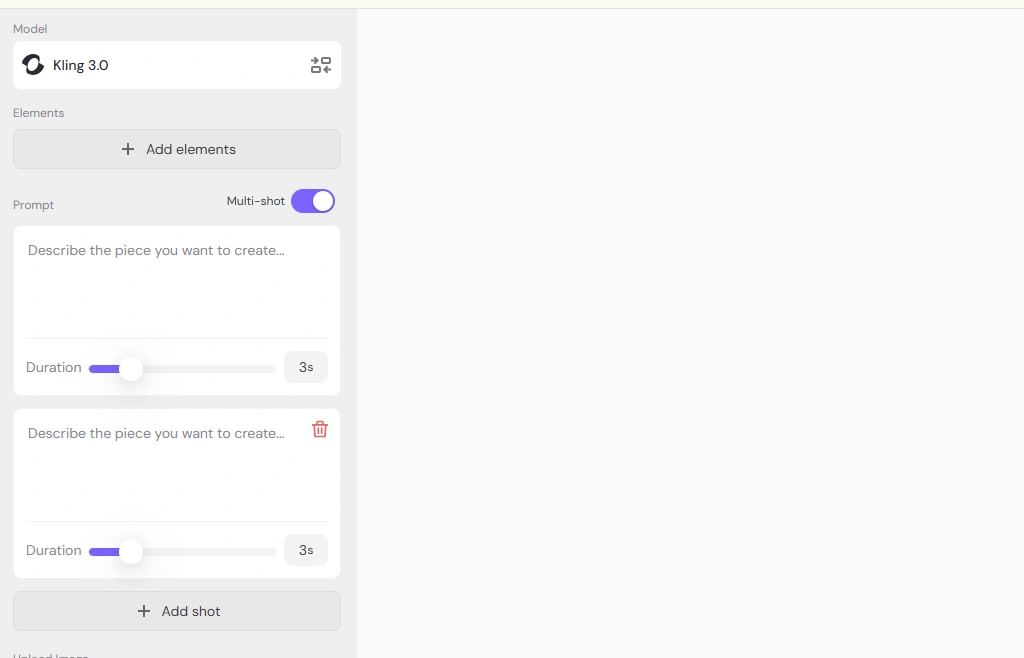
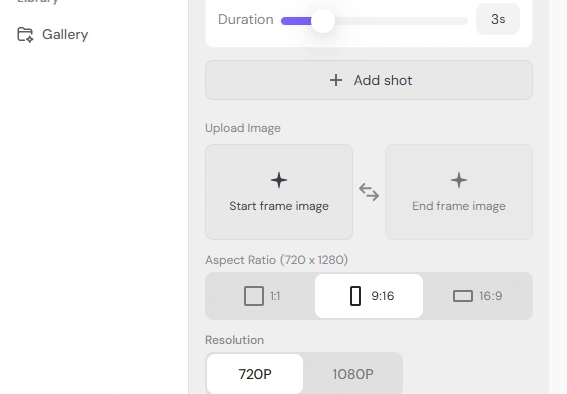
2. Control the Duration of Each Shot
If your video contains multiple shots, you can set the duration for each individual shot.
You can also write a separate prompt for each shot, giving you more precise control over the actions, camera angles, or scene details.
3. Control the First and Last Frames
You can also manually upload the starting frame and ending frame of the video.
This helps guide the AI and ensures the video begins and ends exactly the way you want.
More Tips for Making Pet Mukbang Vidoes
If you have your own pet, you can upload a photo of it as a reference image.This allows the AI to generate a personalized video featuring your own pet, making the mukbang video feel more unique and special.
You can also choose AI video models that generate audio at the same time, so background sound effects are created automatically. Examples include Veo 3.1, Kling 2.6, and Wan 2.6. This approach can significantly reduce the amount of post-production editing needed.
Final Thoughts
AI video and image generators on PicLumen allow us to create video content faster and more efficiently than ever before. With the help of AI, the barrier to content creation has been greatly lowered, while creative productivity has increased dramatically.
If you enjoy experimenting with new ideas, this is a great opportunity to explore trending content formats. Try creating fun and engaging AI pet mukbang videos—they are entertaining, highly shareable, and perfect for platforms like YouTube and TikTok.