I keep seeing AI character videos where a photorealistic person does something completely ordinary. Harold Puddington, the mushroom-haired guy in a grey suit doing a quick DJ set, was the one that finally made me try making my own.
With Halloween coming up, I wanted to try a similar contrast: a gothic pastry chef who looks like she belongs in a dark fairy tale but does something completely out of character.
Why I Wanted to Create a Virtual AI Character
A creator made a virtual DJ named Harold Puddington using GPT-6-related capabilities. He had a grey suit, a mushroom haircut, and a very ordinary DJ setup. One video was reportedly worth $19,000, and people started debating whether influencers were becoming obsolete.
I wasn’t really thinking about the money. I just wanted to see if I could make a character with a strong enough look that she’d stick in your head, without anyone appearing on camera.
How to Create AI Virtual Character Videos With Seedance 2.5
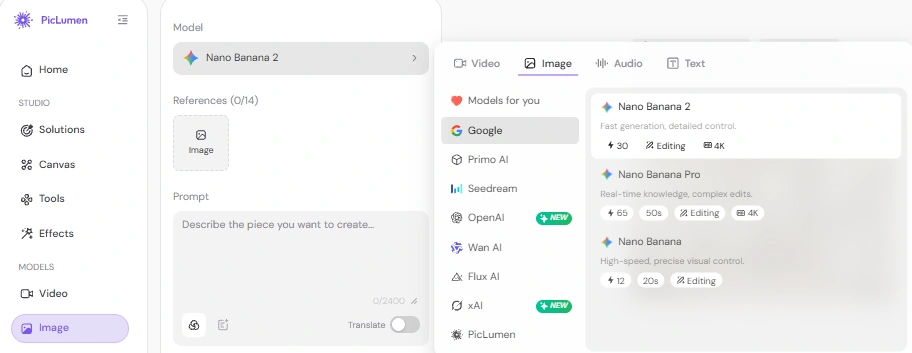
I used Nano Banana 2 for the character images and Seedance 2.5 for the video. Both are in PicLumen, so I didn’t have to jump between tools. Seedance 2.5 also let me upload a TikTok clip as a video reference, which saved me from describing every dance move by hand.
Step 1: Decide What Your Character Should Look Like
I started by picking a few details that would make her recognizable: silver-white curls, bangs covering her right eye, pink-purple eye makeup, black lipstick, and short black nails. Her outfit combines a pale beige pastry chef hat with light blue plaid trim, a cream apron with little cake illustrations, and a black shirt and pants.
For the video, I wanted her to do a stiff, mechanical zombie dance rather than just stand there looking creepy.
Step 2: Generate the Character Image First
I started with a full-body, front-facing image in AI Image Generator, using Nano Banana 2. I used a plain white background so I could focus on her appearance without distractions from the setting.
Here's the prompt I ended up using after a few adjustments:
Character prompt
Character reference sheet, front view, full body from head to toe, standing straight, photorealistic, real person, shot on smartphone, 8k, natural lighting, isolated on pure white background, no scene.
A female gothic pastry chef, mid-20s, tall and thin, abnormally pale skin, silver-white butt-length Roman curly hair, side bangs completely covering the right eye, heavy pink-purple glitter eyeshadow, thick clumped eyelashes, large drunk blush, black matte lipstick, a single black circular lip ring on the left side of the lower lip. Fingernails short, neatly trimmed, painted solid black. She wears a full, puffy, soft-top pastry chef hat (beret-style, covering the top of her head, not a headband, not a hairband) in pale beige with light blue plaid trim, a cream-colored bakery apron with cross-back design and small cake illustrations on the pockets, pink polka dot ribbon ties, a black button-down shirt with sleeves rolled to mid-forearm, loose black pants, black heeled lace-up shoes. Arms hanging naturally at sides, arms slightly longer than average, but not exaggerated.
Pose: standing naturally, facing the camera directly, arms relaxed at sides.
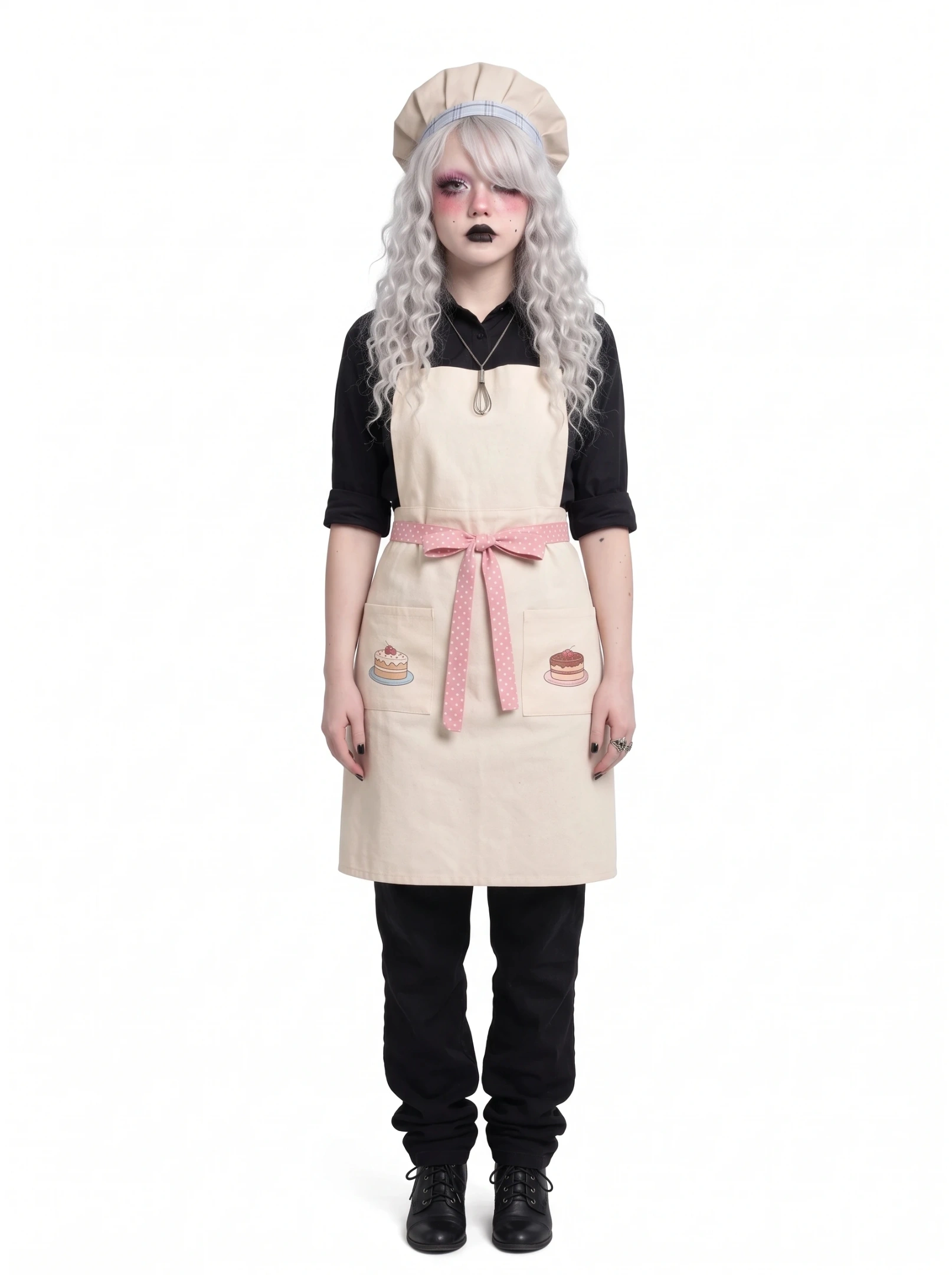
The first few results had some weird details. The freckles came out looking like large dark spots on her arms. I kept rewriting that part until they looked less like a skin condition, though a few spots still showed up.
The hat was another problem. It kept turning into a headband, so I specified that it should cover the top of her head and described the shape more clearly. I also changed the trim to light blue plaid.
I had initially asked for slightly longer arms, but the first result made them look unnatural. I toned that description down, which gave me a better result.
Step 3: Add Character References When Needed
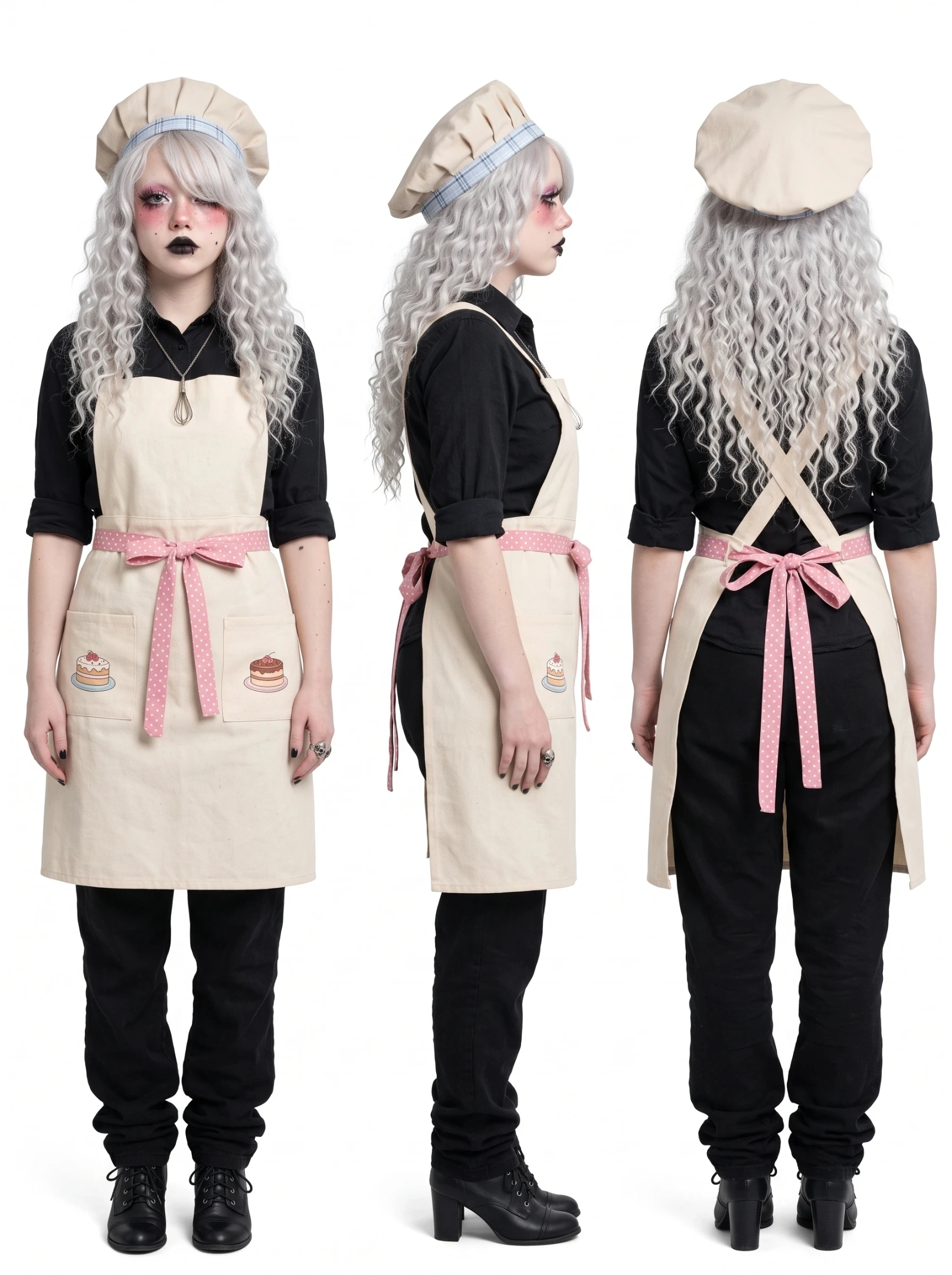
Once I had a front view I was happy with, I generated a turnaround sheet showing her from the front, side, and back, to see if the hair and outfit would hold up from different angles.
Turnaround prompt
Full-body character reference sheet showing front, side, and back views. Photorealistic real person, natural lighting, isolated on a pure white background, with no scene or extra background elements.
Character: A female gothic pastry chef in her mid-20s, with very pale skin, long silver-white ringlets reaching her lower back, and side bangs covering her right eye. She has realistic flyaway hairs and split ends, pink-purple glitter eyeshadow, thick, slightly clumped eyelashes, dramatic blush from her cheekbones to under her eyes, black matte lipstick, and a single black circular lip ring on the left side of her lower lip.
Outfit: A pale beige soft-top pastry chef hat with light blue plaid trim, a cream bakery apron with a cross-back design and a large front bib, two pockets with small cake illustrations, pink polka-dot ribbon ties around the waist, a black button-down shirt with sleeves rolled to mid-forearm, loose straight-leg black pants, and black heeled lace-up shoes.
Accessories: A thin silver chain necklace with a miniature whisk pendant and a silver skull ring on her right ring finger. Her fingernails are short and painted black.
Show the same character from the front, side, and back. Keep her face, hairstyle, outfit, colors, and accessories consistent across all three views.
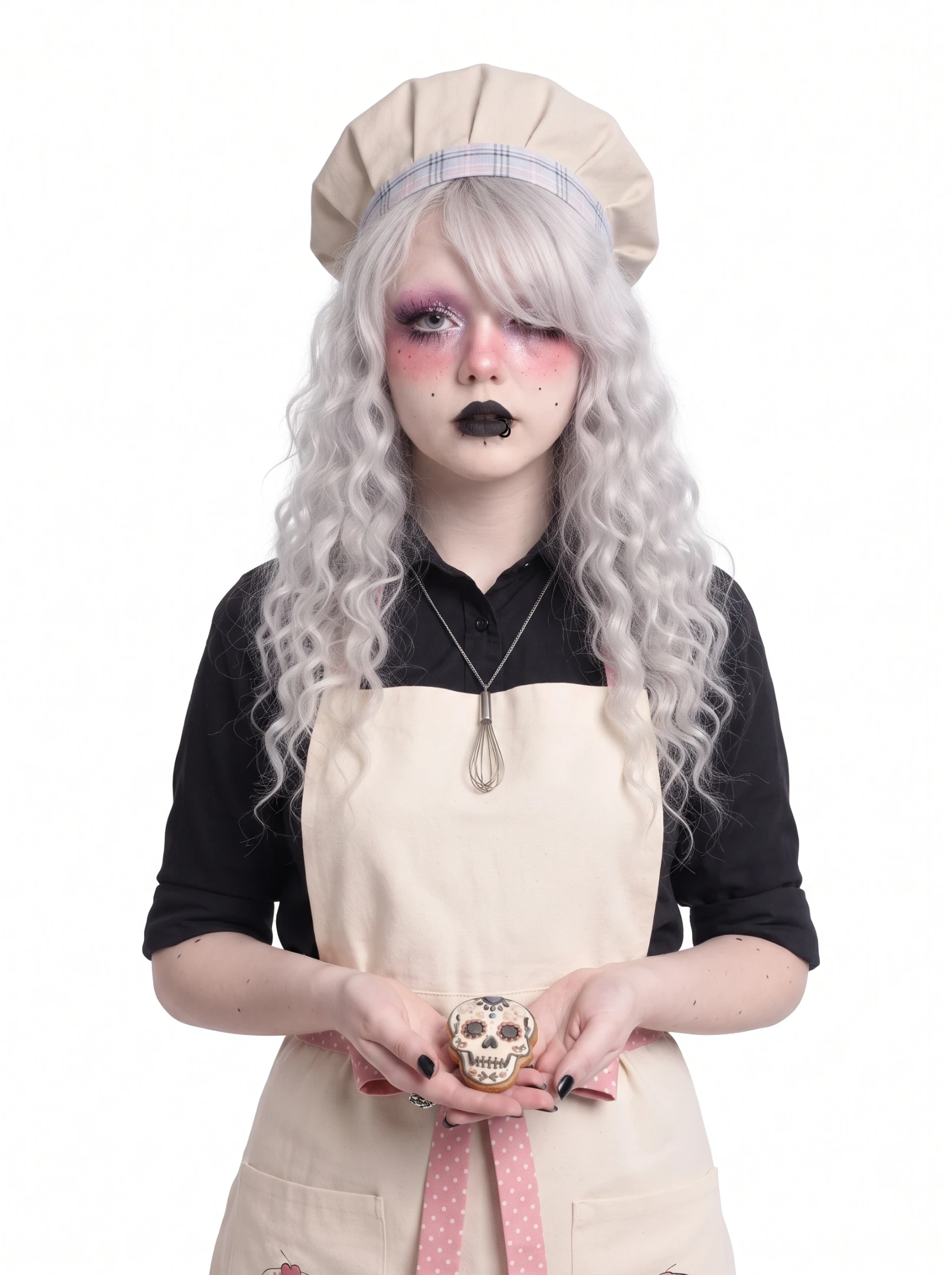
I also made a half-body portrait after noticing that her black nails had turned silver-grey in an earlier test. Since her hands were clearly visible, the color difference stood out.
I added this portrait as another reference, with more emphasis on her face, hands, and nails. I also included a small skull-shaped cookie to fit the pastry chef theme.
Half-body prompt
Half-body portrait of a photorealistic real person, natural lighting, isolated on a pure white background, no scene.
A female gothic pastry chef in her mid-20s with very pale skin, silver-white curly hair, side bangs covering the right eye, heavy pink-purple glitter eyeshadow, thick clumped eyelashes, dramatic blush, black matte lipstick, and a single black circular lip ring on the left side of the lower lip.
She wears a pale beige pastry chef hat with light blue plaid trim, a cream-colored bakery apron with small cake illustrations on the pockets, and a black button-down shirt. She also wears a thin silver chain necklace with a miniature whisk pendant. Her fingernails are short, neatly trimmed, and painted solid black.
She looks directly at the camera while holding a small skull-shaped cookie in one hand. Her fingers are clearly visible and relaxed. Focus on the face, hands, and nail details.
Step 4: Write the Video Prompt Like a Short Shooting Plan
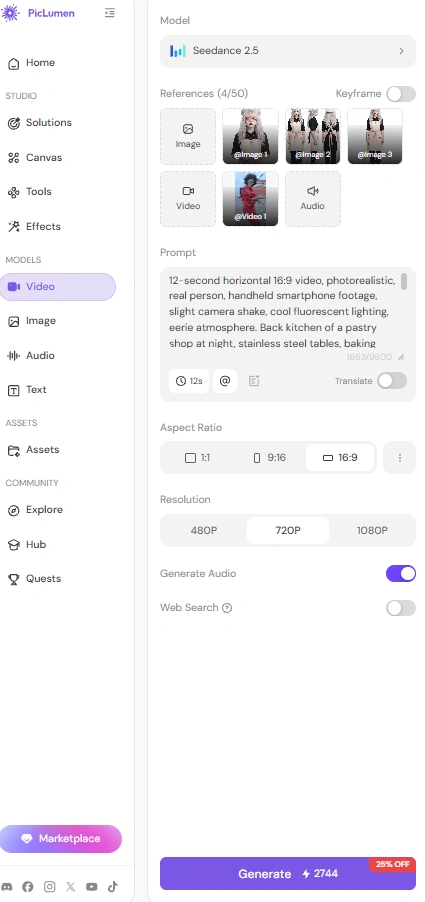
For the video, I went with the Thriller dance in AI Video Generator, using Seedance 2.5. The combination of a gothic pastry chef, a quiet bakery kitchen, and a familiar zombie dance felt right for Halloween.
I found a TikTok clip with the choreography I wanted and uploaded it as a video reference, so I didn’t have to describe the dance step by step.
Video prompt
12-second horizontal 16:9 video, photorealistic, real person, handheld smartphone footage, slight camera shake, cool fluorescent lighting, eerie atmosphere. Back kitchen of a pastry shop at night, stainless steel tables, baking molds, copper whisks on the wall.
The character's appearance comes from the reference image. The choreography and rhythm come from the @reference video. Dance continuously for the full 12 seconds with no other actions. Use the reference image for appearance only. Do not copy the original pose from the reference image.
Character: a female gothic pastry chef, mid-20s, tall and thin, very pale skin, silver-white waist-length Roman curly hair with side bangs covering the right eye, black matte lipstick, a single black circular lip ring on the left side of the lower lip, short black-painted nails. She wears a pale beige soft-top pastry chef hat with light blue plaid trim, a cream-colored bakery apron with small cake illustrations on the pockets, black button-down shirt, loose black pants, black heeled lace-up shoes.
She follows the movements from the @reference video, keeping her expression blank and her body stiff and mechanical throughout. Medium shot, slightly low angle, holding steady on her upper body and hands. Her silver-white curls swing with each sharp movement.
Style: Photorealistic, real person, not anime, not 3D render, not illustration. Realistic skin texture, natural hair details, 8k.
Audio: silent, no background music, no sound.
Avoid: long claws, grey or silver nails, messy mouth, food residue on face, anime style, 3D render, illustration, smooth plastic skin, overly smooth dance movement.
The first few attempts wouldn't generate, even after I tweaked the prompt and tried another model. I suspected the music in the reference clip might be causing the issue.
I added "Audio: silent, no background music, no sound" and tried again in Seedance 2.5. This time, the video generated successfully. I added the music later in my editing software, where I could line it up with the dance and adjust the volume.
Step 5: Choose the Ratio and Generate
I chose a horizontal 16:9 format for the 12-second clip. Then I uploaded the character references, added the dance video as a motion reference, and generated the video.
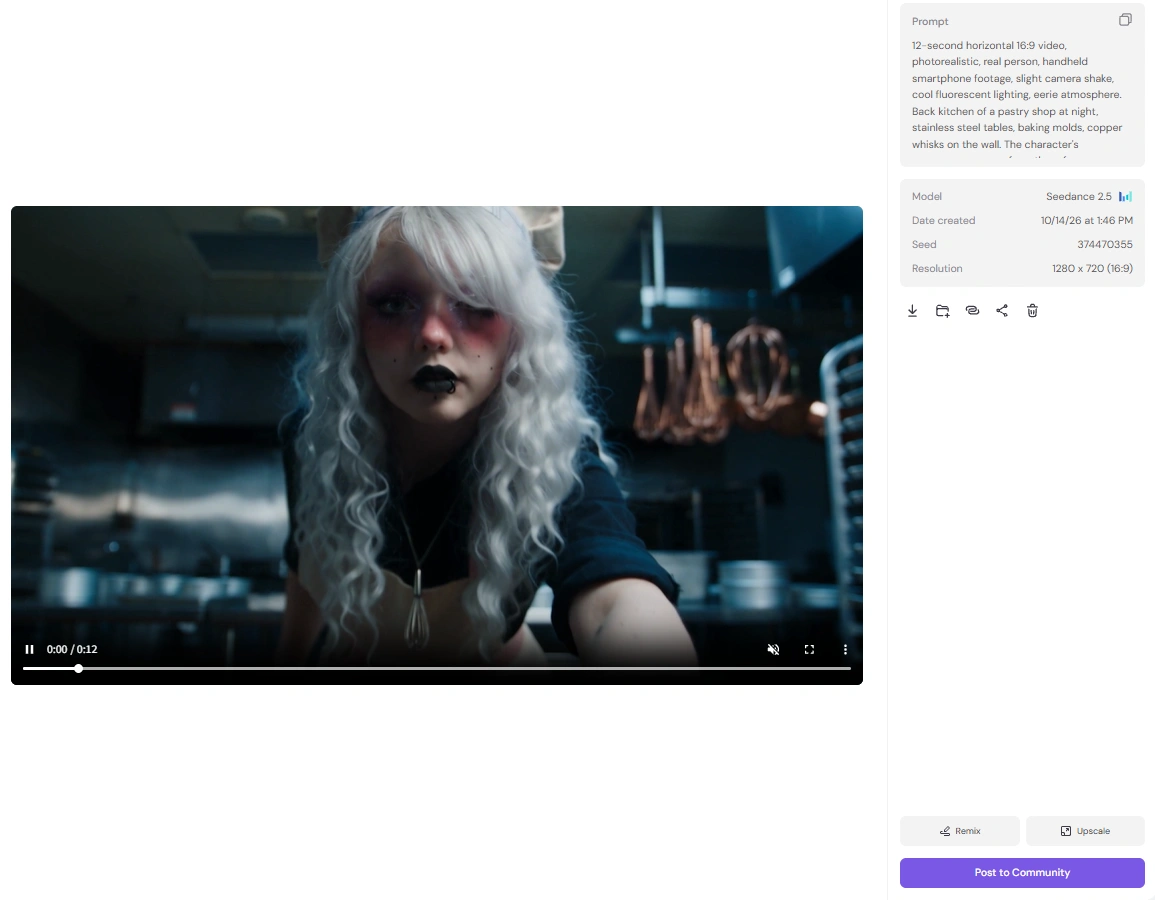
Afterward, I checked whether her face, outfit, and nail color stayed consistent. I also watched the dance a few times to see if the movements looked stiff and mechanical enough for the character.
What I Learned from Creating This AI Character
I spent more time fixing the character's appearance than I expected, especially the freckles, hat, and nails. The extra reference images made a difference. Without the half-body one, her nails kept coming out grey.
I'm happy with how she turned out, especially the contrast between her gothic look and the Thriller dance. Next time I'd probably make the reference images earlier and check the hands more carefully before moving to video.