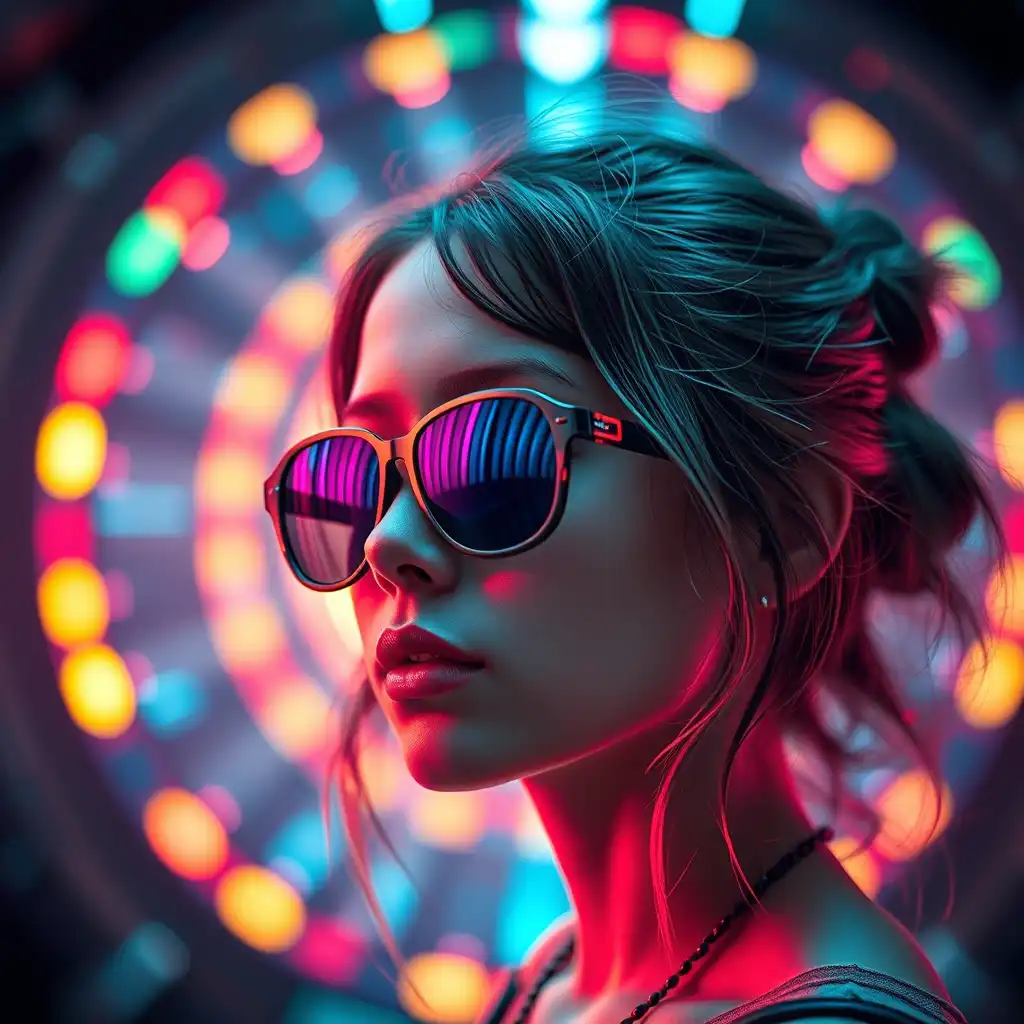
On social media, ordinary product photos and videos often struggle to stand out. They may be clear and polished, but they usually lack the visual impact needed to stop the scroll. Compared with more creative product content, standard product materials are often less memorable, less emotional, and less shareable.
That is why more brands and creators are looking for faster ways to produce visuals that feel more vivid and more native to social platforms. PicLumen makes this easier by bringing popular AI image and video models into one workflow, allowing users to generate social-ready product content from prompts or reference images.
Why Ordinary Product Content Has Less Social Media Advantage
Ordinary product content works well when the goal is clarity, but social media usually demands more than that. In fast-moving feeds, standard packshots and simple product videos often feel too static and too familiar to hold attention.
There are three main reasons.
1. They lack visual energy.
Basic product shots show the item clearly, but they often do not create enough mood, motion, or personality.
2. They are easier to scroll past.
When content looks similar to countless other product posts, it becomes less noticeable in crowded feeds.
3. They create less emotional impact.
Creative visuals are more likely to spark curiosity and leave a stronger impression, which makes them easier to remember and share.
That is why more vivid product images and videos usually perform better on social media. They help products feel more alive, more distinctive, and more suited to short-form platforms.
A Simple Creative Example
One easy way to make product content feel more social-ready is to build a short visual series around a simple idea.
Imagine a candy tin labeled “Piclumen” Instead of showing it in a plain product shot, you turn it into four separate scenes:
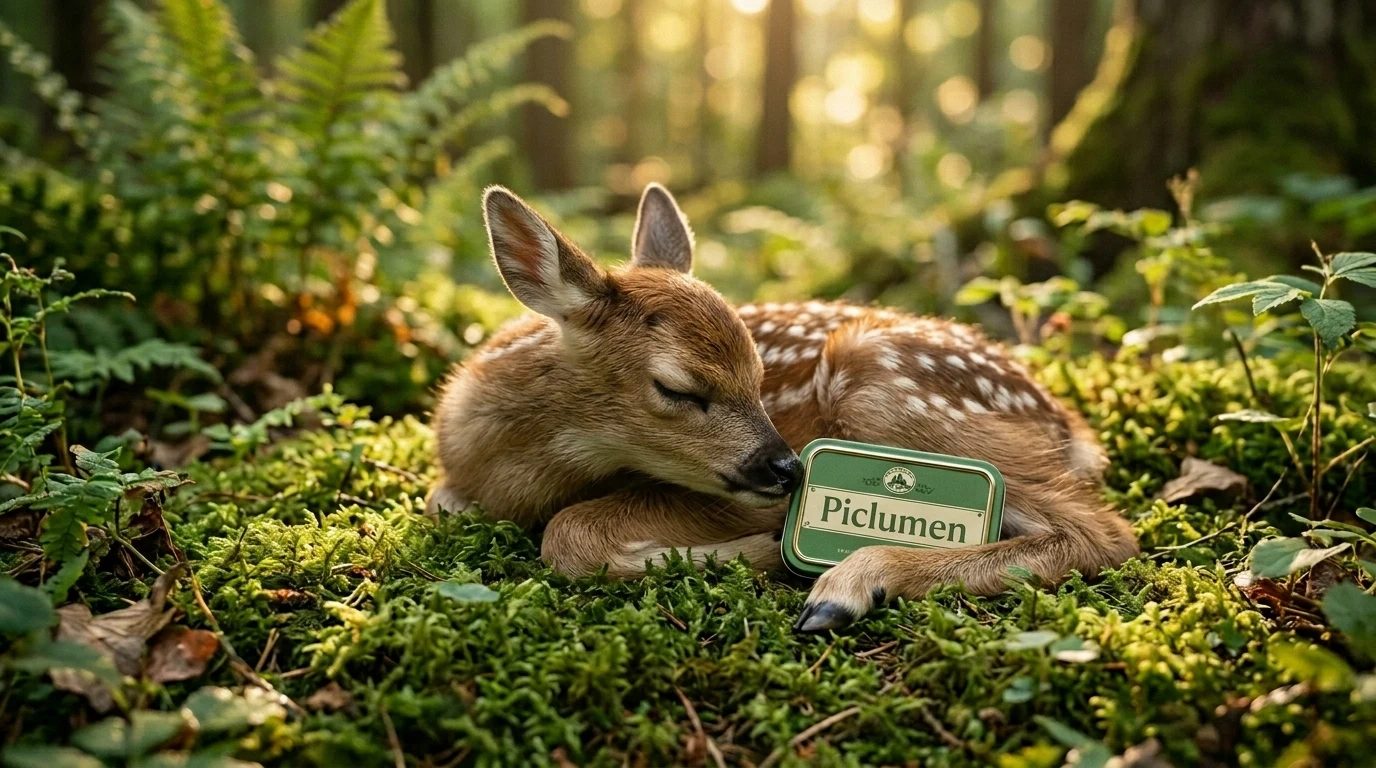
a baby fawn gently touching the candy tin
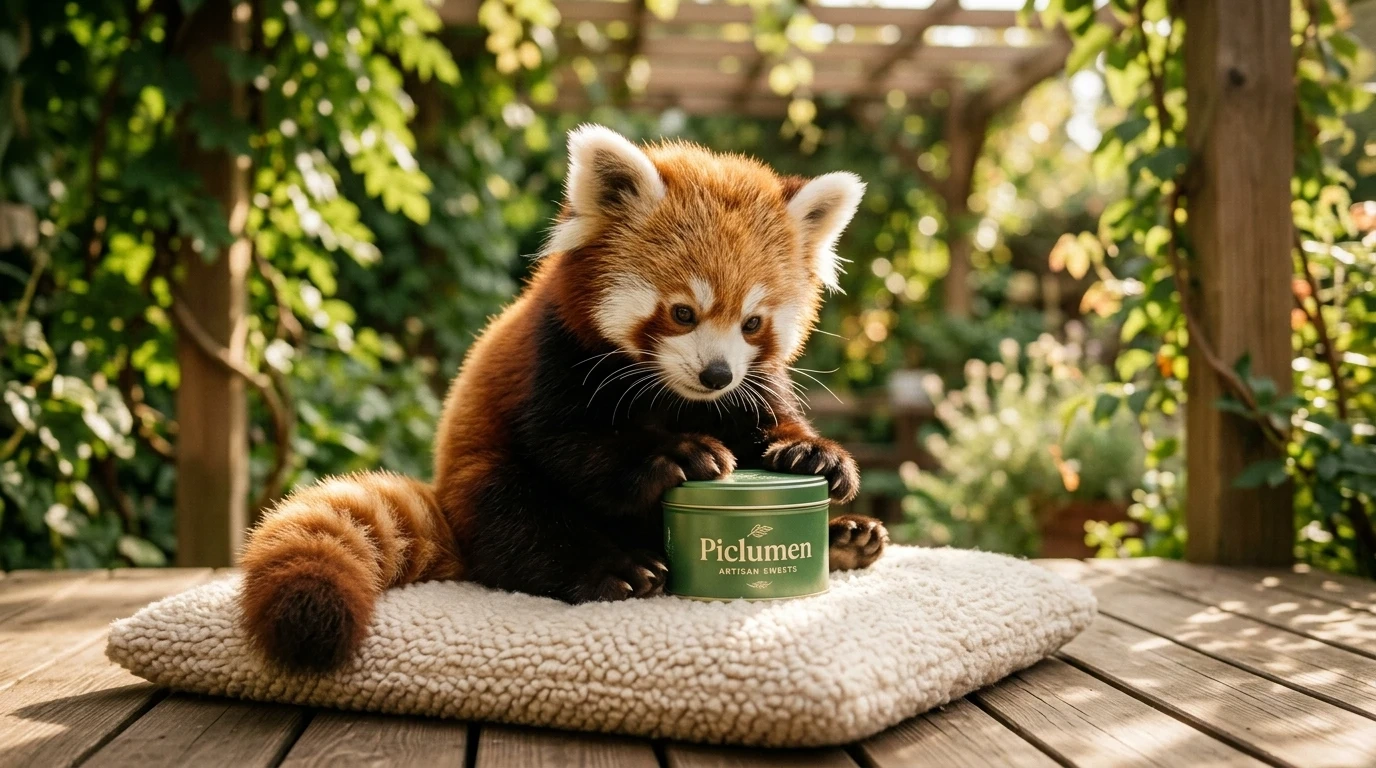
a fluffy red panda curiously holding it
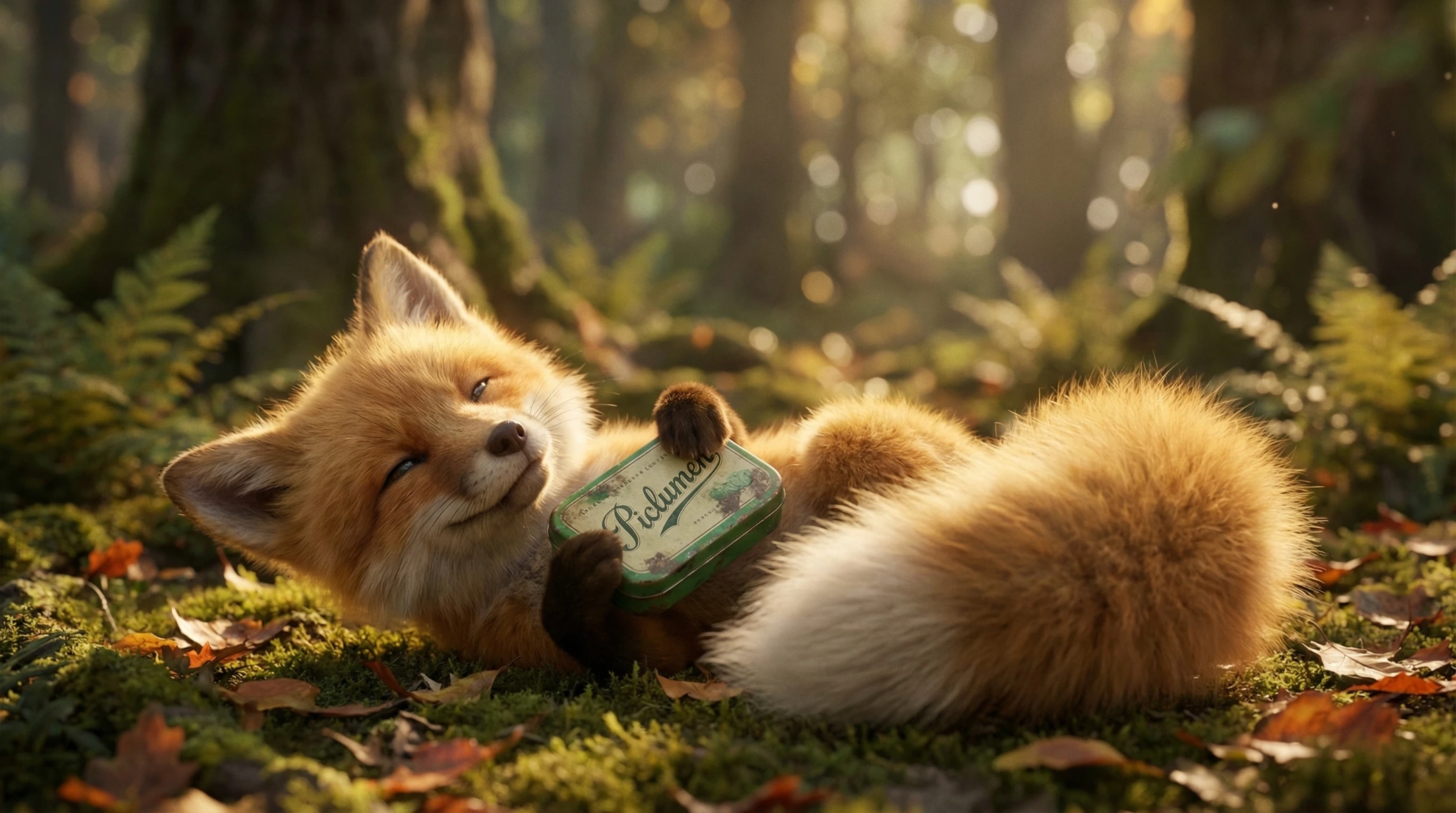
a baby fox hugging it on a mossy forest floor
a baby koala softly holding it beside a tree log
Each animal appears in its own shot. The product stays consistent, while each scene adds a slightly different mood. This makes the content feel unified without becoming repetitive.
Below are four prompt examples based on this idea.
Baby Fawn Prompt
A fluffy photorealistic baby fawn resting on soft forest moss, gently touching a candy tin labeled “Piclumen” with its nose, warm golden light, peaceful healing mood, soft fur, dreamy woodland background, shallow depth of field, subtle blinking, cinematic realism.
Baby Red Panda Prompt
A fluffy photorealistic baby red panda sitting on a soft cushion on a wooden terrace, holding a candy tin labeled “Piclumen” curious gentle expression, warm afternoon sunlight, cozy premium mood, blurred garden background, shallow depth of field, subtle breathing, cinematic product storytelling.
Baby Fox Prompt
A fluffy photorealistic baby fox lying on forest moss and leaves, hugging a candy tin labeled “Piclumen” sleepy happy expression, golden sunlight through trees, whimsical healing atmosphere, dreamy forest bokeh, close-up shot, subtle ear twitch, cinematic realism.
Baby Koala Prompt
A fluffy photorealistic baby koala leaning against a tree log, softly holding a candy tin labeled “Piclumen” calm adorable expression, soft natural forest light, cozy green bokeh, premium soothing aesthetic, close-up shot, subtle blinking, photorealistic detail.
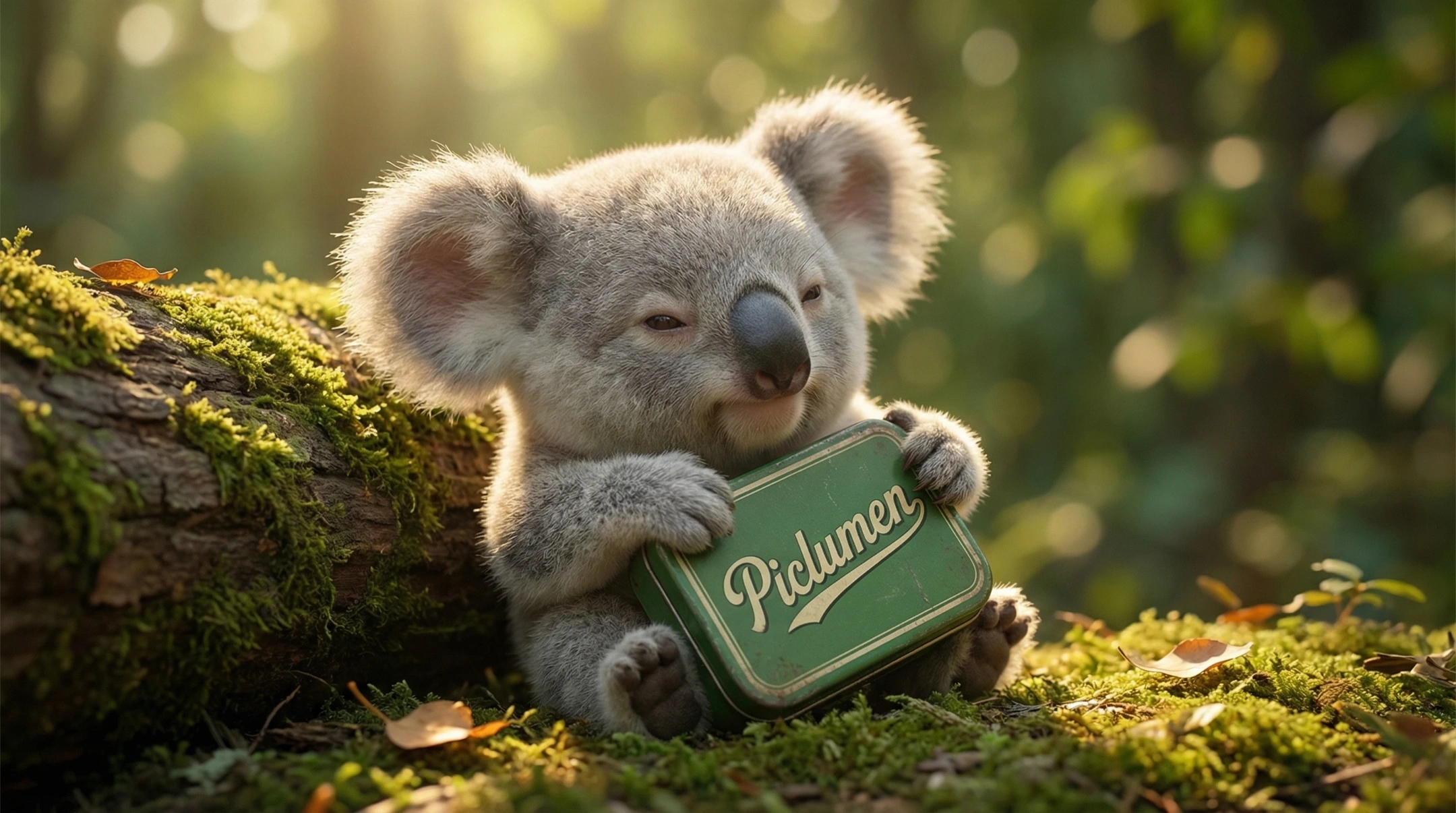
This kind of concept works well because it combines clear product visibility, character appeal, and a format that naturally turns into a content series.
How to Create Social-Ready Product Images and Videos on PicLumen
Once you have a strong product idea, you can use PicLumen to turn it into both images and videos for social media.
👉 Create Product Images
Step 1: Open the image generation workspace
Go to PicLumen’s image generation workspace.
Step 2: Choose an image model
Select the model you want to use, such as Midjourney or Nano Banana Pro.
Step 3: Enter a prompt or upload a reference image
Type your prompt, or upload a reference image to keep the product look or style more consistent.
Step 4: Set the output format
Choose the aspect ratio and resolution. For social media, 9:16 is often a practical option.
Step 5: Click Generate
Check the settings and generate your product image.
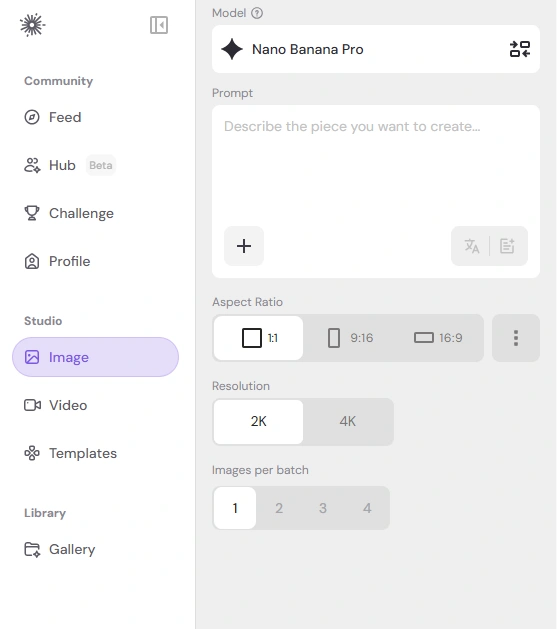
After creating the image, you can turn the same idea into a short product video.
👉 Create Product Videos
Step 1: Open the video generation workspace
Go to PicLumen’s video generation workspace.
Step 2: Choose a video model
Select the model you want to use, such as Kling 3.0 or Veo 3.1.
Step 3: Enter a prompt or upload your image
Type a video prompt, or upload the product image you just created.
Step 4: Set the output format
Choose the duration, resolution, and aspect ratio. Short vertical videos usually work best for social media.
Step 5: Click Generate
Review the settings and generate your product video.
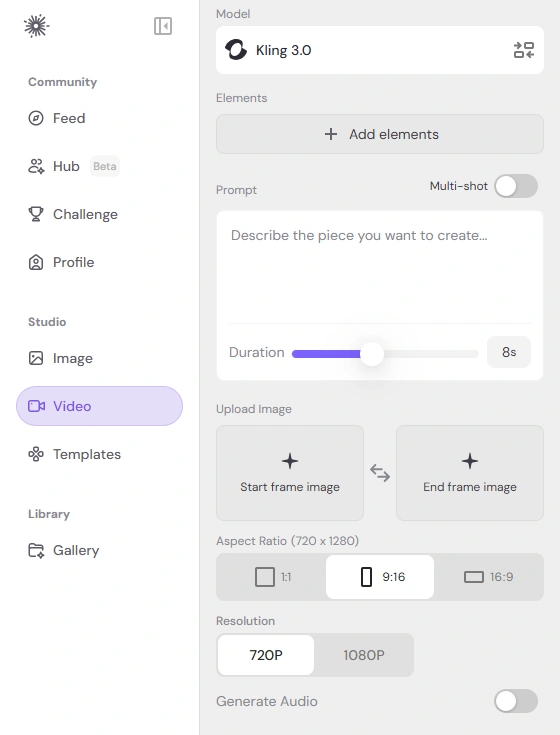
Why This Workflow Works
This workflow works because it matches how social content is consumed today. You need visuals that are quick to understand, visually appealing, and easy to turn into a series. With PicLumen, you can start from one product idea, explore multiple image directions, and then extend the best visuals into short-form videos on the same platform.
For brands, marketers, and creators, that makes it easier to produce more campaign-ready content without relying only on traditional shoots.
FAQs
Can PicLumen create both product images and product videos?
Yes. PicLumen publicly presents both AI image generation and AI video generation as part of its platform workflow.
Can I start with a text prompt or upload a reference image?
Yes. PicLumen’s public pages state that users can type an idea or upload an image, choose a model, and generate results.
Which PicLumen models are useful for this workflow?
For images, PicLumen publicly features models such as Midjourney and Nano Banana 2 & Pro, etc. For videos, it publicly features models such as Kling 3.0 and Veo 3.1, etc.
Why is this better than using only ordinary product photos?
Because social media usually rewards content that feels more vivid, emotional, and visually distinctive. Creative product visuals are often easier to remember and more likely to be shared than standard packshots.
Final Thoughts
If you want your product content to perform better on social media, it is not enough to simply show the product clearly. You also need a concept that feels vivid, memorable, and worth watching.
PicLumen helps make that process faster. By combining AI image generation, AI video generation, and access to multiple popular models in one place, it gives brands and creators a practical way to turn simple product ideas into more engaging social content.
Get started creating scroll-stopping product materials for social media on Piclumen!