Creating professional product advertisements once required models, photographers, lighting equipment, and extensive video editing. For small ecommerce businesses, this process can be expensive and difficult to scale.
Today, AI tools are transforming how product marketing content is produced. With Piclumen, creators can generate images and transform them into cinematic marketing videos using the powerful Kling 3.0 model. This means you can produce high-quality product promotion videos without hiring models or renting a studio.
In this tutorial, you'll learn how to create a complete AI product advertisement step by step.
What Is Kling 3.0?
Kling 3.0 is one of the newest AI video generation models capable of transforming text prompts or images into smooth, cinematic videos.
On platforms such as Piclumen, users can access Kling 3.0 to generate high-quality AI videos for creative projects, storytelling, and product marketing.
Key features of Kling 3.0 include:
Feature | Description |
|---|---|
Cinematic Motion Quality | The model produces smoother and more natural motion compared with earlier AI video models, resulting in more cinematic-looking footage. |
Enhanced Visual Detail | Generated scenes contain richer textures, lighting effects, and environmental details, significantly improving visual realism. |
More Diverse Storyboard Styles | Creators can experiment with different cinematic storytelling structures, shot compositions, and camera styles. |
Improved Lip-Sync Accuracy | When generating talking characters, the model offers more precise lip synchronization, making dialogue scenes appear more natural. |
Broader Audio Language Support | The system supports multiple languages and voice styles, enabling creators from different regions to produce localized content. |
Because of this consistency improvement, Kling 3.0 is especially useful for AI product commercials and brand storytelling.
Why AI Product Videos Are Transforming Ecommerce Marketing
Short-form video is now one of the most effective marketing formats for ecommerce. Platforms such as TikTok, Instagram Reels, and YouTube Shorts reward visually engaging product videos.
However, traditional advertising production often requires: professional models, studio photography, lighting equipmen, video editors. AI tools dramatically simplify this process.
Piclumen has integrated multiple popular models, such as Nano Banana 2 and Midjourney. With Piclumen, creators can generate product images, build scenes, and then use Kling 3.0 to turn those assets into dynamic promotional videos. This workflow makes professional-quality product marketing accessible even for small brands.
Step-by-Step Tutorial: Creating an AI Product Ad
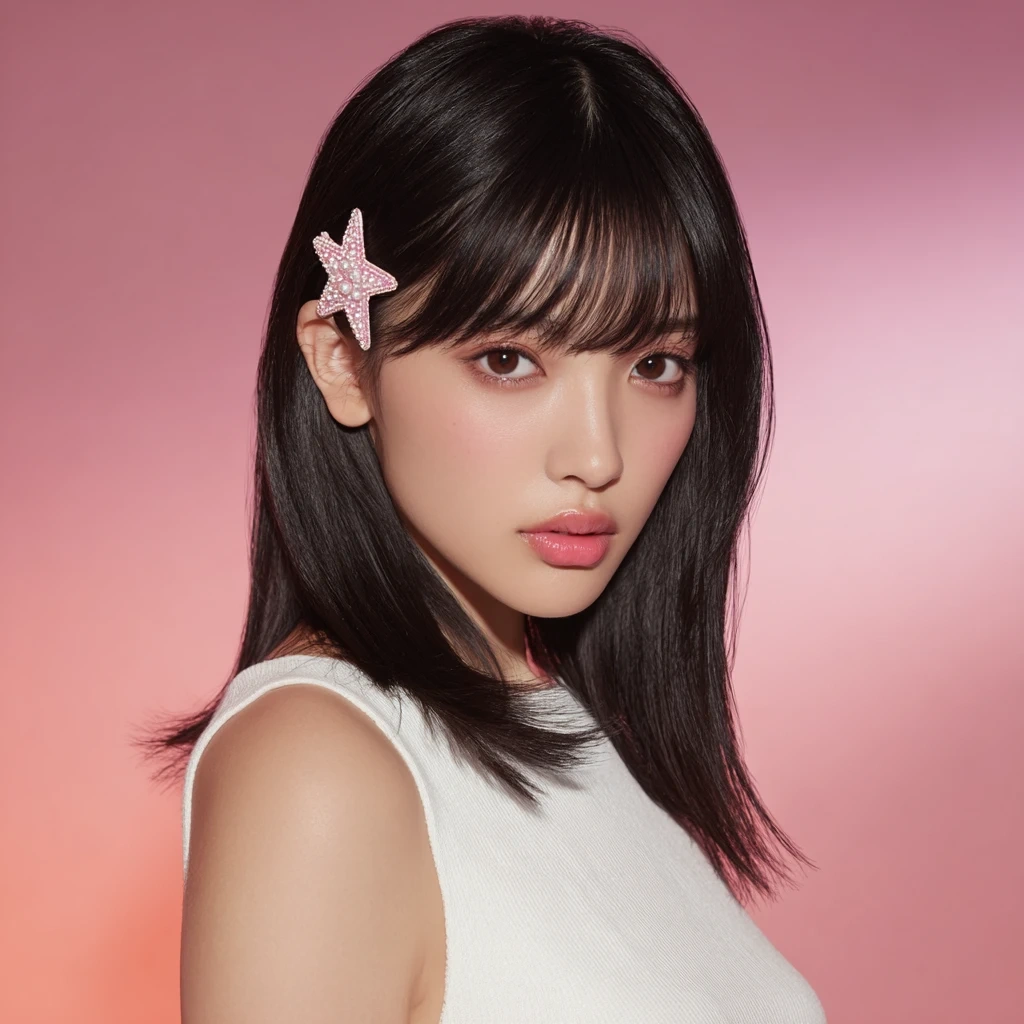
Step 1 – Generate an AI Model Image
First, create a model image that will appear in your advertisement.
Using the AI Image Generator in Piclumen, you can generate realistic model photos without hiring a real person.
Example prompt:
A half-body portrait of a young woman with smooth black long hair and soft air bangs. She wears pink and white star hair clips on the left side of her hair and a simple textured white sleeveless top. Her makeup is soft with pink tones and her lips are glossy. The background is a smooth pink gradient with soft studio lighting, high-resolution photography style.
Step 2 – Prepare Your Product Image
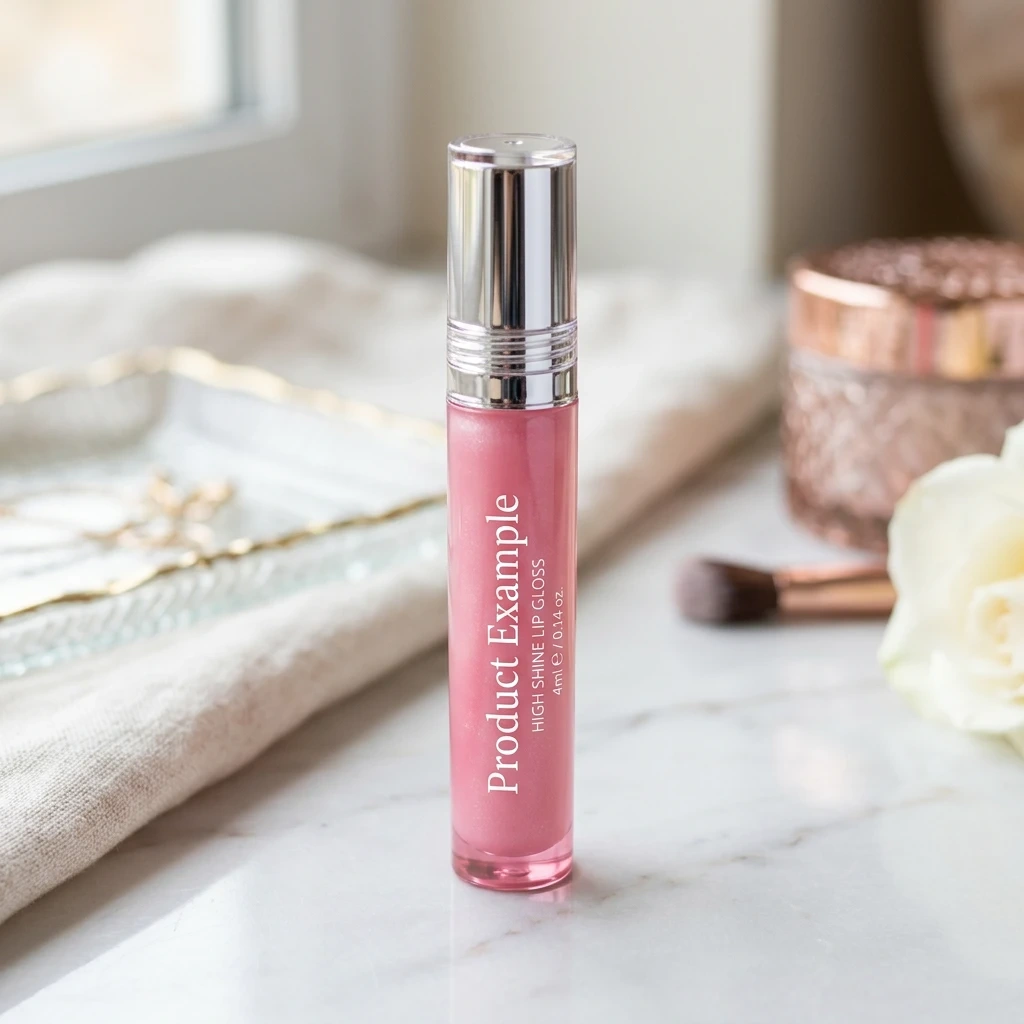
Next, upload a high-quality image of your product. For best results: use a high-resolution image, keep the background clean, clearly display the product details. This image will serve as the core visual element of the advertisement.
Step 3 – Generate Decorative Scene Elements
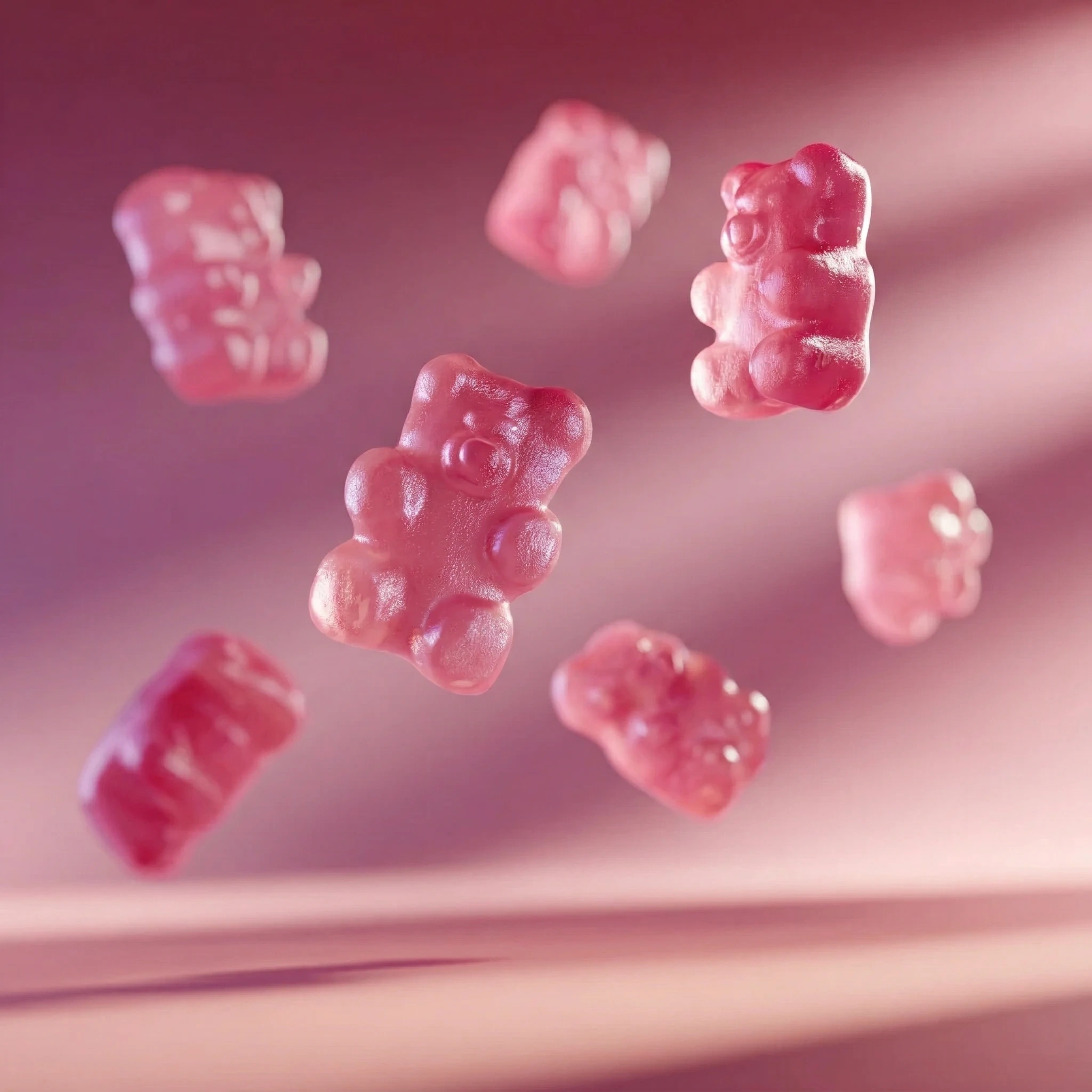
Decorative elements can make your advertisement more dynamic and visually interesting. For example, you can generate playful background props such as candy, flowers, or floating objects.
Example prompt:
Pink gummy bears falling from above in slow motion, warm lighting, soft pink gradient background, cinematic lighting. These elements add motion and visual personality to your product scene.
Step 4 – Analyze a Reference Video and Build a Storyboard
Professional advertisements rely on carefully planned shot sequences. Choose a product advertisement video you like and use AI tools such as ChatGPT or Gemini to analyze the video. Ask the AI to produce a professional storyboard script including: timestamps, shot types, focal length, camera movement, subject action.
This storyboard will later serve as the prompt for the video generator.
Example prompt:
A dreamy high-end cosmetic commercial in a pink studio environment. A young Asian beauty model with long straight hair and bangs, wearing a pink star hair clip and white sleeveless top, promoting a glossy pink jelly lip gloss.
Scene 1:
Medium close-up, model centered, looking slightly up at camera, translucent pink gummy bears floating around her in slow motion, soft pink gradient background.
Scene 2 :
Extreme macro shot of glossy lips. The lip gloss wand gently touches the lower lip edge, revealing a shiny jelly texture with high reflections.
Scene 3:
Close-up portrait. The model smiles sweetly at the camera while holding the lip gloss wand beside her cheek.
Scene 4:
Medium shot with slow side camera pan. The model holds a pink heart-shaped mirror and turns toward the camera while checking her lips.
Scene 5:
A giant translucent pink gummy bear flies toward the camera, filling the frame as a transition effect.
Scene 6:
Close-up. The model wink her eyes and gently presses a gummy bear against her cheek, soft light reflecting between skin and jelly texture.
Scene 7:
Final beauty pose. The model holds the pink jelly lip gloss product upright while the camera slowly pulls out. Floating gummy bears form a halo composition around the product.
Style: luxury beauty campaign, glossy reflections, cinematic lighting, dreamy pink aesthetic, ultra detailed skin texture, commercial advertising photography.
Step 5 – Generate the Video Using Kling 3.0
Now you can generate the final advertisement. Inside Piclumen, open the AI video generator and select the Kling 3.0 model.
Then:
Upload the AI model image
Upload the product image
Add decorative elements
Paste the storyboard prompt
Specify elements that must remain consistent (model and product)
Choose the video duration
Upload start or end frames if needed
Select the resolution and click Generate
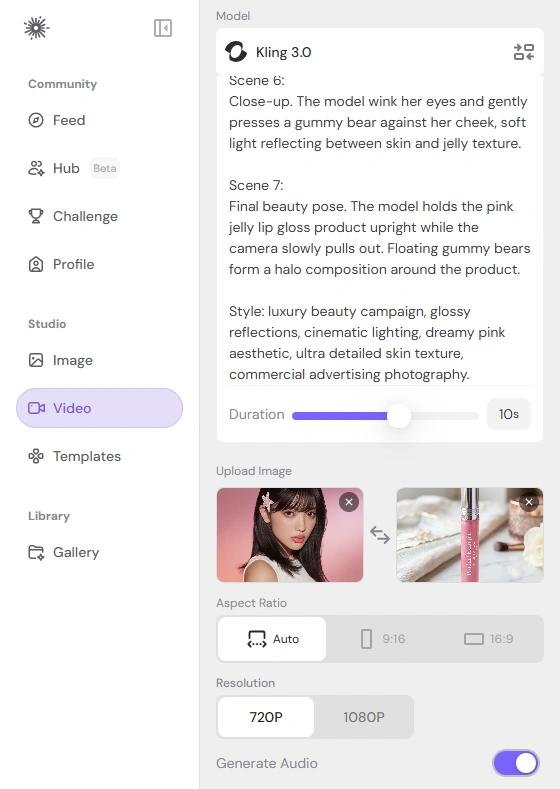
Thanks to Kling 3.0’s improved scene consistency, the model’s appearance can remain stable across multiple shots, making the final video look more like a real commercial production.
Final Thoughts
AI video generation is opening new possibilities for ecommerce marketing. Instead of organizing expensive photoshoots, small businesses can now produce professional product advertisements using AI-generated assets and advanced video models. In addition to Kling 3.0, Piclumen offers several practical tools for ecommerce creators: Image Upscaler, AI Replace, and Image Extender.
Ready to create cinematic product ads without hiring models or studios? Start using Piclumen and Kling 3.0 today to turn your product images and creative ideas into professional marketing videos that stand out on social media and ecommerce platforms.
Get started creating your AI product video on Piclumen today!