
Unlock Endless Possibilities with Free AI Image Extender
Expand your images beyond the original borders with PicLumen’s AI Image Extender. Extend backgrounds, adjust aspect ratios, and create seamless compositions while keeping details natural and consistent.
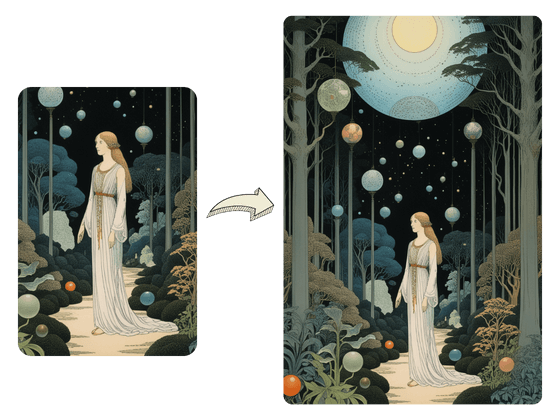
Expand Picture Vision with Image Stretcher Magic
Our AI Image Expander does more than just stretch your images—it seamlessly blends in new elements to enhance your visuals. By intelligently analyzing your content, it creates natural extensions that enrich every detail of your original images.
Play Your Canvas with AI Image Expander
With PicLumen AI Image Extender, you can easily customize canvas sizes and try different aspect ratios. Modify your original image and let the AI seamlessly fill in the expanded areas, ensuring a cohesive and visually stunning result.
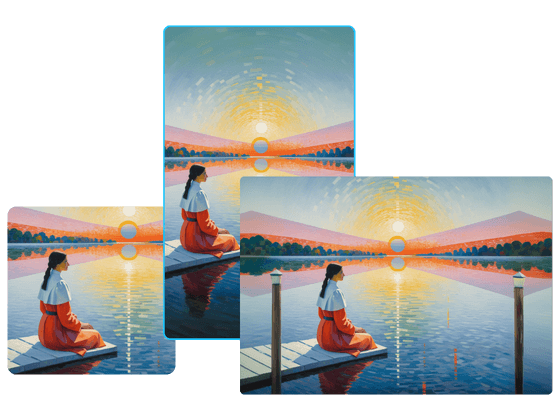
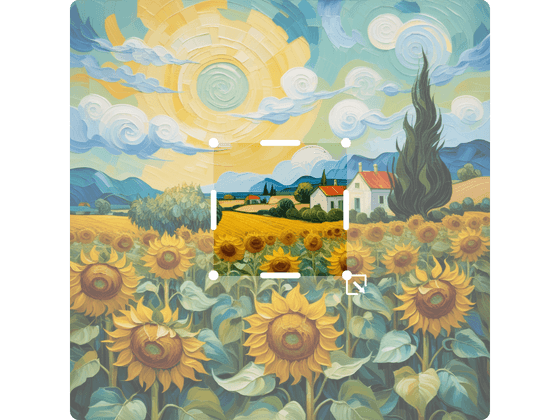
Go in Any Direction with AI Picture Expander
With PicLumen’s AI Picture Expander, you have full control over where to extend—left, right, top, or bottom. Our image stretcher effortlessly adds new elements that blend naturally with your original image.
Expand Your Photo Backgrounds with AI Photo Extender
Easily upload your photos and use the AI Photo Extender to enhance and expand backgrounds with AI. Whether you’re adding more space to product images for e-commerce or enhancing scenic photos for creative projects, this tool offers endless possibilities for expanding backgrounds and improving your visuals.
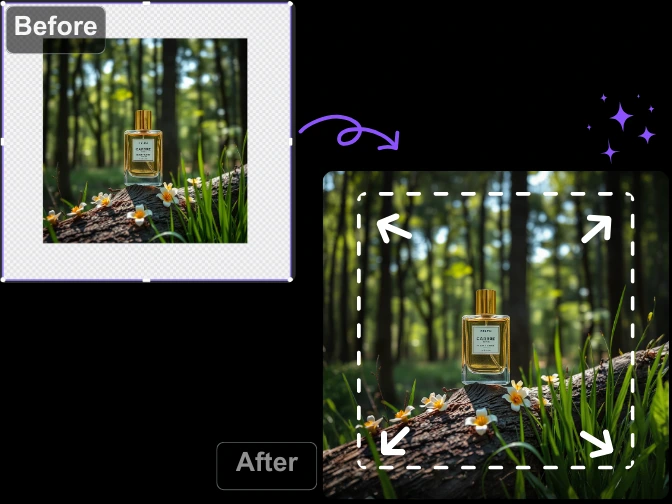
How to Extend an Image with AI Using PicLumen
.webp)
Step1: Select Outpaint
Open your image and click More in the bottom-right toolbar. Select Outpaint to start extending your image.
.webp)
Step2: Choose Extension Size
Select the direction and size you want to expand. Extend your image in any direction with AI.
.webp)
Step3: Generate Your Image
Click Submit and wait for PicLumen to create a seamless extended image.


Loved by Creators Worldwide
Real feedback from designers, marketers, and hobbyists sharing their PicLumen experience on Trustpilot.
 Bet AW
Nice good appp creat inmage
Nice good appp creat inmage
 ClashOf Clans
Excellent platform to fantasy
Excellent platform to fantasy
 Mubashir Ahmed
This web is very help and free
This web is very help and free
rockstar gamingValue For Money
its value for money i fully recommend you to try this one time you will like it...
 Narender Khatana
I love this app I love this very very…
I love this app I love this very very much this is help in make a videos
 Menu Lawrence
Very fantastic app
Very fantastic app. I love it. I will like everyone to use this App
Selvakumar MSKGood website.
Good website. Website for creating images.
 Its aarohi
This is a great app for creating images…
This is a great app for creating images and ai videos i just love this app
Very easy to use
Very easy to use, great quality
 Buzás Lili
Im only doing this for the free stuff
Im only doing this for the free stuff
 Hazard Lion
Best project in ai
Best project in ai , creating images 👌
Tim Olukayode AjayiAmazing Platform
Honestly, I was wowed the moment I land on PicLumen and tested their platform. I wanted to pay for the popular one before but had to stop and I am loving it all the way. I totally recommend PicLumen guys!
Frequently Asked Questions
What is the AI Image Extender?
The AI Image Extender is a powerful tool from PicLumen designed to automatically expand and enhance the boundaries of any image. Whether it’s an AI-generated image or a photo you’ve uploaded, this tool adds additional content to the edges, enabling you to create larger compositions while preserving the original image’s style and quality.
Are there any limits to how much I can extend an image?
The AI image expander allows you to expand the image significantly, but by a maximum of two times the original image.
How do I use the AI outpainting feature?
To use the AI outpainting, generate an image using PicLumen’s AI image generator. Once your image is ready, select the AI Image Extender tool from the menu, choose how much you want to extend the image, and apply the tool. The AI will automatically expand your image while maintaining its quality.
Will the extended areas match the style of my original image?
Yes, our AI image stretcher is designed to match the style and aesthetics of your original image as closely as possible. The new content added to the edges will blend seamlessly with the existing artwork.
Explore More Tools on PicLumen
Explore More AI Tools
- AI Anime Character Generator
- Album Cover Maker
- Random Image Generator
- Superhero Generator
- Funko Pop AI Generator
- AI Clothing Generator
- Passport Photo Maker
- AI Illustration Generator
- Funny AI Image Generator
- AI Fantasy Character Generator
- AI Interior Design
- Image Upscaler
- AI Cartoon Generator
- Furry AI Art Generator
- AI Replace
- Anime Upscaler
- AI Hair Color Changer
- Studio Ghibli Filter
- AI Image Colorizer
- AI Background Remover
- AI Surrealism Art Generator
- Funny AI Video Generator
- AI Banner Generator