I've been wanting to make an AI dance video of my cat for a while, but I wasn't sure what kind of dance or style to go for. So I started browsing TikTok and other social media platforms for some inspiration.
That's when I came across the La Calabaza Dance trend. The original video featured three little cats dancing together, and I thought it would be fun to put my own cat in the scene. I wanted to make three copies of my cat, each wearing a different bandana, dancing side by side.
PicLumen had a ready-made template for this dance, but I also wanted to see if I could build my own version with more control over the cats and their outfits. So I decided to try both approaches.
Method 1: Trying the La Calabaza Dance Template
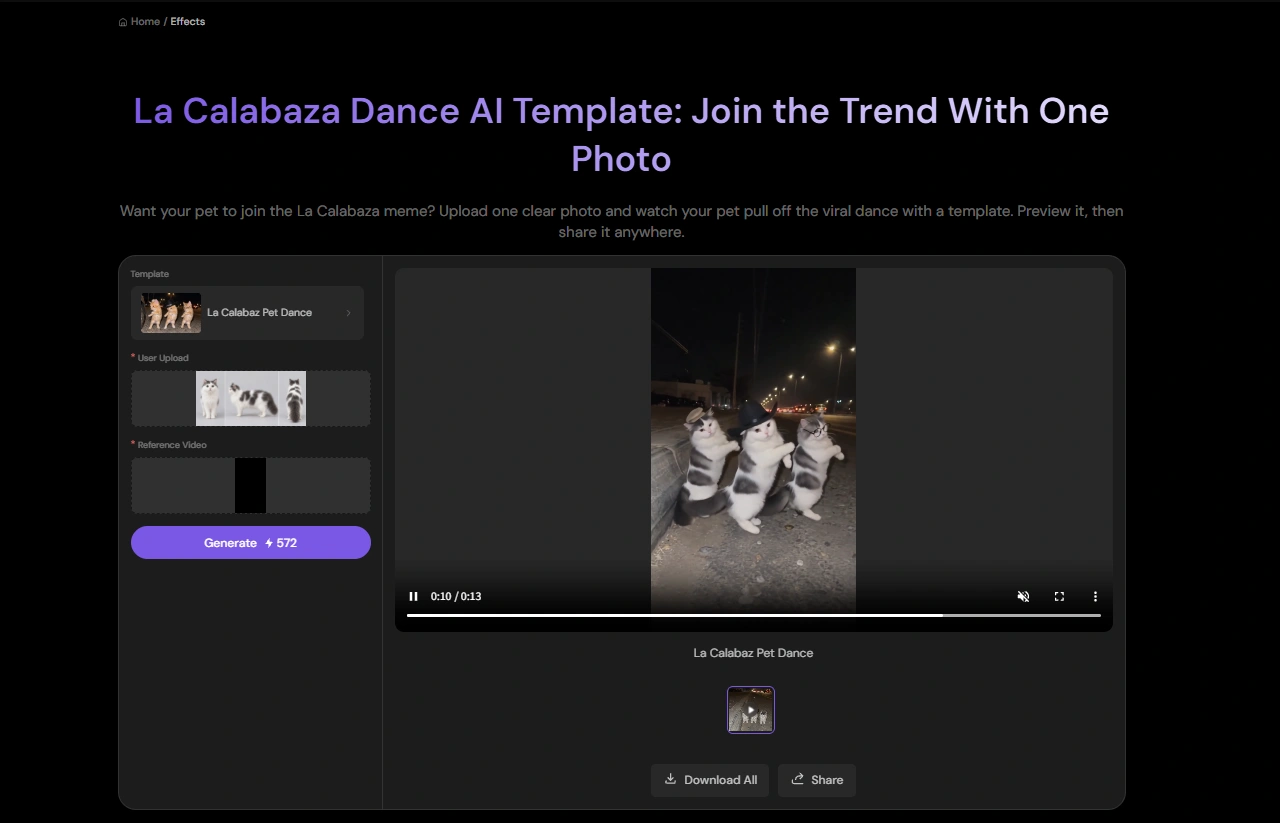
Before building my own version, I wanted to see what I could get with PicLumen's ready-made La Calabaza Dance template.
The setup was pretty simple. I uploaded a photo of my cat and generated the video. I didn't need to prepare extra character images or write a dance prompt. The template already had the dance movements, outfits, and scene set up, so my cat simply took the place of the original subject.
Method 2: Making My Own Version with Three Cat Clones
The template gave me a quick way to put my cat into the dance, but I wanted to go beyond what the preset offered. I wanted to control the character details, outfits, and movements myself.
To get that look, I switched to PicLumen's AI Video Generator. This time, I wanted more control over the characters, their outfits, and the dance itself. I also wanted to use the original dance video to guide the movements, rather than rely on a preset dance.
Step 1: Prepare My Cat's Reference Images
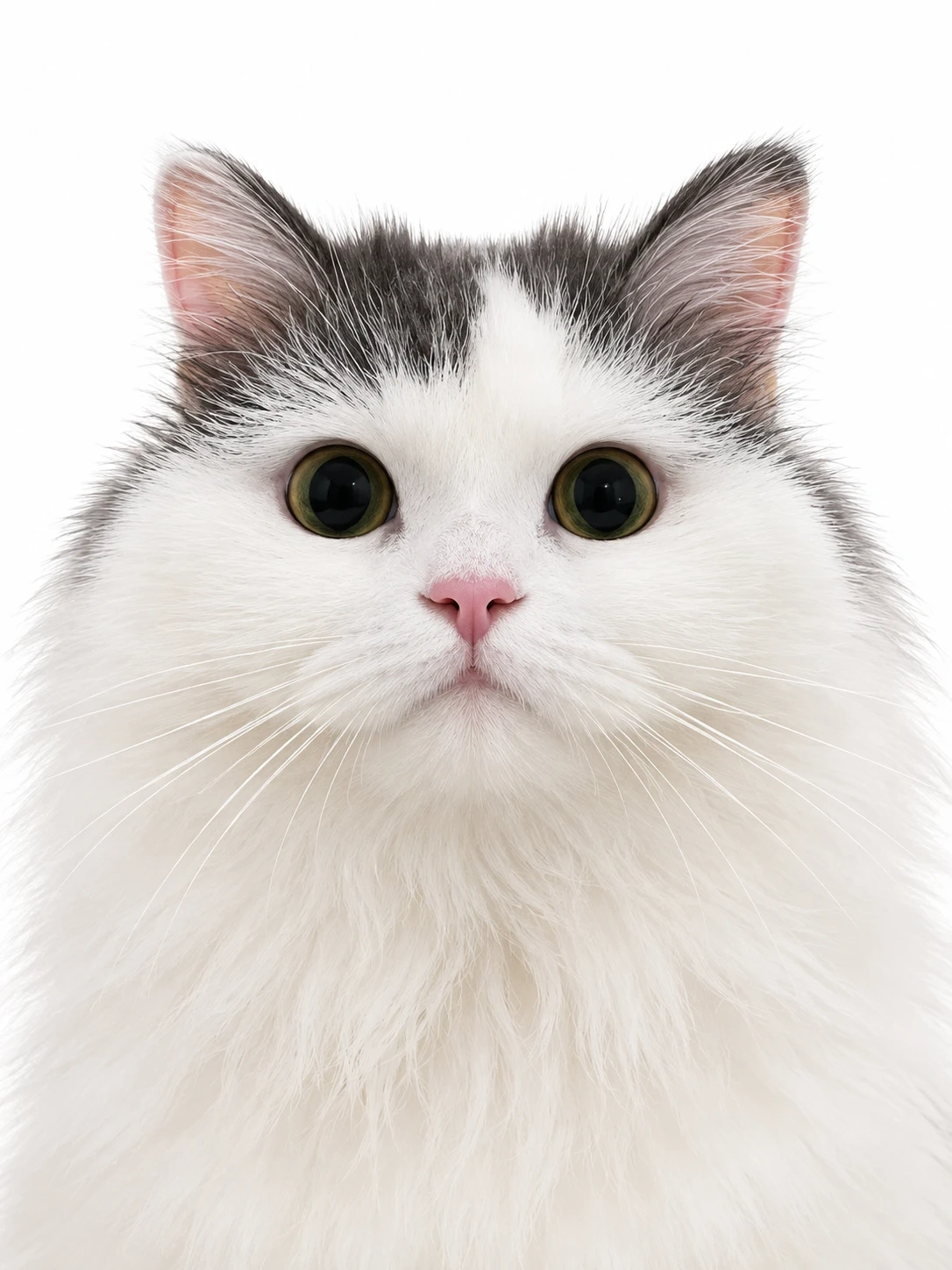
I prepared two reference images of my cat before opening the video generator: a front-facing half-body portrait and a full-body three-view sheet.
front-facing half-body portrait
full-body three-view sheet
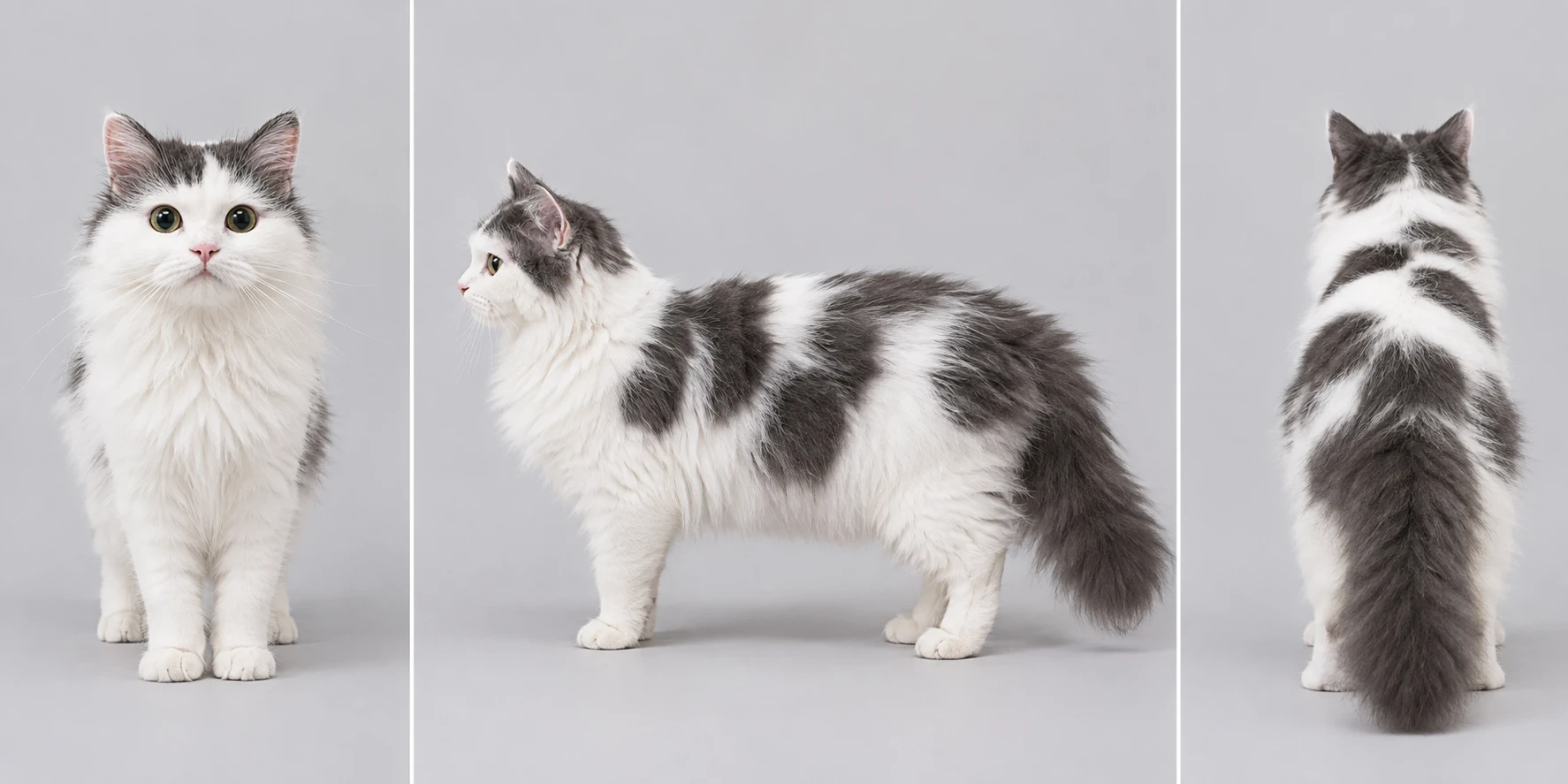
The dance includes a 360-degree turn, so I wanted to show my cat from different angles. The three-view sheet was especially useful for capturing the spots on its back, which aren't visible in a front-facing portrait.
I also picked out three bandanas for the three copies of my cat. Each one would have its own look, so I saved them as separate reference images for the next step.
Step 2: Upload the References to Kling 4.0
Kling 4.0 had recently launched, so I thought this would be a good project to try it out. I needed to work with several character and outfit references, along with a dance video, which made this a good opportunity to test the model.
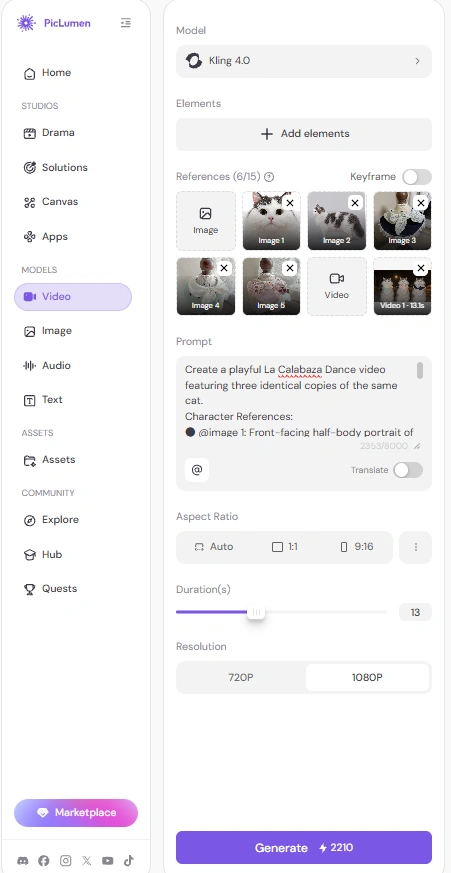
I uploaded the two cat images, three bandana references, and the La Calabaza Dance video to PicLumen. I assigned each reference a specific role in my prompt:
@Image 1: My cat's face and upper-body appearance
@Image 2: Its full-body details, including the spots on its back
@Image 3: Bandana for the cat on the left
@Image 4: Bandana for the cat in the middle
@Image 5: Bandana for the cat on the right
@Video 1: The dance choreography and timing
Step 3: Write the Video Prompt
Once I had all the references ready, I started writing the prompt. I wanted to avoid ending up with three cats that looked slightly different, so I made the character identity, bandana assignments, and dance positions especially clear.
Here is the prompt I used:
Create a playful La Calabaza Dance video featuring three identical copies of the same cat.
Character References:
@image 1: Front-facing half-body portrait of the original cat. Use it as the primary reference for the cat's face, eyes, fur colors, and distinctive facial markings.
@image 2: Three-view reference sheet of the same cat. Use it to preserve the cat's body proportions, fur patterns, and distinctive spots on its back.
All three cats must look exactly like the same individual cat shown in @image 1 and @image 2. They are three identical copies of one cat, not three different cats. Maintain consistent facial features, fur colors, markings, body shape, and proportions throughout the video.
Bandana References and Position Assignment:
@image 3: Bandana for the left cat.
@image 4: Bandana for the center cat.
@image 5: Bandana for the right cat.
Each cat must wear only its assigned bandana. Reproduce the original colors, patterns, shape, and details of each bandana as accurately as possible. Keep the bandanas clearly visible and naturally fitted around their necks throughout the entire video. Never swap or mix up the three designs.
Dance and Choreography: Use @video 1 as the dance reference. Closely follow its La Calabaza Dance choreography, including the movement sequence, rhythm, timing, and synchronized actions. All three cats should perform the same dance together, staying in their original left, center, and right positions. Make their movements lively, playful, and well synchronized.
Composition and Scene: Arrange the three cats side by side, facing the camera, with the same left-center-right formation as the reference video. Follow the reference video's camera angle, framing, background, and overall visual atmosphere. Keep all three cats fully visible, with enough space between them to distinguish their individual bandanas.
Consistency and Quality: Preserve the original cat's identity and natural feline appearance in every frame. Maintain realistic fur textures, stable facial details, accurate body proportions, and consistent bandana designs. Ensure smooth, continuous dance movements without flickering, morphing, distorted limbs, or sudden appearance changes.
Do not add extra cats, change their natural fur markings, swap their positions, exchange their bandanas, or introduce unrelated accessories.
Step 4: Match the Video Settings to the Reference
I based my video settings on the original dance clip to get as close to its look and pacing as possible. I used the same aspect ratio and chose the closest available resolution and duration to match the reference.
Once everything was set, I started generating the video.
Step 5: Generate My La Calabaza Dance Video
With the prompt and settings ready, I finally hit Generate. I was excited to see my three cat clones dancing together, especially with their different bandanas.
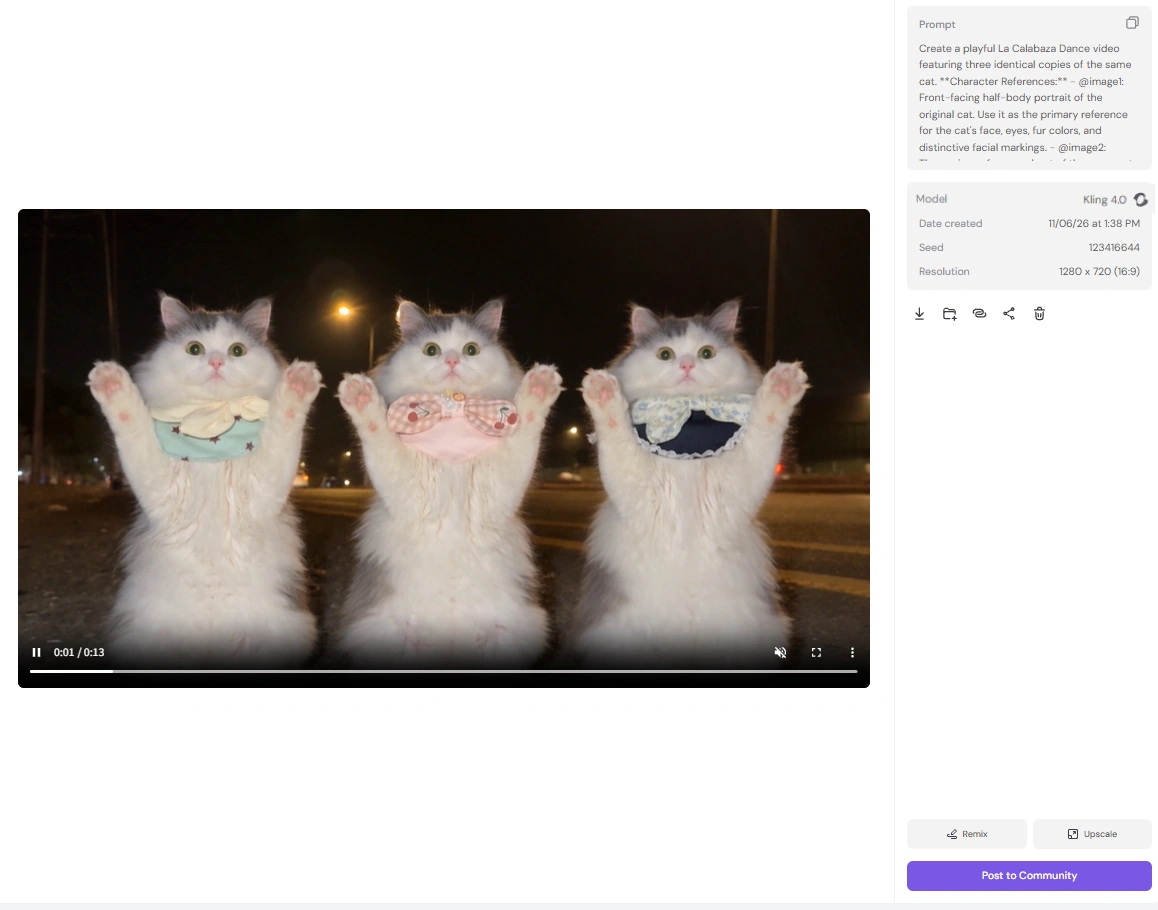
How My La Calabaza Dance Video Turned Out
I was curious to see whether all three copies would still look like my cat, especially when they turned around.
The final result was pretty close to what I'd pictured. Seeing my own cat appear three times, each wearing a different bandana, made the whole dance feel much more personal. I also liked how well the three cats followed the original choreography.
I'm glad I prepared the three-view image before generating the video. Those spots on my cat's back are easy to miss in a front-facing photo, but they were visible during the turn. It's a small detail, but it made the final video feel much more like my own cat.