If you're looking for a realistic VHS video generator, you’ve probably noticed something frustrating: most AI video generators don’t actually look like VHS.
They just look like modern 4K footage with grain slapped on top.
I tested multiple AI video models on PicLumen to find which one truly creates an authentic VHS video effect—not just noise, but real analog imperfections. After generating multiple 10–15 second clips using the exact same prompt, one model stood out clearly.
Here’s what I found.
What Makes a Real VHS Video Effect?
Before comparing models, we need a standard.
A true VHS video effect is not just grain. Real VHS footage has:
Low dynamic range
Slight overexposure in highlights
Soft focus
Analog compression artifacts
Tracking glitches
Color bleeding
Unstable exposure
Slight camera shake
4:3 aspect ratio
Most “VHS filters” only add grain and scan lines. That’s not enough.
A real VHS video generator should simulate how a 1990s consumer camcorder actually captured light, motion, and color.
If the video still looks like clean digital cinema with artificial noise layered on top, it’s not authentic VHS.
Generating VHS Videos with AI Models
To identify the best VHS video generator, I tested four models available on PicLumen:
Sora 2
Kling 3.0
Veo 3.1
Seedance 1.5 Pro
Each model used the exact same VHS prompt and generated 10–15 seconds of footage. I also tested image-to-video using a portrait as the first frame.
Here are the results.
Sora 2 — Most Authentic VHS Video Generator
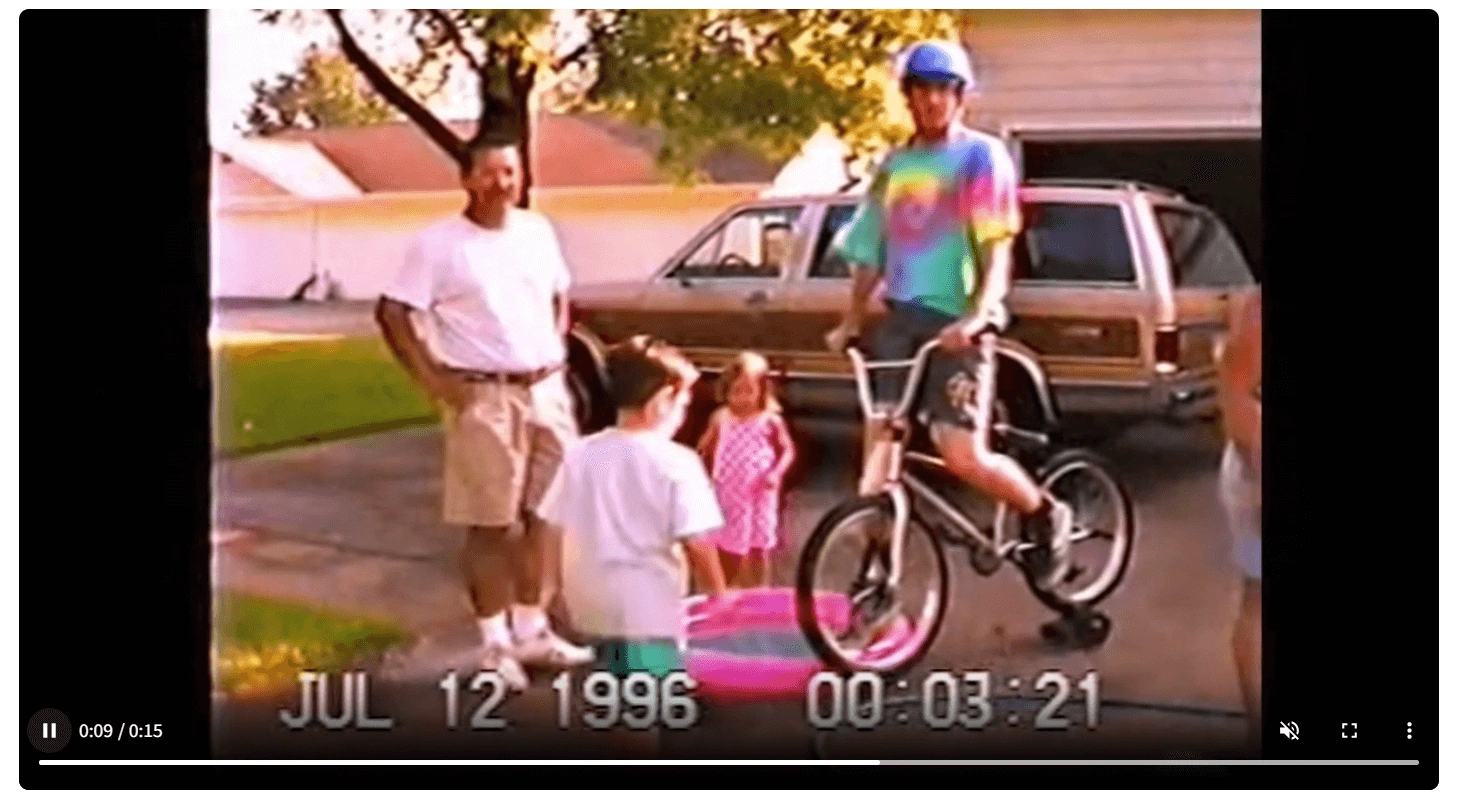
Sora 2 produced the most convincing VHS video effect.
What makes it different?
✅It naturally reduces sharpness
✅Highlights bloom realistically
✅Grain feels dynamic rather than pasted
✅Exposure fluctuates subtly
✅Motion feels like real handheld camcorder footage
Most importantly, Sora 2 doesn’t simply apply a VHS filter. It generates the scene with analog imperfection built into the lighting and texture.
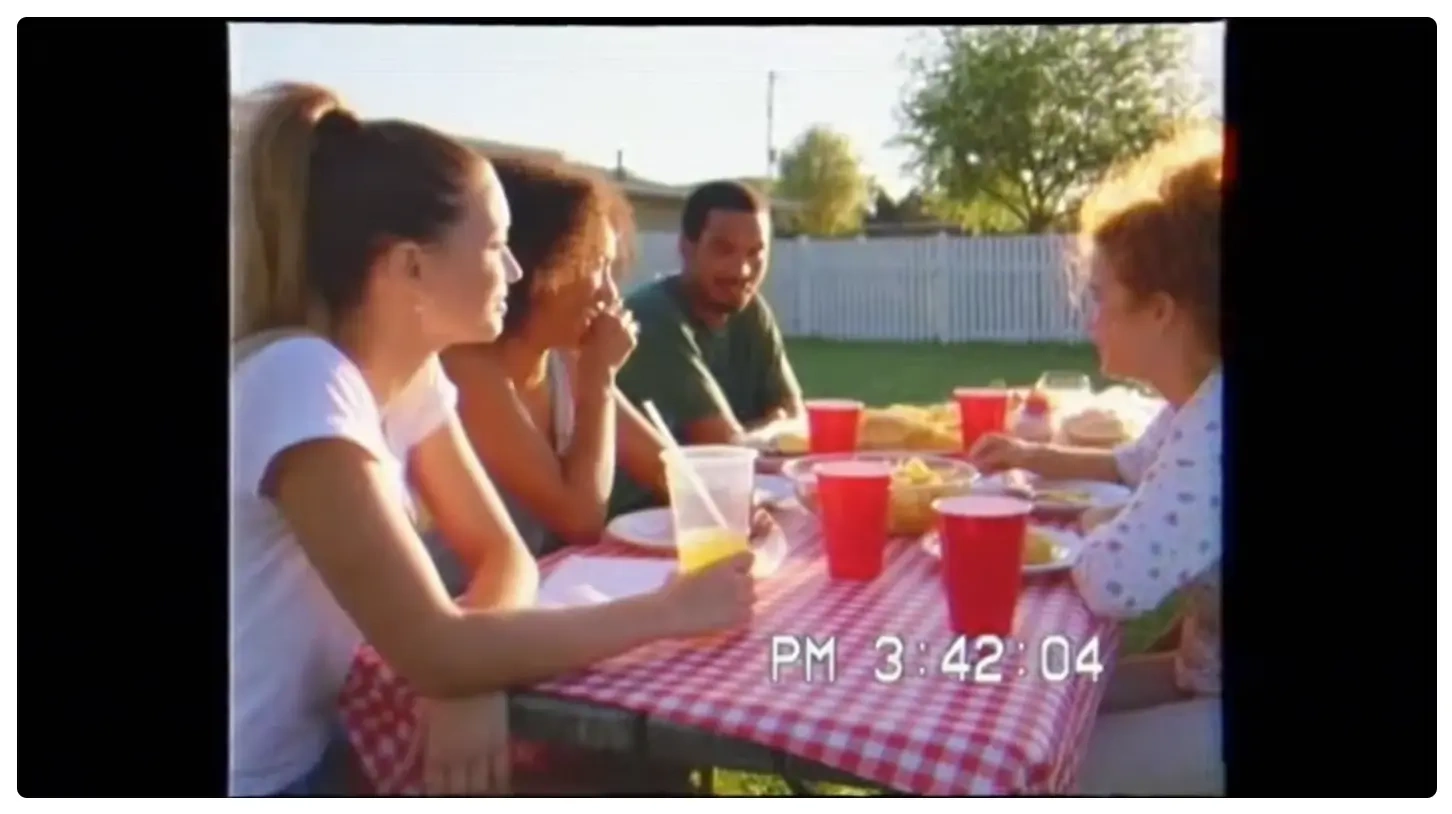
When I used a portrait as a first frame and generated a 15-second clip, the result looked like real 1996 home video footage — not a modern render pretending to be old.
If you're searching for the best VHS video generator on PicLumen, Sora 2 currently performs the strongest.
Kling 3.0 — Powerful but Too Clean
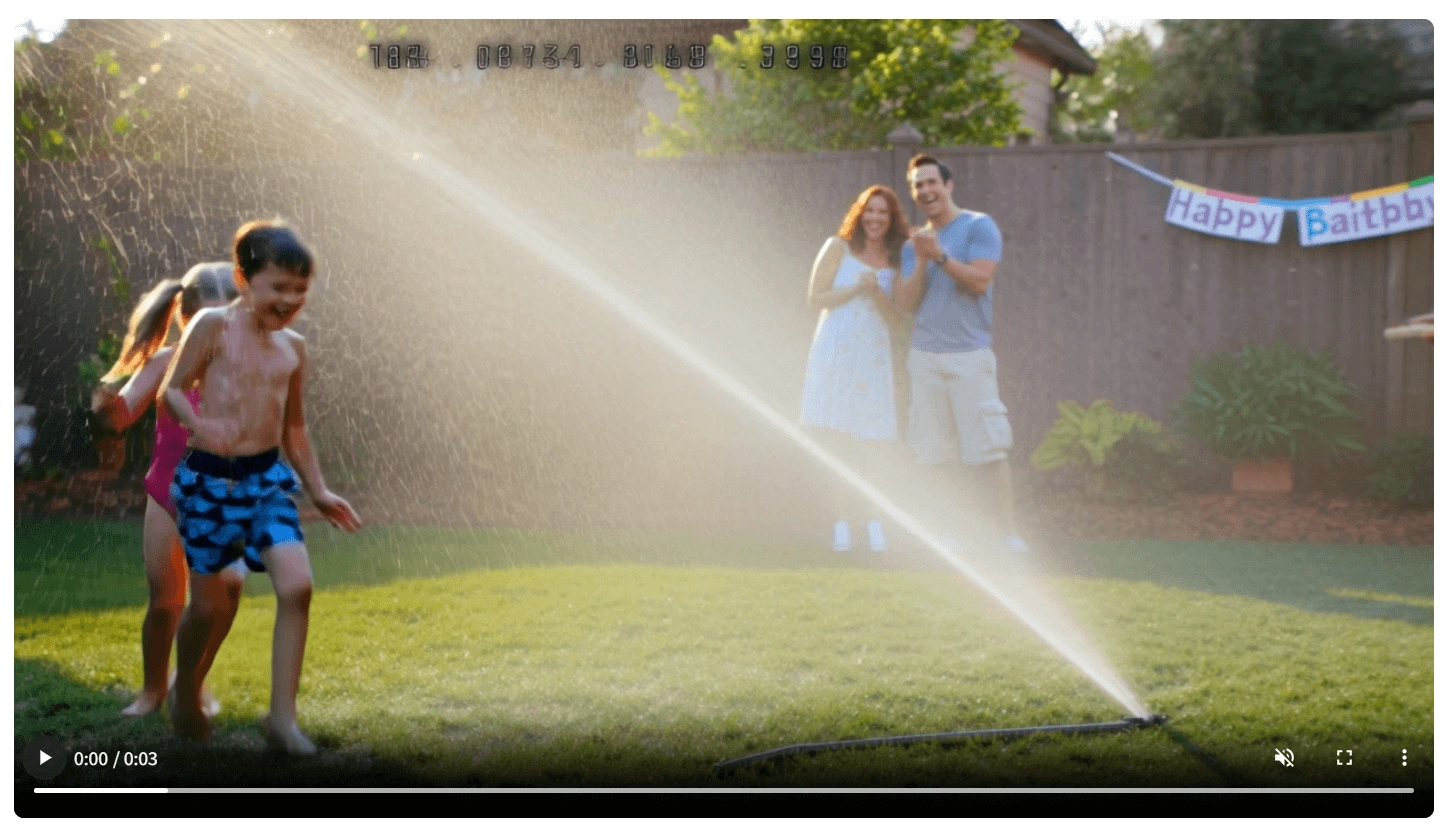
Kling 3.0 is technically impressive.
Strengths:
✅Highly detailed visuals
✅Stable anatomy (no disappearing limbs)
✅Supports text-to-video, image-to-video, and video reference
✅Can generate audio
However, for VHS specifically, the problem is precision.
The footage feels too sharp. The dynamic range is too high. The grain looks like a digital overlay rather than analog noise.
Kling 3.0 feels like modern cinema with a VHS filter added afterward. It’s powerful, but not the most convincing VHS video generator if authenticity is your goal.
It is also more expensive and more complex to operate compared to other models.
Veo 3.1 — Grain Added, but Not Era-Accurate
Veo 3.1 creates stable and clean videos.
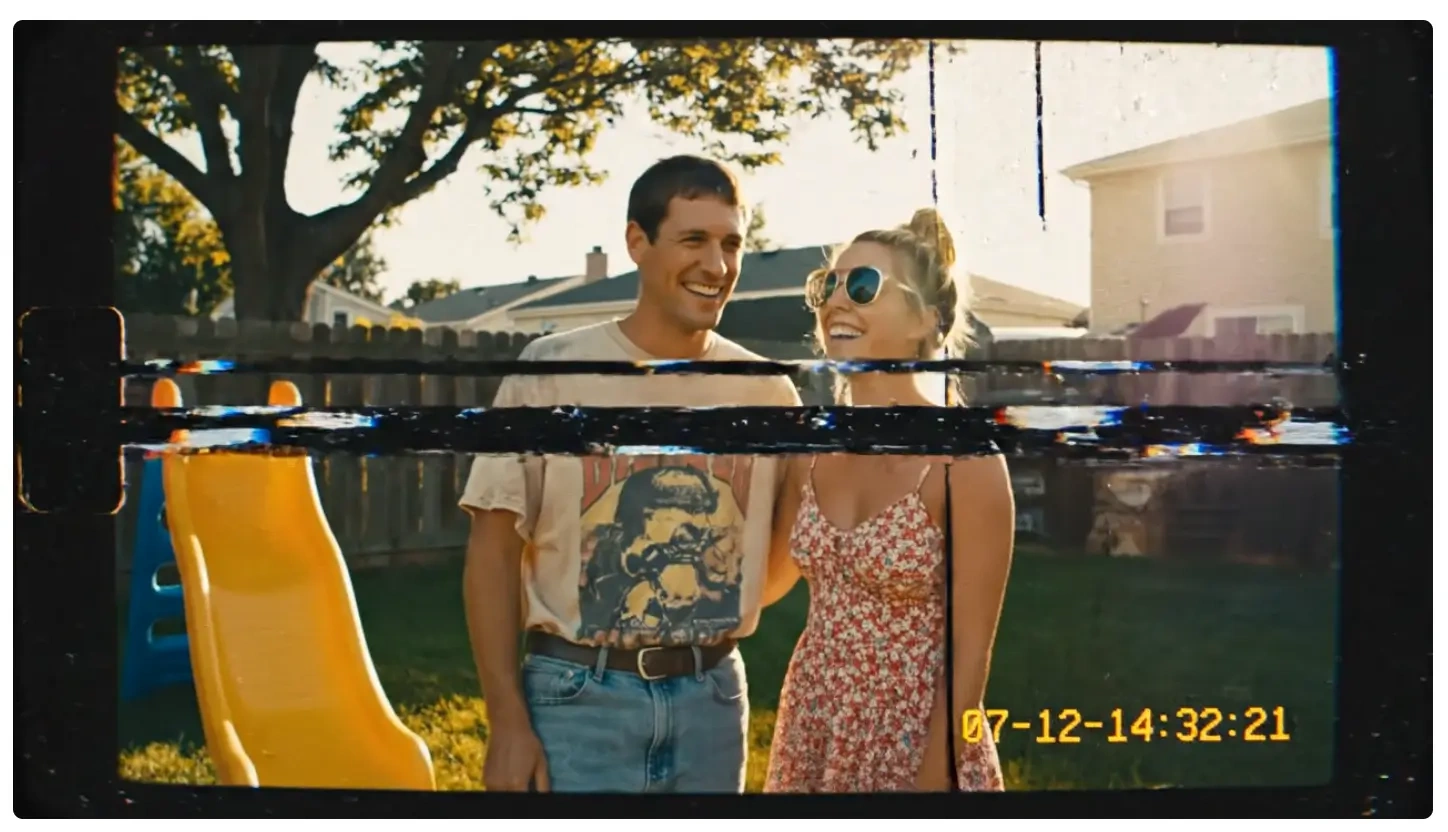
There are almost no structural or physical errors. Motion consistency is strong.
But the VHS video effect feels artificial.
It often looks like a modern video with grain layered on top. The noise doesn’t fully interact with lighting changes, and the footage still feels contemporary.
It’s usable — just not deeply nostalgic.
Seedance 1.5 Pro — Not Recommended for VHS
Seedance 1.5 Pro has one useful feature: it allows 4:3 output ratio.
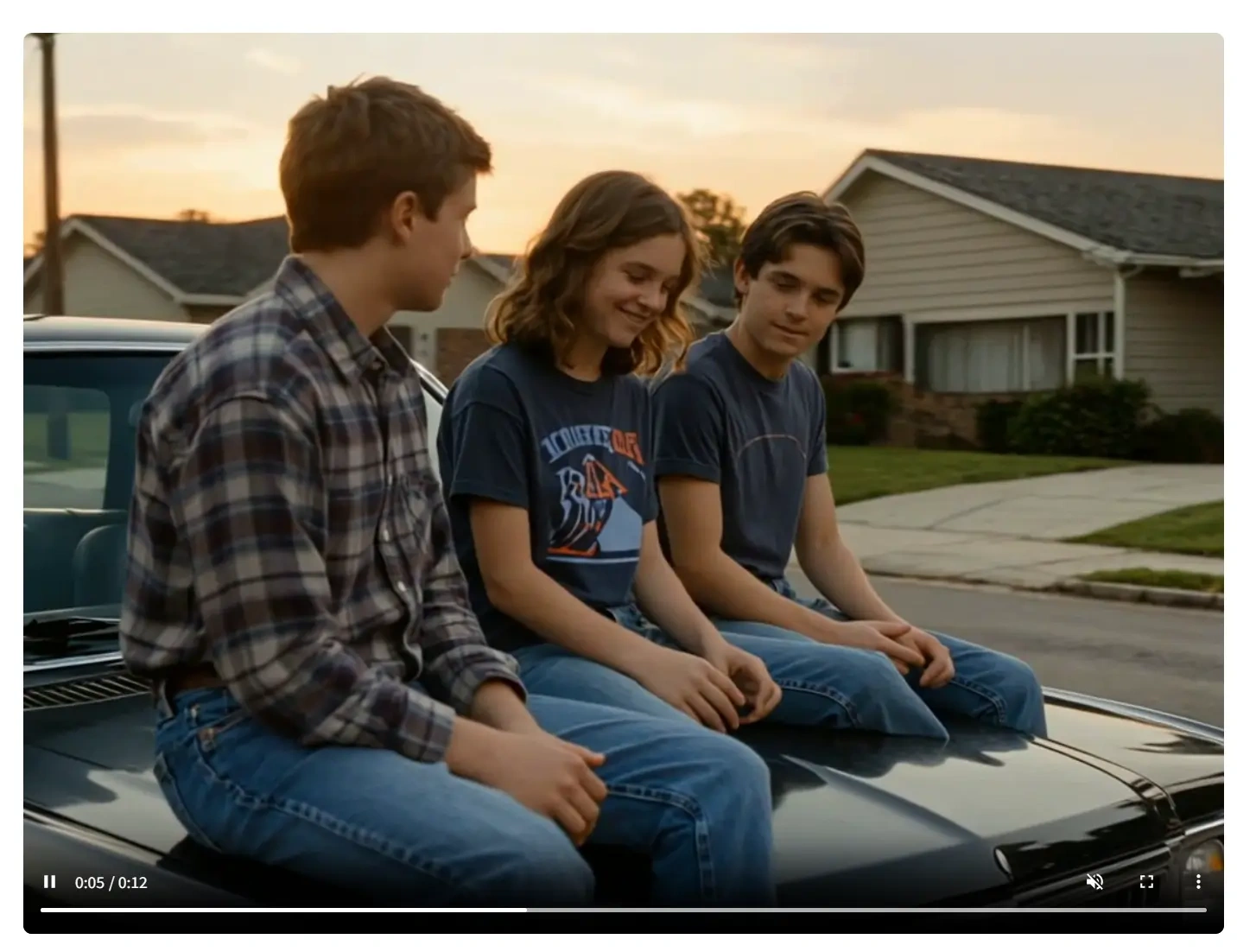
However, it frequently produced:
❌Physical logic errors
❌Distorted anatomy
❌Text artifacts
❌Instability in motion
Even though 4:3 framing helps with vintage aesthetics, the overall instability makes it unreliable as a consistent VHS video generator.
The Exact Prompt That Created the Best VHS Effect
Here is the exact prompt I used across all models:
1996 home video footage, handheld camcorder recording, suburban summer afternoon, warm sunlight, casual candid moment, natural movement, imperfect framing, slight camera shake, soft focus, overexposed highlights, analog VHS texture, heavy film grain, chromatic aberration, color bleeding, scan lines, tape noise, timecode overlay bottom right, date stamp 07-12-1996, 4:3 aspect ratio, low dynamic range, slightly washed colors, nostalgic atmosphere, authentic 90s camcorder look
Why this works:
“handheld camcorder recording” forces camera instability
“low dynamic range” prevents cinematic HDR lighting
“overexposed highlights” simulates consumer cameras
“date stamp” and “timecode overlay” add realism
“analog VHS texture” triggers degradation artifacts
The key insight: describe the camera and recording limitations, not just the aesthetic.
That’s what produces a believable VHS video effect.
How to Create a VHS Video from a Photo on PicLumen
One of the most effective methods I tested was using a portrait image as the first frame.
 |  |
|---|
Here’s how:
1️⃣Upload your photo as the first frame
2️⃣Apply the same VHS prompt
3️⃣Generate 15 seconds
4️⃣Keep motion subtle and natural
This approach has major advantages:
The subject remains stable
Facial features are preserved
The scene transitions smoothly into analog-style motion
The VHS texture feels embedded rather than layered
If you want to create nostalgic edits, fake childhood memories, or retro aesthetic reels, this is currently the most reliable method.
It turns a still image into a fully animated VHS-style clip using a powerful VHS video generator workflow.
Final Verdict: What Is the Best VHS Video Generator on PicLumen?
After testing multiple AI video models:
🥇Sora 2 delivers the most authentic VHS video effect
Kling 3.0 is technically excellent, but too clean
Veo 3.1 is stable but lacks era realism
Seedance 1.5 Pro is unstable for this purpose
If your goal is a realistic, nostalgic, analog-looking VHS video effect, Sora 2 is currently the best choice on PicLumen.
As AI video models continue evolving, this may change — but right now, Sora 2 produces the closest result to real 1990s camcorder footage.
❓FAQs About VHS Video Generator
What is the best VHS video generator in 2026?
Based on hands-on testing, Sora 2 currently produces the most realistic VHS video effect on PicLumen.
How do I create a VHS video effect with AI?
Use a detailed prompt describing analog camera limitations, add a 4:3 ratio, simulate low dynamic range, and generate through a capable AI video model like Sora 2.
Can I turn a photo into a VHS video?
Yes. Upload your image as a first frame, apply a VHS prompt, and generate 10–15 seconds of motion.
Why does my VHS effect look fake?
Most tools only add grain. Real VHS footage requires softness, exposure instability, compression artifacts, and imperfect motion.
If you're experimenting with nostalgic aesthetics, the right VHS video generator makes all the difference. Instead of layering filters, choose a model that builds analog imperfection into the video from the start — and you’ll get results that feel genuinely time-traveled.