I've been noticing a ton of Halloween cosplay videos on TikTok featuring “Ramalama (Bang Bang)” lately, and I thought it’d be fun to make one myself.
Most of these clips kick off with a close-up of shoes and legs before revealing the whole costume as the person strolls towards the camera. I love how straightforward the concept is, yet the final look can vary so much based on the costume.
I wanted to put my own spin on it with a gothic vampire vibe, so I opted for PicLumen instead of shooting everything myself. I uploaded a TikTok video for reference and included a full-body shot of the cosplay outfit that I wanted to use.
Here’s how I pulled it all together.
What I Used
I only needed two references:
Video reference: The original Ramalama cosplay video on TikTok
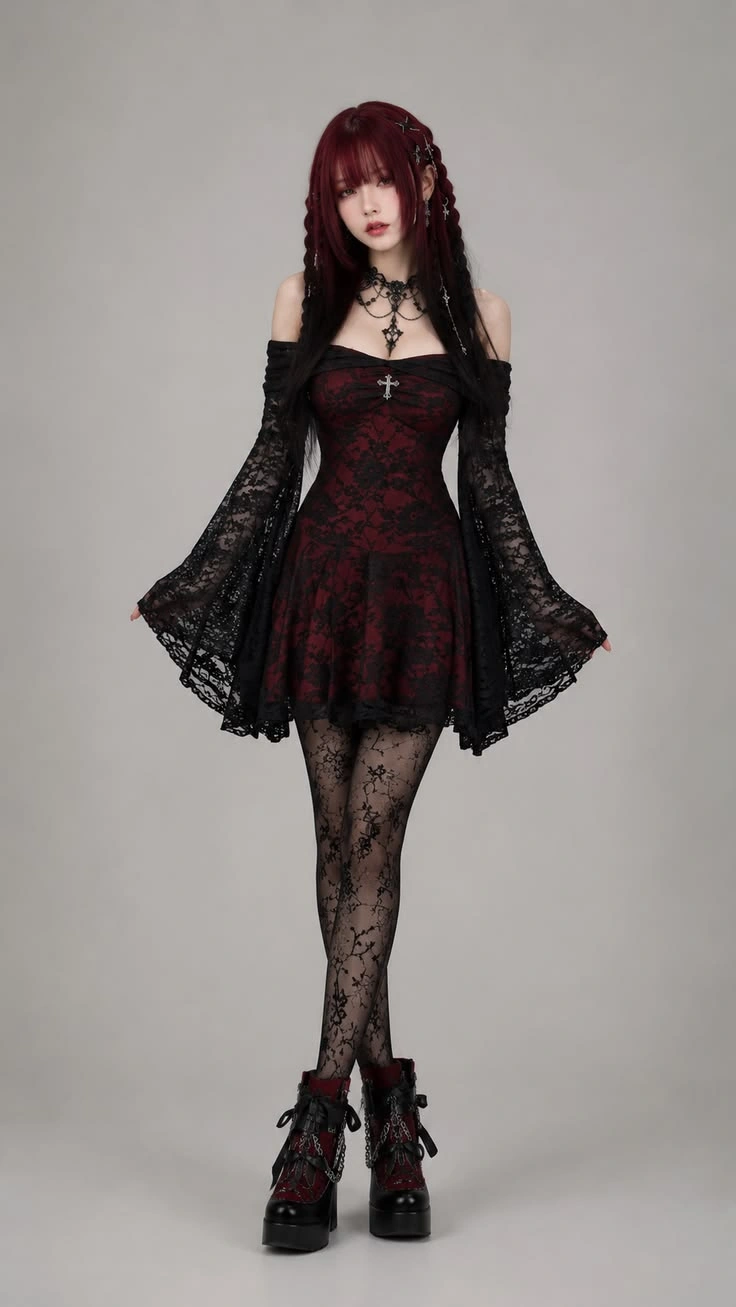
Cosplay image: A full-body image of my chosen Halloween outfit.
The TikTok clip gave me an example to follow, while the outfit image showed PicLumen what I wanted my character to look like. This saved me from having to describe every little detail in the prompt.
How I Made the Ramalama Video in PicLumen
Step 1: Choose a Full-Body Cosplay Image
I started by choosing a full-body reference image. This is worth paying attention to because the video shows the character from the shoes up, so the outfit needs to be clearly visible. A close-up portrait wouldn't give the model as much information about the skirt, tights, boots, and overall look.
I went with a gothic vampire outfit because I wanted something dark and distinctive for Halloween.
If you don't have a suitable costume image yet, you can create one with PicLumen's AI Image Generator.
Step 2: Upload the TikTok Video as a Reference
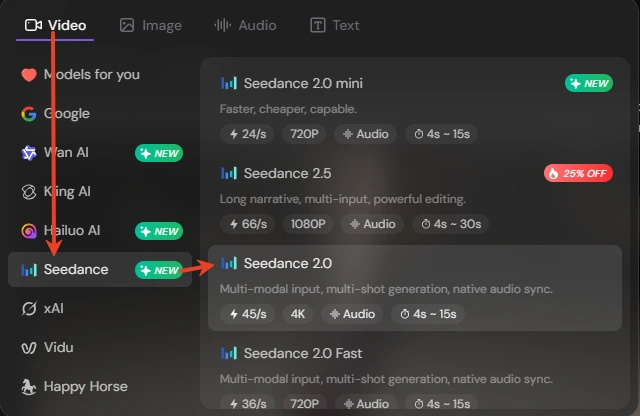
I opened PicLumen's AI Video Generator and selected Seedance 2.0. I personally think it's a good balance between cost and results for a short, 12-second video.
Then I uploaded the reference video along with my cosplay image.
I'd recommend using the original clip rather than relying on text alone. It shows the walk and when the shot changes from the shoes and legs to the upper body, so there's less for you to explain in the prompt.
Step 3: Enter the Prompt
I kept the prompt focused on the walk, the shot change, and the lip-sync. Since I'd already uploaded the costume image, I didn't need to describe every piece of clothing.
The prompt I used:
Create a photorealistic vertical 9:16 Halloween cosplay video using the uploaded video as the primary reference.
Replace the original character with the person in the uploaded cosplay image. Keep the same camera movement, shot sequence, timing, walking rhythm, and hand gestures.
Start with a low-angle shot of the legs and shoes as the character walks toward the camera, then cut to a front-facing upper-body shot.
When the character's face is visible, synchronize her lip movements closely with the vocals in the uploaded audio, matching the timing of each sung phrase. Keep the mouth movements natural and continuous while singing, with subtle head movement.
Keep the character and outfit consistent throughout. Use a realistic nighttime outdoor setting with a natural handheld-video look. Preserve the original soundtrack. No extra characters, distorted anatomy, changing outfits, text, or logos.
Step 4: Adjust the Settings and Generate
Before generating, I checked three settings:
Duration: 12 seconds, to match the length of the original clip as closely as the available setting allowed.
Aspect ratio: 9:16 for the vertical, TikTok-style format.
Generate Audio: Turned on because I wanted the original background music to remain with the video.
Here's My Result
I'm really happy with how it turned out. The dark Halloween vibe came through, and the result captured the kind of costume walk I was going for.
My biggest takeaway must be uploading the original video instead of trying to describe every movement yourself. That way, you can spend more time choosing a character and outfit you like.
One last thing: turning on Generate Audio doesn't guarantee that the original song will stay exactly the same. Check the sound after generation. If it changes or disappears, you can add the Ramalama audio when editing your video.