If you're like me and looking for an AI-powered tool that can create virtual characters, voiceovers, and engaging video content, there are a ton of AI tools out there. And you probably have come across Heygen AI, which is said to be the best AI video generator. Well, is it true?
In this review, I’ll share my personal experience with Heygen as a content creator, diving into its features, pros & cons, and how it compares to other similar platforms. Let’s get started!
What Is Heygen AI?
In case you are new to AIGC, Heygen is a web-based AI video generator designed for creating professional, presenter-style videos with digital avatars synchronized to text-to-speech or uploaded audio. Unlike entertainment-focused AIGC platforms that focus on creativity and expressiveness, Heygen is optimized for structured, repeatable video communication in professional environments.
This makes it ideal for industries where efficiency, scalability, and consistency are key, such as corporate training, onboarding, product explainers, and localized messaging.
However, Heygen is not designed for open-ended creative video production like some general video editors or cinematic tools. Its strengths lie in workflow automation and content standardization, which allow users to quickly generate content across various business applications. While it delivers impressive avatar realism and smooth animations, it is not aimed at projects requiring emotional range or fine-grained animation control.
Key Features of Heygen
1. AI-Powered Virtual Avatars
One of the features that impressed me the most about Heygen is its ability to generate highly customizable virtual avatars. Whether you need a friendly spokesperson for your brand or an avatar that resembles your own appearance, Heygen can easily do it. These avatars are powered by AI, allowing them to lip-sync with voiceovers and deliver incredibly realistic results.

2. Text-to-Speech and Voiceover
The text-to-speech (TTS) engine in Heygen also stood out to me. It turns written content into natural-sounding voiceovers and provides several voice options. The voices sound very realistic, with no robotic tone, which is something I’ve struggled with on other platforms. Plus, it supports multiple languages and accents, making it highly versatile.
3. AI Studio (Script-to-Video Workflow)
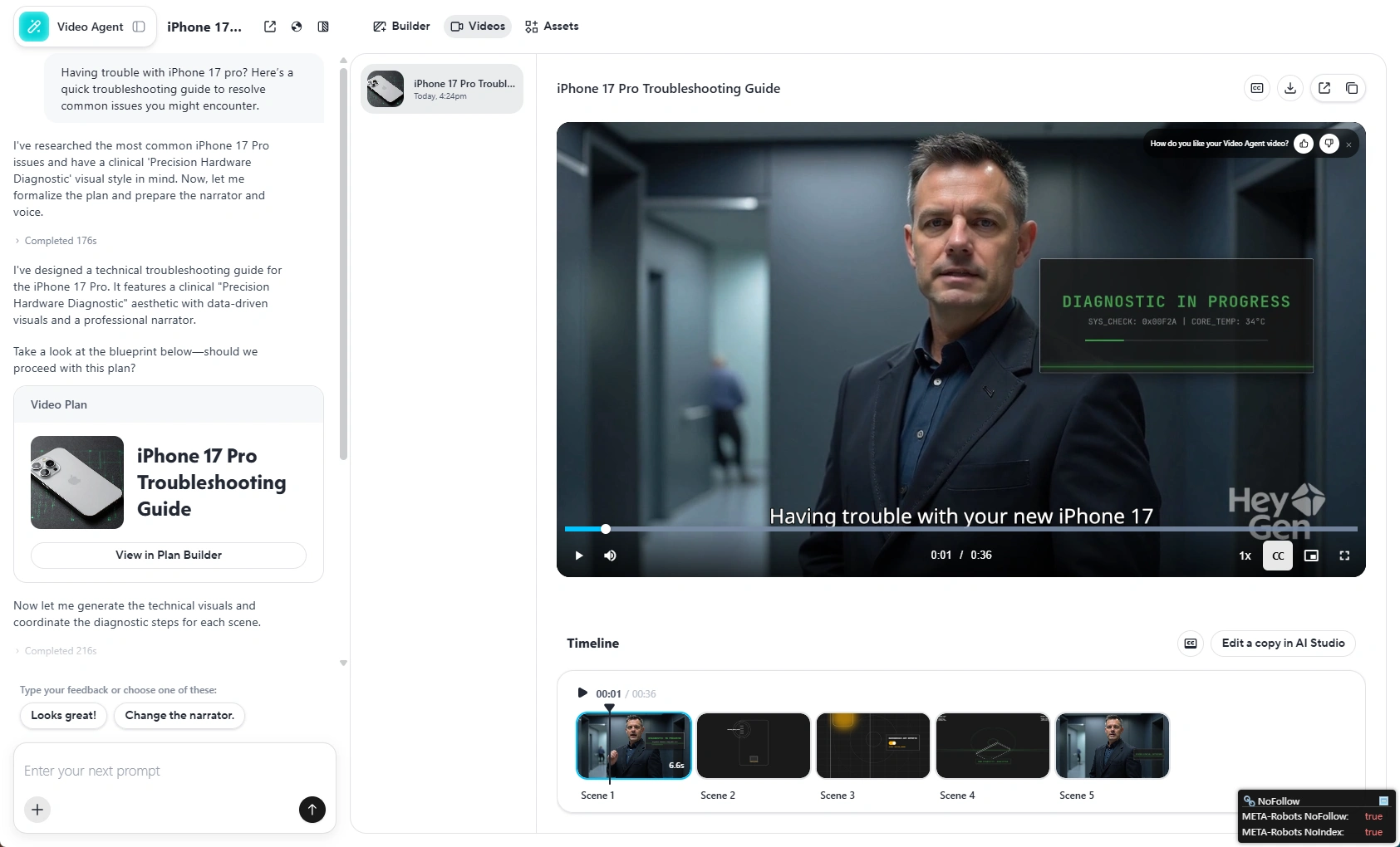
Once I started using Heygen’s AI Studio, it felt more like a full-fledged system rather than just a tool. The Studio streamlines everything into one predictable workflow: upload your screen recordings, select the avatar, paste in the script, assign the voiceover, and generate the video.
This setup transformed how I approached video creation. What used to be a multi-step, multi-tool process (taking up to two days for a single YouTube video) now became a one-step, repeatable process. Heygen allowed me to produce at least two high-quality videos in a single day from scratch, covering everything from screen recordings and scripting to final edits. This increase in efficiency—roughly 560%—was a significant boost to my productivity.
4. Translation and Dubbing
While I found the translation and dubbing feature attractive, I didn’t immediately rely on it for my product walkthroughs. The idea of turning one video into multiple languages without re-recording is powerful, especially for marketing content, but for technical product videos, accuracy is crucial. Even a small mistranslation could confuse users, and I wasn’t ready to trust the automated dubbing output for mission-critical helpdesk content.
However, I can see the value in this feature for marketing videos where precise terminology isn’t as important. This is a feature I’ll likely revisit in the future when I need to localize content at scale, but for now, I focused on the core product videos that required high accuracy.
My AI Video Creation Experience with Heygen
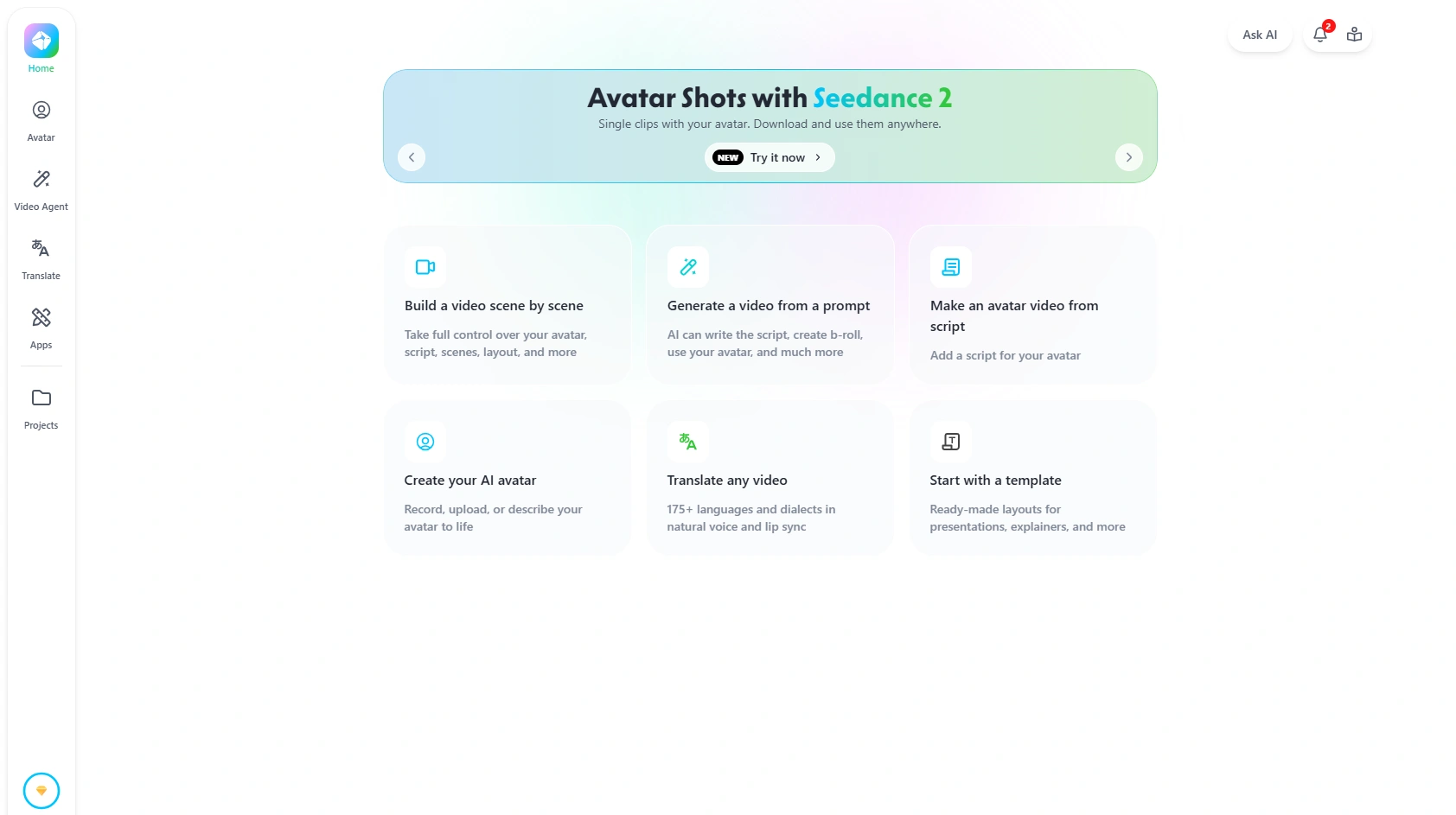
When I first logged into Heygen, I was immediately greeted by a clean and intuitive dashboard that made the whole process feel simple and straightforward. As a content creator, I was looking to create a series of product walkthrough videos for our new software tool, and Heygen's interface seemed perfect for the task.
Here’s how I went through the video creation process, step by step:
1. Selecting a Template or Starting from Scratch
The first decision was whether to use one of Heygen’s pre-made templates or start from a blank project. Since I was creating a custom walkthrough for a specific feature of our software, I chose a blank project to ensure full control over the content. The templates looked great for more general videos, but I wanted something tailored to my specific needs.
2. Choosing an Avatar
Once the project was set up, I moved on to selecting an avatar. I used the founder’s avatar—a digital version of the company’s founder, which I had previously created using a video-based avatar. This saved me a ton of time, as I didn’t need to bring the founder in for every video update. I just selected the pre-existing avatar and was ready to move forward.
3. Adding a Script or Uploading Audio
For this particular video, I chose to upload a pre-recorded audio file that outlined the software’s key features. I was impressed by how easily I could upload the audio and sync it with the avatar’s movements. If I didn’t have an audio file ready, I could also have typed out a script directly in the editor. The flexibility of either option made it easy to adapt to different video styles.
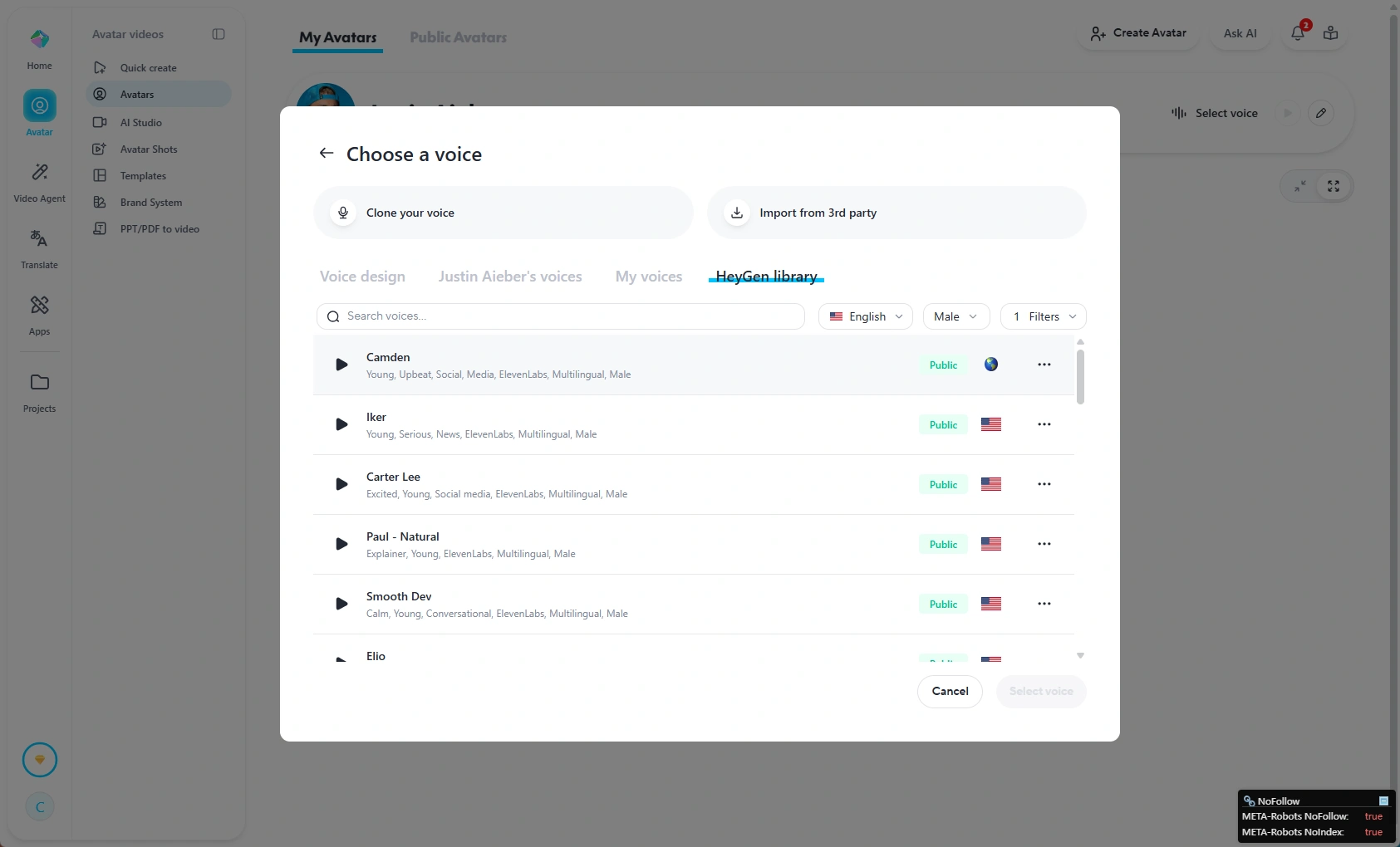
4. Configuring Voice and Language
The next step was to fine-tune the voice and language. Since I was using the founder’s voice clone, I simply selected that voice from the voice configuration settings. The AI voice sounded natural and engaging, which was key for keeping the audience’s attention during a product walkthrough. For this video, I also chose to stick with English, but Heygen supports multiple languages, which I plan to explore for future localization.
5. Rendering and Exporting the Video
Once the voice and script were synced, I clicked the render button and—within minutes—had my final product. The speed of rendering was one of the most impressive aspects of Heygen. I’ve worked with other video creation platforms before, but the quick turnaround time with Heygen made it much easier to churn out content without sacrificing quality. The video was ready for export, and I had the option to download it in various formats.
Advantages and Disadvantages of Heygen
Pros | Cons |
Streamlined Workflow: Fixed workflow makes video creation predictable and easy, especially for non-technical users. | Limited Emotional Range: Avatars are great for instructional content but lack emotional expression for more dynamic videos. |
Scalability & Consistency: Maintains consistent video quality across large volumes, ideal for enterprise use. | Limited Animation Control: Minimal control over avatar gestures or facial expressions, restricting creative freedom. |
Multilingual Production: Easily translate videos into multiple languages without re-recording, saving time on localization. | Rendering Variability: Rendering can be slower with longer scripts or during peak usage, affecting production speed. |
Avatar Quality: Realistic avatars suitable for professional, instructional videos. | Subscription Dependency: Best value for regular use; occasional users may find the subscription cost too high. |
Automation & API Support: Allows integration into operational workflows, enabling large-scale video production. | Free Plan Limitations: The free tier is too restrictive for professional deployment due to limitations on resolution, avatar access, and branding. |
Heygen Alternatives
To better understand where Heygen stands in the market, I compared it to two popular AI video generator alternatives: Synthesia and DeepBrain AI. Here’s a quick breakdown:
Platform | Best For | Ease of Use | Avatar Quality | Voice Quality | Customization | Pricing | My Verdict |
Heygen | Content creators, marketers, educators, and small businesses | Very easy to use | High | Natural and engaging | Good | More affordable for most users | Best overall balance of usability, features, and price |
Synthesia | Enterprises and professional corporate training | Easy to use | High | Professional and polished | Moderate | Higher pricing | Great for enterprise-level videos, but less budget-friendly |
DeepBrain AI | AI presenter videos and business use cases | Moderate | Good | Good | Moderate | Mid-range | Useful for business content, but less intuitive for beginners |
While Heygen excels in structured, instructional, and enterprise-focused video production, it may not live up to your expectations when it comes to creativity and artistic expression. If you’re an individual creator or artist looking to produce entertainment-oriented videos, Piclumen offers more flexibility for creative projects.
Why Choose Piclumen Over Heygen?
Creative Flexibility: Unlike Heygen, which is optimized for repeatable, business-oriented content, Piclumen allows for greater freedom in animation and storytelling. If your goal is to create visually dynamic videos that involve a high level of creativity—such as artistic animation, music videos, or expressive storytelling—Piclumen offers more customization options to cater to these needs.
Emotional and Expressive Range: Piclumen avatars and animations offer more nuanced emotional modulation. This makes it an ideal choice for creators who want avatars to express emotions like joy, surprise, or sadness, which are often crucial in artistic content.
Better for Individual Creators: If you’re a solo content creator, especially for entertainment or artistic purposes, Piclumen is a better fit. It provides more artistic tools and flexibility compared to Heygen, which is focused on business communication and instructional videos. With Piclumen, you can push the boundaries of creativity, perfect for personal projects or creative portfolios.
My Quick Take
After using Heygen for a while, I can confidently say it's an excellent tool for business-oriented video production. If you're focused on creating consistent, professional content like product walkthroughs, tutorials, or corporate training videos, Heygen shines with its predictable workflow, high-quality avatars, and multilingual support.
However, for more creative projects or content that requires emotional depth or expressive storytelling, Heygen might not be the ideal choice. It’s designed with business efficiency in mind, so if you're an individual creator or an artist looking to produce videos that require more creativity, tools like Piclumen could be a better fit.
FAQ: Common Questions About Heygen
1. Is Heygen free?
Yes, Heygen offers a free plan, but it comes with limitations such as limited video duration, lower resolution, and fewer avatar options. The free plan is primarily designed for evaluation purposes, allowing you to explore the platform’s core features.
If you're looking for more, Heygen's paid plans offer more flexibility. The Heygen Creator plan costs $29 per month (or $24/month if billed annually). For teams needing high-quality video creation and collaboration, the Heygen Business plan is available at $149 per month, with an additional $20 for each extra seat.
2. Is Heygen really unlimited videos?
While Heygen offers various subscription tiers that allow you to create a large number of videos, unlimited videos isn’t exactly the case. Each subscription plan has specific usage limits based on the tier. For example, higher-tier plans offer more video production capacity, but users may still encounter limits on things like rendering time or the number of avatars available.
3. What is better than Heygen?
That depends. If you’re looking for more creative freedom, with a focus on expressive and artistic content, platforms like Piclumen may be a better fit. Piclumen offers more flexibility for animation and storytelling, which is ideal for individual creators or entertainment-focused projects.
However, for business-oriented content, Heygen remains one of the best tools available, especially when it comes to workflow automation, consistency, and multilingual production.
4. Is Heygen better than other AI video generators?
Heygen is one of the leading AI video generators, especially for enterprise and instructional content. It excels in predictable workflows, scalability, and professional-quality avatars. When compared to other AI video generators, such as Synthesia or DeepBrain AI, Heygen shines in terms of its simplicity, affordability, and quick output.
If you're focused on B2B content, product walkthroughs, or corporate training, Heygen might be the best choice. But for creative, entertainment, or artistic content, tools like Piclumen offer more customization and expressive range.