免费 AI 年龄变化工具:在线看看每个年龄阶段的自己
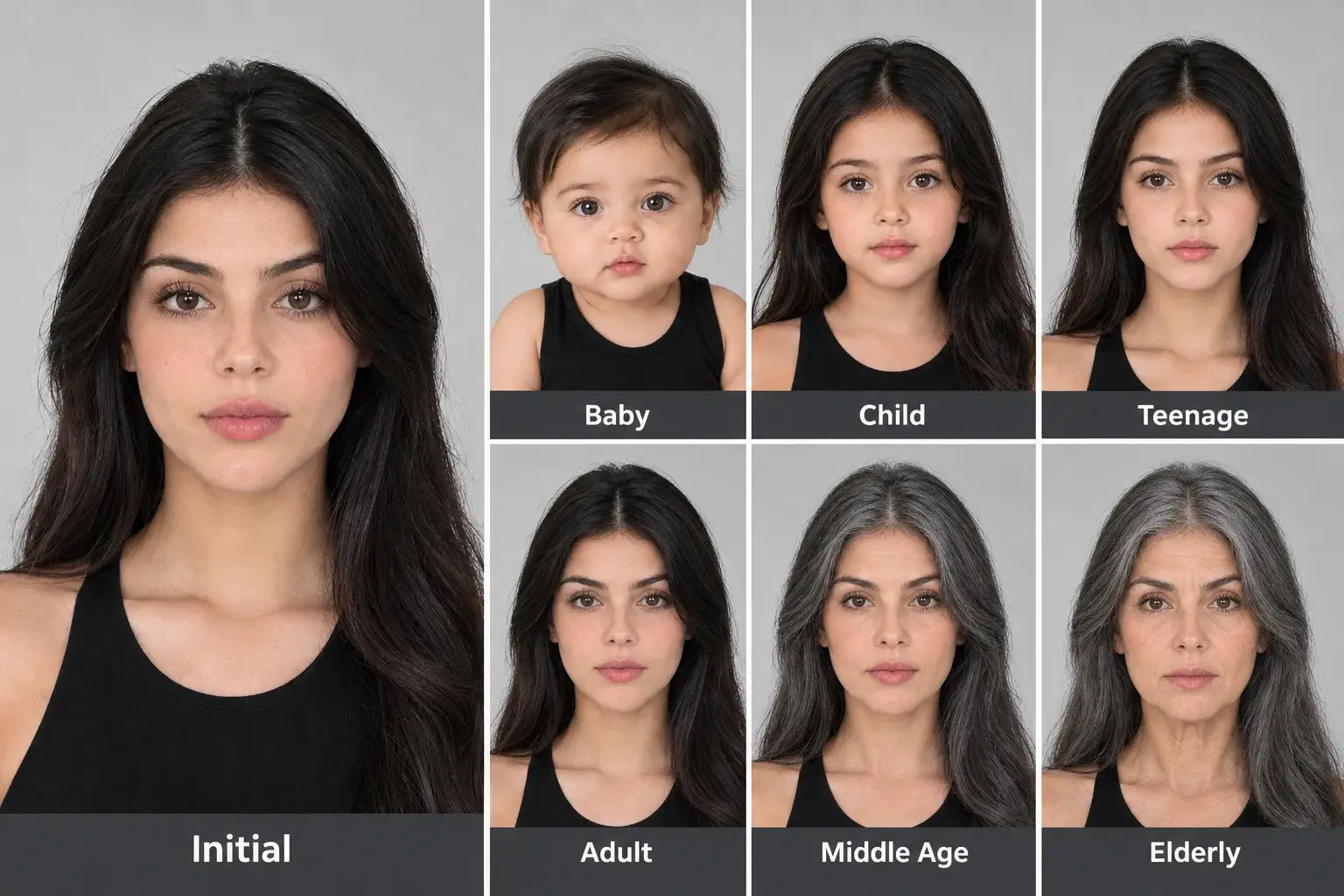
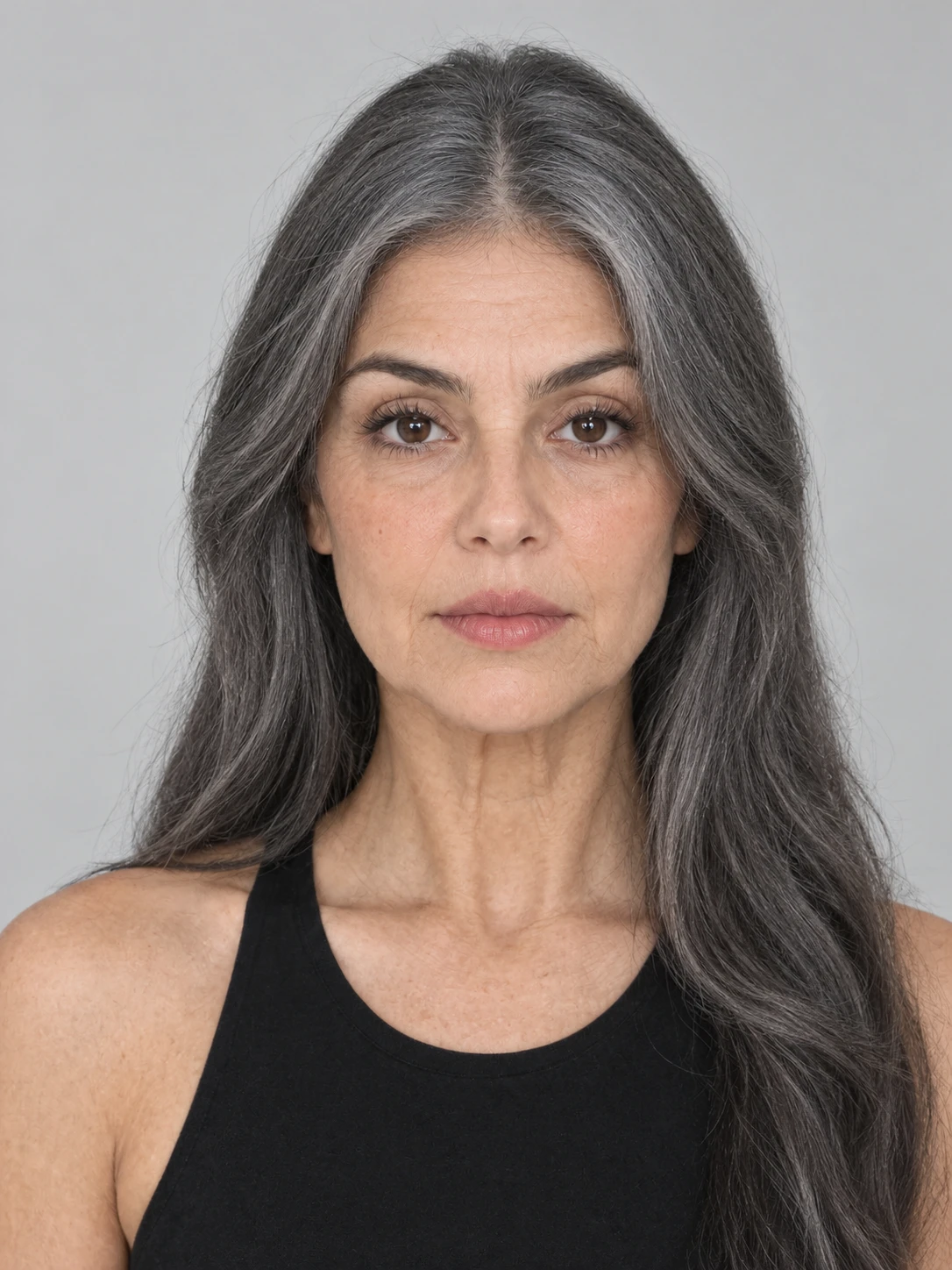

为什么选择 PicLumen AI 年龄变化工具

重视你的隐私
上传清晰的人像是一件很私人的事。PicLumen 重视用户隐私,让你在使用自己的照片探索不同年龄阶段时更安心。

上手很简单
想看看另一个年龄的自己,不需要先学会修图。上传一张正面人像,选择想探索的阶段,简单几步即可生成图片。

满足你对年龄变化的好奇
想看看自己小时候的样子、比较青少年期和成年期的模样,还是预览老年时的自己?PicLumen 让你轻松探索真正感兴趣的年龄阶段,而不局限于单一的变老效果。
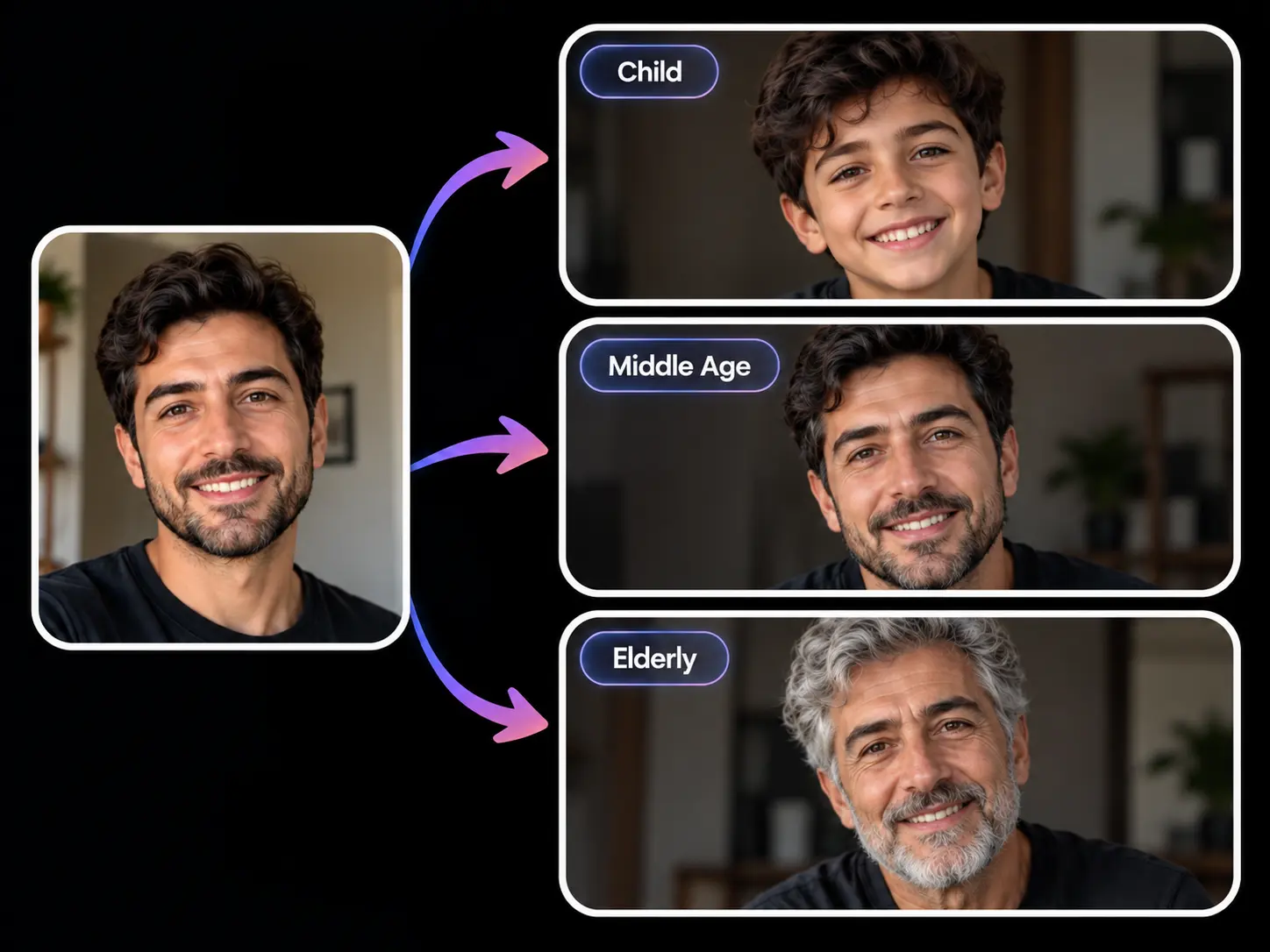
PicLumen AI 年龄变化效果图:同一名男性在儿童期、中年期和老年期的模样
年龄变了,依然是你
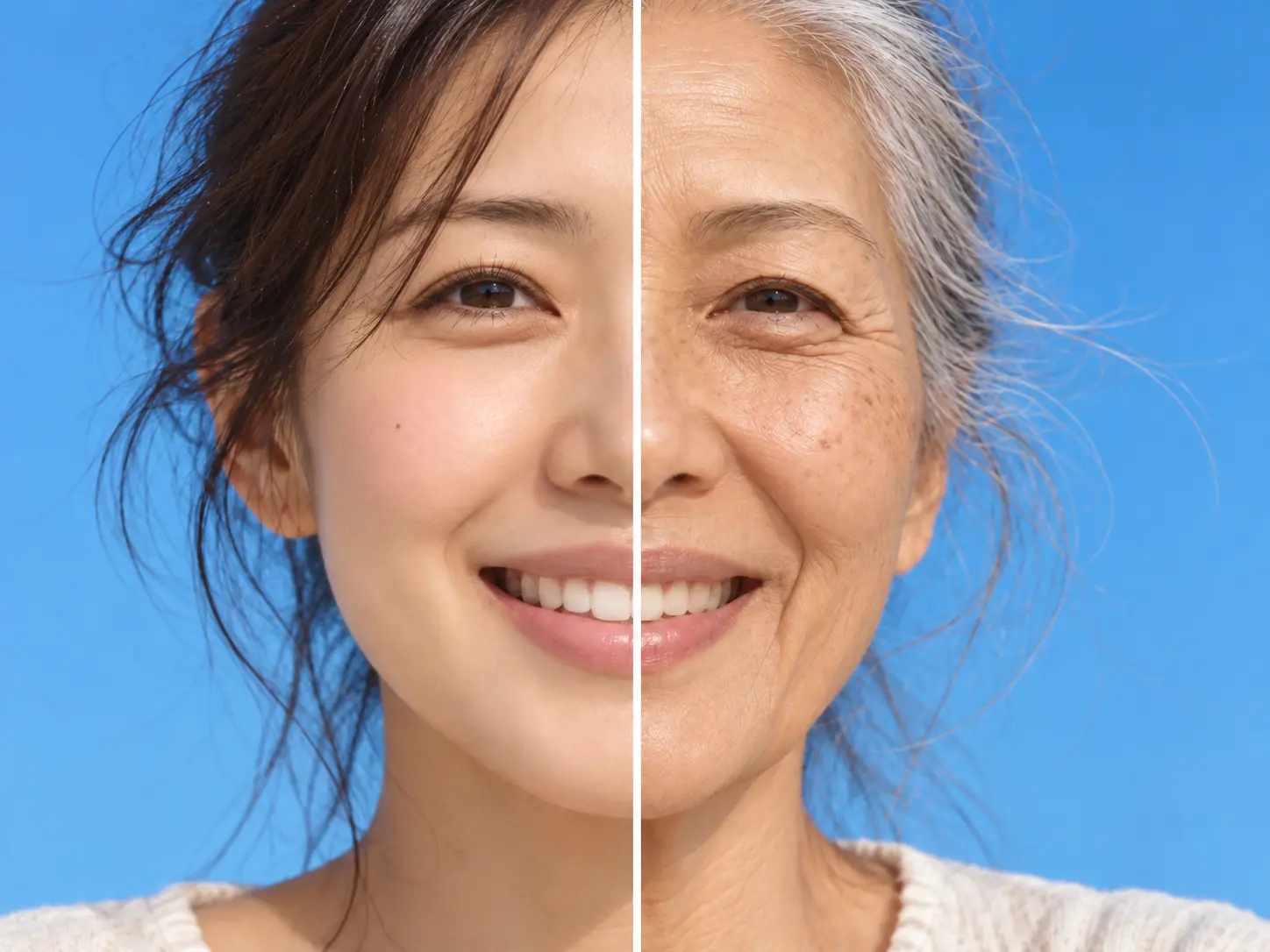
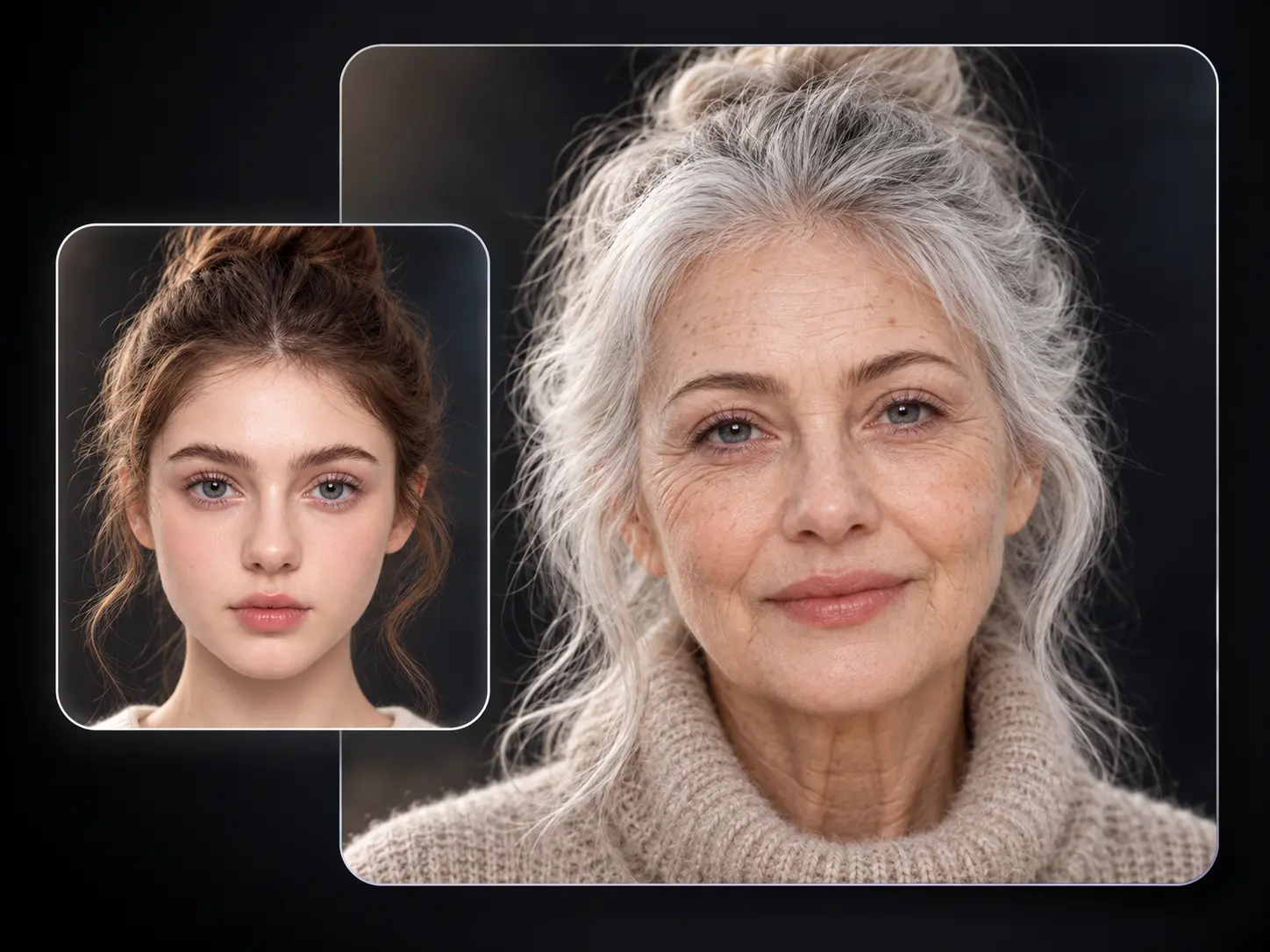
PicLumen AI 照片年龄变化效果图:同一名女性自然变老前后的对比
每个年龄阶段,都值得放在一起比较并排比较时,不同人生阶段应该一眼就能看出差别。PicLumen 会根据所选阶段调整面部比例、轮廓、皮肤纹理、头发
PicLumen AI 年龄变化前后对比图:年轻女性与她老年时的模样

社交媒体代理机构图标
社交媒体

效果营销图标
影视制作

游戏图标

平面设计图标
人像摄影
拍摄人像的客户往往想要比普通写真更有个人意义的作品。你可以将一张人像变成创意年龄系列,用于生日、家庭项目、情侣纪念或个人写真,呈现同一个人从婴儿期到老年期的多个阶段。
上传正面照片 如何使用 PicLumen AI 年龄变化工具
1第 1 步
选择年龄阶段 选择一张面部完整可见的清晰人像,上传至 PicLumen AI 年龄变化工具。
2第 2 步
点击生成 输入你想探索的阶段:婴儿期、儿童期、青少年期、成年期、中年期或老年期。之后也可以选择其他阶段,看看不同年龄的自己。
3第 3 步
 Traci Feazelle
Fantastic Option for AI Image/Video Creation
PicLumen offers an amazing variety of ai models for some of the most reasonable pricing available! The app layout also affords ease of use.
 Scottie Grace
Very affordable and high quality
Very affordable and high quality
 George Price
PicLumen's support team replies quickly…
PicLumen's support team replies quickly to your help requests and they are clear in what they require of you for them to help you. They usually diagnose your problem and offer a solution in less then 24 hours. Stellar service!
 Ai Hack
Great tool
I would really recommend this website to content creation
 Narender Khatana
I love this app I love this very very…
I love this app I love this very very much this is help in make a videos
Really good app and generates good…
Really good app and generates good images!
In terms of the customer service
In terms of the customer service, is outstanding, I will say if you had any doubts they clarified it, and the next day you have an answer. When it comes to the APP it is friendly to use, however there is not any box to tick ☑️ to allow the machine to stick to your character constantly.This allow that sometimes you upload your image and your prompt but the machine generates something completely different and you lost your credit 🙁 I think that this needs to be fixed this happens in a few PicLumen models.
This is one of the best videos ai…
This is one of the best videos ai generator
 Piye Chauhan
Nice app generate to google
Nice app generate to google
 Richard Lemos
good site
good site, nice pictures, good quality
 Nazia Nadeem kharal
Great ai wallpapers creater app
Great ai wallpapers creater app
 Ava Athel
Quite good quality on this website
Quite good quality on this website
点击生成,PicLumen 就会创建年龄变化后的人像。保存喜欢的结果,或重复操作,制作专属年龄时间线。
常见问题
使用 PicLumen AI 年龄变化工具可以看到哪些年龄阶段的自己?
你可以探索六个阶段:婴儿期、儿童期、青少年期、成年期、中年期和老年期。上传一张人像,选择想看的年龄阶段,即可生成全新形象。
PicLumen AI 年龄变化工具免费吗?
你可以使用 PicLumen 账户中可用的 Lumens,免费体验 AI 年龄变化。上传人像,选择年龄阶段,即可在线生成图片。
如何用 AI 生成年龄变化图片?
向 PicLumen 上传一张清晰的正面照片,选择婴儿期、儿童期、青少年期、成年期、中年期或老年期,然后点击生成。想比较不同年龄的样子时,换个阶段再生成一次即可。
我能看到自己年轻时的样子吗?
可以。选择婴儿期、儿童期或青少年期,就能根据你现在的人像生成更年轻的形象。你还可以比较多个阶段,看看自己的面部特征如何随年龄变化。
我年纪大了会是什么样子?
在 PicLumen AI 年龄变化工具中选择中年期或老年期,即可根据当前照片生成未来的形象。你可以分别生成两个阶段,对比容貌随时间的变化。
什么样的照片适合用于 AI 年龄变化?
建议使用光线良好、五官清晰可见的正面人像。避免使用面部被大面积遮挡、画面模糊或人脸在画面中太小的照片。
不安装应用也能免费在线体验年龄变化吗?
可以。PicLumen 可直接在浏览器中使用。上传人像、选择年龄阶段,就能生成新形象,无需安装修图应用。
我上传的人像会受到隐私保护吗?