
免費線上慢動作影片製作工具
使用 PicLumen 的 AI 慢動作影片製作工具,輕鬆創作驚豔的慢動作影片。描述你的場景或上傳圖片,我們的慢動作生成器就能為運動、社群媒體與行銷內容打造電影感畫面。完全不需要剪輯技巧——只要輸入文字,幾分鐘內即可生成。
熱門影片效果
查看全部慢動作影片製作工具的主要功能
.
用 PicLumen 打造電影級慢動作影片
是否曾想過,如何在不犧牲清晰度、流暢度與情緒張力的前提下放慢畫面? PicLumen 的慢動作影片製作工具,專為幫你在影片中「重塑時間」而設計,同時讓每一幀都自然順暢。透過先進的影片生成技術,你可以掌控動作強度、畫面一致性與視覺敘事節奏。
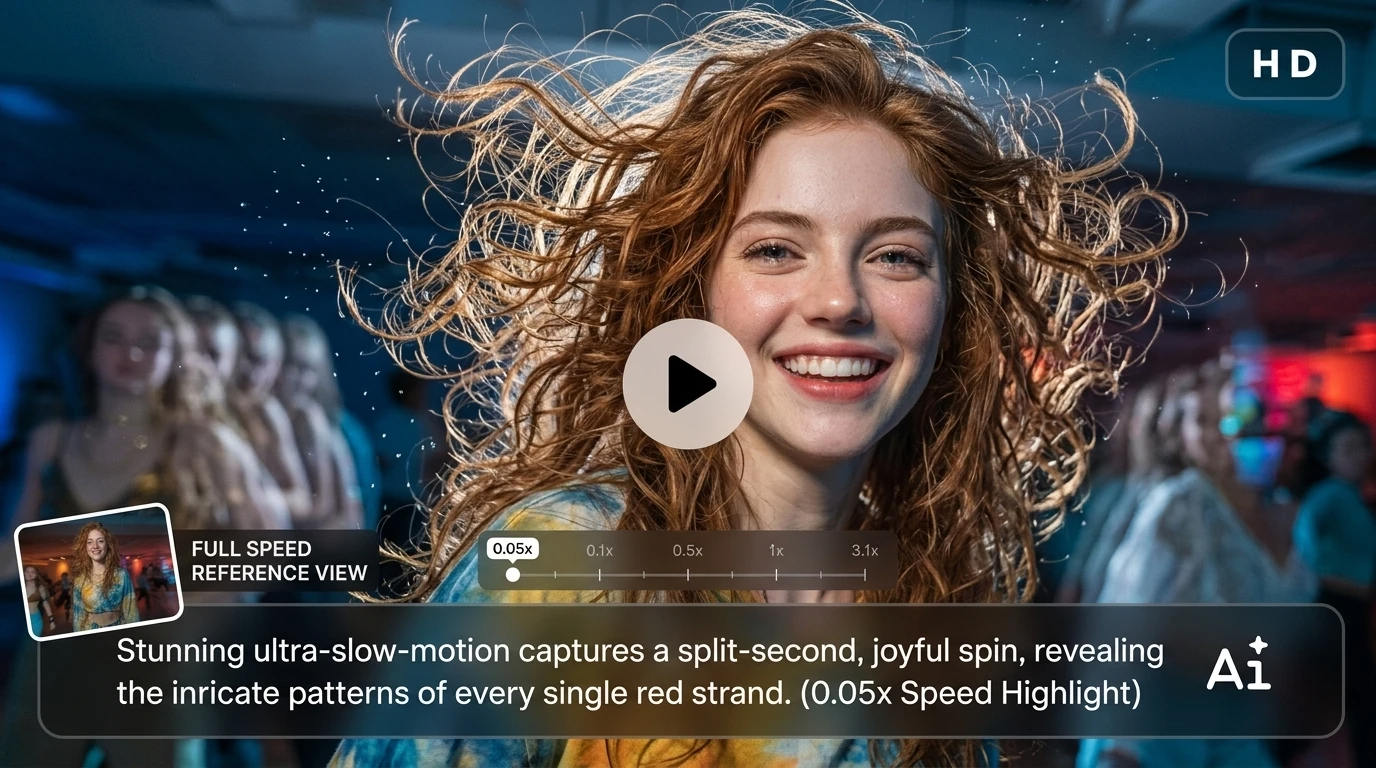
讓社群短片一秒抓住目光
不是每個片段都需要重度剪輯——但恰到好處的放慢,就能徹底改變觀眾看待你影片的方式。透過這個功能,你可以挑出關鍵亮點,適度放慢,讓觀眾停下滑動、重播並互動。特別適合以注意力為王的短影音內容。
電影感敘事場景
有時重點不在於發生了什麼,而是「感覺」如何。放慢動作可以拉長情緒瞬間、強調表情,並營造更具層次的電影節奏。你可以把日常畫面打造成更有意圖、更像電影場景的作品,而不只是單純的紀錄。
產品亮點展示影片
當你展示產品時,時間掌握和燈光一樣重要。慢動作能幫你凸顯平常容易被忽略的細節——質感、動態流線、反光或做工品質。這會讓你的畫面更有高級感與精緻度,而不需要複雜的剪輯流程。
動作與運動畫面解析
快速的瞬間往往藏著關鍵細節。透過放慢畫面,你可以更清楚呈現動作軌跡、碰撞瞬間或技巧執行。不論是運動影片或高張力片段,都能以兼具分析感與視覺張力的方式呈現動作。
如何使用慢動作影片製作工具
步驟 1 選擇模型
1選擇最適合你影片風格的 AI 模型。無論你想要寫實電影感,還是風格化動態,不同模型都能幫你更精準掌控最終畫面風格。
步驟 2 加入提示詞或參考圖片
2描述你想要的動作效果,或上傳參考圖片來引導輸出。這能幫助系統更準確理解時間節奏、焦點與視覺意圖。
步驟 3 設定格式、畫質與時長
3依照使用場景(社群平台、廣告或創意專案)調整影片比例、解析度與長度。這能確保輸出內容符合平台需求,減少額外剪輯。
步驟 4 預覽並下載
4設定完成後就能生成影片、預覽成果並立即匯出。你可以直接下載,或跨平台分享,無需額外轉檔處理。
 Bet AW
Nice good appp creat inmage
Nice good appp creat inmage
 chelsienner
This is my favorite AI Image generator
This is my favorite AI Image generator
 Rishiprasanth BR
This is a great site to create images…
This is a great site to create images as per our mind's wish. Such a great site, loved its response
 Alexsander Luís
cool it's a good ai creator but create…
cool it's a good ai creator but create imagens for cinema
 Brad the Bibliothecary
Great service with ease of use and…
Great service with ease of use and generous free offerings.
 Pino Calambrogio
Good over other applications
Good over other applications
Great experience and very nice app
Great experience and very nice app. Thank you very much.
 Danial Daoud
Great customer support
It's easy to use, they have different AI models, good prices, and a nice community page. I contacted them regarding a bug issue and wasn't expecting much tbh. But they responded within a few hours and hade the issue fixed immediately! Great customer support!
 Mani Sravani Bandaru
Very great pictures with high quality
Very great pictures with high quality
 Alishba Mukhtar
Wonderful experience I’ve ever had
Wonderful experience I’ve ever had
 The Uncharted Timeline
This ai
This ai generated image very natural and beautiful HD quality
 Charan Balivada
It's a good ai and create to make ai…
It's a good ai and create to make ai pic in different ways and different styles
常見問題
什麼是慢動作影片製作工具?
慢動作影片製作工具可以幫你將畫面放慢,以凸顯細節、增加戲劇張力或強調特定瞬間。PicLumen 的 AI 慢動作生成器,能從文字提示或圖片直接生成慢動作風格內容,無需昂貴設備或複雜剪輯軟體。
我要怎麼把影片變成慢動作?
只要輸入慢動作相關提示詞或上傳參考圖片,我們的 AI 慢動作影片生成器就能產出你想要的慢動作影片。只要輸入慢動作相關提示詞或上傳參考圖片,我們的 AI 慢動作影片生成器就能產出你想要的慢動作影片。
我可以將慢動作影片用於商業用途嗎?
可以,你在 PicLumen 生成的內容可用於商業用途——例如行銷影片、廣告或商業素材。你保有由此慢動作生成器產出的 AI 影片使用權。只需避免使用可能引發版權爭議的第三方素材。
有免費的慢動作影片製作工具嗎?
有,你可以透過免費試用體驗 PicLumen 的慢動作製作工具。每天可獲得 Lumen 點數,完成任務還能額外賺取。在點數額度內,你可以持續免費使用這款線上慢動作工具;若需要更多點數,再視需求升級方案。
支援哪些影片格式?
PicLumen 支援 20 多種格式:16:9 適用 YouTube、9:16 適用限時動態、1:1 適用貼文等。作為影片速度編輯工具,你也可以依專案需求調整解析度與時長。
我在慢動作影片的提示詞裡應該寫什麼?
好的提示詞應該清楚描述正在發生的事情、你想強調的瞬間,以及影片的情緒或風格。與其只寫「慢動作」,不如具體說明你想突出的動作與時間點。
例如,不要只寫:
"slow motion running scene"
你可以這樣寫來提升效果:
"a runner crossing the finish line, sweat droplets in the air, dramatic lighting, cinematic slow motion focusing on final steps"