
在 PicLumen 上用 ChatGPT Images 2.0 開啟新一代視覺創作
不只是圖片生成器——ChatGPT Images 2.0 能打造結構清晰的版面、精準的字體排印,以及專業級視覺,用於橫幅、資訊圖表、行銷活動、UI 模型與編輯設計。用 ChatGPT Images 2.0 讓你的概念以前所未有的清晰度與掌控力具象化。現已在 PicLumen 上線。
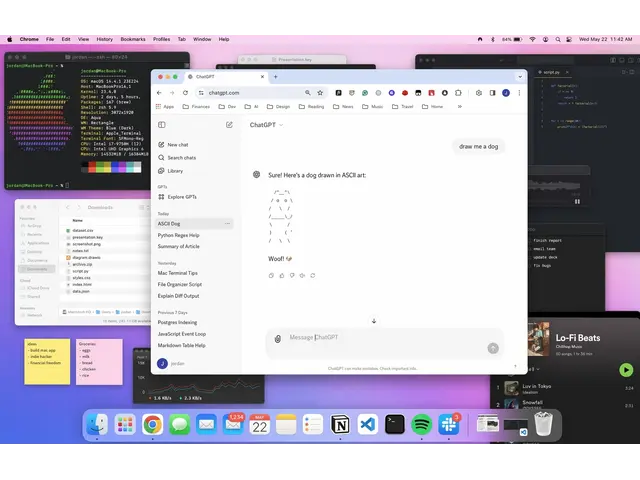
智慧提示理解
ChatGPT Images 2.0 引入「思考」模式,可在生成畫面前先分析並理解複雜提示,確保輸出符合你的創意意圖。其推理層能考量情境、結構與關鍵細節,產出構圖用心且準確的圖像。
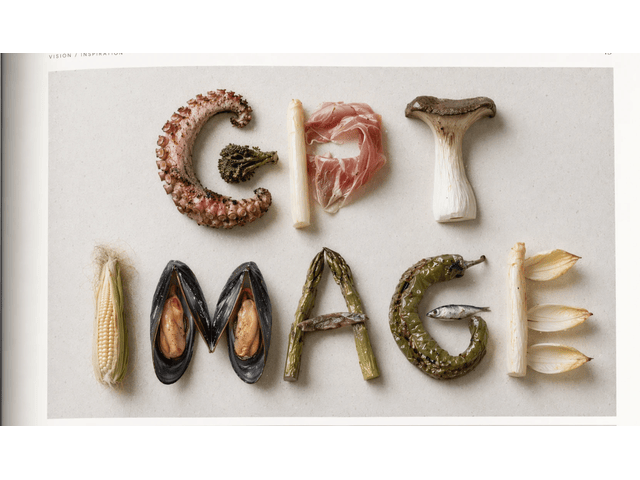
清晰且可直接排版的文字
Chatgpt Images 2.0 模型擅長在圖像中自然嵌入文字,即使是密集標題、UI 元件或標籤也能清楚呈現。每張圖都維持高可讀性,適合行銷素材、簡報與編輯內容,無需額外手動調整。
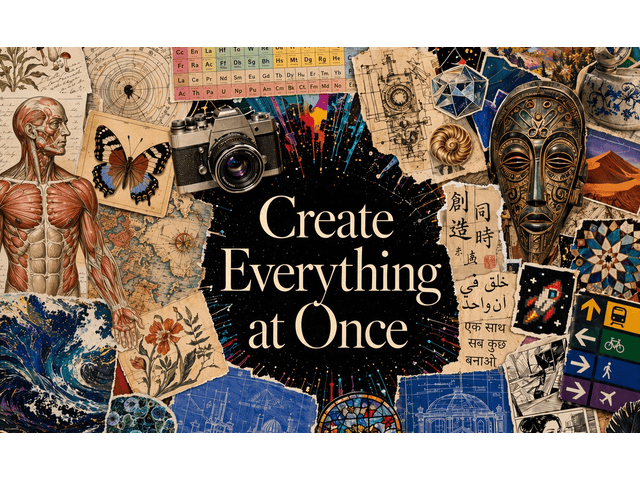
多語言文字整合
可輕鬆生成含多種語言文字的圖像,從中文、日文到印地語、孟加拉語皆支援。這項能力讓設計師與行銷人員能放心製作全球通用的視覺素材,不必擔心字元錯誤或排版問題。
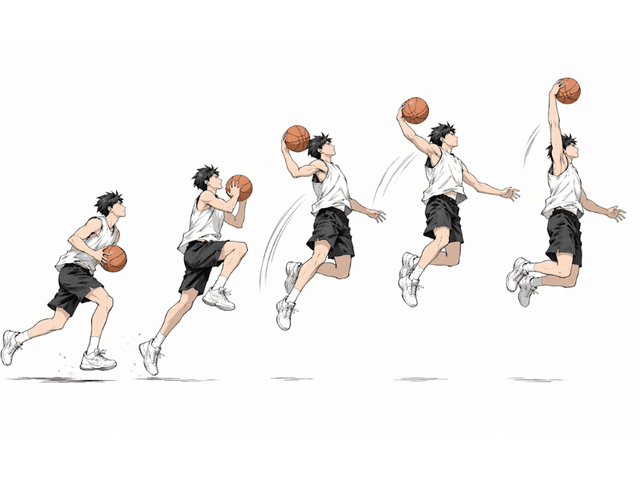
一致性的多圖生成
只需一則提示,就能生成多張在風格、角色與版面上保持一致的圖片,非常適合分鏡腳本、漫畫分格、社群活動或多格式行銷素材。所有輸出都維持高度一致性。
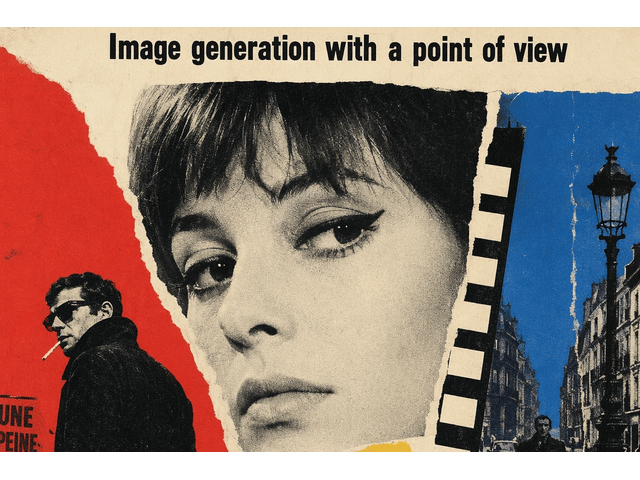
彈性格式與高解析輸出
ChatGPT Images 2.0 支援自訂長寬比——從超寬橫幅到直式手機版面——並可輸出最高 2K 解析度的圖像。讓你的視覺作品可直接用於數位與印刷,無需額外調整尺寸。
ChatGPT Images 2.0 使用情境

行銷視覺與活動素材
打造具精準字體排印、版面掌控與多語系版本的活動視覺,輕鬆推向全球市場。

編輯設計與資訊圖生成
產出結構清楚的資訊圖與編輯版面,精準控制文字位置、層級與清晰度。

UI/UX 模型與產品畫面
設計可直接點擊體驗的 UI 畫面,文字標籤與圖示皆依照你的版面規則呈現。

漫畫分鏡與故事板
生成角色、場景與光線一致的連續畫面,適用於漫畫分鏡與故事板。
如何在 PicLumen 使用 ChatGPT Images 2.0
步驟 1 選擇 ChatGPT Images 2.0 模型
1在 PicLumen 控制台中選擇升級後的 2.0 引擎。
步驟 2 輸入提示詞或上傳參考圖片
2用自然語言描述你的場景、風格或版面,或上傳圖片作為靈感參考。
步驟 3 生成你的圖像
3點擊「建立」圖示,交由模型生成視覺內容,並可立即下載或分享。
 Isuru Nilanka
It's easy to use
It's easy to use, they have different AI models, good prices, and a nice community page.
 Ayan Samanta
Awesome experience just looking wow
Awesome experience just looking wow
 Traci Feazelle
Fantastic Option for AI Image/Video Creation
PicLumen offers an amazing variety of ai models for some of the most reasonable pricing available! The app layout also affords ease of use.
 Ms. Bliss
Just getting started
Just getting started, thus far it's really good. Going to continue to review and will update.
 Brad the Bibliothecary
Great service with ease of use and…
Great service with ease of use and generous free offerings.
 Pino Calambrogio
Good over other applications
Good over other applications
 Mike Wilson
Banger ai has everything i needed and…
Banger ai has everything i needed and more
This is one of the best videos ai…
This is one of the best videos ai generator
Love!!
Love!!! Love!!! Love. It. I can get so creative. It pulls my image from my mind.
 Tyler
TylerIt’s a great ai app perfect for making…
It’s a great ai app perfect for making your imaginations come true
 Qadeer Khan
Piclumen is one of the best ai image…
Piclumen is one of the best ai image generator
 Jonathan Bernadino
A great company and an incredible…
A great company and an incredible experience being able to generate my images with the highest quality.
ChatGPT Images 2.0 常見問題
什麼是 ChatGPT Images 2.0?
這是 OpenAI 最新的 AI 圖像生成模型,具備進階推理、多語言文字渲染、一致性的多圖輸出,以及高解析度與彈性格式。
我可以使用自己的圖片作為輸入嗎?
可以,你可以上傳參考圖片,作為風格或構圖的指引。
一次可以生成多少張圖片?
每次提示最多可生成 8 張圖片,且風格與元素皆保持一致。
圖片中的文字支援哪些語言?
英文、中文、日文、韓文、印地語、孟加拉語等多種語言。
探索更多 AI 工具
- FLUX AI Image Generator
- Midjourney AI Image Generator
- Nano Banana AI Image Generator
- Grok Imagine AI Video Generator
- Pony Diffusion V6
- Nano Banana 2 AI Image Generator
- Seedream 4.5
- Seedream 5.0 Lite
- Qwen AI Image Generator
- Grok Imagine Image Generation
- GPT 4o Image Generator
- Model Primo
- FLUX ControlNet Depth
- Seedream 4.0 AI Image Generator by ByteDance
- Happy Horse 1.0 AI Video Generator
- Gemini 3 Powered AI Image & Video Generator
- Nano Banana Pro AI Image Generator
- Qwen Image 2.0 AI Generator
- GPT Image 1.5 AI Image Generator
- Vidu Q3 Pro AI Video Generator
- AI Flux ControlNet Canny Model
- AI Video & Image Models