Christmas is getting closer, and I wanted to make something special for the intro of my own vlog this year. While browsing TikTok, I came across a Vlogmas intro trend that caught my eye. It turns a person into a hand-drawn cartoon character, takes her through a cozy Christmas bedroom, and ends with a mirror that says “Welcome to Vlogmas.”
I wanted to try making my own version in PicLumen. Instead of building every shot separately in an editor, I used five reference images and one reference video, then put everything together with a single 12-second video prompt.
The images helped me keep the character and scenes consistent, while the video gave me a reference for the overall sequence and movements. It took a few tries to get the details right, especially the character's appearance and the room layout.
What I Used
I created the five reference images in PicLumen's Image workspace and used the AI Video workspace to generate the final clip.
Image workspace: To create the character and scene references.
AI Video workspace: Wan 3.0 Prime with Multi-shot turned on.
Reference materials: Five images and one reference video.
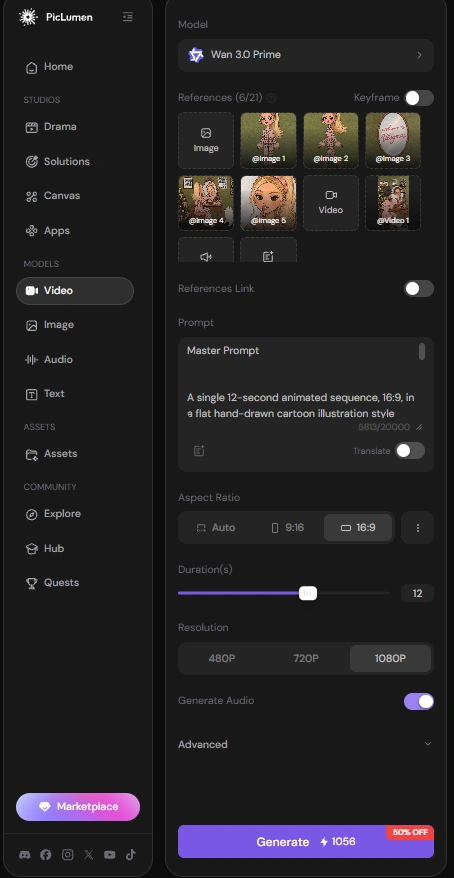
Video settings: 16:9, 12 seconds, 720P for testing.
I uploaded all five images and the reference video together in the AI Video workspace. The images covered the character, room, mirror, and title card. The video provided an additional reference for the overall sequence.
Step 1: Get the Cartoon Character Right First
My first attempt had an obvious problem. The clothes and background looked like a flat cartoon illustration, but the face looked almost photorealistic. The skin, winged eyeliner, and facial proportions didn't match the rest of the character.
I went back to the character design instead of generating more complete scenes. I wanted a flat cartoon face with oversized almond-shaped eyes, thick upper lashes, a small button nose, rose-pink lips, and wide coral blush.
Her outfit also needed to stay the same throughout the video: a blonde high ponytail, blush satin headband, pearl-drop earrings, dusty-pink pajamas with pine trees, ribbon bows and chevron stripes, pom-pom cuffs, and bunny slippers.
I made two changes to the prompts. First, I repeated the same cartoon style description every time I generated an image. Then I added negative prompts for realistic facial features, winged eyeliner, airbrushed skin, and glossy individual hair strands.
The face was the detail I had to pay the most attention to. If it looked realistic, the whole character felt out of place.
Step 2: Prepare the Five Reference Images
After settling on the character design, I prepared five images for the video. Each one had a different role:
@image1: The character standing in front of an olive-green wall.
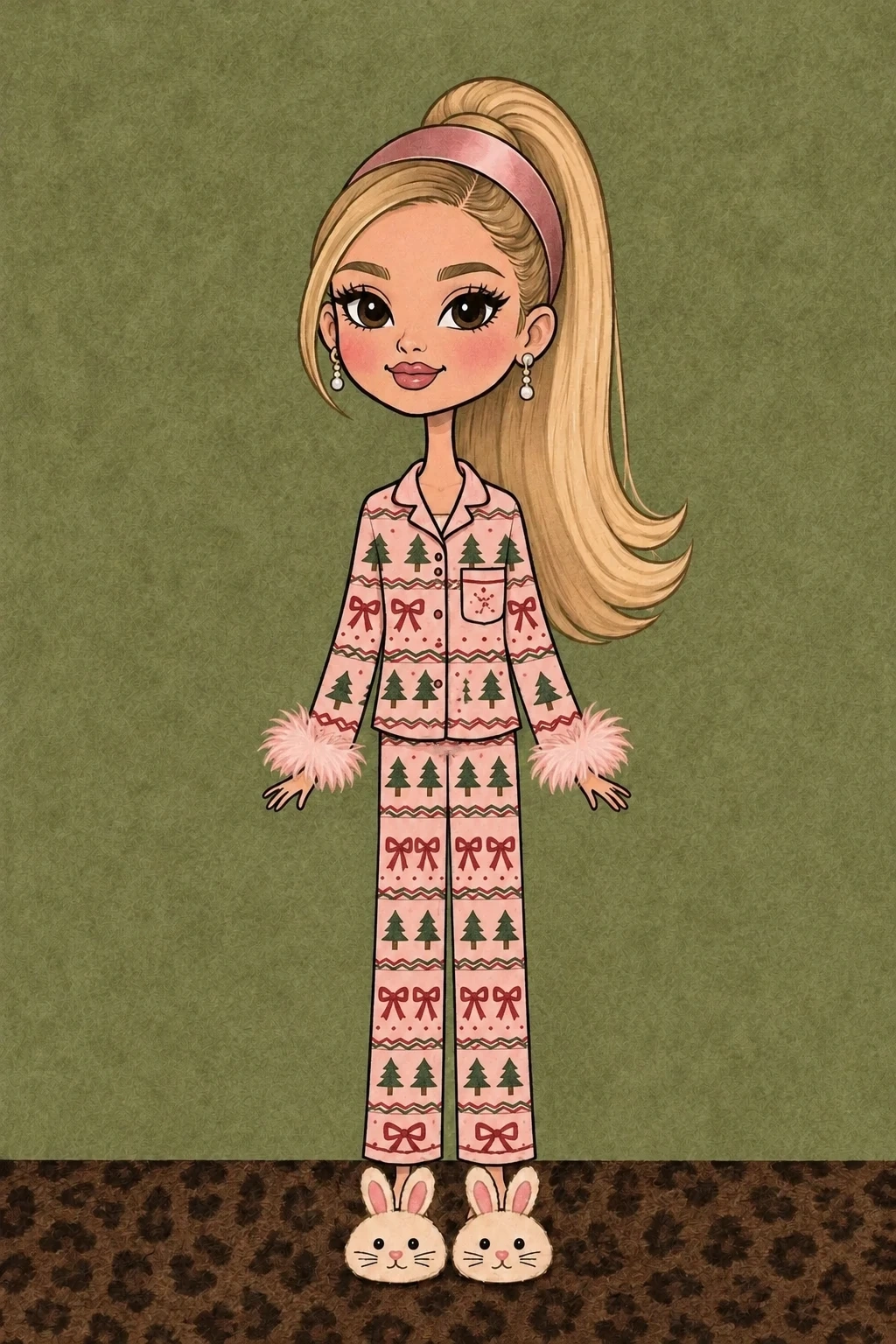
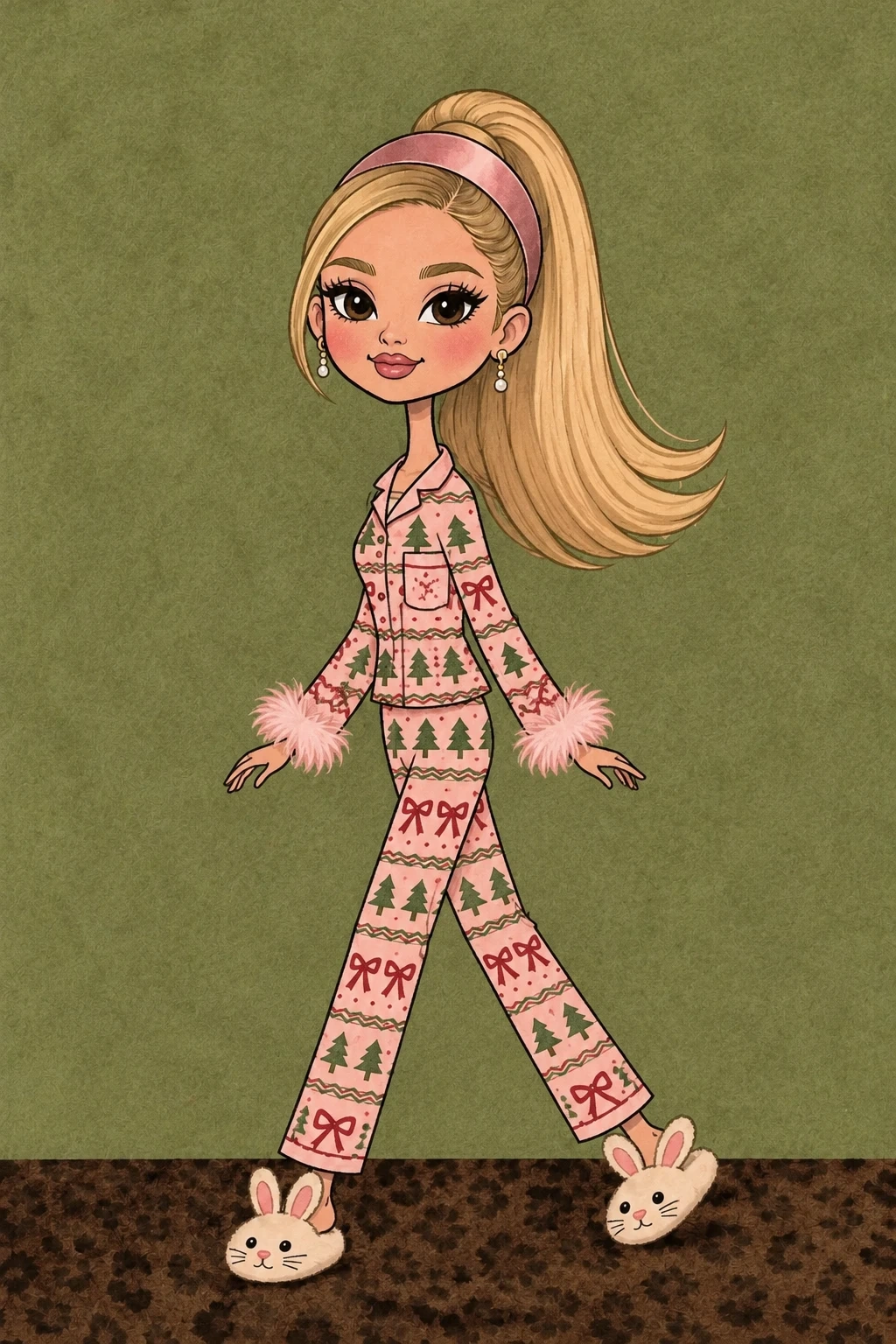
@image2: The same character walking in a three-quarter profile.
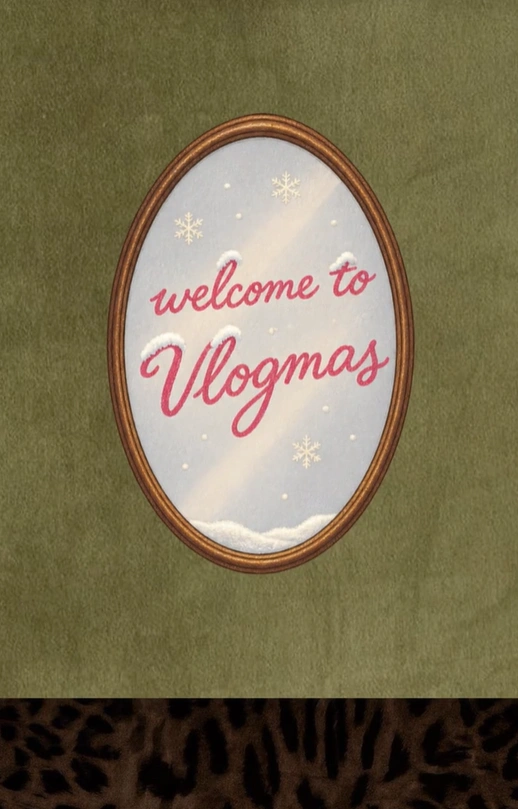
@image3: The mirror title card with the pink “Welcome to Vlogmas” lettering.
@image4: The Christmas bedroom with the vanity, mirror, tree, and dog.
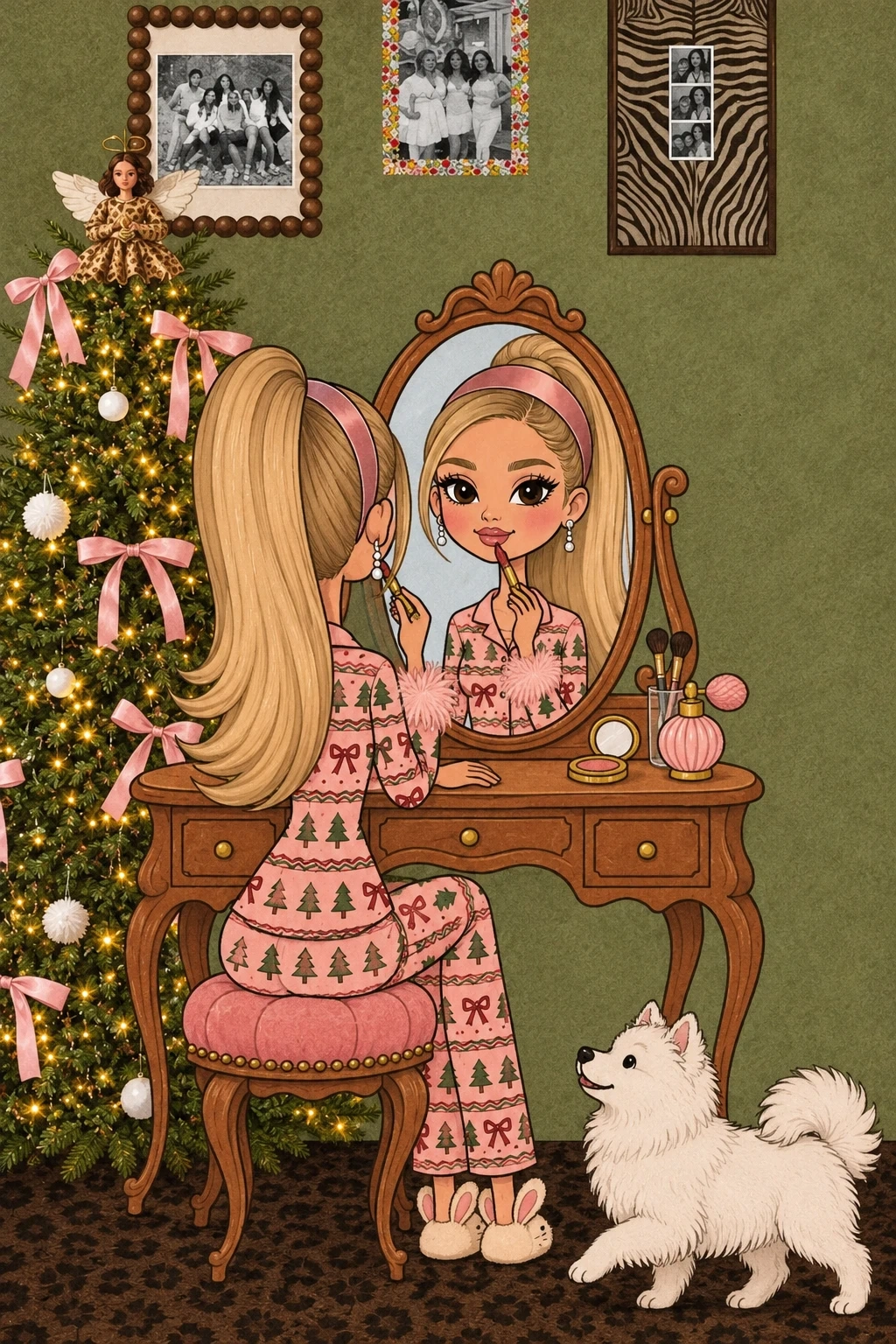
@image5: The character's reflection applying lipstick in the mirror.
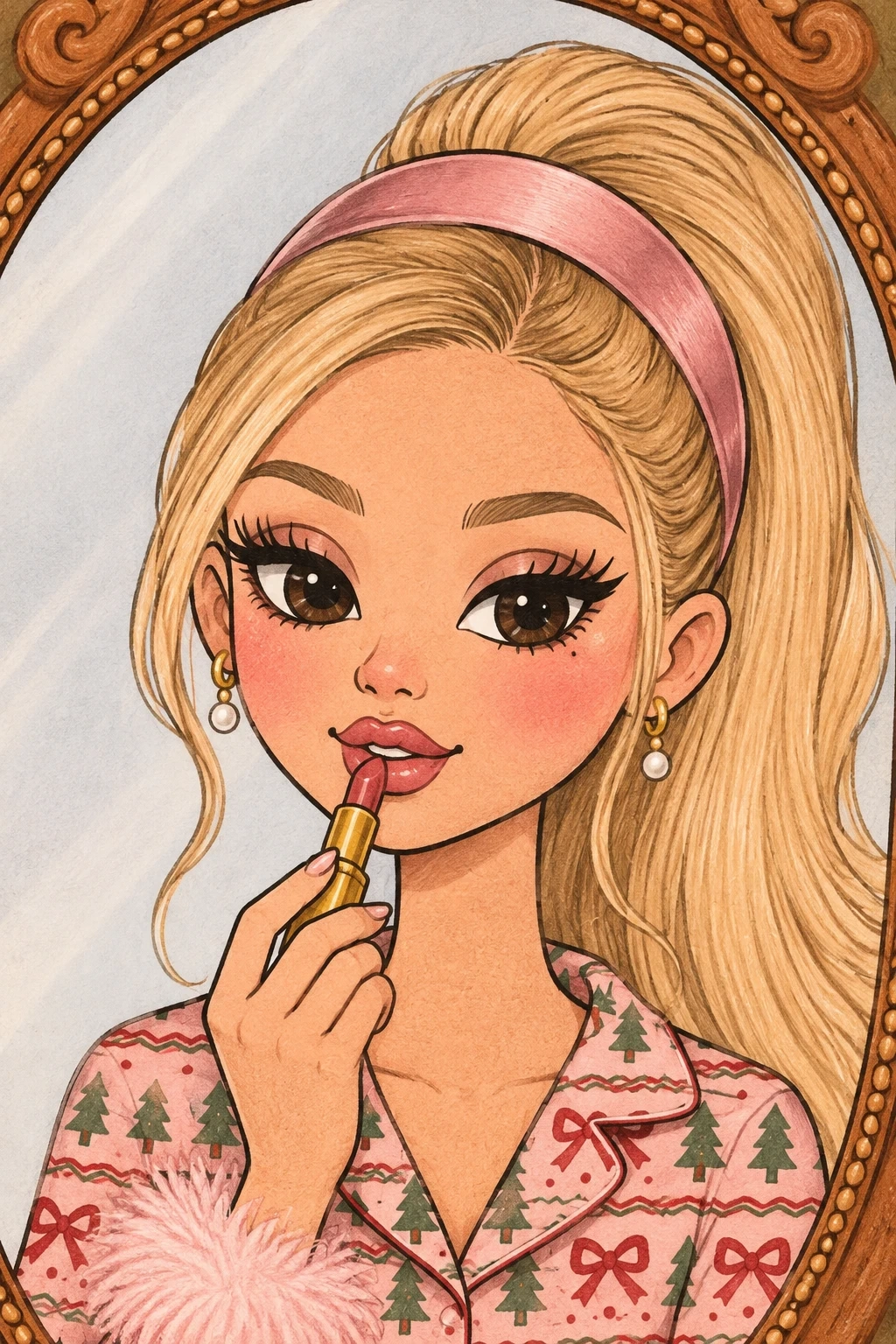
I used character references when creating the later scenes so details like her ponytail, headband, pajama print, and slippers wouldn't change too much between images.
I used Image 3 as the title card for the video. This meant I didn't need to generate the “Welcome to Vlogmas” lettering again. I just reused the existing image for the title shots and asked the model to animate the snowflakes and add a slow camera push-in.
I also kept the original reference video. It was uploaded alongside the five images, but it was not assigned one of the @image labels. The five labels in my prompt only refer to the still images.
Step 3: Animate the References With One Prompt
Once the reference materials were ready, I moved to PicLumen's AI Video workspace and selected Wan 3.0 Prime.
I turned on Multi-shot and uploaded all six files together. In the prompt, I referenced only the five images using @image1 through @image5. I then described what should happen in each shot and gave it a time range.
The sequence had six shots, even though I only prepared five images. I reused the title card for both the third and final shots.
Here's the timing I used:
0–2.8s: The character walks into the centre of the frame, taking two full strides before facing the camera.
2.8–4.2s: She applies lipstick, smiles, and holds the finished pose.
4.2–6.0s: The mirror title card appears, with twinkling snowflakes and a slow camera push-in.
6.0–8.5s: The wide Christmas bedroom appears. The fairy lights twinkle, and the Samoyed steps forward.
8.5–10.5s: A close-up shows the mirror reflection applying lipstick and blinking.
10.5–12.0s: The title card appears again to end the video.
I kept the actions fairly simple. The character walks, applies lipstick, and poses, while the background has only a few small movements. I didn't want too many things happening in the same shot.
What Went Wrong and What I Changed
The first generation wasn't quite what I had in mind. I had to go back and adjust the walking speed, dog description, room composition, and title card.
The character walked in too quickly
In my first 11-second version, she reached the centre almost immediately. It looked more like she popped into the frame than walked in.
I added another second and specified two full strides at a steady pace, with no speed ramp. I also adjusted her size and position so the cut to the next shot wouldn't look abrupt.
My Samoyed turned into a terrier
I initially described the dog as a white fluffy dog. The result was a small wire-haired terrier, not the large Samoyed I wanted.
I had to be much more specific about its appearance: a thick double coat, rounded head, triangular ears with pink inner shading, black nose, smiling black lips, plush chest ruff, and a curled tail.
I also added terrier, wire-haired coat, pointed snout, and small dog to the negative prompt. Just saying “white fluffy dog” clearly wasn't enough.
The wide shot had too much empty wall
My original room reference was vertical, but the final video was 16:9. The wider frame left large areas of empty olive wall on both sides.
I went back to the image and changed the composition. The Christmas tree now fills the left side from top to bottom. The vanity and character sit towards the centre-right, with another framed picture in the upper-right corner. I also made the carpet span the full width.
The problem wasn't the illustration style. There simply wasn't enough in the original composition to fill the wider frame.
One generation request was rejected
One of my generation attempts returned an input-not-supported error before generation started, and no credits were charged.
I couldn't tell exactly which part of the request triggered it. The prompt included several shots, detailed timing, and instructions to generate specific lettering. I simplified the structure by giving each shot its own line and time range. I also removed the request to generate the title lettering and used my prepared image instead.
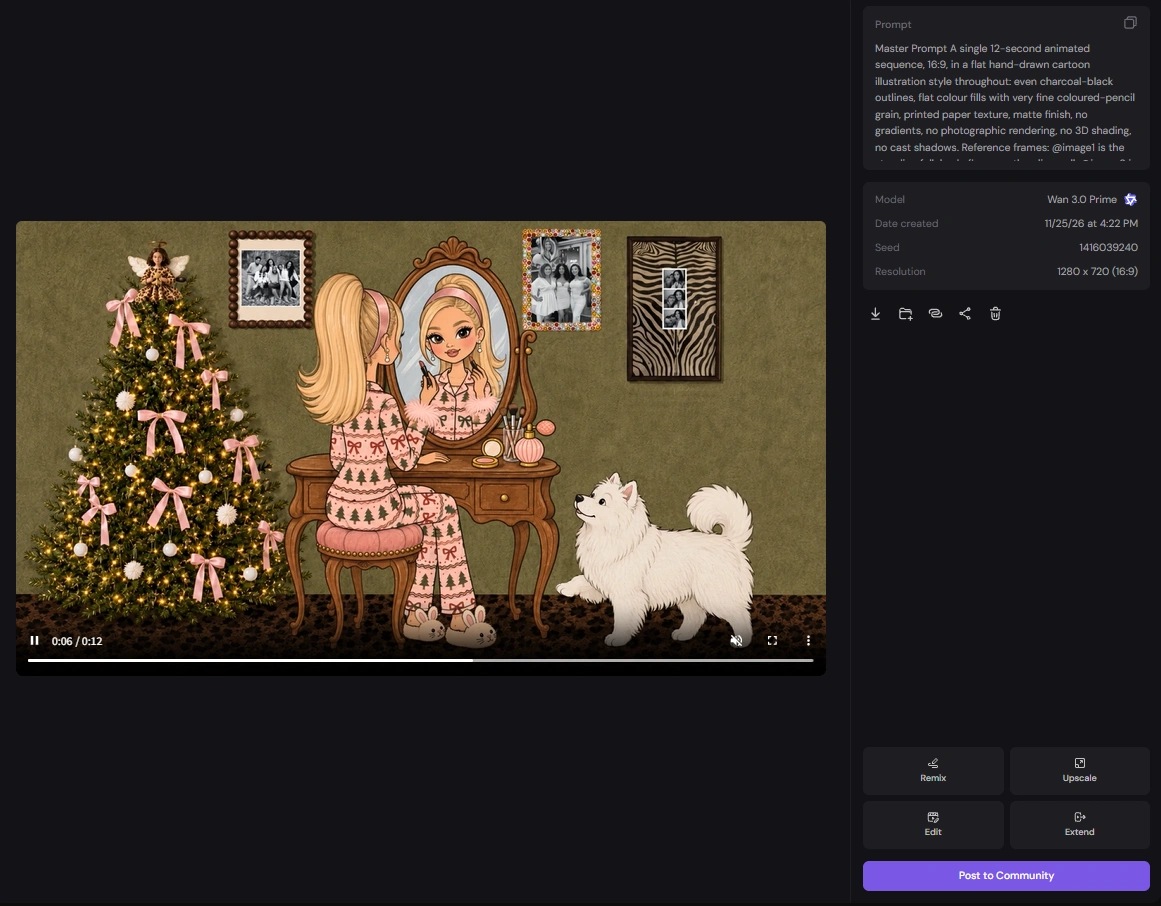
The final version used a 12-second sequence.
Final Prompt
A single 12-second animated sequence, 16:9, flat hand-drawn cartoon illustration style throughout: even charcoal-black outlines, flat colour fills with fine coloured-pencil grain, printed paper texture, matte finish, no gradients, no photographic rendering, no 3D shading, no cast shadows.
Reference frames: @image1 standing figure on the olive wall, @image2 the same figure walking in a leftward three-quarter profile, @image3 the oval mirror title card with pink handwritten script, @image4 the wide room with the tree, vanity, framed pictures, leopard carpet and the white Samoyed, @image5 the close-up of the mirror reflection applying lipstick. Reproduce each reference frame faithfully; keep the blonde ponytail, blush satin headband, pearl-drop earrings, banded pajama print, pom-pom cuffs and bunny slippers identical in every shot.
Shot 1, 0–2.8s: from @image2 she walks into the horizontal centre at a calm, even pace in leftward three-quarter profile, two full strides visible, ponytail bouncing, arriving at centre occupying about 60% of the frame height, squaring to camera only in the final half second. Camera locked off, background static, steady tempo, no pop-in.
Shot 2, 2.8–4.2s: same framing and position. She lifts a slim gold lipstick tube, draws the rose-red bullet along her lower lip while looking at the camera, presses her lips together, smiles, and holds the pose with the lipstick in hand for the final half second.
Shot 3, 4.2–6.0s: from @image3 the title card plays as an existing frame — the mirror glass with its pink script stays fixed, small gold snowflakes and white dots twinkle, a faint glitter shimmer drifts across the letters, the snow band at the lower rim stays still, camera pushes in a very slow 1.05×. Copy the lettering exactly; do not invent or add text.
Shot 4, 6.0–8.5s: from @image4 a locked-off wide 16:9 shot composed edge to edge — tree filling the left quarter from top to floor, vanity, oval mirror, stool and seated figure across the centre and right half, a fourth small framed picture at upper right, leopard carpet spanning the full width, olive wall only as narrow gaps. At frame right a large fluffy pure-white Samoyed, head at stool-seat height, thick double coat, rounded head, pricked ears with pink inner shading, dark almond eyes, black nose and smiling black lips, plush chest ruff, tail curled over the back; it faces the seated figure, one paw lifted, tail wagging slowly. Only the fairy lights twinkle, the bows sway a few degrees, a bauble swings, and the reflection raises the lipstick. No camera movement.
Shot 5, 8.5–10.5s: from @image5 the mirror close-up animates only inside the glass — lipstick drawn along the lower lip, lips pressed, a smile, one blink, the frame tightening. The carved frame stays still.
Shot 6, 10.5–12.0s: back to @image3 held as a still title card with the same existing lettering, snowflakes twinkling, a very slow 1.05× push-in to end.
Hard cuts only, no transitions, no camera shake, the character's size and position matched across shots 1, 2 and 4, and no text anywhere except the lettering already in @image3.
Negative prompt:
white terrier, wire-haired coat, pointed snout, small dog, grey or cream fur, short tail, cat, second dog, deformed paws, empty wall, large empty margins, off-centre composition, person too small in frame, figure popping into frame, fast walking, speed ramp, figure position jumping across the cut, background moving, camera shake, misspelled lettering, extra text, photorealistic, 3D render, gradient shading, airbrushed, glasses, dark curly hair, candy canes, scattered print, knit texture, extra fingers, deformed hands, distorted face, mismatched reflection, watermarks.
What I Learned
“Fluffy dog” got me a terrier. These models average out whatever you give them, so I name the coat, the ears, the tail, and list what I don't want.
Most of the twelve seconds came out of the image workspace, not the video one — four rounds on the face, one rebuild of the room for 16:9. The video only animates what is already right in the frame. The mirror lettering came out in the image workspace, printed into the card once, so the video model never has to spell it while the frame is moving.