I noticed PicLumen had added Seedance 2.5 recently, and I kept seeing people talk about how strong it was for longer, reference-based AI videos. After scrolling past enough demos, I finally got curious and tried it myself.
Seedance 2.5 can generate videos up to 30 seconds and work with image, video, and audio references, so I wanted to do something more interesting than a basic image-to-video test. My idea was to make a short MV with my own character look, a clear visual style, and enough camera variation to feel like an actual music video.
I ended up going with a two-member dark-pop / cyber-grunge concept: street locations, lots of close-ups, low camera angles, direct-to-camera rap gestures, and a late-90s indie magazine feel.
Here’s the workflow that worked for me.
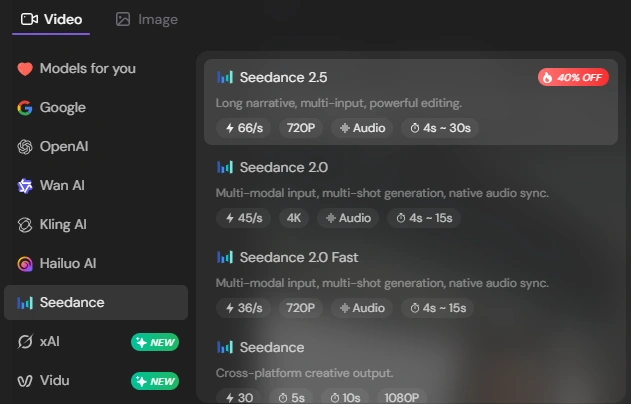
Step 1: Choose Seedance 2.5 and Decide the MV Style
I started in PicLumen’s video generator and selected Seedance 2.5.
Before uploading anything, I figured out three things:
what I wanted the character to look like
what kind of MV I wanted
whether I had any movement or music references
Nothing complicated. I just wanted enough direction so I wasn’t making those decisions halfway through the prompt.
Step 2: Upload Your Photo — or Restyle It First
You can use your own photo directly as the character reference.
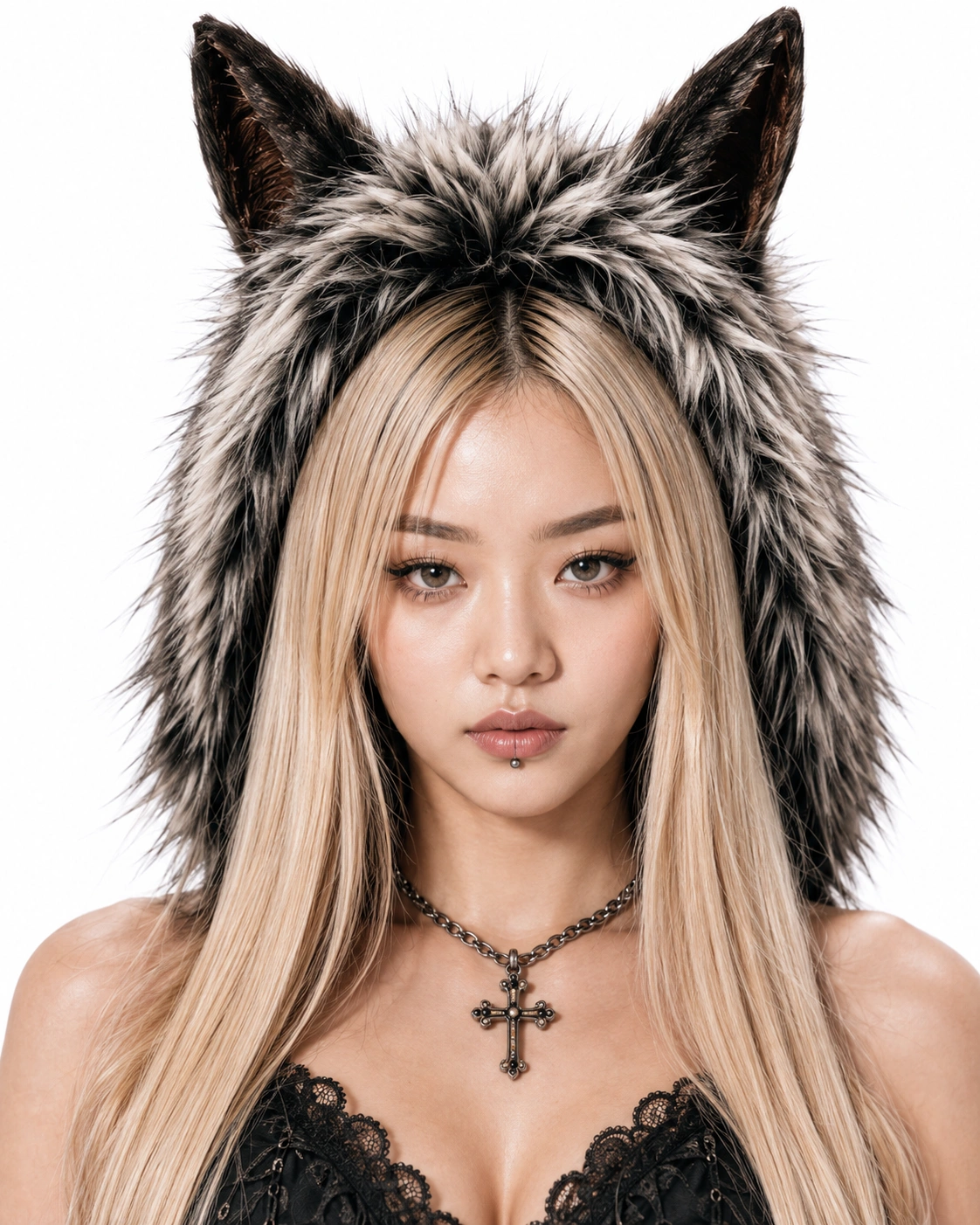
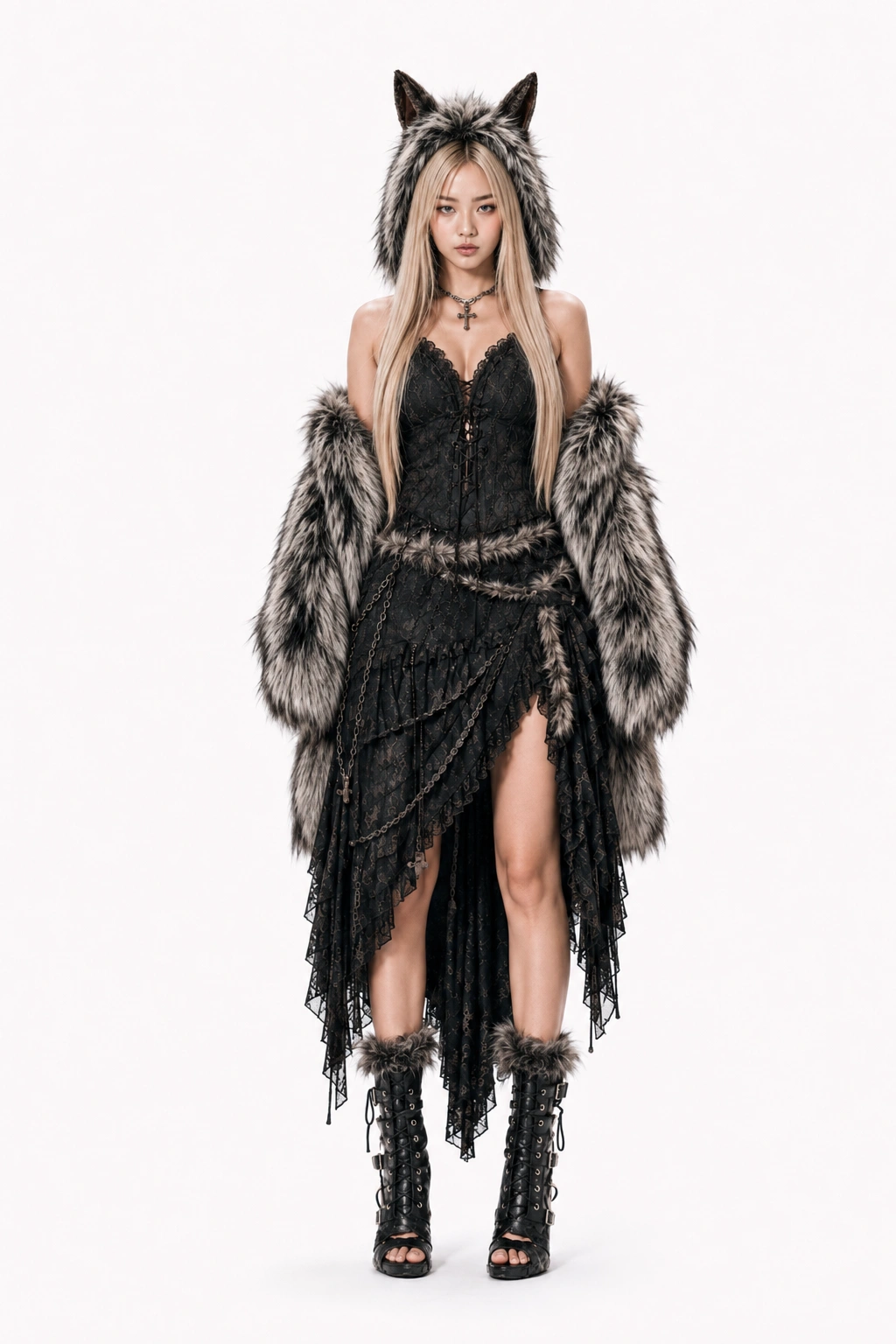
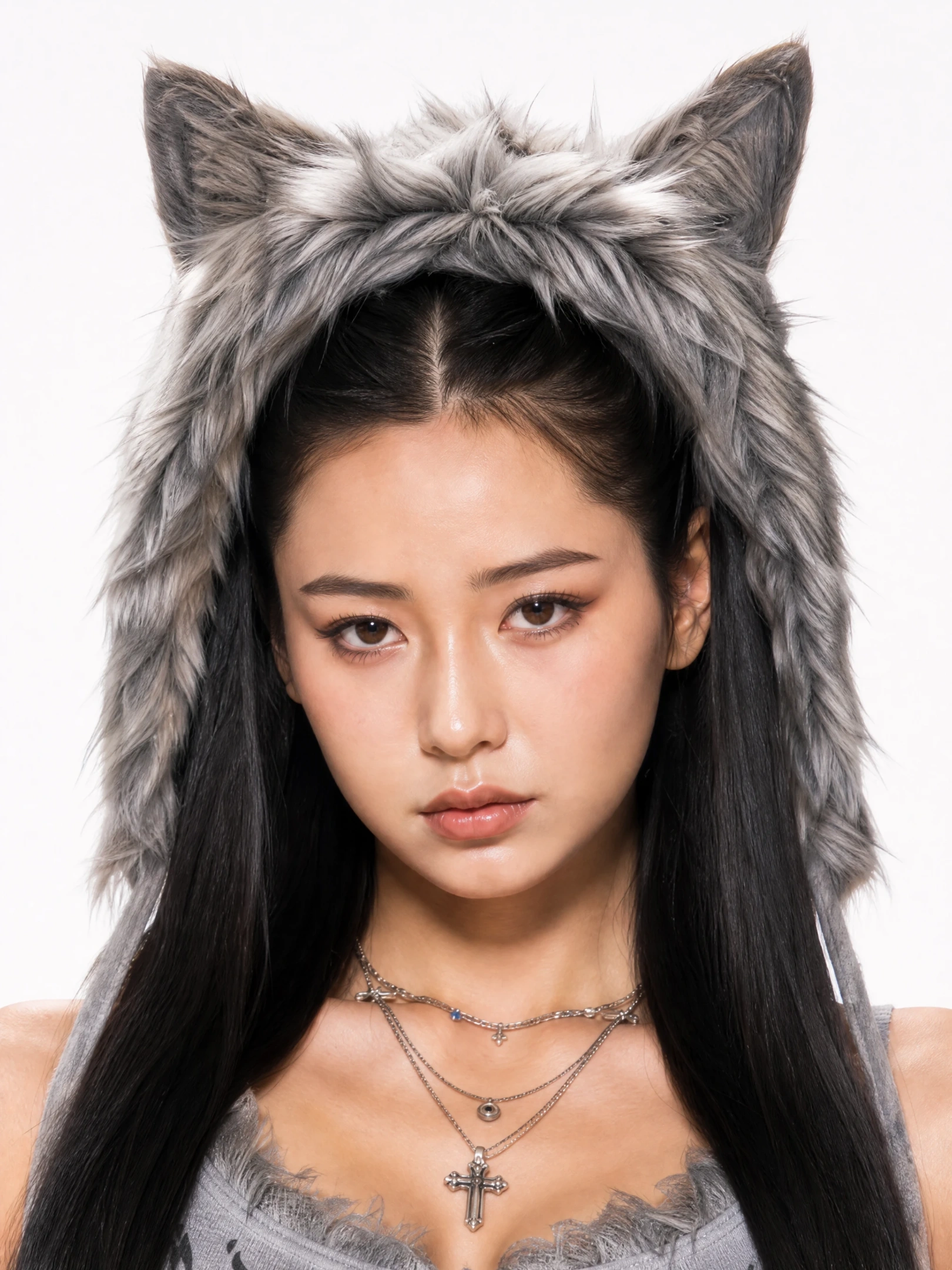
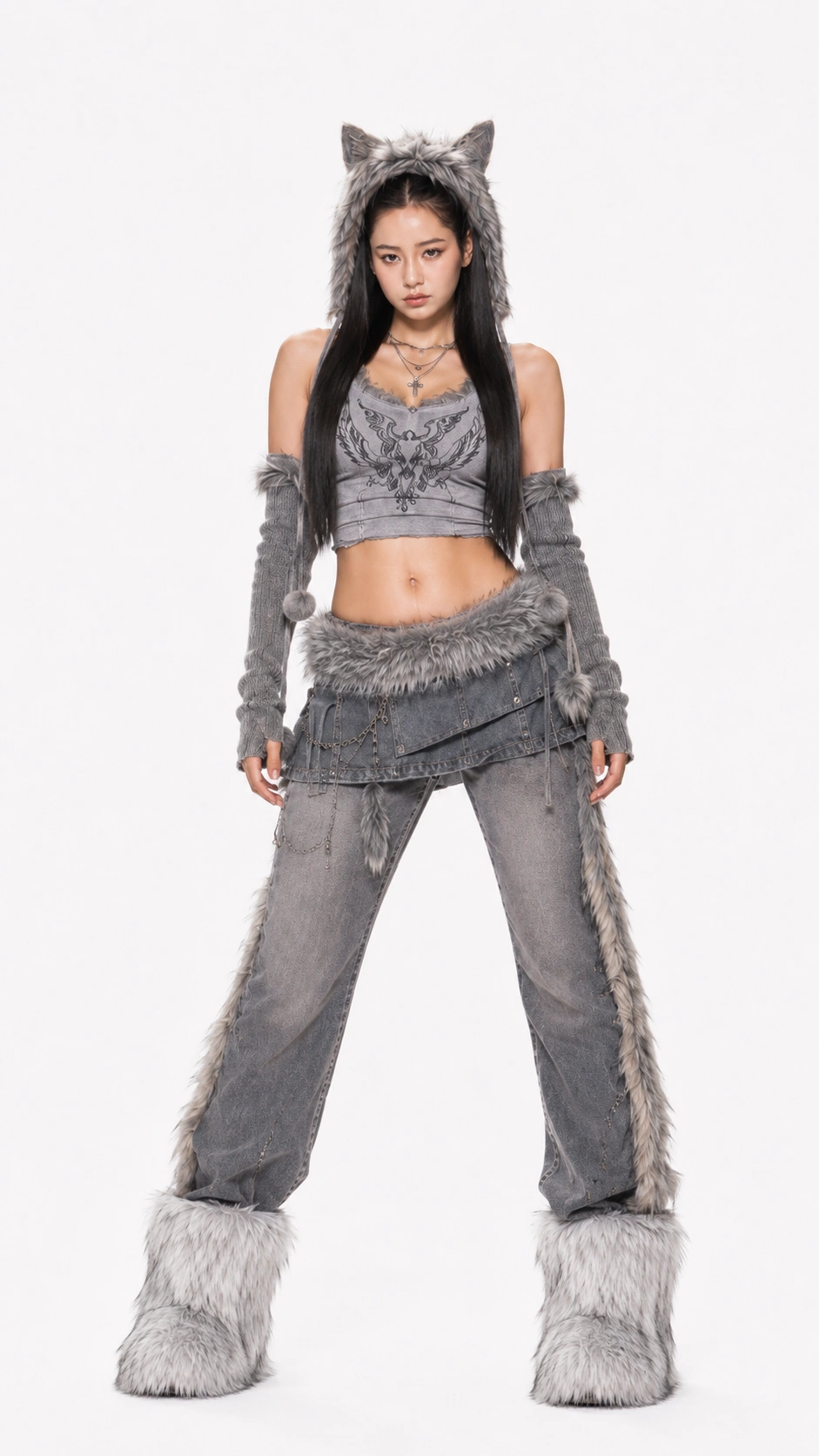
If the photo is too casual, I’d restyle it before making the video. I used GPT Image 2.0 on PicLumen to push the character toward a stronger fashion look while keeping the identity.
Character Headshots | Full-Body Shot of the Character |
|---|---|
 |  |
 |  |
A few short prompts you could start with:
Dark-pop:
Keep the same person. Dark-pop female artist, long loose hair, bold eye makeup, black lace, faux fur, metallic accessories, realistic skin texture, editorial fashion photography.
Cyber-grunge:
Keep the same face and identity. Cyber-grunge girl group styling, washed denim, layered streetwear, fur details, metallic jewelry, natural skin texture.
Y2K rap:
Keep the same person. Early-2000s female rap artist, oversized streetwear mixed with feminine high-fashion pieces, statement accessories, long loose hair, confident attitude.
One line I’d definitely keep for the video prompt:
Use the reference image for appearance only. Do not copy the original pose.
That helps avoid the “animated version of the reference photo” look.
Step 3: Add Other References If You Need Them
If I already have a movement clip, camera reference, song, or visual mood in mind, I can upload those too.
Tip: Seedance 2.5 supports up to 30 images, 10 videos, and 10 audio files as references.
I wouldn’t use all of them just because they’re available. I find it easier to give every reference a specific job:
Reference | What I Use It For | Example |
|---|---|---|
Image | Character or visual identity | Face, outfit, hairstyle |
Video | Movement or camera direction | Dance, gestures, tracking shot |
Audio | Rhythm or sound reference | Music, beat, performance pacing |
Extra image | Scene or mood | Location, lighting, visual style |
For example, if I already have a character image, I don’t need another five images saying almost the same thing. I’d rather add one useful movement reference or a location image that gives the model something new.
Step 4: Write the Prompt Like a Short Shooting Plan
This was the part that mattered most.
I don’t think a good Seedance 2.5 prompt needs to describe every second, but it should give the model enough information to understand the scene flow.
The structure I normally use is:
Create a [duration] video featuring [character/person].
Style: [visual direction].
Locations: [specific environments].
Character: [appearance and consistency rules].
Performance: [main actions and interactions].
Camera: [shot types, angles, movement].
Scene flow: [rough order of shots].
Editing: [pacing and transitions].
Avoid: [things you don’t want].
For this MV, I used:
Create a 30-second two-member dark-pop and cyber-grunge rap MV using the uploaded characters as appearance references. Keep their faces, long loose hair, outfits, fur details, and accessories consistent throughout the video. Use the reference images for appearance only and do not copy their original poses.
Film in real urban locations including a concrete area under an overpass, a large flood-control slope, an older residential alley, and a wet industrial street corner. Use natural daylight, realistic skin tones, strong but controlled contrast, and authentic street-photography lighting.
Keep facial close-ups and tight two-person shots as the main visual language. Mix straight-on close-ups, side close-ups, extreme close-ups, and low-angle shots where the camera looks upward toward the performers. Use only a few wider shots to establish the locations.
Both performers rap directly toward the camera with natural body rhythm. They walk toward the lens, lean closer, move their hands through the foreground, briefly bring a palm close to the camera, and switch foreground and background positions. Keep the movement loose and natural rather than heavily choreographed.
Include one short close-up where the black-haired character looks slightly off-camera and gives a natural smile before returning to a relaxed expression.
Move between solo close-ups, two-person performance shots, low-angle portraits, and a few moving street shots. Keep the pace energetic, but give the close-ups enough time to read clearly.
Visual inspiration: late-90s and early-2000s indie magazines, photocopied zines, film scans, underground music posters, and high-fashion street editorials. Add visible grain, subtle film jitter, halftone texture, print imperfections, and slight scan misregistration while keeping the faces clear and realistic.
Use hard cuts, movement cuts, and occasional foreground occlusion to change shots. No fades, dreamy transitions, static fashion poses, excessive dancing, heavy neon cyberpunk lighting, plastic skin, or overly smooth camera movement.
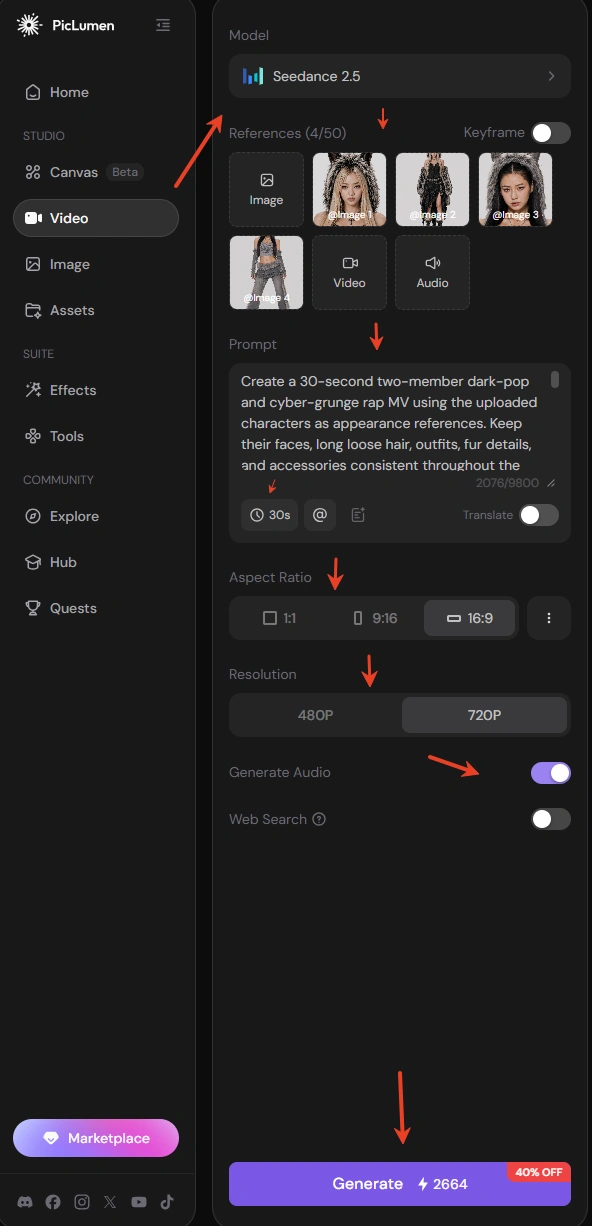
What helped most was getting specific about the camera and action.
“Cinematic cyber-grunge MV” gives a mood.
“Low-angle close-up, walks toward the camera while rapping, hand moves close to the lens” gives Seedance an actual shot to work with.
Step 5: Choose the Ratio and Generate
Once the references and prompt were ready, I picked the aspect ratio and output quality, then clicked Generate.
Since Seedance 2.5 can handle videos up to 30 seconds, I had enough room for several close-ups, location changes, some light performance, and a proper ending without stitching together a bunch of very short clips.
The close-ups were the part I liked most. The low angles, hands moving toward the lens, hair movement, and one short natural smile made the video feel much less stiff than I expected.
Not every shot came out equally well. One of the street locations looked more generic than I had pictured, so next time I’d describe the environment more specifically rather than changing the whole prompt.
What I’ve Learned About Writing Seedance 2.5 Prompts
After a few tries, I stopped thinking of the prompt as a place to “describe the video” and started using it more like a short directing note.
The biggest change was getting rid of vague wording.
If I write:
cinematic, dynamic, stylish, high-energy
the result can go in almost any direction.
I get more useful results from something like:
low-angle close-up, the subject walks toward the camera, looks into the lens, then raises one hand into the foreground
That gives the model a much clearer job.
I also try to keep appearance and movement separate. The reference image handles the face, hairstyle, outfit, or product look. The text prompt handles what happens next. If I want the model to keep the character but ignore the original pose, I say that directly.
Another thing that helped was writing actions in order instead of stacking them together.
She walks forward, turns her head toward the camera, pauses, then smiles.
is easier to follow than asking her to walk, turn, smile, move her hand, and react to the background all at once.
For longer videos, I add a rough scene order, but I don’t think it needs to become a second-by-second script. Something like:
opening wide shot → close-up → movement shot → ending close-up
is often enough to stop the video from feeling random.
I’m also more specific with camera angles now. If the framing matters, I actually write low angle, side close-up, handheld tracking, static wide shot, camera behind the subject instead of “cinematic camera movement.”
The same goes for locations. “Urban street” is too open. “Concrete overpass with road markings and natural side light” gives the model something much easier to visualize.
I still use negative instructions, but only for things I really don’t want:
No static posing, no sudden outfit changes, no excessive camera spinning, no soft fades.
The main thing I’d avoid is making the prompt longer just for the sake of detail. Once the character, action, camera, location, and scene order are clear, another pile of adjectives usually doesn’t add much.
For me, a good Seedance 2.5 prompt usually comes down to four things:
Who is there, what are they doing, where is the camera, and what happens next.
That’s the part I’d spend the most time on.
FAQ
Can I use my own photo with Seedance 2.5?
Yes. I used uploaded character images as appearance references, then controlled the movement, camera angles, locations, and performance with the text prompt.
How should I write a Seedance 2.5 prompt for an AI music video?
I’d focus on the character, location, action, camera angle, visual style, and editing. For a longer video, add a simple shot sequence so the model knows how the MV should progress.
Can Seedance 2.5 use image, video, and audio references?
Yes. Seedance 2.5 supports up to 30 images, 10 videos, and 10 audio files as references. I’d still keep the set focused and give each reference a clear role.
How long can a Seedance 2.5 video be?
Seedance 2.5 supports videos up to 30 seconds, which gives you enough time for multiple shots and locations in a short MV.
Do I need a long Seedance 2.5 prompt?
Not necessarily. A longer prompt can help when the video has several scenes, but structure matters more than length. Clear actions, camera directions, consistency rules, and scene order usually do more than extra descriptive words.
I made this test with Seedance 2.5 on PicLumen, and the workflow felt pretty straightforward once I separated the character design from the video direction: build the look first, add useful references, then use the prompt to direct the actual video.