로딩 중...

Vera Barroso
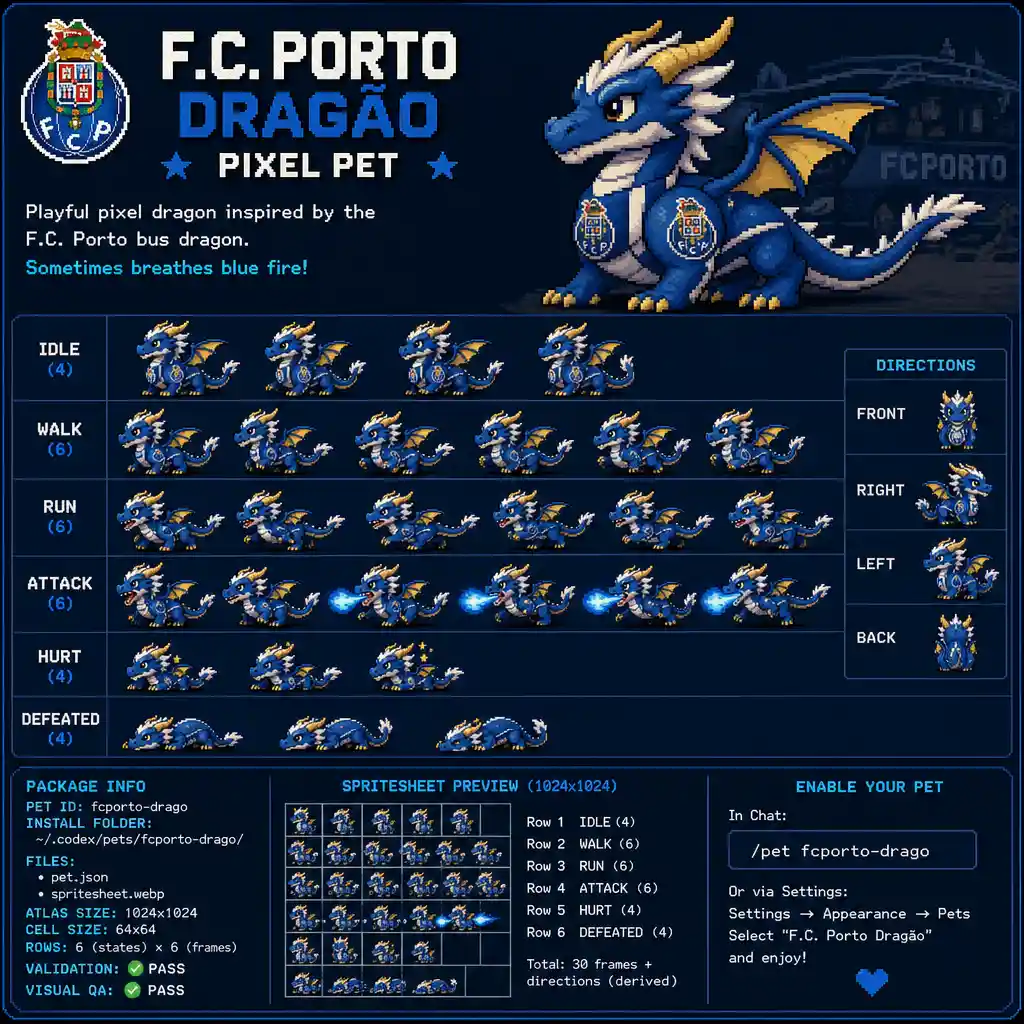
축구 마스코트에서 영감을 받은 장난스러운 픽셀 아트 드래곤
프롬프트
Use the currently installed hatch-pet Codex skill to create and package a finished Codex pet for this brief:
playful pixel animal Codex pet: dragon f.c.porto, quero um dragao do f.c.porto baseado no dragão do autocarro que envio neste link https://encrypted-tbn0.gstatic.com/images?q=tbn:ANd9GcSU5YMB-KOZc4VYSqri6-MRWSjnpt-bR91B85-QEC4MBuGrjuoMo3v2-kuH&s=10. e por vezes tambem a animaçao de deitar chama.
Reference or brand cues: https://encrypted-tbn0.gstatic.com/images?q=tbn:ANd9GcSU5YMB-KOZc4VYSqri6-MRWSjnpt-bR91B85-QEC4MBuGrjuoMo3v2-kuH&s=10.
Before generating, verify that hatch-pet is installed and discoverable. If it is missing, explain the exact install or publication step and stop. Do not invent a substitute workflow.
When it is available, follow that skill's current contract instead of assuming a fixed atlas version:
1. Prepare the run from the brief and any reference or brand cues.
2. Generate one canonical base pet, then keep identity, palette, silhouette, materials, and props consistent across every state.
3. Generate every required state and direction. Derive running-left from running-right only when mirroring preserves meaning and identity.
4. Use the skill's deterministic assembly and validation scripts.
5. Inspect the contact sheet and motion previews; repair the smallest failed row or cell before packaging.
6. Package pet.json and spritesheet.webp under ~/.codex/pets/<pet-id>/.
When done, report the pet id, install folder, generated files, manifest or sprite version when present, atlas dimensions, rows and cell size, deterministic validation result, visual QA result, and how to enable it with /pet or Settings -> Appearance -> Pets.
Model
GPT-Image-2
Date created
09/24/26 at 9:28 AM
Seed
18258
Resolution
1024 x 1024 (1:1)
Related images