制作要件に沿った画像を作れるGrok Imagine Image 2.0
詳細なプロンプトや参照画像をPicLumenのGrok Imagine Image 2.0に入力して、イメージにより近い画像を作成。指示への高い対応力、文字表現の向上、自在なクリエイティブコントロールを活かして、ポスター、商品シーン、キャンペーン画像、キャラクター、エディトリアルビジュアルなどを制作できます。
.webp)
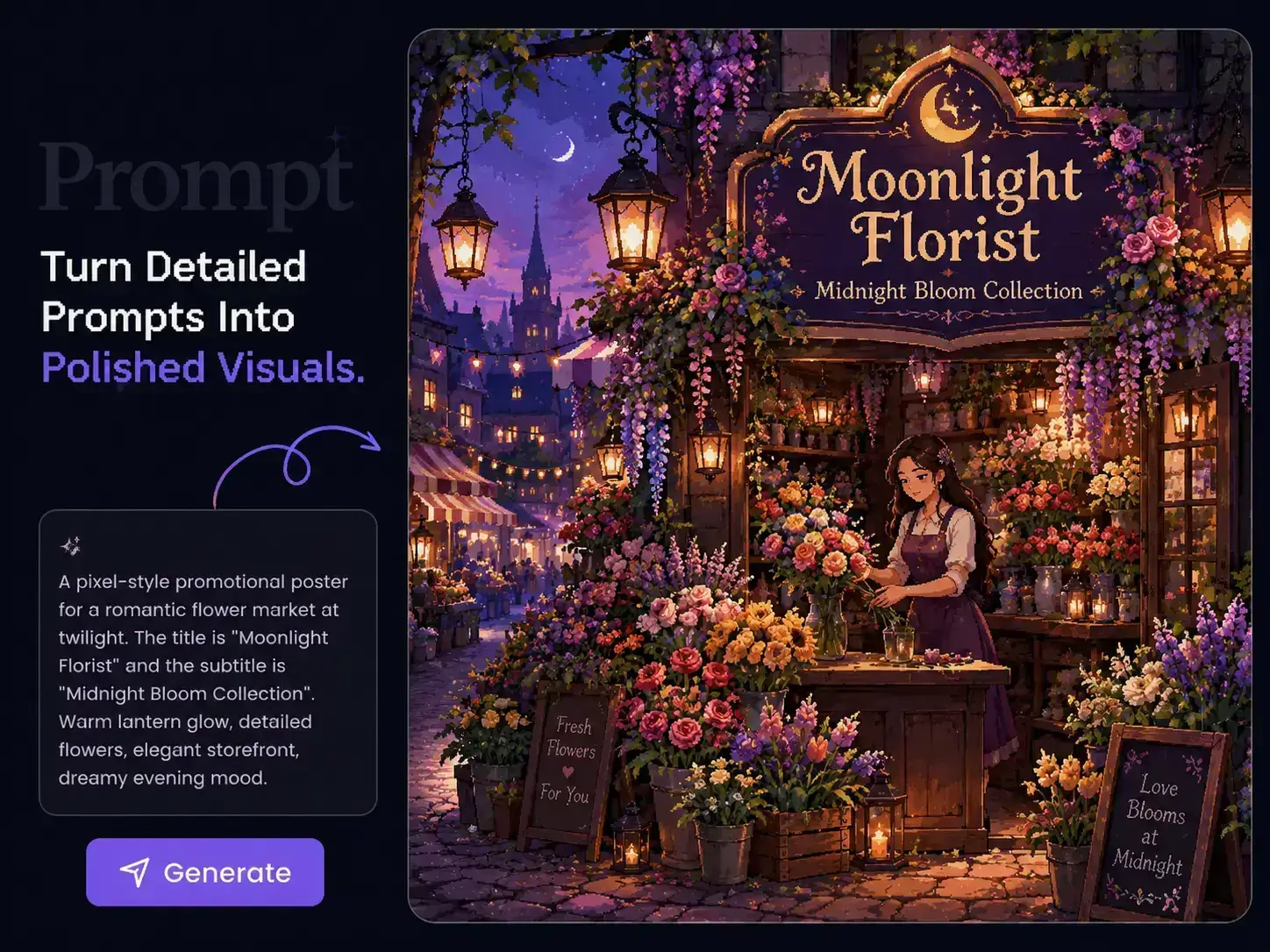
複雑なプロンプトでも、細部まで思いどおりに
アイデアが具体的になるほど、大切な細部が抜け落ちやすくなります。PicLumenのGrok Imagine Image 2.0なら、一つの制作要件の中で被写体、 アイテム、配置、照明、色、背景、ビジュアルスタイルをまとめて指定できます。プロンプトを基本的な指示だけに絞らなくても、シーン全体を詳しく描写可能。複数の要素を調和させたいキャンペーン案、商品シーン、キャラクタービジュアルを作りやすくなります。
デザインになじむ文字を生成
ビジュアルが魅力的でも、見出しが間違っていたり、文字がレイアウトから浮いていたりすると、完成度は下がってしまいます。Grok Imagine Image 2.0は文字表現と構図に優れ、文字をデザインに組み込んだポスター、タイトル画像、 広告、パッケージ案、販促用アートワークを制作できます。文字を後から追加するのではなく、文言、配置、ビジュアルの方向性を一つのプロンプトで指定しましょう。

参照画像で仕上がりを導く
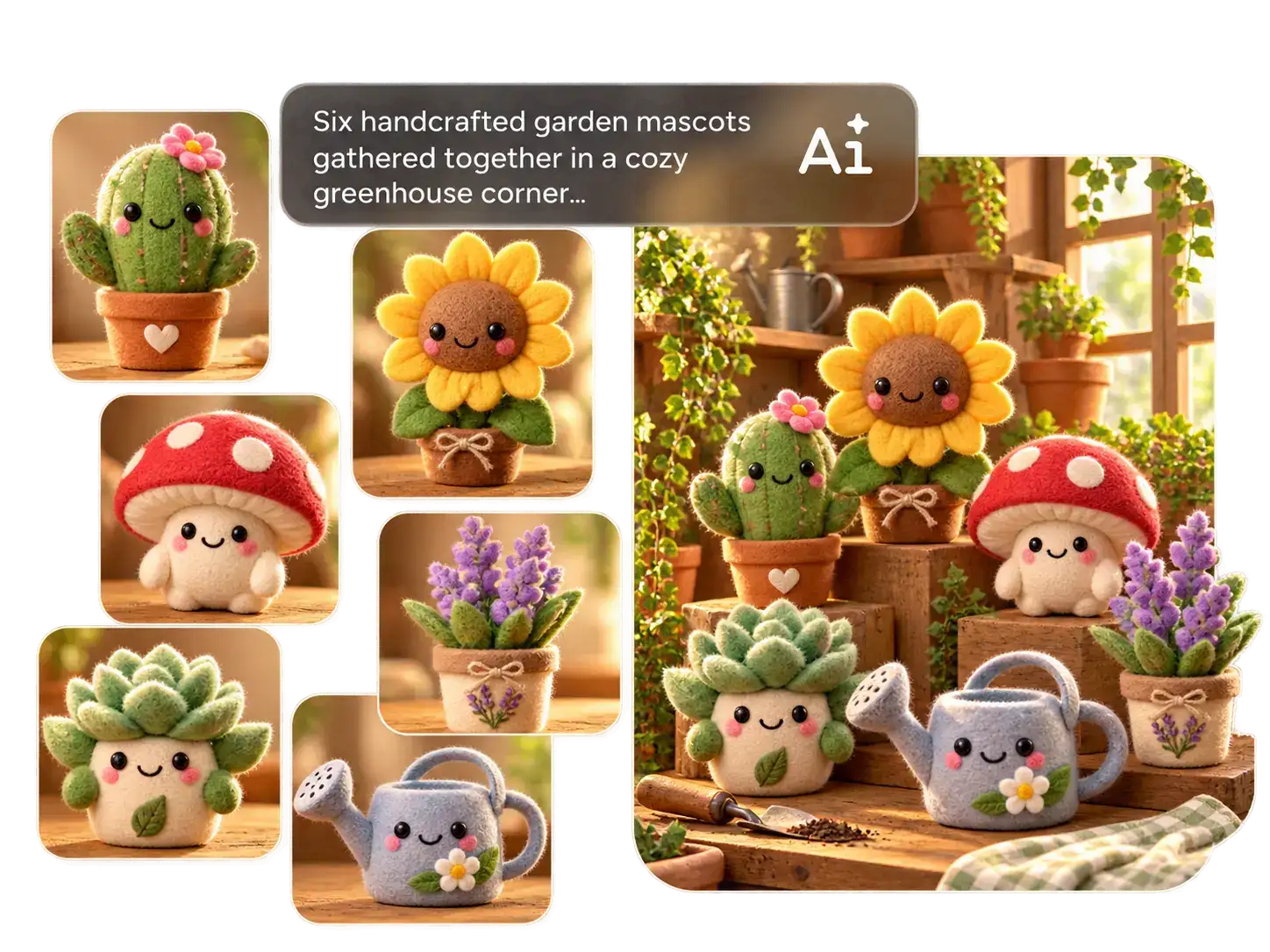
言葉で説明するより、画像で見せたほうが伝わりやすい細部もあります。商品の形、 キャラクターの外見、スタイリングの方向性や雰囲気を言葉だけで伝えるには、長い説明が必要になることも。PicLumenのGrok Imagine Image 2.0なら、参照画像を制作に取り入れ、モデルにビジュアルの意図をより明確に伝えられます。特定の被写体やビジュアルの方向性に沿った仕上がりを求める場合に、特に効果的です。
Grok Imagine Image 2.0で何を作れる?
EC
一つの商品から、多彩なキャンペーンビジュアルを展開。PicLumenのGrok Imagine Image 2.0で、 商品掲載画像、ライフスタイルシーン、ローンチ用画像、季節のビジュアル、広告向けのコンセプトを制作できます。商品画像を参照し、ビジュアルの要件を明確に指定して、同じ商品の新たな見せ方を探せます。
広告
キャンペーンの要件からビジュアル案まで、よりスピーディーに。最終的な方向性を決める前に複数の案を比較したいときは、Grok Imagine Image 2.0で ポスター、広告クリエイティブ、ローンチ用画像、販促用アートワークを制作できます。
ファッション・ビューティー
撮影前にキャンペーンの世界観を探りましょう。プロンプトや参照画像から、ファッションエディトリアル、ビューティービジュアル、メイク案、ルックブックのシーン、スタイリングの方向性を作成。クリエイティブチームが早い段階でより多くのアイデアを試せます。
ゲーム・エンターテインメント
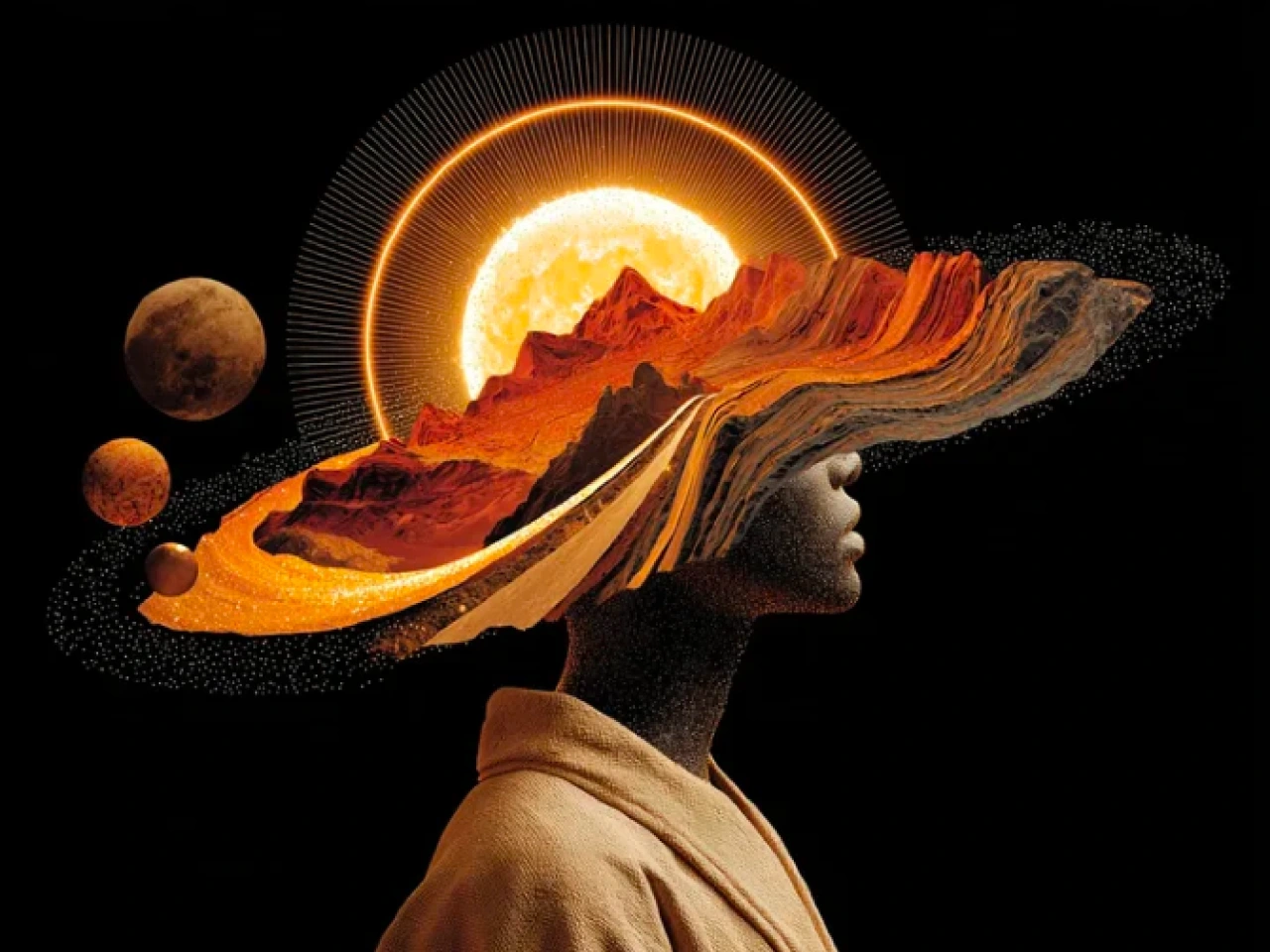
一枚のコンセプト画像にとどまらず、キャラクターや世界観を広げましょう。PicLumenのGrok Imagine Image 2.0で衣装、小道具、背景、キービジュアル、物語を感じさせるシーンを制作し、ビジュアルの方向性を固めながらさまざまな案を探れます。
PicLumenでGrok Imagine Image 2.0を使う方法
ステップ1 Grok Imagine Image 2.0を選択
1PicLumenの画像生成ツールを開き、利用可能なモデルからGrok Imagine Image 2.0を選びます。
ステップ2 プロンプトと参照画像を追加
2被写体、背景、構図、照明、スタイル、画像に入れたい文字など、作りたい画像を説明します。ビジュアルの方向性をより明確に伝えたい場合は、参照画像を追加してください。
ステップ3 画像の形式を設定
3ポスター、商品ページ、SNS投稿など、画像の用途に合わせてアスペクト比や利用可能な生成設定を選びます。
ステップ4 生成してダウンロード
4生成ボタンをクリックし、結果を比較します。制作要件に最も合う画像を選び、キャンペーン、デザイン、コンテンツなどで使えるようダウンロードしましょう。


世界中のクリエイターに愛されています
デザイナー、マーケター、趣味の方が Trustpilot で PicLumen の体験を共有しています。
 J. Blaine
Regular PicLumen user experience
I've been using PicLumen since late summer 2024 and I've generated several thousand images, mostly image-to-image. There were 2 minor technical glitches in that period of time. In the first one, my library didn't load but after logging out and logging in again later that day I found my library back. The second glitch- the remixing and outpainting stopped working. I contacted the support team and the issue was fixed the next day. I also requested PicLumen to provide a PayPal payment method when they switched to subscription - and they listened and responded to my request. I appreciate their responsiveness and customer service. In my communication with their support team, I found them professional and polite. My general impression is that this is a dynamic and collaborative team that is worth supporting!
My experience
Itis a really good website n really ideal to use theres only one con and that the AIS sometimes create wrong images but that doesnt happen frequently
Awesome program easy to use a little…
Awesome program easy to use a little disappointment in the fact you can’t buy lumies
 Prabhat Ranjan Singh Chauhan
Very smooth and very helpful for…
Very smooth and very helpful for everyonr who have creative mind. Thank you 👍
Ibrahim OnuhSo very powerful and interesting
So very powerful and interesting
Menu LawrenceVery fantastic app
Very fantastic app. I love it. I will like everyone to use this App
 AK Editing Zone
Nice ai image generation
Nice ai image generation
GPS BelARI tried the tool for fun and only used…
So far, I've only tried PicLumen for fun and used the free ‘basic option’. Even as an AI design novice, you can achieve great results. It should be emphasised here that if you choose a simple AI, the coins are enough to just give it a try (unlike some other tools). I like the community concept; the opportunity to get inspiration for your own ideas in the image gallery, as well as the option to ‘like’ and comment on other users' creations. The result depends, of course, on the quality of the prompt entered, but ‘practice makes perfect, as we all know!’ The only reason for the one-star deduction is that I can't try everything with the free access and can't comment on the paid options.
 Minnies
I love the app but it was more better…
I love the app but it was more better when they didn't charge you lumen to make pictures or give you a limitation but it works amazing and it gives you very neon pictures...../ and for some reason on New Year's Eve today it won't let me make pictures
 Coterie Studios Coterie Record
I really like PicLumen
Zandalea here! I really like PicLumen and I used to use it daily. But after getting so many “not allowed “ messages from Sora2 I started using it less frequently.
Nice app ever
Nice app ever, like it when I needed
 Mohamed Rashad Rumaiz
This is an excellent website for free…
This is an excellent website for free users
よくある質問
Grok Imagine Image 2.0とは?
Grok Imagine Image 2.0は、詳細なプロンプト、文字表現、構造化されたレイアウト、参照画像を使った制作、写真、デザイン、イラストに対応するxAIの画像生成モデルです。PicLumenでは、文章でまとめた制作要件や既存の画像から、新しいビジュアルを作成できます。
Grok Imagine Image 2.0はどんな用途に向いていますか?
複数の条件を一つの画像にまとめたいときに、特に力を発揮します。指定した文言を入れたポスター、特定のアイテムを配置した商品シーン、スタイルを細かく決めたキャラクター案、構図が重要なキャンペーンビジュアルなどに最適です。被写体とスタイルを指定するだけでは足りない制作に役立ちます。
Grok Imagine Image 2.0は複雑なプロンプトにも対応できますか?
はい。細かな指示に対応できることは、Grok Imagine Image 2.0の大きな強みです。被写体、アイテム、配置、照明、色、背景、文字、全体のスタイルに関する条件を一つのプロンプトにまとめられるため、要件の多い制作にも適しています。
Grok Imagine Image 2.0で読みやすい文字を生成できますか?
はい。このモデルは文字表現とレイアウトに特に力を入れています。見出しや短いコピーを後から追加するのではなく、画像内に組み込みたいポスター、広告、タイトル画像、パッケージ案、イベント用ビジュアルなどに活用できます。
Grok Imagine Image 2.0で参照画像を使えますか?
はい。参照画像は、言葉だけでは伝えにくい商品の形、キャラクター、構図、背景、ビジュアルの方向性を示すのに役立ちます。Grok Imagine Image 2.0は複数の画像の入力に対応しており、作りたい仕上がりを視覚的に伝えられます。
PicLumenのGrok Imagine Image 2.0で手持ちの画像を使えますか?
はい。既存の画像をPicLumenにアップロードし、新しい画像を生成する出発点として使えます。新たなプロンプトを追加すれば、画像から画像への生成で、別のスタイル、背景、雰囲気、構図、表現の方向性を試せます。
Grok Imagine Image 2.0とGPT Image 2、どちらを使うべきですか?
どちらも詳細な画像制作の要件や参照画像を使った制作に対応しています。Grok Imagine Image 2.0は、文字表現、構造化されたレイアウト、視覚的な条件を細かく指定したプロンプトに特に適しています。最適なモデルは作りたい画像によって異なります。PicLumenなら、プロジェクトに合わせて異なる画像モデルを使い分けられます。
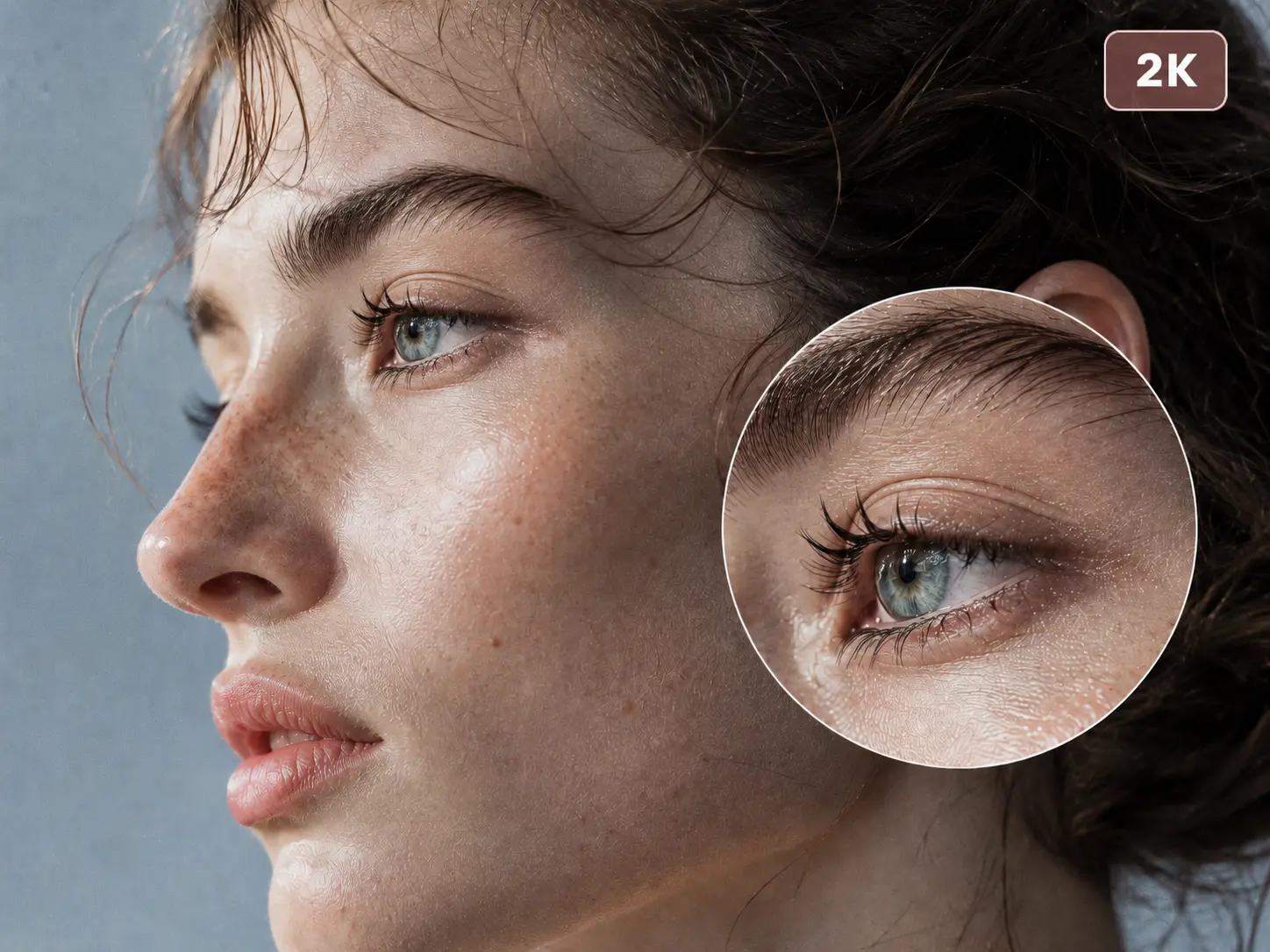
Grok Imagine Image 2.0はどの画像解像度に対応していますか?
1Kと2Kの画像生成に対応しています。日常的な制作から、より細部が求められるビジュアルまで、用途に合わせて選べます。