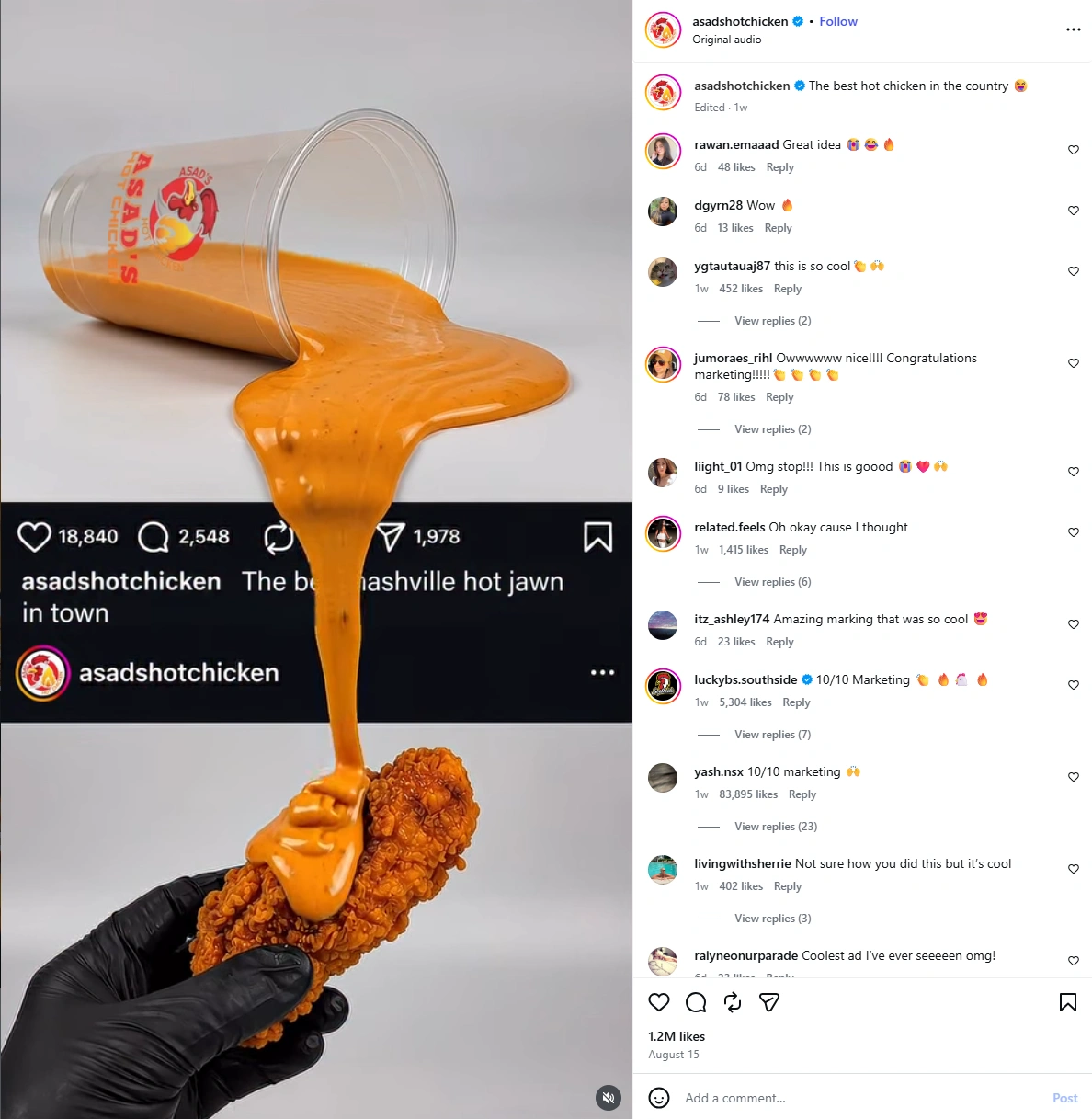
I’ve been seeing more brand videos built around the same Instagram trick lately. A product in one post spills, drops, or drips past the edge of the frame, crosses the Instagram UI, and continues into the post below.
The original reference above uses sauce and fried chicken. The sauce leaves the upper post, passes through the interface, and lands directly on the food underneath. It’s a simple interaction, but it makes the feed itself feel like part of the ad.
I wanted to see how well the idea would work with a different product, so I rebuilt it in PicLumen. I used Image to Image to prepare the two posts and final 9:16 composition, then moved that image into Image to Video and used Wan 3.0 for the motion.
You can follow the same workflow with your own brand. The product does not need to be liquid. Anything that can realistically pour, fall, drip, slide, scatter, or spray can work.
Part 1: Image to Image with PicLumen
This is where I prepared the product post, the receiving post, and the final layout. For the image-building stage, I’d go with GPT Image 2.0, Seedream 5.0 Pro, or Qwen Image 3.0, since they’re good at handling product visuals, brand consistency, and clean social-style compositions.
Step 1: Decide How Your Product Will Cross the Feed
Before generating anything, decide on one physical interaction.
For my strawberry juice version:
strawberry juice → pours downward → character catches it
For your own brand, you could try:
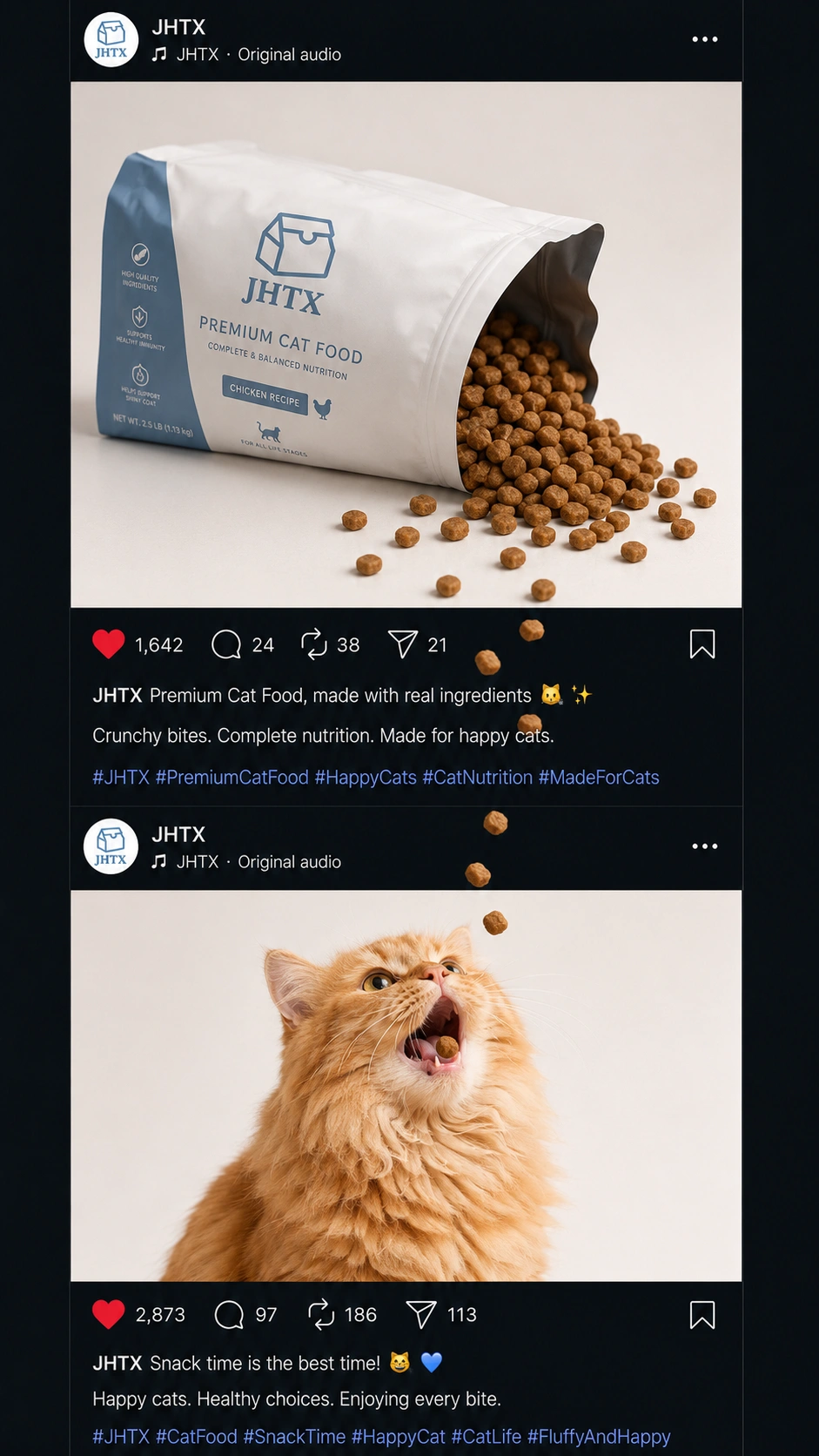
cat food falling toward a cat
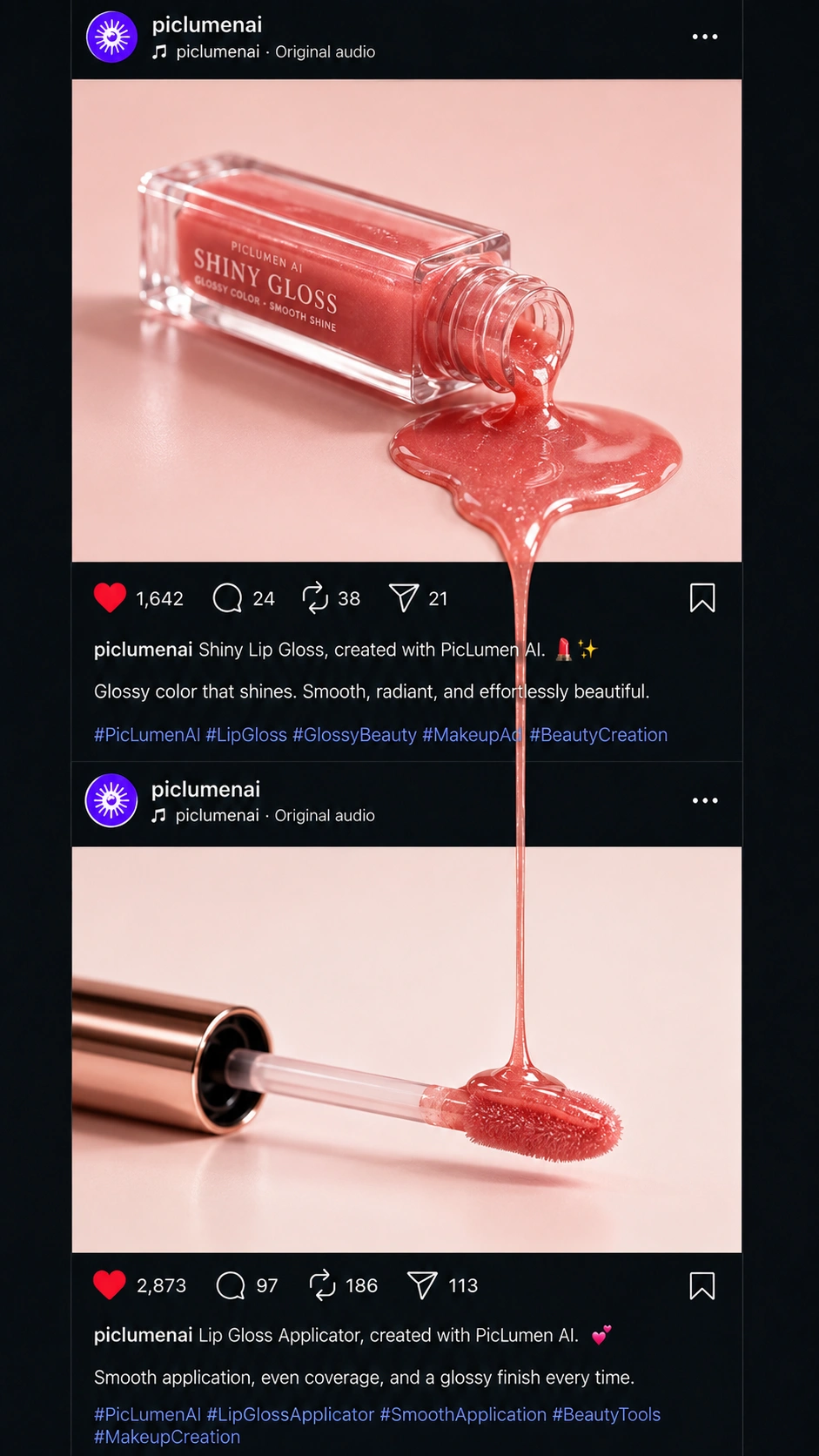
lip gloss dripping onto an applicator
coffee pouring into a mug
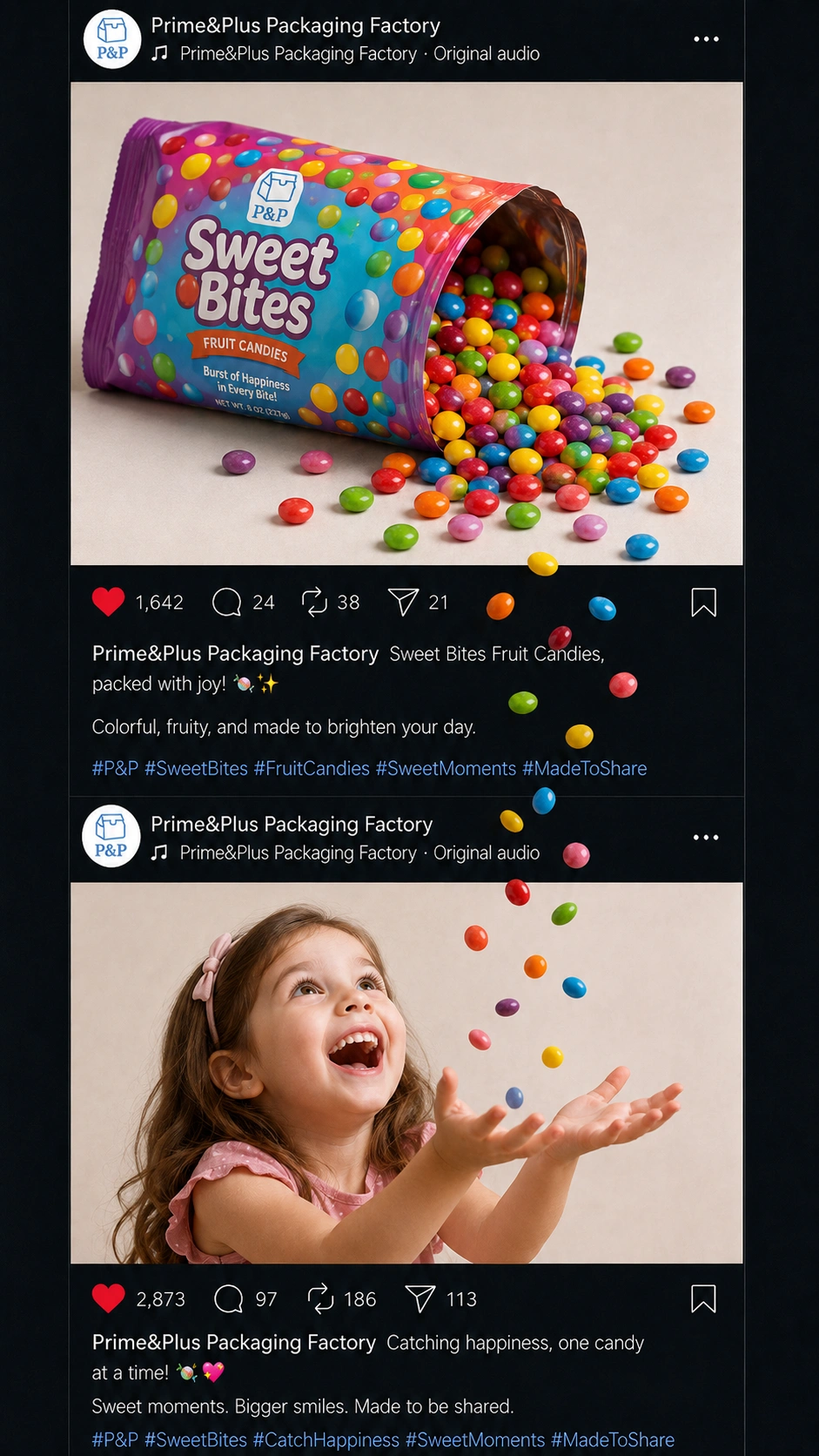
candy falling into an open hand
serum dripping onto skin
cereal falling into a bowl
I’d choose an action that already feels natural for the product. That makes the final motion easier to understand and easier to generate.
Step 2: Create the Upper Product Post
I started with the product image in PicLumen Image to Image.
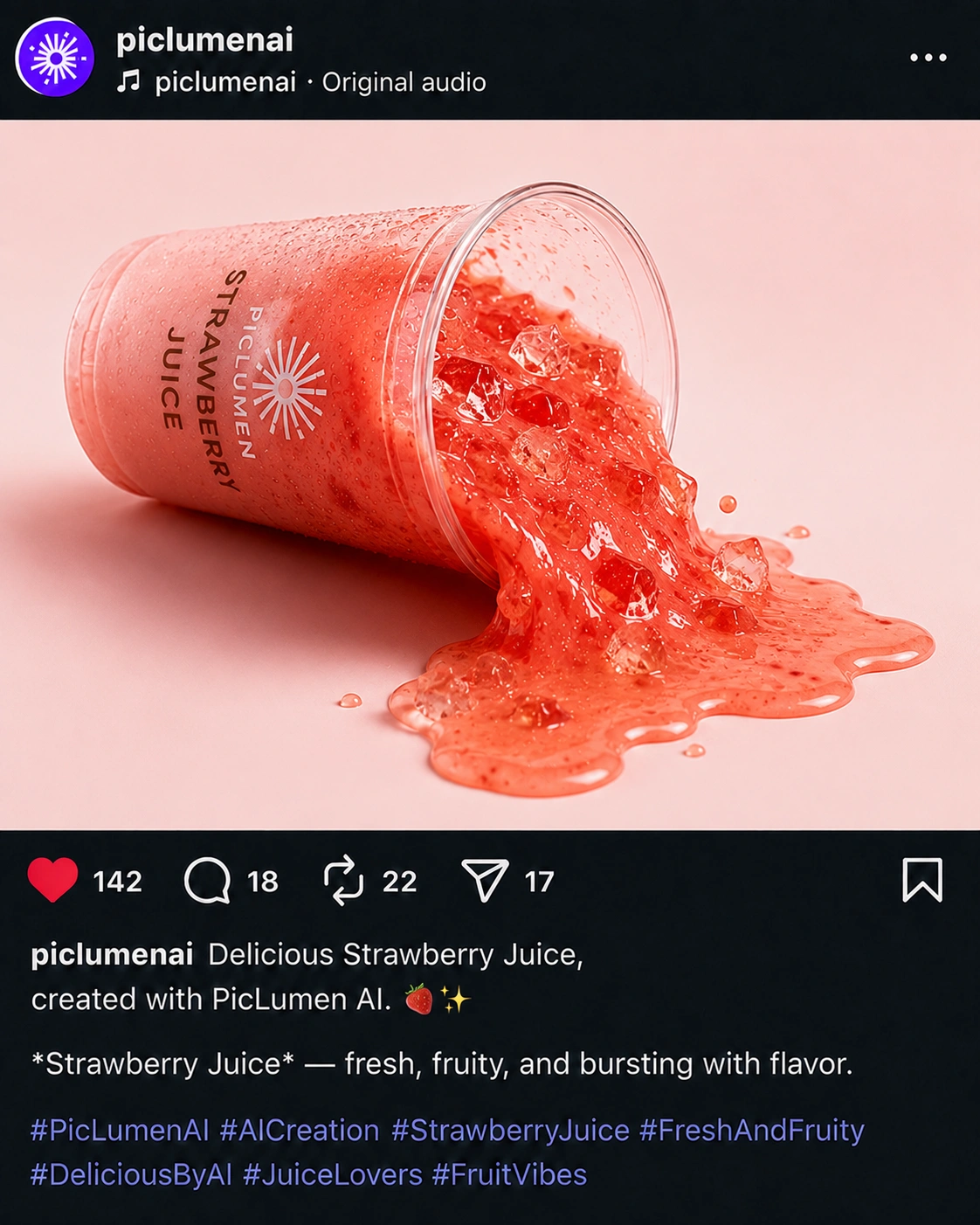
The product should sit close to the edge where the interaction will begin. In my version, the strawberry juice cup was lying on its side near the bottom of the post, with a small amount of liquid already reaching the lower edge.
A prompt like this works as a base:
Create an Instagram-style branded product post based on the reference image. Place the product near the lower edge in a natural action-ready position. Show a small amount of the product beginning to spill, fall, or move toward the bottom of the frame. Keep the packaging, logo, colors, and main brand details recognizable. Use a clean commercial background.
For your own product, change the setup to match the action.
A cat-food pouch can already be open with a few pieces scattered nearby. Lip gloss can lie on its side with a small amount of product gathering near the edge. A snack bag can have a few pieces already spilling out.
The image should already suggest what is about to happen next.
Step 3: Create the Lower Post
Next, I made the image that receives the product.
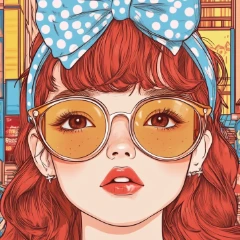
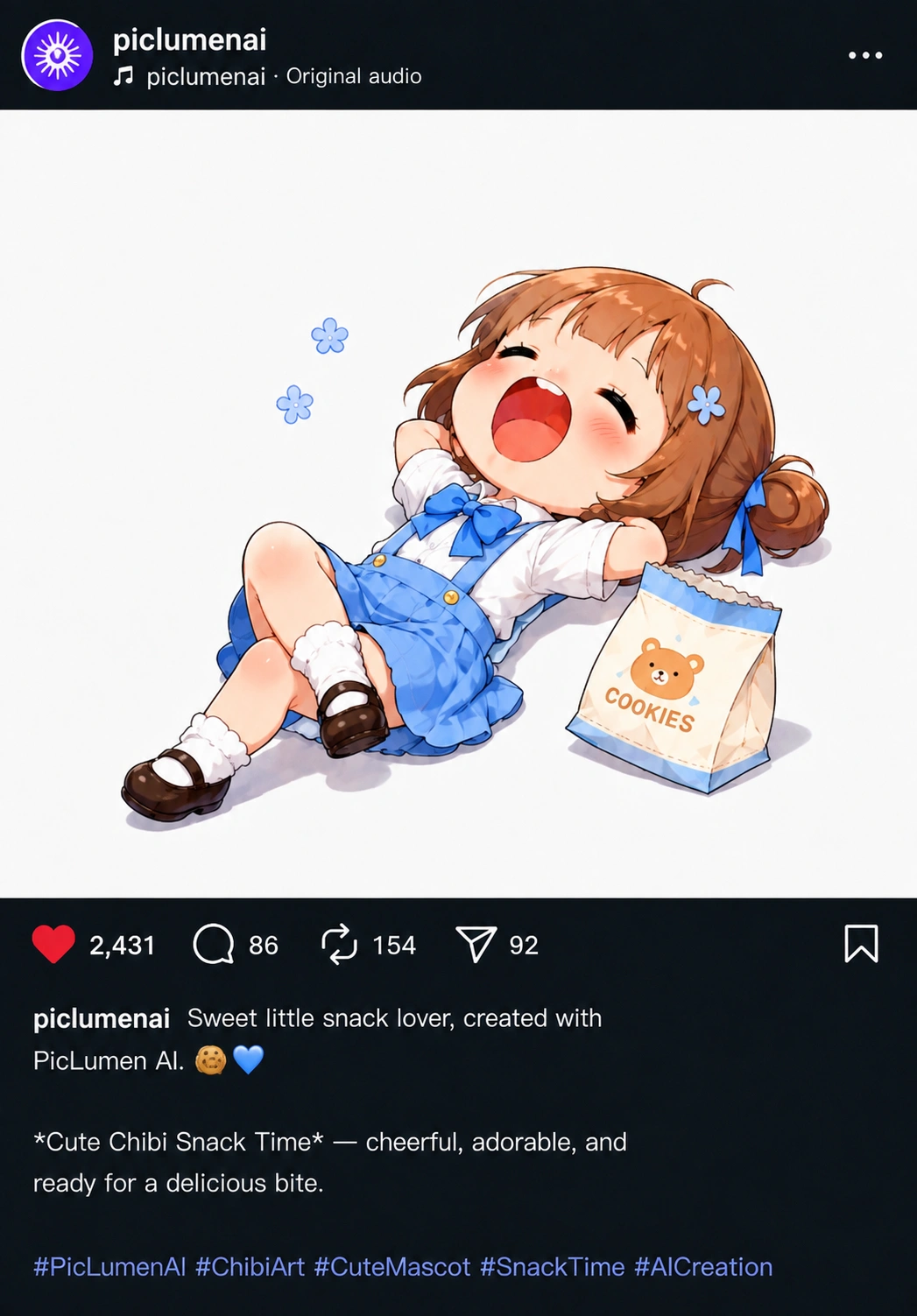
For the juice version, I used a relaxed character lying below with enough empty space above her face for the liquid to travel through.
I created this separately in PicLumen Image to Image.
A useful base prompt is:
Create an Instagram-style post based on the reference subject. Place the subject lower in the frame and leave clear space above for something to enter from the top. Keep the composition simple and position the subject so they can naturally react to or receive something falling from above.
This is where you can shape the scene around your own brand.
If you sell pet food, use the animal that fits the product. If you’re working with cosmetics, the lower post might just be an applicator, hand, or makeup scene. For food products, a plate, bowl, or person can work better.
The receiving image should make the destination obvious before anything starts moving.
Step 4: Combine Both Posts Into One 9:16 Image
Once both posts were ready, I used Image to Image again to combine them into one vertical frame.
I kept the product post on top and the receiving scene below, with the Instagram-style UI visible between them.
The alignment matters here. For a downward movement, the product’s starting point should sit roughly above the place where it needs to land.
My prompt was:
Combine these two reference images into one vertical 9:16 Instagram feed. Keep the branded product post on top and the receiving post below. Preserve the Instagram-style UI, captions, icons, and spacing between the posts. Align the product’s spill or drop point with the receiving subject below so the future movement can travel naturally across the interface.
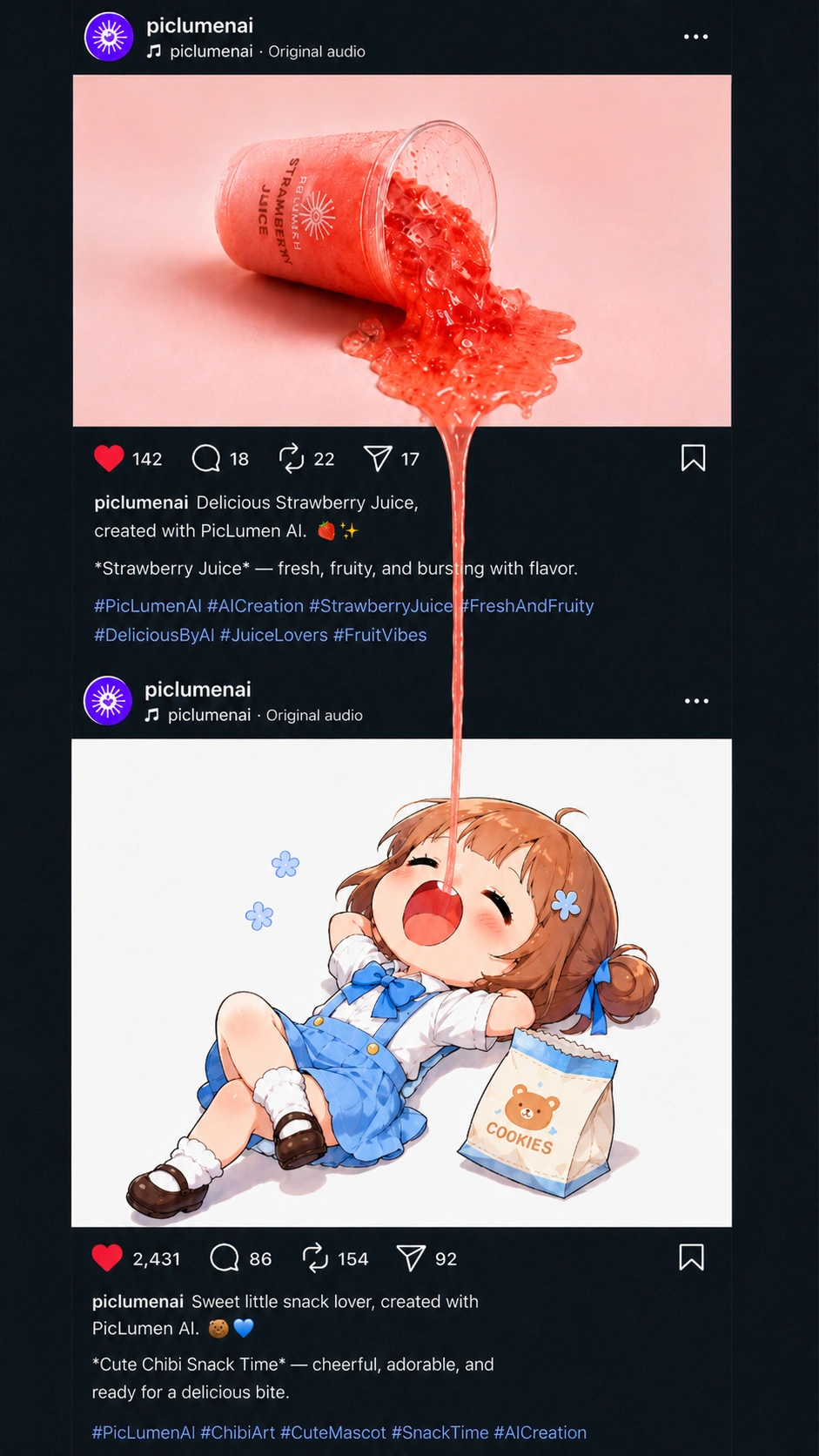
Before moving on, check the frame as if it were already an ad.
Can you tell where the product is going?
If the answer is yes, the video stage is much easier.
For your own brand, this is also the best point to check whether the logo, packaging, product color, and key visual details are still easy to see.
Part 2: Image to Video
Once the still composition was ready, I moved it into PicLumen Image to Video and picked a model for the final motion. I’d go with Wan 3.0 or Seedance 2.5 for this kind of cross-post ad.
Step 5: Upload the Final Frame and Select Wan 3.0
Upload the combined 9:16 image into Image to Video and choose Wan 3.0.
I kept the video short and the camera fixed.
The Instagram interface is part of the visual idea, so it should stay stable while the product crosses from one post into the next.
Because the source image already contains the final layout, Wan 3.0 mainly needs to animate the product and the reaction.
Step 6: Describe the Product Motion
For the strawberry juice version, the character first notices the liquid getting close to the edge, looks upward, then opens her mouth.
The juice then forms a thin stream and drops through the UI.
This was the prompt direction:
Locked camera, 9:16 vertical video. Keep both Instagram posts and all UI elements stable and unchanged.
The girl begins in a relaxed pose and notices the strawberry juice above reaching the lower edge of the upper post. She looks slightly upward and then slowly opens her mouth.
A very thin, continuous stream of strawberry juice flows naturally from the upper post, crosses the Instagram interface, and falls almost vertically into her open mouth. Keep the liquid narrow, smooth, and physically believable. No thick stream, no separated droplets, no large splash, no camera movement, and no UI distortion.
For your own brand, keep the structure and change the motion.
For example:
Cat food
A small number of kibble pieces fall naturally from the open pouch, cross the Instagram interface, and drop toward the cat below.
Lip gloss
A thin, slightly viscous strand of lip gloss slowly drips from the upper post, crosses the UI, and lands precisely on the applicator below.
Candy
A few candy pieces tumble naturally from the package, pass through the Instagram interface, and fall into the open hand below.
The motion should match how the product behaves in real life.
Step 7: Keep the Brand Visible During the Motion
One thing I’d keep an eye on is the product itself.
The interaction is the hook, but the packaging still needs to read as a brand ad.
Try to keep:
the logo visible
the product name readable
the main brand color consistent
the product shape recognizable
If the movement becomes too large or covers the packaging, pull it back.
For this format, a small movement usually reads better than a huge effect.
Using the Same Format for Your Own Brand
Once you understand the setup, it’s easy to reuse.
You only need to replace three things:
your product + its natural movement + the receiving scene
I’d start with the product action, then build the two posts around it in PicLumen Image to Image. Once the still frame looks right, bring it into Image to Video, select the right AI video model, and animate only the interaction you actually need.
That keeps the idea recognizable while still making the final ad feel specific to your own brand.