Grok Imagine is one of the most talked-about platforms for social media content creation in 2026. Developed inside xAI’s ecosystem, Grok Imagine focuses on fast generation speed, viral-style visuals, cinematic AI videos, and flexible creative workflows for creators, marketers, and digital artists.
In this review, we’ll explore Grok Imagine’s features, pros and cons, pricing, and how you can access Grok Imagine.
What is Grok Imagine?
Grok Imagine is an AI image and video generation tool developed by xAI. It allows users to create visuals from text prompts, generate short AI videos, edit images, and turn static images into animated clips using AI. The tool is powered by xAI’s Aurora engine and is designed for fast content creation with a strong focus on social media and viral-style visuals.
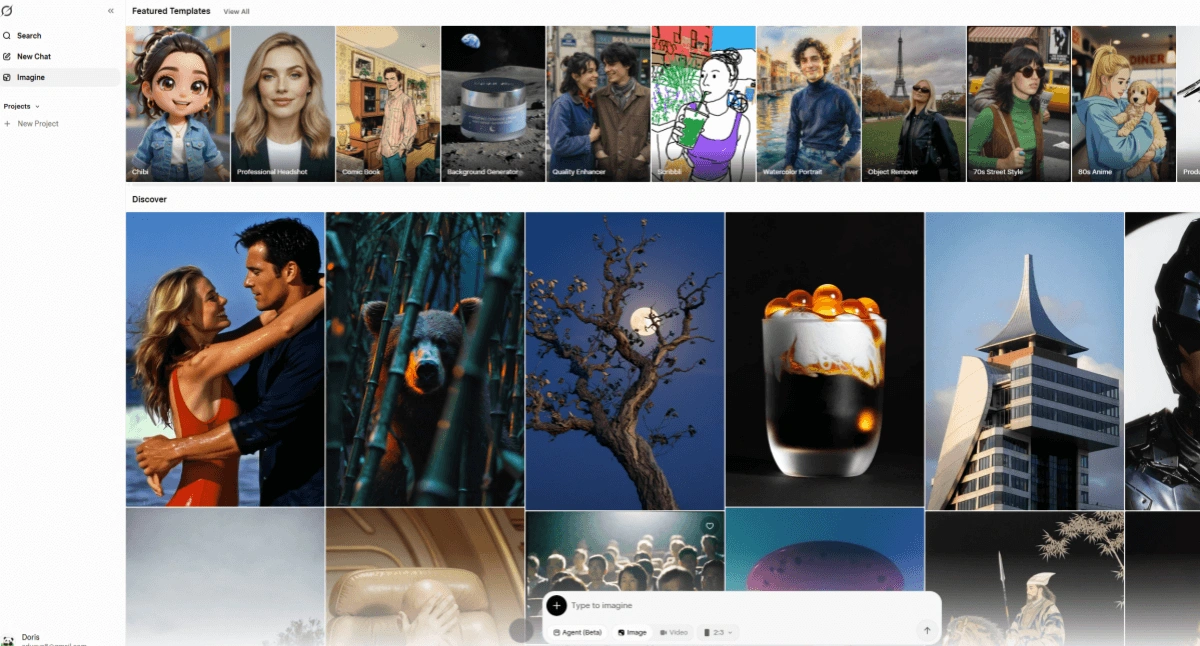
What Makes Grok AI Stand Out
Grok Imagine is designed for fast and flexible AI content creation, especially for social media creators, marketers, and digital artists.
One of its standout features is the ability to switch between different creative generation modes, including Normal, Fun, and Spicy modes. Explore What makes Grok AI different?
Image Generation
Grok Imagine generates AI images from simple text prompts in just 3-5 seconds. The model supports multiple visual styles, including realistic photography, cinematic artwork, anime-inspired visuals, illustrations, and social-media-ready graphics. It is optimized for fast content production while still maintaining strong image quality and detail.
1. Text-to-Image
Users can turn text descriptions into fully generated AI images without requiring design experience. Grok Imagine performs especially well with character generation, stylized portraits, viral meme concepts, and cinematic scenes, making it useful for creators producing content for platforms like X, TikTok, Instagram, and YouTube.
2. Image Editing
Users can upload existing images and modify elements using prompts, such as changing backgrounds, adjusting styles, replacing objects, or enhancing visual details. This helps creators quickly refine content without using complex editing software.
3. High-Quality Text Rendering
One major advantage of Grok Imagine is its improved text rendering capability. Compared to many AI image generators that struggle with readable typography, Grok Imagine can generate clearer and more accurate text within posters, thumbnails, advertisements, and social media graphics.
4. Up to 2K Resolution
Generated images can be exported in resolutions up to 2K, allowing creators to produce sharper visuals suitable for social media posts, marketing materials, digital ads, and online branding content.
Video Generation
In addition to image generation, Grok Imagine also includes AI video creation features designed for short-form content production.
1. Text/Image to Video
Users can generate short AI videos directly from text prompts or animate existing images into motion videos. This makes it easy to create cinematic clips, AI animations, social media reels, and viral-style video content without traditional video production tools.
2. Native Audio Sync
Grok Imagine supports native audio synchronization, allowing generated videos to better align with speech, sound effects, or background audio. This helps AI-generated videos feel more natural and engaging for viewers.
3. Motion Control
The platform also supports motion and camera control features, including camera pans, zooms, tracking shots, and cinematic movement effects. These controls help creators produce more dynamic and professional-looking AI videos instead of static animations.
Advantages and Disadvantages of Grok Imagine
Grok Imagine has both strong advantages and noticeable limitations. Its biggest strengths are speed, creative flexibility, and social media focused generation workflows. However, it still has limitations in video length, consistency, and advanced editing control.
Main Advantages
Extremely Fast Generation Speed | Grok Imagine can generate images and short videos within seconds, making it ideal for rapid content creation and viral social media workflows. |
Supports Both Image and Video Creation | Users can generate AI images, animate photos, create videos from text prompts, and edit existing visuals inside one platform instead of switching between multiple tools. |
Great for Viral and Social Media Content | The platform is optimized for short-form content creation, including meme videos, cinematic clips, stylized visuals, and fast content testing for platforms like X, TikTok, Instagram, and YouTube Shorts. |
Creative Generation Modes | Features like Normal, Fun, and Spicy modes give creators more freedom to experiment with different visual styles and creative directions. |
Main Disadvantages
Short Video Duration Limits | Most generated videos are still relatively short, usually around 6–15 seconds, which limits long-form storytelling and complex scenes. |
Inconsistent Video Quality | Some users report visual glitches, morphing issues, inconsistent motion, and unstable character continuity in generated videos. |
Limited Advanced Motion Control | While Grok Imagine supports camera movement and animation, it still lacks the detailed scene control and timeline editing available in more professional AI video tools. |
Moderation and Policy Changes | Content moderation rules and access limits have changed multiple times, leading to inconsistent user experiences and generation restrictions. |
Grok Imagine Pricing
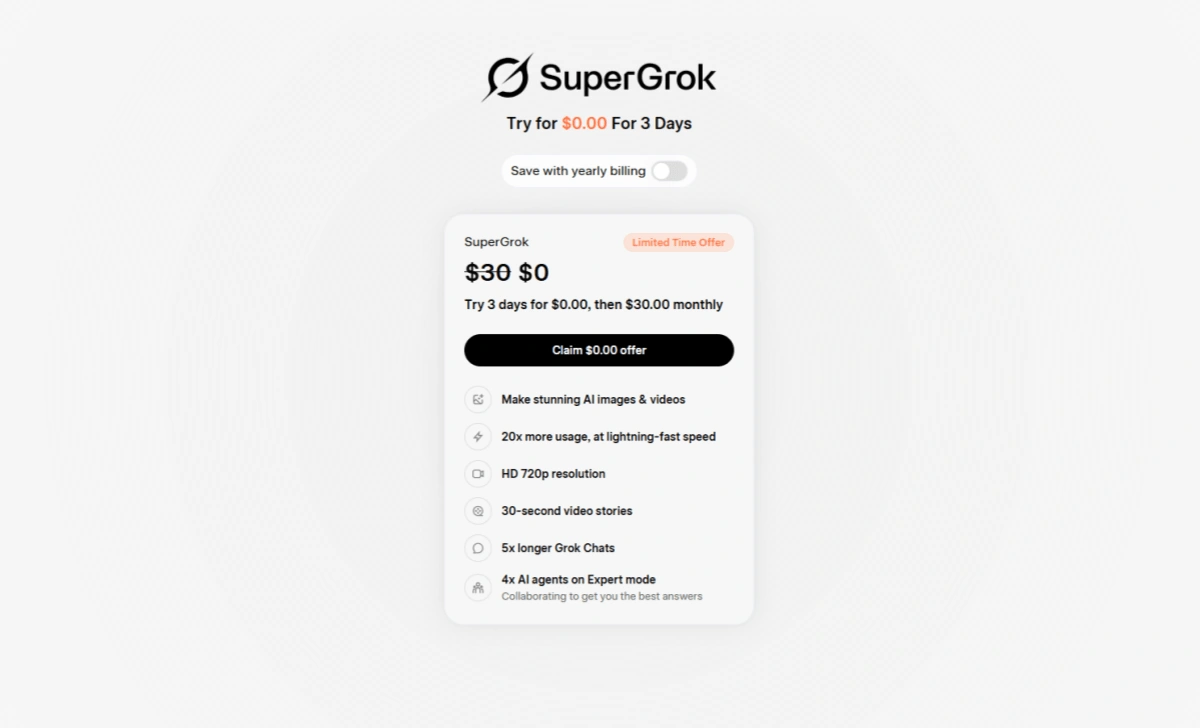
Grok Platform: Grok Imagine is currently included in the SuperGrok subscription plan, which costs $30/month after the 3-day free trial. The plan includes faster AI generation, higher usage limits, HD video output, and longer AI video creation capabilities.
On PicLumen: You can access AI image and video generation tools starting from $3/month, while also unlocking other premium models like Seedance 2.0 and Kling 3.0. This makes it a more affordable option for creators who want to experiment with multiple AI models and creative workflows on one platform.
How to Use Grok Imagine On PicLumen
PicLumen currently supports using Grok Imagine for AI image generation, allowing users to create high-quality visuals directly inside the platform.
In addition, Grok Imagine video generation support is expected to be available on PicLumen later this month.
1. Select Grok Imagine
Open PicLumen and choose the Grok Imagine model from the available AI model options. This allows you to use Grok Imagine’s image generation capabilities for creating realistic, cinematic, anime-style, or social-media-focused visuals.
2. Enter Your Prompt
Describe the image you want to create using a text prompt. You can include details about the subject, style, lighting, camera angle, background, or mood to achieve more accurate and creative results.
3. Generate and Download
Click the generate button and wait a few seconds for the AI to create your image. Once the generation is complete, you can preview the result, regenerate variations if needed, and download the final image for social media, marketing, or creative projects.
Conclusion
Grok Imagine is ideal for social media content creation. Its fast generation speed, AI image and video capabilities, native audio sync, and motion control features make it especially appealing for creators who want to produce viral-style content with minimal effort. While the platform still has limitations in areas like video consistency and advanced editing control, it offers a strong overall experience for short-form content workflows.
For users who want access to multiple AI models at a lower cost, platforms like PicLumen provide an alternative way to use Grok Imagine image generation. As AI video technology continues to improve, Grok Imagine is likely to become an even more competitive option for creators, marketers, and digital artists looking to scale content production faster.
FAQs
1. What is Grok Imagine used for?
Grok Imagine is used to create AI-generated images and short videos from text prompts, mainly for social media content, marketing visuals, and creative projects.
2. Can Grok Imagine generate videos?
Yes, it can generate short AI videos from text or images, including motion and audio features.
3. Is Grok Imagine free to use?
It offers a 3-day free trial through the SuperGrok plan, but continued access requires a paid subscription.
4. What image styles does Grok Imagine support?
It supports multiple styles such as realistic, cinematic, anime-style, illustration, and social media visuals.
5. Does Grok Imagine support audio in videos?
Yes, it includes native audio sync to match sound effects or voice with generated videos.