
Grok Imagine: xAI's Text to Video & Image to Video Generator
Grok Imagine is xAI's video generation model for free text-to-video and image-to-video creation. Use it on PicLumen to generate short 480p or 720p videos with synced audio and more consistent visual results from reference images.
What's Special about Grok Imagine
Text to Video Generation
Turn written prompts into short, fully visualized AI videos. Grok Imagine Video lets users describe a scene, mood, subject, or action in natural language, then transforms that prompt into a generated clip. This makes it useful for quickly exploring creative ideas without filming, editing, or building motion assets from scratch. Whether the goal is a cinematic concept shot, a stylized ad visual, or a social-first clip, text-to-video helps reduce the gap between an idea and a watchable result.
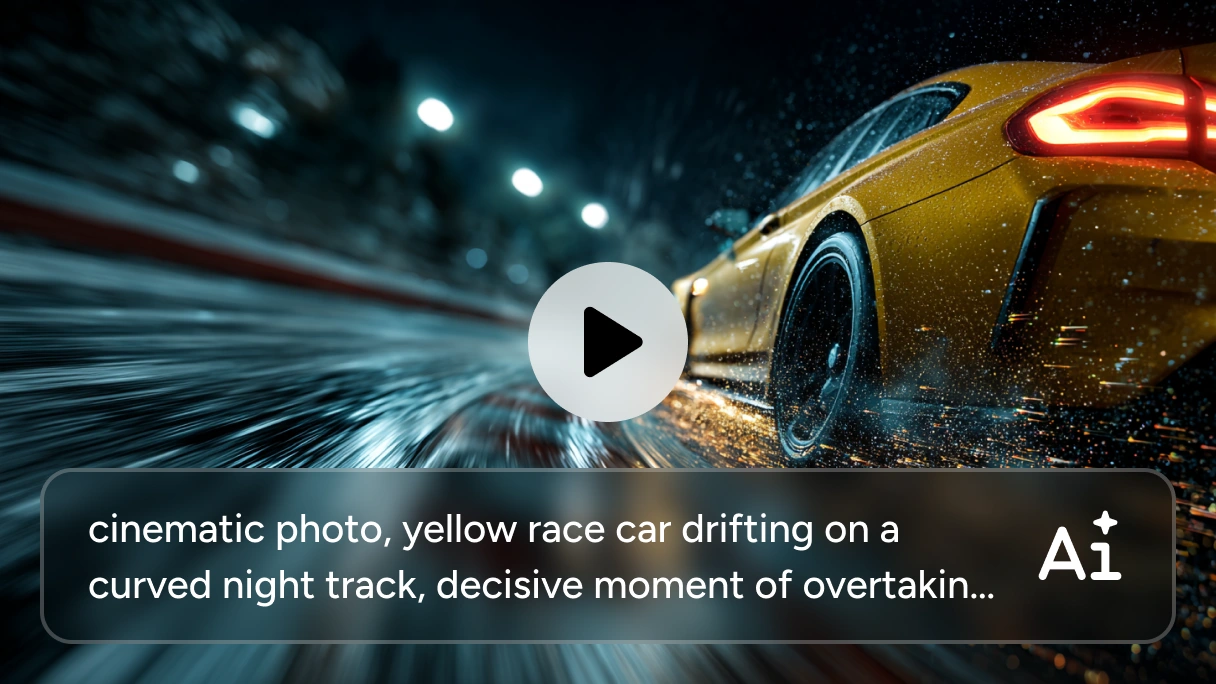
Image to Video Creation
Grok brings still images to life by turning them into motion-based video clips. With image-to-video generation, you can start from an illustration, portrait, product shot, or visual concept and generate movement, atmosphere, and scene dynamics from a single frame.
Instead of creating a video from zero, image-to-video offers a faster path from static design to animated output.
Native Audio Output
Grok Imagine video generation supports native audio generation, allowing video and sound to be produced together as part of the same output. In short-form AI video creation, built-in audio can add more energy, mood, and immediacy to the final result, making generated videos more presentation-ready for demos, concept pieces, and creative experiments.
Multiple Creative Modes (Normal, Fun, Spicy)
Grok Imagine includes three distinct generation modes. Normal mode delivers clean, professional visuals suitable for marketing or work projects. Fun mode encourages creative experimentation with bolder, more expressive results.
Spicy mode unlocks edgier content with fewer restrictions. Grok Imagine's filter bypass in Spicy mode is the most searched feature because it allows more mature and creative content styles, which sets the video generator apart from most AI image and video tools.
Short Video Output in 480p or 720p
Grok Imagine is built for short-form video generation, with output options designed for fast creative workflows and lightweight content production. Support for 480p and 720p makes it practical for concept testing, idea validation, social media assets, and rapid experimentation, where speed and iteration often matter more than long-form production specs.
What Can You Create With Grok Imagine Video Generator
Social Media and X Platform Content
Creating eye-catching posts for X or Instagram is simple with Grok Imagine. Type a description, generate a visual, and you've got a shareable image or video clip that stands out in feeds.

Character-Based Video Concepts
Grok Imagine can also be used for character-driven content, especially when reference images are important for maintaining a more recognizable visual identity. Users can create short videos around a specific character look, outfit, or aesthetic direction, making the model useful for storytelling concepts, fashion visuals, branded characters, and creator-led content.

Film and Animation Pre-Visualization
Screenwriters, filmmakers, and animators use Grok Imagine to pre-visualize scenes before committing to full production. Generate quick storyboard frames, test camera angles, or animate concept art to communicate visual ideas with your team. Grok Imagine accelerates the pre-visualization phase so you can make creative decisions faster.

E-Commerce Product Visuals
Transform product photos into dynamic showcase videos with Grok Imagine. Upload a product image and let the AI generate a motion clip that highlights features from multiple angles.


Loved by Creators Worldwide
Real feedback from designers, marketers, and hobbyists sharing their PicLumen experience on Trustpilot.
Ayan SamantaAwesome experience just looking wow
Awesome experience just looking wow
A New TV Episodes Of Ninja Sweetie On…
A New TV Episodes Of Ninja Sweetie On Paramount+
George PricePicLumen's support team replies quickly…
PicLumen's support team replies quickly to your help requests and they are clear in what they require of you for them to help you. They usually diagnose your problem and offer a solution in less then 24 hours. Stellar service!
Ms. BlissJust getting started
Just getting started, thus far it's really good. Going to continue to review and will update.
Love this app it helps my ideas come to…
Love this app it helps my ideas come to life
Great platform
Ease of use,and great models
 Fatjon Xhoka
Super app for photo and video
Super app for photo and video
This is one of the best videos ai…
This is one of the best videos ai generator
a great creative app
This is such a great creative app it really brings out the artist in you
 Mickael TONGASOA
best but free mod need to fix and add…
best but free mod need to fix and add more credits for the starter
Nice app ever
Nice app ever, like it when I needed
Nice app for creating videos
Nice app for creating videos
FAQs about Grok Imagine
What is Grok Imagine?
Grok Imagine is xAI’s generative media system for creating images and videos from prompts. In xAI’s public developer documentation, the image side is described as image generation from text prompts, while the video side supports text-to-video and image-to-video workflows through the grok-imagine-video model
How is Grok Imagine different from Grok 2?
Grok 2 is xAI's core language model built for reasoning and text-based tasks. The generator applies that same underlying architecture to visual creation — turning prompts into images, videos, and animated clips. While Grok 2 handles text, the visual tool handles imagery and motion, giving xAI a full creative toolkit.
What video generation modes are available?
The Grok Imagine video generator offers three modes: Normal for clean professional visuals, Fun for creative and expressive outputs, and Spicy for edgier content with fewer restrictions. imagine grok's Spicy mode is particularly notable for its more open content policy and is the most searched option. Each mode adjusts output style and content boundaries based on your project goals.
How to access Grok Imagine?
You can access Grok through xAI’s own surfaces, including Grok.com, the Grok mobile apps, and X, depending on feature availability and account access. However, if you want a simpler workflow for AI creation, you can also use Grok-powered generation directly on PicLumen. This makes it easier to start creating without switching between platforms or going through extra setup steps just to reach the model.
How long can Grok Imagine videos be?
Grok Imagine videos can be up to 15 seconds long for standard video generation. Some specialized workflows have different limits. For example, reference-image video generation is capped at 10 seconds.
Is Grok Imagine free to use?
Yes, free usage is available on PicLumen with daily generation credits. New users get a set number of free generations per day to explore text-to-image and video capabilities. Earn extra credits through referrals or upgrade to paid plans for higher usage limits.