I'm writing this Animoto review after two weeks of actually using it for work, not just clicking around. Here's how I got here: I had a folder of product photos, three clips shot on my phone, and social posts due Friday that I kept pushing off. I didn't want to open Premiere for something that small, and I'm not a video editor anyway. So I signed up for Animoto and gave myself a rule — only make things I'd genuinely have to ship: a couple of promos, one slideshow, a short explainer. Some of it went better than I expected. Some of it didn't. Here's the honest breakdown.
What Is Animoto? A Quick Rundown
Animoto has been around longer than most tools in this space. It launched in 2006, built by a team with backgrounds at ABC, MTV, and Comedy Central, and the pitch back then was simple: make browser-based video before browsers were really ready for it. It's based in New York, and in 2023 it became part of Redbrick, though the original CEO still runs it. The part worth understanding before you sign up: Animoto is a template-first video maker. You drag in your own photos and clips, or pull from its Getty stock library, drop them into a pre-built template, add music, and it stitches everything into a clean video. Their "Cinematic AI" times your media to the beat. It's closer to Canva-for-video than to a generative AI tool. That distinction matters, and I'll come back to it.
Animoto Video Maker Review: Building a Real Promo
My first real test wasn't a toy. I had eight product photos and wanted a 15-second square promo for Instagram. I picked a "Product Promo" template, dragged my photos into the storyboard blocks, swapped the placeholder text for my own, and let the built-in music track run. The whole thing took maybe twelve minutes, and honestly most of that was me second-guessing the font.
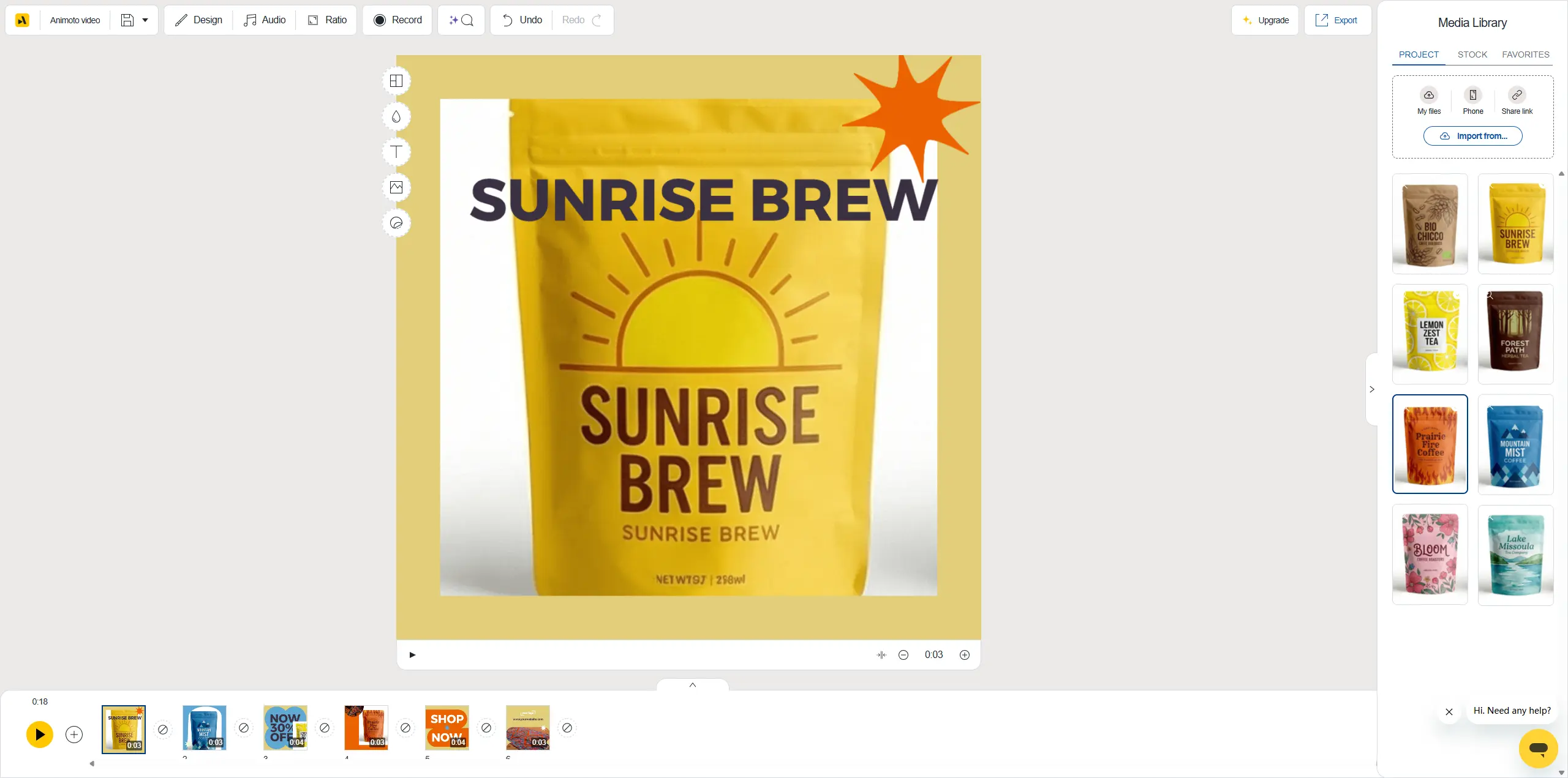
What I liked: the blocks keep you from making ugly timing mistakes. Each photo gets a sensible beat, transitions are automatic, and the result looked deliberate rather than thrown together. What I didn't love: I wanted to hold one photo a beat longer, and the control for that felt clumsy. You're nudging within a block, not dragging on a real timeline. For a quick promo, fine. For anything where exact pacing matters, I felt the ceiling pretty fast. Short version: it's fast because it decides a lot for you. That's the whole trade.
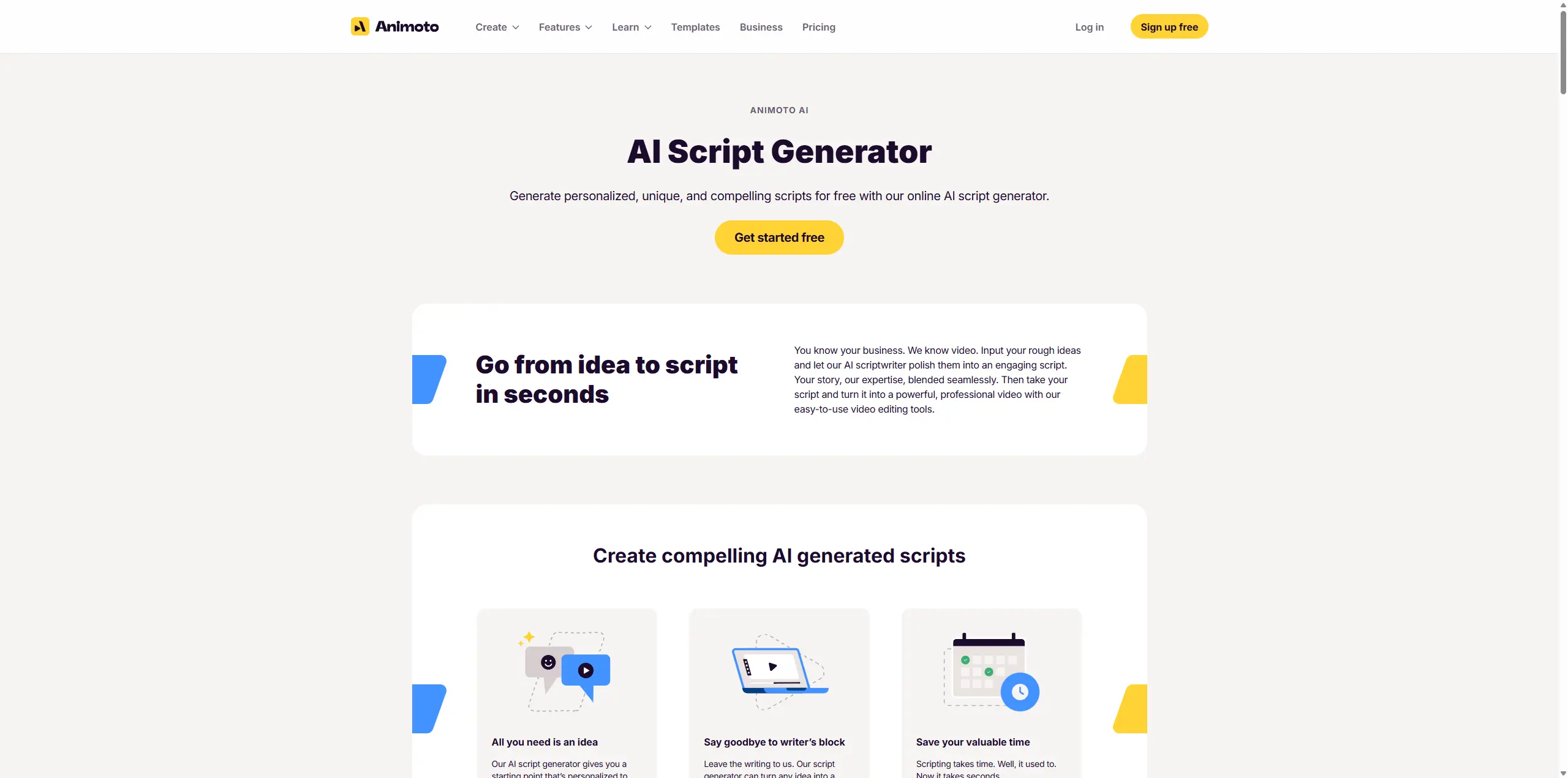
Testing the Animoto AI Script Generator
The feature I put through its paces here is Animoto's AI Script Generator — the "Create with AI" option you get when you start a new video. It's worth being precise about what it does, because the name "AI video maker" can mislead. It's not text to video in the generative sense — it won't invent footage from a sentence. What the AI Script Generator does is write a script from your brief, then auto-assemble a rough video from stock media and templates, which you then edit. Test prompt (my goal: see if the AI script tool could give me a usable starting point, not a finished video): "Create an Instagram video for a small-batch coffee roaster called North Fold. We sell single-origin beans by subscription. Audience is people who make pour-over at home. Tone: warm, a little nerdy about coffee."
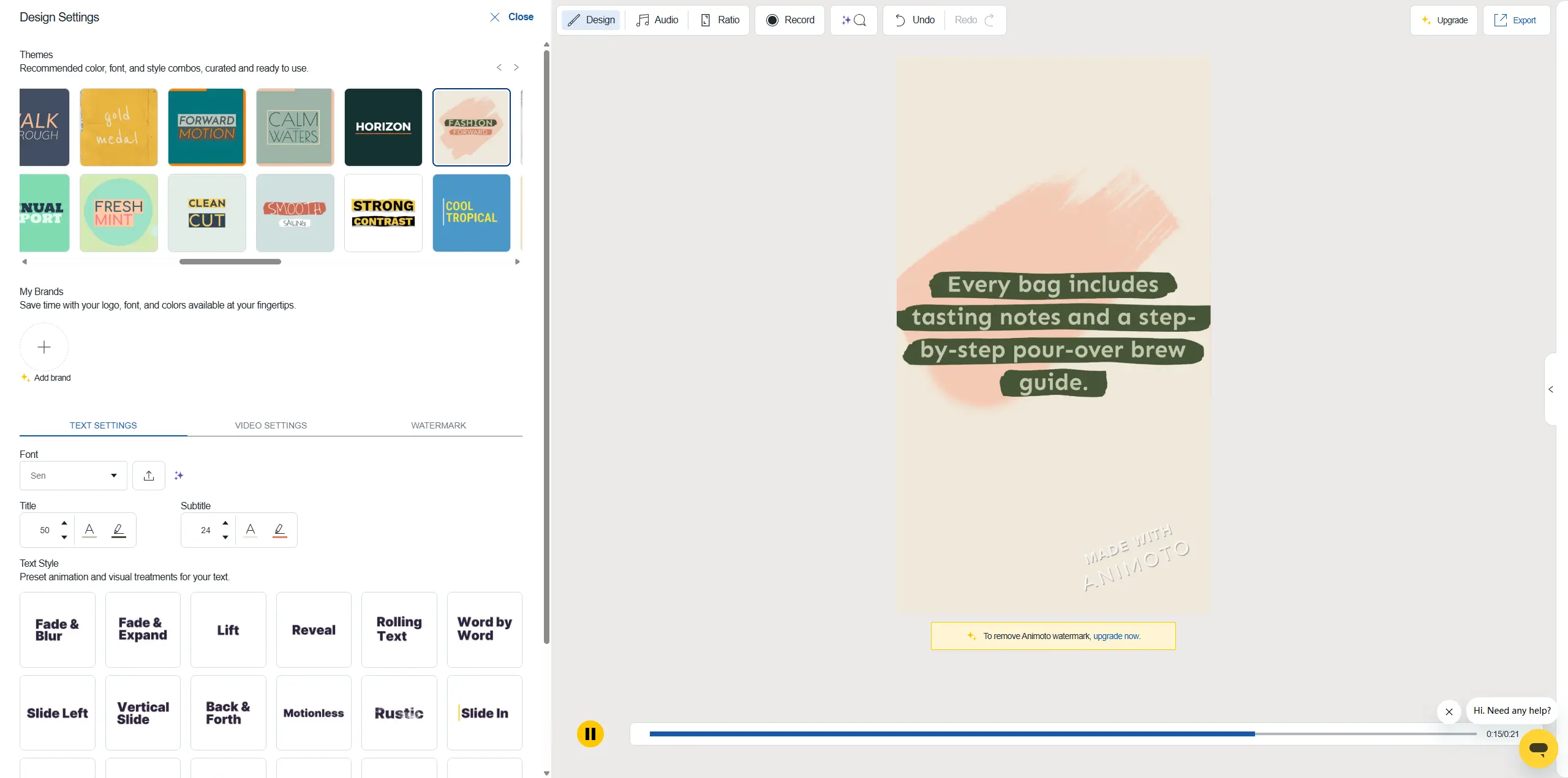
The script it wrote was genuinely fine — tight, on-message, structured into scenes. The auto-matched stock clips were where it wobbled. It gave me generic café B-roll that could've belonged to any brand. Nothing wrong with it, nothing memorable either. I ended up keeping the script skeleton and replacing about half the visuals with my own. So the AI is a decent brief-writer and a mediocre art director. That's a reasonable thing to be, as long as you know it going in. One thing to be clear about: Animoto has no AI image generation at all. If you needed a custom visual — a specific product shot that doesn't exist, a stylized background, an anime-style frame — there's nowhere in Animoto to make one. You're always working from real media you own or license.
Animoto Slideshow Maker: Where It Shines
The other thing people search Animoto for is its slideshow maker, and this is where I think it's genuinely strong. I rebuilt a "artistic photo collection" slideshow from about 55 photos, added a soft instrumental track, and let it pace the images to the music.
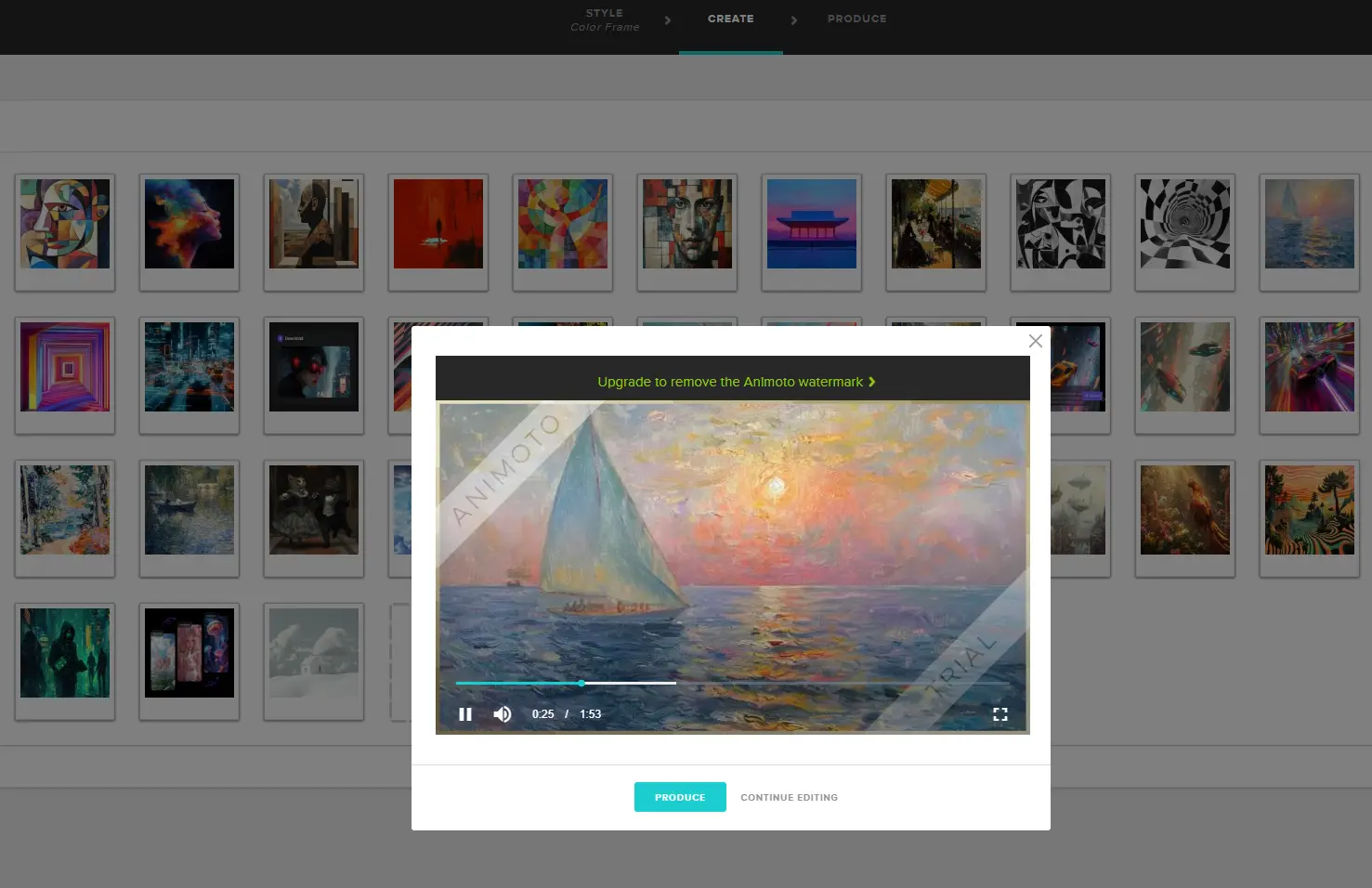
It just worked. The auto-timing to music is the feature that's kept Animoto around for photographers and teachers for years, and I get why. For memory videos, event recaps, and client photo reels, this is the cleanest path I've used. No notes, mostly.
Animoto Ease of Use and Workflow
There's basically no learning curve. If you've used any drag-and-drop design tool, you're productive in ten minutes. Everything lives in the browser, projects save to the cloud, and resizing a finished video for a different platform (square to vertical, say) is one click. The friction shows up when you want more. Layering, fine motion control, precise audio ducking — those aren't really here. Animoto is confident about being simple, and it doesn't apologize for the ceiling. Whether that's freedom or a wall depends entirely on what you're making.
Animoto pricing: is it worth it
Pricing is where a lot of people land first, so let me keep it honest and current. Animoto runs on a free plan plus three paid tiers, and prices shift with annual-versus-monthly billing, so check the official pricing page before you commit — the table below is a snapshot, not a promise.
Plan | Rough monthly price | What you get | Best for |
|---|---|---|---|
Free | $0 | 720p, 50 music tracks, unlimited videos — with an Animoto watermark | Testing only |
Basic | ~$16 | No watermark, 1080p, unlimited downloads | Light users, first real posts |
Professional | ~$29 | Logo/color branding, 3,000 tracks, 1M+ Getty stock, 4K, voice-over | Most businesses |
Professional Plus | ~$79 | Everything, up to 3 users, 100M+ stock, font uploads, resell license | Teams |
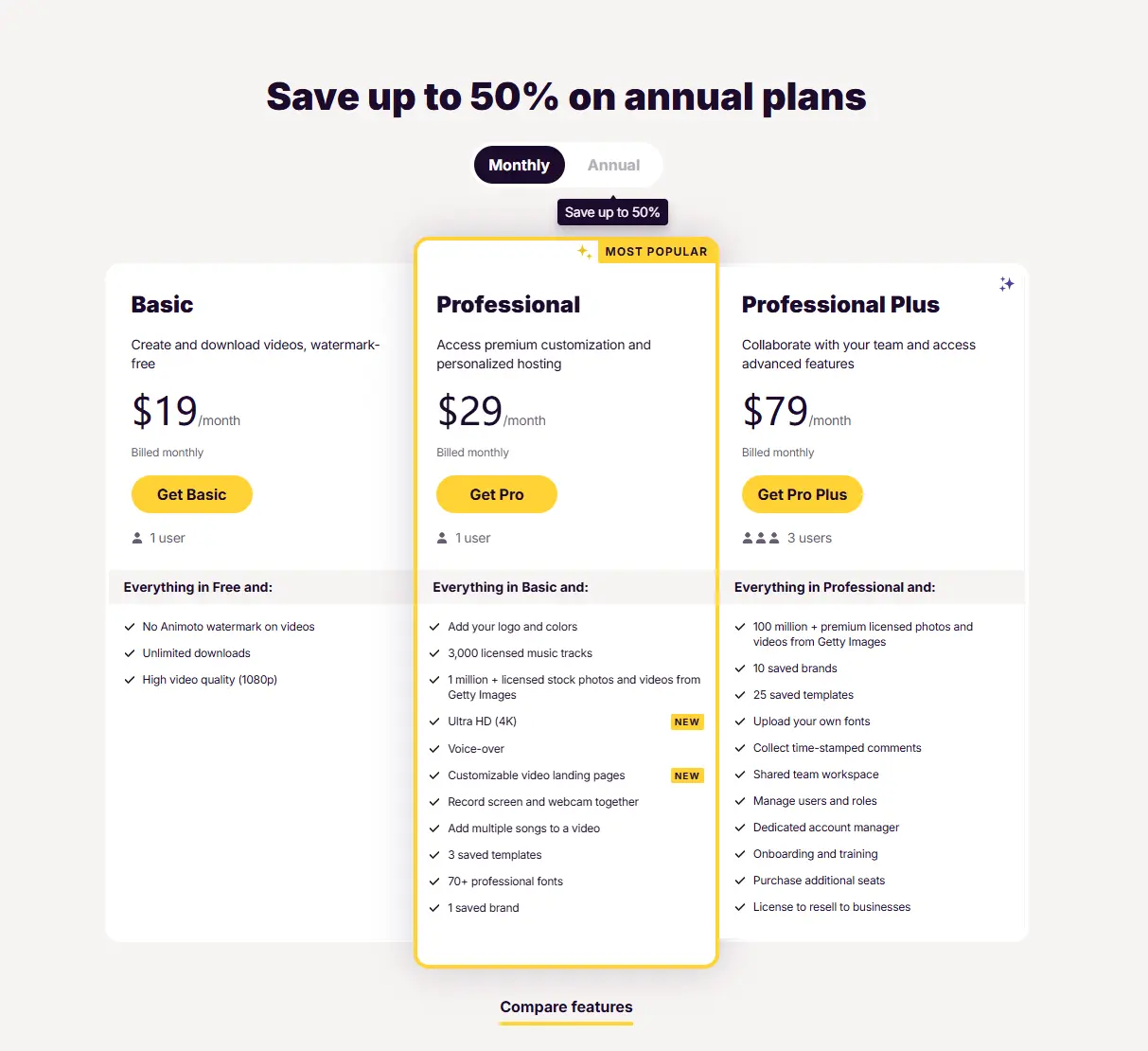
Annual billing knocks a lot off — up to 50%. My honest read: the free plan is for kicking the tires, and the watermark makes it a non-starter for real posts. Light users who need a few watermark-free videos are fine on Basic. If branding and stock media matter, you're really looking at Professional, so budget for that tier when you weigh whether it's worth it.
Animoto Pros and cons, from actually using it
Pros
Fast for simple promos and slideshows — I shipped a usable video in under 15 minutes
Auto-pacing to music is genuinely good for photo slideshows and event recaps
Zero learning curve; you're not fighting the interface
Large licensed stock and music library on higher tiers
Cons
Block-based editing limits precise timing and motion control
The "AI" is a script writer plus stock auto-assembly — no generative footage, no image generation
Free plan's watermark pushes you to paid faster than the pricing table suggests
Templates can start to feel same-y if you make a lot of videos
The Animoto Alternative I'd Try Next: PicLumen
Two weeks in, one gap stood out. Everything I made was assembled from media that already existed — my photos, or Getty's. Perfect when you have the visuals. A dead end when you need one that doesn't exist yet. That gap is what sent me looking for an alternative — not a replacement for Animoto, but a tool for the job it doesn't do. The one I'd point people to is PicLumen, an all-in-one platform combining AI image generation, AI video generation, and community sharing. Where Animoto starts from footage you supply, PicLumen starts from a prompt — you describe a scene, a product concept, an anime-style frame, and it generates the visual, then carries it into AI video. Here's the honest side-by-side:
Animoto | PicLumen | |
|---|---|---|
Core approach | Assemble your own photos/clips into videos | Generate original visuals from a text prompt |
AI image generation | No | Yes |
AI video generation | Template assembly from real/stock media | Prompt- and image-based generation |
Community / inspiration feed | No | Yes, a creator community to browse |
Best-fit users | Marketers, educators, photographers with existing media | Creators, designers, marketers, anime fans making assets from scratch |
Workflow strength | Fast, polished, template-led | Original visuals + motion in one place |
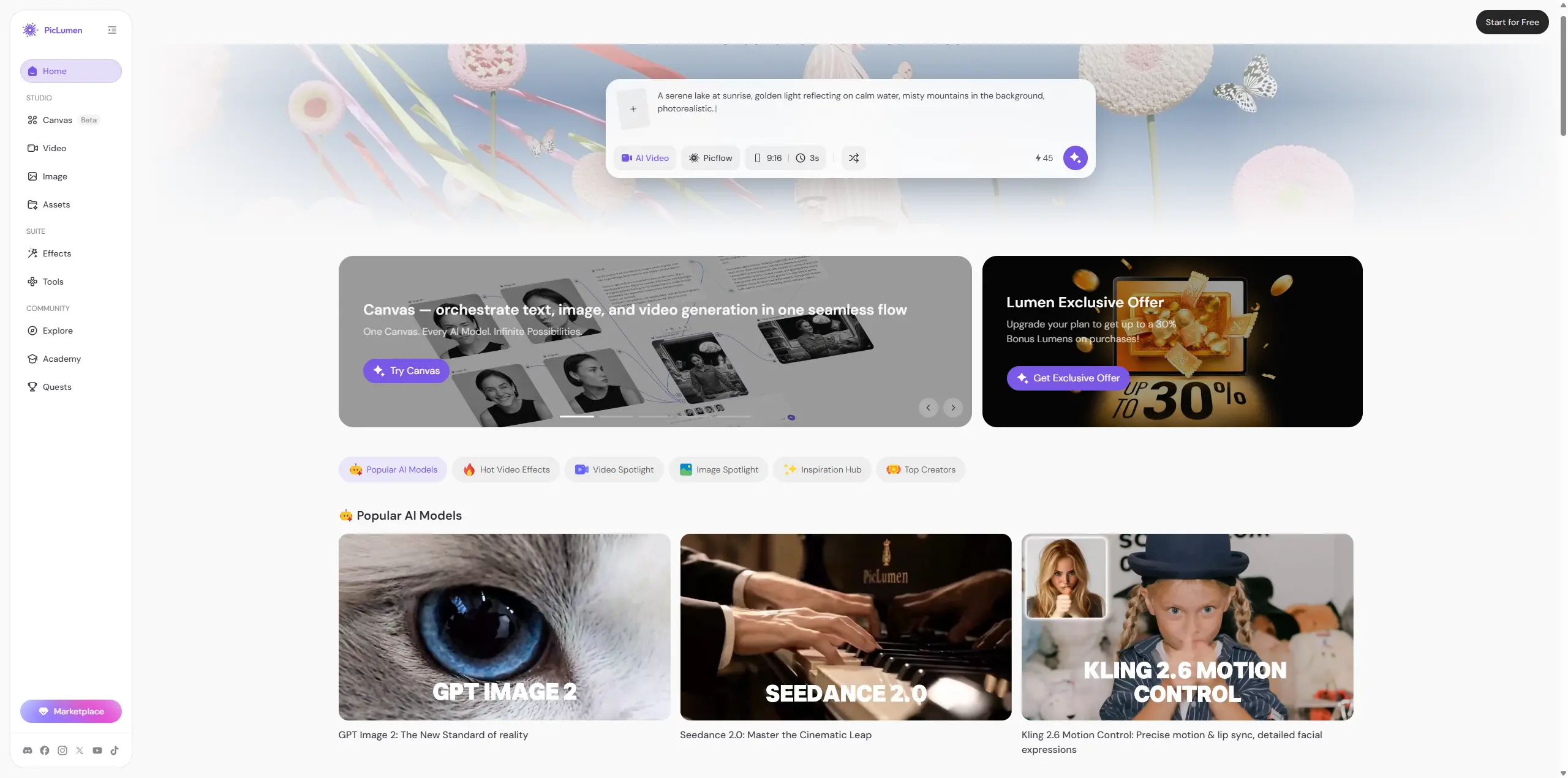
So the two answer different questions. If your job is arranging media you already have, Animoto's template workflow is hard to beat. If it's creating visuals that don't exist yet, that's where an alternative like PicLumen earns its place — and judging the output for yourself costs nothing but a little time.
Who Animoto is for (and who it isn't)
Good fit
small business owners, educators, real estate agents, photographers doing client slideshows, and solo marketers who want branded, polished video without learning an editor. If most of your raw material is photos and clips you already own, this is a comfortable home.
Less good fit
anyone who needs frame-level control, anyone editing long-form YouTube content, and — importantly — anyone whose real need is generating visuals rather than arranging existing ones. If you keep wishing you could conjure a shot that isn't in your folder, Animoto isn't the tool that thought was written for.
Animoto Review: Final Verdict
Animoto does what it's promised to do for nearly two decades: get a non-editor from a pile of photos to a clean, watermark-free video fast. After two weeks, I trust it for slideshows and quick promos, I'd pay for Professional if branding mattered, and I'd tell anyone to test the free plan before deciding. It's not trying to be a generative AI studio, and I respect that it stays in its lane. Just be honest with yourself about which job you're doing. Assembling what you have? Animoto's a good call. Creating what you don't have yet? That's a different tool, and worth exploring before you settle.
FAQ
What is Animoto used for?
It's a browser-based video and slideshow maker. People use it to turn photos, clips, text, and music into polished marketing videos, social posts, event recaps, and photo slideshows — mostly without any editing experience.
Is Animoto free?
There's a free plan with unlimited video creation, but exports carry an Animoto watermark and cap at 720p. To remove the watermark and get 1080p, you need at least the Basic plan.
Does Animoto have a real AI video generator?
It has an AI script generator that also auto-assembles a rough video from stock media and templates. It does not generate original footage or images from a text prompt — it works from real or licensed media.
Is Animoto good for photo slideshows?
Yes. This is one of its strongest features. The auto-timing of photos to music makes it a reliable slideshow maker for memory videos, event recaps, and client galleries.
What's a good Animoto alternative if I need to create visuals, not just arrange them?
If your bottleneck is producing original images or AI video from prompts rather than editing footage you already have, a generative platform like PicLumen fills that gap, since it combines AI image generation, AI video, and a creator community in one place.





