
Free Nano Banana AI Generator (Gemini 2.5 Flash Image)
Effortlessly edit and create images with Nano Banana AI using natural text prompts. Achieve fast, precise, consistent results whether you’re restoring old images, editing objects, transferring styles, or creating 3D visuals, etc.
Hot Video Effects
Turn your photos into fun dance clips, surprising transformations, and shareable moments with trending AI video effects.
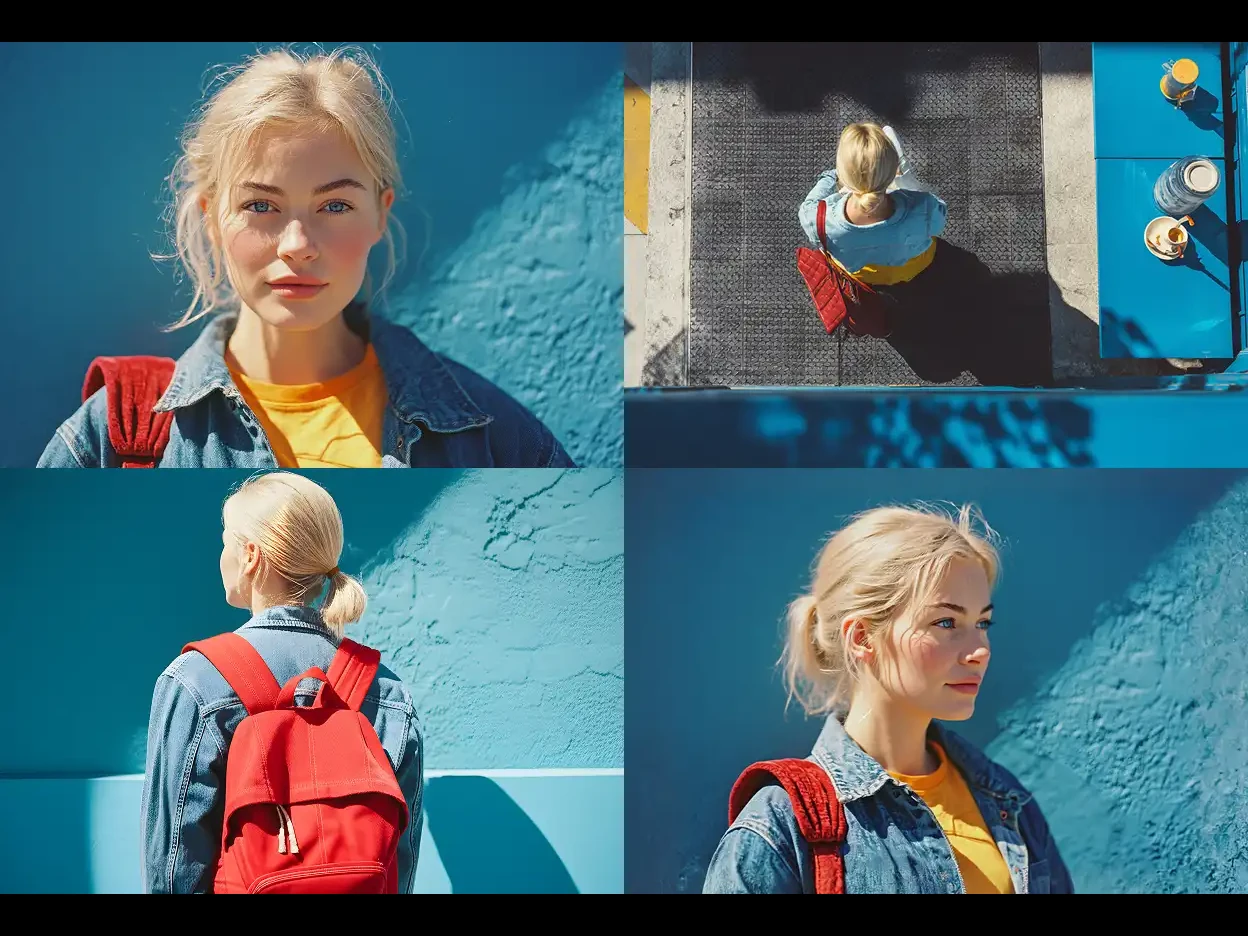
Generate New Perspectives with Novel View Synthesis
Instantly transform a single photo into multiple new angles with Nano Banana's free AI image editor. Powered by cutting-edge novel view synthesis, Nano Banana intelligently understands depth and perspective. Upload a picture and use text prompts instruct Nano Banana AI model, it will generate a consistent three-quarter or side view in seconds.
Add or Remove Objects from Photos Naturally
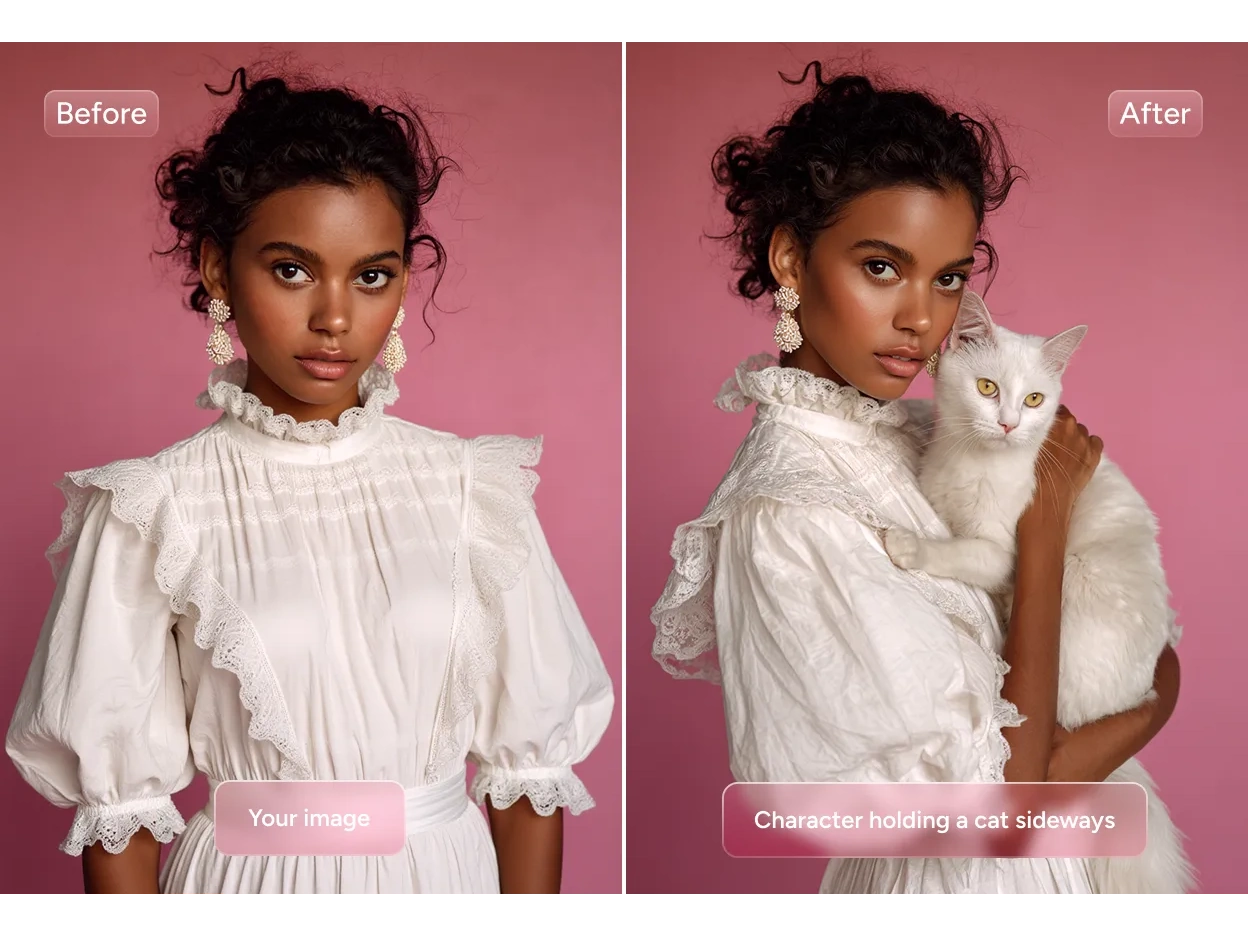
Effortlessly remove unwanted objects or add new ones to your photos with Nano Banana AI image editor. Say goodbye to tedious manual editing. Simply type a quick text prompt, and Nano Banana refines your image with consistent. The AI-generated edits blend seamlessly with the original photo, clear and natural.
Restore & Recolor Old Photos with Clarity
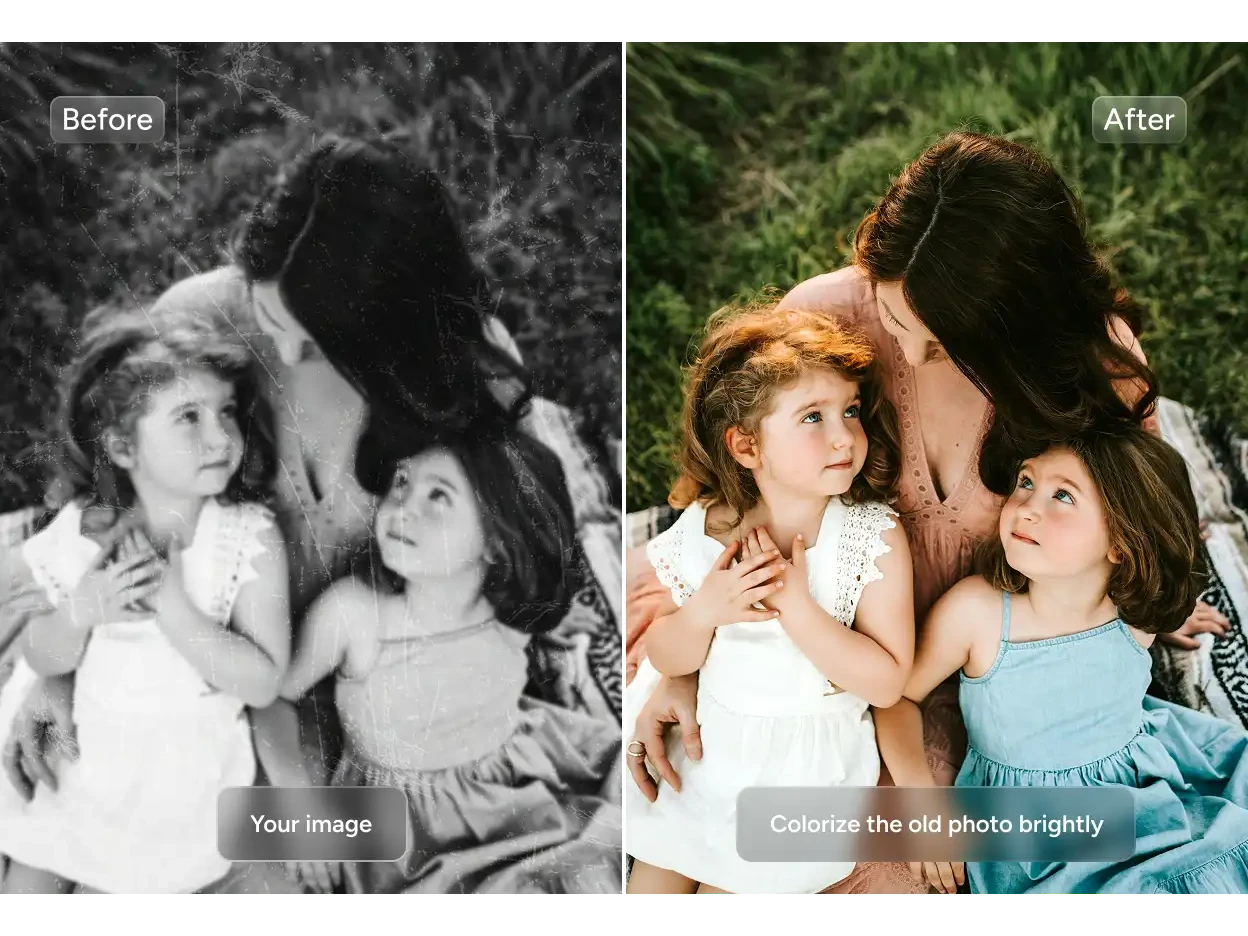
Revive vintage or damaged photos like never before. Nano Banana automatically enhances image quality, removes scratches, and even colorize images with precision. Whether it's family memories or historical archives, Google Nano Banana ensures that every detail is faithfully preserved and beautifully restored.
Edit & Replace Photo Elements with Consistent
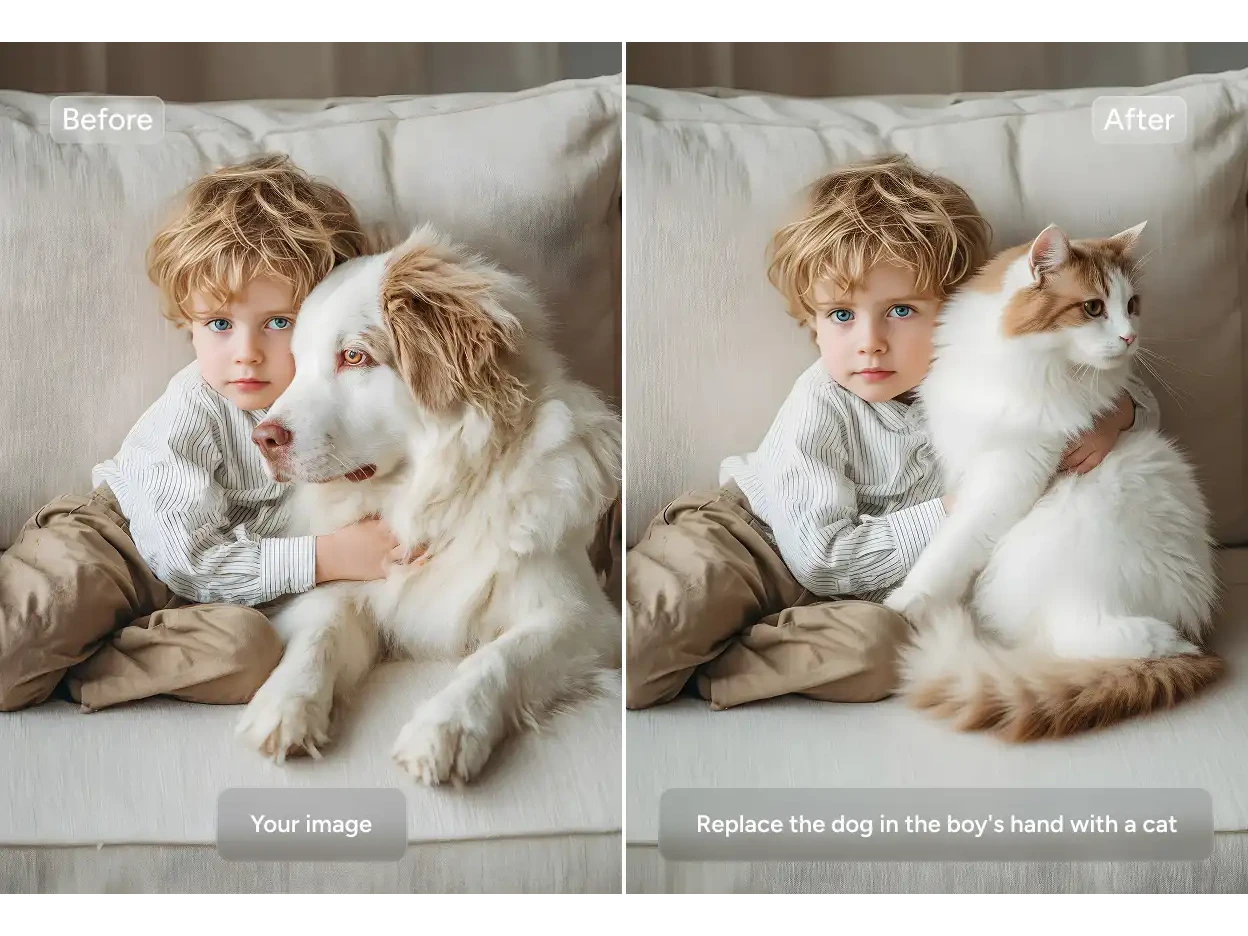
Need to swap out details in your image? Nano Banana AI image editor lets you remove photo background and replace it, update text, or modify individual elements in just a few clicks. The Nano Banan AI ensures smooth integration so that edits look authentic and harmonious, as if they were always part of the original photo.
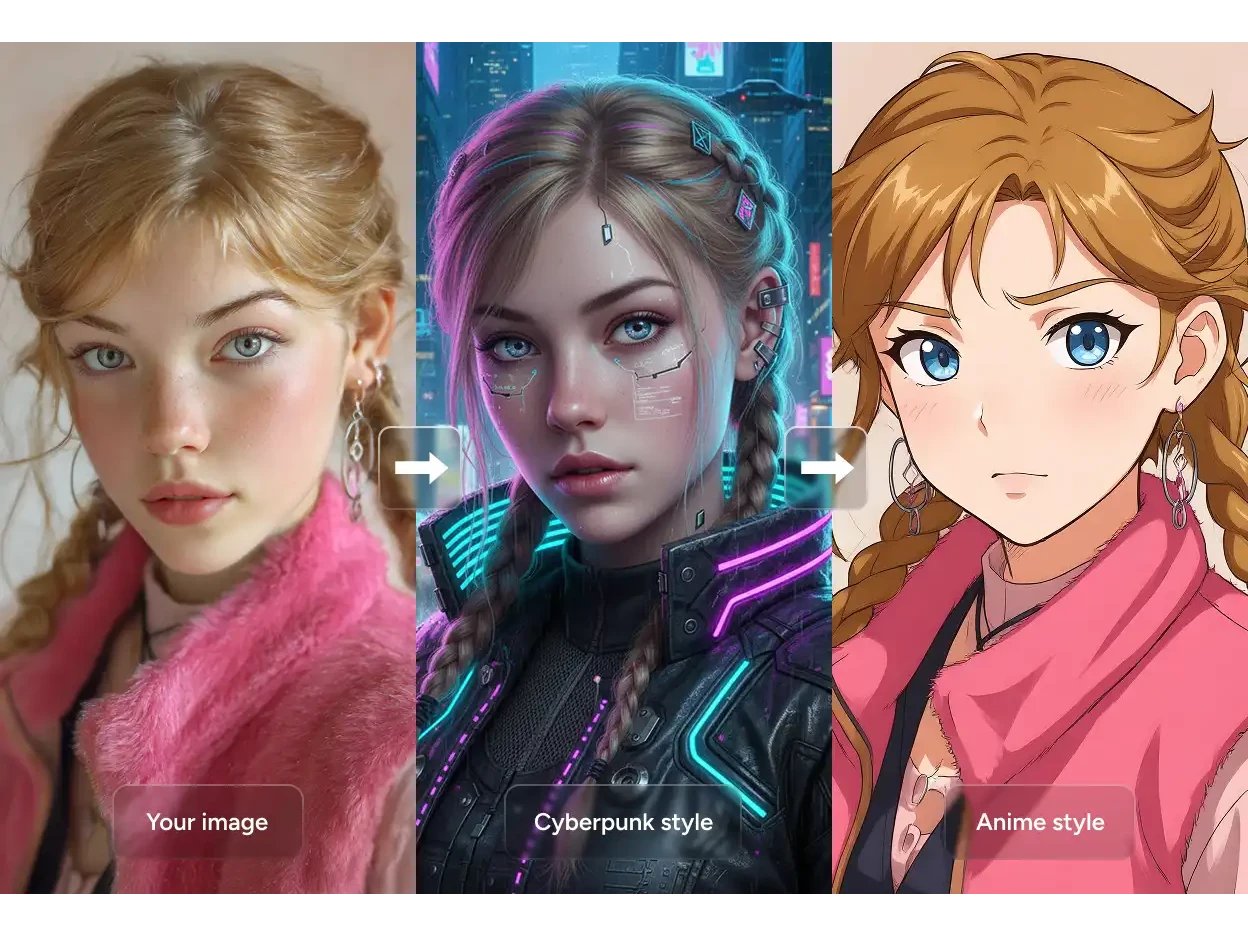
Transform Your Style with Artistic Filters
Explore endless creative filters with Nano Banana AI image editor. From detailed paintings to striking anime or artistic effects, Nano Banana applies visual styles with remarkable precision. Simply describe the desired look, and instantly enhance your photos for creative projects, marketing visuals, or professional content.
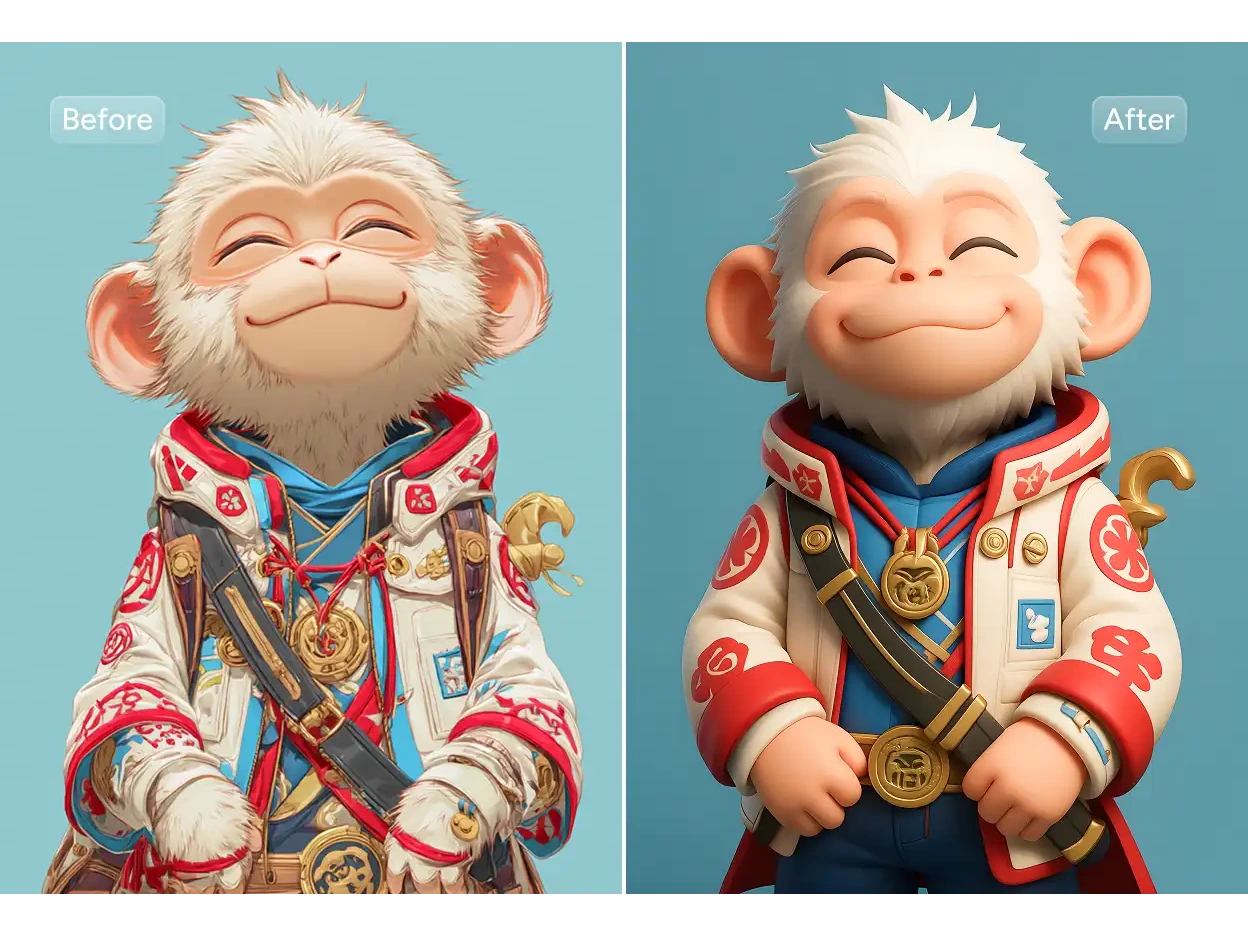
Convert 2D Scenes into 3D-Like Imagery
Turn flat 2D images into immersive 3D scene with Nano Banna AI image editor. The generated 3D views maintain consistency with the original, preserving details like people, object, lighting, depth, textures, and more. Transform ordinary photos into high-impact visuals. Create dynamic characters, polished product shots, and captivating visuals.
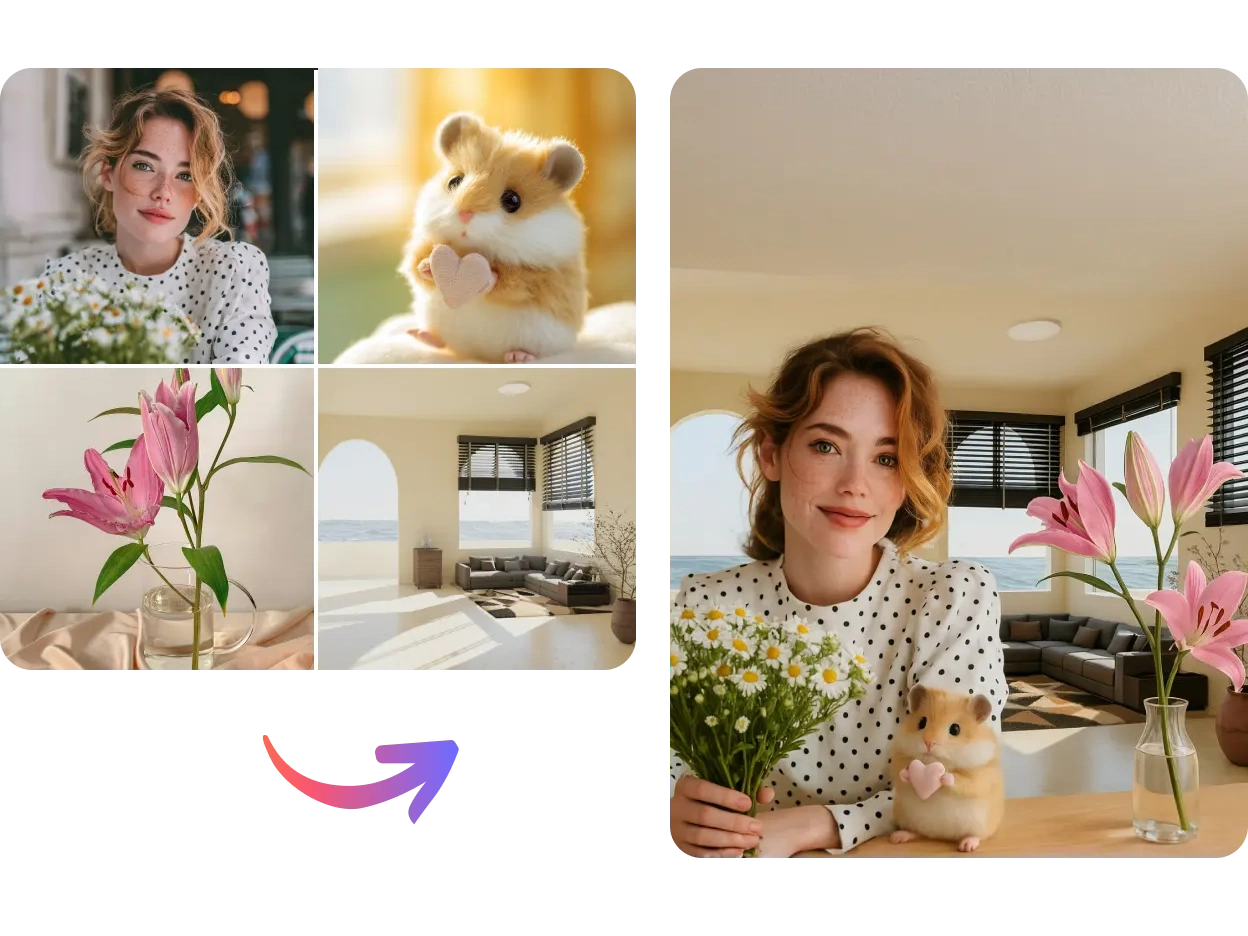
Create Stunning Image Composites with Nano Banana
Combine multiple photos, textures, or elements into one seamless composition with Nano Banana AI image editor. Whether you’re creating polished product shots for e-commerce, imaginative artwork for posters or concept designs, or eye-catching collages for social media, the AI ensures consistent lighting, shadows, and colors, giving your visuals a professional and cohesive look effortlessly.
Key Features of the Nano Banana AI Image Editor

Fast Editing
Nano Banana often responds in just seconds, making image editing feel interactive and immediate.

Prompt Accuracy
Execute multi-step edits using natural language descriptions, it understands complex prompts without masking or manual work.

Visual Consistency
Keep faces, styles, and scenes coherent across edits, maintaining character and style stability.
Nano Banana Prompt Ideas You Can Try
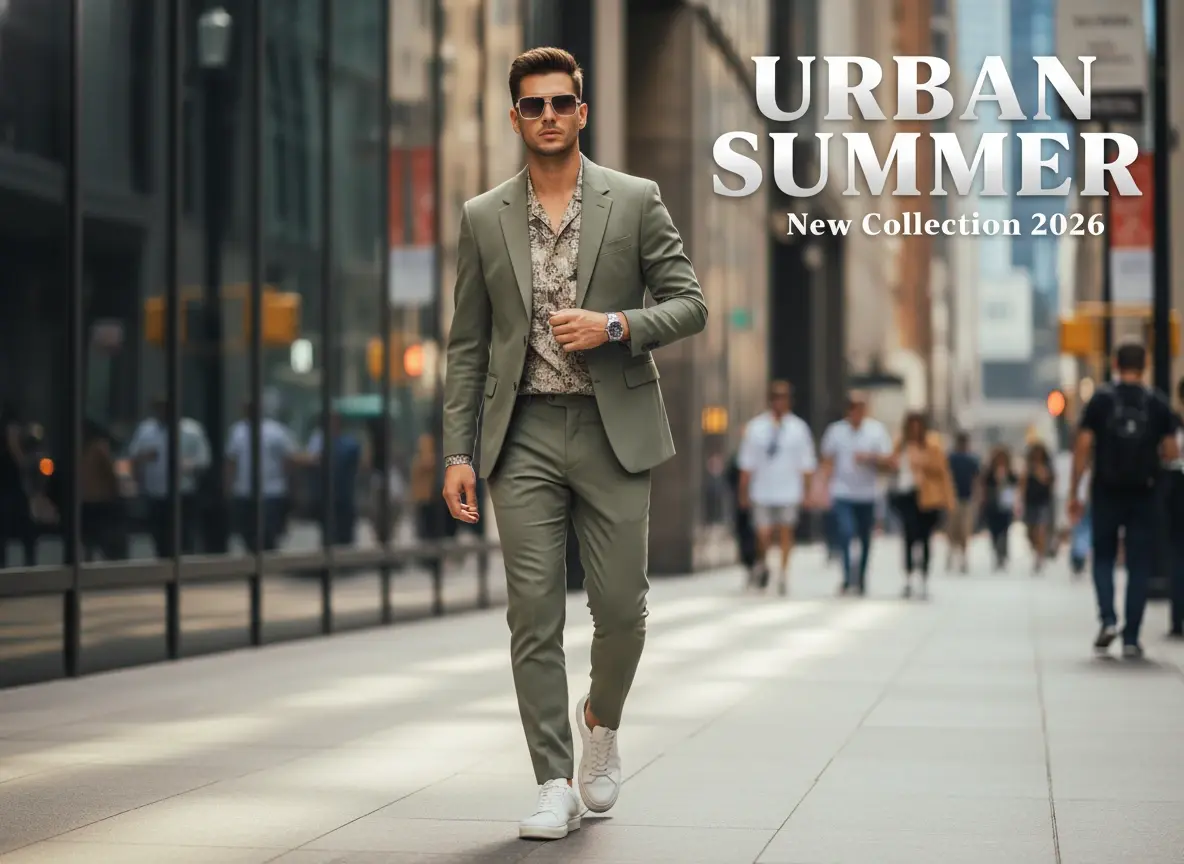
Poster Design Prompt
A modern fashion promo poster featuring a stylish young man walking in the city, clean layout, bold title text "URBAN SUMMER", smaller subtitle "New Collection 2026", editorial style, premium typography, sharp details, balanced composition, high-end advertising look.
Realistic Portrait Prompt
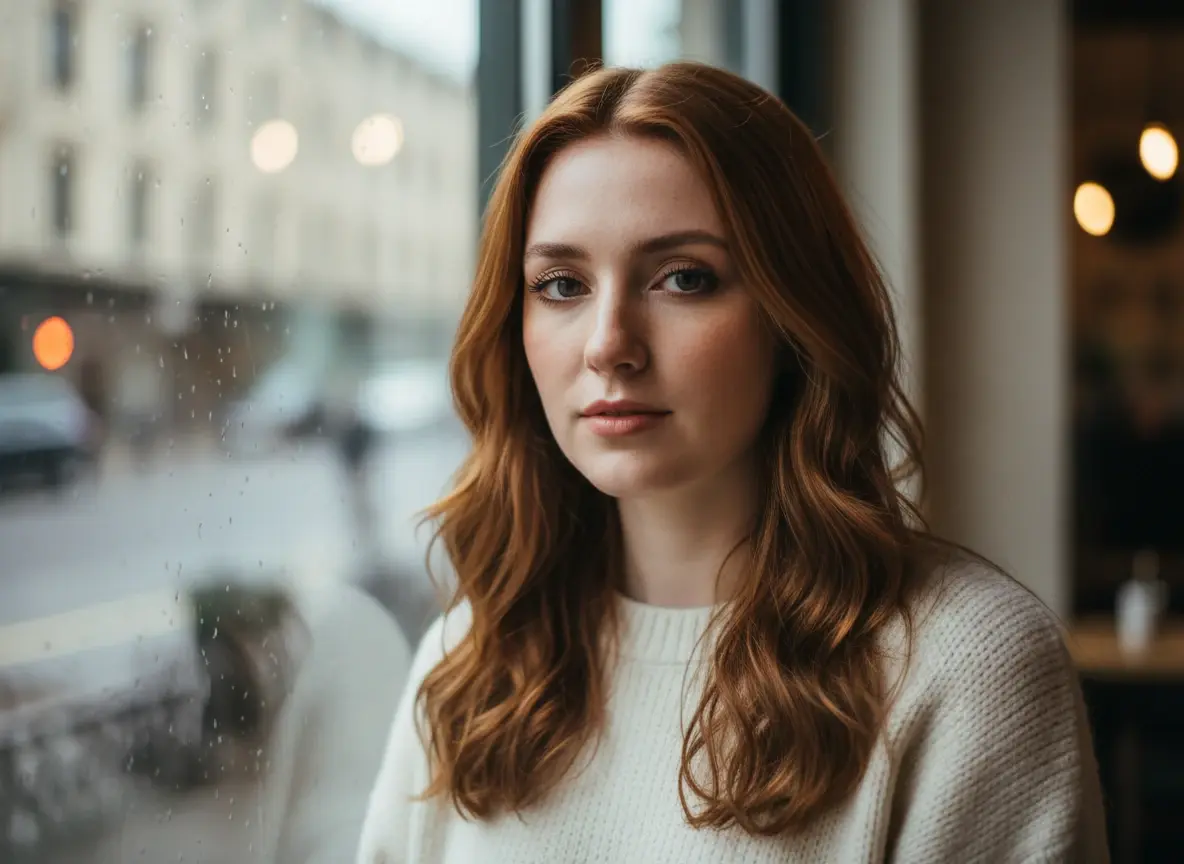
A candid close-up portrait of a young woman standing by a café window, soft natural daylight, realistic skin texture, subtle makeup, loose hair, gentle expression, shallow depth of field, cinematic photography, highly detailed, natural colors.
Creative Fantasy Prompt
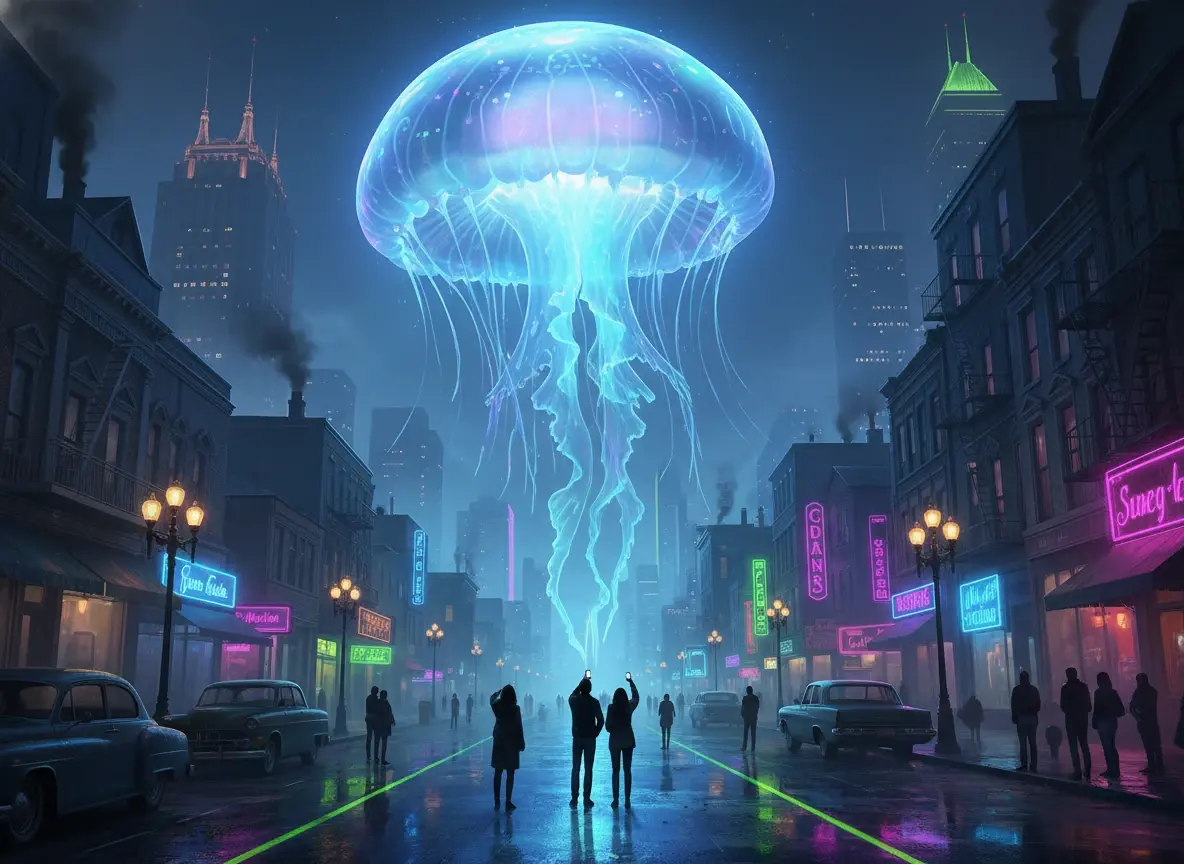
A giant glowing jellyfish floating above a quiet city street at night, dreamy atmosphere, neon reflections on wet pavement, tiny people looking up, surreal yet realistic, cinematic lighting, rich details, magical and immersive.


Loved by Creators Worldwide
Real feedback from designers, marketers, and hobbyists sharing their PicLumen experience on Trustpilot.
chelsiennerThis is my favorite AI Image generator
This is my favorite AI Image generator
My experience
Itis a really good website n really ideal to use theres only one con and that the AIS sometimes create wrong images but that doesnt happen frequently
Scottie GraceVery affordable and high quality
Very affordable and high quality
 Brijesh Chikhaliya
very good
very good , Excellent Experience
Brad the BibliothecaryGreat service with ease of use and…
Great service with ease of use and generous free offerings.
 Pino Calambrogio
Good over other applications
Good over other applications
 Abdul Rafay
Best wishes for the developer
Best wishes for the developer
 Boma Halliday
GREAT QUALITY FOR THE PRICE
GREAT QUALITY FOR THE PRICE. ARGUABLY THE MOST AFFORDABLE IMAGE GENERATION SITE THERE IS WITH THE BEST OPTIONS.
Time Saver for Artist
The refine sketch is the real reason I joined PicLumen. I have shaky hands, and so my sketches are rough, and refining them takes a lot of time and hand cramping.
 Muhammad Hafiz
i rate this app five star
i rate this app five star
 Me May Phim
The new addition of models is excellent.
The new addition of models is excellent.
 Jonathan Bernadino
A great company and an incredible…
A great company and an incredible experience being able to generate my images with the highest quality.
Frequently Asked Questions
What is Nano Banana AI?
Nano Banana AI is a state-of-the-art image generation and editing model from Google, officially known as Gemini 2.5 Flash Image. It enable users to make precise, context-aware edits using simple text prompts. With features like object replacement, style editing, and scene consistency, it delivers professional-grade, reproducible visuals.
How does Nano Banana photo editing AI work?
Nano Banana AI utilizes state-of-the-art AI algorithms to interpret text-based instructions. Users can describe desired changes, such as "replace the text in the image with 'Hello World'," and the AI processes these commands to modify the image accordingly, maintaining scene integrity and character consistency.
Nano Banana vs Flux Kontext AI, which is better?
Both Nano Banana and Flux Kontext AI are powerful AI photo editing tools, each with unique strengths. Nano Banana excels in text-driven edits with a focus on maintaining character consistency across multiple images. Flux Kontext allows for detailed modifications using both text and image inputs, offering flexibility for complex edits. The choice between them depends on your specific editing needs and workflow preferences.