
AI Baby Dance Video Generator – Turn Photos into Dancing Videos
Bring a baby photo to life with AI. Upload a photo, choose an AI video model, and describe the dance you want—from cute and playful steps to energetic K-pop-inspired moves. Create an expressive AI baby dance video in just a few clicks. No keyframes, motion tracking, or professional video editing required.
Hot Video Effects
Turn your photos into fun dance clips, surprising transformations, and shareable moments with trending AI video effects.
Multiple AI Video Models
Choose from supported AI video models such as Kling 3.0, Veo 3.1, and Seedance 2.0 to explore different motion styles and visual results. Each model can interpret your image and movement prompt differently, so trying more than one option can help you find a result that matches the style you want. Whether you are creating a playful AI baby dance video, a funny social clip, or a personalized family video, having multiple models gives you more flexibility to experiment and refine your results.
Turn Photos into Dancing Baby Videos
Transform a still baby or toddler photo into a short animated video with AI image-to-video technology. Your uploaded image provides the visual foundation, while the selected model and prompt guide the subject's movement, expressions, and actions. This makes it possible to turn a photo into a baby dance video without manually creating keyframes or animating each movement. For the best starting point, use a clear image where the baby is easy to see and the main subject is not heavily obstructed.
Create Different Dance Styles with Prompts
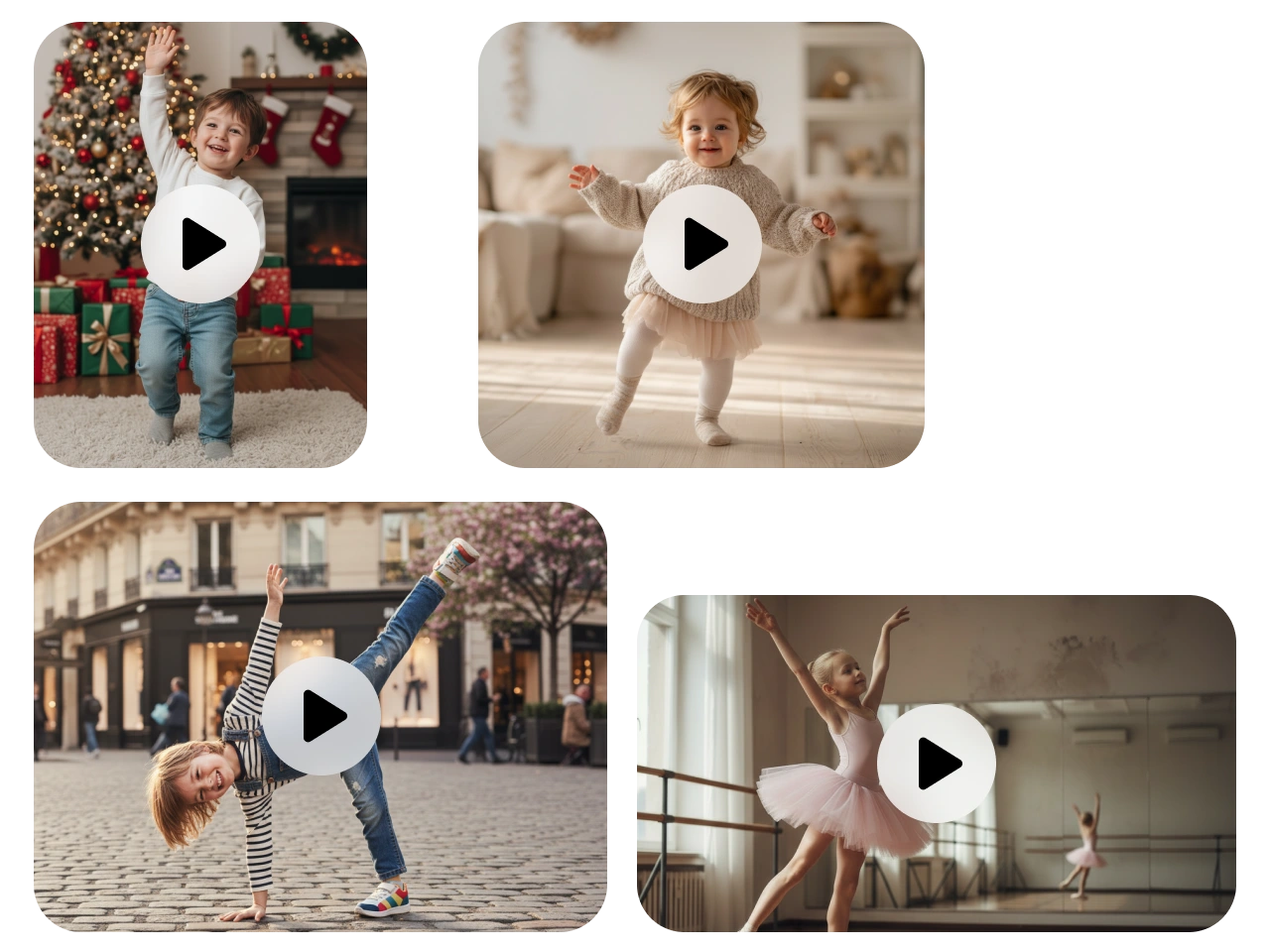
Explore dance-inspired movements such as Kemusan, Slickback, Moonwalk, and Magic Dance to create different types of AI dancing baby videos. Instead of being limited to one preset animation, you can describe the movement you want with a natural-language prompt. Mention the dance steps, body movements, facial expressions, energy, mood, camera perspective, or setting to give the model clearer creative direction. This approach is useful when you want to make a funny dancing baby video, experiment with trending dance styles, or create a more personalized result.
Choose the Right Video Format
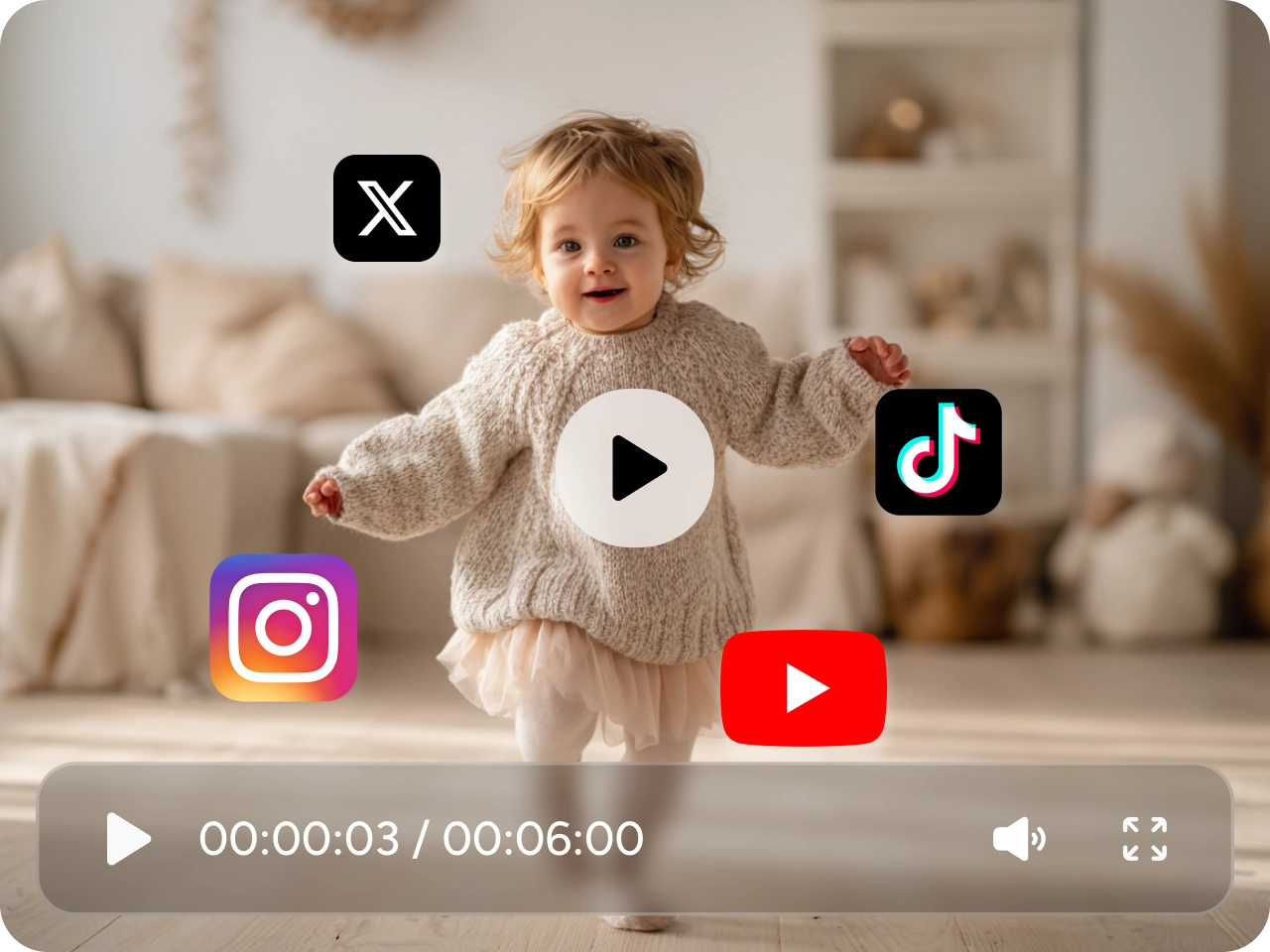
Select an aspect ratio based on how and where you plan to share your baby dance video. 9:16 is generally a good choice for vertical-first platforms such as TikTok, Instagram Reels, and YouTube Shorts, while square or landscape formats may work better for other social posts, websites, presentations, or family videos. Choosing the format before generating your video can help you plan the composition around the intended viewing experience and avoid having to adapt the finished video later.
Creative Ways to Use AI Baby Dance Videos

Funny Social Media Dance Videos
Turn a cute, funny, or grumpy baby photo into an entertaining AI baby dance video for TikTok, Instagram Reels, and YouTube Shorts. Add playful dance moves, funny gestures, or energetic choreography to transform an ordinary photo into a short dancing baby video that is easy to share with friends and followers.

Personalized Birthday and Celebration Videos
Create a memorable dancing baby birthday video for birthdays, family gatherings, holidays, and other special occasions. Start with a favorite baby or toddler photo, then use an image to video prompt to add cheerful movements and expressive actions for a personalized surprise that feels more creative than a traditional greeting card.

AI Character and Avatar Dance Videos
A baby dance video does not have to start with a real baby photo. You can also animate cartoon characters, illustrations, 3D avatars, and AI generated characters with expressive dance movements. This makes the tool useful for creators who want to make AI dancing character videos, short form content, or visual hooks for social media.

Family Fun and Childhood Memories
Give an old childhood photo a playful new life by turning it into a short AI dancing baby video. Try different dance styles, movements, and prompts to create funny family content, nostalgic clips, or unexpected surprises that you can share with parents, relatives, and friends.
Why Create AI Baby Dance Videos with PicLumen
Create more than a standard template-based baby dance video with PicLumen. Turn your own ideas and images into personalized AI videos, explore different creative directions, and experiment with results that go beyond a single preset effect. Whether you're making a funny dancing baby video, a memorable family clip, or creative social content, PicLumen gives you more room to shape the final result around your idea.
One Idea, More Ways to Create
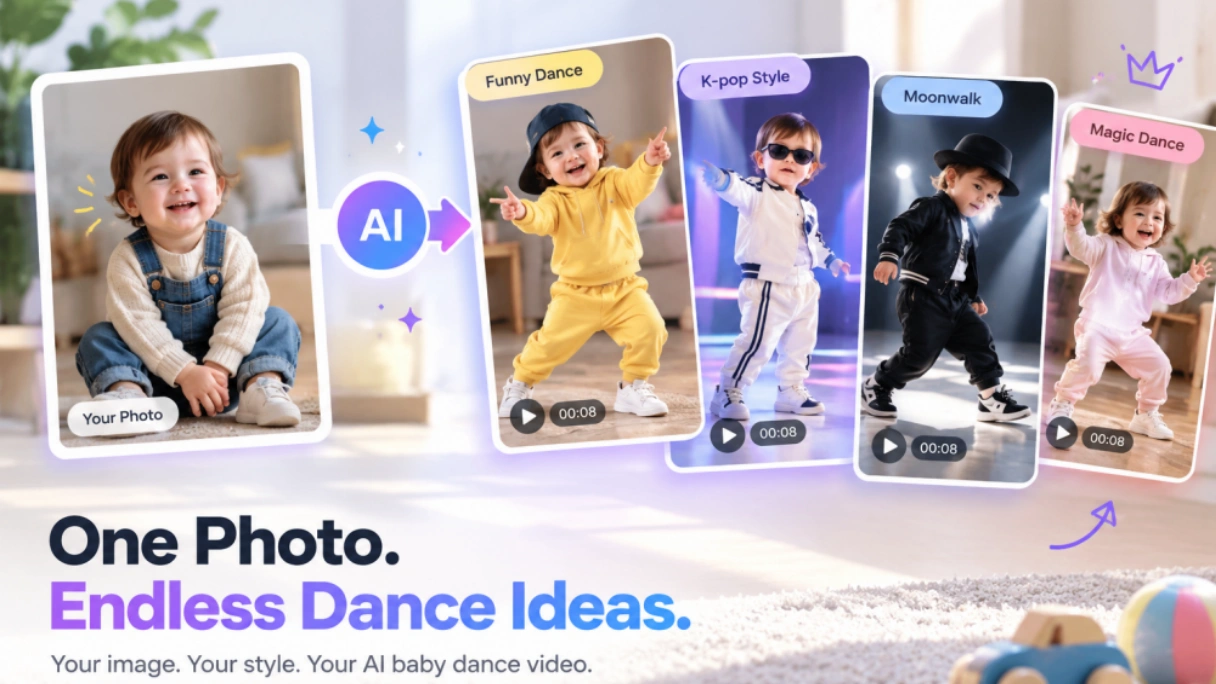
A baby dance video does not have to look like everyone else's. Instead of starting from a single predefined choreography, PicLumen gives you a broader creative starting point for turning one idea into different visual results. You can explore playful, funny, energetic, or more stylized interpretations of the same baby photo, making it easier to create content that feels personal rather than like another copy of a popular template.
Compare Creative Directions Without Switching Tools
Finding the right result often takes more than one attempt. Different AI video models can interpret the same image and creative idea in different ways, but testing them separately can make the process slow and fragmented. PicLumen brings supported video models into one workflow, so you can compare different creative directions while working from the same source image and concept instead of moving between multiple AI video platforms.
Build More Than a One-Off Trend Video
A trending dance can be fun, but the same creative workflow can be used for much more than a viral clip. A single image can become a birthday surprise, family memory, social media post, character video, or creative experiment. This makes PicLumen useful when you want to keep developing an idea beyond one AI baby dance video and turn existing visual assets into different types of short-form content.
Create, Compare, and Keep the Version You Like
AI video generation is often about finding the version that best matches your idea rather than expecting the first result to be perfect. Generate different takes, compare the movement and overall look, then keep the version that works best for your project. This gives creators a practical way to explore an AI dancing baby video from different creative angles while keeping the process flexible and easy to iterate.
How to Make Baby Dance AI Videos for Fun
1 Upload a Clear Baby Photo
1Start with a clear, high-quality photo where the baby or toddler is easy to see. Images with good lighting, a visible subject, and minimal obstruction generally give the AI a better visual starting point for generating a dancing baby video. For full-body dance movements, choose a photo where more of the subject is visible so the intended actions are easier to describe.
2 Choose an AI Video Model
2Select a supported AI video model based on the type of motion and visual style you want to create. Different models may produce different results, so experimenting with more than one option can help you find the look that works best for your baby dance video.
3 Describe the Dance with a Clear Prompt
3Tell the AI what you want the subject to do using simple, specific action prompts. Describe the dance moves, facial expressions, energy, mood, and setting rather than simply writing “make the baby dance.”
4 Generate, Download and Share
4Generate your video and review the movement, expressions, and overall consistency. If the result isn't quite right, adjust the prompt, try a different dance style, or experiment with another supported model and generate another version. Once you're happy with your AI baby dance video, download it and share it on TikTok, Instagram Reels, YouTube Shorts, or with friends and family.


Loved by Creators Worldwide
Real feedback from designers, marketers, and hobbyists sharing their PicLumen experience on Trustpilot.
J. BlaineRegular PicLumen user experience
I've been using PicLumen since late summer 2024 and I've generated several thousand images, mostly image-to-image. There were 2 minor technical glitches in that period of time. In the first one, my library didn't load but after logging out and logging in again later that day I found my library back. The second glitch- the remixing and outpainting stopped working. I contacted the support team and the issue was fixed the next day. I also requested PicLumen to provide a PayPal payment method when they switched to subscription - and they listened and responded to my request. I appreciate their responsiveness and customer service. In my communication with their support team, I found them professional and polite. My general impression is that this is a dynamic and collaborative team that is worth supporting!
A New TV Episodes Of Ninja Sweetie On…
A New TV Episodes Of Ninja Sweetie On Paramount+
Brijesh Chikhaliyavery good
very good , Excellent Experience
 Menu Lawrence
Very fantastic app
Very fantastic app. I love it. I will like everyone to use this App
It’s way easier to use then these other…
It’s way easier to use then these other apps
 Pino Calambrogio
Good over other applications
Good over other applications
 TN Akash YT
Valo App
Valo App Ai Video Er Jonno
Really cool and very easy to use
Really cool and very easy to use
Samaneh Habibiuseful
useful. great for graphists
 Muhammad Hafiz
i rate this app five star
i rate this app five star
 Yasmen Mohsen
Love it
Love it ,, coool ,, amazing
 PrintWiz Designs
All in one platform
I love it as it become more sn all in one platform , great generations, high value , generous free plan ....
Frequently Asked Questions About AI Baby Dance Videos
What is an AI baby dance video generator?
An AI baby dance video generator uses image-to-video technology to turn a still baby or toddler photo into a short animated video. By combining an uploaded image with a dance-focused prompt, you can create playful movements, facial expressions, and choreography without manually editing or animating every frame. This makes it an easy way to create an AI dancing baby video from a photo for social media, family sharing, or creative projects.
Can I turn a photo into a baby dance video?
Yes. You can turn a photo into a baby dance video by uploading a clear image, selecting an AI video model, and describing the movement you want. For better results, use a photo where the baby is clearly visible and write a specific prompt that explains the dance style, body movement, expression, and overall mood. You can then generate different versions until you find a result you like.
How do I make a baby dance video with AI?
To make a baby dance video with AI, start by uploading a suitable baby or toddler photo. Choose an AI video model, describe the dance moves and expressions with a clear prompt, then generate and review the result. If the movement is not what you expected, refine the prompt or try another supported model or dance style. This workflow is useful for anyone searching for how to make an AI dancing baby video from a photo.
What is the best aspect ratio for TikTok, Reels, and Shorts?
For an AI baby dance video made for TikTok, Instagram Reels, or YouTube Shorts, 9:16 is generally the best format because these platforms are designed around vertical video. Choosing the aspect ratio before generation can help you create content that fits the intended viewing experience. For family videos, websites, or other social posts, you can choose a different format when a wider or square composition works better.
Does PicLumen have a dedicated Baby Dance template?
PicLumen may not offer a dedicated Baby Dance template, but you can create a similar result using its image-to-video workflow. Upload a baby photo, choose a supported AI video model such as Kling 3.0, Veo 3.1, or Seedance 2.0, and use a prompt describing the dance movement you want. You can also experiment with dance-inspired effects and different prompts to create your own AI baby dance video.
Is PicLumen's AI baby dance video generator free?
PicLumen's availability and generation limits can depend on the current plan, credits, and features available in the generation interface. If you want to make a baby dance video for free, check the current generation options and available credits before starting. Free availability may change over time, so the generation interface is the best place to confirm the latest limits and options.