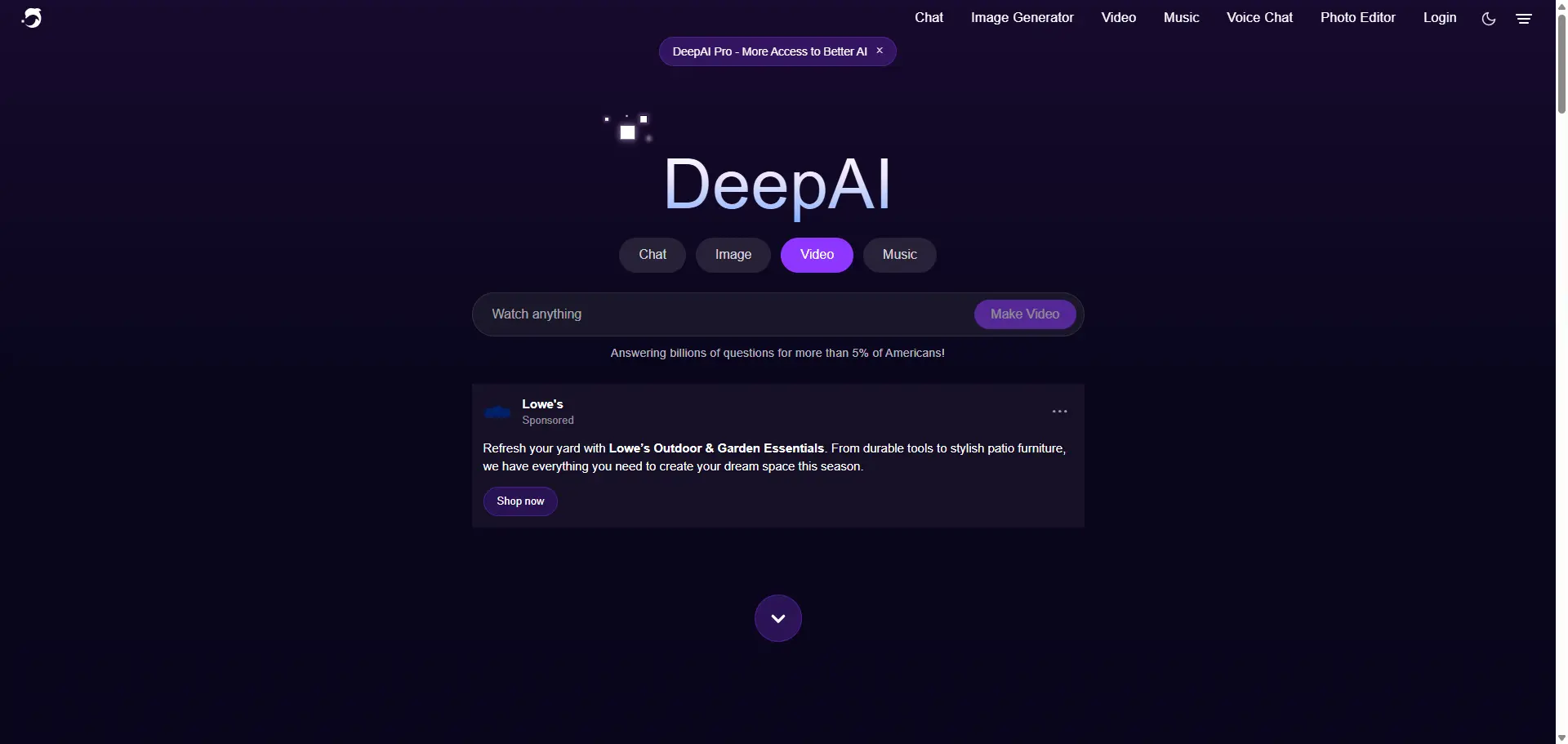
DeepAI has been around for a long time, but I had not used it seriously until recently. I always thought of it as a simple AI image generator — the kind of tool you open for a quick experiment and then forget about. But when I checked it again in 2026, it was clearly trying to be more than that. DeepAI now includes AI chat, image generation, video generation, music, photo editing, voice chat, and API access. That sounds convenient, but it also made me wonder: is DeepAI actually useful for creators, or is it just a broad AI toolbox with a lot of average features? So I tested it from a practical creator's point of view. I used it for image ideas, short video tests, simple edits, and pricing checks. My feeling after testing it is mixed, but not negative. DeepAI is easy to use, cheap to start, and good for fast experiments. I would use it for rough concepts, casual visual ideas, and short AI tests. But if I needed polished image-and-video content for social media, a brand project, or repeatable creative work, I would not rely on DeepAI alone.
Quick Verdict
DeepAI is best for people who want a simple AI playground. It does a lot in one place, and the learning curve is low. But it does not feel like a specialist creative platform. The image generator is fine for quick concepts. The video generator is interesting, but the included Pro video allowance is limited. The editing tools are useful for small changes, but I would not expect them to replace a proper visual workflow.
My short take:
DeepAI is good for trying ideas.
DeepAI is less convincing for finished creative production.
How I Tested DeepAI
I did not want this DeepAI review to be just another feature list. So I tested it with simple tasks that creators actually use AI tools for. Here is what I checked:
Test Area | What I Tried |
|---|---|
AI image generation | Blog header, product-style image, simple visual concept |
AI video generation | Text-to-video and image-to-video short clips |
AI photo editing | Small prompt-based edits |
Pricing | DeepAI Pro limits, especially image and video usage |
Workflow | Whether the tool feels good for repeated creative wo |
I paid attention to five things: prompt accuracy, image quality, motion stability, editing control, and whether the result felt usable without too much cleanup.
DeepAI Image Generator Review
The DeepAI image generator is very easy to start with. You enter a prompt, choose a mode or style, and generate. That simplicity is nice. I did not feel like I had to study the interface before getting my first result. For my first image test, I used a practical blog-cover prompt:
Prompt I used:
A cinematic blog header image showing a compact AI creative workspace, one laptop screen with abstract image-generation previews, warm desk lighting, shallow depth of field, clean editorial composition, no readable text.
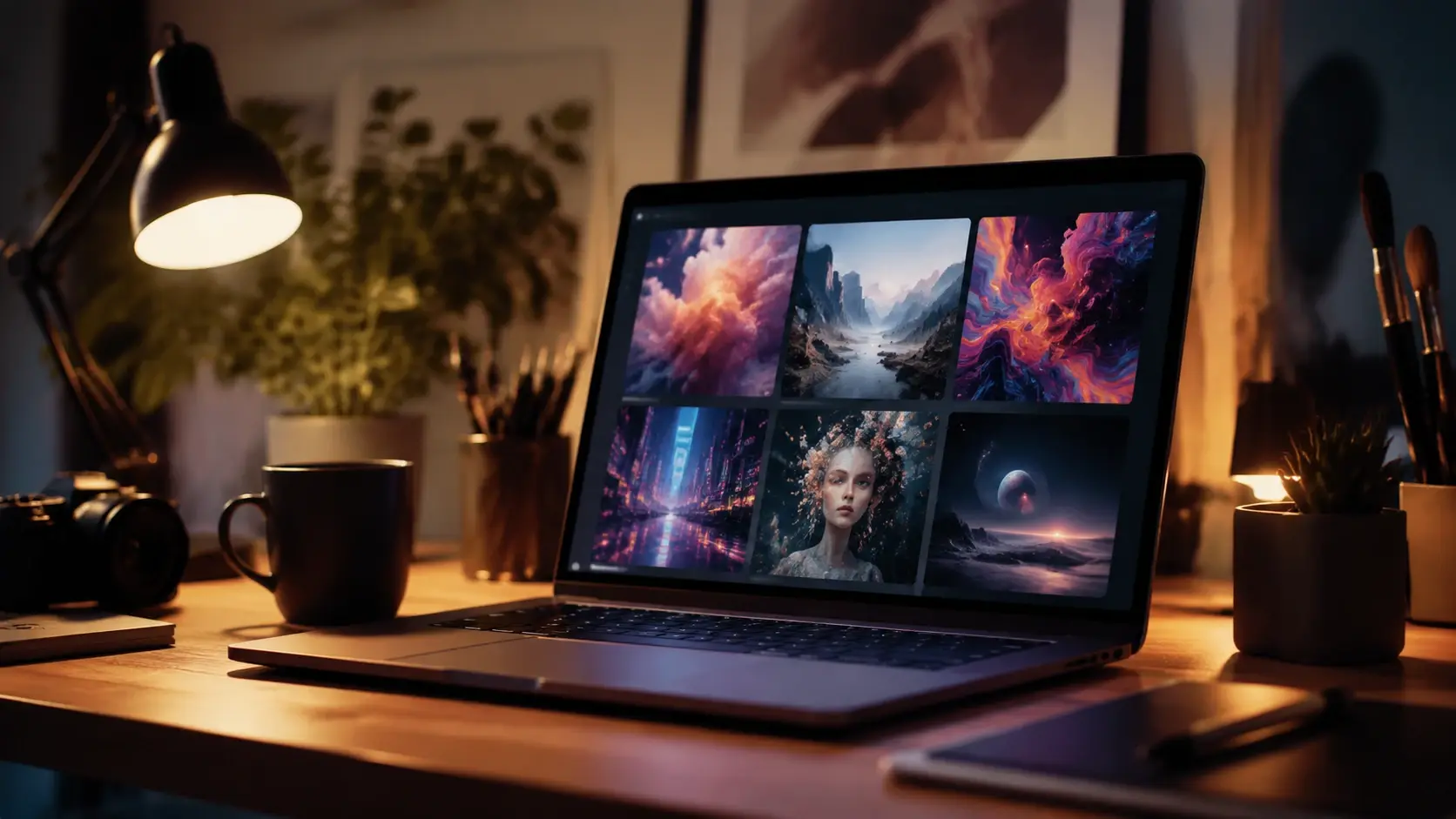
I used this prompt because it is not too fantasy-heavy. A good AI image generator should be able to handle layout, lighting, object placement, and a clean composition without turning everything into a generic neon sci-fi poster. The result was decent. The mood was clear, the lighting looked warm, and the image worked as an early visual direction. But when I looked closer, the small details were not perfect. The laptop screen, desk objects, and some edges looked a bit soft. That is where DeepAI makes sense to me: quick ideas, not final assets.
My Product Image Test
For the second image test, I tried something closer to a product visual. Prompt I used:A matte black skincare bottle on wet stone, soft morning light, subtle water droplets, premium editorial product photography, realistic shadows, shallow depth of field.
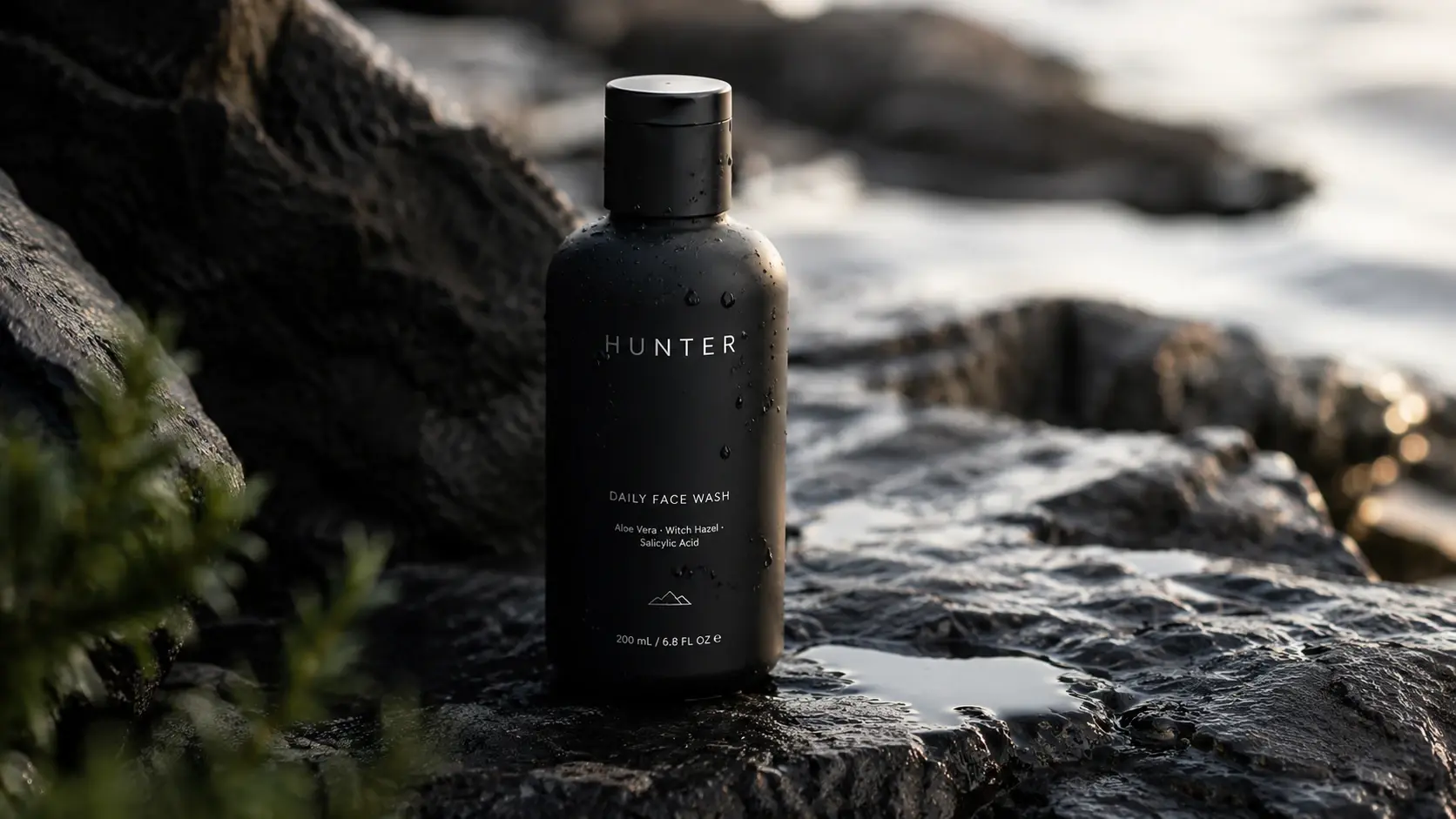
This kind of prompt is useful because product images expose AI weaknesses quickly. The bottle needs to keep its shape. The lighting needs to look controlled. Reflections and water droplets should not turn into random noise. DeepAI gave me a usable concept, but I would not use the first output directly for a product page. The overall mood was okay, but the product shape and label area needed checking. If I were preparing a real campaign, I would generate several versions and edit the strongest one. So my opinion is simple: DeepAI can help you get a product-style idea quickly, but it is not something I would fully trust for polished commercial visuals without review.
DeepAI Photo Editor Review
DeepAI also has prompt-based photo editing tools. I tried it with a basic instruction, because simple edits are often the best way to see if an editor understands what you want. Instruction I tested:Change the background to a soft beige studio wall and keep the main product unchanged.

The result was partly successful. It understood the general direction, but it was not precise enough for delicate editing. The background changed, but I would still check the product edges carefully. That is usually the issue with AI editors. They can make fast changes, but they may also alter parts of the image you wanted to keep untouched. For quick cleanup or rough visual exploration, DeepAI’s photo editor is useful. For precise brand work, I would still prefer a tool with better control.
DeepAI Video Generator Review
The video generator is the part I was most curious about. DeepAI supports short AI video generation from prompts or images. I tested it with a short product-style prompt because product motion is a good way to check stability. Prompt I used:A slow push-in shot of a matte black skincare bottle on wet stone, soft morning light, subtle water droplets, stable product shape, realistic shadows, 4 seconds.
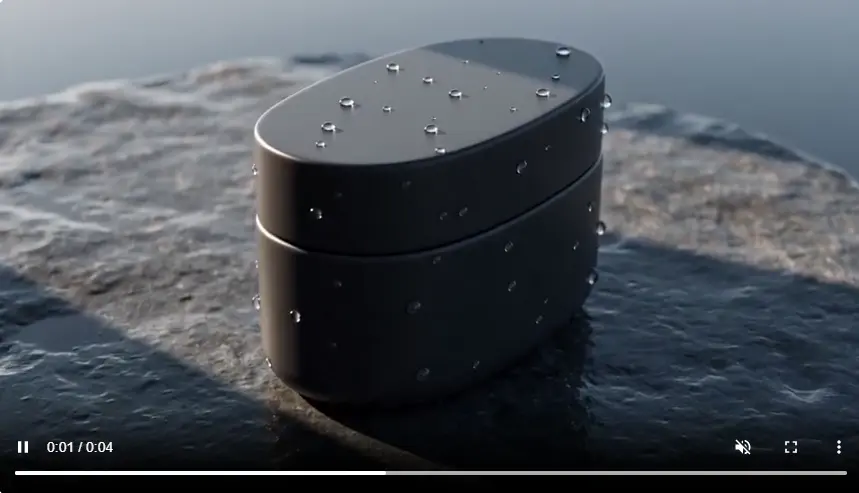
I kept the prompt short on purpose. With AI video, longer clips often reveal more problems: flickering edges, unstable shapes, strange movement, or subjects changing from frame to frame. The result was usable as a motion draft. The camera movement had the right idea, and the mood was close to what I wanted. But I would not call it production-ready. The product shape and reflections still needed careful checking. That is my main feeling about DeepAI video: good for testing motion ideas, not necessarily strong enough for final creative output.
DeepAI Image-to-Video Test
I also tried the image-to-video workflow because I usually find image-to-video more reliable than text-to-video. When the AI starts from a still image, it has less to invent. For this test, I used the product image from the earlier image generator test and gave it a simple motion prompt. Prompt I used:Add a slow cinematic camera push-in, soft moving light, subtle water movement, keep the product shape stable, no text changes.
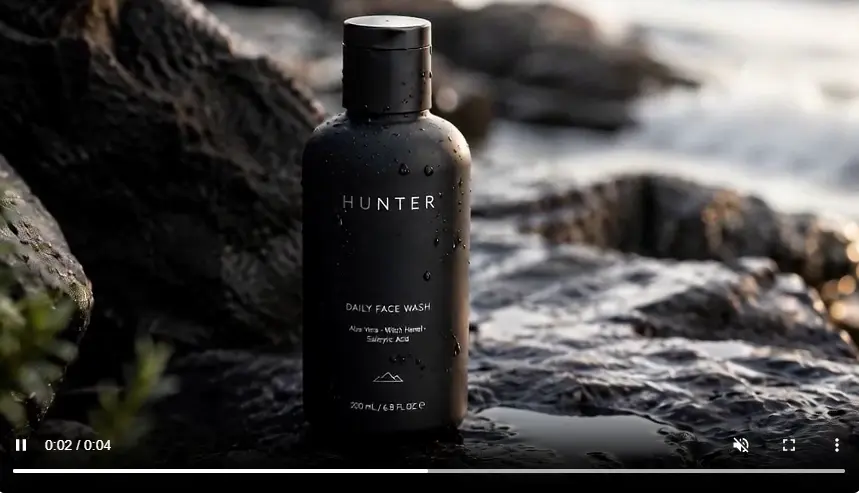
This worked better than starting from text only. The scene had a clearer anchor, and the motion felt more controlled. Still, I would not over-prompt it. The more movement I asked for, the easier it was for the subject to drift. If I used DeepAI for video, this is probably how I would use it: generate or upload a strong still image first, then animate it with very simple motion.
DeepAI Pricing: Cheap, But Watch the Video Limit
DeepAI Pro costs $9.99 per month or $89.99 per year. On paper, that is affordable. The Pro plan includes monthly allowances for AI images, chat, video, music, Genius images, and Super Genius 2K images. The part I paid the most attention to was video. DeepAI Pro includes 25 seconds of standard AI video per month and 1 Hollywood Mode video. Extra standard video costs $0.20 per second, and extra Hollywood Mode videos cost $2.50 each. That does not make DeepAI expensive. But it changes how I would use it. If I only need a few short video tests, the allowance is fine. But if I make five 8-second drafts for one social post idea, I have already gone beyond the included standard video seconds. So I would treat DeepAI video as a test area, not a place where I generate dozens of drafts without thinking about usage.
What I Liked About DeepAI
DeepAI has a few clear strengths. First, it is easy to use. The interface is not intimidating, and the tools are simple to access. Second, the price is low compared with many AI creative platforms. Third, it covers many use cases. You can test images, videos, chat, music, and editing tools in one place. Fourth, the API access is useful if you are building a lightweight AI feature or prototype. For beginners, that combination is attractive.
What I Did Not Like
My biggest issue is depth. DeepAI does many things, but I did not feel that every tool was strong enough for serious creative work. The image generator is useful, but not always polished. The video generator is interesting, but the monthly allowance is limited. The editor is convenient, but not precise enough for detailed changes. I also wanted a stronger creative workflow. For example, if I generate an image, then animate it, then remix it, then compare versions, I want that process to feel smooth. DeepAI still feels more like a toolbox than a full creative workspace. That is not a deal-breaker. It just means you need to know what you are using it for.
DeepAI Alternative: When I Would Use PicLumen Instead
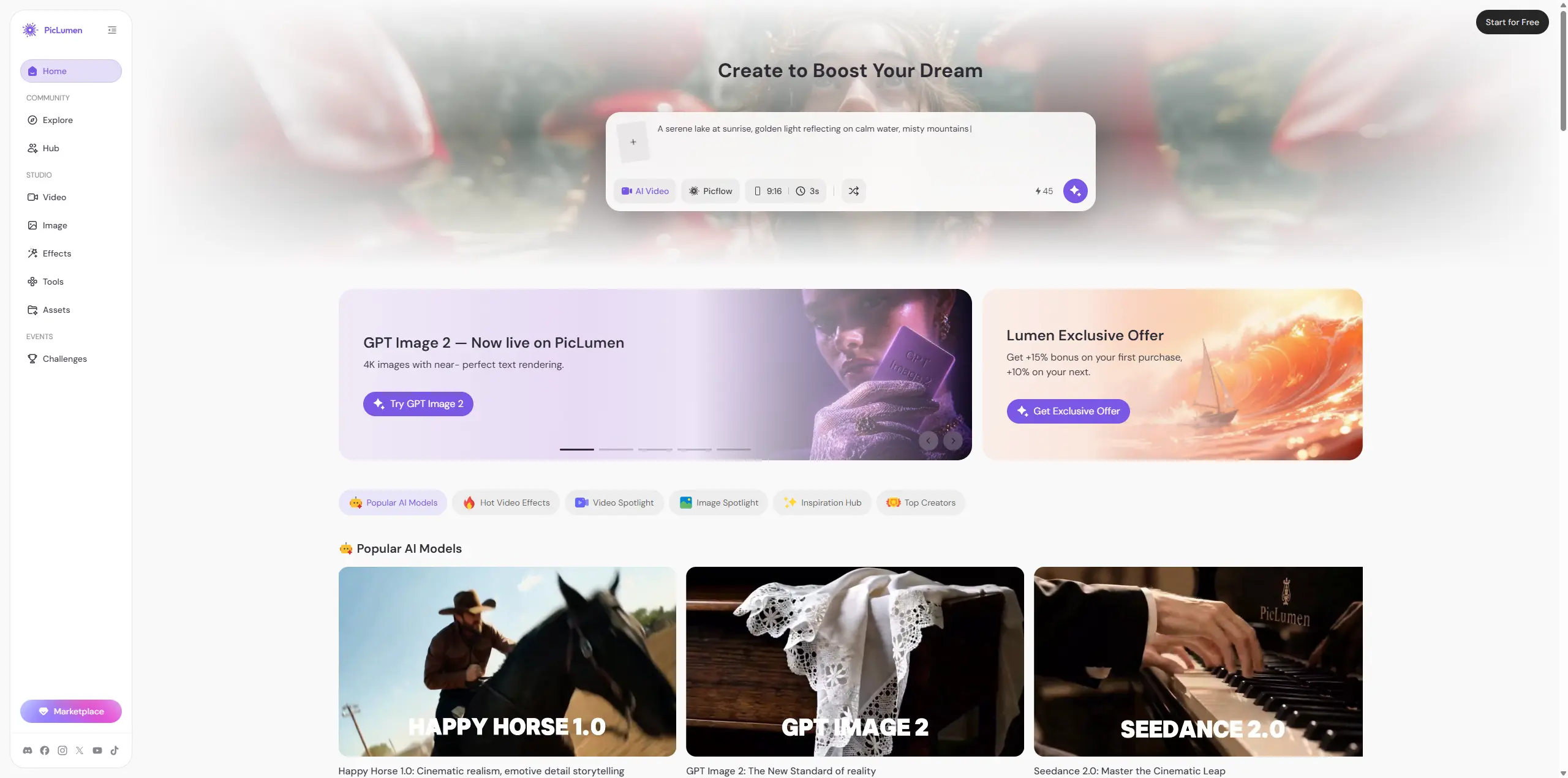
This is where PicLumen becomes worth comparing. If all I need is a quick AI image or a short video experiment, DeepAI can do the job. But if I want to keep building on the same idea, PicLumen feels more natural. PicLumen is built more around visual creation. I can generate AI images, create AI videos, test different models, edit results, explore ideas from the community, and keep developing a concept instead of jumping between separate tools. For example, I might start with a character image, turn it into a short video, try another model, remix the result, and then share or reuse the idea. That kind of image-to-video loop is where PicLumen feels stronger. DeepAI feels like a quick AI toolbox. PicLumen feels more like a creative workspace.
DeepAI vs PicLumen
I would not say one tool beats the other in every way. They are built for different habits. DeepAI is better if you want a simple AI sandbox. PicLumen is better if your main focus is creating and developing visual content.
If you need... | Better fit |
|---|---|
A cheap way to try chat, images, video, music, and APIs | DeepAI |
Fast image concepts without much setup | DeepAI |
A broader image-and-video creative workflow | PicLumen |
Community inspiration, remixing, and sharing | PicLumen |
One place to keep developing visual id | PicLumen |
Final Verdict: Is DeepAI Worth It?
Yes, DeepAI is worth trying. For $9.99 per month, it gives you a lot of tools to experiment with. The image generator is easy to use, the video generator is fun for short tests, and the overall platform is beginner-friendly. But I would not treat it as my main creative production tool. DeepAI is best for quick ideas, casual testing, and lightweight AI tasks. If your work depends on polished images, stable videos, or a more complete visual workflow, I would compare it with PicLumen before deciding. My final take: DeepAI is useful, affordable, and easy to start. Just do not expect every feature to feel like a specialist tool.
FAQ
Is DeepAI free?
DeepAI has limited free access. DeepAI Pro costs $9.99 per month or $89.99 per year.
Is the DeepAI image generator good?
It is good for quick concepts, style testing, and early image drafts. I would test it more carefully before using it for brand visuals, product images, or client-ready work.
Is the DeepAI video generator good?
It is useful for short experiments, especially text-to-video and image-to-video tests. For serious work, I would check motion quality and consistency first.
What is a good DeepAI alternative?
PicLumen is worth comparing if you want a stronger image-and-video creative workflow with editing, remixing, community inspiration, and sharing.





