I spent about a week putting Ideogram through real design tasks, not toy prompts. The reason was simple: I was sick of AI images with broken text. You know the pattern. The composition looks great, the colors work, the image feels polished, and then you zoom in. The headline is misspelled. The letters look like alien script. Or the tool adds random fake words that nobody asked for. For a random art piece, that may be forgivable. For a poster, blog cover, logo concept, or product ad, it kills the whole thing. That is why I wanted to write this Ideogram AI review from a practical angle. Ideogram has built a strong reputation around text rendering in AI images, so I wanted to test that specific promise. Not "Can it make cool pictures?" but "Can it make design drafts I would actually use?" I tested the Ideogram AI image generator with four practical prompts: a blog cover, an event poster, a logo concept, and a product ad. I also looked at editing, pricing value, and one important gap for 2026: whether Ideogram can carry a workflow into AI video.
What Is Ideogram AI?
and typography. Its official docs describe Ideogram as a tool that turns ideas into images and highlights its use for designs, realistic images, logos, posters, and text rendering inside images. That is the part that matters for this review. Ideogram is not just another AI art generator. Its strongest use case is image generation where readable text matters: posters, slogans, logo concepts, blog graphics, print-on-demand designs, product ads, and social media visuals. The current Ideogram feature set is also more design-focused than before. Ideogram's official site lists features such as Ideogram 4.0, background remover, print-on-demand workflows, editable text layers, character consistency, and styles. Its docs also describe Ideogram 4.0 as the current model for prompt fidelity, clear type, editing reliability, native transparency, and style control. So I did not treat Ideogram like a general image toy. I tested it like a design assistant.
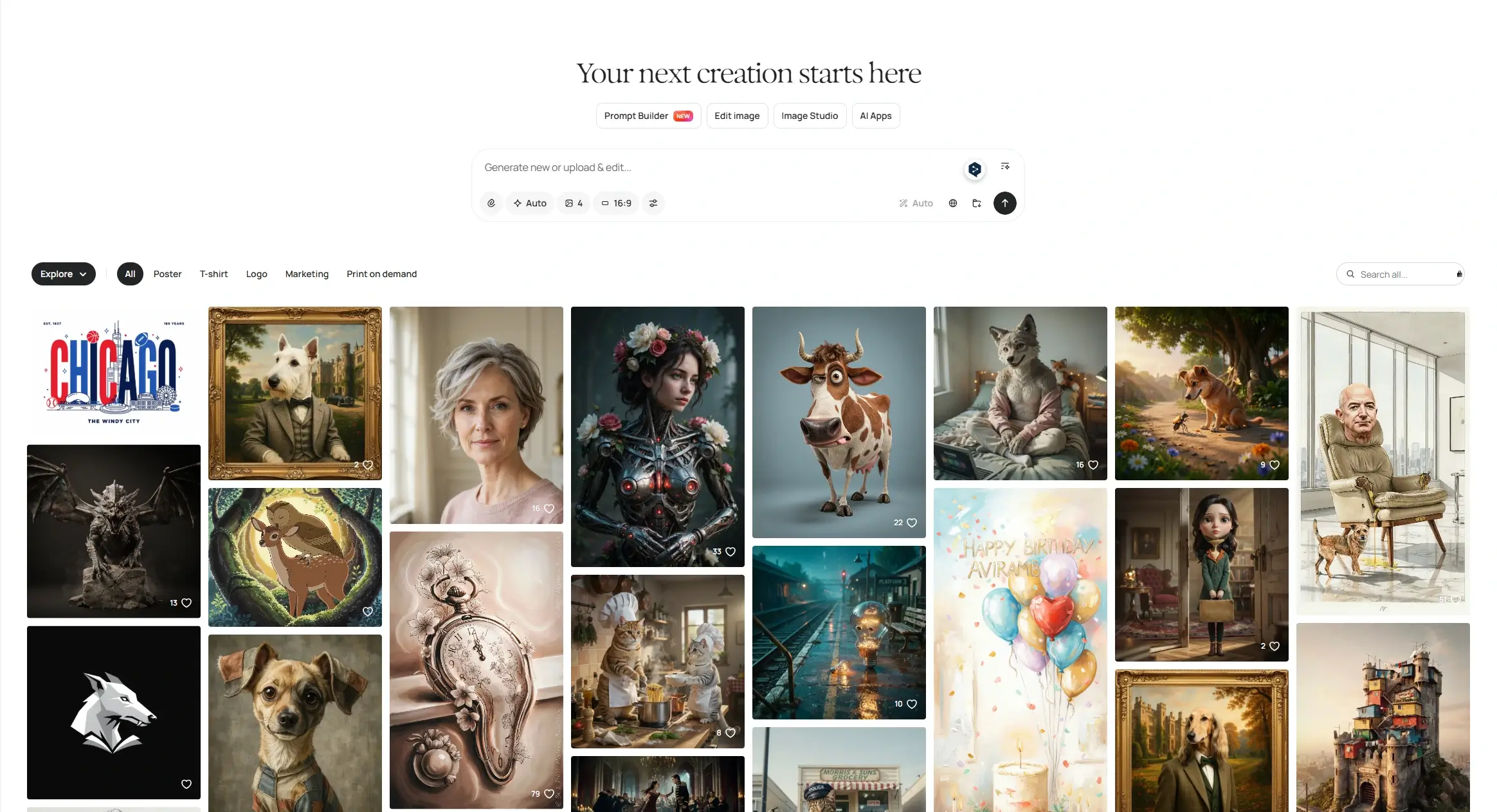
Ideogram AI Image Generator Review: My Real Tests
For each test, I judged the same five things: text accuracy, layout quality, prompt control, whether the result felt like a usable draft, and how much cleanup I would still need before publishing.
Test 1: Blog Cover With Readable Title Text
Prompt I used:
Create a modern 16:9 blog cover for an article titled “AI Design Tools Review”. Clean editorial layout, soft gradient background, bold readable typography, subtle creative UI elements, premium design magazine style. No extra text.
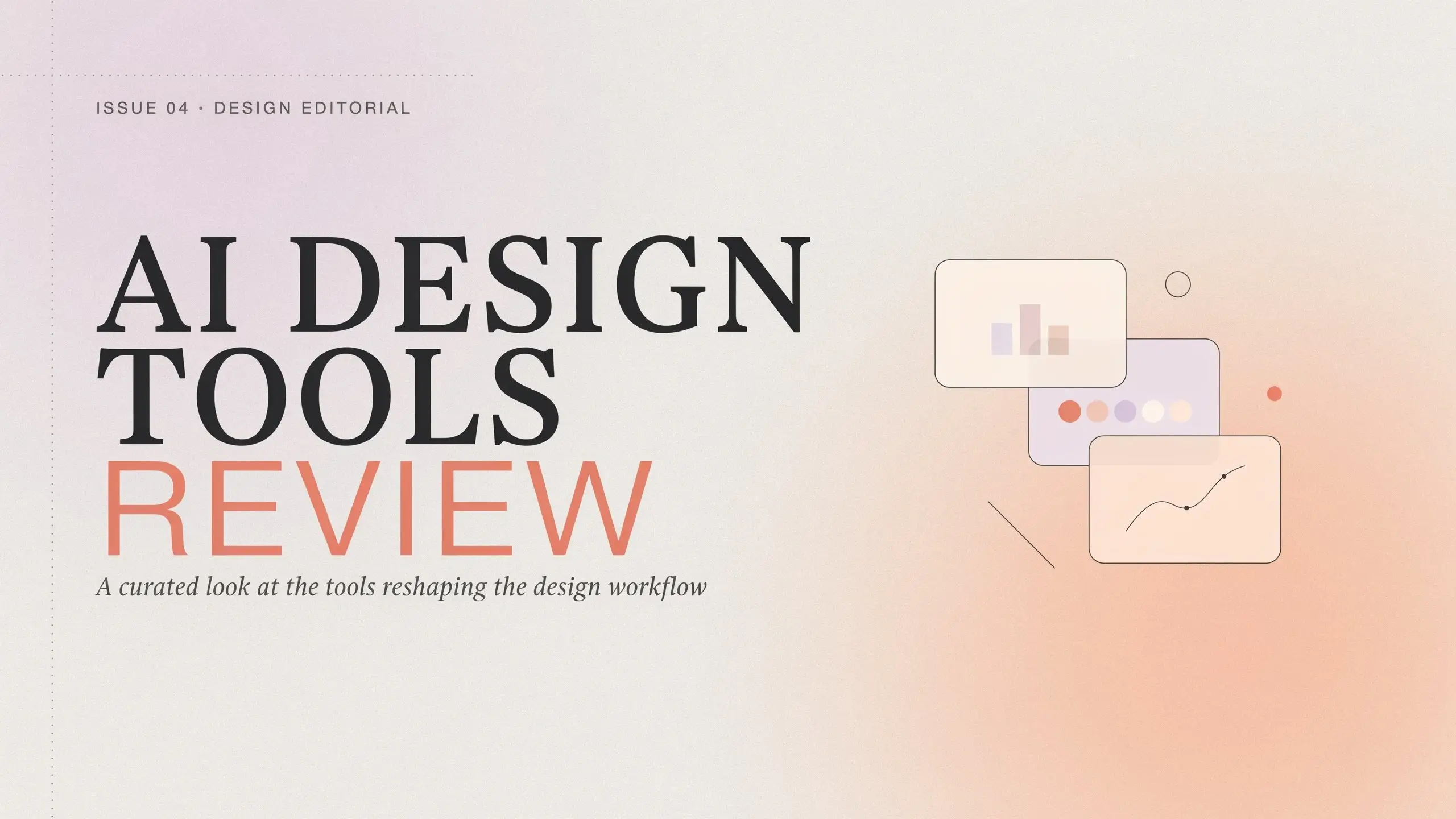
I started with a blog cover because this is one of the most common tasks for content teams. A blog cover does not need to be a masterpiece. It needs to be clean, readable, and good enough to support the article without looking cheap.
Ideogram handled this better than most general AI image generators I have tried. The title came through clearly, and in the better outputs, the words felt like part of the composition instead of a layer pasted on top. That said, I would still not publish the first result blindly. A few versions got a little crowded with decorative UI elements, and some spacing choices felt slightly off. But as a starting point, it was genuinely fast. I could see myself generating three or four cover directions, picking the strongest one, and then doing a final polish in Canva, Figma, or Photoshop.
Test 2: Event Poster With Exact Text
Prompt I used:
Design a cinematic event poster with the exact text “Future Design Week 2026”. Dramatic lighting, bold typography, futuristic but elegant style, clean poster layout. Do not add extra words.
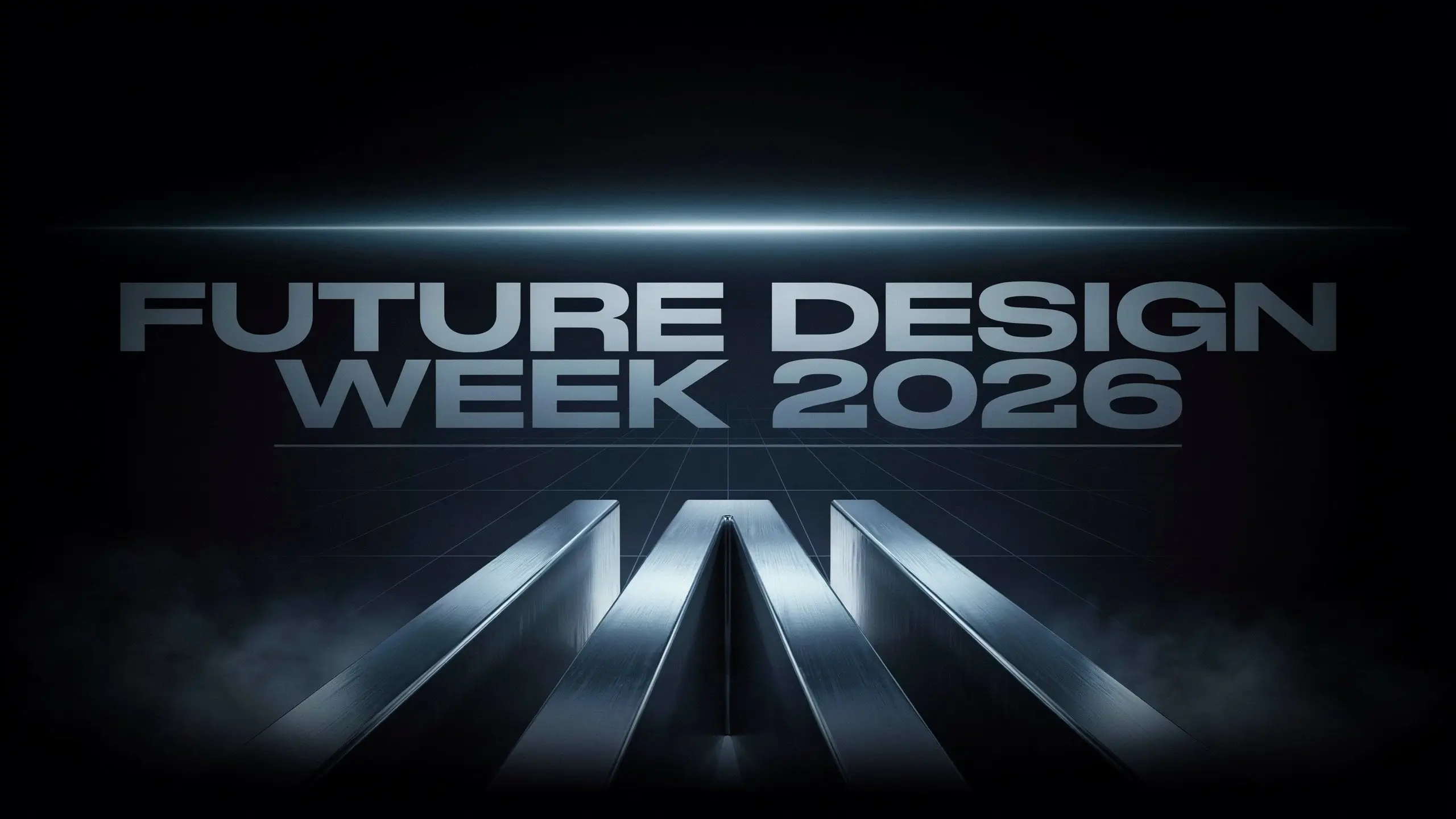
This is where Ideogram felt most comfortable. Short, bold poster text is clearly one of its best use cases. The headline had real contrast. The typography behaved like an actual design element, not like a random texture melted into the background. I also liked that the poster layout usually had some kind of hierarchy. The better outputs had a clear focal point, readable headline placement, and a visual style that made sense for an event poster. My main complaint: Ideogram still sometimes adds small decorative marks or pseudo-text that look like extra information. It is not always disastrous, but it means you cannot skip a final visual check. For a commercial poster, I would regenerate until those details disappear. Still, this was the strongest test. If you mainly create posters, announcement graphics, quote cards, or campaign visuals, Ideogram makes a lot of sense.
Test 3: Logo Concept and Brand Name Accuracy
Prompt I used:
Create a minimal logo concept for a fictional coffee brand called “Mellow Cup”. Warm colors, clean typography, simple icon, modern and friendly. White background, no mockup, no extra text.

Logo prompts look simple, but they are not. A usable logo needs accurate spelling, clean spacing, a balanced icon, and a shape that still works at small sizes. For early-stage exploration, Ideogram was solid. The brand name came through more accurately than I expected, and a couple of directions were worth building on. It understood the warm coffee-brand mood and gave me some friendly, simple wordmark ideas. But I would draw a hard line here: nothing generated by Ideogram should be treated as a finished logo. A final logo still needs vector cleanup, spacing work, scalability testing, and a trademark check. Ideogram can help you get out of a blank-page phase faster. It cannot replace the final brand design process. My take: useful for logo concepts, not enough for final brand identity work.
Test 4: Product Ad With Marketing Headline
Prompt I used:
Create a premium product ad for a skincare serum. Include the exact headline “Glow Starts Here”. Clean studio background, realistic product lighting, elegant typography, luxury beauty campaign style. No extra text.

The product ad test was more demanding because it needed several things at once: a realistic product, a premium mood, and readable marketing copy. The overall mood landed well. The better outputs had soft studio lighting, a clean beauty-brand composition, and a headline that was actually readable. For moodboards or campaign direction, I would call this useful. The weak spot was product precision. Some bottle shapes and label details still had that slightly artificial AI quality up close. That is fine for early creative direction. It is not fine for a final campaign asset. So I would use Ideogram here for visual exploration, not final ad production. It can help you find a direction quickly, but the last mile still needs human editing.
What These Tests Told Me About Ideogram AI Image Generator
The pattern was clear after these four tests. Ideogram is genuinely strong when the image lives or dies on a short piece of text: a title, headline, brand name, slogan, or simple callout. It does not remove all editing work, but it reduces one of the most annoying problems in AI design: broken words. I also learned that prompt phrasing matters. Exact-match wording like "use the exact text…" works better than loose descriptions. Adding "no extra text" also helps cut down on random decorative marks, though it does not eliminate them completely. Ideogram’s own prompting guidance points in the same direction. Its docs recommend putting text in quotes, placing text early in the prompt, limiting the amount of generated text, breaking longer text into chunks, and using Magic Fill to correct errors after generation. That matches my experience. Short text is where Ideogram shines. Longer copy, tiny text, multiple text zones, or strict layout systems still need patience.
Does Ideogram Do AI Video Generation?
At the time of this review, I could not find a native AI video or image-to-video workflow in Ideogram’s main product experience. Its official feature set is still centered on AI image generation and design editing, including tools such as Canvas, Magic Fill, Extend, background removal, text tools, and model settings. This is worth calling out because a lot of creative workflows no longer stop at still images. A product image may need to become a short ad. A character concept may need to become a short clip. A blog cover may need to become a social video. If your workflow is strictly static design, Ideogram’s lack of native video does not hurt much. If you need image-to-video or AI video generation, you will need another tool next to it. That does not make Ideogram weak. It makes it specialized.
Ideogram Pricing Review: Is It Worth Paying For?
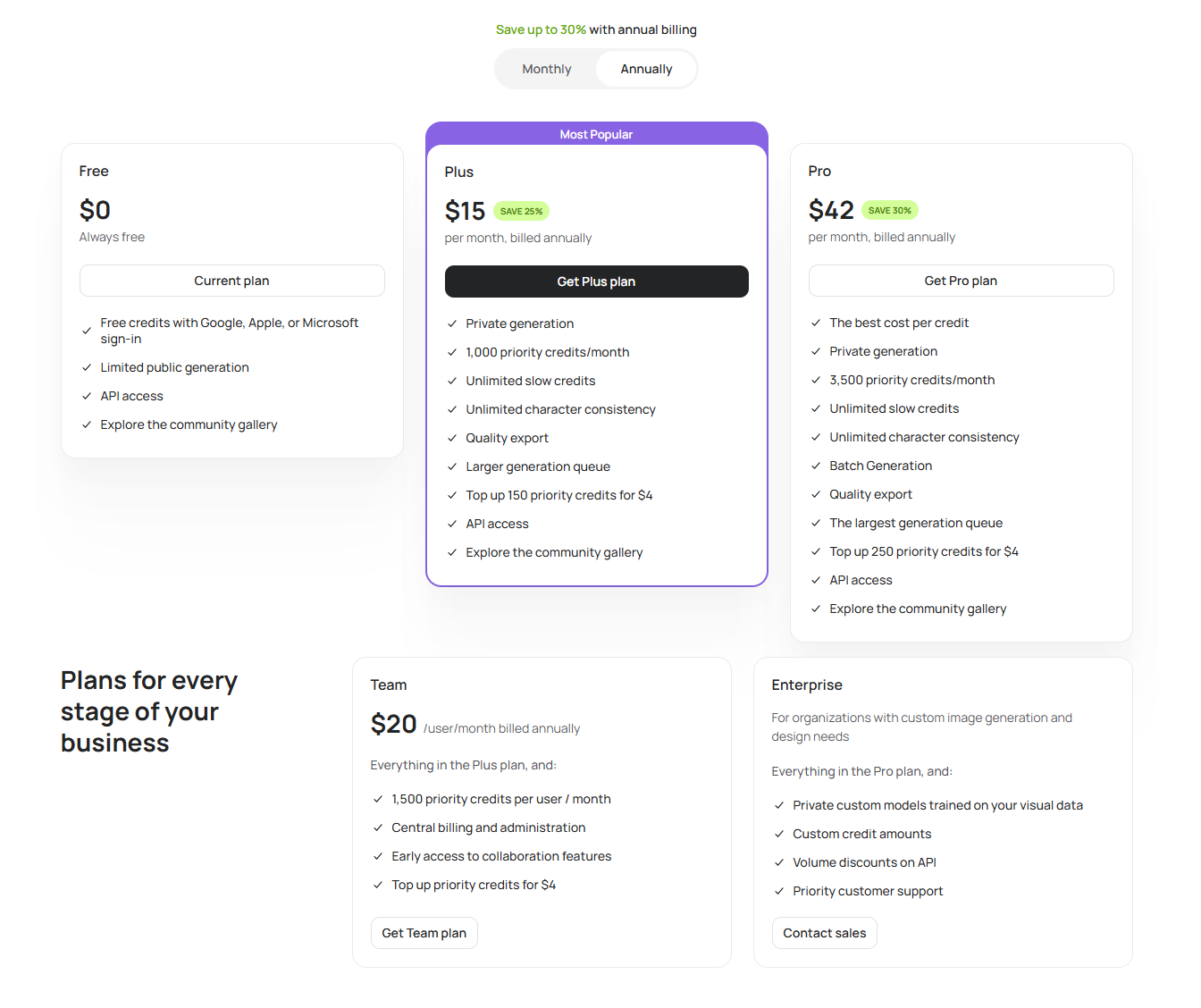
I would not pay for Ideogram just because it makes AI images. Too many tools do that now. I would pay for it if I regularly needed readable text inside images. That is the narrower and more useful claim. Ideogram uses plan-based access and credits. Its docs explain that rendering settings affect how much time the AI spends on an image, and credit usage can change depending on model, render speed, output count, and workflow. That matters because design work usually needs iteration. You rarely stop at one generation. You generate, compare, adjust, regenerate, and then fix small issues.
What Makes Ideogram Worth Paying For
Ideogram is worth paying for if text-heavy image design is part of your regular work. The biggest advantage is simple: exact-match text prompts render accurately more often than in many general-purpose AI image tools. That alone saves time if you create posters, blog covers, social graphics, product ads, logo concepts, or print-on-demand designs. The poster and blog-cover workflow is also fast. In one sitting, you can generate several usable directions instead of building every draft from scratch. Magic Fill, Extend, and the Text Tool add extra value because they let you fix or adapt a result instead of throwing it away completely. For content marketers, bloggers, social media creators, and small brand owners, that can justify the subscription.
Where Ideogram May Not Be Worth the Cost
Ideogram may not feel worth the cost if your work is not text-heavy. Longer copy or multiple text blocks can still cause errors, awkward spacing, or layout problems. Stray decorative marks show up often enough that you cannot skip final review. Strict brand consistency also requires more human cleanup than the best examples might suggest. The other issue is video. If your creative workflow includes AI video generation, image-to-video clips, product motion ads, or short-form social videos, Ideogram alone will not be enough. So the value depends heavily on your use case. For static design with short readable text, Ideogram is easy to recommend. For a broader image-and-video content pipeline, it is less complete.
Ideogram vs PicLumen: Which Workflow Fits Better?
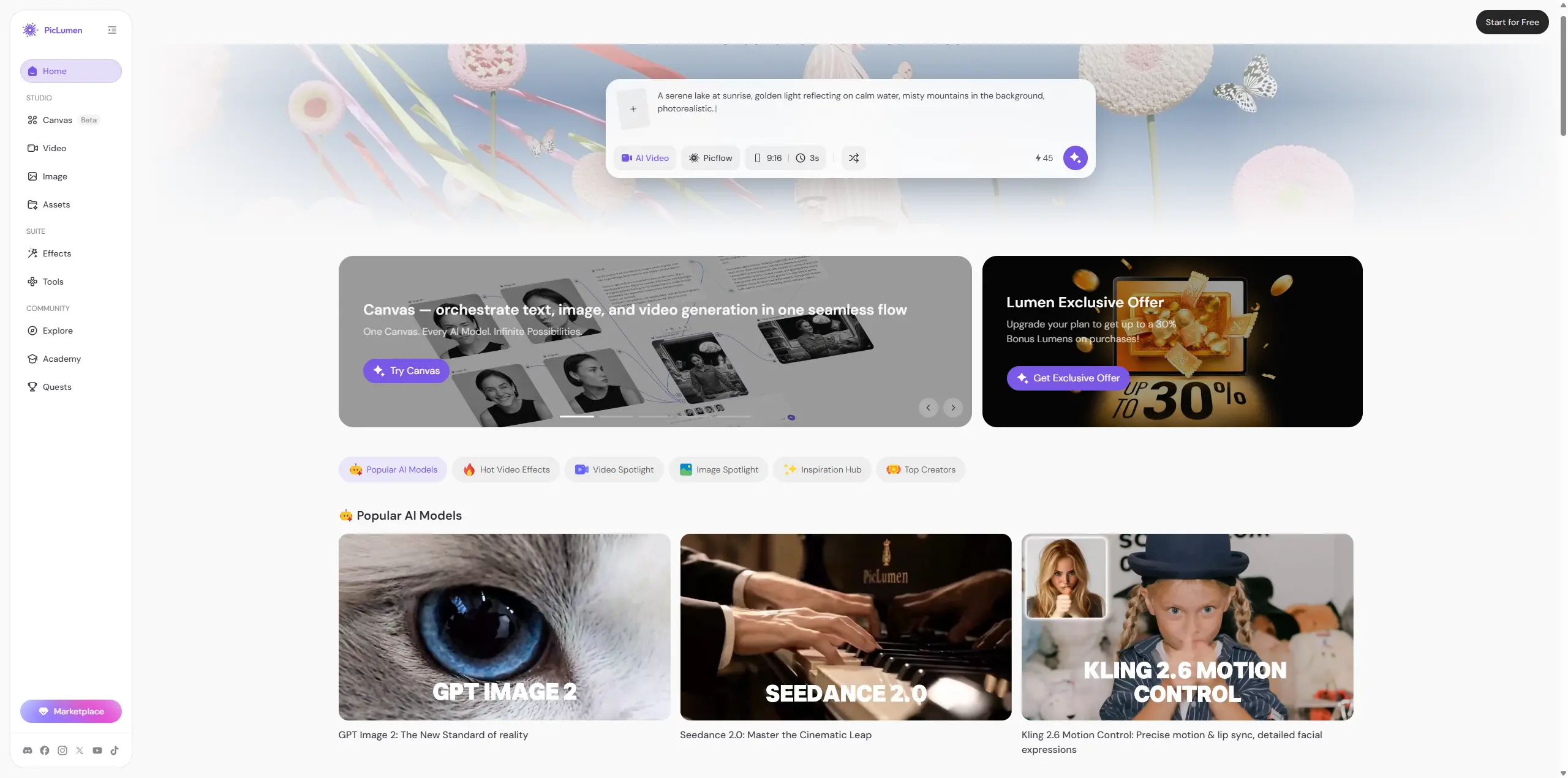
If you only need static design with readable text, Ideogram does that job well. I would not talk you out of it. For a text-heavy poster, quote graphic, logo concept, or blog cover, Ideogram is still the sharper tool. Its typography handling is the main reason to use it. PicLumen makes more sense when your workflow needs to move beyond a still image. It is built for a wider AI image and AI video creation process, which is useful if you want to generate images, test different AI image models, turn selected visuals into videos, and browse community works when you are short on prompt ideas. That difference matters in real content production. A static product image may become a short ad. A character concept may become an image-to-video clip. A visual idea may need several model styles before it feels right. In that kind of workflow, PicLumen feels more flexible because you are not exporting from one tool and re-briefing a second one just to get motion from the same asset. My practical take: use Ideogram if your biggest pain point is readable text inside AI images. Consider PicLumen if you want AI image generation, AI video creation, and creative inspiration in one wider workflow.
Bottom Line
Ideogram is good at what it is built for: AI images that need short, readable text to work. Posters, blog covers, logo concepts, quote graphics, product ad drafts, and print-on-demand visuals are all good use cases. It handles these better than a generic AI image generator, and the difference is real. But Ideogram is not a finished design department. You still need to regenerate, edit, polish, and check details. It is also not a native AI video tool, so you should plan around that before relying on it for a full campaign. My final verdict: Ideogram is worth trying if text-heavy image design is your priority. But if your workflow also includes AI video, image-to-video, multi-model exploration, or community-driven creative inspiration, PicLumen is a stronger alternative to compare before you commit.
FAQ About Ideogram AI
Is Ideogram AI free to use?
Yes, Ideogram has a free plan. The better question is whether the free plan is enough for your workflow. If you only generate a few images occasionally, it may be fine. If you test many variations for posters, covers, ads, or logo concepts, credit limits can become noticeable.
Is Ideogram good for making logos?
Ideogram is good for logo concepts and early visual direction. It can help you explore wordmarks, icons, and brand moods faster. But a generated logo is not a finished brand asset. You still need manual cleanup, vector work, scalability checks, and trademark research.
Is Ideogram better than Midjourney for text in images?
For readable text inside images, Ideogram is usually the stronger choice. Midjourney may still be better for artistic mood, cinematic style, and rich visual atmosphere. But if your image depends on a title, slogan, or brand name, Ideogram is more focused on that problem.
What is the best Ideogram alternative?
If you mainly need typography-based static images, Ideogram is hard to ignore. If you want a broader creative workflow with AI image generation, AI video creation, multi-model exploration, and community inspiration, PicLumen is a strong Ideogram alternative.





