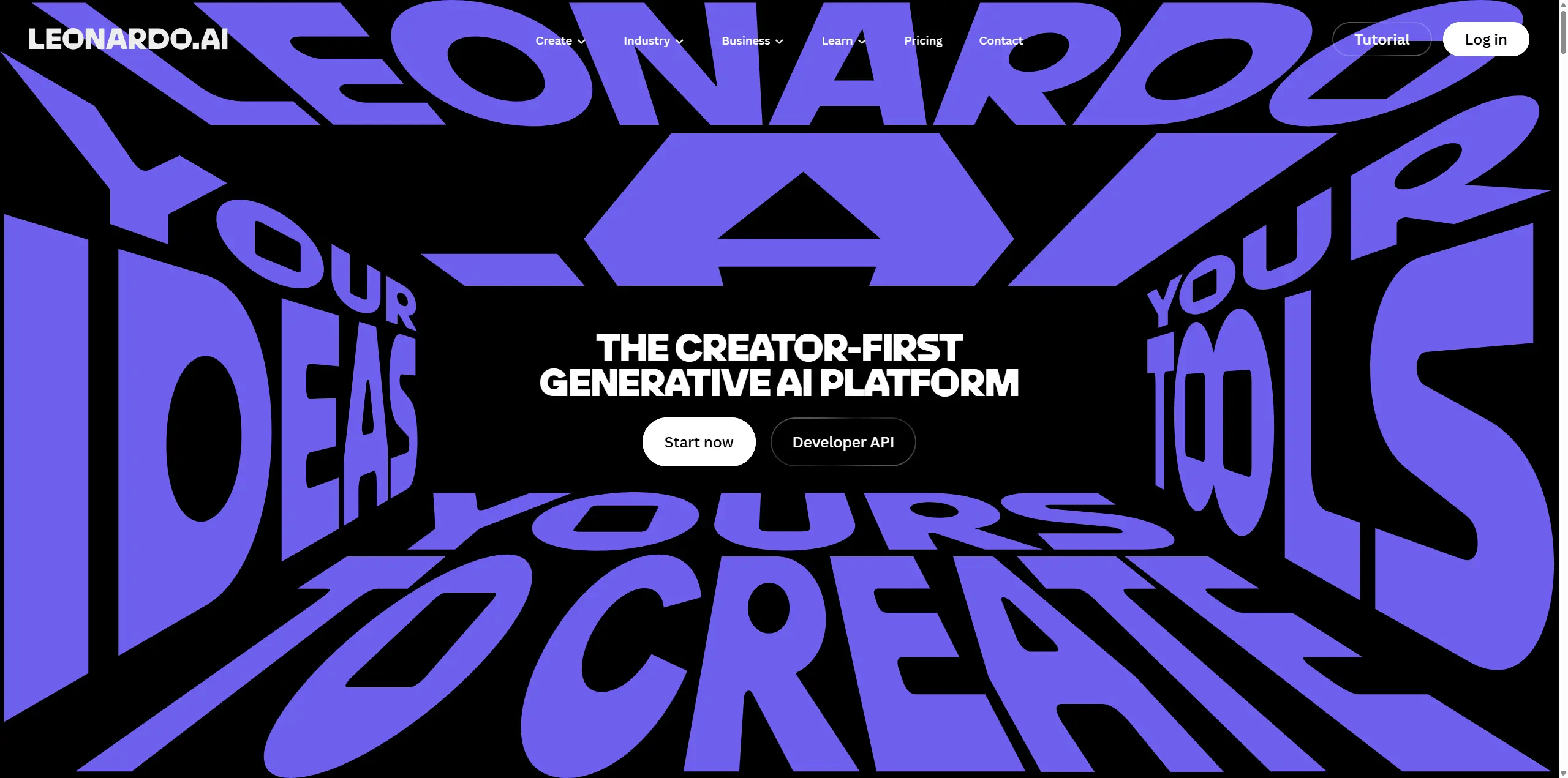
I opened Leonardo AI because I needed two quick assets for a small campaign: a clean lifestyle product image and a short motion clip. I'd seen people compare it to Midjourney and Stable Diffusion-style tools, but what actually struck me first, before I'd typed a single prompt, was the homepage. Dark. Cinematic. Very "creative studio" energy. It made the tool feel serious before I'd tested anything. For this review I spent about three hours on it — image generation, video generation, model choices, pricing, and how the workflow actually feels once you're a few prompts in. Not a lab-grade month-long test. More like the way I'd actually evaluate a tool before deciding whether it earns a spot in my workflow. Quick take up front: Leonardo AI is genuinely capable, especially if you like having control over the details. Effortless, though, it is not.
What Is Leonardo AI?
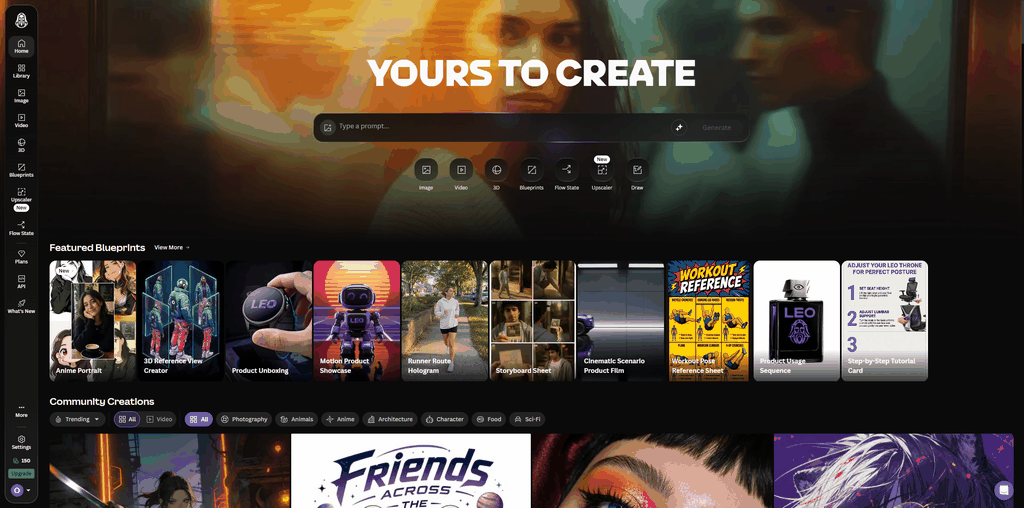
Leonardo AI is a generative AI creative platform for making images, videos, edited visuals, upscaled assets, and model-based creative outputs. It's grown well past "basic text-to-image generator" and now feels closer to a full creative workspace — models, presets, editing tools, upscaling, and video generation all under one roof. Leonardo AI became part of Canva in 2024. Canva announced the acquisition that July and said Leonardo would keep developing its own web platform after joining Canva. That explains a lot, honestly. The product doesn't feel small. Which is great when you want depth, and a bit much when you just want to get one image out the door.
Leonardo AI Image Generator Review: My Product and Portrait Tests
I ran two very different prompts here: one product-style shot and one cinematic character portrait, since faces and hands tend to expose problems fastest.
Product Image Test with Lucid Origin
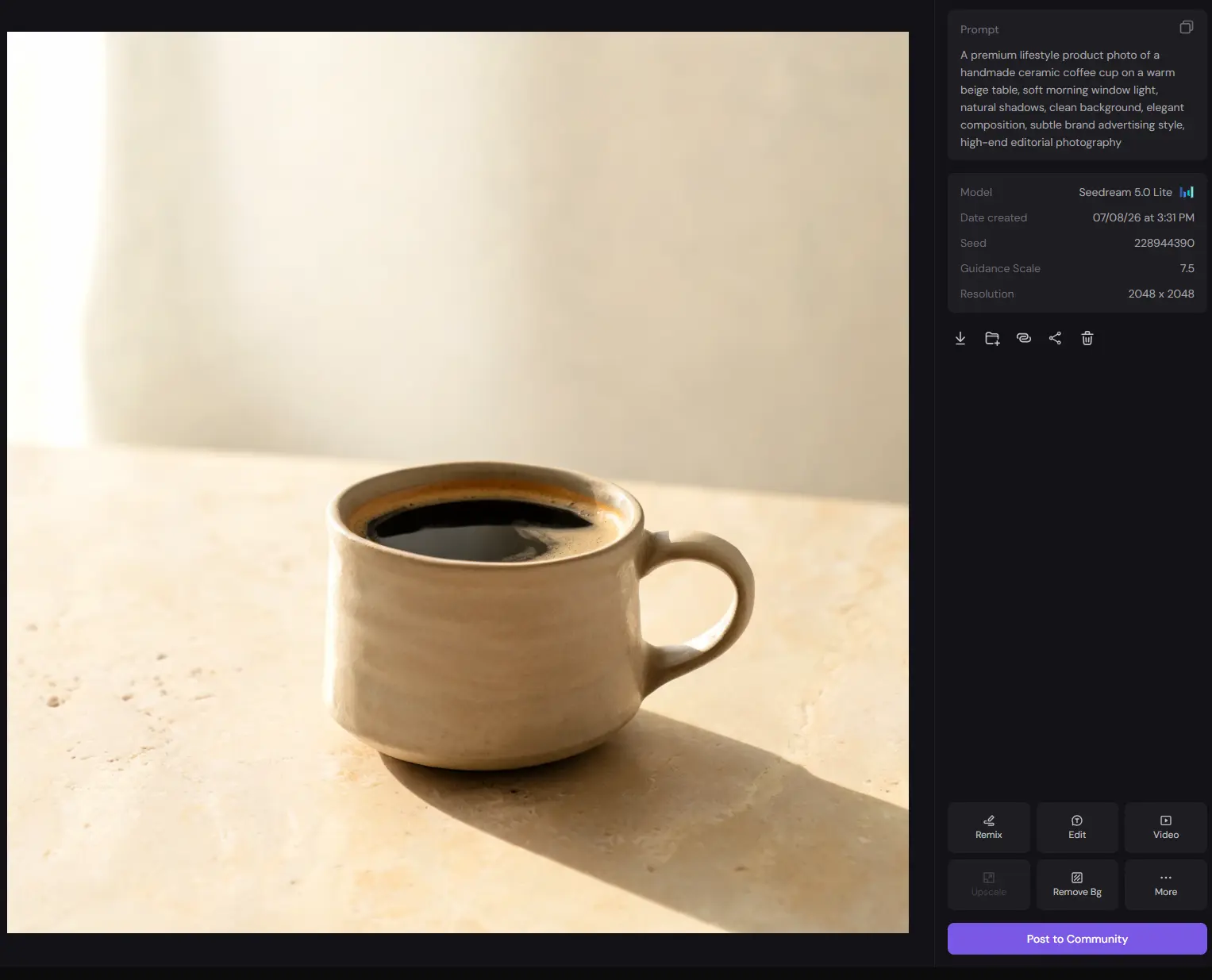
I wanted something simple but easy to judge — a warm lifestyle product photo, no fantasy scene, no over-designed render. Just a ceramic coffee cup, morning light, a clean table. Prompt I used: "A premium lifestyle product photo of a handmade ceramic coffee cup on a warm beige table, soft morning window light, natural shadows, clean background, elegant composition, subtle brand advertising style, high-end editorial photography."
Model used: Lucid Origin
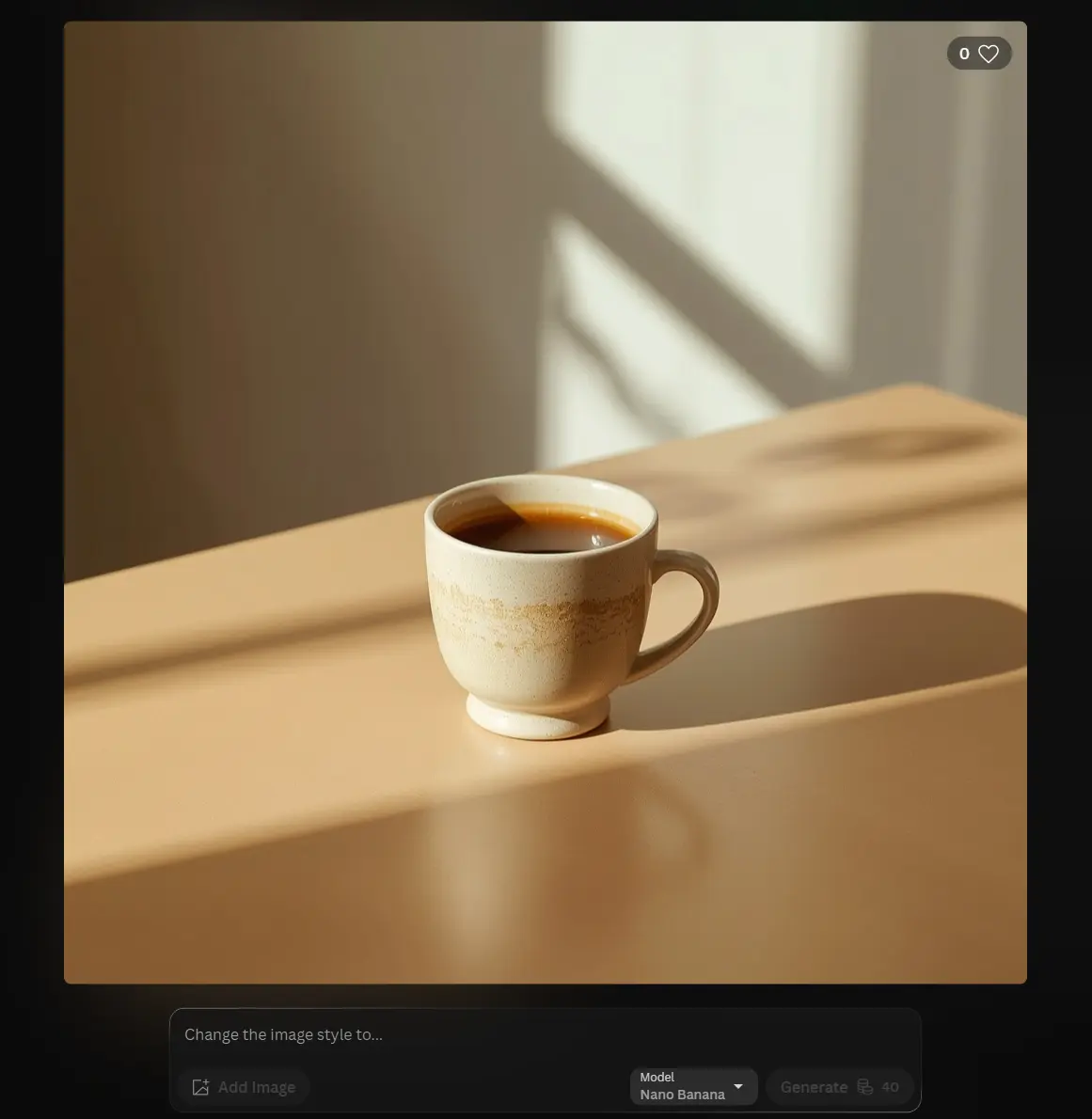
This was one of the more realistic results I got out of the whole session. The cup read as ceramic, not "plastic object pretending to be handmade." The texture was subtle, the beige table worked, and the whole thing had that quiet morning product-shot feel I was going for — no random coffee beans, no fake brand text, no clutter. The lighting was the strongest part, especially where the window light fell across the table. The shadow bugged me a little on closer look, though — it didn't quite match the direction and softness the window light implied. Not a dealbreaker, just the kind of thing you notice once you stop glancing and start staring. Overall: strong enough for a blog visual or brand moodboard as-is. I'd fix the shadow before calling it commercial-final.
Character Image Test with FLUX.2 Pro
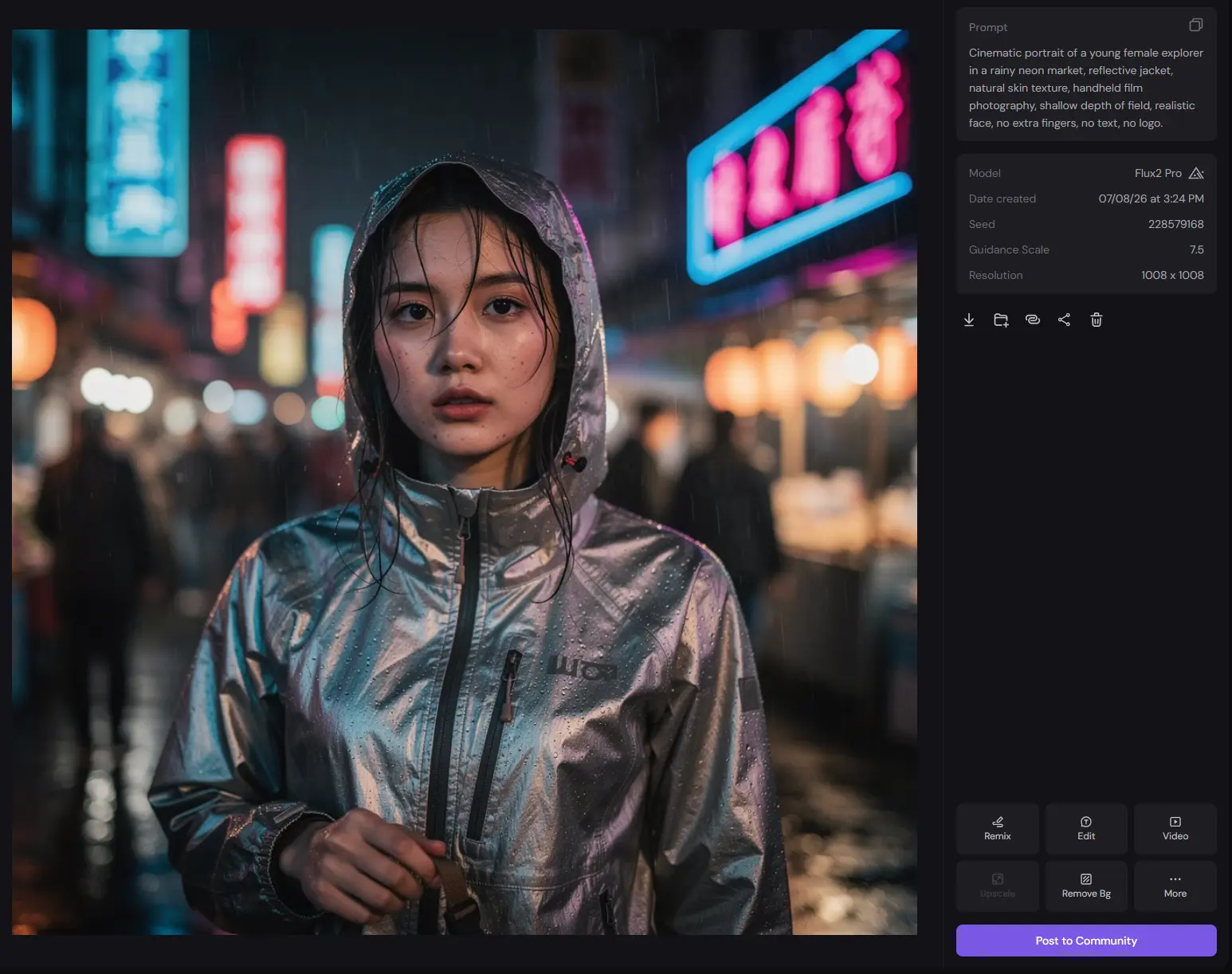
Prompt I used: "Cinematic portrait of a young female explorer in a rainy neon market, reflective jacket, natural skin texture, handheld film photography, shallow depth of field, realistic face, no extra fingers, no text, no logo." Model used: FLUX.2 Pro
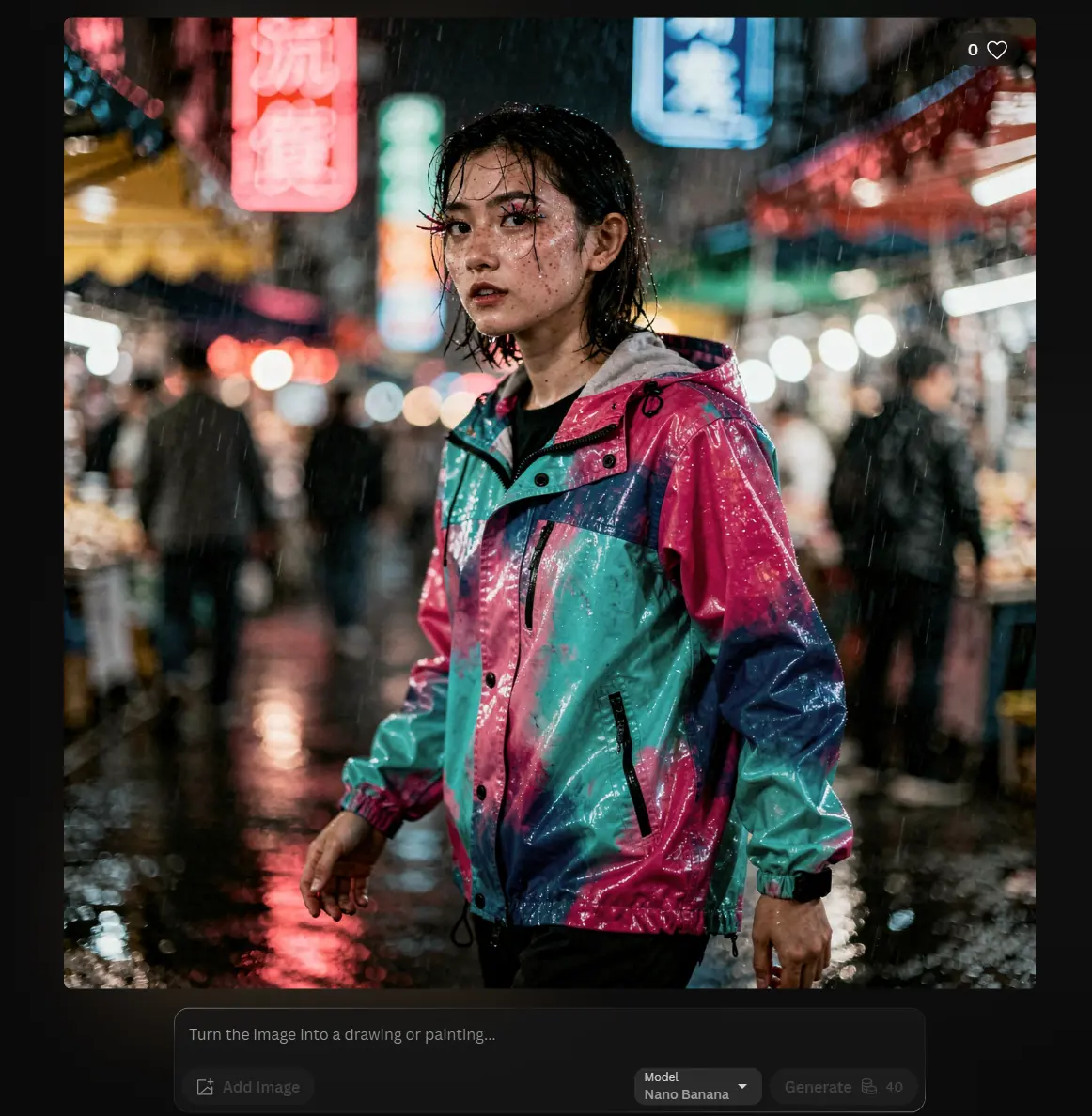
The jacket carried this one. Glossy fabric, neon reflections, visible rain marks on the fabric — genuinely cinematic at first glance. Zoom into the face, though, and it falls apart a bit. Skin texture looked slightly off around the cheeks and eyes, and the "rain" in the hair read more like bright dots scattered on top of the image than water actually sitting on wet hair. The eyelashes were the worst offender — sharp, almost branch-like, which made the whole face feel uncanny even with good lighting and a great jacket. Works as a concept image or blog visual. For a final commercial portrait I'd still need to retouch eyes, skin, and hair. One thing worth flagging: switching between Lucid Origin and FLUX.2 Pro is easy, and that's a double-edged sword. I already had a usable product image and still kept testing, because the next model might do it slightly better. Powerful, but not exactly fast.
Leonardo AI Video Generator Review: My Image-to-Video Test
Leonardo supports both text-to-video and image-to-video, including animating a still image or generating motion straight from a prompt. I used the coffee cup image as my starting point rather than generating from text — more realistic to how I'd actually use this, since I'd already have a key visual before touching video. Video prompt I used: "Slow cinematic push-in toward the handmade ceramic coffee cup, soft morning window light moving gently across the table, natural steam rising from the cup, subtle camera motion, premium lifestyle advertising style, calm and elegant."
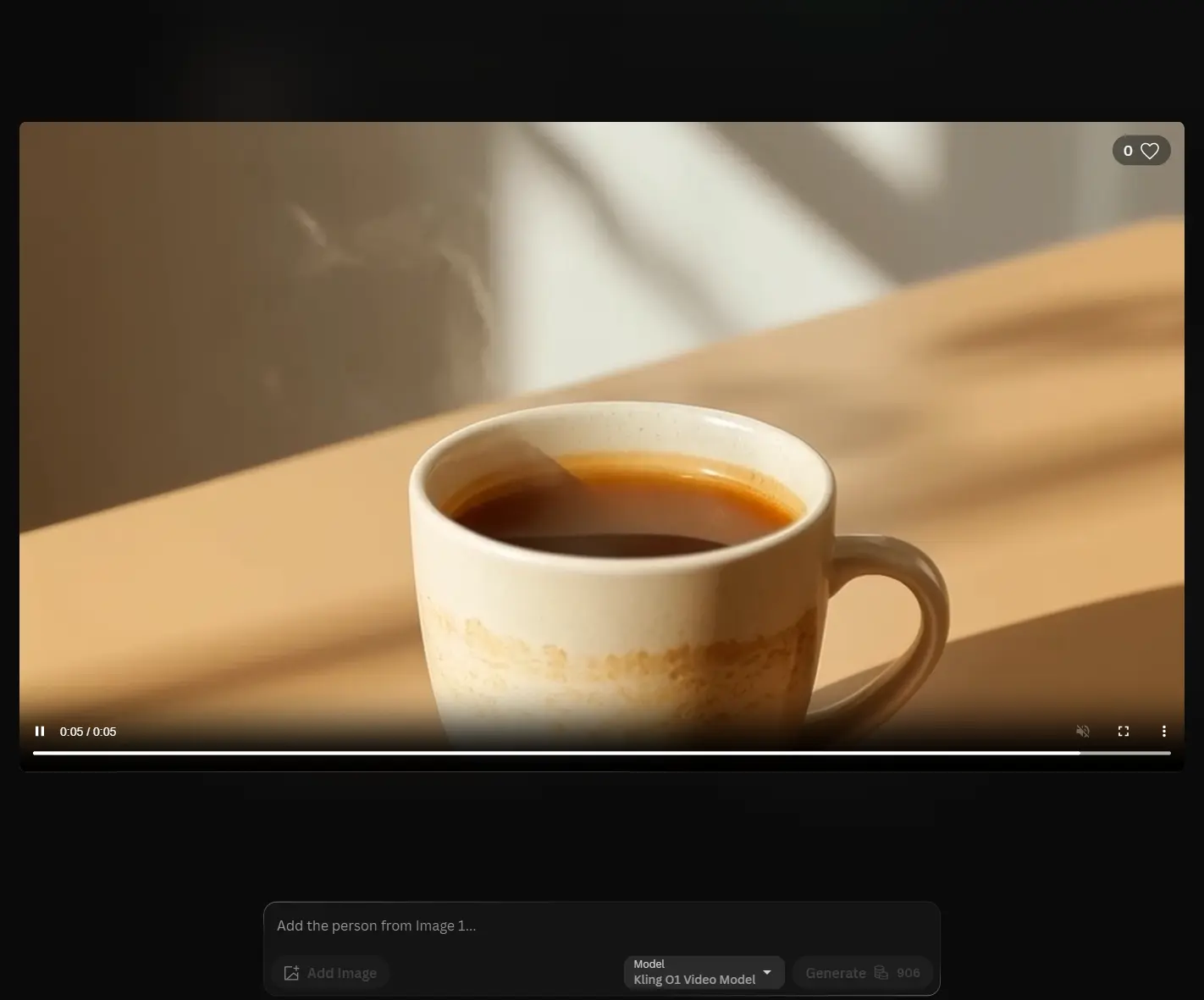
Two issues showed up before anything I liked about it. First, the cup and table shifted position noticeably from the source image — it didn't feel like a clean animation of the exact still I'd fed it, more like Leonardo rebuilt the scene with motion and quietly changed the layout along the way. Second, the steam looked like a soft effect laid over the image rather than something behaving like actual heat off a hot drink. To its credit, it kept more of the original detail than I expected going in — the ceramic texture, the beige table, the lighting were all still recognizable, and it didn't repaint the scene into something unrecognizable.
Net: usable for a social teaser or a motion mood-board, not for a polished product video without more alignment work.
Leonardo AI Ease of Use Review: Powerful, But Not Lightweight
Nothing here is technically hard. No install, no setup — pick a model, type a prompt, generate. But it's not lightweight either. Models, presets, references, image guidance, quality settings, video options, token usage, editing tools, upscaling — that's a lot of decision points, and I caught myself pausing on small "wait, should I adjust this?" moments more than once. If you like tuning details, there's a lot of room to play here. If you want the fastest possible path from idea to finished asset, it can start to feel busy.
Leonardo AI Pricing: Good Free Start, Watch the Tokens
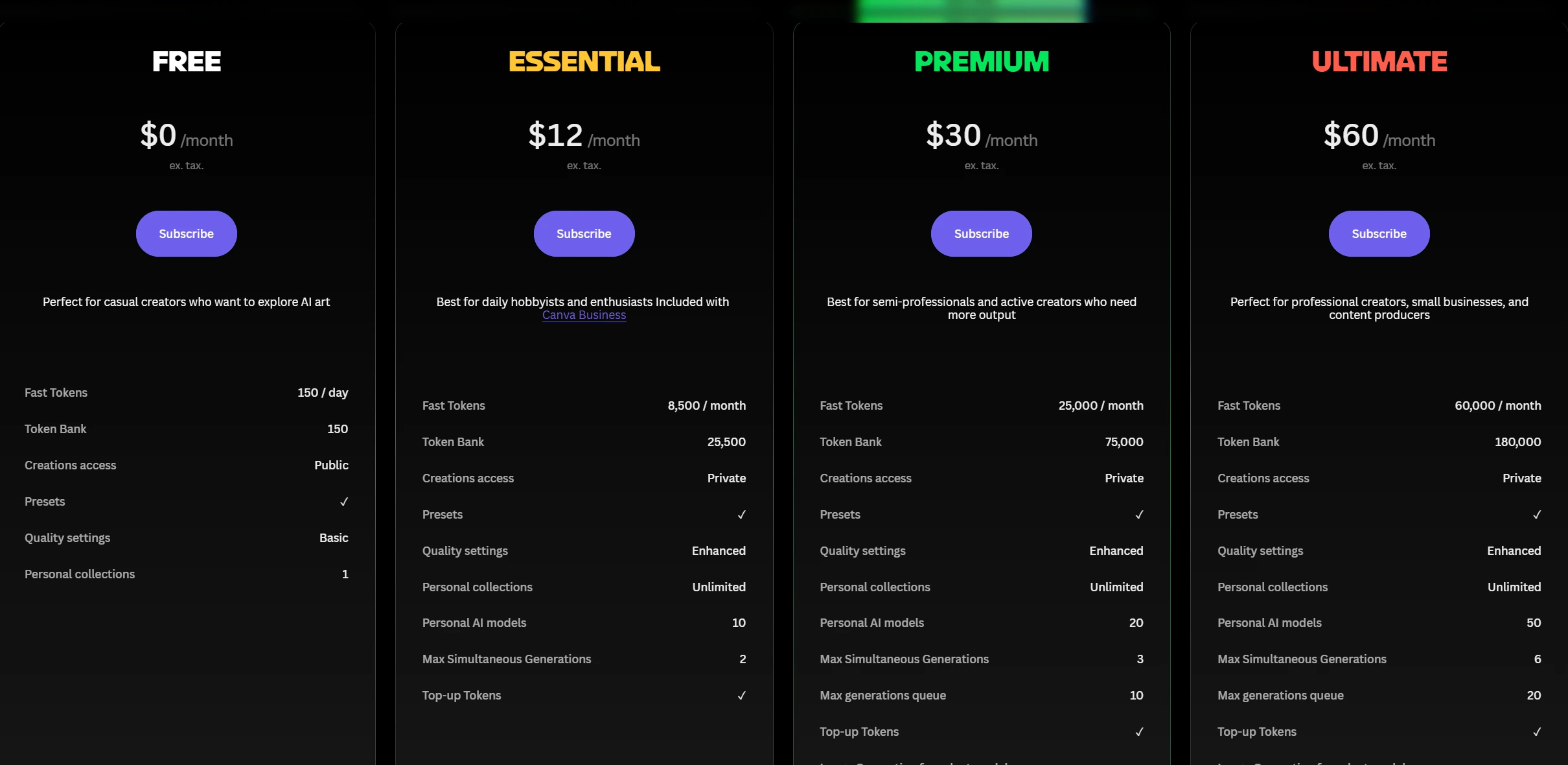
At the time I checked, Leonardo AI's Free plan was $0/month with 150 fast tokens per day. Essential ran $12/month for 8,500 fast tokens, Premium $30/month for 25,000 tokens, and Ultimate $60/month for 60,000 tokens. Team and API options were also listed. The free plan is fine for testing the workflow. For regular creators, Essential or Premium is more realistic. Heavier users or small teams will likely land on Ultimate or a team plan. The thing to actually pay attention to is tokens — Leonardo charges based on computational intensity per action, and allowances reset monthly (with rollover and top-ups available on paid tiers). Don't judge the value from the sticker price alone; run your own workflow for a few days first and watch how fast the tokens actually move. And check the live pricing page before subscribing — these numbers move.
What I Liked and Didn't
Image quality was the clear high point — the Lucid Origin product shot looked genuinely usable, and the FLUX.2 Pro portrait had real atmosphere in the clothing and lighting even where the face fell short. Model flexibility was the other win: enough range to chase a different look instead of being stuck with one visual identity. The friction is real too, though. The interface has a lot going on, token usage sits in the back of your mind the whole time, and several outputs needed retouching — shadows, skin, eyes, hair, and motion consistency all came up during testing. None of that is unusual for AI tools in general. It just adds up if you're trying to move fast.
Why I'd Also Try PicLumen After Leonardo AI
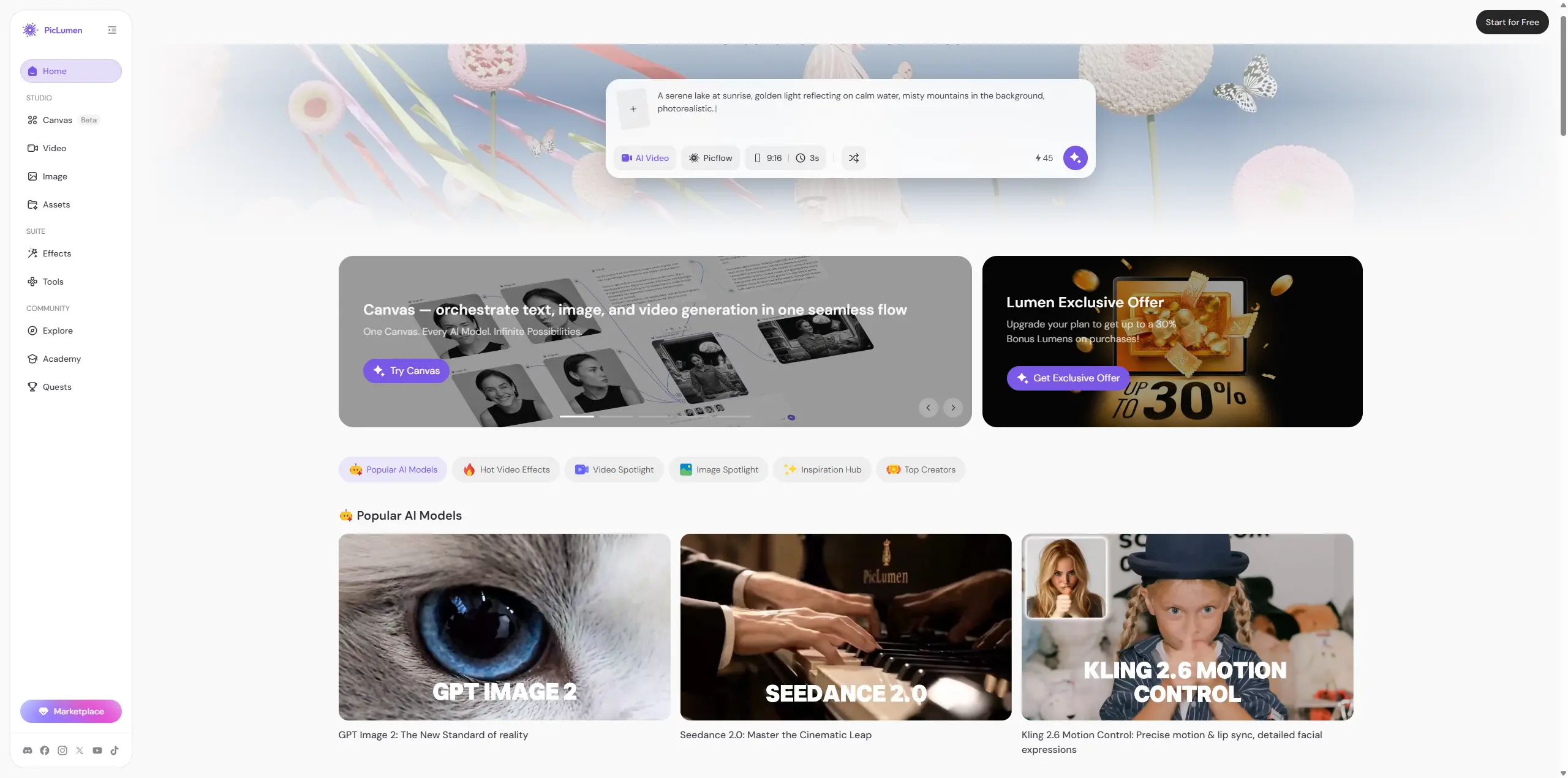
Somewhere around testing model number three for that portrait, I pulled the same two prompts into PicLumen just to see how it'd handle them, since I already had it open for a separate project. PicLumen is an all-in-one creative platform — image generation, video generation, and a built-in creator community for sharing and browsing work, aimed at creators, designers, marketers, and anime/illustration fans specifically.
Running the coffee cup prompt through it, the result was rougher around the edges of the ceramic texture than Lucid Origin's — less photoreal, more illustrative by default. But the shadow direction actually matched the window light correctly, which was the one thing that bugged me about the Leonardo version.
For the portrait prompt, PicLumen leaned more stylized than FLUX.2 Pro rather than trying for photorealism, so it sidestepped the uncanny-eyelash problem entirely by just not aiming for that level of realism in the first place — different tradeoff, not necessarily a better one.
Where PicLumen pulled ahead for me wasn't raw output quality on either single test — it was workflow. I didn't need to think about which of four or five models to pick before I even started. Image and video sit in the same place, and the community feed gave me a couple of composition ideas I wouldn't have thought to prompt for on my own. So the honest framing: Leonardo AI is the deeper, more controllable tool if you want to fine-tune model choice and settings and don't mind spending the time. PicLumen is the more direct path if you want image, video, and a bit of creative inspiration in one flow without stacking five decisions before your first generation.
Conclusion
Leonardo AI is worth trying. The image generation is strong, the model options are genuinely useful, and the video tools are good enough for social motion drafts and early creative exploration. It's just not effortless. If control and iteration are what you're after, use Leonardo AI. If you'd rather have image, video, and community inspiration in one simpler flow, PicLumen is worth putting next to it. Both are useful — it really comes down to how you like to work.
FAQ about Leonardo AI
Is Leonardo AI free?
Yes — at the time I checked, the Free plan included 150 fast tokens per day. Plan details change, so check the current pricing page before relying on those numbers.
Is Leonardo AI good for beginners?
You can start generating within minutes, but the number of models, presets, references, and settings means there's a real learning curve compared to a basic prompt-only generator.
Is Leonardo AI better than Midjourney?
Depends what you're optimizing for. For pure artistic mood and composition, Midjourney is still hard to beat. Leonardo pulls ahead when you want more platform-level control — model choice, editing tools, image-to-video. For my own workflow: Midjourney for fast inspiration, Leonardo for controlled iteration, PicLumen when I want image, video, and community browsing without juggling multiple model decisions.
Leonardo AI vs PicLumen: which one should I use?
If you want maximum control over models and settings and don't mind the time it takes, Leonardo AI. If you'd rather move faster with image and video generation in the same place plus a community feed for inspiration, PicLumen is the more direct option. I ended up using both for different jobs rather than picking one permanently.





