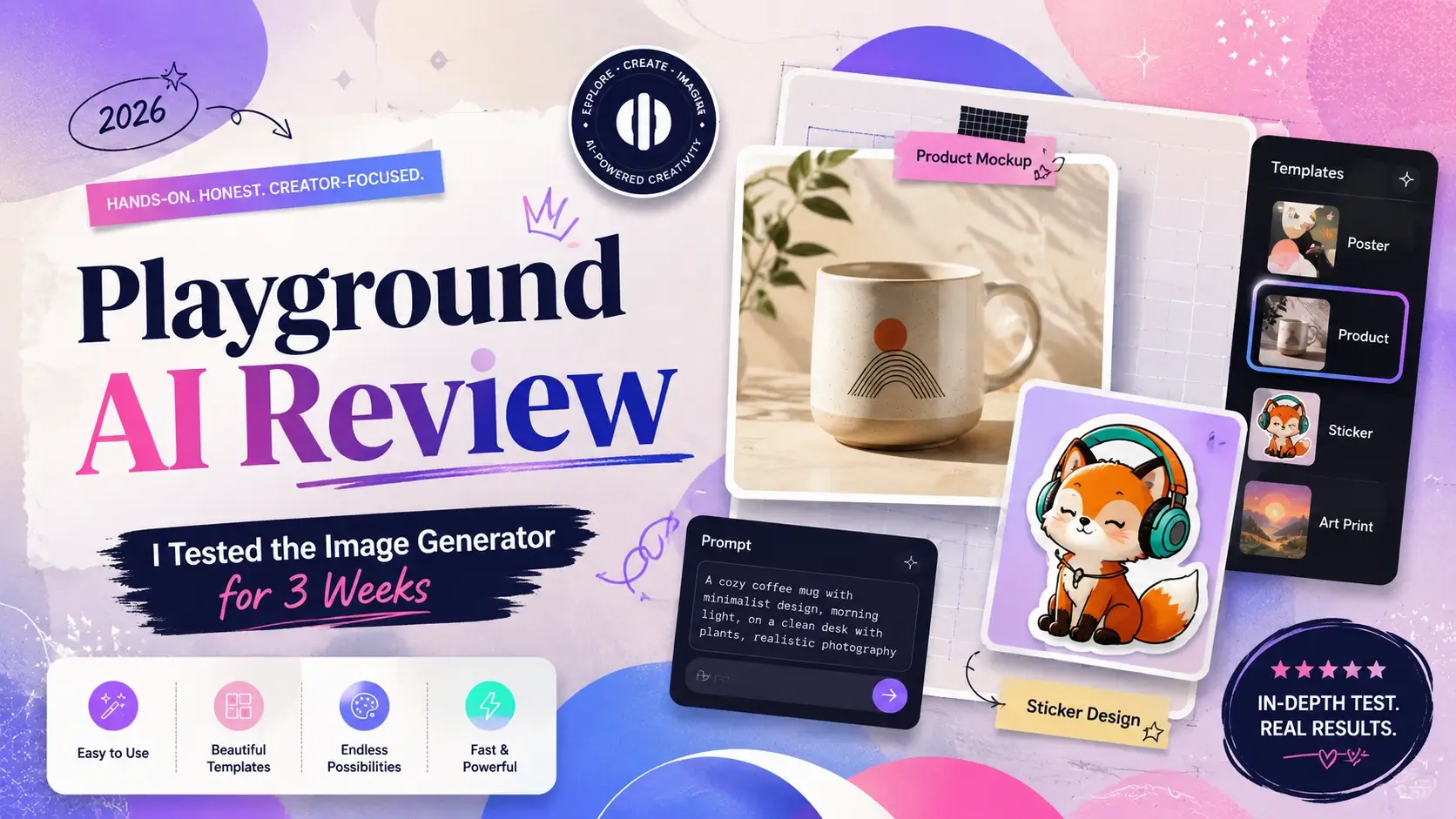
I picked up Playground AI again in early June because I needed a faster way to knock out social graphics for a client's product launch, and I remembered it having a generous free tier back when I first tried it a couple years ago. Three weeks and roughly 200 generations later, I have a much clearer picture of what this tool actually is in 2026 — and it's not quite what I expected going in.
What Playground AI Actually Is Now
If you haven't touched Playground AI since 2023 or 2024, the product has shifted. It started as a straightforward text-to-image generator built on Stable Diffusion. Today, playground.com positions itself closer to a Canva-style design workspace with AI generation built in — templates, an editor canvas, background removal, upscaling, all wrapped around image models like their own PGv3, Nano Banana, GPT Image 2, and Seedream. The company says over 13 million creators use the platform, which tracks with how much template and community content is baked into the interface now.
Testing the Playground AI Image Generator
Test 1 — realistic product mockup.
Prompt: "minimalist ceramic coffee mug on a wooden table, morning light through a window, soft shadows, product photography style." I ran this through the free PGv3 model first. The lighting was genuinely decent — soft, directional, believable. But the mug handle warped on two of four generations, and the wood grain looked slightly plastic-y up close.
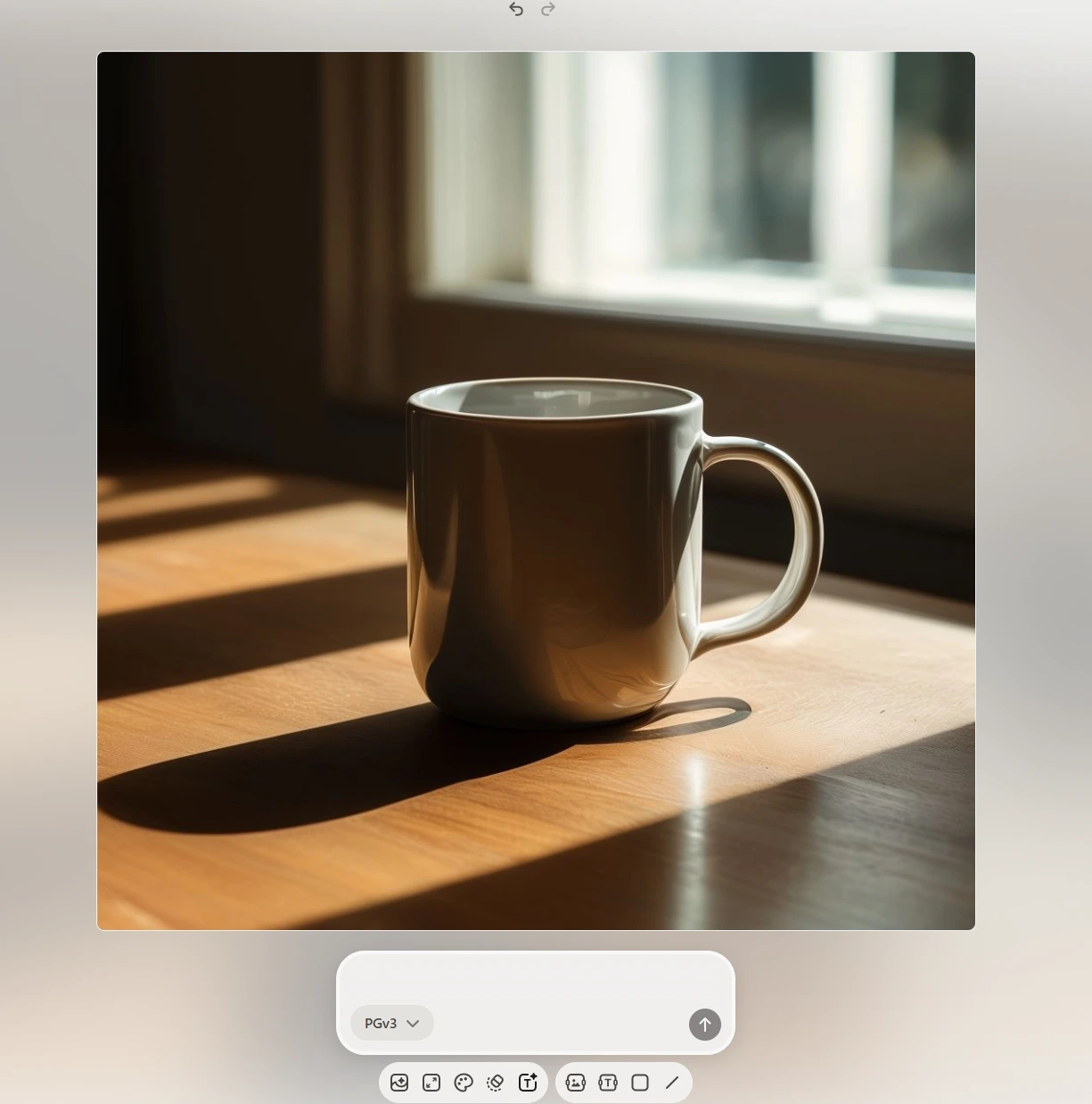
My honest reaction: fine for a quick social post, not something I'd send to a client without a second pass in an editor. Test 2 — stylized character illustration.
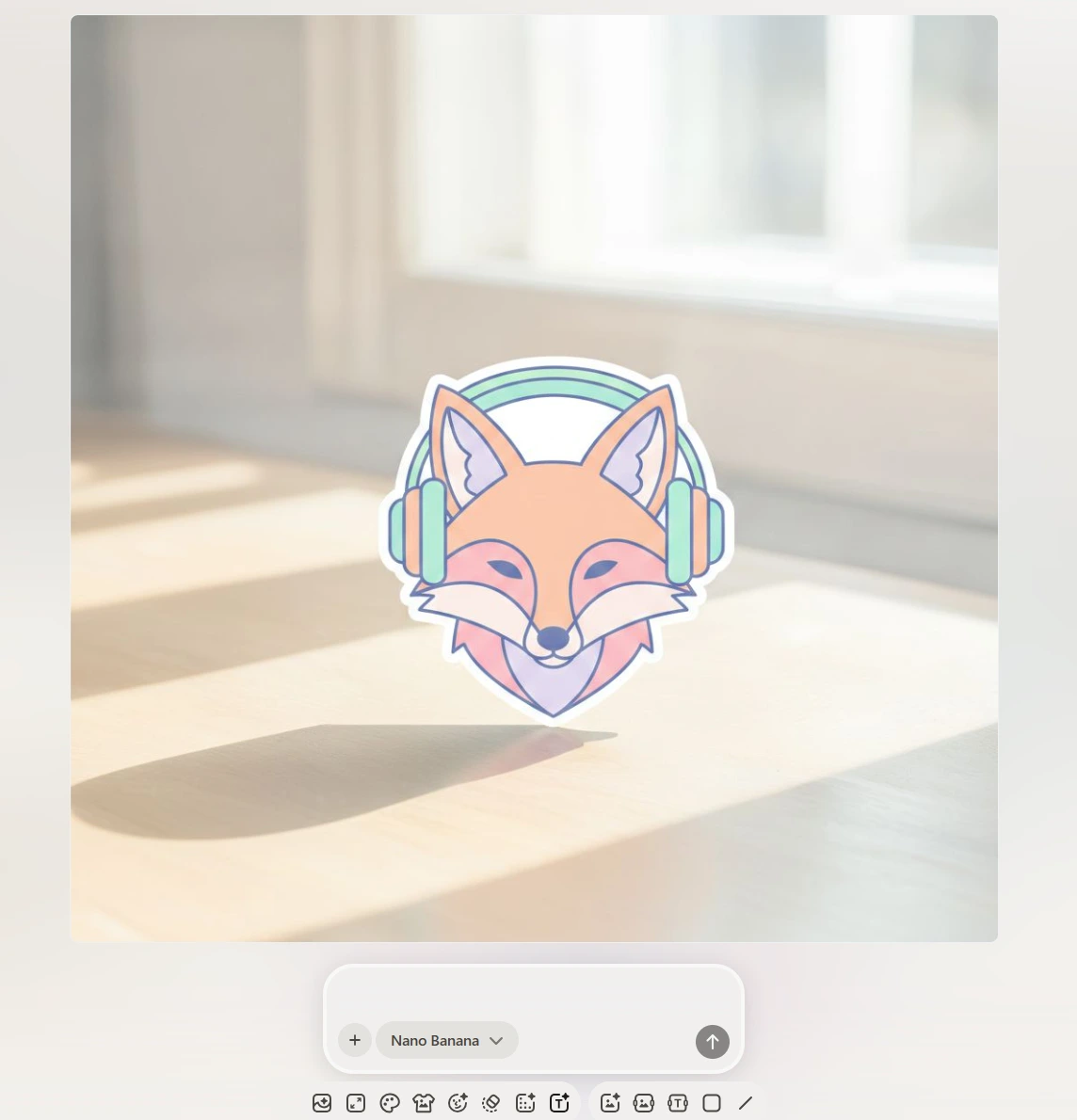
I switched to Nano Banana and tried: "flat vector illustration of a fox wearing headphones, pastel color palette, sticker style, white background." This one landed much better — clean lines, correct proportions, and the sticker-style background came out actually transparent-ready. This is the kind of task the platform seems built for.
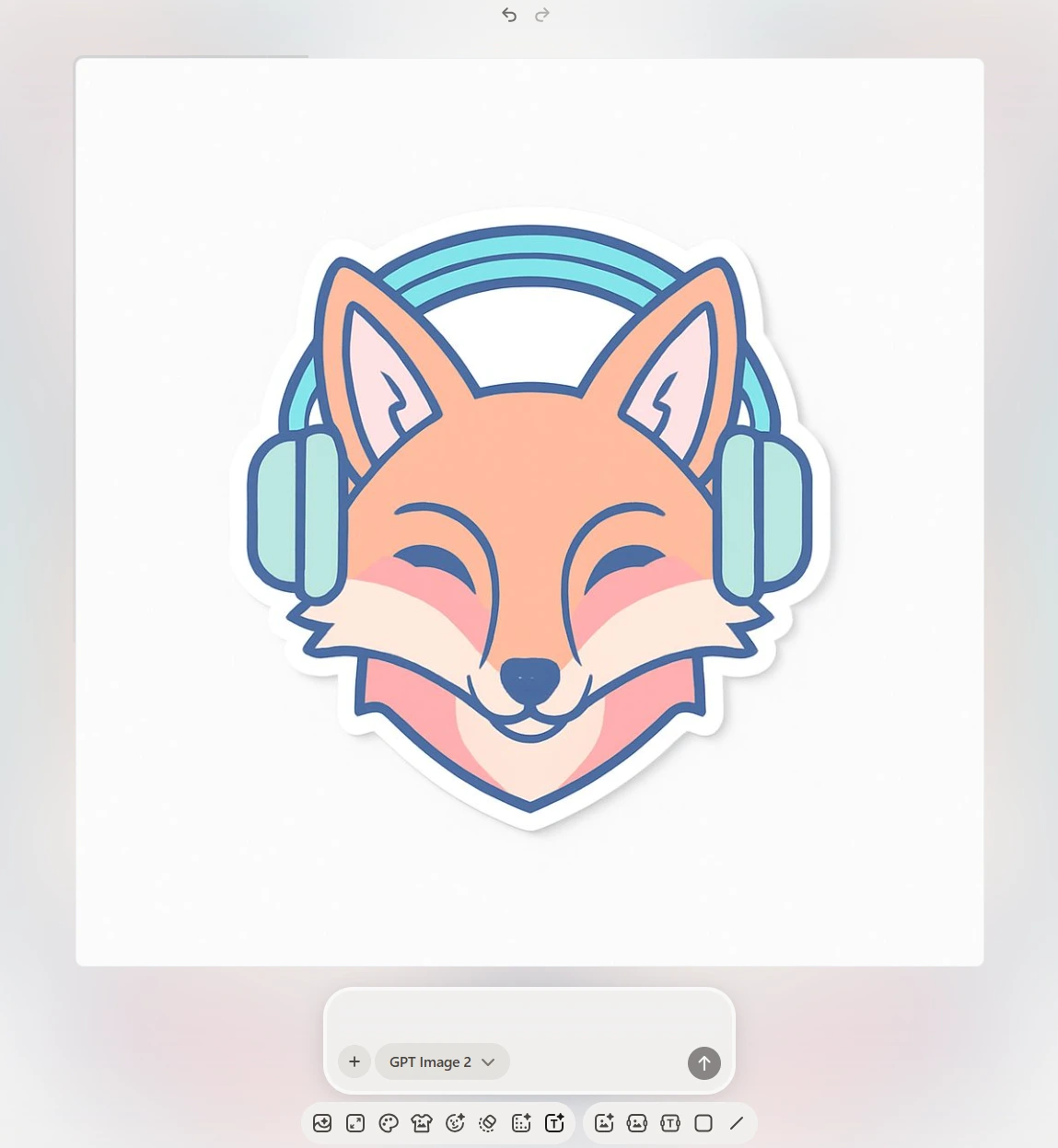
I ran the same prompt through GPT Image 2 for comparison. Slightly more detailed shading, less "sticker," which honestly wasn't what I wanted for this use case — a good reminder that model choice here matters as much as the prompt itself.
Editing, Templates, and Everyday Workflow
The template library is where Playground earns its Canva comparison. If you need a social post frame, a poster layout, or a merch mockup, dragging your generated image into a template and adjusting text took me under two minutes each time. Background removal on Pro was clean on simple product shots, less clean on anything with fine hair or fur detail — I had visible haloing on a portrait test. Upscaling worked as advertised up to the resolution caps for each tier. The interface itself is not intimidating — no sampler settings, no negative prompt fields to learn, which is exactly the point for someone who doesn't want to study prompt syntax for an afternoon. I also went looking for a video generation option, since that's usually the next thing I check after image quality. Playground's core platform doesn't have one — no video tab, no image-to-video tool, nothing built into the editor or the pricing tiers. For a design-and-image tool that's not necessarily a dealbreaker, but it does mean anything motion-based has to happen somewhere else entirely.
Playground AI Pricing: Is It Worth Paying For?
Playground's free plan gives you 10 image generations every 3-hour rolling window and only 3 monthly generations across Nano Banana, GPT Image 2, and Seedream combined — noticeably tighter than the 1,000-images-per-day figure you'll see quoted in older reviews. The free tier is also non-commercial only, so if you're making anything for client work or a store, you need a paid plan regardless of volume. Pro runs $15/month (or $12/month billed annually) and adds 150 monthly model credits, unlimited premium templates, background removal, upscaling, and a worldwide commercial license. Pro Plus is $45/month ($36 annually) with 1,000 monthly credits, unlimited generations on the base model, 4K editing, and priority support plus API access on request.
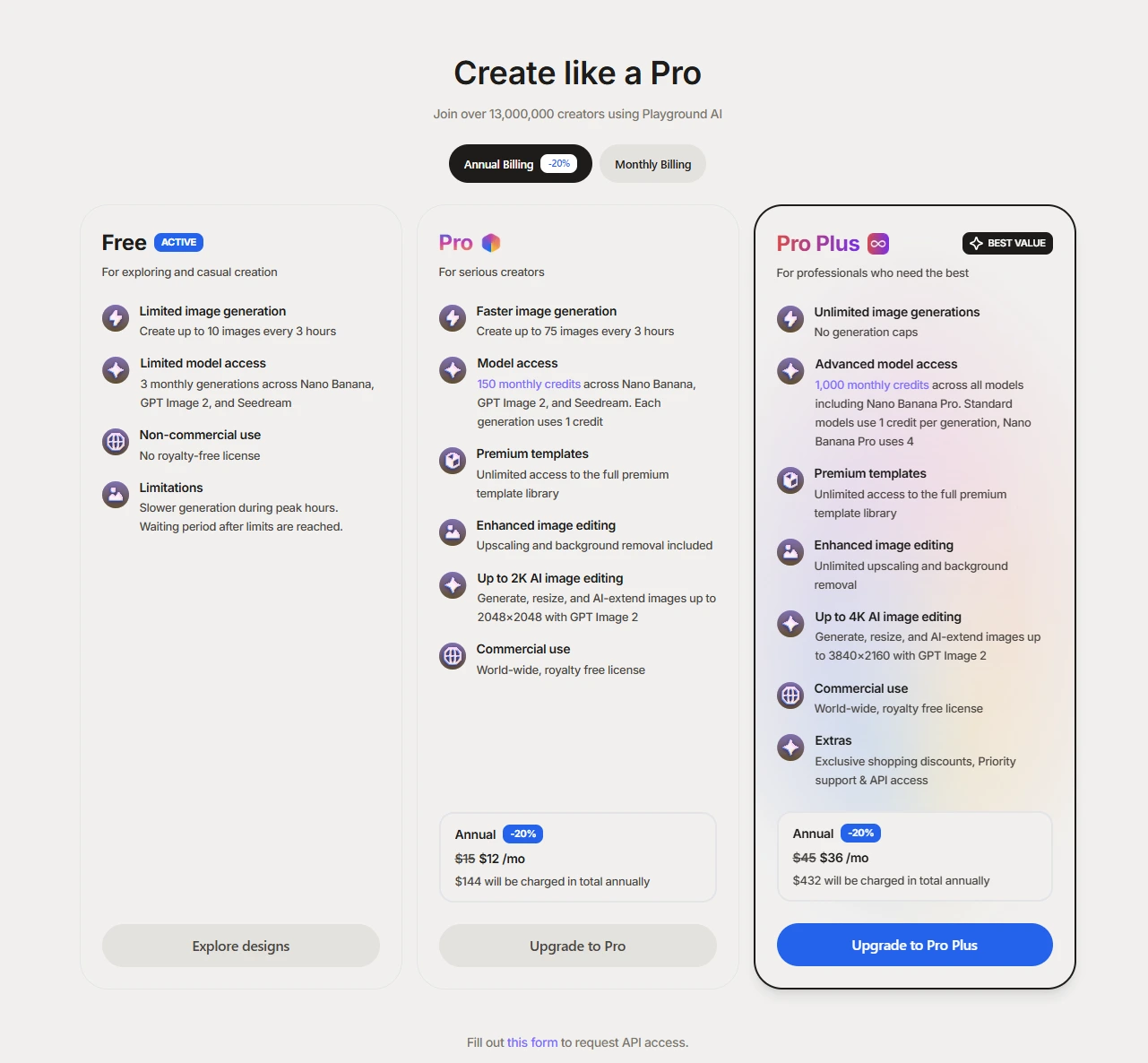
For a casual user posting a few graphics a month, the free tier is genuinely too limited to rely on. For someone doing regular social content or light client work, Pro is reasonably priced against comparable tools. Teams or agencies pushing high volume will likely feel Pro Plus's caps eventually, especially since Nano Banana Pro burns 4 credits per generation instead of 1. Prices and credit allocations can change, so I'd check the current numbers on their pricing page before committing to annual billing.
Playground AI Pros and Cons
Pros:
Template system genuinely speeds up turning a raw generation into a finished, usable graphic
Nano Banana and Seedream outputs held up well for flat/vector and sticker-style illustration work
Background removal and upscaling are built into the same workflow, no exporting to a separate tool
Commercial license is clearly worded and applies platform-wide on paid tiers
Cons:
Free tier's 3 monthly cross-model generations feel almost like a trial, not a real free plan
No native AI video generation on the core platform — a real gap if that's part of your workflow
Photorealistic outputs (my mug test) showed detail warping that stronger realism-focused models avoid
Credit system across four models with different costs per generation takes a minute to actually understand
Looking for a Playground AI Alternative With Video Built In?
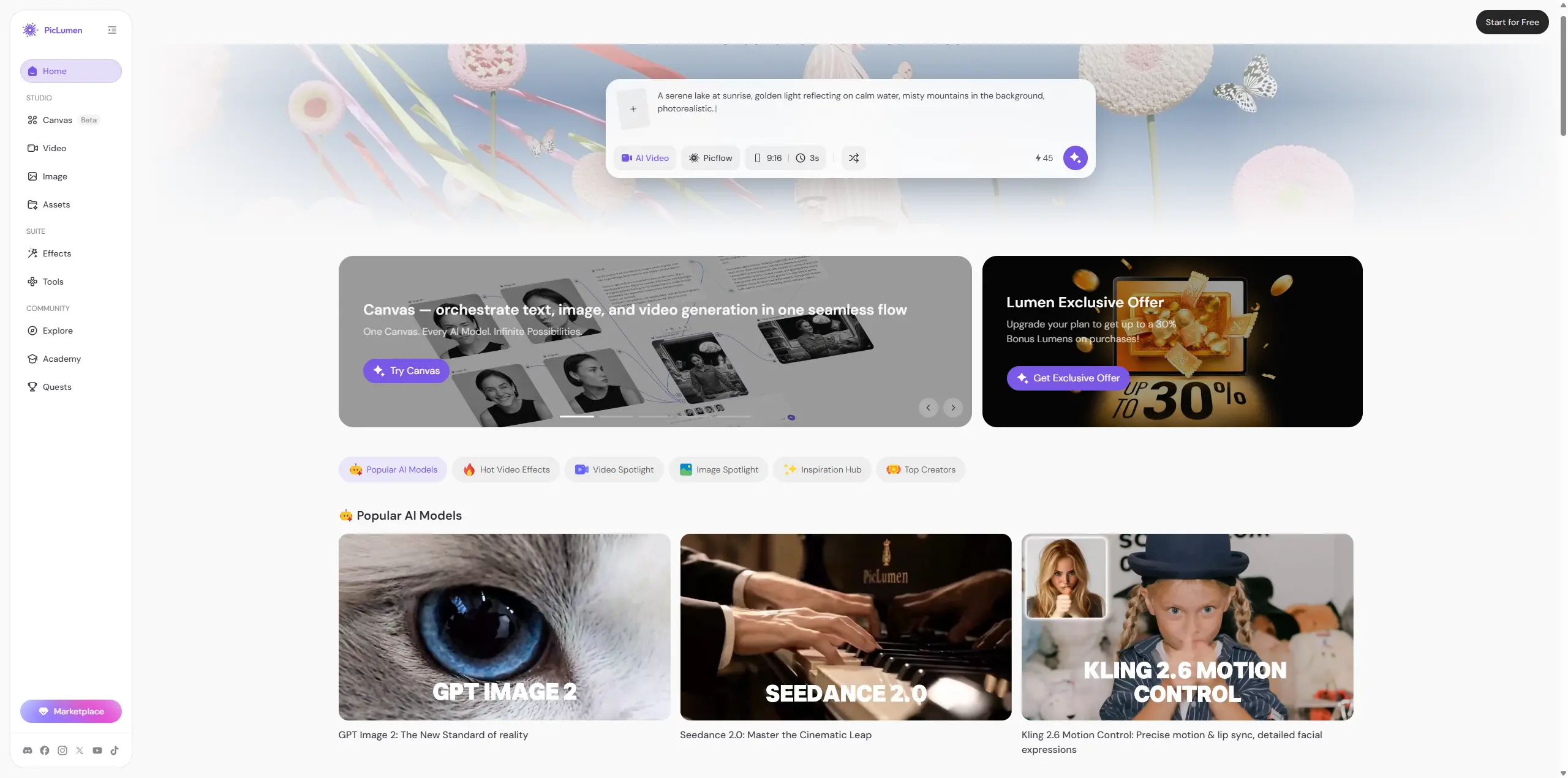
Where Playground clearly separates itself is the design-editor layer around image generation — if your job is turning AI images into finished social posts fast, that's a real strength. But if you need video in the same place you're generating images, Playground can't do it, and you're stuck exporting elsewhere. That's the gap I kept running into during testing, and it's where PicLumen fits differently. PicLumen is an all-in-one multimedia creative platform that combines AI image generation, AI video generation, and community sharing, built for creators, designers, marketers, anime fans, and anyone who wants to bring visual ideas to life without juggling three subscriptions. When I ran comparable illustration prompts on PicLumen, I didn't have to leave the platform to also generate a short video from the same concept — for a marketer or content creator working across formats, that alone changes the workflow math. PicLumen's pricing also tends to land more reasonably for someone who wants both image and video coverage rather than paying for two separate tools.
FAQs about Playground AI Image Generator
Is Playground AI actually free to use?
There's a free plan, but it only allows 10 images every 3 hours on the base model and just 3 total monthly generations across the premium models, and it's restricted to non-commercial use.
Does Playground AI have a video generator?
No, not on the core web platform. Everything is built around image generation and editing.
Can I use Playground AI images commercially?
Only on paid plans (Pro or Pro Plus). The free plan's outputs are for personal, non-commercial use only.
How does Playground AI pricing compare to other AI image tools?
At $15/month for Pro, it sits in the mid-range for AI image tools with editing features included, though the credit system per model takes some getting used to.
Is there a Playground AI alternative that also does video?
Yes — PicLumen combines image and video generation with community sharing in one platform, which is worth considering if your work needs both formats without switching tools.





