Remaker AI keeps popping up in my tool recommendations. Its biggest draw is image editing, especially AI face swap. I spent two hours testing it hands-on. I wanted to see if it can churn out batches of face-swapped images and videos reliably for social media. I uploaded different portrait photos, tried its photo editors, and made AI videos. Along the way, I kept an eye on load times and how fast credits get used up. My main question: Can this tool handle regular work for real content creators? Every observation below comes straight from my own testing.
What is Remaker AI?
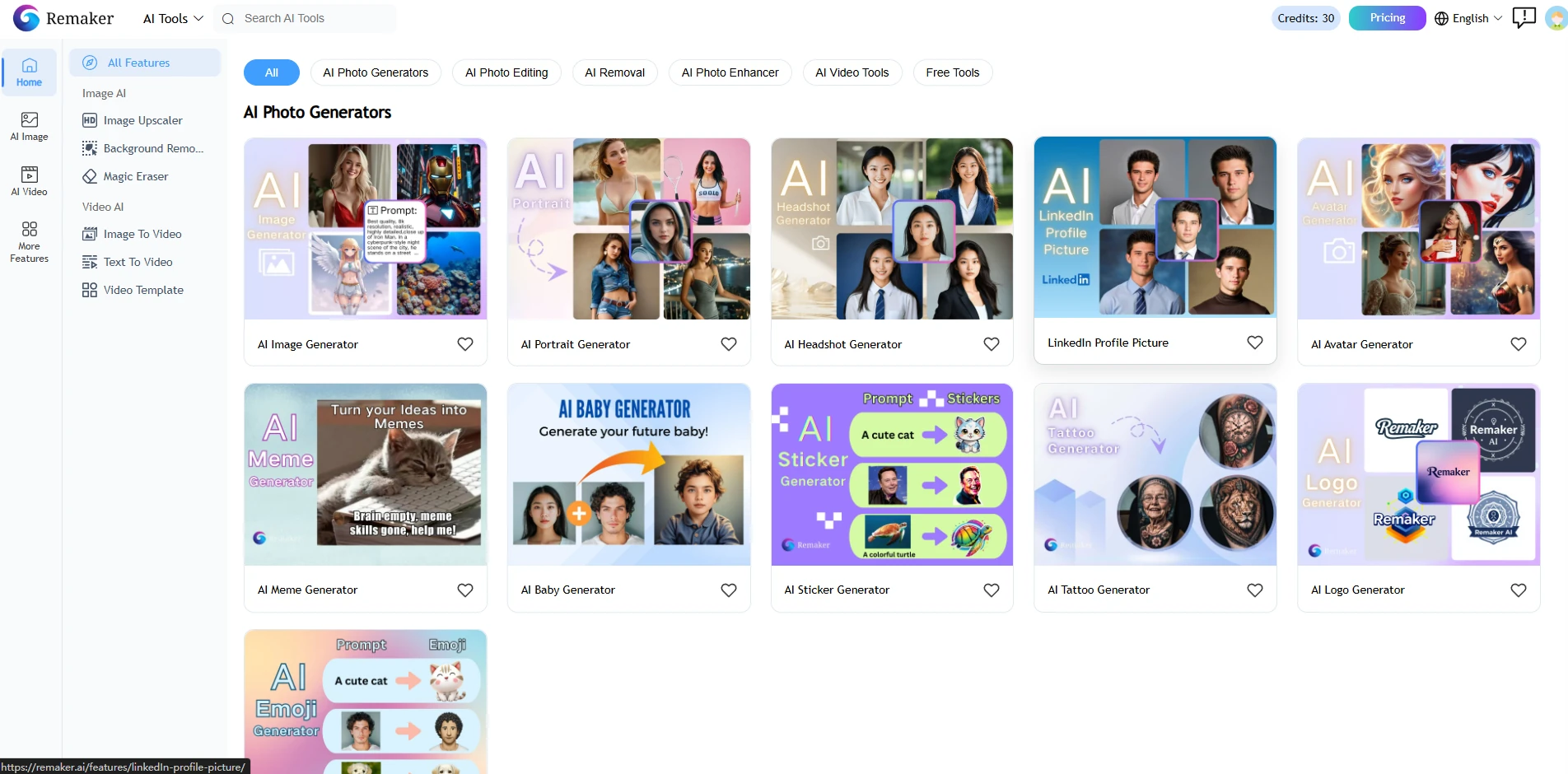
Remaker AI is a web-based tool hub. It does not look like a deep graphic design program. Instead, it is a dashboard full of small, specialized tools. Its main selling point is its face swap feature, but it also has tools for generating images and editing photos. The site runs entirely on a credit system. You do not buy a traditional unlimited software license. Instead, every action you take—like clicking a button to swap a face or rendering a short video clip—costs a specific number of tokens. It is built for quick, point-and-click tasks rather than deep, multi-hour artistic editing sessions.
Testing Core Image Tools
I wanted to see how the platform handles different types of image tasks. I broke my testing down into three separate parts to see where the system works well and where it starts to struggle.
Text-to-Image Generation
First, I tested the standard image generator. I wanted to see if the platform could create clean commercial textures from scratch without any human face inputs. Prompt: "Premium scented candle placed on a matte cement surface, with soft side lighting from a nearby window, delicate wisps of smoke drifting upward, and scattered dried flower petals. Minimalist Instagram-style still-life commercial photography, high-resolution realistic rendering."
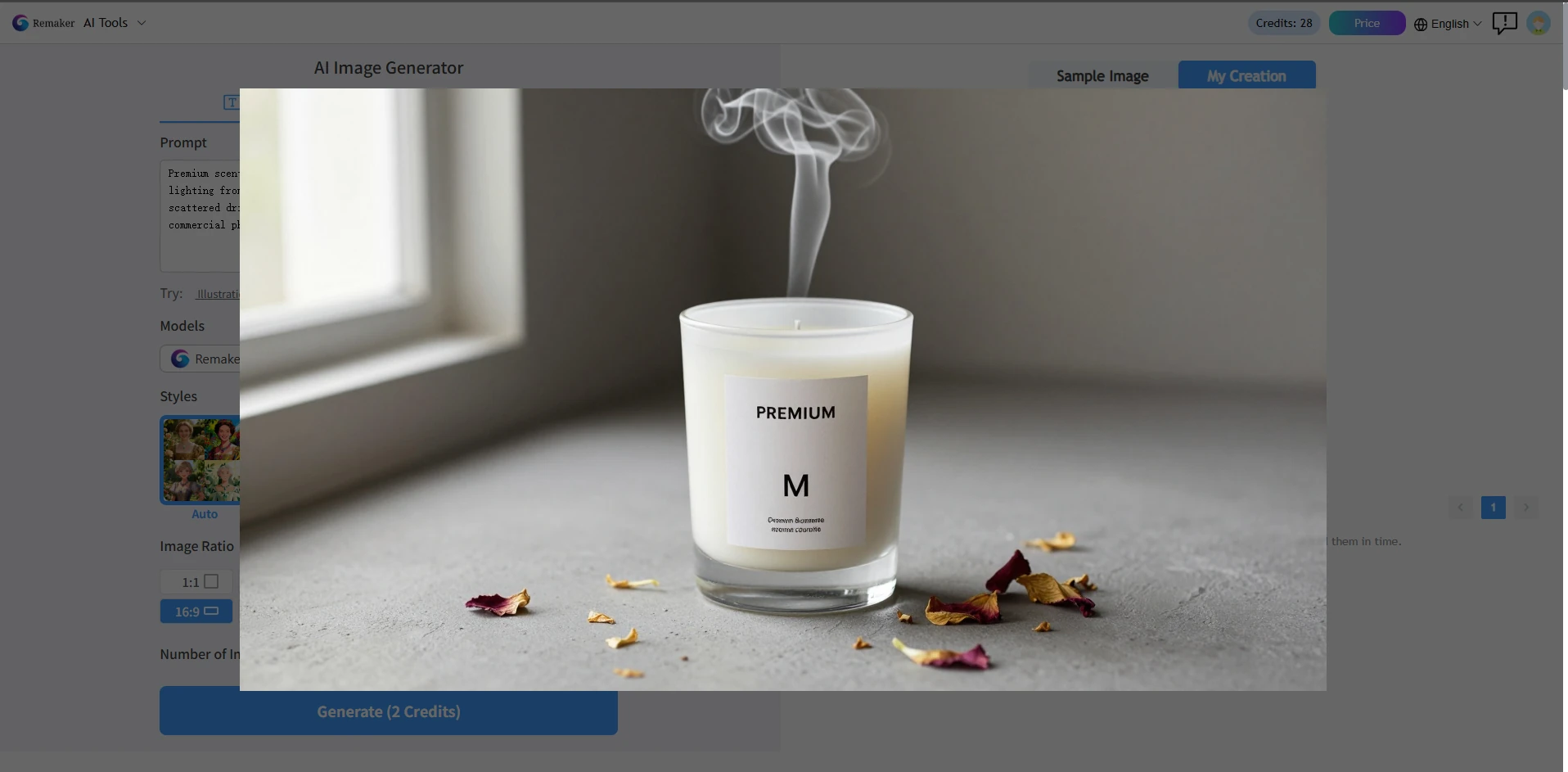
The first result has a nice layout, and the candle looks normal with no weird warping. It works great as a quick rough draft. That said, the smoke looks messy and choppy around the edges, the lighting feels generic and cookie-cutter, and there aren't enough fine details to use this for official printed brand ads.
AI Face Swap
I have uploaded the original photo and my target photo; below are the results I obtained.
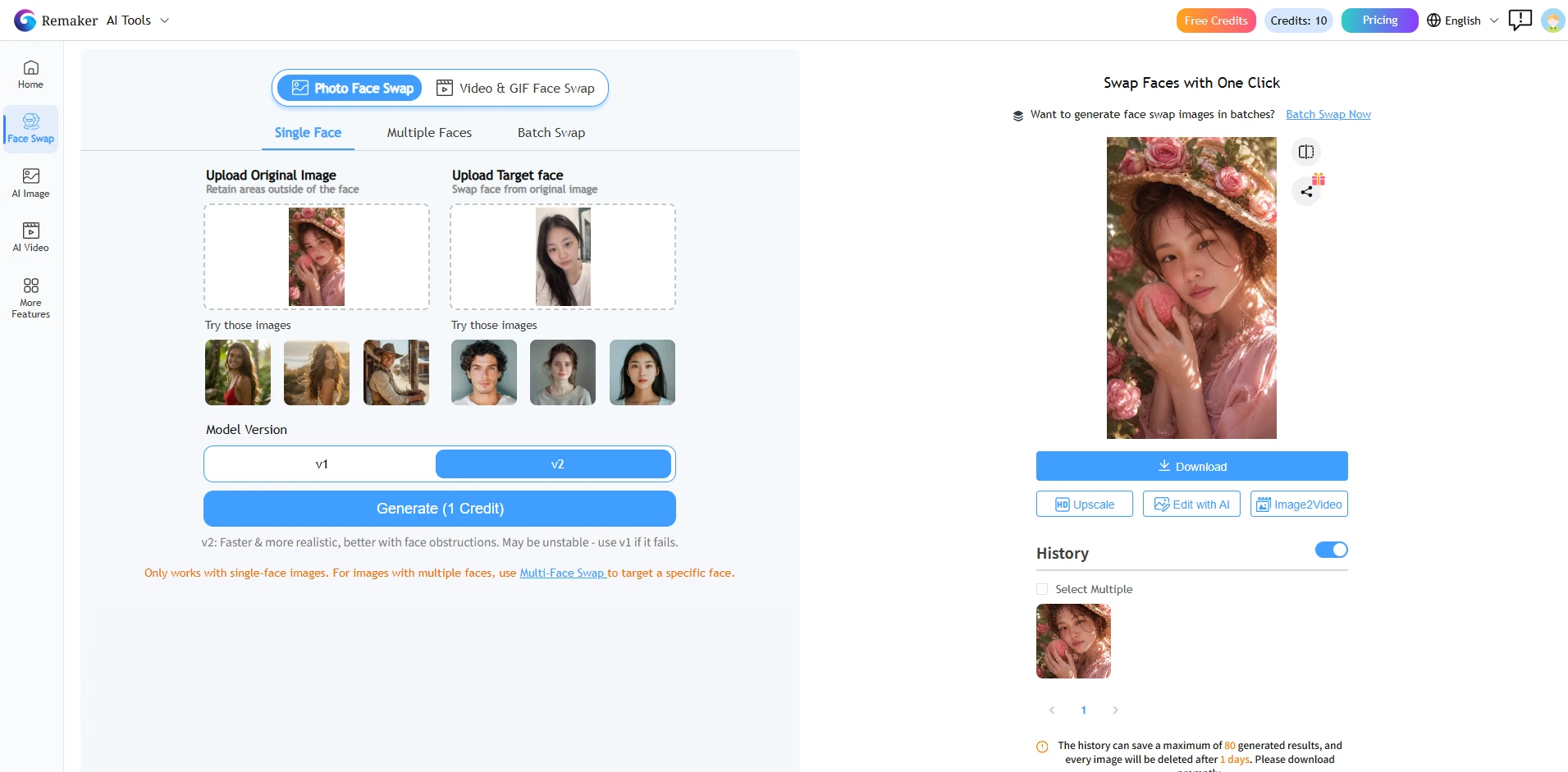
This feature quickly swaps faces in images. Simply upload the original picture and the facial image you want to paste in, and the AI will handle everything else. The face swap blends smoothly and looks very natural when the lighting and shooting angles of the two photos are similar.
AI Headshot
Next, I tried the AI headshot tool. This tool is meant to take a casual photo of a person and turn it into a professional head shot.
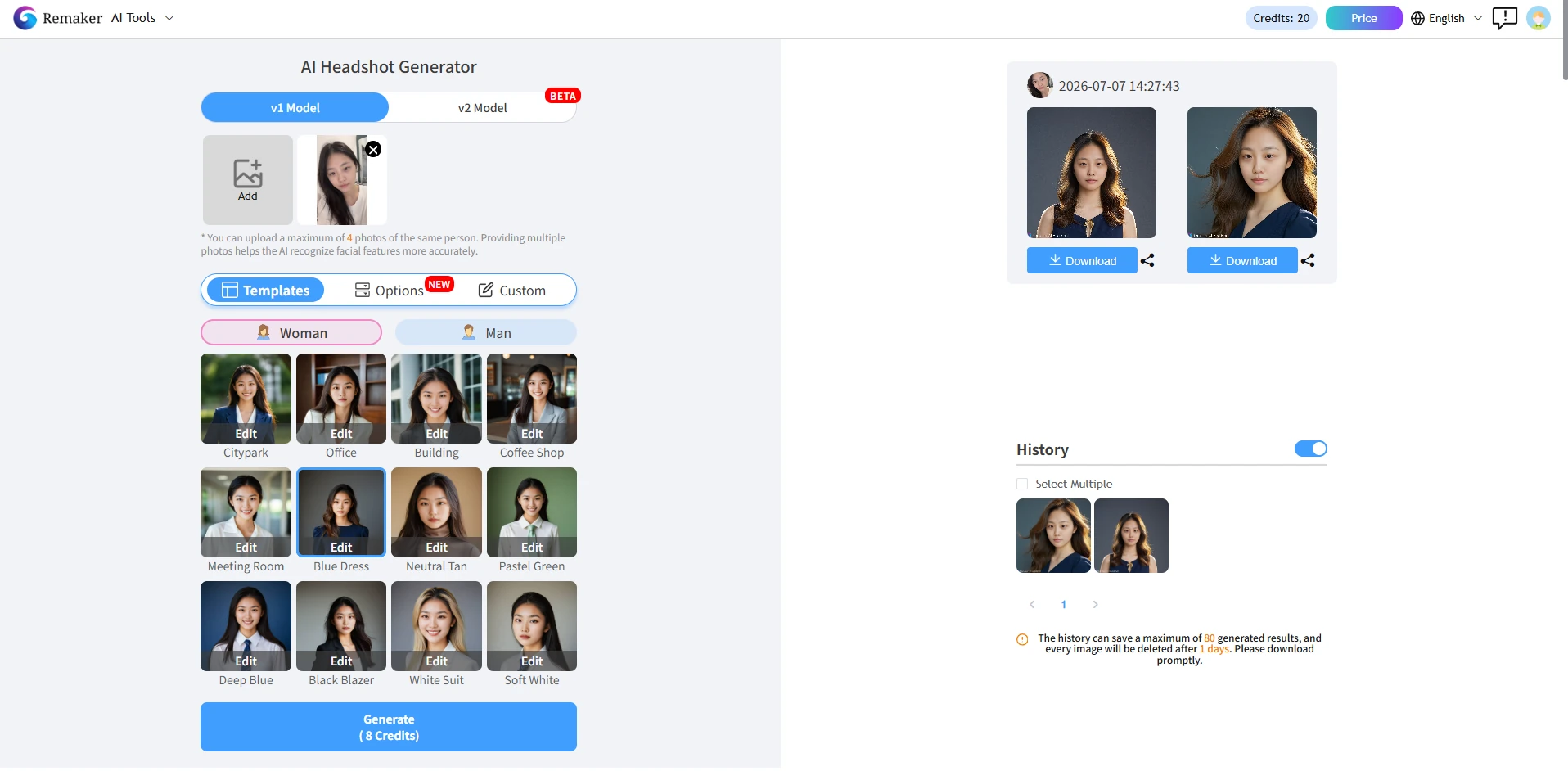
I had to regenerate the image once because the first output gave the subject mismatched eyes. The second attempt was much better. The blazer looked sharp and the lighting was smooth. However, the hair blending along the ears looked a bit fuzzy. It is a fast way to get a profile picture, but people who look closely will notice it is artificial.
Photo-to-Anime Transformation
For the test, I wanted to turn my generated portrait into a stylized anime character using the built-in filters.
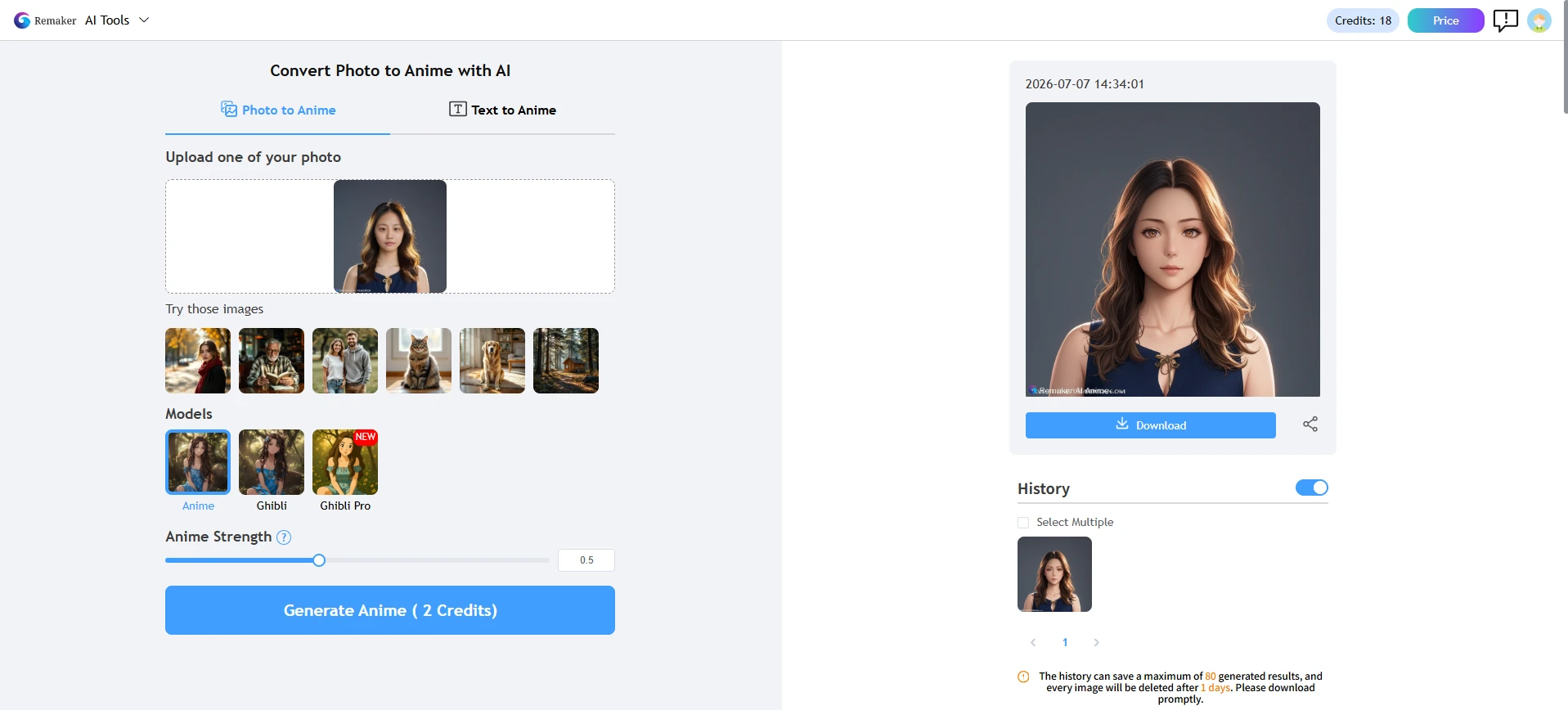
This worked better than I expected when looking at the overall color palette. The transformation was fast and the colors were bright. But it started to struggle with the clothing folds. The blazer lines got messy and lost their structure. It is fun for avatars, but I would not rely on it for serious illustration work.
Testing Motion: Remaker AI Video Capabilities
After finishing the image tests, I moved over to the video tools. Remaker AI allows you to upload a video clip and swap a face onto the moving subject, or turn text prompts into short animations. I uploaded a portrait photo and a reference video to test face swapping in the video. The actual face alignment process takes quite a bit of processing power on their servers. Because of this, my tasks got stuck in a long generation queue during peak afternoon hours. Waiting two minutes for a tiny clip to process was a clear frustration.
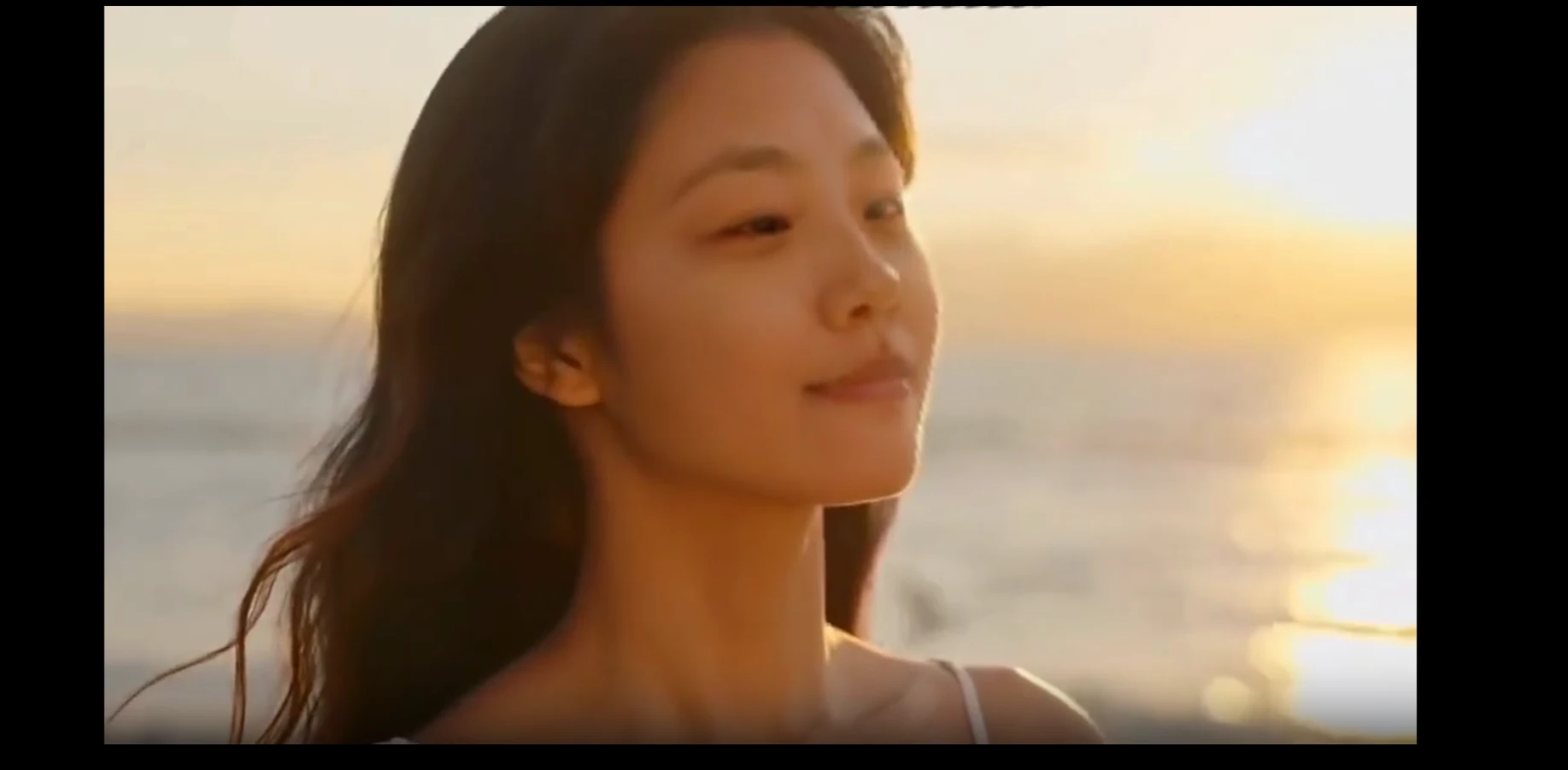
When the video finally finished rendering, I checked the movement . The face swap stayed locked on when the person was looking straight at the camera. But as soon as the character turned their head slightly, the face started to warp. The edges of the jawline looked detached from the neck for a brief split second. That was not a dealbreaker for a funny meme, but the motion distortion means it is not ready for professional video clips.
Remaker AI Review Pricing
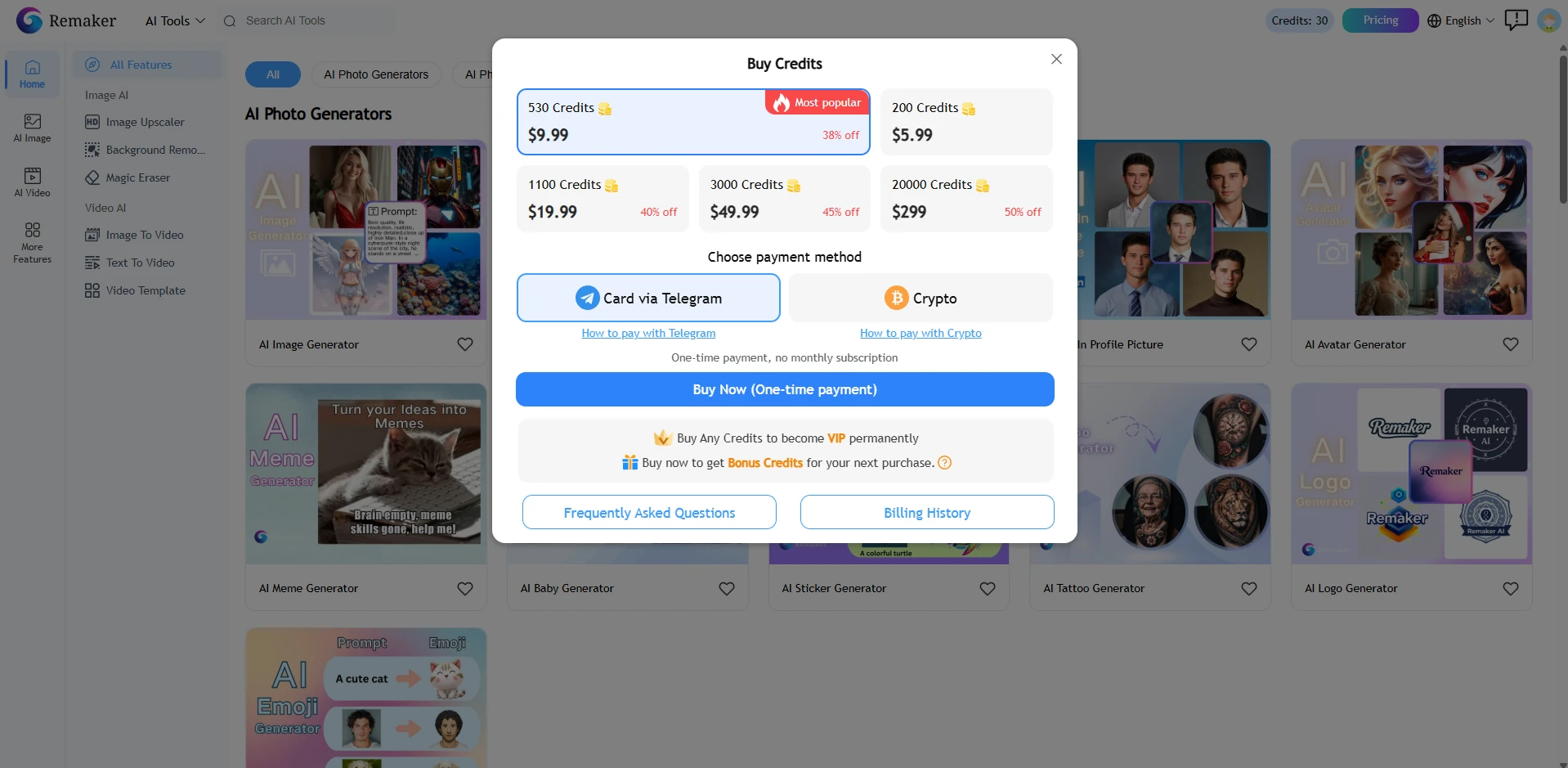
Remaker AI only lets you buy credits one-off. It doesn't provide any monthly subscription plans at all.Also, remaker AI gives new accounts 30 free daily credits to start. Generating one image consumes 2 points; generating two ID photos consumes 8 points; video generation costs points based on duration.However, these free generations come with heavy limitations: your final images will have a mandatory watermark in the corner, and you cannot download them in high resolution.Here is an overview of the pricing.
Pros and Cons of Remaker AI
Here is a quick, scannable summary of what I liked and what frustrated me during my time with the platform. Pros: Super Fast Face Swaps: If you just want to swap a face onto a single photo or a group picture, it takes two clicks. Very Simple Interface: There are no confusing technical terms or sliders. Anyone can use it instantly without a tutorial. No App Downloads: Everything runs inside your web browser, so it does not slow down your computer. Cons: Watermarks on Free Accounts: You cannot use the free outputs for anything serious due to the forced logos. Credit Exhaustion: Credits disappear fast because you often have to re-run prompts to fix weird visual glitches. No Fine Control: You cannot manually adjust edge blending, lighting angles, or specific brush sizes. Queue Bottlenecks: Video tools can take a long time to finish when the site is busy.
Remaker AI vs. PicLumen: A Side-by-Side Comparison of Two AI Creation Tools
Choosing between these tools depends entirely on your project goals. Remaker AI works well if your workflow focuses on single-task operations. If you just need to do a fast face swap for a joke, apply a quick anime filter to a photo, or experiment with simple presets, its micro-tools are highly convenient. You do not need to learn how AI works; you just click and go.
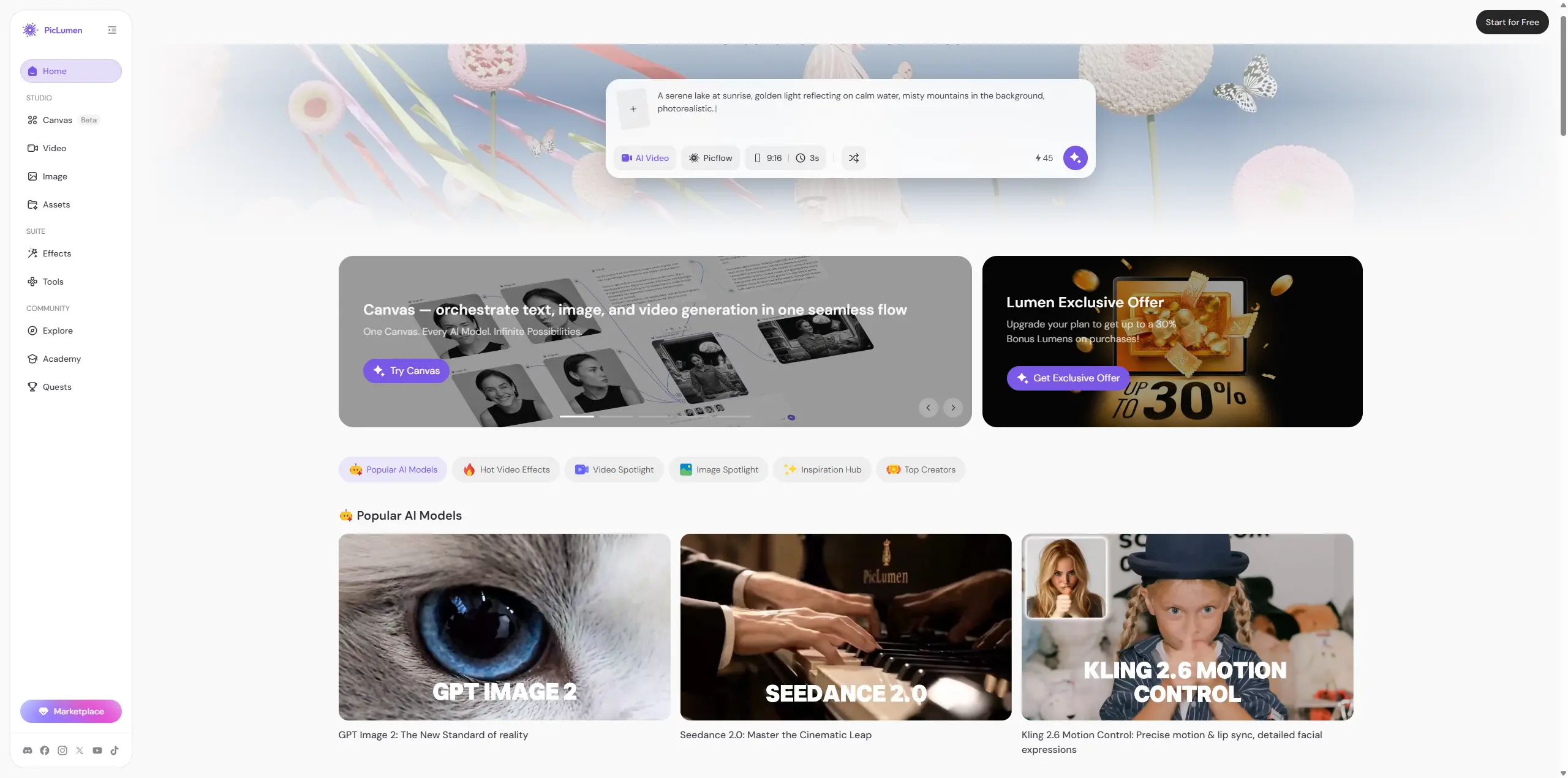
PicLumen cleans up messy menus and lets you tweak image details freely. Its biggest perks are clear: the free tier exports all work with zero watermarks, and video generation finishes in mere seconds without long waiting queues. It turns your creative ideas into polished pictures and clips fast. You won't waste credits fixing tiny flaws repeatedly. For marketers, designers and small teams putting together full visual campaigns, it delivers a far smoother and more predictable creation workflow.
Final Verdict: Is Remaker AI Actually Good?
Remaker AI is good at what it specializes in: quick, casual face swapping and simple photo filtering. It is highly accessible and doesn't require any tech skills. Best for: Casual creators, meme makers, and social media managers who need fast facial replacements or quick preset transformations. Skip if: You are a professional designer or business owner who needs high-resolution commercial graphics, precise edge editing, and seamless video production without constant paywalls.
Frequently Asked Questions
Is Remaker AI completely free to use?
No. You get a few free credits when you sign up, but free accounts have watermarks on all downloads and cannot access high-resolution outputs. You need to buy credit packs for clean assets.
Can I use Remaker AI face swaps for commercial ads?
I would be very careful here. Free accounts do not allow commercial use. Even on paid tiers, many community-contributed styles and source images carry copyright risks, and swapping public figures into ads can cause legal trouble.
What happens if a generation fails or glitches out?
During my tests, the system still deducted tokens for failed or distorted images. There is no automatic, instant refund for generations that do not look right.
What is the cleanest alternative to Remaker AI for fast image generation?
PicLumen is the strongest alternative. It focuses on clean, fast, and high-quality image generation within a simplified interface, allowing you to create content freely without checking a credit meter for every single change.





