Earlier this week, I was working on a tight three-day deadline to launch a new marketing campaign, and I urgently needed a batch of clean, photorealistic blog thumbnails along with matching social media graphics. I wanted a straightforward tool that could generate realistic human faces and office settings without looking overly synthetic.I heard Subnp could "Create stunning AI images in seconds".So I decided to spend one afternoon to see if it could handle my actual day-to-day workload.On that afternoon,I tested several custom prompts, checked how the tool handled complex textures, and looked closely at the details that usually trip up image generators. Here is what I actually found during my testing.
What is Subnp AI?
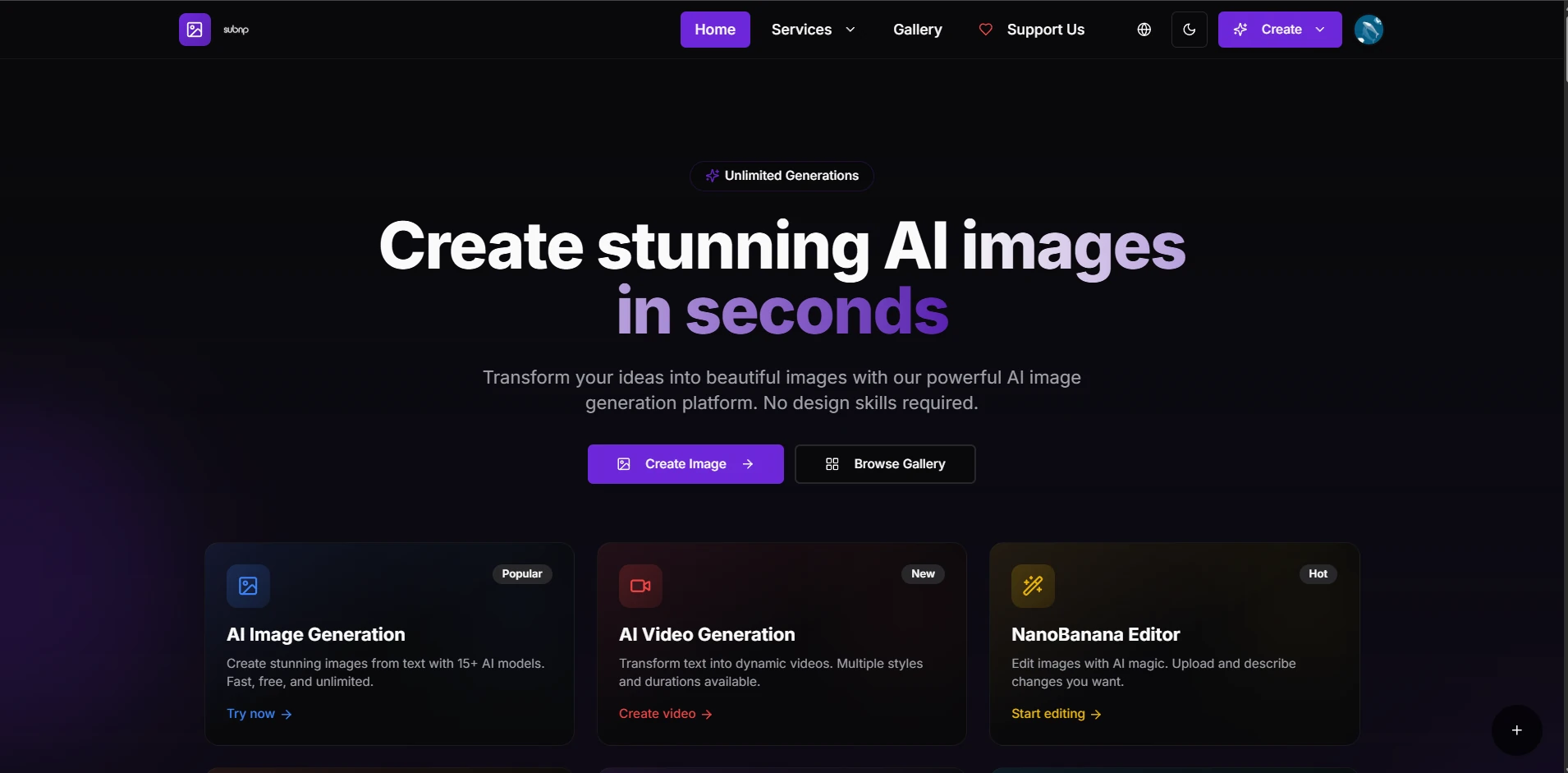
At its core, Subnp operates as an emerging, user-friendly text-to-image online platform. Instead of forcing you to navigate complex setups, it provides a clean web interface where you can type a text description and get a rendered asset in seconds. Another detail is its open approach for developers. Alongside the standard user interface, Subnp provides a developer-friendly, no-cost RESTful API tier. This allows you to hook their image generation directly into external web apps or internal workflows without hitches.
AI Image Generation: Prompt Testing & Output Quality
Since Subnp is built almost entirely for image generation and developer integration tools, I focused most of my hands-on testing on its text-to-image performance. To get a clear feel for its real pros and cons, I ran three separate prompt tests that target common creator pain points: realistic lighting, tiny intricate details, and accurate text rendering.
Photorealism & Human Textures
I tested this first because it's something I struggle with constantly. Finding natural-looking professional photos that don't look like generic stock images is really tough for solo creators. This prompt let me check how well Subnp handles tricky lighting and natural facial proportions. My Prompt: Close-up portrait of a modern digital marketer working in a brightly lit, minimalist office, photorealistic, shallow depth of field.
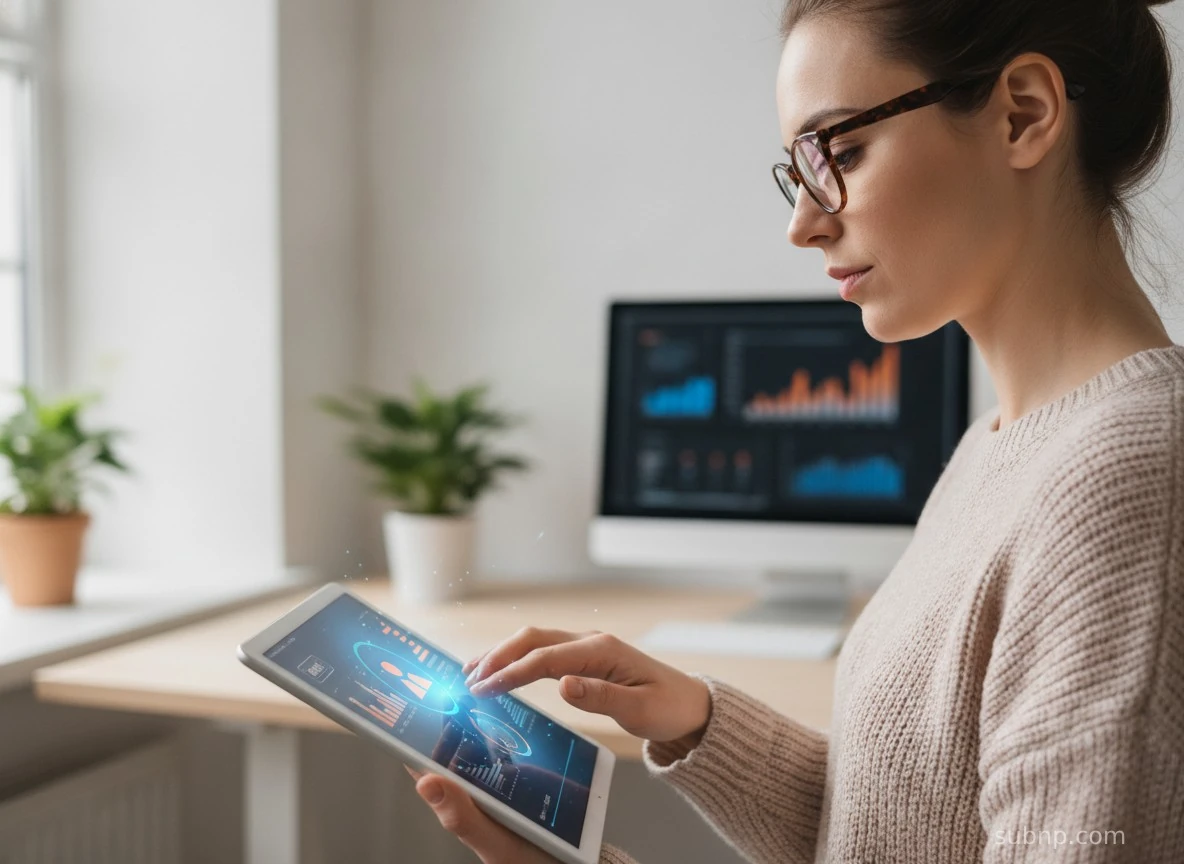
The lighting and facial structure turned out way cleaner than I expected. The skin texture didn't have that shiny, fake plastic look most older AI generators produce. That said, I spotted small issues when I zoomed in. The fingers bleed into the computer screen, looking slightly warped and messy.
Intricate Details & Textures
For the second test, I wanted to push Subnp to render complex, tight textures. A lot of AI tools blur fine macro details, so I wanted to see how this model held up. My Prompt: Macro shot of an embroidered vintage patch on a denim jacket, highly detailed thread textures, vibrant orange and blue yarn, cozy studio lighting.
.webp)
The denim grain texture looked really solid overall. Individual threads on the patch were clearly visible. I did regenerate the image once though — my first attempt had blurry patch borders that looked melted into the jacket fabric.
Text Rendering & Product Layouts
Last, I tested one of the most well-known weaknesses of AI image tools: clean, readable text on commercial product designs. My Prompt: A minimalist modern skincare bottle sits on a damp wooden countertop with water droplets on its surface. The eye-catching bold English word "Subnp" is neatly printed on its label, shot in a studio commercial photography style.
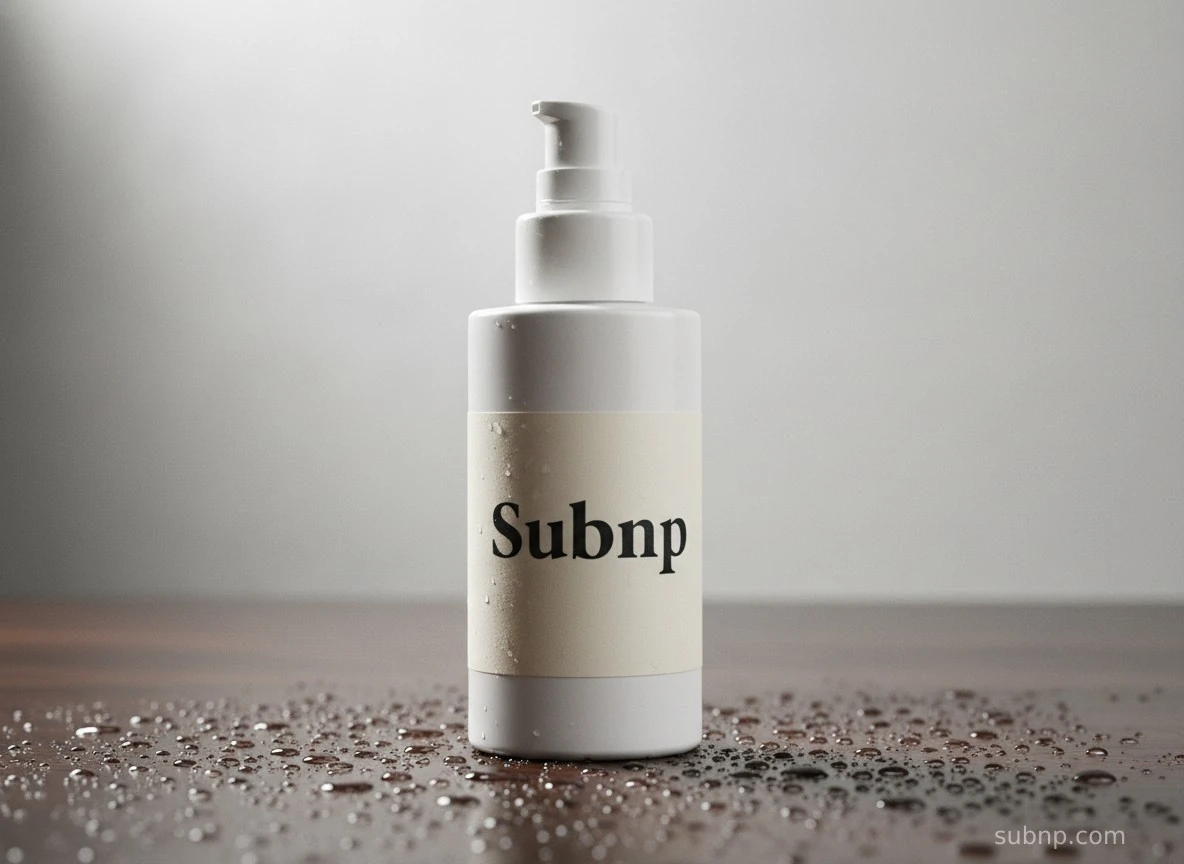
I was genuinely impressed that it spelled “Subnp” correctly on the first try. Still, close inspection showed slightly uneven letter edges. It works great as a quick layout reference or draft concept. Even so, you'll still need minor manual edits if you plan to use the final image for official commercial work.
What About Subnp AI Video Generation?
Although Subnp is a platform focused on image generation, it also features an AI video generation function at present. However, its video generation capability is still rudimentary. In terms of settings, it only offers several fixed options for Video Duration, Video Style and Video Resolution, and does not allow users to freely select popular prevailing AI models such as Seedance 2.0.
What I typed in: A young girl walking on a coastal sidewalk, gentle sea breeze, calm ocean waves, slow steady camera movement, consistent body motion, no jitter, smooth 6-second real-life footage style
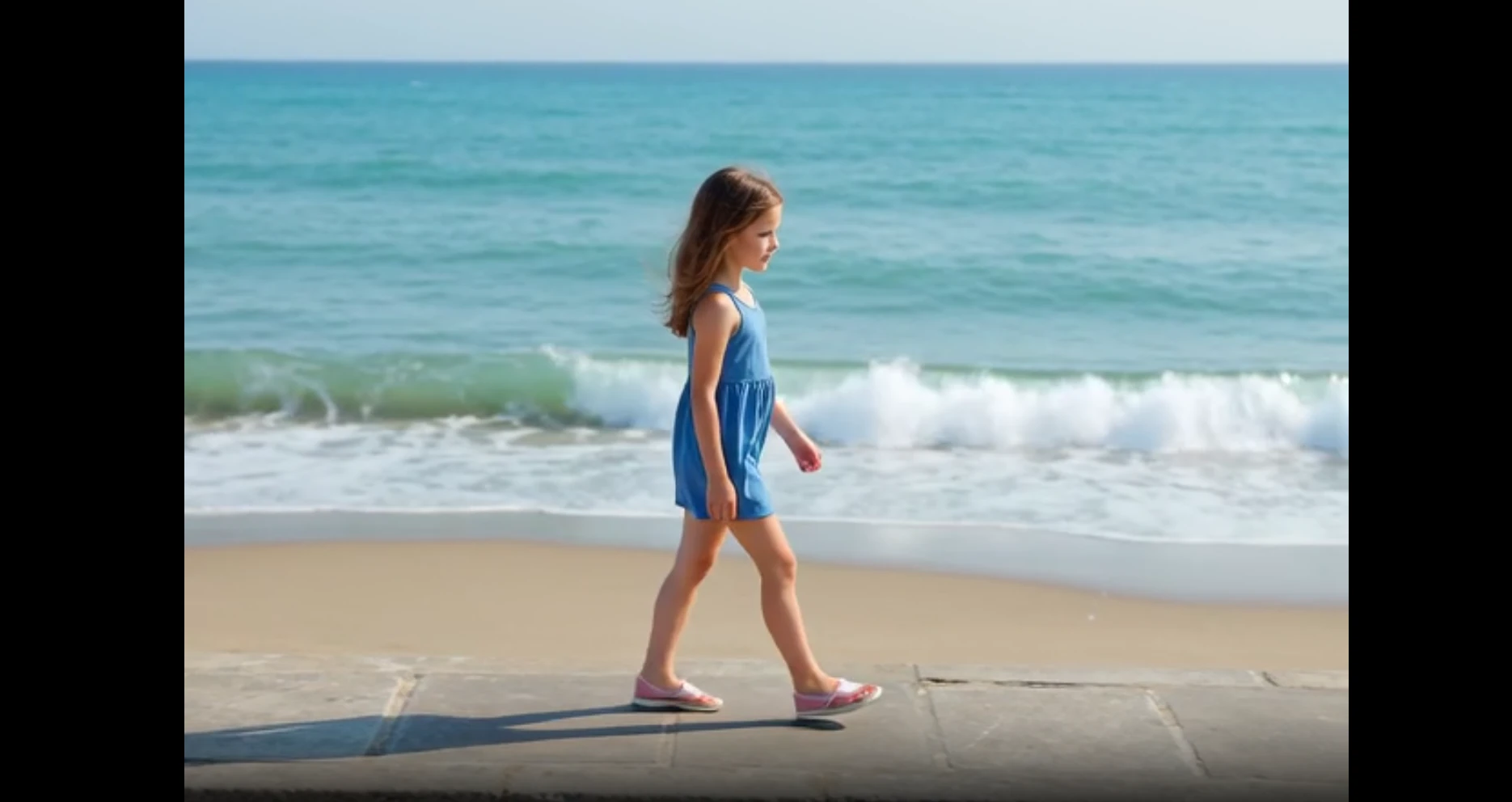
My Take: Subnp is capable of generating simple videos. The base scene came out nicely, with soft ocean waves and subtle wind movement matching what I typed out. While the background held up fairly well, the human subject lacked fully fluid, consistent stride, so the final video still needs small tweaks if you want perfectly lifelike natural footage.Meanwhile, Subnp only supports text-to-video generation and does not allow the addition of reference images or reference videos.This is quite inconvenient for me.
Pros and Cons of Subnp AI
If you are on the fence about trying Subnp, here is a quick reality check of what works well and where the platform falls short based on my hands-on testing.
The Pros:Realistic Photos: The lighting was clean — no overblown highlights, no weird shadows. The skin texture didn't have that shiny, plasticky look you get from older image generators. The face proportions looked natural, not stretched or off. Easy Prompt Builder: If you do not know how to write detailed descriptions, the interactive suggestions help you pick the right styles and setups automatically. Free Developer Access: If you know a bit of coding, you can connect Subnp's image generation straight to your own apps using their free API tool. The ConsLimited Video Generation: It only supports basic text-to-video generation. Fewer Community Style Models: It lacks a large community hub where you can copy pre-made custom art styles or user-generated artistic models. Basic Editing Tools: The web dashboard is quite simple. If you want to change specific parts of an image or heavily modify a layout, you will need extra editing software.
Expanding Your Content Workflow: Subnp vs. PicLumen
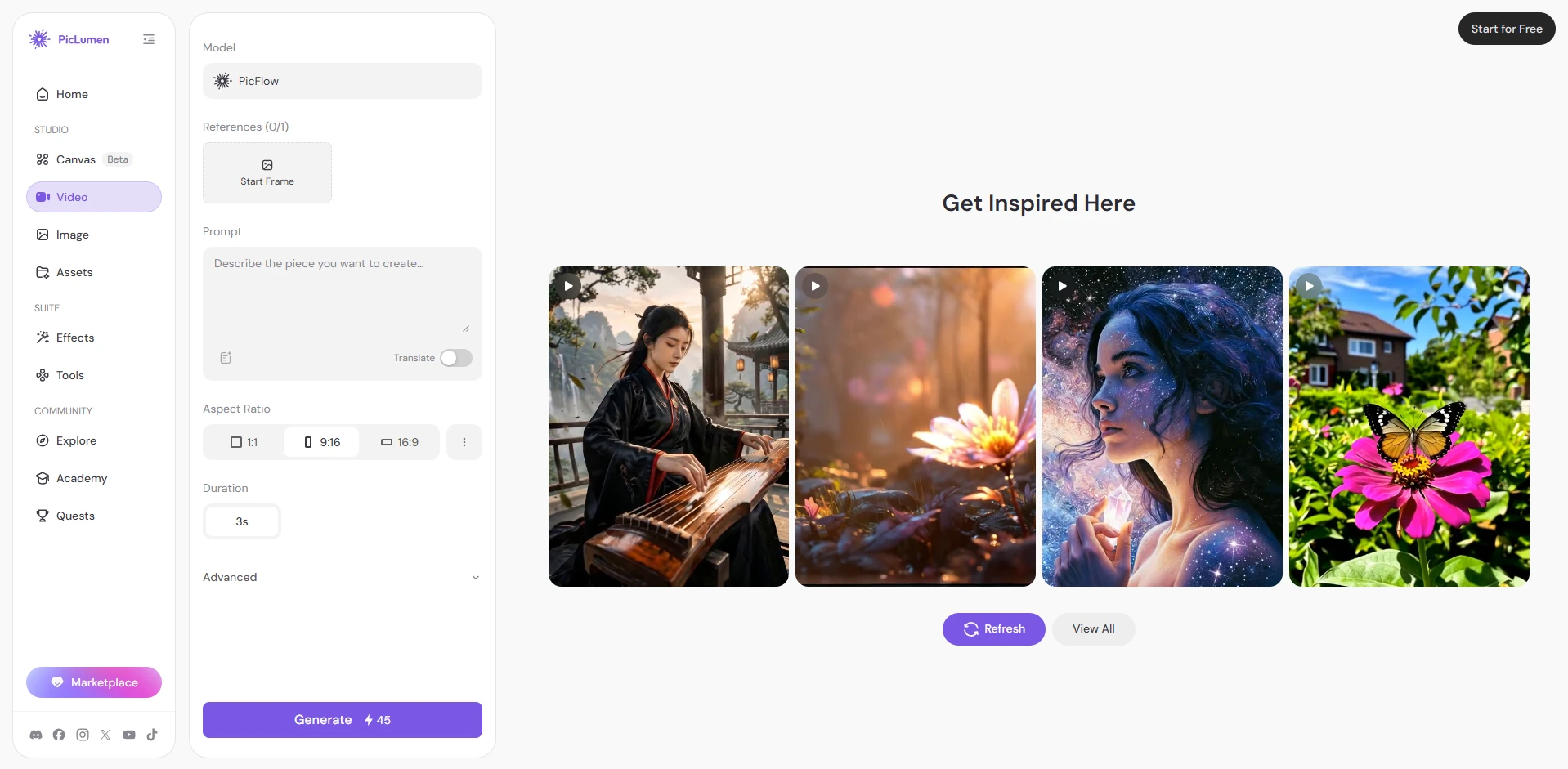
If you only need realistic stock photos or want to connect image generation to your own app, Subnp is an excellent choice. However, if you are a marketer or creator who needs more variety, Subnp can feel limiting. This is where PicLumen fits better. Unlike Subnp's single-style focus, PicLumen offers multiple popular AI models like Nano Banana Pro , Grok Imagine, and Midjourney ,letting you change art styles instantly. More importantly, PicLumen includes a built-in video workflow. Instead of downloading an image and using a separate app to animate it, you can generate a graphic and turn it into a high-quality video clip right inside the same dashboard using advanced motion models like Seedance 2.0 and Kling. For multi-format creators, it provides complete creative freedom in one place.
Final Verdict: Who Should Try Subnp AI?
Who It Is For Subnp AI is ideal for beginners who need fast, realistic images for social media or blog headers without learning a complex interface. It is also an excellent fit for software developers looking for free, reliable image generation API access. Who It Is Not For I would not recommend Subnp to multimedia creators, motion designers, or social media managers. If your business needs advanced layout editing or a unified image-to-video production pipeline, you will save much more time using PicLumen instead.
FAQ
Is Subnp AI free?
Yes, Subnp has a free tier. You can generate images on their website for free, and developers can access a no-cost API.
Does Subnp support AI video generation?
Subnp only supports very basic video generation. The platform is mainly made for creating still images, so it does not have advanced camera controls or high-quality motion tools for cinematic clips.
What is the best alternative for both AI images and videos?
PicLumen is the best alternative if you want a single workspace for both formats. Instead of switching apps, PicLumen lets you create images with models like FLUX and turn them into video using advanced motion tools like Seedance 2.0 or Kling.





