I'd seen Tensor Art come up a lot, so I finally sat down and used it properly. What I wanted was pretty basic: a browser tool that could make specific character art and clean up marketing graphics fast, without a local GPU or an install. So I spent most of a day inside it. I swapped models, pushed the sliders around, and ran one generation after another. The main thing I wanted to know: can a cloud tool give you the fine control you usually only get on desktop software? And does it actually hold up when you're trying to get real work done? Here's what I found.
What is Tensor Art?
When I first loaded up the site, I noticed that Tensor Art doesn't look or feel like a standard application. Instead, it operates as a massive browser-based AI model hosting and generation hub. The main draw here is their community-driven ecosystem, which hosts over 10,000 user-contributed models. Instead of being stuck with one default style, I could easily swap between Stable Diffusion base layers, FLUX, and specialized checkpoints or LoRAs like Pony and Illustrious. For a casual user, it's better to view Tensor Art as an open, highly technical canvas powered by shared open-source models.
.webp)
Tensor Art AI Image Generation: Testing FLUX and LoRA Stacking
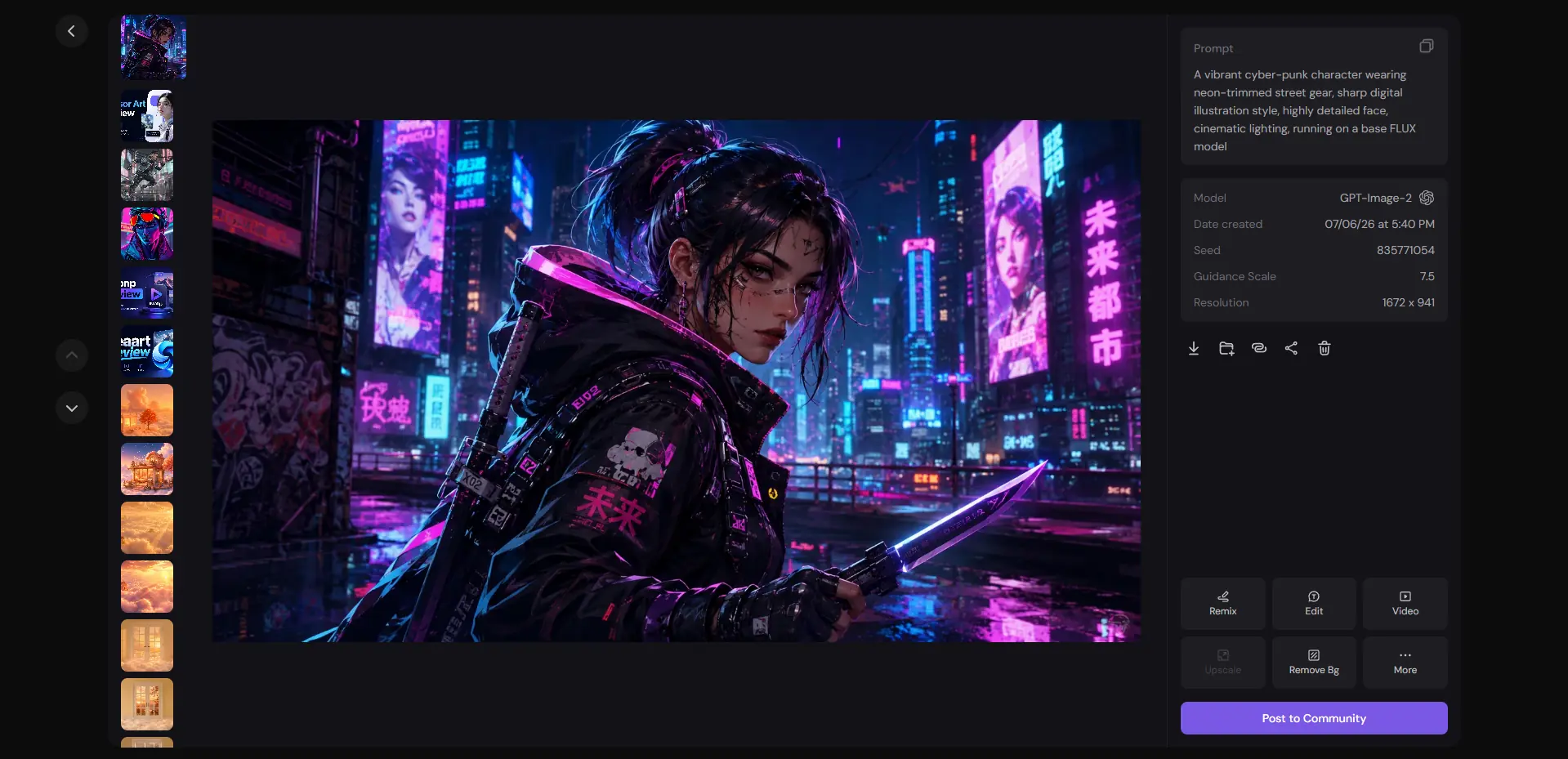
I started with this because layering a specific art style over a heavy base model is a key requirement for professional creators. I wanted to see if Tensor Art's complex workspace layout could handle precise style adjustments or if the interface would become too overwhelming for a standard creative workflow. Prompt: "A vibrant cyber-punk character wearing neon-trimmed street gear, sharp digital illustration style, highly detailed face, cinematic lighting, running on a base FLUX model."
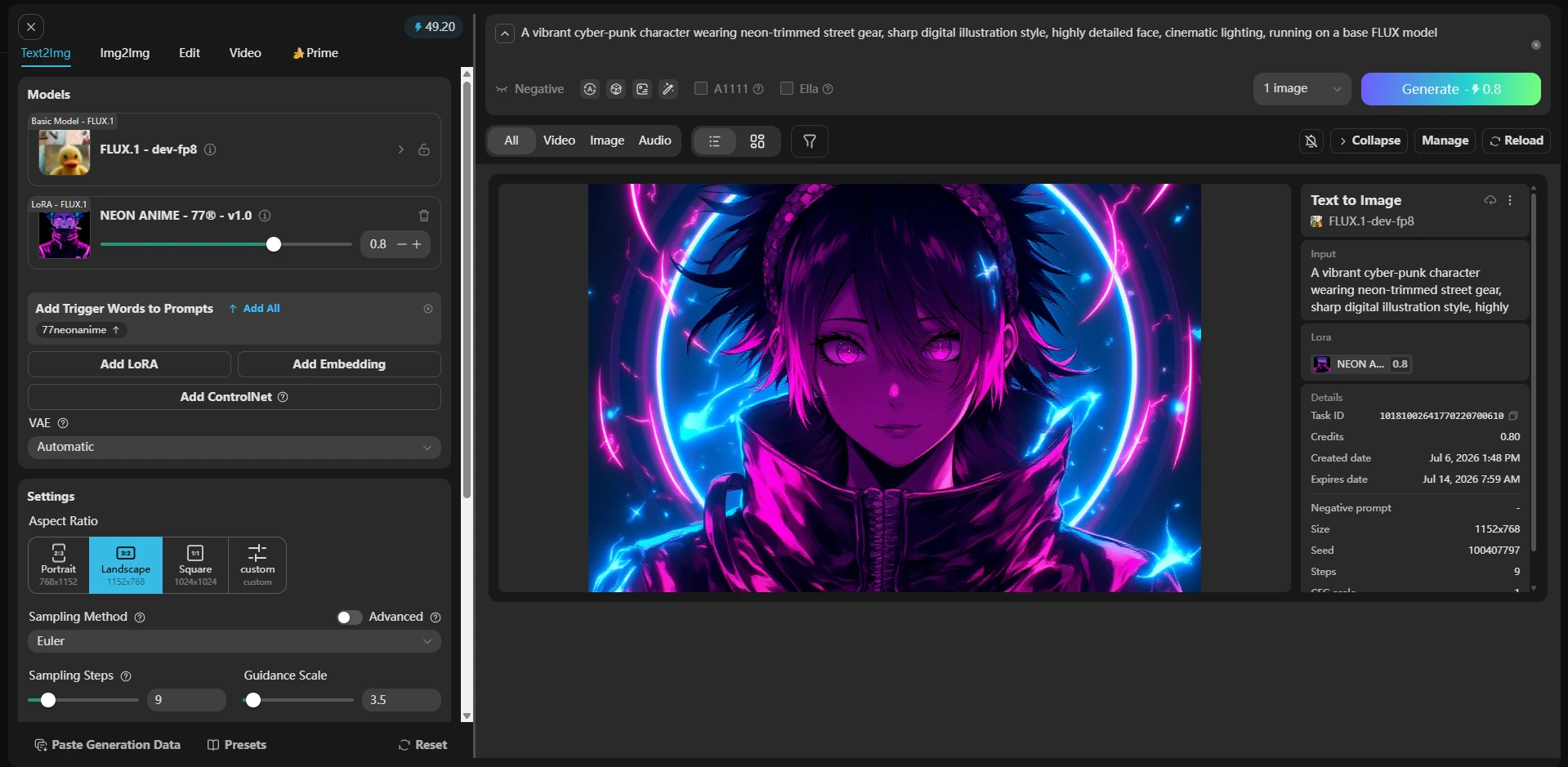
The workspace panel is undeniably crowded, packed with sampling steps, CFG sliders, and negative prompt boxes that can easily confuse anyone looking for a quick graphic. The first time I generated an image, I selected the FLUX model and added the NEON ANIME-77 LoRA at a weight of 0.6. The neon trims turned out incredibly sharp, yet the character’s facial features looked slightly distorted. After I tweaked the parameters and regenerated the image, the result was far better than I’d expected. Even so, the tool still failed to render delicate details along the background edges clearly.
Testing Advanced Editing: Tensor Art Inpainting Review
Fixing minor background flaws or adding localized details directly on a canvas is a major part of a real production workflow. I would like to know if Tensor Art's built-in editing brushes were precise enough to handle localized alterations smoothly. Prompt: "A futuristic holographic corporate logo displayed on the wall."
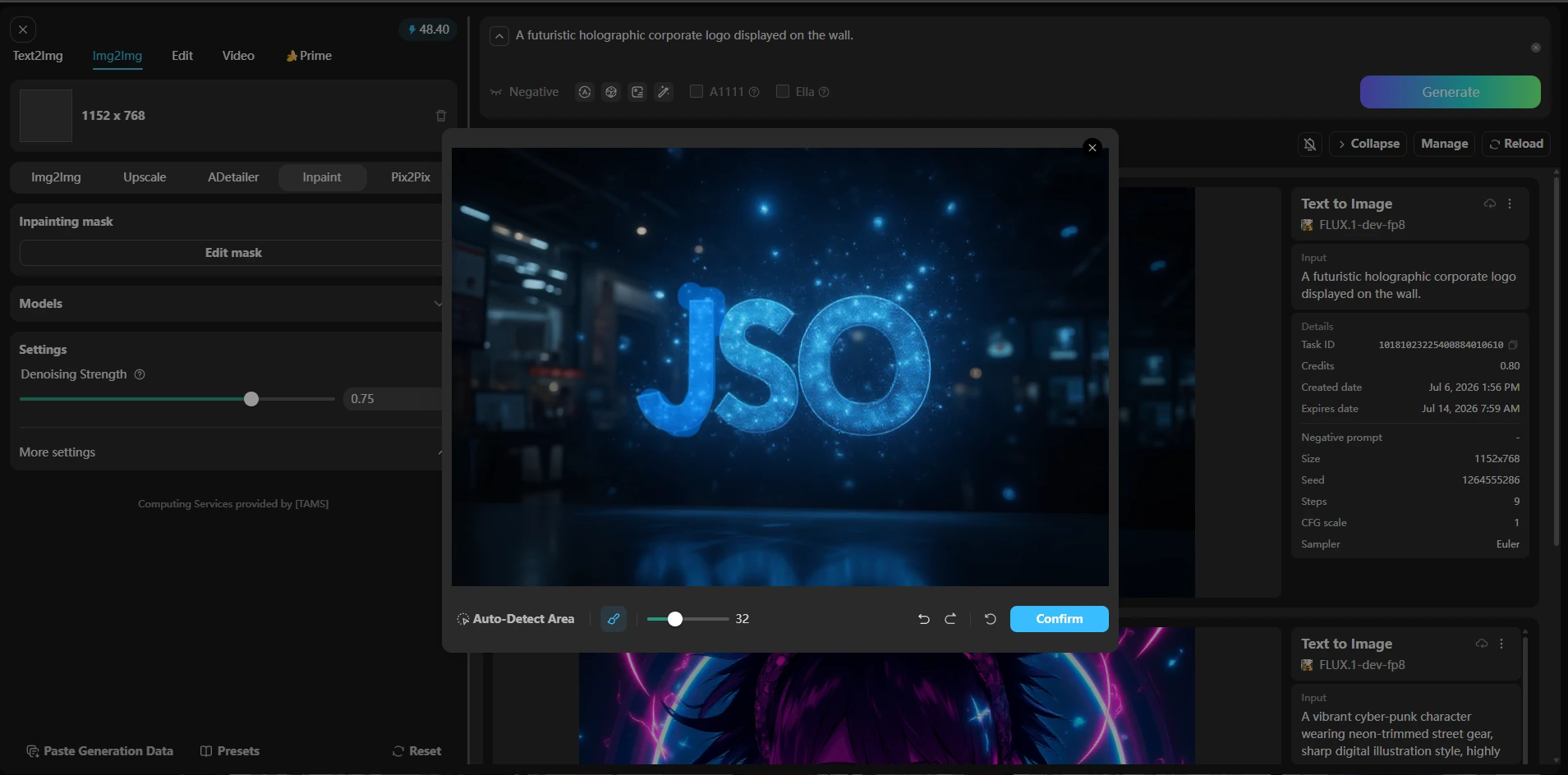
My take: The brush precision inside the canvas interface feels decent, allowing me to isolate a clean rectangular shape along the wall without much hassle. However, the actual processing requires careful parameter tuning,and I noticed the newly inpainted section still left slightly harsh, noticeable seams around the masked edges where the lighting didn't quite match the original render.
Moving Stills to Motion: Tensor Art Video Review
Turning a static character graphic into a short, dynamic marketing clip is a core step for anyone making social media content. Tensor Art's integrated video workflows—specifically their recent updates with the Wan 2.2 model architecture.Let's see if the generated video can maintain stable character structures and consistent visual details throughout continuous motion. Prompt: "A slow cinematic panning shot of a cyberpunk character standing under flickering neon signs, rain dripping from their jacket."
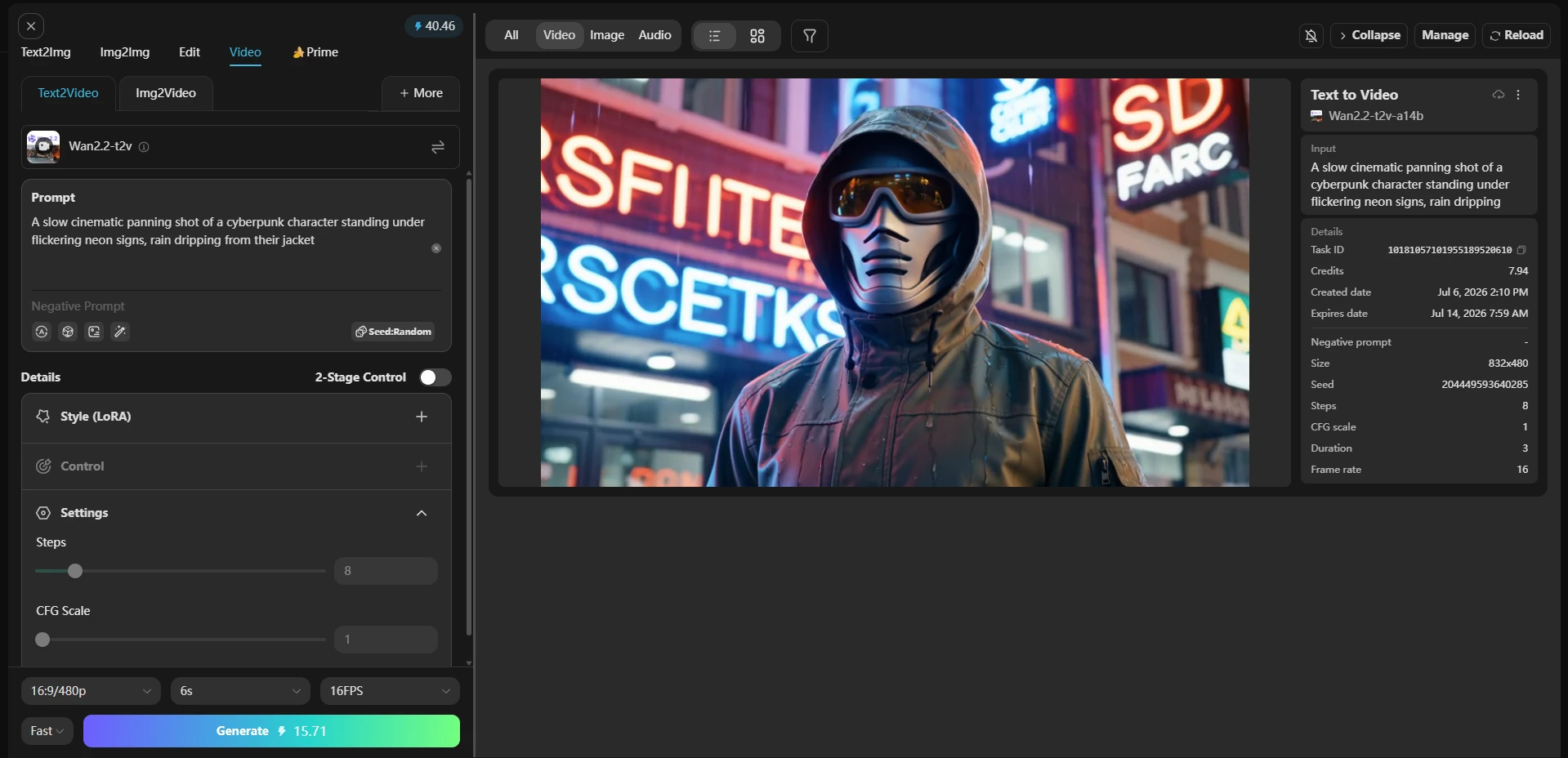
The first result looked usable, but when I checked the background text on the neon signs, which blurred out completely during the camera pan. Another clear frustration was the waiting time. During peak afternoon hours, my video tasks got stuck in a long generation queue, meaning a single short clip took several minutes to process. That was not a dealbreaker for hobby testing, but I would not rely on this system for tight production deadlines.
The Cost of Creation
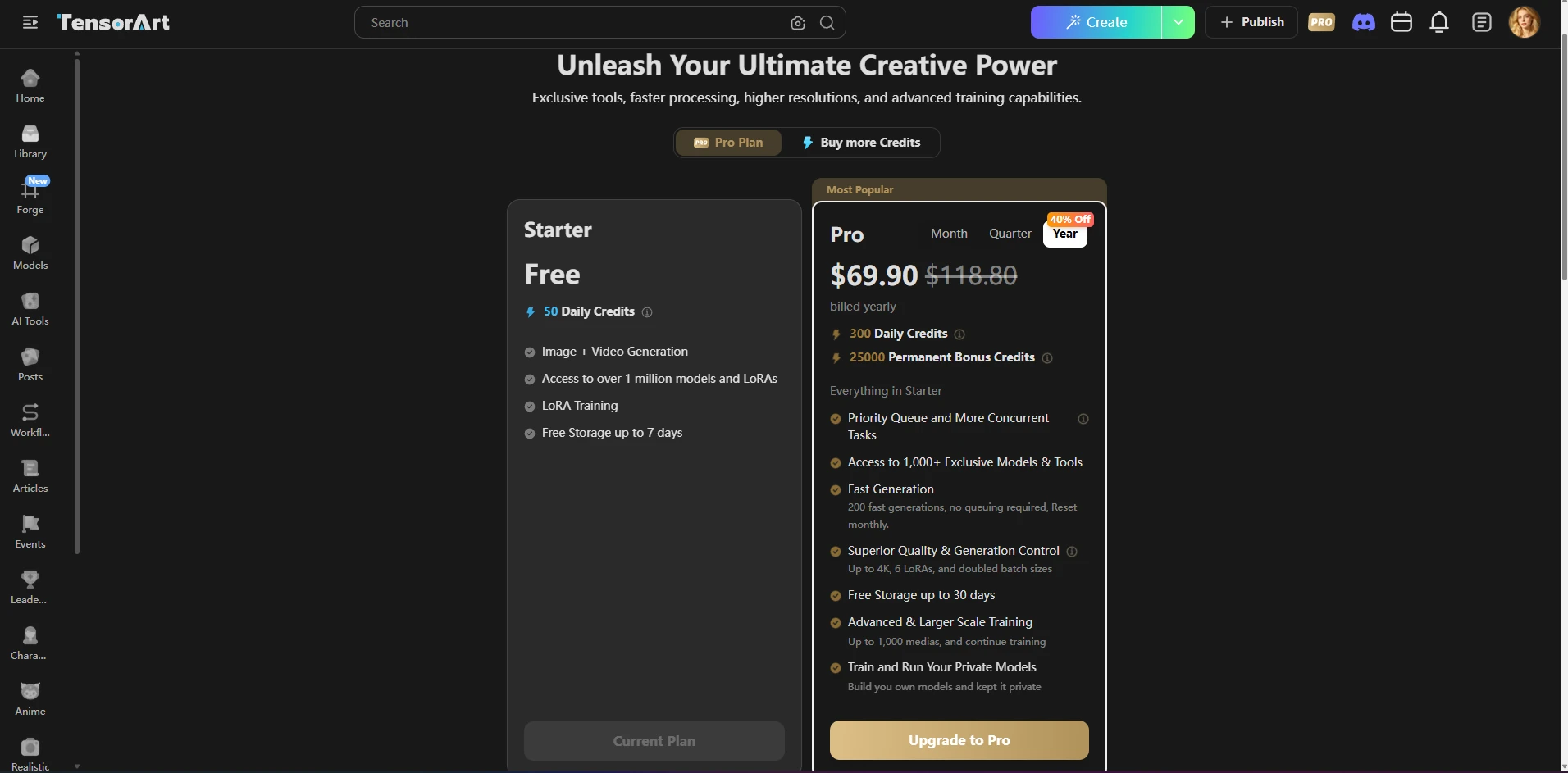
Tensor Art relies on a freemium model tied to a dual ecosystem of daily credits and separate standalone purchases. The free tier gave me 50 daily credits, refreshed once a day. This is enough for basic experimentation, but every output carries a mandatory watermark, and high-resolution rendering parameters consume your daily balance much faster. One thing I noticed during my continuous rendering tests is that unfulfilled or failed generations don't always automatically refund your spent tokens right away. That wasn't a dealbreaker for a casual project, but the constant credit-counting can feel incredibly restrictive during a busy campaign. Note: Subscription tiers, and credit structures can change frequently. Be sure to verify the latest updates directly on the official Tensor Art pricing page before purchasing.
Pros and Cons of Tensor Art AI
Pros: Massive Model Library: I could instantly test over 10,000 community models and specialized LoRAs directly in my browser, which saves you from buying an expensive local GPU. Advanced Controls: Tensor Art enables fine-grained tuning for individual prompts. and functional inpainting brushes provide great detail manipulation. Cons: Watermarks: Every graphic generated on the free tier comes with a forced watermark that ruins commercial use. Strict Credit Limits: Complex models consume your daily tokens rapidly, and failed tasks don't always refund your points. Cluttered Layout: The sheer amount of parameter boxes creates a steep learning curve that slows down fast content production.
Streamlining the Workflow: Tensor Art vs. PicLumen
When I first opened Tensor Art, I felt like I was stepping into a heavy-duty developer workshop. The interface packs in every parameter you could possibly ask for, from negative prompt fields to dense stacks of community LoRAs .If you thrive on deep technical control and love spending time micro-managing every aspect of a generation, Tensor Art is an incredibly flexible playground. However, all that complexity comes with a steep learning curve and noticeable interface clutter.This is where PicLumen may feel more useful if you want to escape the complex configuration process entirely. Its design philosophy focuses heavily on speed and an uncluttered workspace. The interface is engineered to help designers, marketers, and businesses move straight from an initial idea to a clean output without wading through endless technical menus.For projects requiring rapid asset creation or fast image-to-video pipelines, PicLumen cuts out the background noise. It simplifies the user journey down to entering a description and choosing a style, making it a stronger fit for creators who prioritize a fast, frictionless workflow.
Final Verdict: Is Tensor Art Actually Good?
If your goal is to experiment with open-source model fine-tunes and build unique character aesthetics , Tensor Art is an excellent, low-barrier playground. In off-peak hours,the fast generation speeds on the free tier made it incredibly easy to rapidly iterate through prompts.But if you are looking for a reliable setup to generate high-quality commercial assets or short videos quickly without wasting time on trial-and-error parameter tuning, this is where PicLumen may feel more useful.
FAQ about Tensor Art
Is Tensor Art completely free?
No. Tensor Art uses a freemium system giving you a daily allowance that resets at midnight. However, these free generations often come with watermarks and restricted resolution caps, pushing high-volume creators toward a paid tier.
Can I use Tensor Art for commercial work?
Only if you pay. The free tier explicitly limits outputs to personal use. Furthermore, because it hosts open-source community uploads, you must individually check each model's specific license — some creators block commercial use entirely, and using trademarked characters poses legal risks.
Does Tensor Art support AI video creation?
Yes, it does. Tensor Art support AI video generation using advanced foundations like the Wan 2.2 model architecture.
What is the best alternative to Tensor Art for beginners?
If sifting through community settings feels overwhelming, PicLumen is the best alternative. It bypasses the technical learning curve of managing custom checkpoints and LoRAs, focusing instead on pure generation speed and an intuitive, clean interface built for beginners.





