Kling AI, developed by Kuaishou, is emerging as one of the most competitive video generation platforms alongside models like Veo from Google DeepMind.
With the introduction of models such as Kling 3.0 and its Motion Control variants, it offers a strong balance between high-quality visual generation and precise creative control.
It is a practical solution for creators, marketers, and teams looking to produce cinematic video content efficiently. Let’s explore it.
What is Kling AI?
Kling AI is a generative artificial intelligence model developed by Kuaishou that specializes in text-to-video and image-to-video synthesis. It is designed to transform natural language prompts or static images into short, high-quality video sequences with coherent motion, realistic physics, and cinematic visual style.
Kling AI’s key objective is to enable creators to generate dynamic visual content without traditional filming or animation workflows, making it particularly relevant for applications in digital media production, advertising, and storytelling.
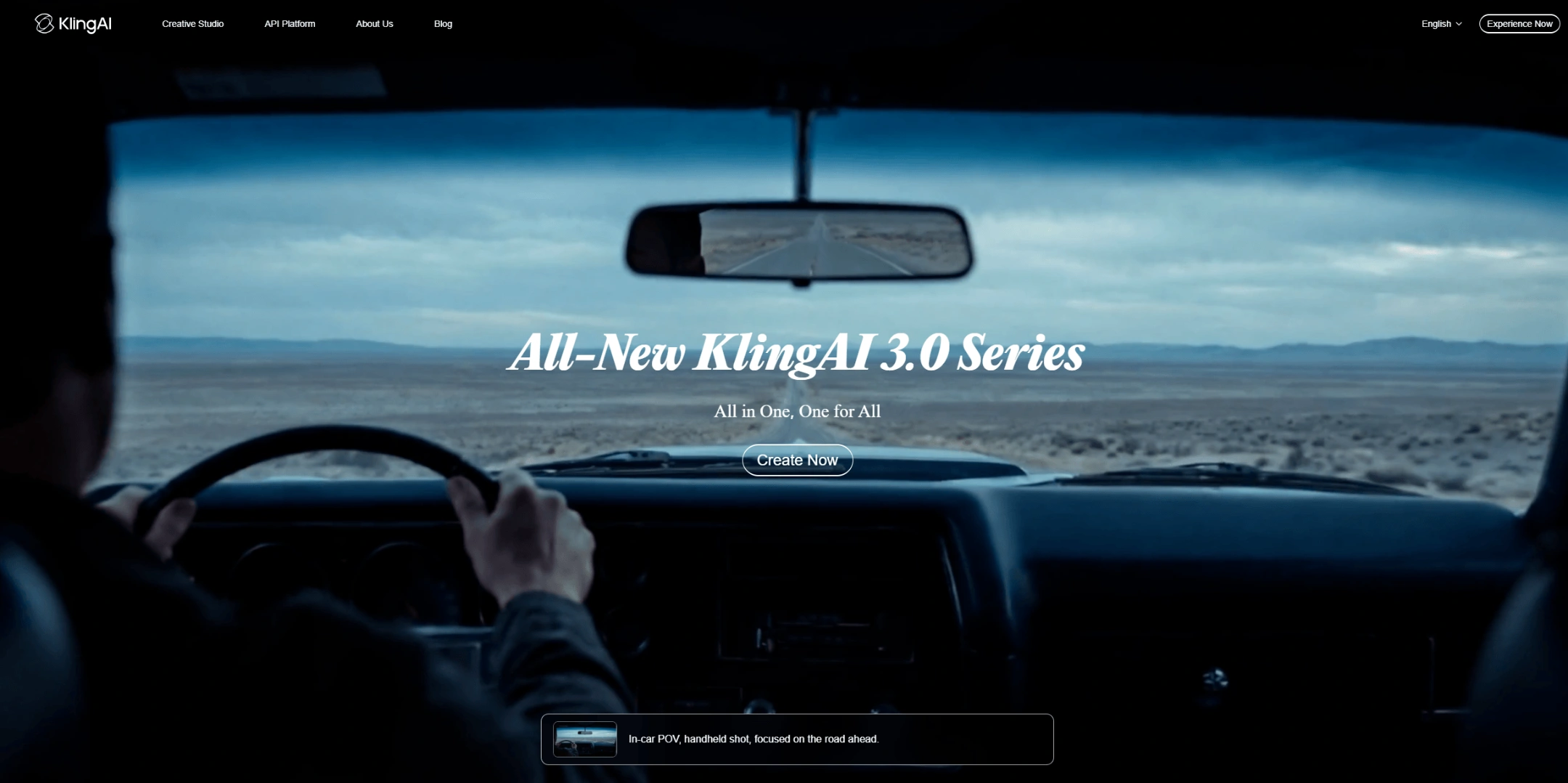
4 Recommended Kling AI Models
Here are some hot Kling AI Models
Kling 3.0: Delivers the highest visual quality and realism in the Kling lineup, with stronger prompt understanding and significantly improved temporal consistency compared to Kling 2.6.
Kling 2.6: A faster and more cost-efficient baseline model that offers stable results for simpler scenes, but with noticeably lower realism and motion coherence than Kling 3.0.
Kling 3.0 Motion Control: Combines Kling 3.0’s high-fidelity output with advanced, precise control over character movement and camera paths, enabling more cinematic and structured video generation than 2.6 Motion Control.
Kling 2.6 Motion Control: Provides basic motion and camera control with faster iteration and lower resource usage, but lacks the precision, realism, and complexity handling of Kling 3.0 Motion Control.
Use Cases for Kling 3.0
Kling 3.0 is designed for high-quality, scalable video generation. It is suitable for a wide range of professional and creative scenarios.
1️⃣ Social Media Content
Quickly generate visually striking short videos for platforms like TikTok and Instagram to boost engagement and consistency.
2️⃣ Marketing Campaigns
Create high-quality promotional videos from simple prompts to test messaging and iterate campaigns at scale.
3️⃣ Advertising
Produce cinematic ad creatives without traditional filming, enabling faster turnaround and lower production costs.
4️⃣ Education
Turn complex concepts into dynamic visual explanations, making learning materials more engaging and easier to understand.
5️⃣ Product Demos
Showcase product features and use cases through realistic, AI-generated scenarios without needing physical shoots.
6️⃣ Storytelling & Creative Projects
Develop short films, concept scenes, or visual narratives with minimal production overhead.
How to Use Kling AI on PicLumen
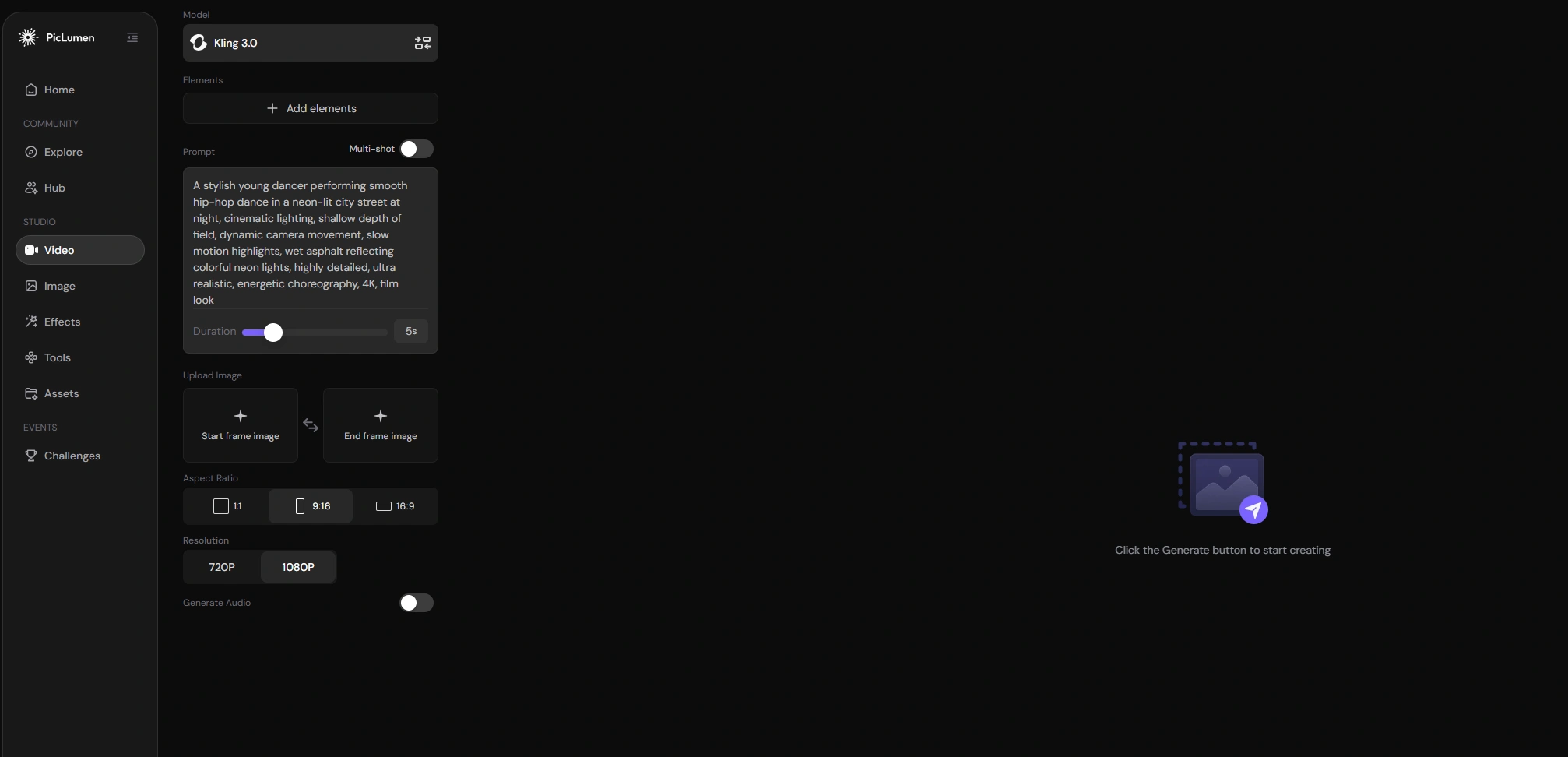
Using Kling 3.0 on PicLumen follows a straightforward workflow, allowing you to go from idea to generated video in just a few steps:
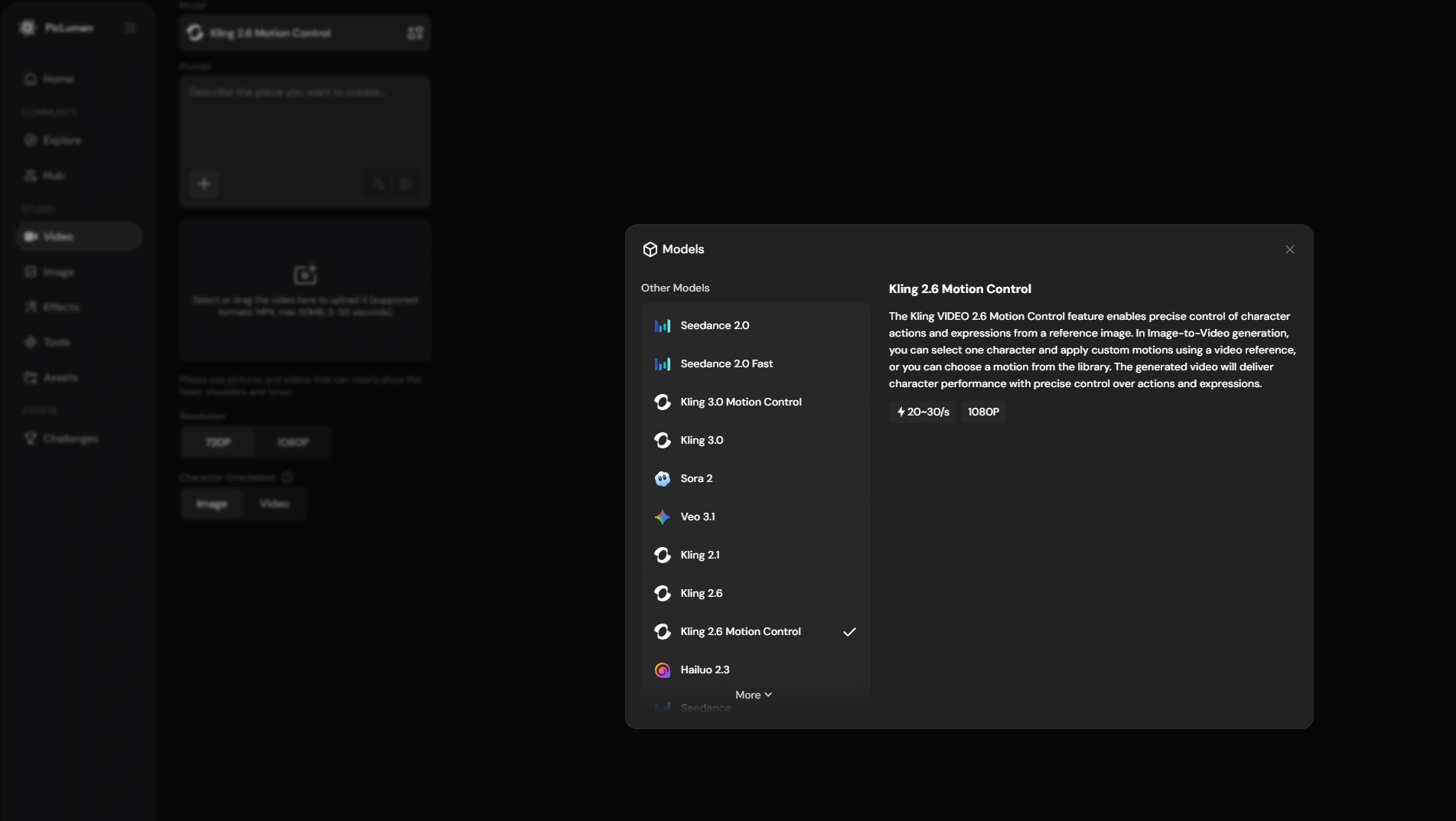
Step1: Choose the Right Model
Select the model that fits your goal, such as Kling 3.0 for high-quality generation or Kling 2.6 Motion Control for faster, more controllable outputs.
Step2: Input Reference Information
Enter a detailed text prompt and optionally upload reference images or videos; Kling 3.0 also supports using start and end frames to guide the sequence.
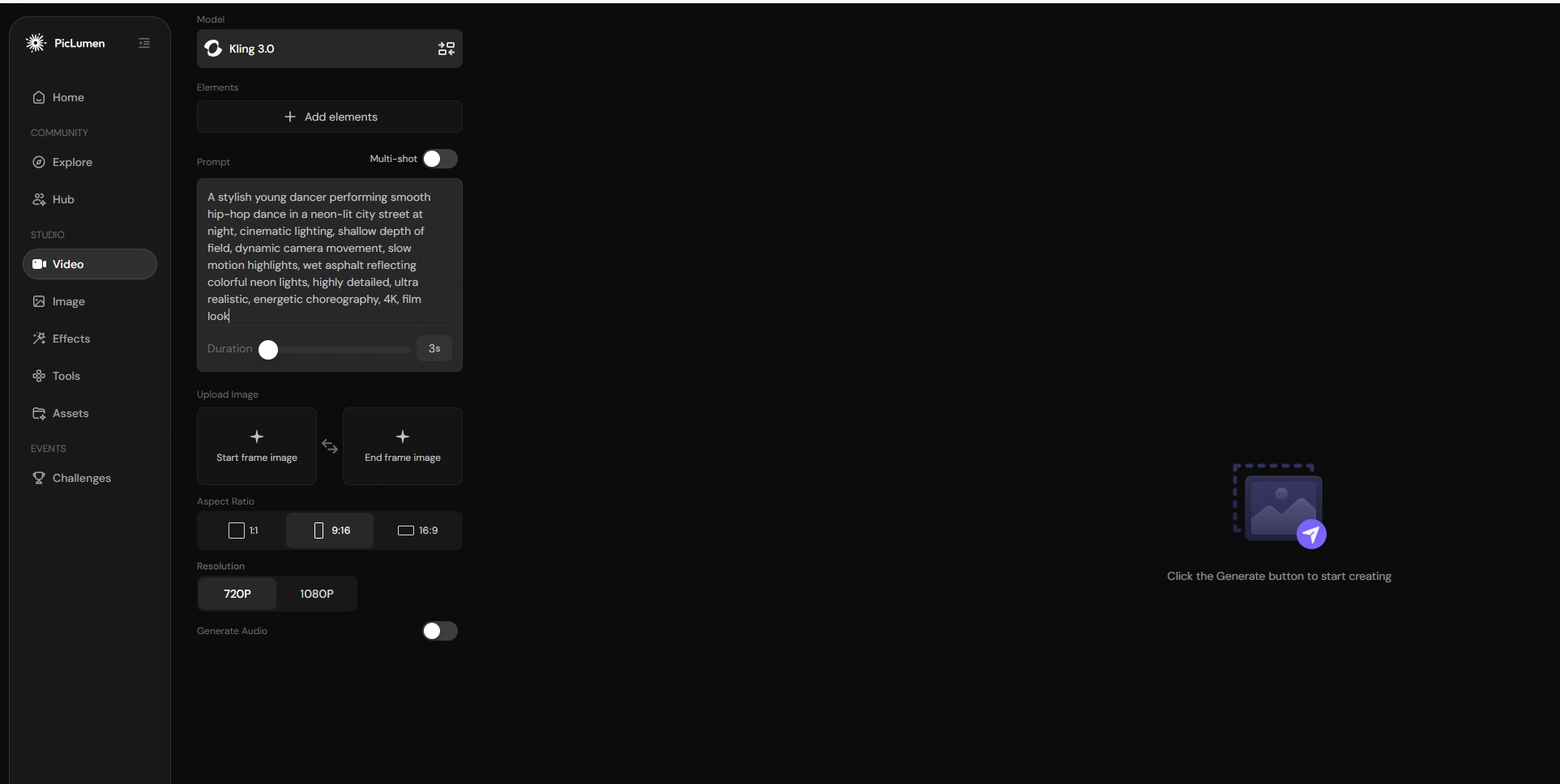
Step3: Adjust Settings
Configure parameters such as video duration, motion intensity, and other generation settings based on your desired output.
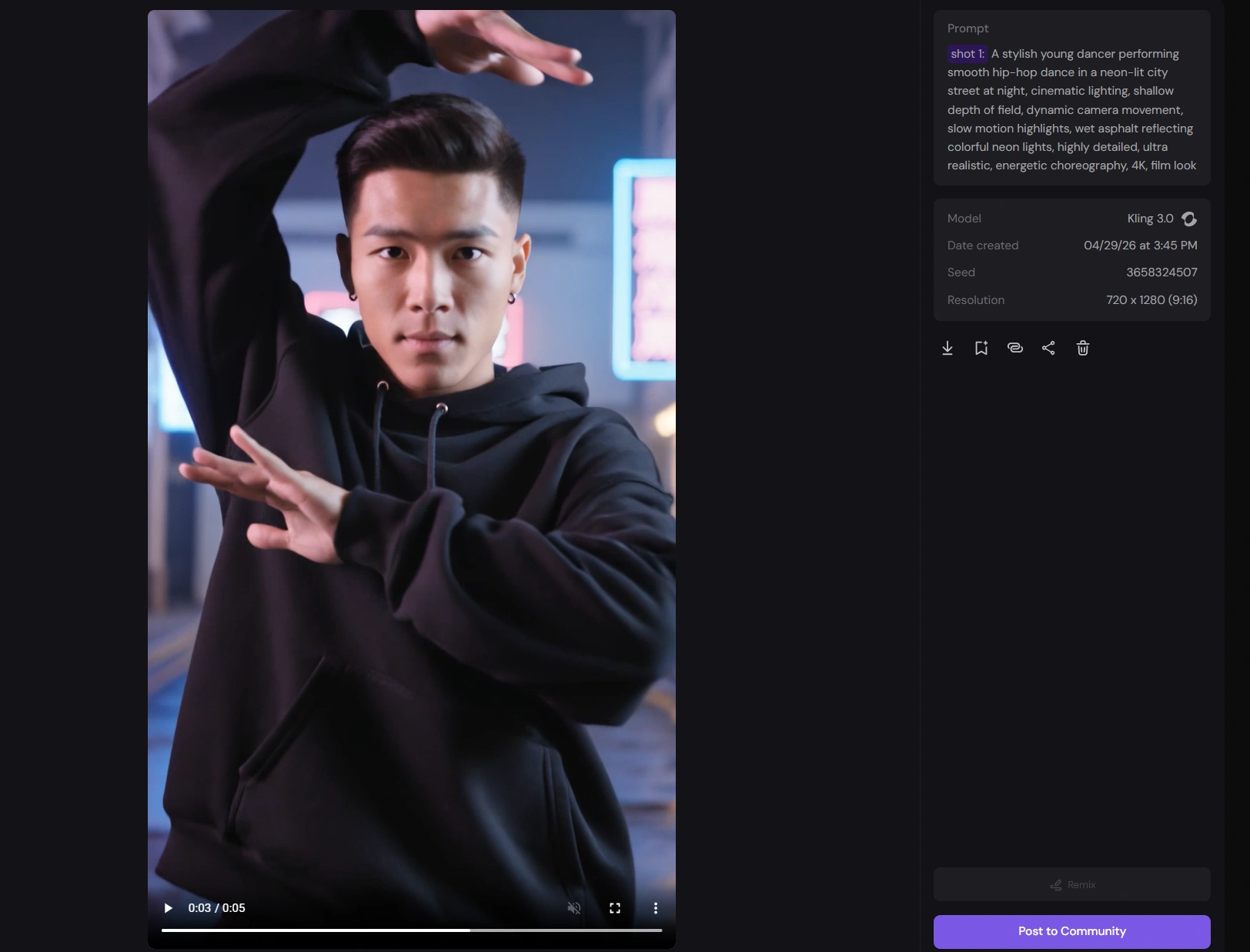
Step4: Generate and Download
Run the generation process, review the result, and download the final video once it meets your expectations.
Conclusion
Overall, Kling AI stands out for its rapid progress in video quality, motion realism, and controllability. As the ecosystem continues to mature, Kling AI is well-positioned to become a key tool in AI-driven content creation across social media, marketing, advertising, and beyond. And you can quikly try Kling AI on PicLumen.
FAQs about Kling AI:
1. What is Kling AI used for?
Kling AI is used to generate high-quality videos from text prompts, images, or reference frames, making it suitable for content creation, marketing, advertising, education, and social media production.
2. What is the difference between Kling 3.0 and Kling 2.6?
Kling 3.0 delivers significantly higher visual quality, better motion realism, and improved prompt understanding, while Kling 2.6 is faster and more cost-efficient but produces less detailed and less realistic outputs.
3. What is Kling 3.0 Motion Control?
Kling 3.0 Motion Control adds advanced control over character movement and camera paths on top of Kling 3.0’s high-quality generation, enabling more cinematic and structured video creation.
4. How is Kling 2.6 Motion Control different from Kling 3.0 Motion Control?
Kling 2.6 Motion Control provides basic motion and camera guidance with faster iteration, while Kling 3.0 Motion Control offers more precise, realistic, and complex motion handling with higher visual fidelity.
5. Can Kling 3.0 generate NSFW content?
No, Kling 3.0 does not support NSFW or explicit content due to built-in safety and content moderation policies.