I spent about a week on this. Ten free AI image generators, the same two prompts on each. Here's the short version: for most people, the best free AI image generator is Canva. Not because it makes the prettiest images. Because it gets you from prompt to finished, ready-to-post image the fastest.
But "best" depends on what you're making. The best AI art tool is rarely the best for real photos. So instead of trusting homepage claims, I ran all 10 tools through two prompts: realistic and art. I scored each on prompt accuracy, image quality, realism, style control, free limits, speed, and how much rewriting it took to get something usable. Free limits change fast. The numbers below are what each tool offered during this 2026 test. Check the current ones before you rely on them.
My top three: Canva Magic Media, PicLumen, and Microsoft Designer.
The two prompts I used
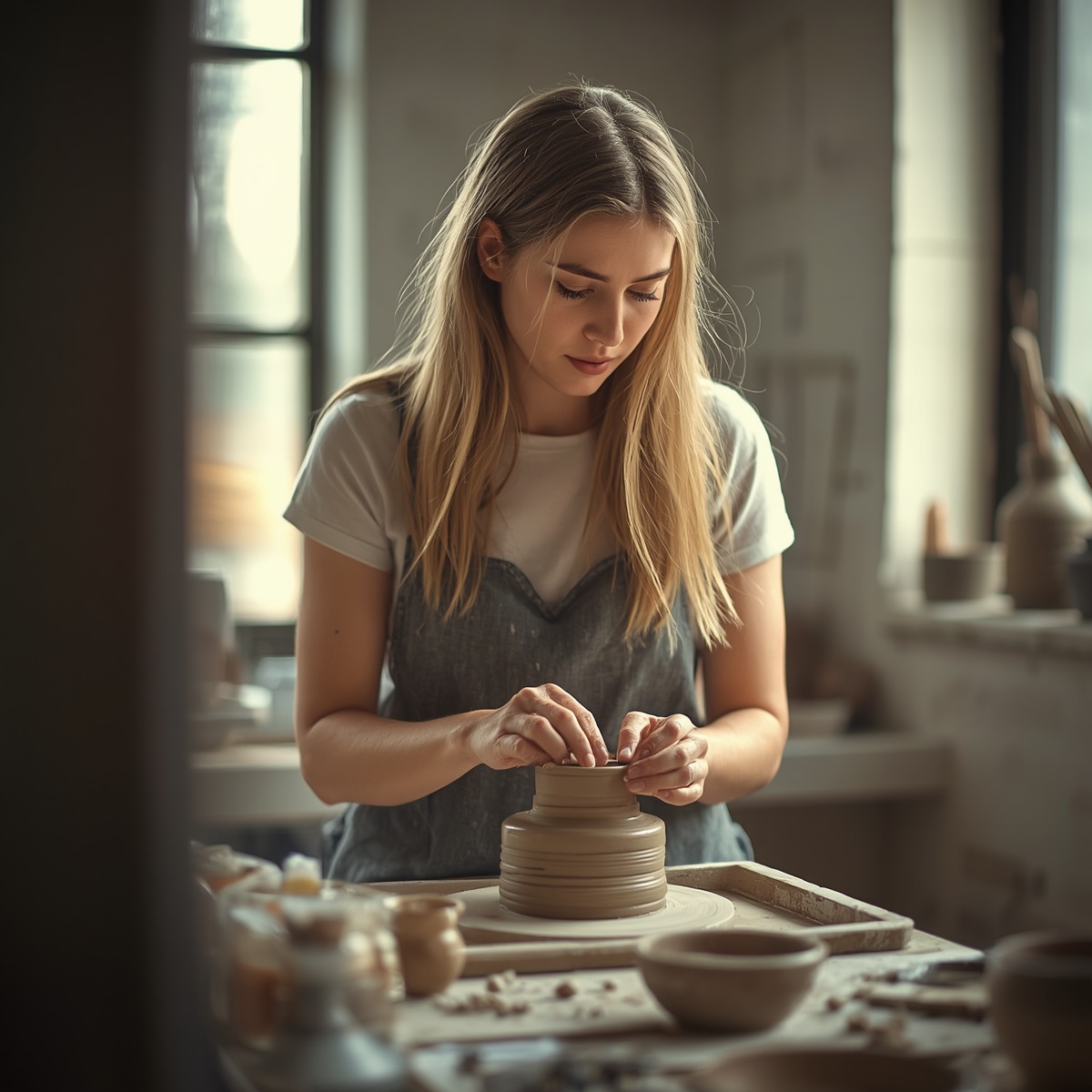
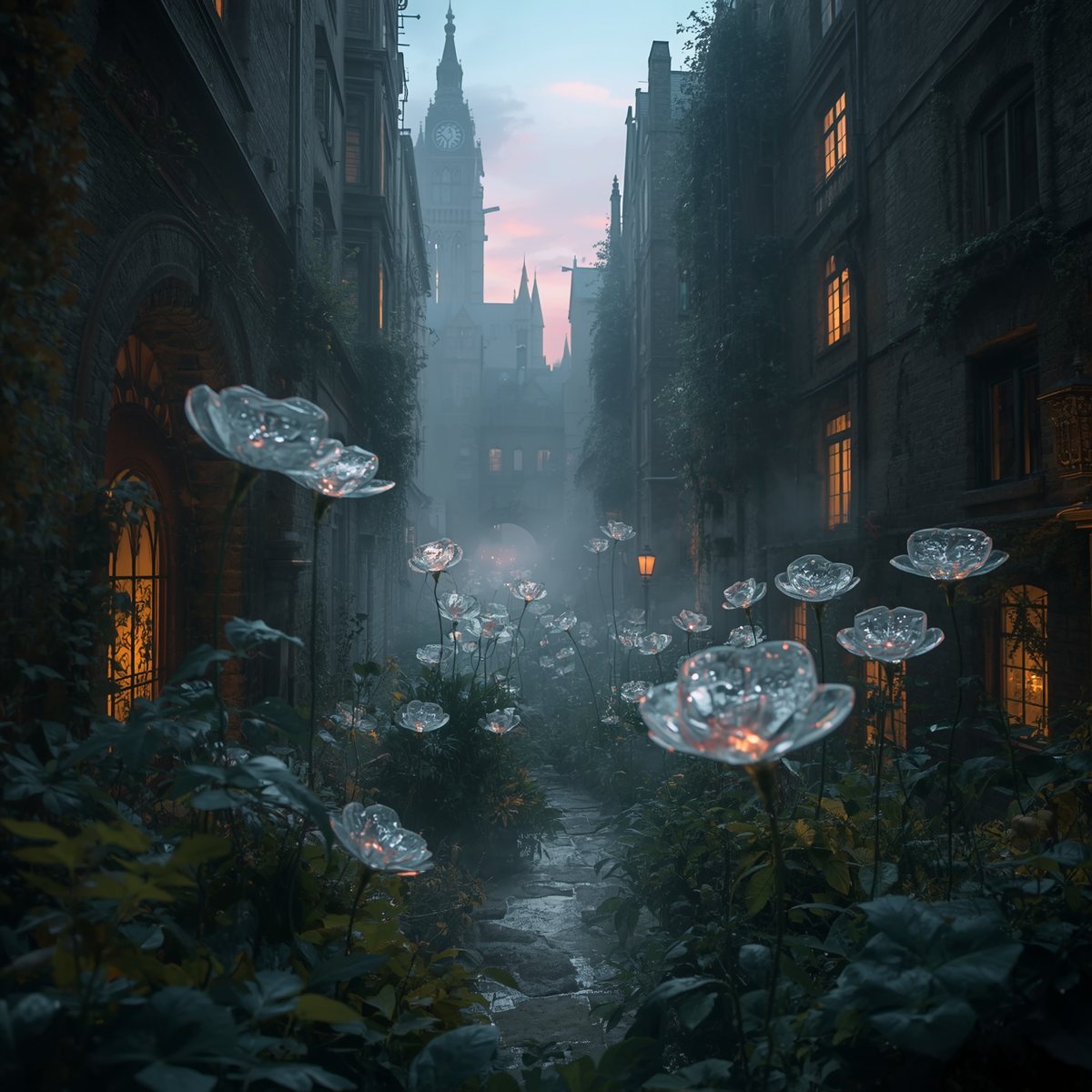
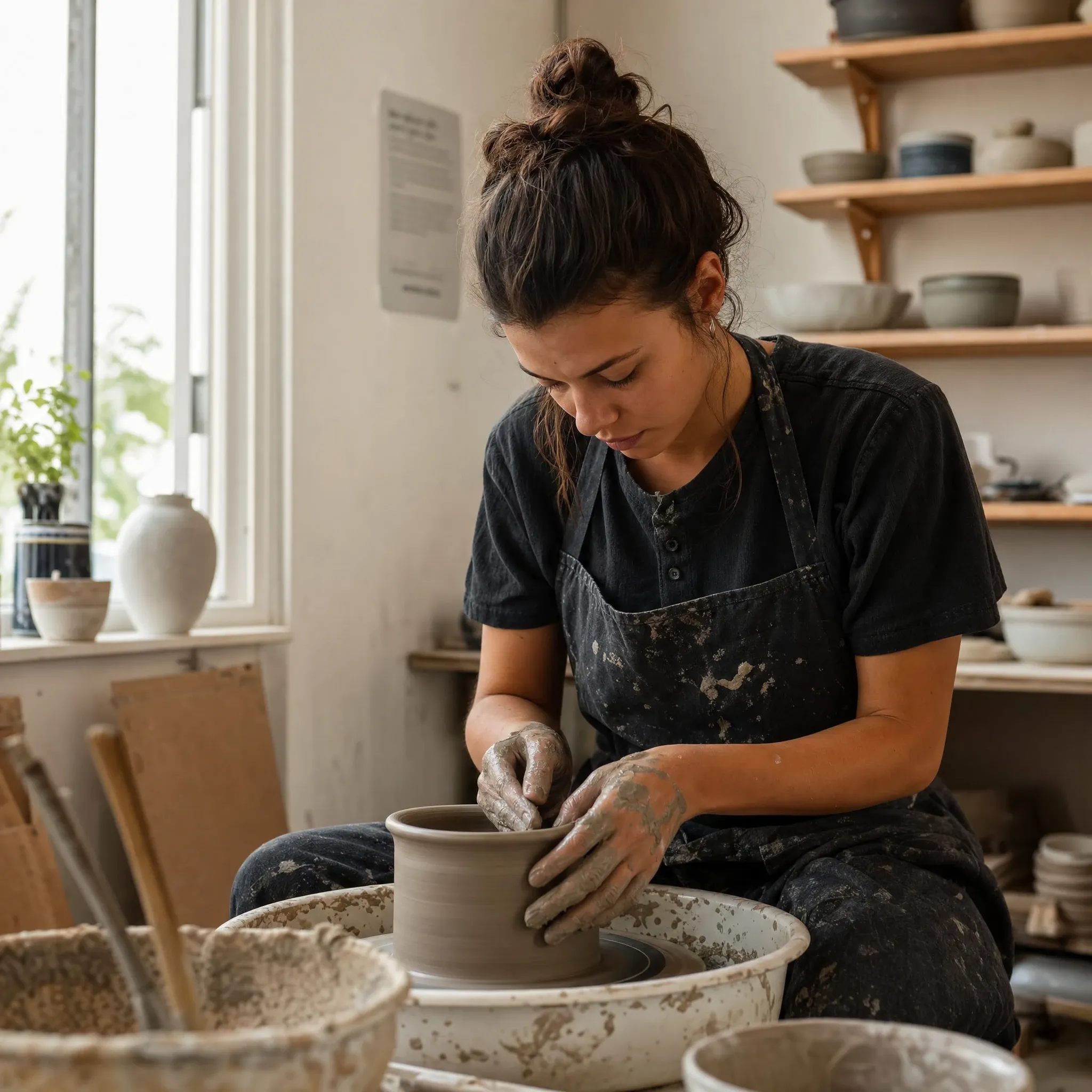
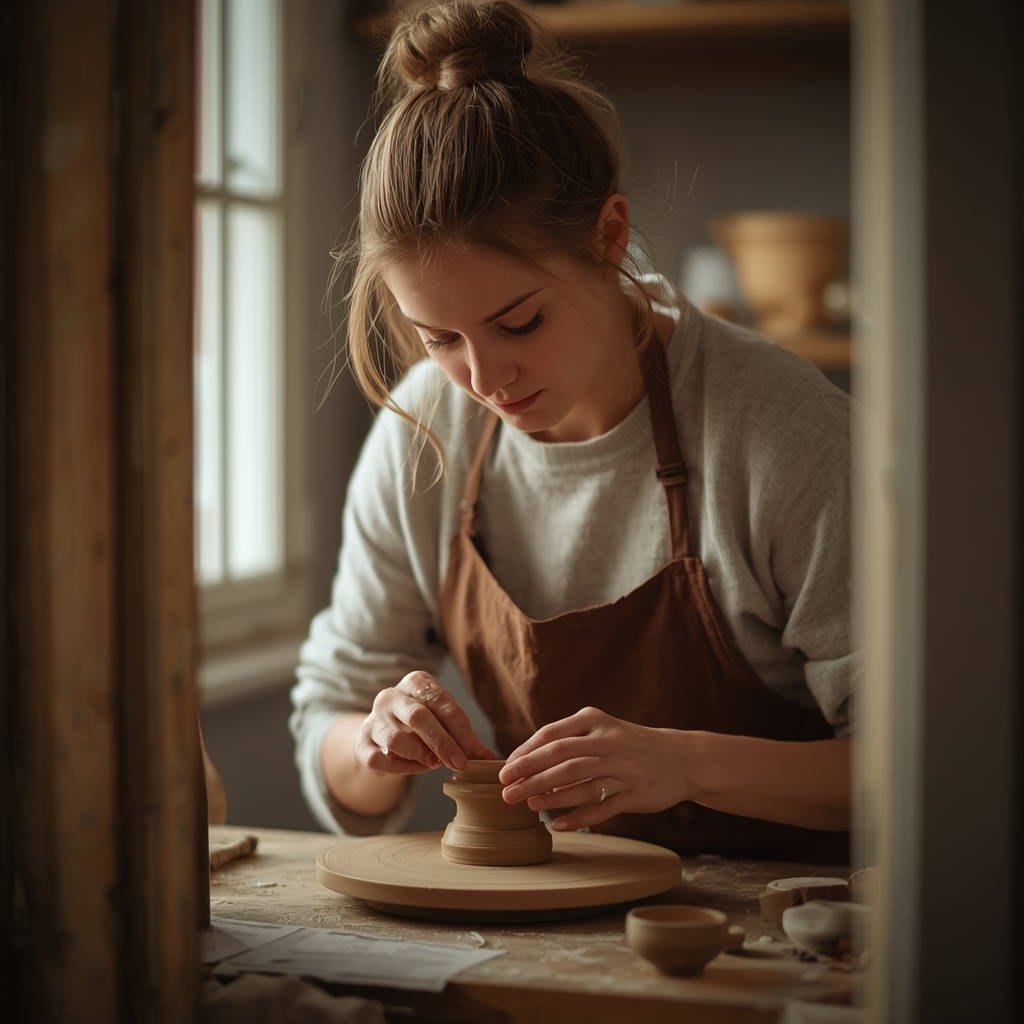
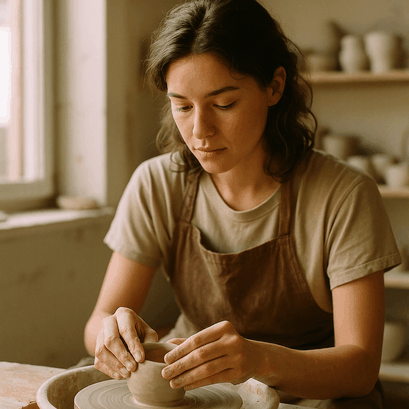
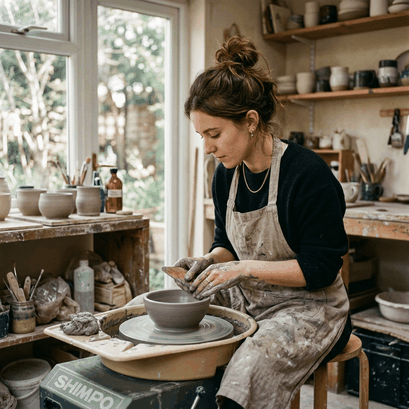
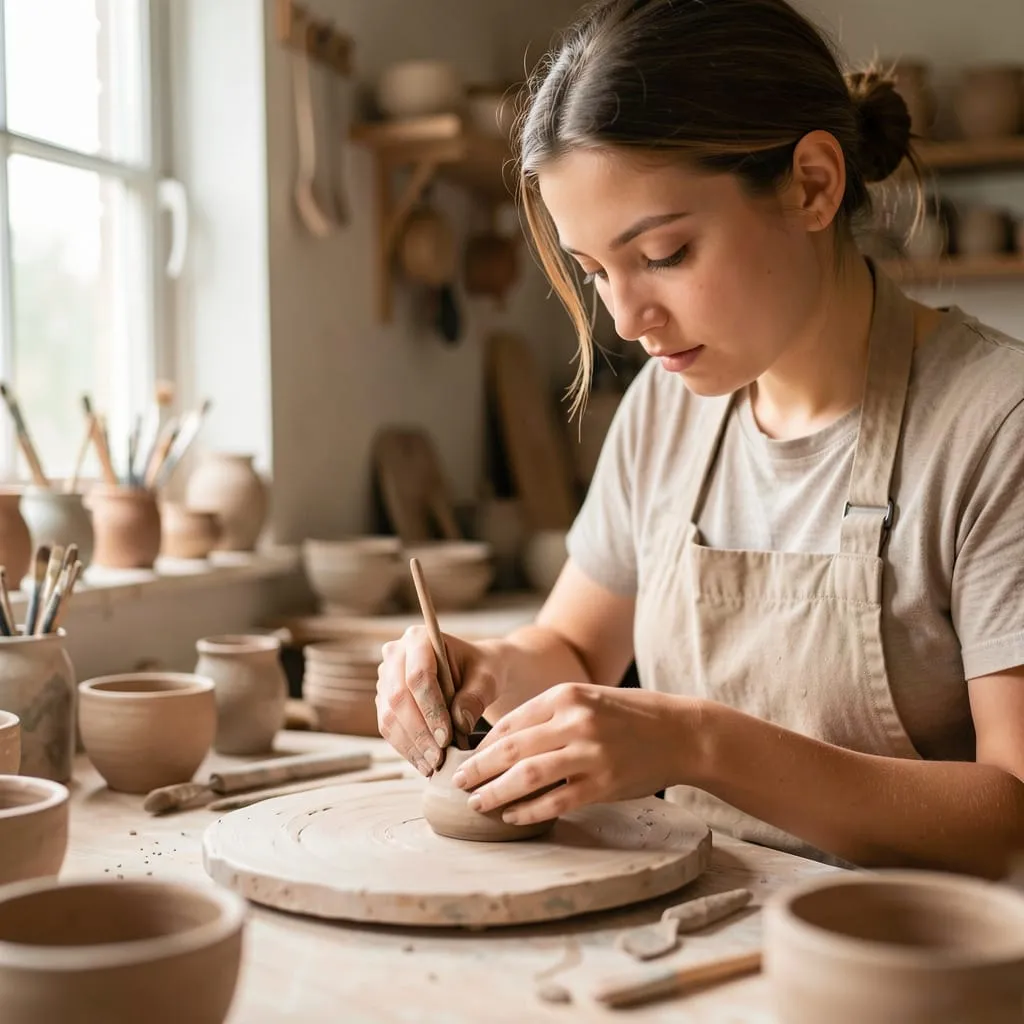
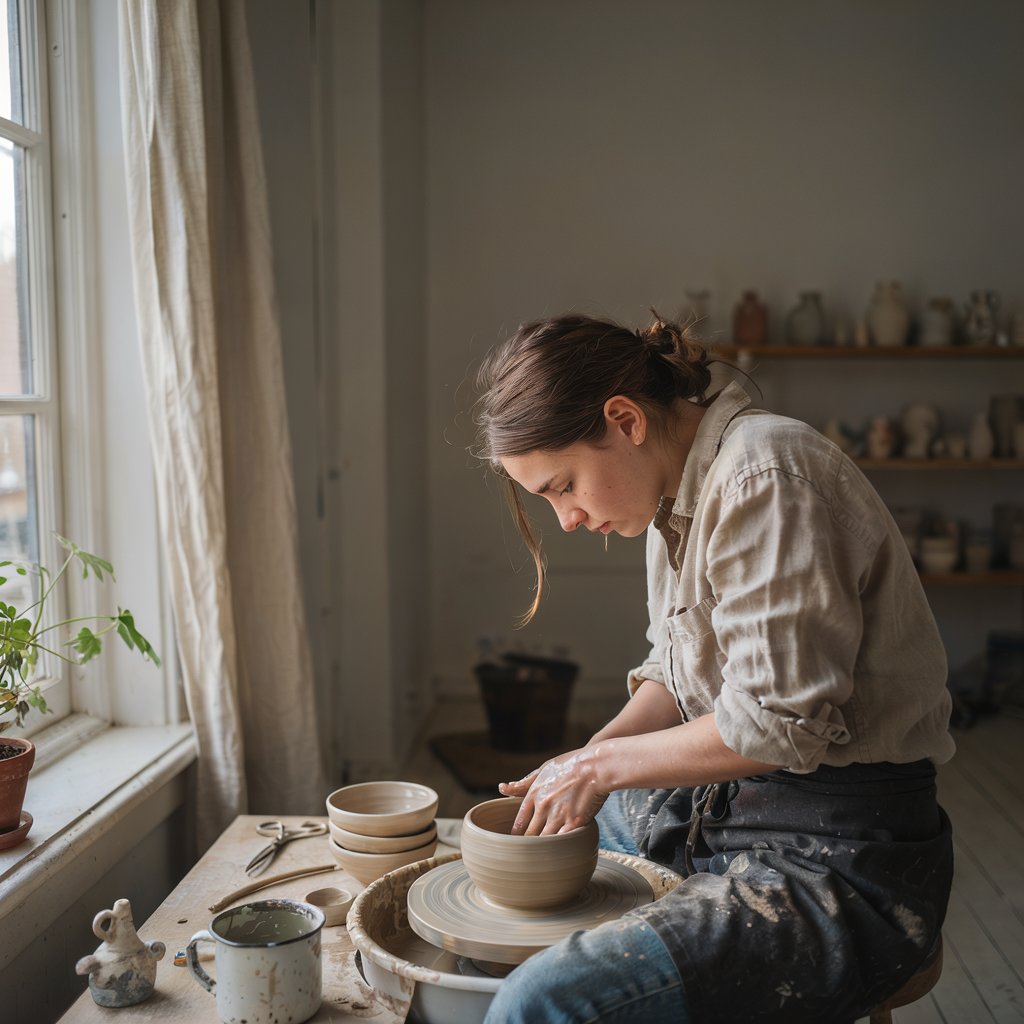
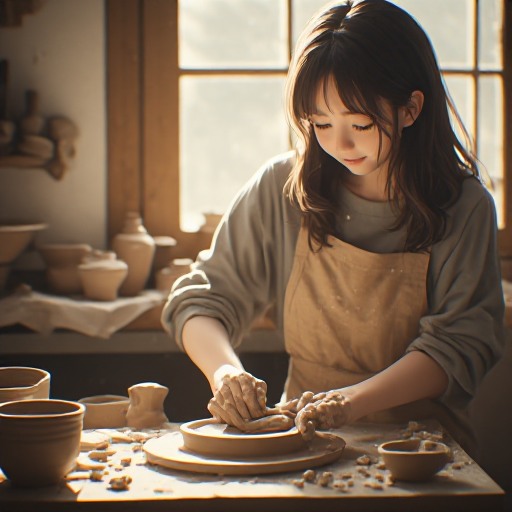
AI Realistic Image Prompt: "A realistic editorial photo of a young woman working inside a small ceramic studio, natural window light, warm neutral tones, shallow depth of field, detailed hands shaping clay, soft background, candid magazine photography style."
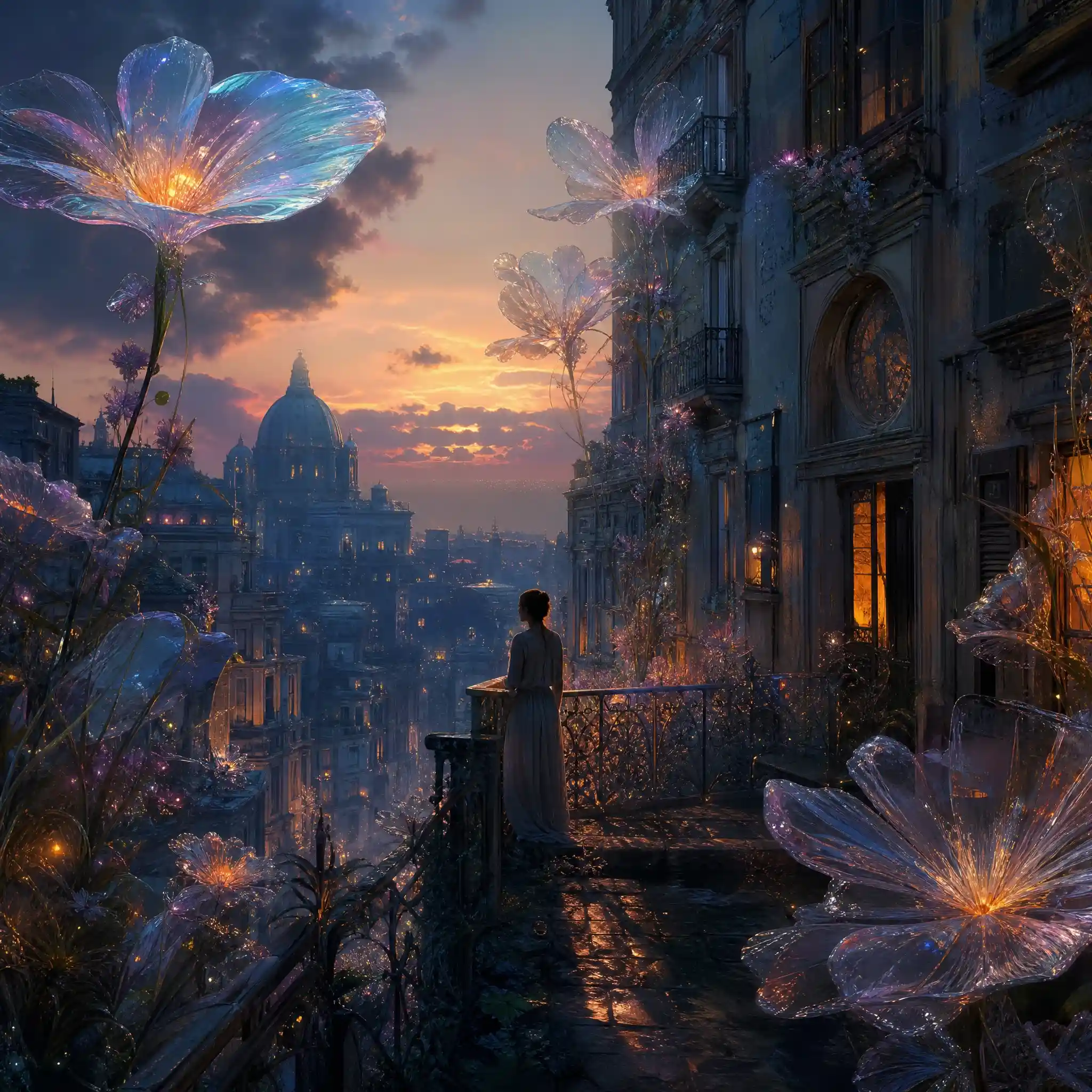
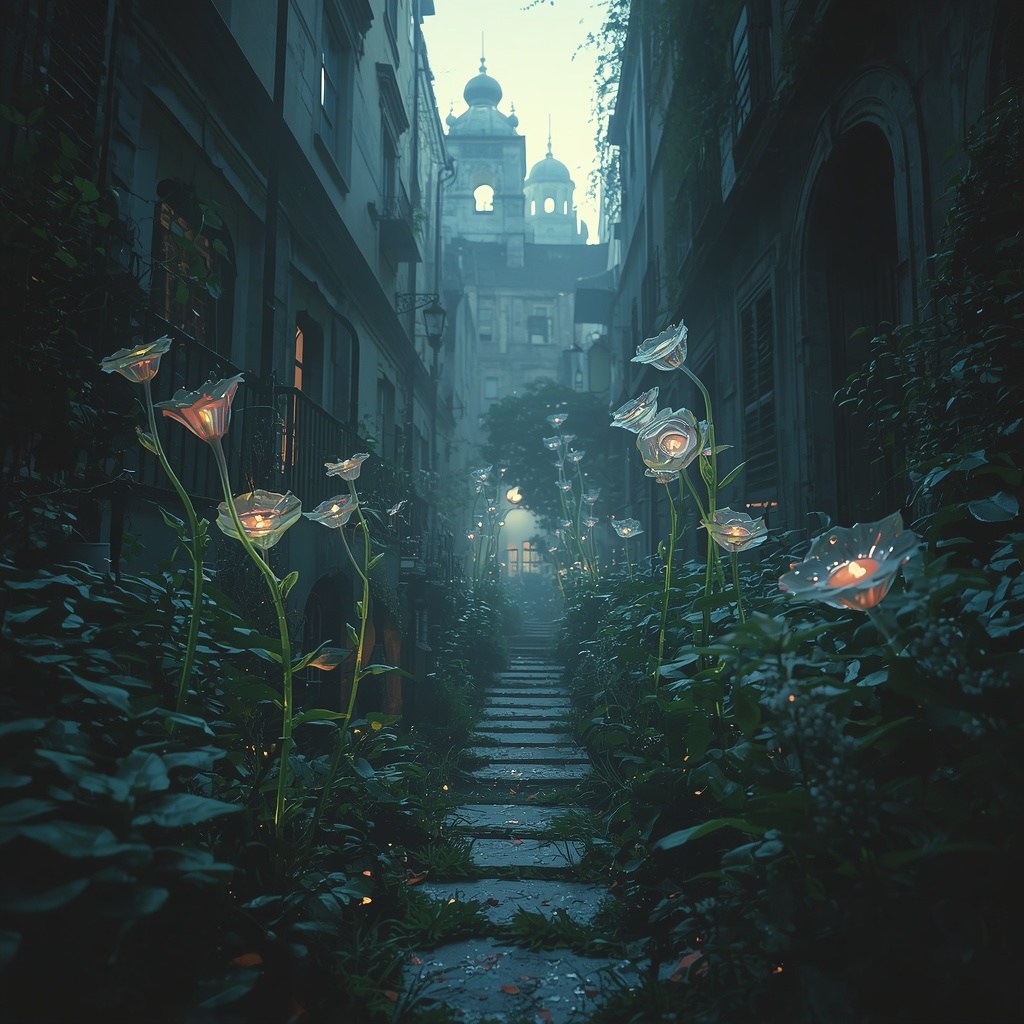
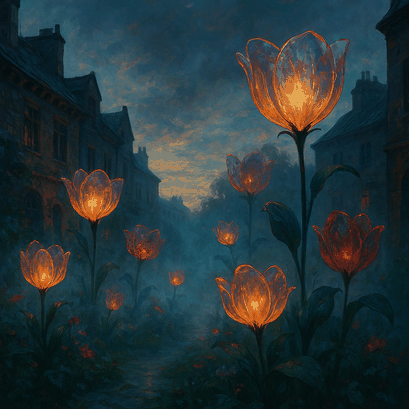
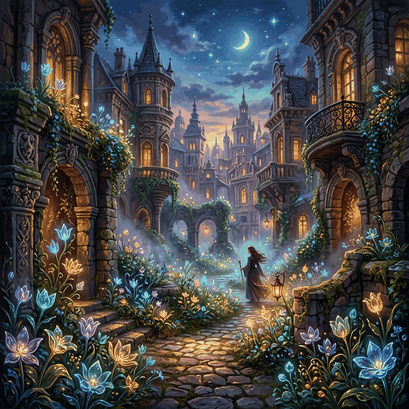
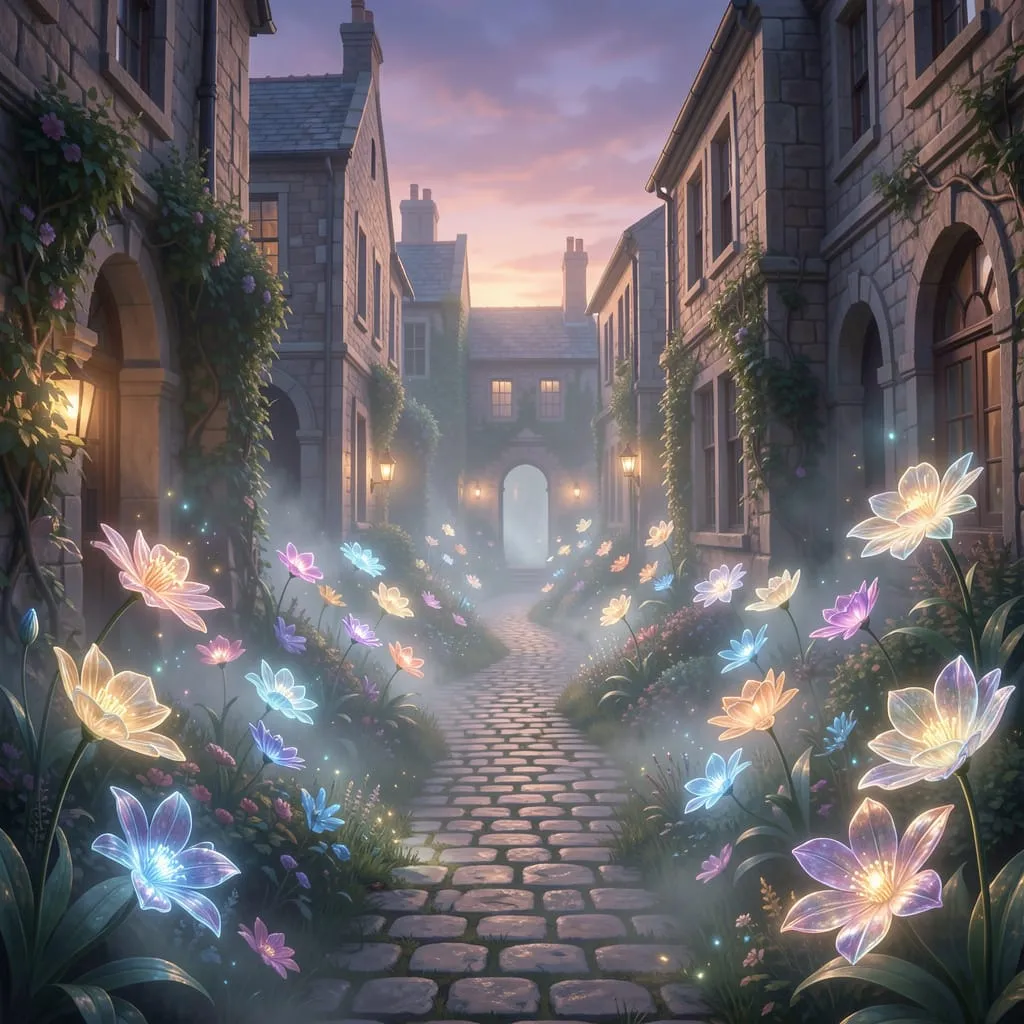
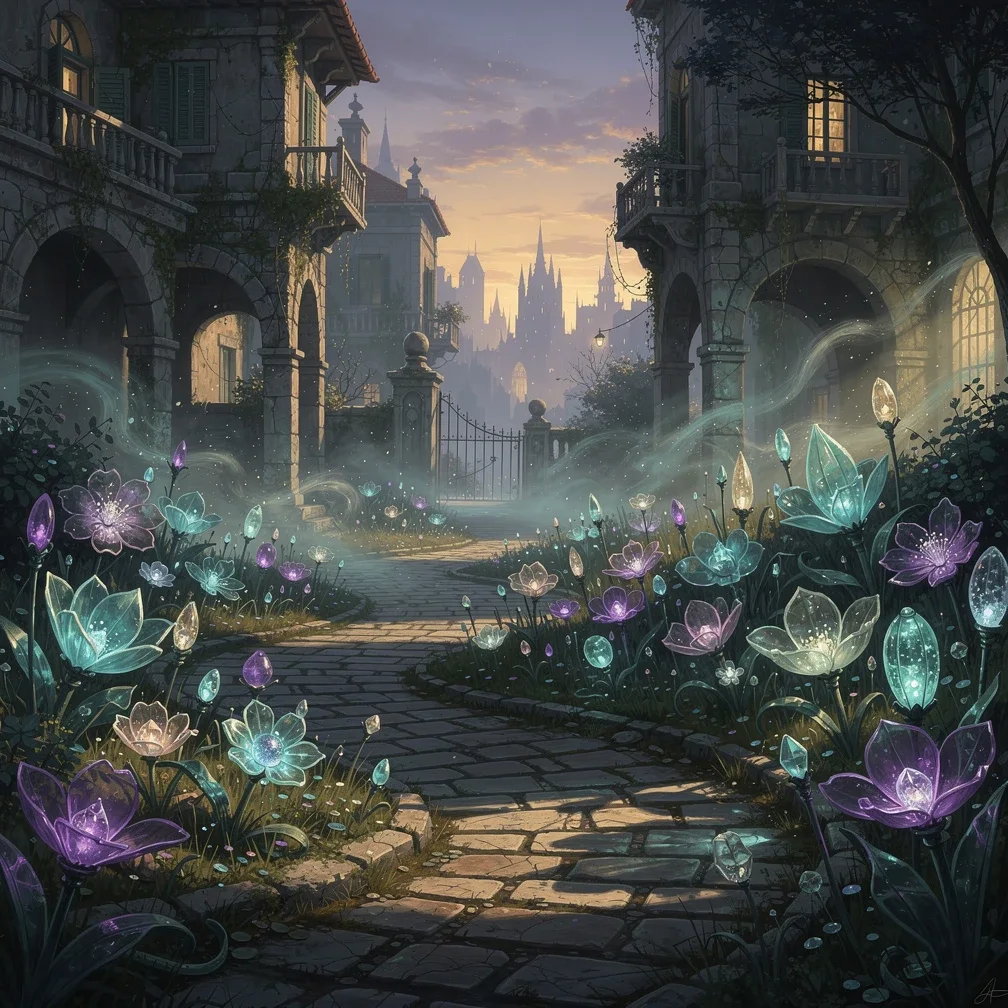
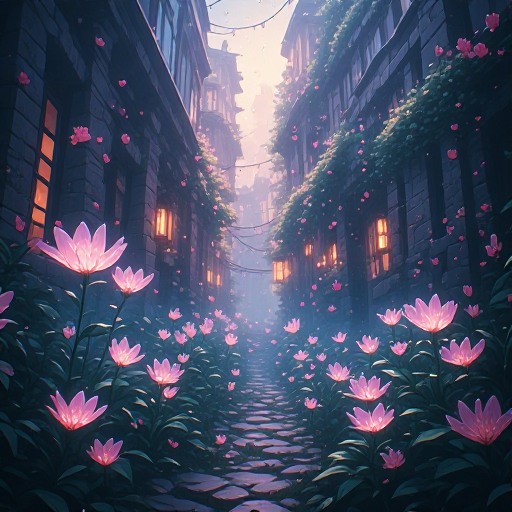
AI Art Image Prompt: "A surreal dreamlike city garden at dusk, glass flowers growing between old stone buildings, soft glowing mist, cinematic lighting, rich colors, painterly details, calm but mysterious mood, high-detail fantasy editorial art."
Quick comparison: 10 best free AI image generators in 2026
Scores are out of 10, averaged from the two prompts. Free tools shift from run to run, so treat these as "how it did for me across a few tries," not a fixed number.
| Rank | Tool | Free allowance | Average | Speed | Best for | Main downside |
|---|---|---|---|---|---|---|
| 1 | Canva | Free AI allowance, varies by plan | 8.4 | Fast | Blog covers, social, quick design | Little model control |
| 2 | PicLumen | 10 free Lumens daily | 8.2 | Fast | Social, product, quick design and AI art creators | Advanced models use Lumens fast |
| 3 | Leonardo AI | 150 free tokens daily | 8.1 | Medium | Concept art, characters, control | Harder to learn, occasional failed run |
| 4 | Microsoft Designer | Free with a Microsoft account | 8.0 | Fast | Quick realistic images | Few creative controls |
| 5 | Adobe Firefly | Limited free generations | 7.3 | Medium-fast | Clean, brand-safe visuals | Free tier feels like a trial |
| 6 | NightCafe | Daily credit top-up | 7.2 | Medium | AI art, community challenges | Weak for realistic photos |
| 7 | Ideogram | 10 free credits weekly | 7.1 | Medium | Posters, readable text in images | Low weekly free limit |
| 8 | Krea AI | Daily free compute | 7.1 | Fast | Fast idea testing | Better for testing than final work |
| 9 | Freepik / Magnific | Limited free access | 7.0 | Medium | Stock-style product assets | Real strength is commercial work, not tested here |
| 10 | Perchance | Free, no login, no daily cap | 6.3 | Fast | No-login prompt testing | Less stable, lower realism |
#1 Canva
Realistic 8.3 · Art 8.4 · Average 8.4
Canva is the one I'd hand to someone with zero interest in "learning AI." The image isn't the finish line here. It lives inside Canva. You make it, drop it into a layout, add a headline, resize it, and export a blog cover in one place. As a free text to image AI tool, it's less about squeezing out one perfect image and more about getting to a usable design without opening five other tabs.
The realistic studio prompt was good on the room and the light. I ran it three times, and the mood stayed close to the same warm, ceramic-workshop feel each time. The hands gave it away, though: okay, not clean. Skin looked a touch too smooth. That's a common tell in design-first tools. The art prompt surprised me. The glass-flower city garden had a gentle fantasy mood and a nice palette across two separate runs. Pretty, not strange. That's Canva in one sentence. Style options inside the tool are limited compared to a model-heavy platform, but that's kind of the trade-off. Fewer choices means less time deciding and more time actually finishing the design.
| Realistic | Art |
|---|---|
 |  |
What works: fast, familiar, forgiving.
What doesn't: almost no deep control. No model swaps, no pushing for hard realism. Best free AI image generator for real design work, simply because it reaches a finished asset faster than anything else here.
#2 PicLumen
Realistic 8.5 · Art 7.9 · Average 8.2
PicLumen isn't a single model wrapped in an interface. It's built around generating images and video, sharing what you make, and browsing what other people made. Your uploads are visible to other users by default, and the prompts people post are searchable too. I didn't plan on using that, but when I got stuck on the art prompt, I looked through a few community posts and borrowed wording from a prompt someone else had shared. Saved me a few rounds of guessing.
That model choice mattered more for the actual test than the community did, though. My two prompts needed different strengths: real light and hands for one, mood and atmosphere for the other. A single-model tool tends to nail one and quietly miss the other. PicLumen let me switch models and keep working the same prompt without leaving the page. Free to start, 10 Lumens a day.
 Realistic: its strongest test. Running PicLumen Realistic (swap in the model you actually used), the studio mood and window light landed close to what I pictured. Hands still needed a second try now and then. Switching models moved the result more than any prompt tweak did — worth knowing if you're chasing the best AI image generator for realistic photos.
Art: the widest range of any tool, depending on the model. Didn't make the single wildest image in the test — Leonardo and NightCafe went further — but easiest to keep nudging toward what I wanted. I went through three or four model swaps here before landing on something I liked.
Realistic: its strongest test. Running PicLumen Realistic (swap in the model you actually used), the studio mood and window light landed close to what I pictured. Hands still needed a second try now and then. Switching models moved the result more than any prompt tweak did — worth knowing if you're chasing the best AI image generator for realistic photos.
Art: the widest range of any tool, depending on the model. Didn't make the single wildest image in the test — Leonardo and NightCafe went further — but easiest to keep nudging toward what I wanted. I went through three or four model swaps here before landing on something I liked.
| Realistic | Art |
|---|---|
 |  |
What works: text to image and image to image AI in the same place, so you can start from a prompt and keep refining from an existing image without switching tools.
What doesn't: daily Lumens go fast on the heavier models, so a few rounds of testing and you're rationing generations. Picking the right model for a given prompt also takes a beat longer than Canva's point-and-shoot. Solid free option if you'd rather have flexibility than one fast, fixed result.
#3 Leonardo AI
Realistic 7.4 · Art 8.7 · Average 8.1
Leonardo is for people who like tuning the image. Free users get 150 tokens a day. The controls are the whole point.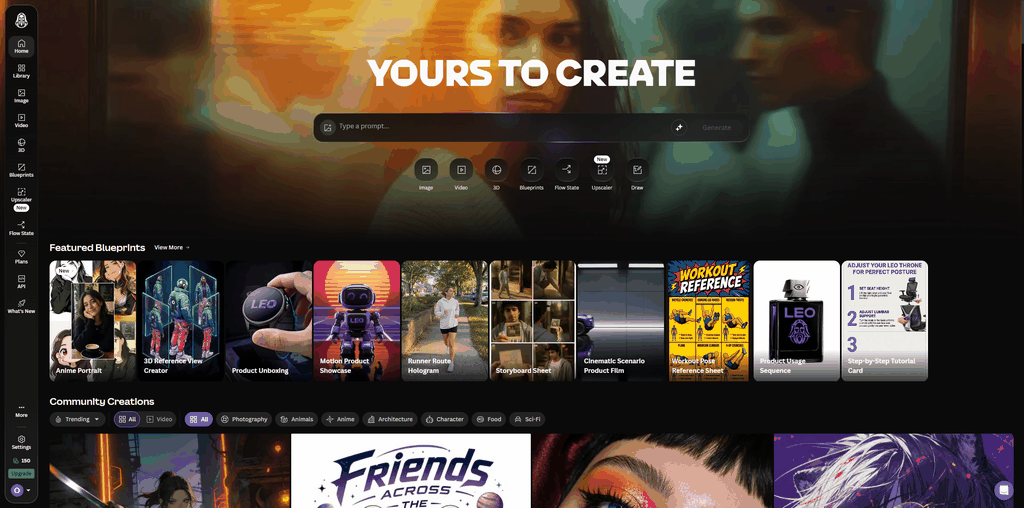 Art is where it pulled ahead — 8.7, the highest single score in this whole comparison. Running the Phoenix model (confirm the model you used), the dreamlike city garden had real depth and color. The glass flowers felt like part of the scene, not an add-on.
Realistic had a hiccup: my first run came back "Failed Generation," and I only got an image on the second try. When it worked, the studio mood and lighting were good, just not as steady run to run as PicLumen or Designer.
| Realistic | Art |
|---|---|
 |  |
What works: concept art, characters, fantasy scenes, full control over the process.
What doesn't: a real learning curve, plus the odd failed generation. More to absorb than Canva, PicLumen, or Designer. The best free tool here for art and control. Not the one for a quick, dependable realistic shot.
#4 Microsoft Designer
Realistic 8.6 · Art 7.4 · Average 8.0
Designer is easy the way Canva is, but leaner. Built for quick AI visuals, not full design work. Runs on DALL·E 3, so no models or settings to pick. You type, it generates. No sign-up wall beyond a Microsoft account you probably already have.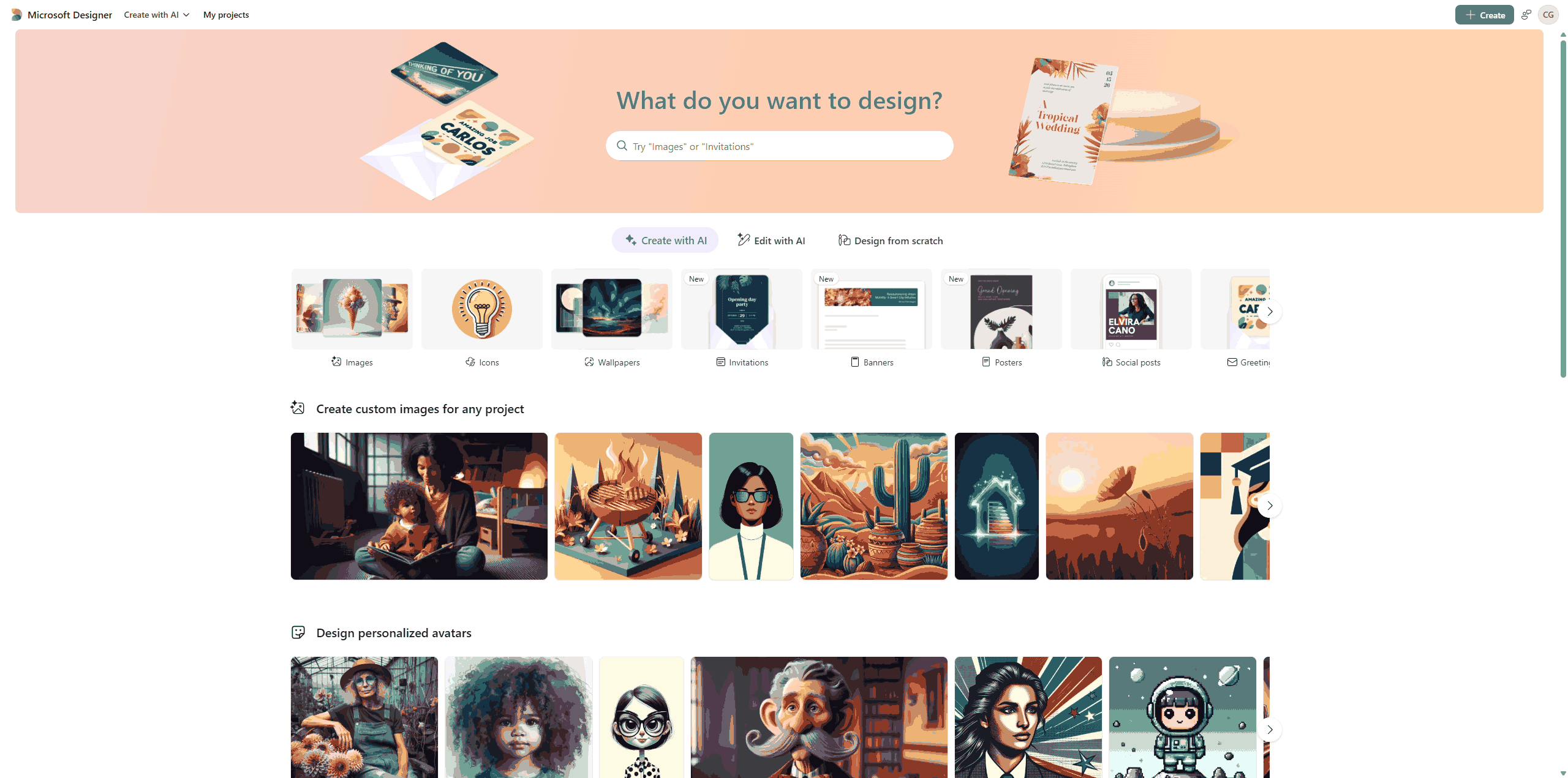 Realistic was its best result — the highest realistic score in the whole test. Believable light, a clear subject, no over-styling. Direct enough for a blog post or a slide. I generated four versions back to back, and the light stayed consistent across all of them, which isn't a given with free tools.
Art was its weak spot: it understood the glass-flowers idea but played it safe, and none of my four attempts pushed past "nice."
Realistic was its best result — the highest realistic score in the whole test. Believable light, a clear subject, no over-styling. Direct enough for a blog post or a slide. I generated four versions back to back, and the light stayed consistent across all of them, which isn't a given with free tools.
Art was its weak spot: it understood the glass-flowers idea but played it safe, and none of my four attempts pushed past "nice."
| Realistic | Art |
|---|---|
 |  |
One small annoyance: every download made me wait about half a minute before it even started. Not a dealbreaker, but it adds up if you're saving a batch of images.
Strong pick if you want fast, real-looking images and don't care about controls. You'll hit its ceiling fast if you want to steer style or models.
#5 Adobe Firefly
Realistic 7.6 · Art 7.0 · Average 7.3
Firefly is the safest tool in the group, and that's a description, not a knock. Built for designers who want steady, brand-safe results. Free plan gives you a few daily generations before you're into paid credits. Realistic was good but a touch too polished — nice studio, subject felt less candid than I wanted. Art was the weaker of the two: balanced and clear, but no real surprise in it.
Reliable for clean, brand-safe visuals and a natural fit if you already live in Adobe. The free tier, though, feels more like a sample than a workflow.
| Realistic | Art |
|---|---|
 |  |
#6 NightCafe
Realistic 6.2 · Art 8.2 · Average 7.2
NightCafe is less a work tool and more an AI art community. You go there to try styles, browse other people's work, and join challenges. Free users get a credit top-up every 24 hours, plus starter credits on sign-up. Realistic was its weakest result — the studio leaned stylized over photo-like, and the mood didn't quite land. But the art prompt was a different tool entirely: the city garden had the richest color and the most personality of any tool in the test.
A genuinely good free AI art tool and a fun place to hang out. Just don't expect it to double as a realistic-photo generator.
| Realistic | Art |
|---|---|
 |  |
#7 Ideogram
Realistic 6.6 · Art 7.6 · Average 7.1
Ideogram earns its spot for one thing most tools still get wrong: text inside images. If you've ever made an AI poster where the headline turned into alien handwriting, you know why that matters. Free tier is 10 credits a week. Neither of my prompts included text, so this was Ideogram working outside its lane. Realistic was its weaker side — it got the scene, but the human details felt less natural than Designer or PicLumen. Art suited it better: Ideogram tends to lay things out like a poster, so the city garden came out organized instead of messy.
The moment your image needs a readable headline, Ideogram jumps up your list no matter what this average says.
| Realistic | Art |
|---|---|
 |  |
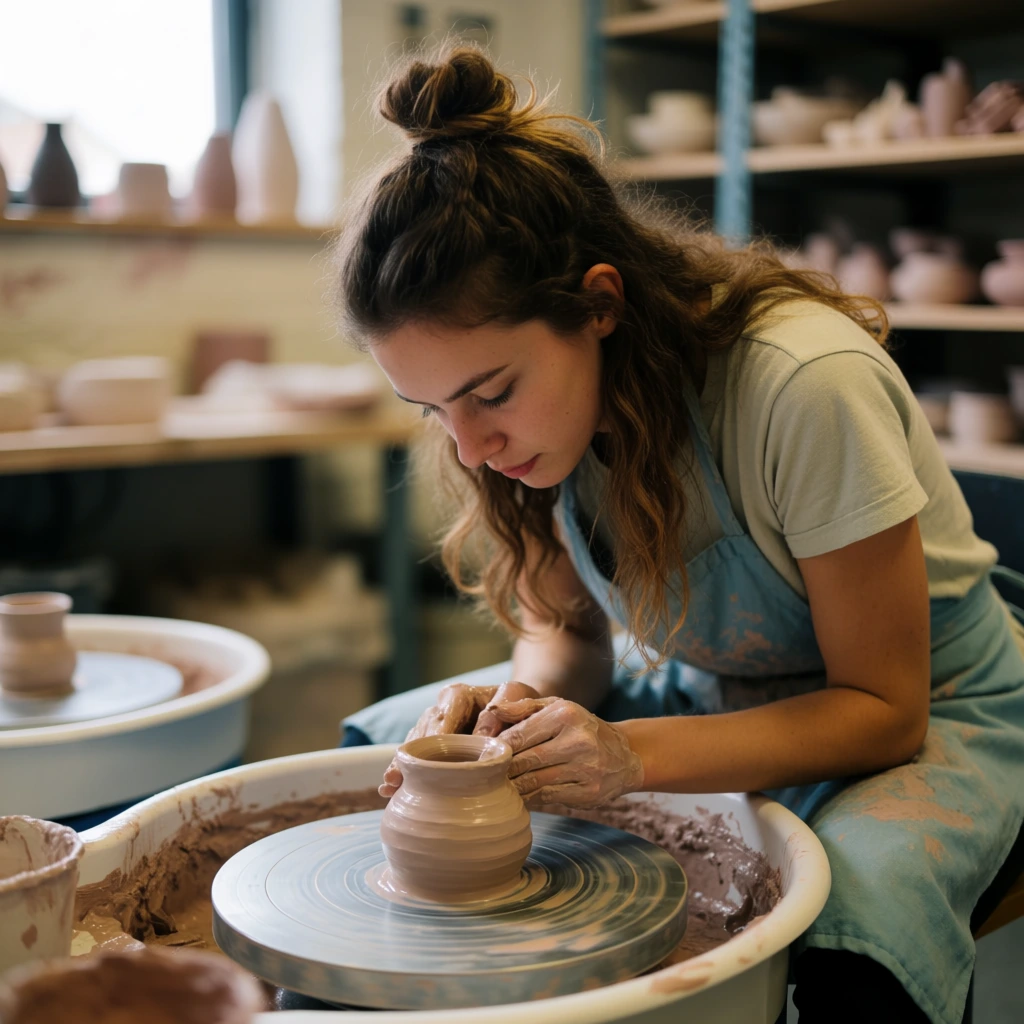
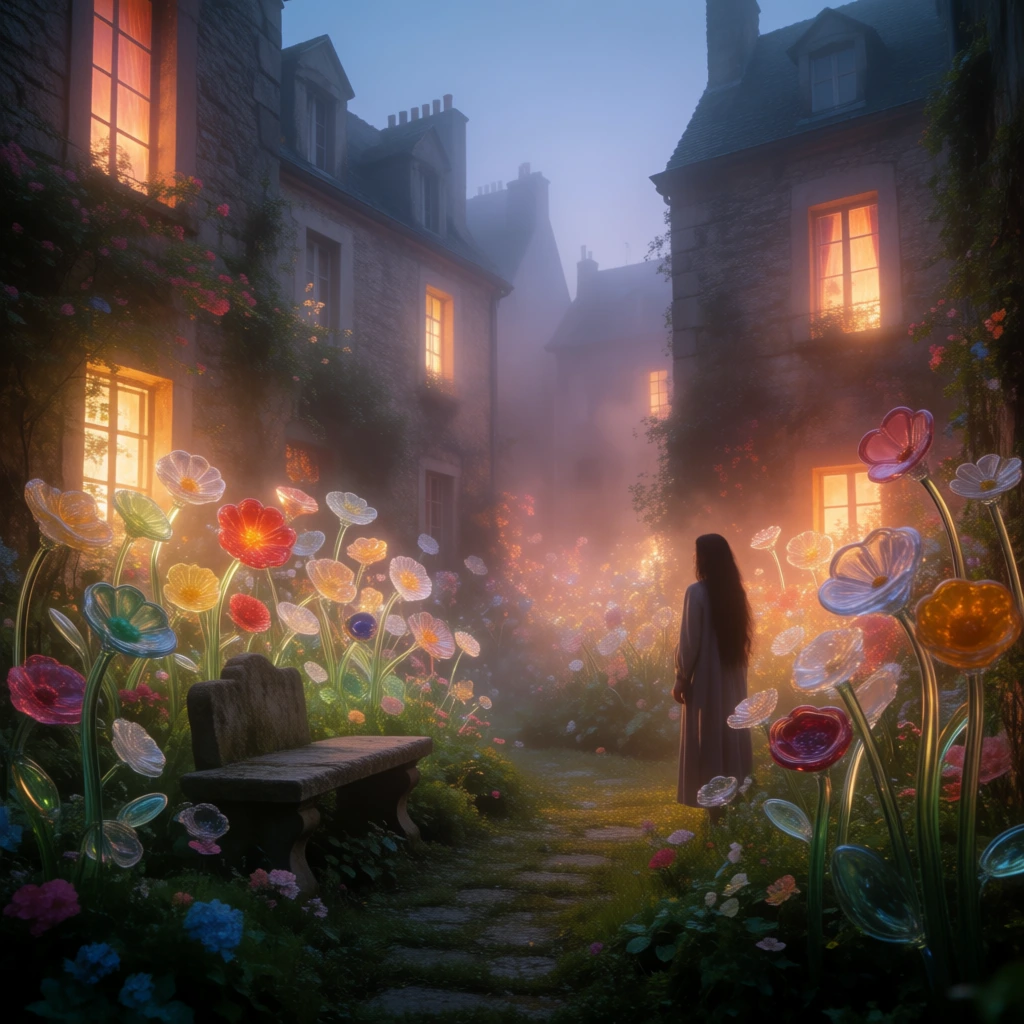
#8 Krea AI
Realistic 6.8 · Art 7.4 · Average 7.1
Krea AI is what I open when I don't know what I want yet. Fast, visual, built for trying directions. Free plan has a daily compute allowance that refills each day. Realistic got the scene but missed the last bit of realism that Designer or PicLumen found. Art was its best — good mood and color, fun to keep pushing.
Great for trying out style and layout fast. Not for steady, repeatable output — that's more of a paid-plan conversation.
| Realistic | Art |
|---|---|
 |  |
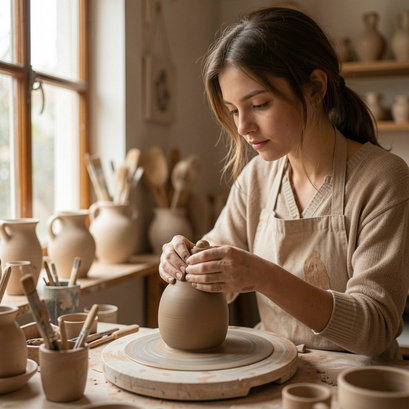
#9 Freepik / Magnific
Realistic 7.4 · Art 6.7 · Average 7.1
Freepik / Magnific grew out of a stock-asset background, and it's really built for product shots and ad-style visuals. That's a different job than the two prompts I ran here, so its usual strength didn't get much room to show. Realistic came out a little stock-flavored — polished, more brand-lifestyle than candid. Art was its weakest: a fine fantasy scene, but nowhere near the mood of Leonardo or NightCafe.
If your work is commercial or product-focused, it's worth testing on its own terms. For realistic and art prompts specifically, it landed mid-pack.
Realistic came out a little stock-flavored — polished, more brand-lifestyle than candid. Art was its weakest: a fine fantasy scene, but nowhere near the mood of Leonardo or NightCafe.
If your work is commercial or product-focused, it's worth testing on its own terms. For realistic and art prompts specifically, it landed mid-pack.
| Realistic | Art |
|---|---|
 | |
#10 Perchance
Realistic 5.6 · Art 7.0 · Average 6.3
Perchance is the least polished tool here, and it doesn't pretend otherwise. Free, no sign-up, no login, no obvious daily wall. The interface matches: type a prompt, hit generate, that's it. No settings to learn.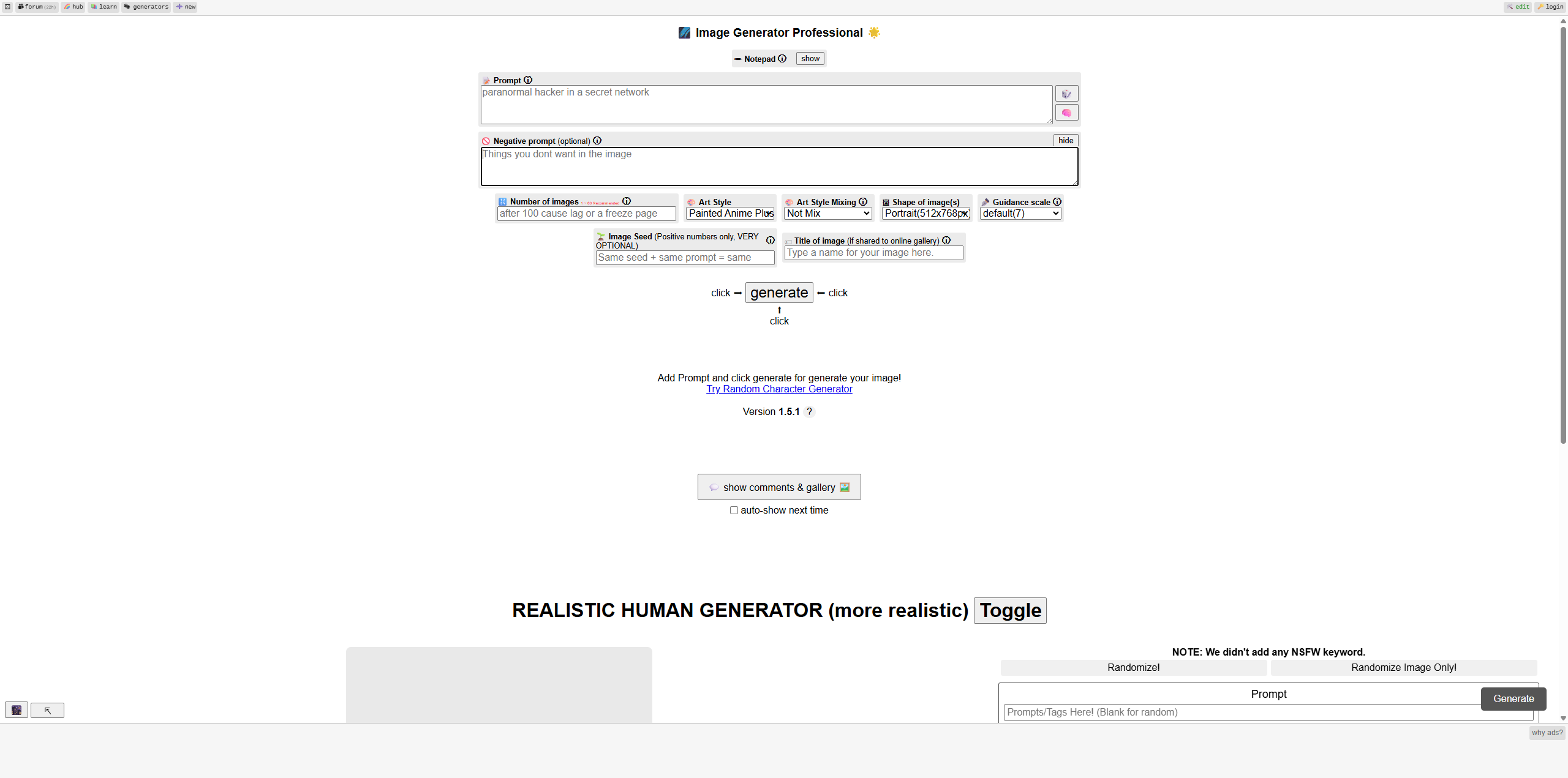 Realistic showed its limit fastest — recognizable, but human details moved around from run to run. Art was the fun one: surprisingly decent, slightly odd, as long as you don't ask for realism.
No login and fast testing, in exchange for less steady quality. Great for prompt tests, not for a brand or product page.
Realistic showed its limit fastest — recognizable, but human details moved around from run to run. Art was the fun one: surprisingly decent, slightly odd, as long as you don't ask for realism.
No login and fast testing, in exchange for less steady quality. Great for prompt tests, not for a brand or product page.
| Realistic | Art |
|---|---|
 |  |
Final verdict: which free AI image generator should you pick?
Short answer: start with Canva. It turns a prompt into a finished design faster than anything else. Want more room to play? Use PicLumen. The multi-model workflow, plus text-to-image and image-to-image in one place, made it the tool I reached for whenever a first result missed. After that, it's about the job. Microsoft Designer for fast realistic photos. Leonardo AI for art and concept control. Adobe Firefly if you already live in Adobe. Ideogram the moment you need readable text. NightCafe for art-community energy. Perchance for no-login testing. There's no single best AI for image generation in every case. The best free one is whichever fits your actual workflow.
FAQ
What is the best free AI image generator in 2026?
For most beginners, Canva. It's easy and built into a full design editor. PicLumen is the better pick for a multi-model workflow with text-to-image, image-to-image, and community ideas. Microsoft Designer is strongest for quick realistic images.
What is the best AI image generator for realistic photos?
Microsoft Designer, PicLumen, Adobe Firefly, and Leonardo AI. Designer is the easiest. PicLumen gives you model choice, which changed my realistic results more than any prompt tweak. Firefly is clean and steady. Leonardo has the most control, once you learn it.
Is there a free AI art generator from a picture?
Yes. PicLumen is a solid AI art generator for this — it supports image-to-image, so you can start from a picture and refine it. Krea AI, Leonardo AI, and Adobe Firefly also offer image-based or editing workflows.
Can I create AI images from text for free?
Yes, all 10 tools here offer some free text-to-image. The differences are the free limit, output quality, and how much control you get.
What's the best AI for generating images if I need commercial visuals?
This test focused on realistic and art prompts, not a dedicated commercial one, but based on general output style, Canva, Adobe Firefly, and PicLumen tend to produce the cleanest, most brand-safe results. Freepik / Magnific is also worth testing directly, since commercial and product visuals are its main focus.
Which free AI image generator is best for beginners?
Canva and Microsoft Designer are the easiest. PicLumen is also beginner-friendly if you want more model options without technical settings.

.png)