PixVerse AI has become especially popular because of its fast generation speed, easy-to-use interface, and viral video templates.
After seeing countless examples on social media, I decided to test PixVerse AI myself to see whether it actually lives up to the hype.
In this review, I’ll share my first-hand experience using PixVerse AI. If you’re considering using PixVerse for YouTube Shorts, TikTok content, marketing videos, or creative projects, this review should help you decide whether it’s the right tool for your workflow.
What Is PixVerse AI?
PixVerse AI is an AI-powered tool that turns text prompts and images into short videos, animations, and creative visual content in minutes. It is designed for both beginners and content creators. The platform is widely used for social media content thanks to its fast processing speed, intuitive interface, and template-driven workflow that helps users quickly create engaging and viral-style videos.
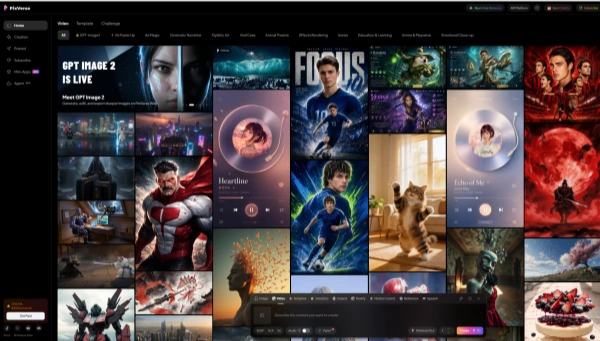
Features of PixVerse AI
PixVerse AI focuses on AI video generation and template-based creation, allowing users to turn text prompts or images into short videos quickly. It also supports image generation and is expanding into Mini Apps for more specialized creative tools. Here are some main features.
1️⃣ Text to Video
Generate AI videos directly from text prompts. Simply describe your scene, characters, or visual style, and PixVerse AI will create a short video automatically. This feature is ideal for cinematic clips, anime content, storytelling videos, and social media shorts.
2️⃣ Image to Video
Turn static images into dynamic AI videos with realistic motion and visual effects. Users can upload portraits, illustrations, or product images and transform them into animated content within seconds.
3️⃣ Video Templates
Using ready-made video templates, users can quickly create fun AI videos without advanced editing skills. Some of the most popular recent templates include Super Mom and Mom Vacation, which are widely used for viral TikTok and short-form content creation.
4️⃣ Mini Apps
PixVerse AI also offers Mini Apps for specific creative tasks. For example,
Ad Master allows users to generate premium commercial-style videos with AI-directed scenes and creative storytelling, making it useful for advertisements and marketing campaigns.
Sound Effect Generator adds immersive AI-generated sound effects to videos automatically.
Pros and Cons of PixVerse AI
Like most AI video generators, PixVerse AI has both strengths and limitations. Based on collected information, below are some of the most commonly mentioned pros and cons of PixVerse AI in 2026.
🗒️ Pros
Fast Generation | PixVerse AI can generate short video clips in under a minute, making it much faster than many traditional video editing workflows. This speed is especially useful for creators producing large amounts of short-form content. |
|---|---|
User-Friendly Interface | The platform has a clean and beginner-friendly interface that makes navigation simple, even for users with no prior video editing experience. Most tools and templates are easy to access and require very little setup. |
Character Consistency | Compared to some competing AI video tools, PixVerse AI performs relatively well at maintaining character consistency across scenes, especially in anime and stylized video generation. |
🗒️ Cons
Short Video Length | One of the biggest limitations is the short generation length. Creating longer or more complex scenes often requires stitching multiple clips together manually. |
|---|---|
3D Animation Issues | Some users have reported weaker results with 3D animations, including unnatural movements, distorted objects, or lower visual quality compared to 2D and cinematic styles. |
Occasional Glitches | During testing, certain videos showed one-frame glitches, shaky motion, or inconsistent character movements. These issues don’t happen constantly, but they can affect the final video quality in more detailed scenes. |
I Tried PixVerse AI: My Experience
Getting started with PixVerse AI was surprisingly simple. I just clicked the sign-up button in the top-right corner, and the registration process only took a few minutes to complete. After logging in, the interface immediately felt clean and beginner-friendly, which made the whole experience much less intimidating compared to some other AI video tools.
Next, I started testing the actual generation quality.
Image Generation
My first test was creating a perfume advertisement poster. I entered a detailed prompt describing the product style, lighting, and overall aesthetic, and the generated image followed my instructions very closely.
My Prompt:
Close-up of a premium glass perfume bottle with gold accents, placed on a dark reflective black marble surface, dramatic cinematic lighting, rim lighting highlighting the bottle's silhouette, floating gold dust particles, deep shadows, luxury boutique vibe, hyper-realistic, volumetric lighting.
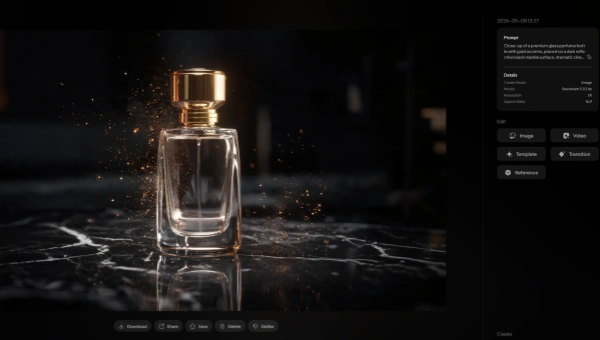
The final result looked polished and visually appealing, especially in terms of:
Product placement
Lighting effects
Background composition
Overall commercial-style quality
For a quick AI-generated image, the result was honestly better than I expected.
Video Generation
After generating the image, I used it to create a short advertisement-style video.
The video quality was fairly impressive, particularly when it came to consistency between the product and the surrounding scene. The AI managed to preserve the overall visual style while adding smooth motion and cinematic effects.
My Prompt
Luxury perfume advertisement based on the image. The camera performs a slow, dramatic 360-degree orbit around the bottle. The golden particles drift gracefully in the air like dust in sunlight. The reflections on the polished marble floor move dynamically as the light shifts. High contrast, sharp focus
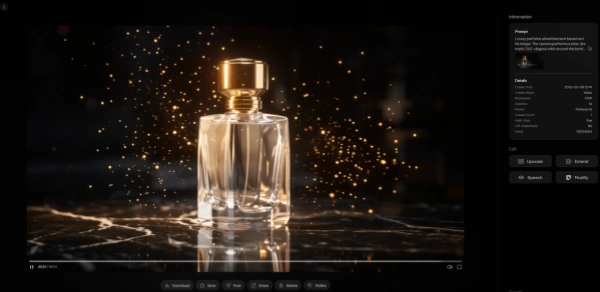
While it’s still not perfect enough to fully replace professional video editing, the results were more than good enough for:
Social media ads
Short-form marketing videos
TikTok and Reels content
Quick creative projects
Video Templates
I also tested two popular templates:
Mom Vacation
Unicorn Ride
In my testing, the “Mom Vacation” template failed, while the “Unicorn Ride” template worked successfully.
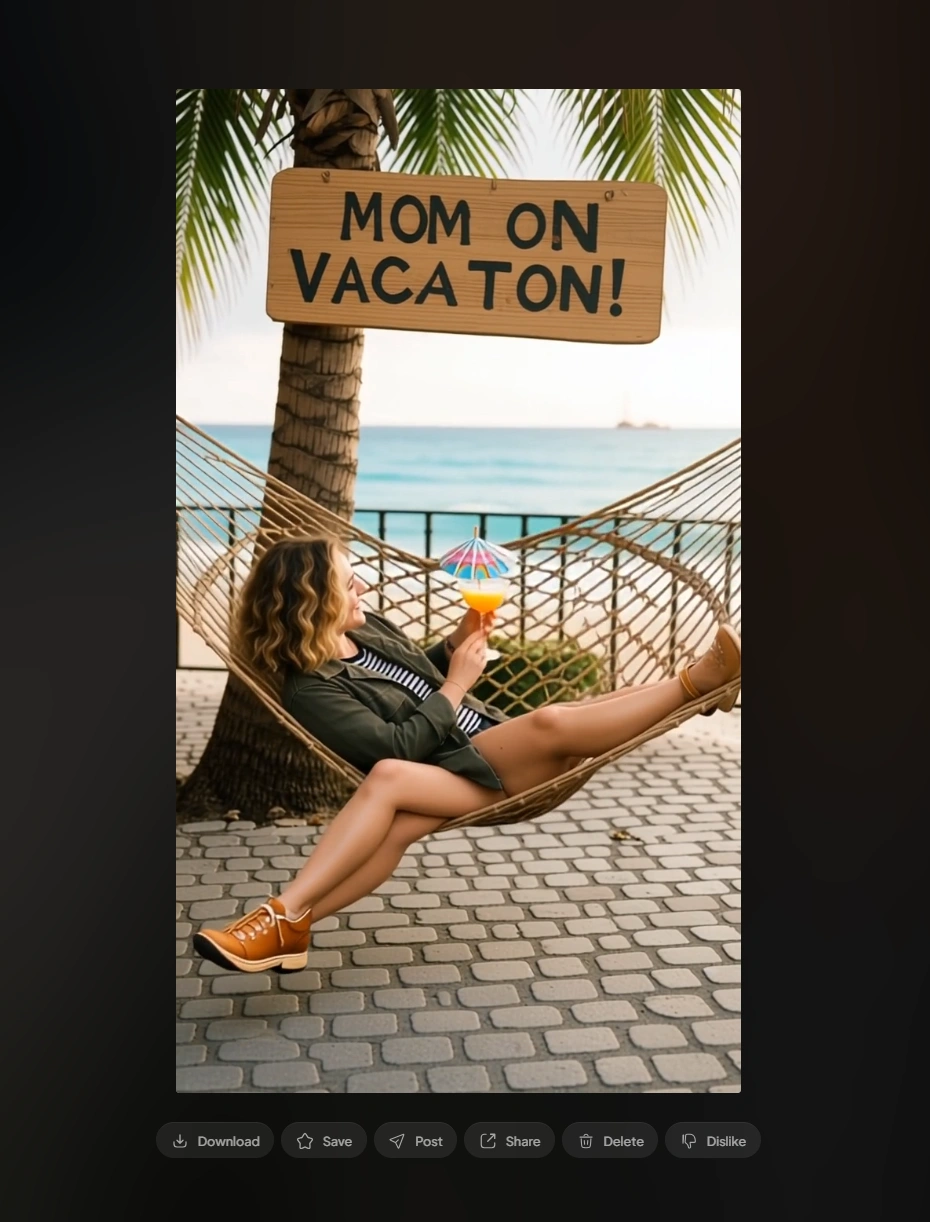
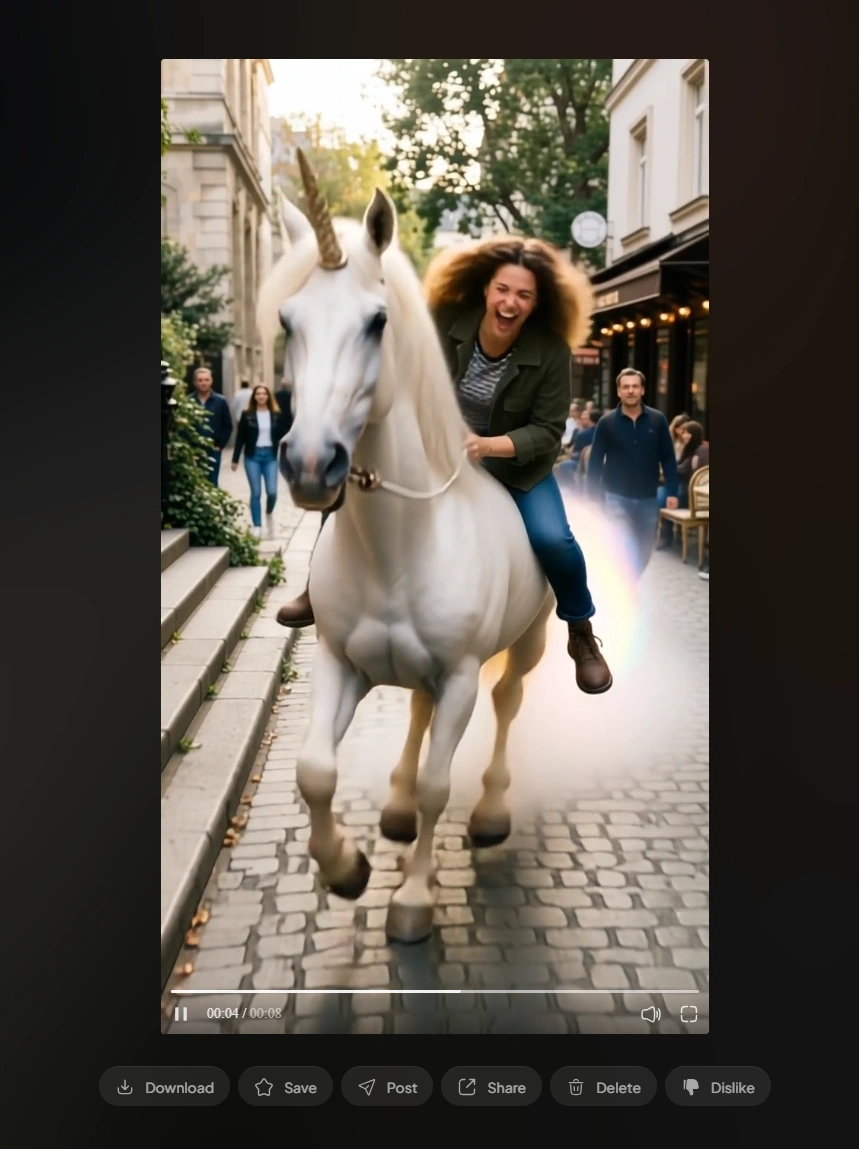
Even with some occasional failures, the template feature is still one of the most enjoyable parts of PixVerse AI, especially for users creating viral short-form content quickly.
An Alternative to PixVerse AI: PicLumen
Overall, my experience with PixVerse AI was quite positive. The platform is beginner-friendly, fast, and capable of generating impressive AI videos with very little effort.
However, one limitation I noticed is that access to certain popular video models can be restricted. While the image generation models are generally more open to use, some advanced or trending video models, such as Seedance 2.0 and Kling 3.0, may not always be fully available, even for some paid subscribers.
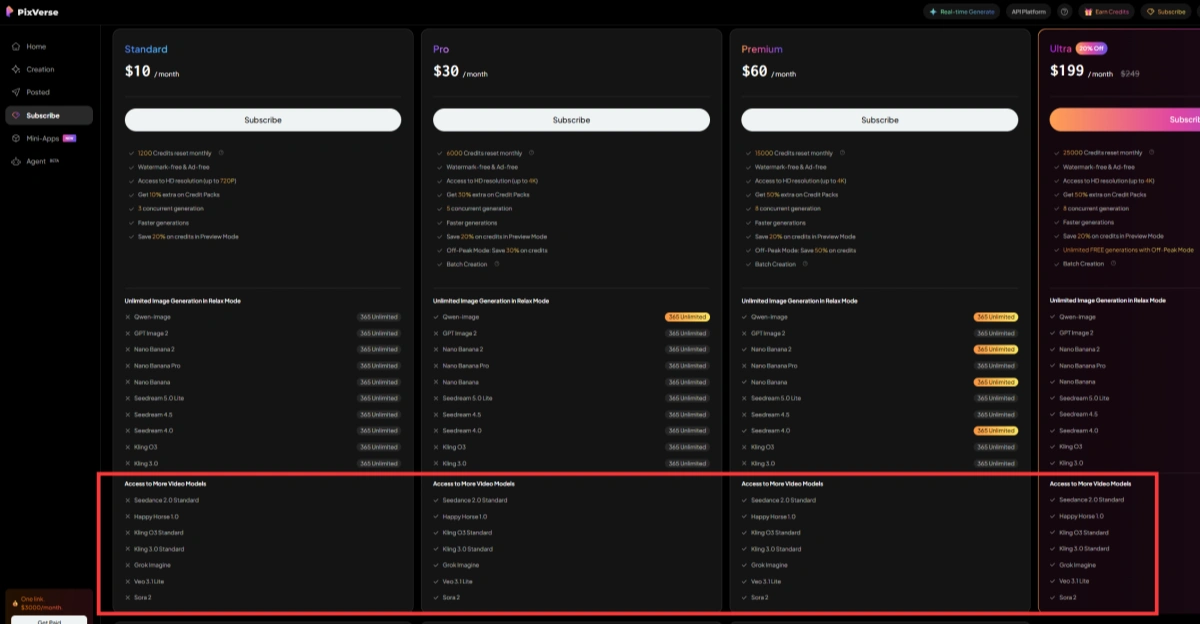
This can feel limiting for users who want more flexibility when experimenting with different AI video styles and generation quality.
Because of that, I personally prefer using PicLumen as an alternative.
One of the biggest advantages of PicLumen is that it provides access to many popular AI generation models without the same level of restrictions.
Another reason I like PicLumen is the pricing. Compared to many AI creative platforms in 2026, it feels much more affordable. The Mini Plan starts at only $3/month, which makes it a good option for beginners, casual creators, or users who want to test multiple AI models without spending too much money.
For users who care more about model access, affordability, and flexibility, PicLumen is definitely worth considering as an alternative to PixVerse AI.
Final Verdict
After spending time testing PixVerse AI, I can understand why it has become one of the most popular AI video tools in 2026. The platform is fast, beginner-friendly, and capable of producing surprisingly good AI-generated videos. Features like Text-to-Video, Image-to-Video, and viral video templates make it especially appealing for short-form content creators and social media users.
At the same time, PixVerse AI still has some limitations. Short video duration, occasional animation glitches, and restricted access to certain advanced models may frustrate more experienced users who want greater creative control.
For beginners, casual creators, and users who want to create fun AI videos quickly, PixVerse AI is definitely worth trying. However, if you care more about model flexibility, unrestricted access to popular AI models, and lower pricing, alternatives like PicLumen may offer better overall value.
Overall, PixVerse AI remains a strong option in the growing AI video generation market, especially for users looking for a simple and efficient way to create engaging visual content.
FAQs About PixVerse AI
1. Is PixVerse AI Free?
PixVerse AI is not free, but it does offer a basic Plan that lets users try the core features with limited credits. If you want to generate more videos or use the platform more frequently, you will need to upgrade to a paid plan for higher credits and fewer restrictions.
2. Is PixVerse AI good for beginners?
Yes. One of the biggest advantages of PixVerse AI is its beginner-friendly interface. Users can generate videos from text prompts, images, or templates without needing professional video editing skills.
3. What types of videos can PixVerse AI create?
PixVerse AI can generate many different types of content, including: AI animation videos, cinematic clips, anime-style videos, social media shorts, marketing and advertisement videos, fun viral template videos, etc.
4. What is the best alternative to PixVerse AI?
One popular alternative is PicLumen. It offers access to multiple popular AI models, good image and video generation quality, and more affordable pricing for users who want greater flexibility and fewer model restrictions.