
Remove Text from Video Online with PicLumen Free Text Remover
Erase unwanted captions, subtitles, timestamps, logos, and text overlays from your videos online. PicLumen AI text remover for video helps clean your footage while keeping the background natural and the video ready to share.
Remove Any Unwanted Text from Video
PicLumen AI helps you remove different types of unwanted text from your videos, including subtitles, captions, timestamps, stickers, logos, labels, and text overlays. Whether the text appears at the bottom of the screen, on a product package, across a social video, or inside a moving scene, PicLumen intelligently cleans the selected area and reconstructs the background for a natural-looking result.
From social media clips to product videos, tutorials, ads, vlogs, and screen recordings, you can quickly erase distracting text without complex manual editing.
AI Precision Text Detection
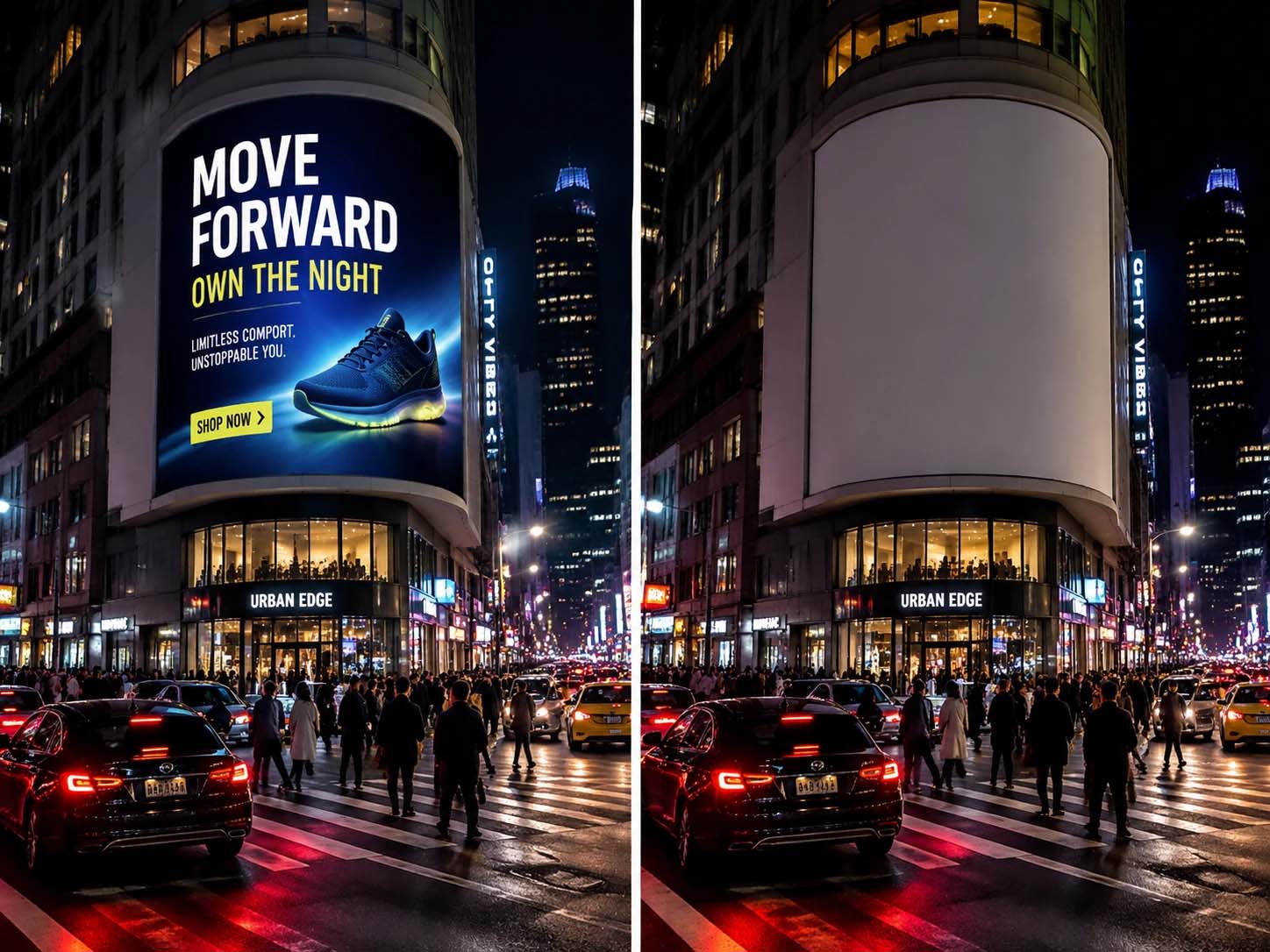
PicLumen's advanced AI text remover automatically detects and identifies text in your videos with impressive precision. The system scans every frame, recognizing text overlays, captions, subtitles, and watermarks accurately. You can remove text from a video without affecting the underlying visuals, with no manual adjustments.
No Blur Technology
Traditional text removal often leaves blurry or distorted areas where text once existed. PicLumen's No Blur Technology intelligently fills in removed text areas with surrounding content, maintaining visual consistency across your entire video. The result is a clean, professional-looking video that appears completely untouched. Your viewers will not notice any editing was done, and your content maintains its polished appearance from start to finish.
Free Online Video Text Remover
Removing text from video on PicLumen is completely free. PicLumen gives you free credits every day, so you can erase unwanted subtitles, captions, timestamps, stickers, logos, and text overlays without paying upfront or downloading editing software.
New users receive complimentary credits to start right away, and you can earn more credits by completing simple tasks on the platform. Within your available credit limit, you can continue using PicLumen’s AI video text remover online at no cost.
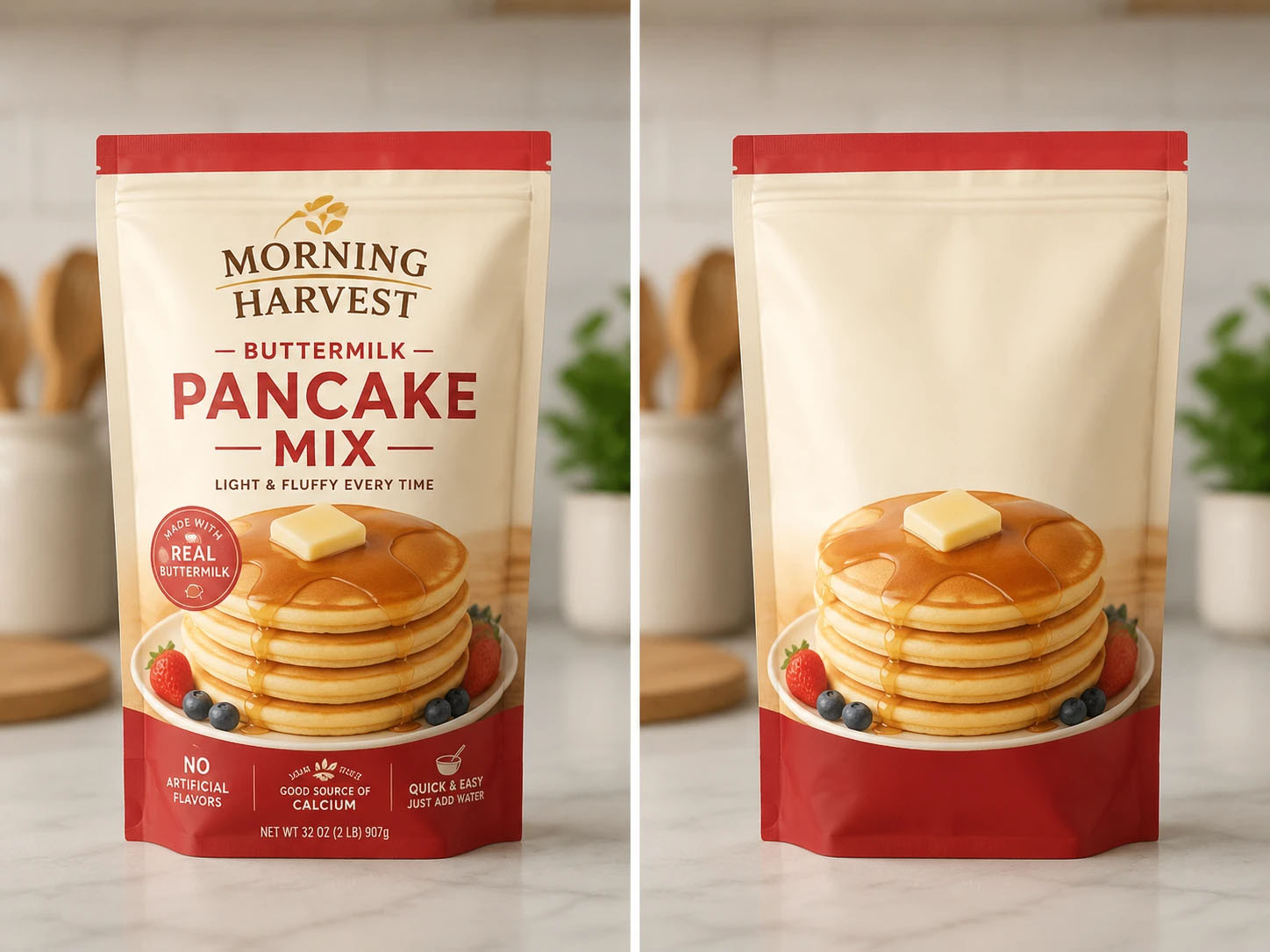
How to Remove Text from Video with PicLumen
Step 1 Choose a Video Model
1Start by selecting the appropriate AI model for your video. PicLumen offers different models for various content types, including Seedance 2.0, Kling 3.0, etc. Choose the one that best matches your footage for optimal text removal results.
Step 2 Upload Your Video File
2Upload your video file directly to PicLumen. The tool supports major formats, including MP4, MOV, AVI, etc. Drag and drop or select your file to begin the text removal process.
Step 3 Generate and Download
3Click the generate button to remove text from your video. Once finished, download your clean, text-free video in its original quality and share it wherever you need.


Loved by Creators Worldwide
Real feedback from designers, marketers, and hobbyists sharing their PicLumen experience on Trustpilot.
 chelsienner
This is my favorite AI Image generator
This is my favorite AI Image generator
Good 👍 perfomense web site good images…
Good 👍 perfomense web site good images good
 Rishiprasanth BR
This is a great site to create images…
This is a great site to create images as per our mind's wish. Such a great site, loved its response
George PricePicLumen's support team replies quickly…
PicLumen's support team replies quickly to your help requests and they are clear in what they require of you for them to help you. They usually diagnose your problem and offer a solution in less then 24 hours. Stellar service!
 Mubashir Ahmed
This web is very help and free
This web is very help and free
Really good app and generates good…
Really good app and generates good images!
 Jonathan Kauan da Silva
good i like create images
good i like create images
Piye ChauhanNice app generate to google
Nice app generate to google
It’s easier to use on a computer instead of a phone
Being able to generate my own art
The best app ever in history
The best app ever in history
Federico BidondeGood app recién probando
Good app recién probando
 Lalith Perera
I loved it thank you so much for the…
I loved it thank you so much for the images
Frequently Asked Questions
Is it really free to remove text from video?
Yes, you can remove text from video using PicLumen's free tool. New users receive complimentary credits, and the platform provides daily credits along with bonus credits for completing tasks. Within your available credit limit, you can keep using the service at no cost.
Will the video quality be affected?
No, PicLumen preserves your video's original quality throughout the text removal process. The AI text remover maintains the original resolution and clarity, ensuring your final video looks professional and clean without any visible artifacts.
Can I remove text from TikTok or YouTube videos?
Yes, you can remove text from video content downloaded from TikTok, YouTube, or any other platform. Simply download the video to your device and upload it to PicLumen to remove any unwanted text overlays.
Can I remove moving text from videos?
Yes, PicLumen can remove moving text from videos like scrolling captions or animated watermarks. The AI text remover tracks text as it moves across frames and removes it seamlessly throughout the entire video clip.