Denoise Images Online for Free
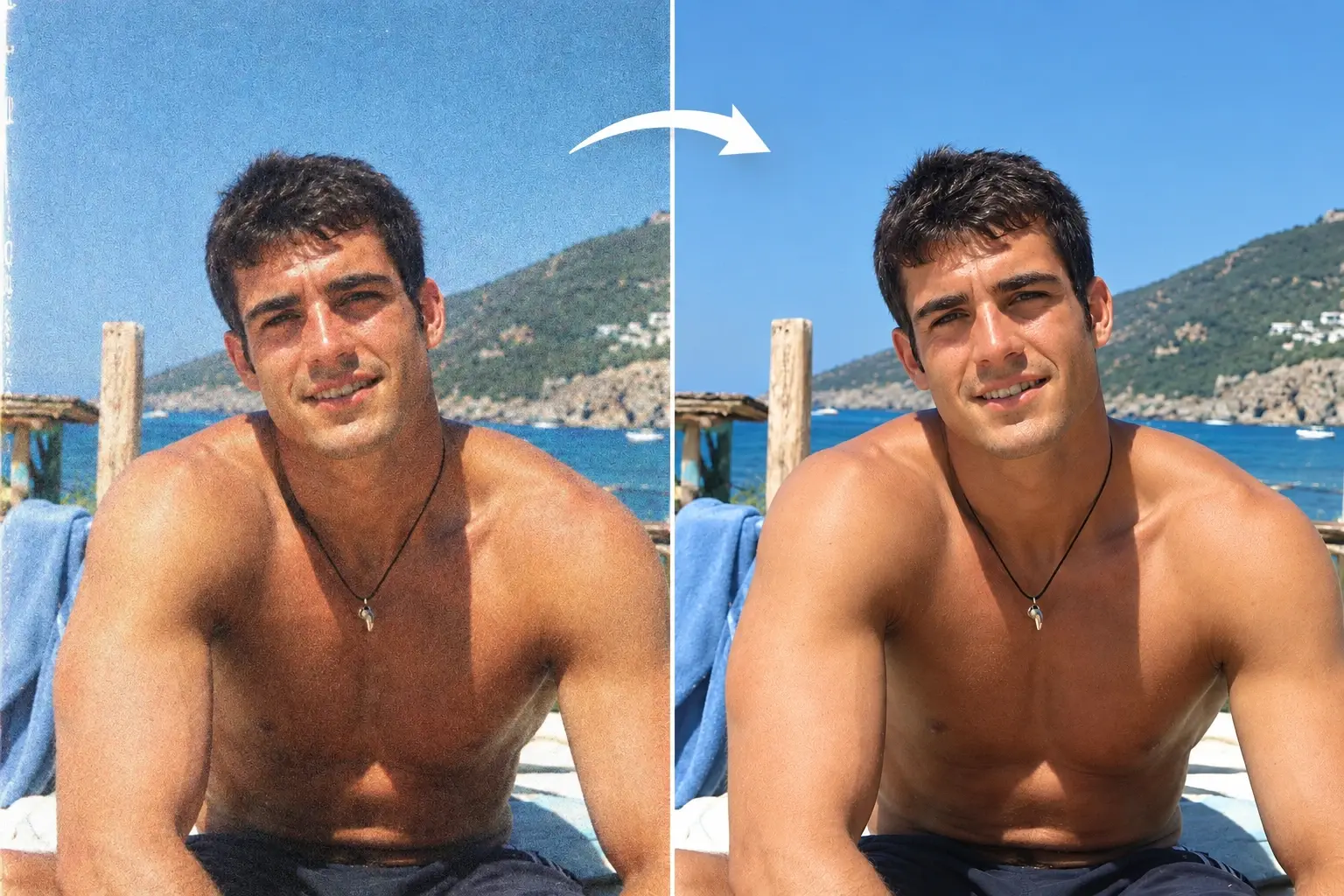


How to Denoise an Image with PicLumen
Give your image a cleaner finish in three simple steps.
Upload Your Image
Choose the image you want to improve and upload it to PicLumen. Start with the clearest original version available for better results.
Let AI Reduce the Noise
Start image denoising in one click. Let AI reduce distracting grain and speckles, giving your photo a cleaner appearance without complicated manual edits.
Review and Download
Check the result and download your image. Add it to a photo album, share it on social media, or use it in your next project.
Why Choose PicLumen’s AI Image Denoiser?

Denoise Fast
Start with an upload and let PicLumen handle the cleanup in one click. You can reduce distracting grain without working through a long series of manual edits. The straightforward process fits easily into your day, whether you’re fixing one favorite photo or preparing an image for your next project.

Natural Textures
Give your photos a cleaner finish while helping preserve their natural character. Keep the focus on the texture of skin, individual strands of hair, and the weave of a favorite sweater. PicLumen helps reduce distracting grain so you can enjoy a more polished image that still feels like your photo.

No Installation Required
Denoise images directly in your browser without installing desktop software. Upload your photo, let AI handle the cleanup, and download the result in one place. It’s a simple way to fit image denoising into your routine, whether you’re refreshing a personal photo or preparing a visual for your business.
Denoise Images Online and Let the Details Shine
Get more from the images you already have. PicLumen helps you denoise images online, giving meaningful photos, low-light shots, and brand visuals a cleaner finish. Reduce distracting grain and keep the focus on the moments, subjects, and details you want to share.
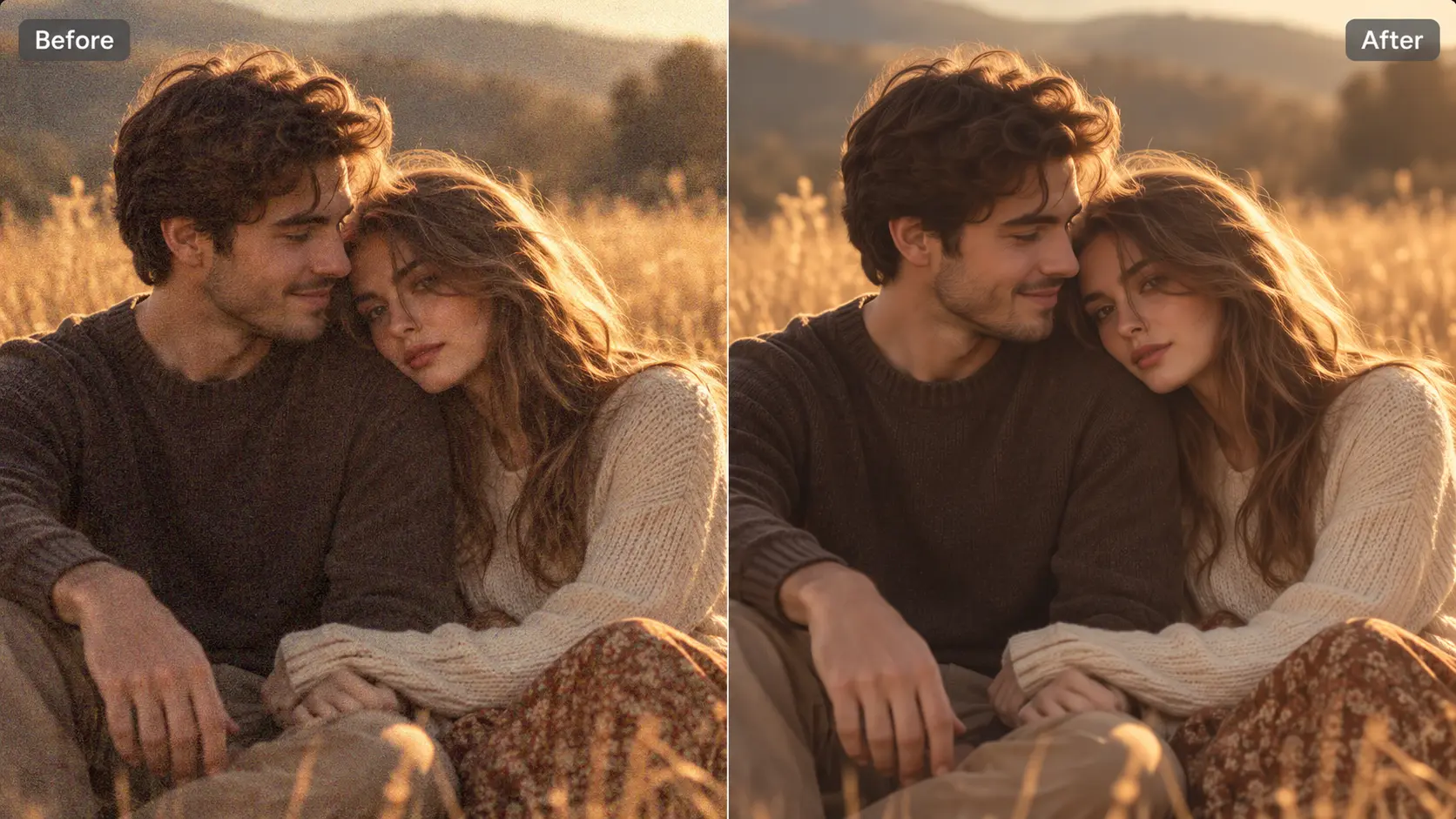
Denoise Images in One Click
Unwanted grain can make colors look uneven and details harder to see. PicLumen’s AI image denoiser helps clean up that visual clutter in one click, giving your image a clearer, more natural appearance. Upload your file and let AI handle the noise reduction, with no complicated editing steps to work through. You can denoise images online directly in your browser, whether you need a quick fix for a single picture or a finishing touch for a creative project. Get a cleaner image that’s ready for your next step.
Give Your Favorite Moments a Clearer Look
Some photos matter too much to leave hidden behind distracting grain. An indoor birthday photo, a family dinner, or a favorite moment from a trip can still be worth keeping, even when the lighting wasn’t ideal. Use PicLumen’s AI photo denoiser to reduce the noise that draws attention away from the people and memories in the frame. Give those pictures a clearer look before adding them to a digital album, sharing them with family, or making a keepsake. Keep the focus on the smile, the setting, and the moment you wanted to remember.
Bring Out the Best in Your Photography
Low light and higher ISO settings can leave visible noise in an otherwise well-composed shot. Before you set that image aside, try AI image noise reduction to make the scene look cleaner. PicLumen helps reduce distracting grain so you can draw more attention to your subject, lighting, and composition. Give evening street scenes, indoor portraits, and travel photography another look before choosing your final images. If your photo is also blurry, try an Unblur Image tool to address sharpness separately before sharing the finished shot.
Give Your Brand Visuals a Polished Finish
Every image you publish contributes to how people see your brand. Grainy product photos and noisy promotional images can distract from the message you want to share. Use PicLumen to remove grain and give existing assets a cleaner, more polished appearance before they reach your audience. Refresh visuals for product pages, email campaigns, website banners, and social media, and get more use from the content you already have. Whether you’re showcasing a new collection or updating your store, image denoising helps you present your products with a more consistent, professional look.
Denoise Images for Your Favorite Moments and Best Work
A quick phone snapshot, a night out, or a product shoot can leave you with images that need a little cleanup. Explore six ways to reduce distracting noise and get more from the photos you want to keep, share, or publish.
Clean Up Everyday Smartphone Photos
Your phone captures the moments that happen between planned photo sessions: a coffee break, a weekend walk, or a quick picture of something you love. But zooming in or brightening shadowy areas can make unwanted grain more noticeable. PicLumen’s AI photo denoiser helps give these everyday images a cleaner appearance before you add them to a post, send them to friends, or save them in an album. Use it when the composition feels right but the image looks a little rough. Give spontaneous snapshots a cleaner look for travel journals, birthday posts, or the everyday stories you share with friends.
Give Night Scenes a Cleaner Finish
Night photography is full of color and atmosphere, from glowing shop windows to distant city skylines after sunset. Noise can become especially noticeable in dark skies, shaded buildings, and the spaces between bright lights. Use PicLumen to remove grain that distracts from the scene and give your evening shots a cleaner finish. Bring more attention to reflections on wet streets, illuminated signs, and the shapes of buildings against the night sky. Whether you’re collecting travel memories or creating a personal photography series, a little cleanup can help you choose more nighttime images that deserve a place in your final selection.
Make More of Photos Taken in Low Light
Indoor moments do not always happen under ideal lighting. A candlelit dinner, a small concert, or a family gathering can leave you with grainy photos even when the expressions are exactly what you wanted to capture. PicLumen helps reduce distracting noise so you can give those images a cleaner look before sharing them. Use it for a couple photo by a window, event shots under warm lamps, or pictures from a restaurant. Keep the atmosphere that made the moment special while making the visual clutter less noticeable. Make those candid moments easier to enjoy in albums, slideshows, and personal posts.
Refresh Compressed Images for Your Next Project
Compressed images often come from messaging apps, social platforms, or files saved repeatedly at lower quality. They may look rough around the edges or show uneven patches in areas that should appear smooth. Use PicLumen to help reduce noisy textures before reusing an image in a presentation, blog post, or social update. Choose the clearest available version so you have more image information to work with. Whether you’re working with a shared graphic or a photo sent by a friend, a cleaner appearance can make that existing image easier to use in your next project and more pleasant to view.
Give Older Photos a Fresh Look
Older photos often carry memories you cannot recreate, from childhood holidays to family celebrations captured on an early digital camera. Visible grain can make those pictures harder to enjoy when you revisit them on a larger screen. Image denoising gives you a way to refresh their appearance before organizing a digital archive or putting together a family slideshow. Use PicLumen to reduce distracting noise and help the people and places in those memories stand out. It’s a thoughtful step when you’re collecting photos for an anniversary, a birthday tribute, or a shared album that brings several generations of memories together.
Polish Product Photos Before You Publish
Product photos need to make a clear first impression, even when you’re working with a small setup. Grain in plain backgrounds, shadowed areas, or close-up product shots can leave otherwise useful images looking less polished. PicLumen helps clean up distracting noise before you publish photos on an online store page, in an email, or across social media. Give handmade items, beauty products, home accessories, and other everyday listings a cleaner, more consistent presentation. It’s a practical option for refreshing images between shoots or preparing your seasonal campaigns, helping you make better use of the product photography your business already has.


Loved by Creators Worldwide
Real feedback from designers, marketers, and hobbyists sharing their PicLumen experience on Trustpilot.
Jon JonVery good website
Very good website. Different models, good job
 J. Blaine
Regular PicLumen user experience
I've been using PicLumen since late summer 2024 and I've generated several thousand images, mostly image-to-image. There were 2 minor technical glitches in that period of time. In the first one, my library didn't load but after logging out and logging in again later that day I found my library back. The second glitch- the remixing and outpainting stopped working. I contacted the support team and the issue was fixed the next day. I also requested PicLumen to provide a PayPal payment method when they switched to subscription - and they listened and responded to my request. I appreciate their responsiveness and customer service. In my communication with their support team, I found them professional and polite. My general impression is that this is a dynamic and collaborative team that is worth supporting!
ClashOf ClansExcellent platform to fantasy
Excellent platform to fantasy
 KIDSCARTOON
This ap great and amazing generate pic
This ap great and amazing generate pic
 Alexsander Luís
cool it's a good ai creator but create…
cool it's a good ai creator but create imagens for cinema
 Pino Calambrogio
Good over other applications
Good over other applications
Best app i have ever seen
Best app i have ever seen
 Boma Halliday
GREAT QUALITY FOR THE PRICE
GREAT QUALITY FOR THE PRICE. ARGUABLY THE MOST AFFORDABLE IMAGE GENERATION SITE THERE IS WITH THE BEST OPTIONS.
Sndhjks Bwjskbfranchement c formidable
franchement c formidable
 kola wole
Amazing
Amazing, and easy to use features
 Buzás Lili
Im only doing this for the free stuff
Im only doing this for the free stuff
 Muhammad Hafiz
i rate this app five star
i rate this app five star
FAQs About Image Denoising
What is image denoising?
Image denoising is the process of reducing unwanted grain, speckles, and other noise in an image. It helps give photos a cleaner appearance and makes distracting textures less noticeable.
What causes noise in photos?
Noise often becomes noticeable when photos are taken in low light or at higher ISO settings. Brightening dark areas during editing can also reveal noise. Compression may introduce additional artifacts that give an image a rough or uneven appearance.
Does image denoising increase resolution?
Denoising reduces visible noise, while upscaling increases an image’s pixel dimensions. They serve different purposes. If you also need a larger image, consider upscaling as a separate step.
Do I need photo editing experience?
No. PicLumen makes it easy to denoise images online through a simple upload-and-process workflow. You can reduce distracting noise without learning advanced editing techniques or installing desktop software.
Should I remove intentional film grain?
That depends on the look you want. Film grain can contribute to a vintage or cinematic style. If it adds character to your photo, you may prefer to keep it rather than aim for the smoothest possible result.
How can I check whether denoising improved my image?
View the original and processed images at the same size. Look for less distracting grain in shadows and backgrounds, then check that hair, skin, fabric, and other fine details still look natural. Finally, review the image at the size you plan to use.
Explore More Tools on PicLumen
- /image-upscaler/
- White Background Generator
- Transparent Background Maker
- Buzz Cut Filter
- Photo to Cartoon Converter
- Photo to Anime Converter
- AI Landscape Generator
- Image to Image AI
- AI Headshot Generator
- Anime PFP Maker
- AI Virtual Try On
- AI Makeup Generator
- Passport Photo Maker
- AI Hair Color Changer
- AI Hairstyle Changer
- AI Clothes Changer
- AI Background Remover