Free Buzz Cut Filter: See Yourself with a Buzz Cut
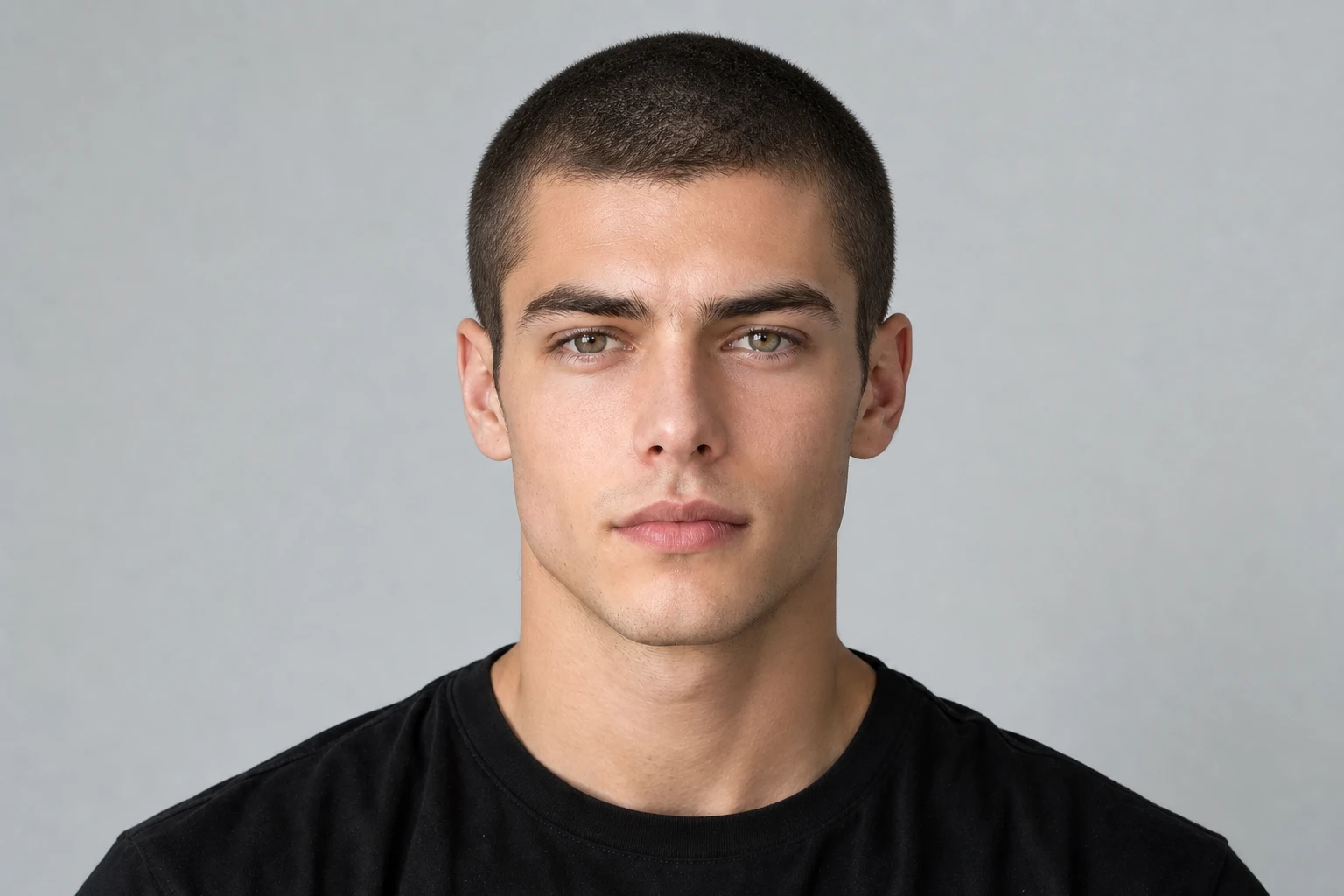
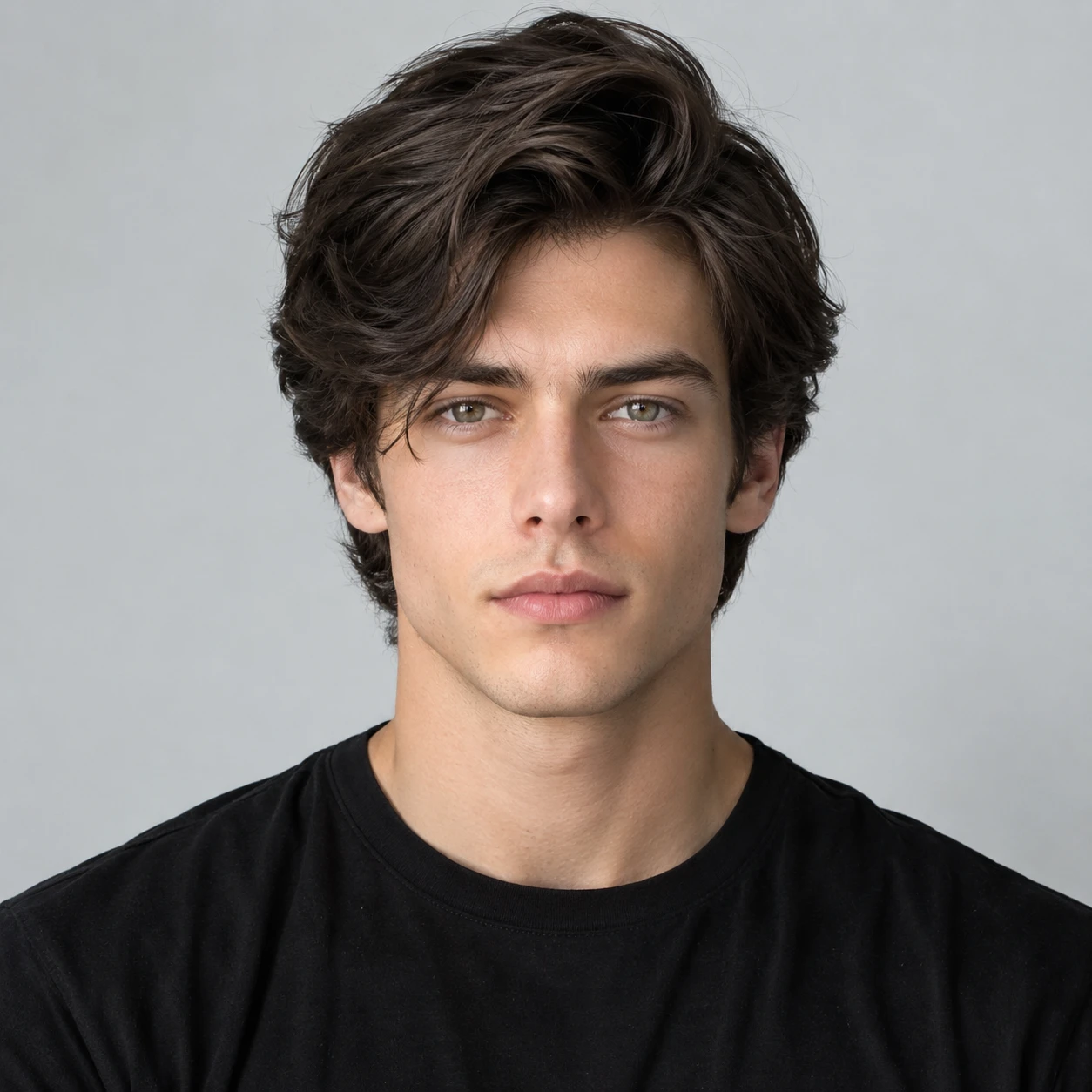
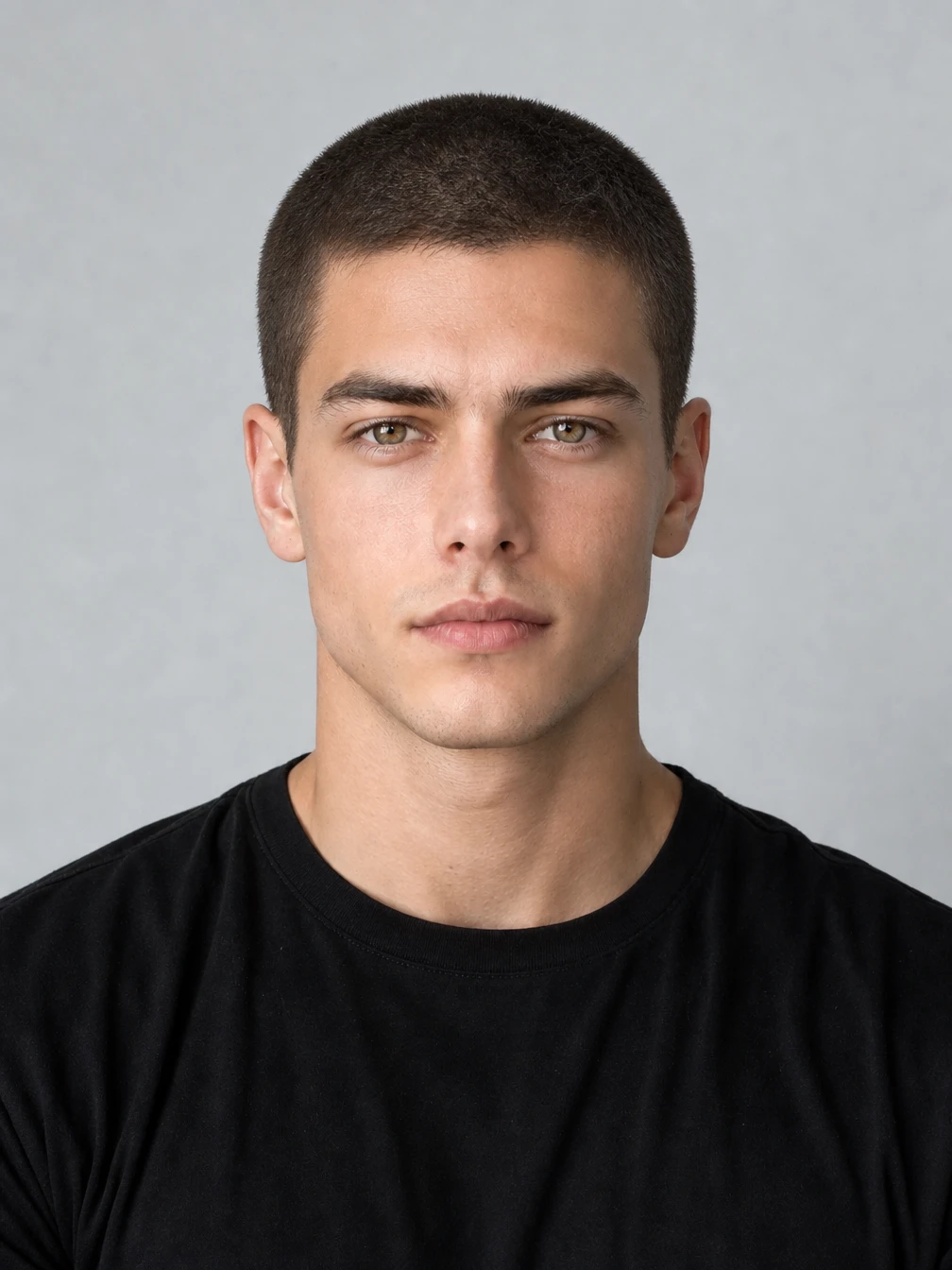
How to Use PicLumen’s Buzz Cut Filter
Upload Your Photo
Upload a clear, well-lit photo with your face and head fully visible. A front-facing portrait works well for previewing your new hairstyle.
Generate Your Buzz Cut
Click Generate to apply the buzz cut filter to your photo. PicLumen automatically creates a preview of your new look.
Download Your Preview
Review your new look and download the result. Share it with friends for feedback or show your barber the haircut you have in mind.
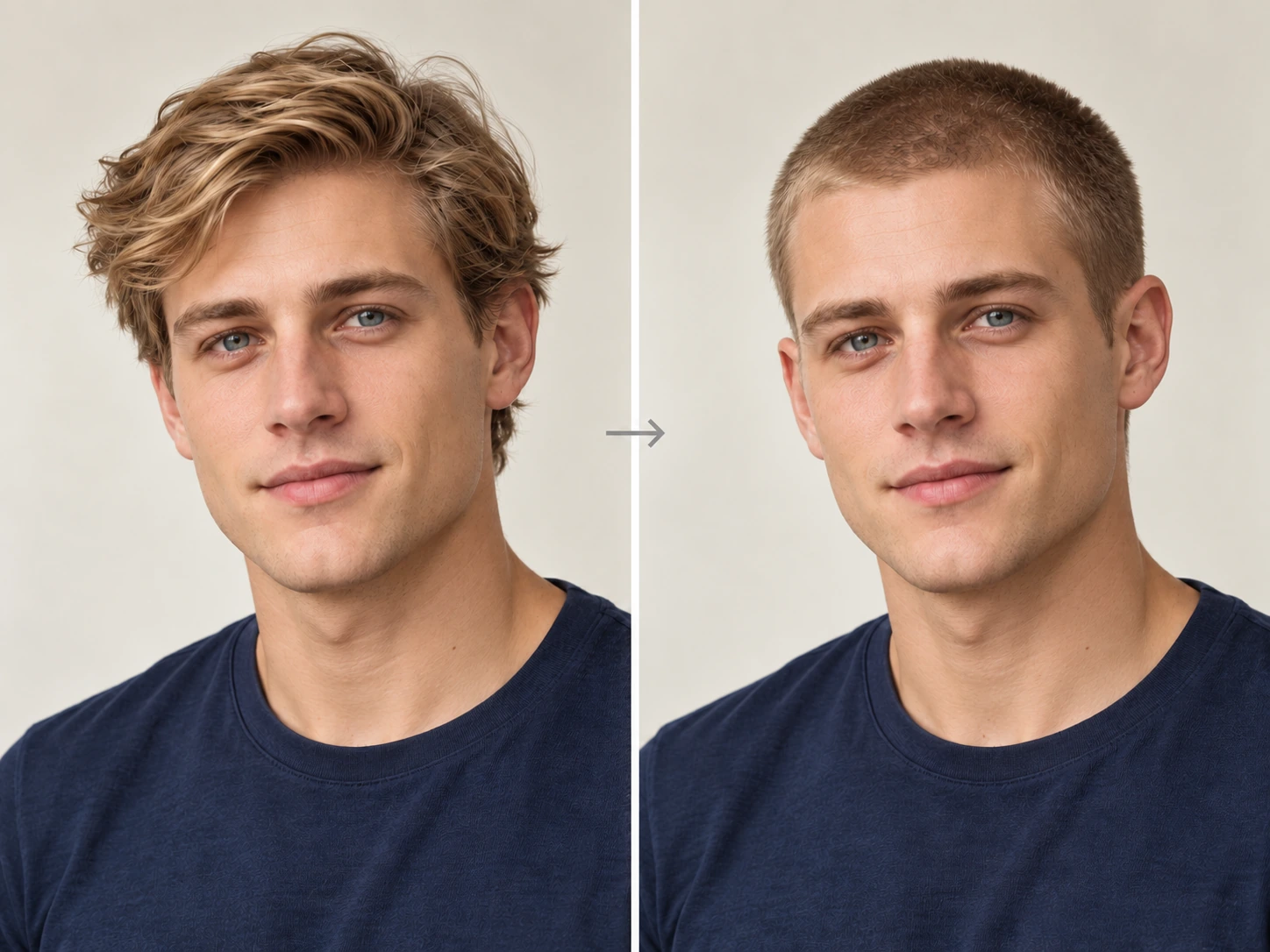
Transform Your Look with a Buzz Cut Filter
Wondering how you’d look with a buzz cut? Upload a photo and let PicLumen’s AI buzz cut filter give you a fresh perspective. Try a close crop or leave a little more length on top. See how shorter hair brings out your features and explore a bold new look that still feels like you.
Why Try PicLumen’s Buzz Cut Filter?

Keep Your Natural Features
Explore a different hairstyle while keeping your face recognizable. Your facial features and expression help the preview feel like you, making it easier to judge the new haircut.

Realistic AI Preview
See yourself with natural-looking short hair, realistic texture, and lighting that fits your photo. Get a clearer picture of how a buzz cut could complement your features.

Various Styles to Try
Try a classic uniform cut, faded sides, or a little more length on top. Explore different variations to find a buzz cut that suits your personal style.

Fast Results
Generate a buzz cut preview from your selfie in moments. Update your prompt and create another version whenever you want to compare looks or refine the details.

No Editing Skills Needed
Upload a clear photo and click Generate. PicLumen automatically applies the buzz cut effect, making it easy to preview a new look without manually editing your image.

Easy to Share
Download your favorite previews and ask friends what they think. Bring an image to your barber to help explain your preferred length, shape, and overall look.
Generate AI Hairstyle Photos in Moments
Turn your selfie into a new hairstyle photo in a few simple steps. Try the buzz cut filter online, upload a clear image, and describe the cut you want. PicLumen handles the transformation, so you can quickly try another version or refine your idea. Spend less time editing and more time finding a haircut you like.
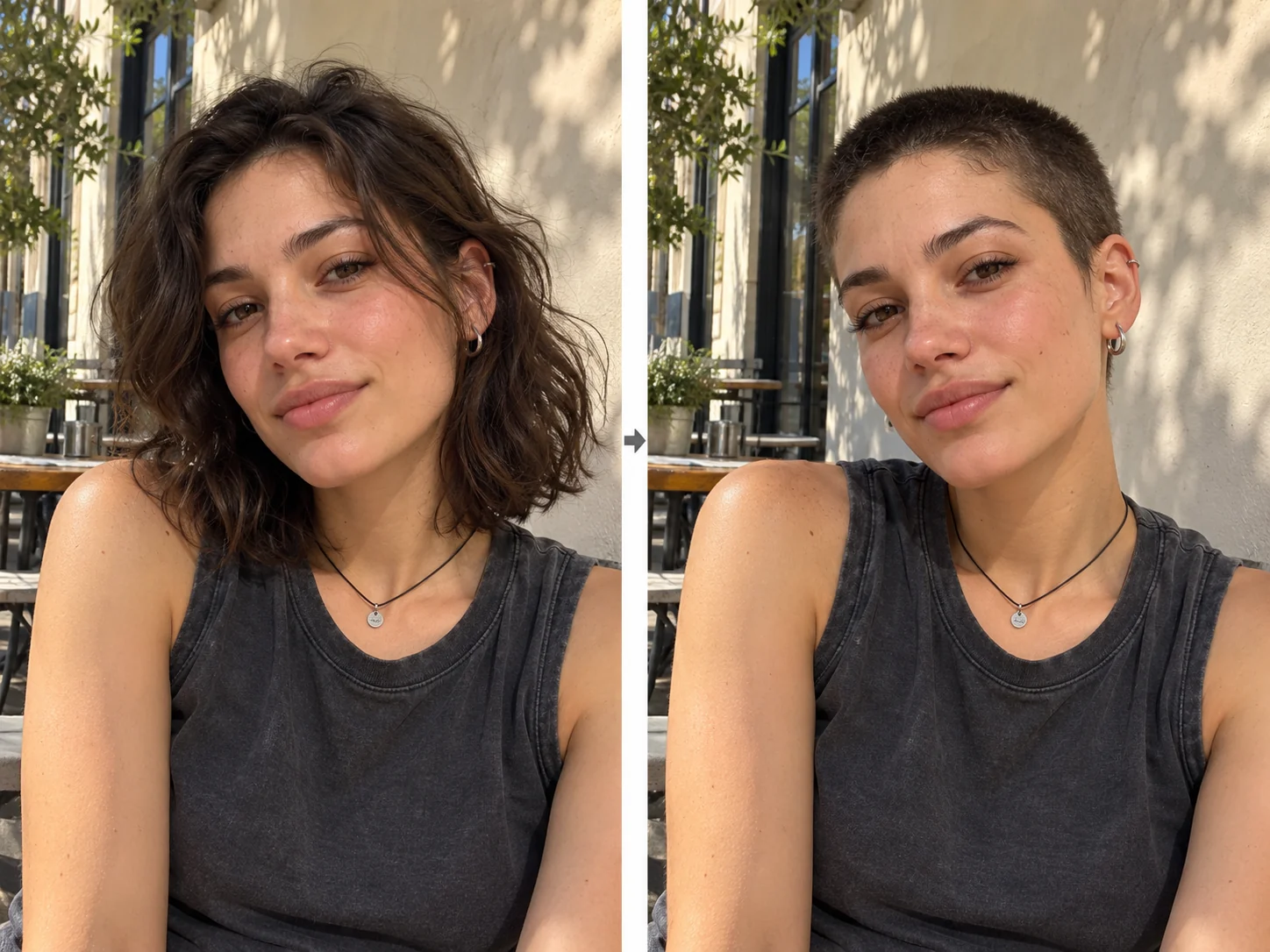
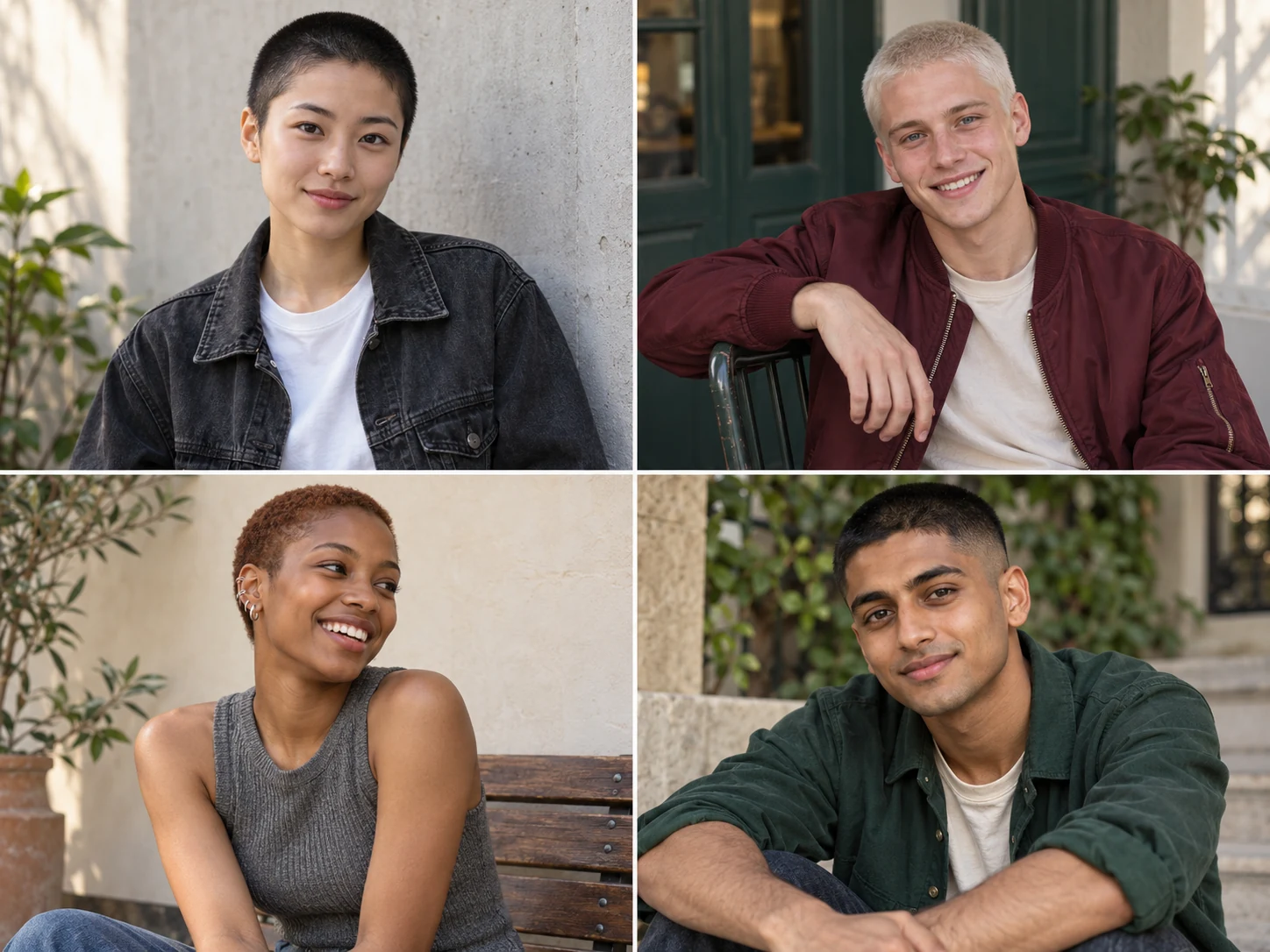
Explore Different Cuts, Lengths, and Styles
There’s more than one way to wear short hair. Use PicLumen’s AI image generator to explore classic buzz cuts, faded sides, textured crops, and other styles. Describe different lengths and textures to see how they change your appearance. You can also try longer hairstyles when you want more options, then compare your favorites side by side.
Experiment Freely Without Cutting Your Hair
Enjoy a buzz cut in your photos while keeping your current hairstyle. PicLumen’s AI hairstyle changer lets you experiment with a dramatic change, whether you’re considering a haircut or simply curious about a different look. Create a fresh profile picture, surprise your friends, or try something completely new without waiting for your hair to grow back.
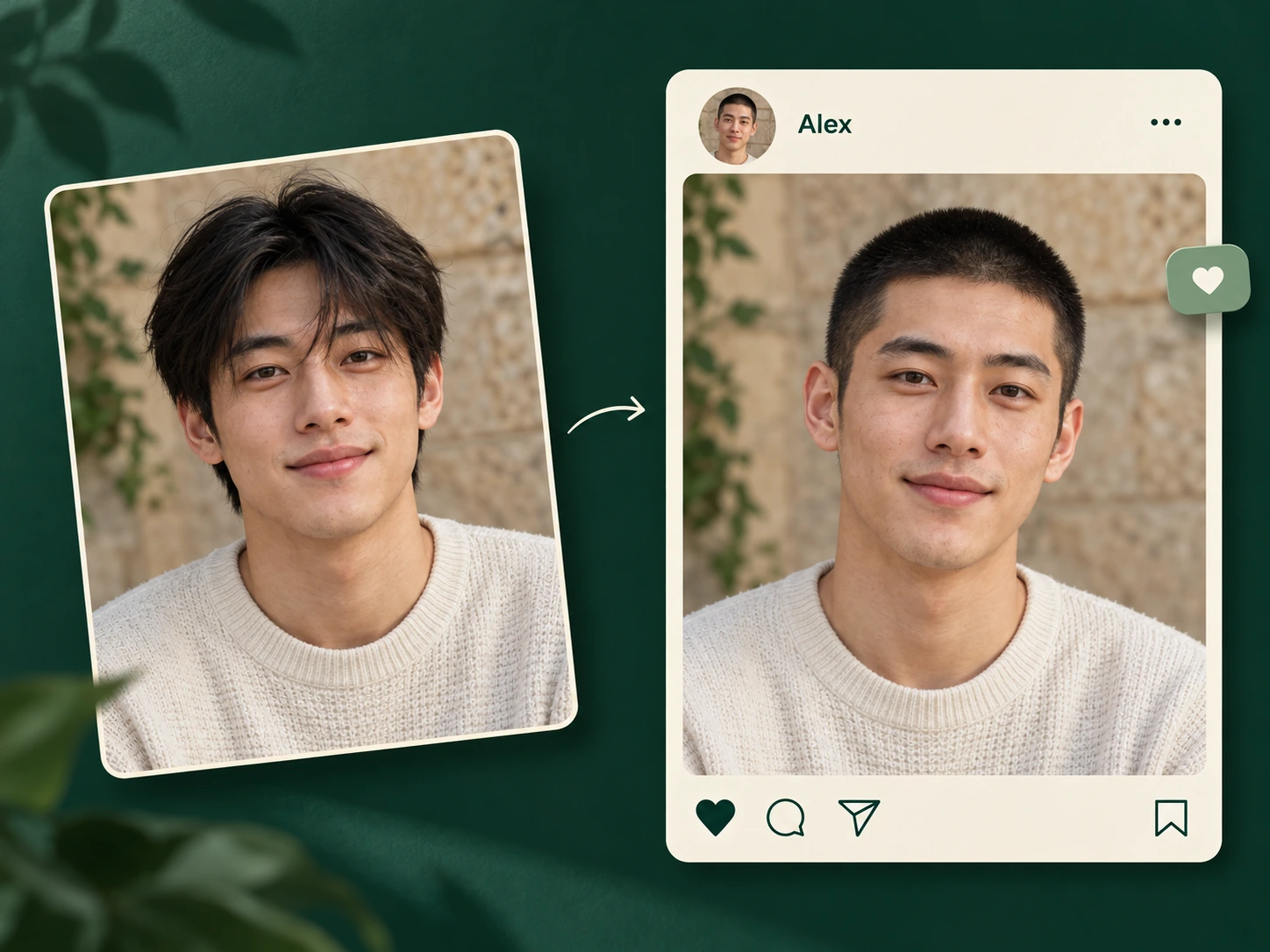
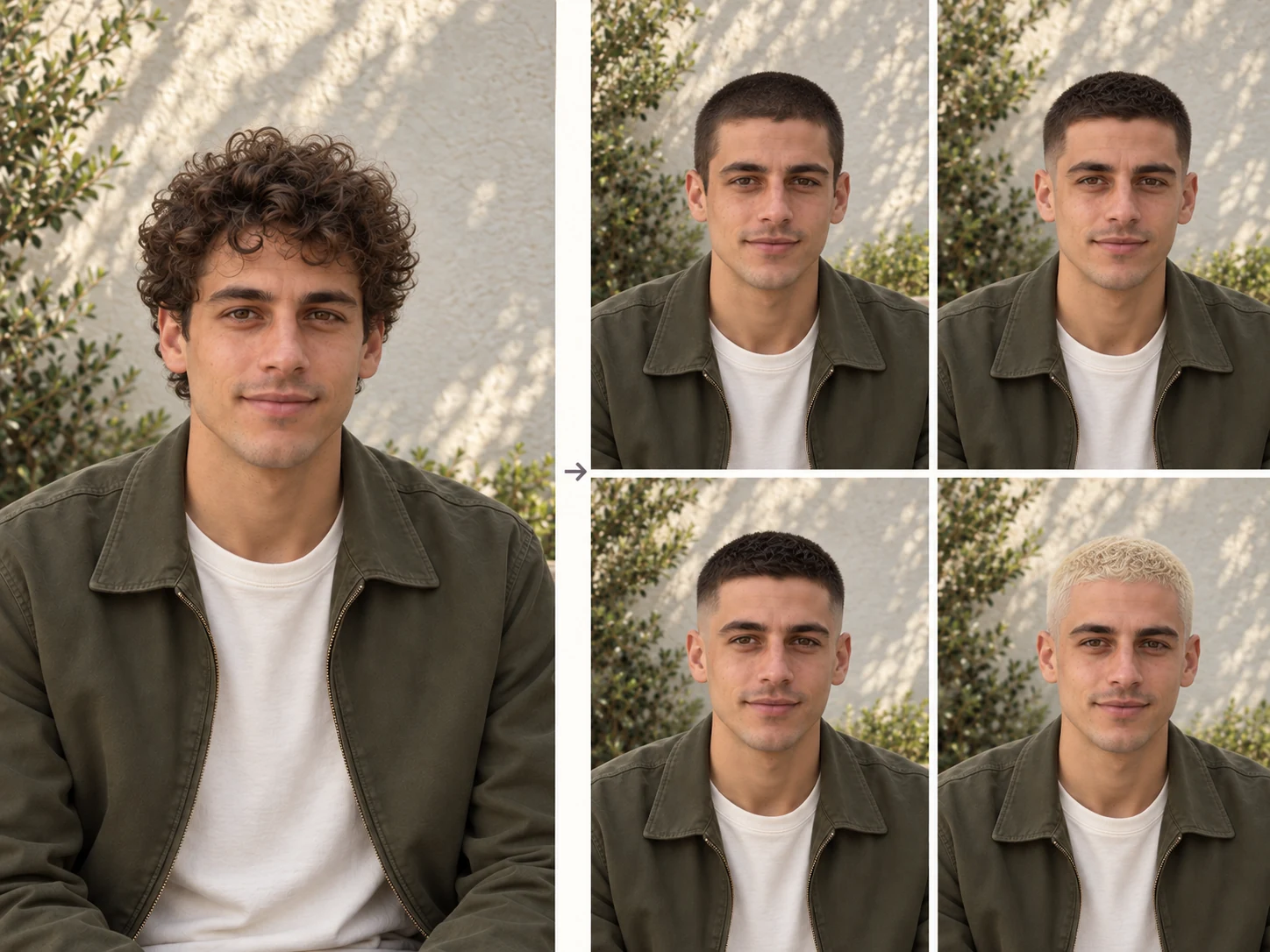
Preview Your Haircut Before You Commit
Thinking about going shorter but unsure where to start? PicLumen’s realistic buzz cut filter helps you picture how a close cut could frame your face. Explore different lengths and see how each one changes your overall look. Before your next barber appointment, you’ll have a clearer idea of what you like and which details you want to discuss.
AI Tools You May Also Like
Who Can Benefit from PicLumen’s Buzz Cut Filter?
Whether you’re planning a haircut or just curious about going short, PicLumen helps you picture a new look. Explore styles for yourself, help a client choose their next cut, or create fun hairstyle photos to share.
Anyone Considering a Buzz Cut
Thinking about going short for the first time? Use PicLumen’s buzz cut filter to see how different lengths could look on you. Compare a close crop with a slightly longer style, save the versions you like, and bring a favorite to your barber. It’s a simple way to explore your options before making a big change.
Barbers and Hairstylists
Make haircut consultations easier with a visual reference your clients can respond to. Show options with an even length, faded sides, or a slightly longer top. Use their favorite previews to discuss the details, understand their preferences, and agree on a direction before you begin cutting. You’ll both have a clearer idea of the intended look.
Social Media Creators
Give your audience something new to react to with a buzz cut reveal, a hairstyle comparison, or a “should I do it?” poll. Create different looks from your photos and build a post around the results. You can test a bold new appearance, invite feedback, or join a hairstyle trend while keeping your actual hair just as it is.
Friends and Couples
Turn a little hairstyle curiosity into something fun to do together. Try the buzz cut filter on your own photos, compare the results, and ask each other which look works best. Share your favorites in a group chat or make a collage of everyone’s transformations. It’s an easy way to experiment together without anyone having to reach for the clippers.
5 Best AI Buzz Cut Prompts & Styles in 2026
Find a buzz cut that feels like you. Upload your photo and try these prompts with PicLumen’s buzz cut filter to explore different lengths, fades, colors, and details.
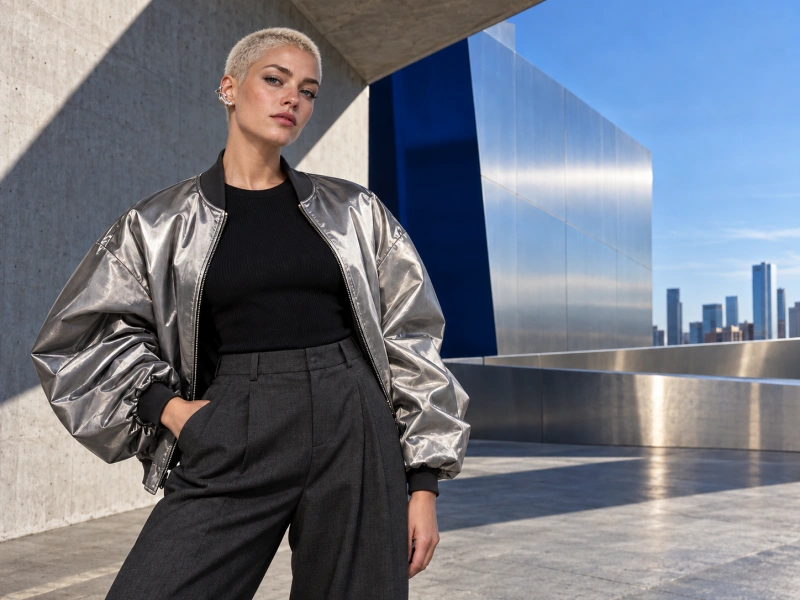

Classic Buzz Cut
Give the person in the uploaded photo a classic buzz cut with an even 3 mm length. Keep the original hair color and natural hairline. Preserve their facial features, expression, clothing, and background, with realistic short hair texture.

Low Taper Buzz Cut
Change the person’s hairstyle to a low taper buzz cut with a short, even top and a subtle taper at the temples. Keep the upper sides slightly fuller. Preserve their original hair color, facial features, expression, clothing, and surroundings.
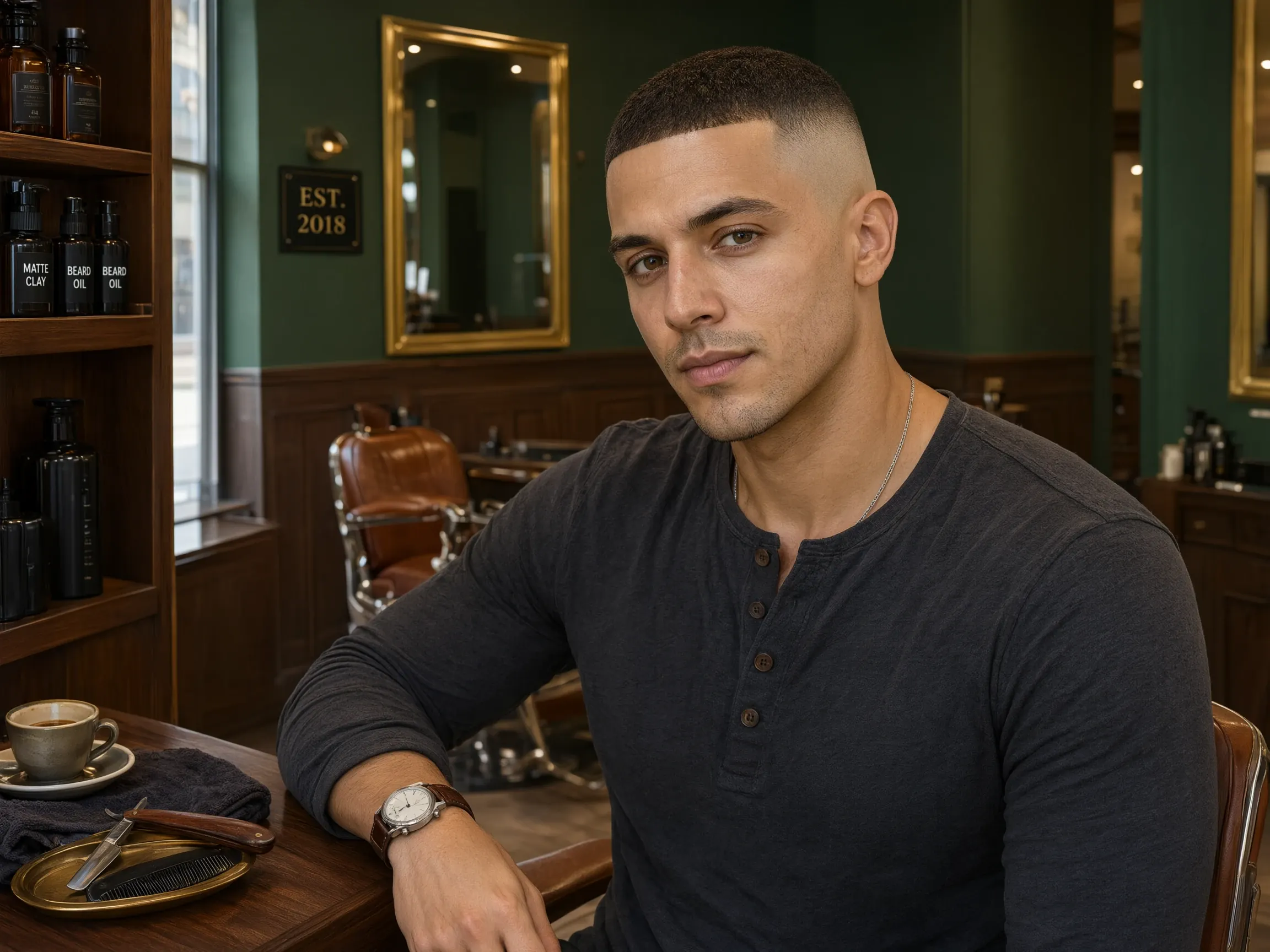
Buzz Cut Fade
Transform the hairstyle into a buzz cut fade with a closely cropped top. Blend the sides smoothly down to bare skin around the ears. Keep the person’s face, expression, hair color, clothing, and background unchanged.
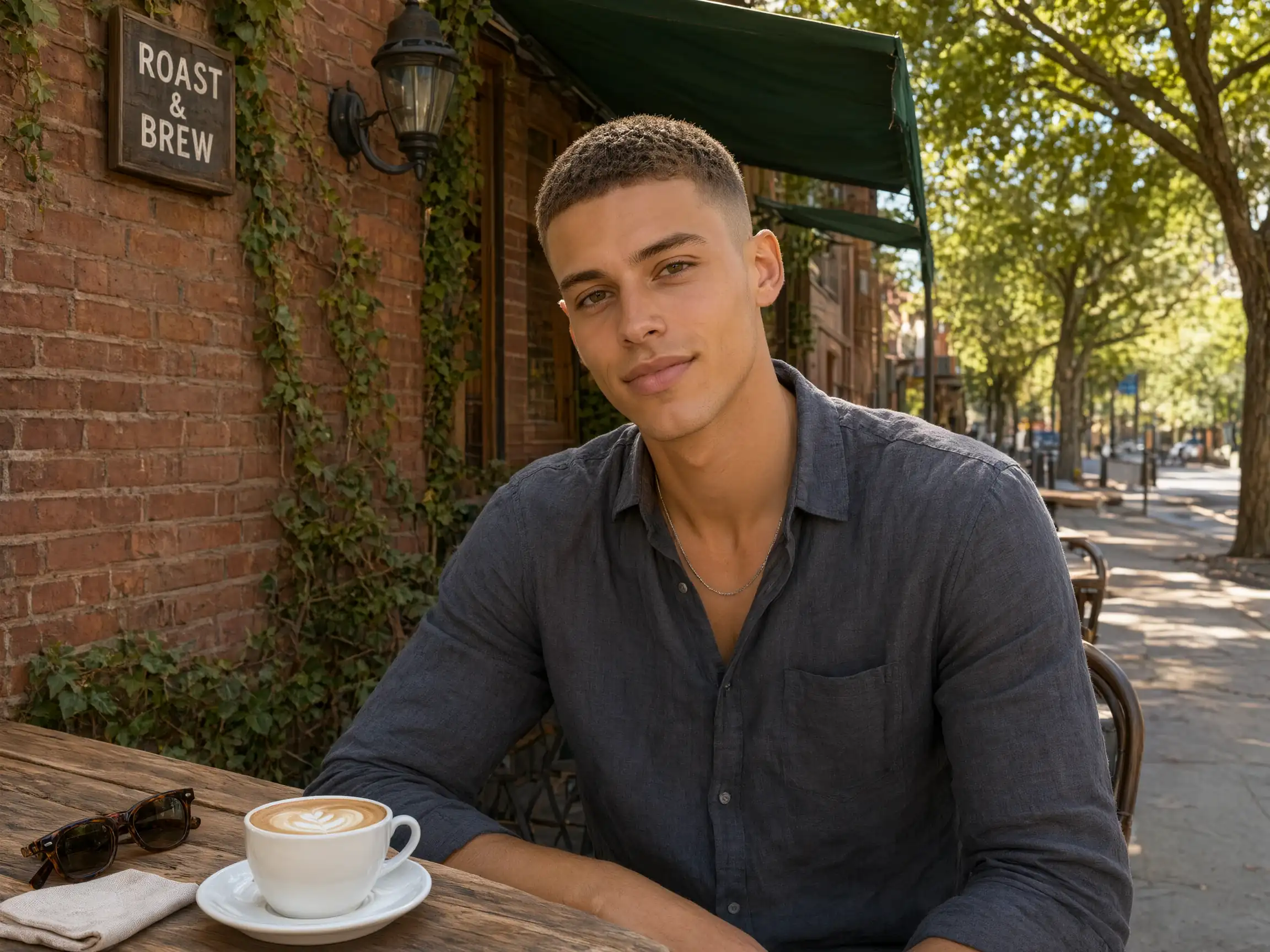
Textured Buzz Cut
Give the person a textured buzz cut with approximately 10 mm of hair on top and neat, shorter sides. Add subtle definition to the short strands for a natural finish. Preserve their original hair color, facial features, clothing, and lighting.
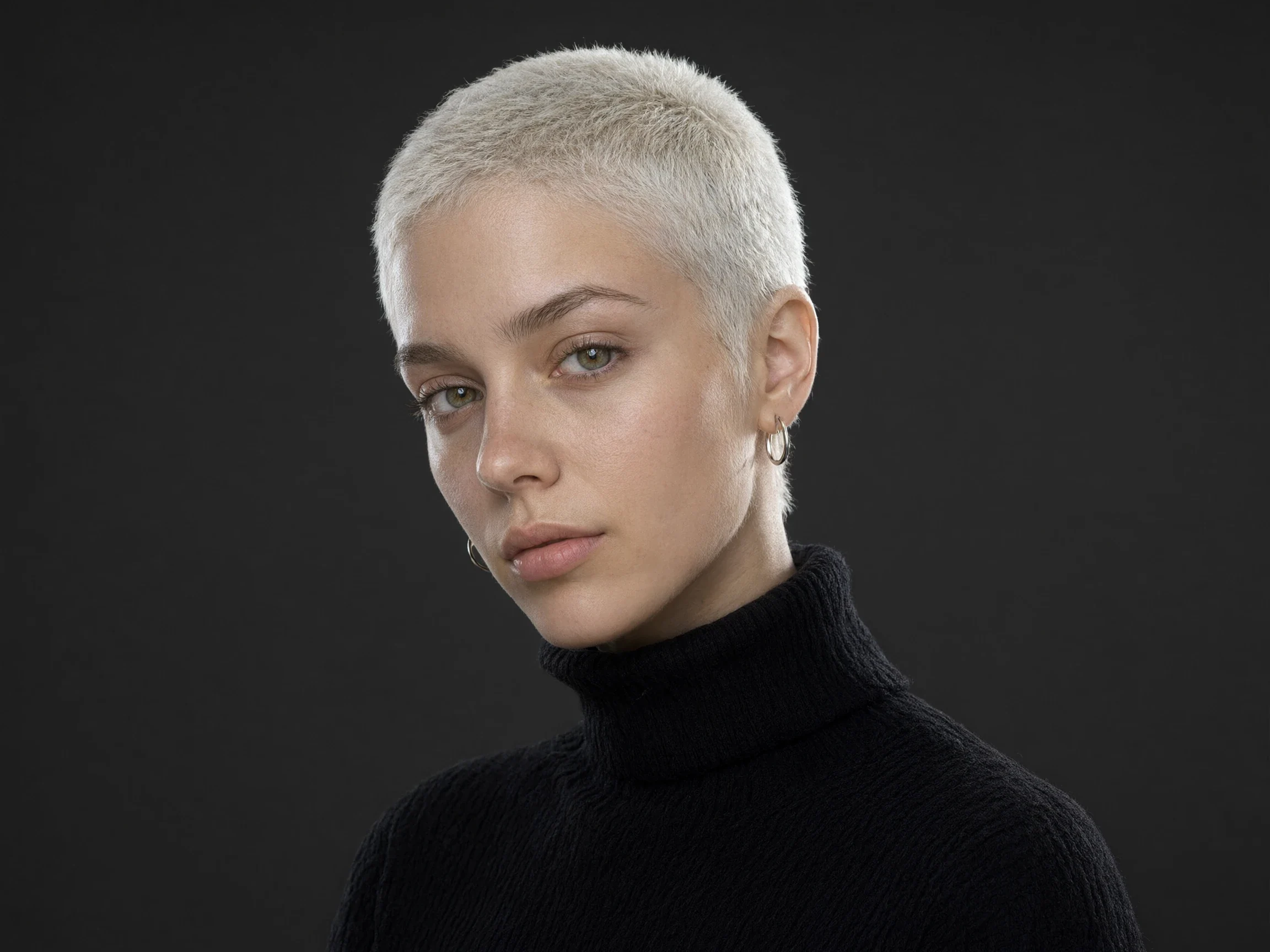
Bleached Buzz Cut
Change the person’s hair to a short platinum blonde buzz cut with fine, realistic texture and a natural hairline. Keep the eyebrows and facial hair their original color. Preserve their facial features, skin tone, expression, clothing, and background.


Loved by Creators Worldwide
Real feedback from designers, marketers, and hobbyists sharing their PicLumen experience on Trustpilot.
Zaine JuttAmazing 😍😍😍😍😍😍 freee 😍😍
Amazing 😍😍😍😍😍😍 freee 😍😍
 Brijesh Chikhaliya
very good
very good , Excellent Experience
Prabhat Ranjan Singh ChauhanVery smooth and very helpful for…
Very smooth and very helpful for everyonr who have creative mind. Thank you 👍
Love this app it helps my ideas come to…
Love this app it helps my ideas come to life
Narender KhatanaI love this app I love this very very…
I love this app I love this very very much this is help in make a videos
Really good app and generates good…
Really good app and generates good images!
Incredibly detailed and actually…
Incredibly detailed and actually creates what I want. Absolutely love. Just wish I could get more free coin things.
In terms of the customer service
In terms of the customer service, is outstanding, I will say if you had any doubts they clarified it, and the next day you have an answer. When it comes to the APP it is friendly to use, however there is not any box to tick ☑️ to allow the machine to stick to your character constantly.This allow that sometimes you upload your image and your prompt but the machine generates something completely different and you lost your credit 🙁 I think that this needs to be fixed this happens in a few PicLumen models.
PicLumen is a powerful and completely free AI image generatio
PicLumen is a powerful and completely free AI image generation platform that offers a wide range of features, you can text to images, images to images, image to video, the image quality is very high, the most important, it is totally free, you can get many rewards by creating your jobs, like other's creation, welcome to joint and create your job, a goog platform for making money using the best ai tool
 Ayyan Naveed
It's good
It's work very I am totally satisfied from this app I am very happy after use it
 Qadeer Khan
Piclumen is one of the best ai image…
Piclumen is one of the best ai image generator
Really incredible work
Really incredible work, I love it so much, it's easy and intuitive
FAQs About PicLumen’s Buzz Cut Filter
What is a buzz cut filter?
A buzz cut filter uses AI to show you with closely cropped hair. It creates a hairstyle preview from your photo, helping you explore a shorter look before deciding whether to cut your hair.
What kind of photo should I upload?
Choose a clear, well-lit portrait with your face and head fully visible. A front-facing photo is a good starting point. Avoid hats, heavy filters, deep shadows, and tightly cropped images that hide the outline of your head.
Which buzz cut styles can I try?
You can explore classic buzz cuts, low taper buzz cuts, buzz cut fades, textured styles, bleached looks, and shaved designs. Describe the length, color, and details you want in your prompt to guide the result.
Can I change my hair color too?
Yes. Include your preferred color in the prompt, such as platinum blonde, dark brown, or pastel pink. You can also ask PicLumen to keep your original hair color while changing only the cut.
Will the filter change my face?
PicLumen uses your photo as a reference for the new hairstyle. To help keep your appearance consistent, ask the AI to preserve your facial features, expression, and skin tone while editing only the hair.
Can the filter help me decide whether a buzz cut suits me?
A preview lets you compare short hairstyles and see how they frame your face. Use it to explore your preferences and narrow down your options. Your barber can then help you choose a cut that works with your actual hair.
Can I try hairstyles other than a buzz cut?
Yes. PicLumen’s AI hairstyle changer can also help you explore crew cuts, textured crops, bobs, longer hairstyles, and other looks. Describe the length, shape, and texture you want, using your photo as a reference.
Can I show my results to my barber?
Yes. Download your favorite previews and bring them to your appointment. Use the images to discuss the length on top, the fade, and the overall shape, giving your barber a visual reference for the look you have in mind.