Grok Imagine Image 2.0 for Images That Follow Your Brief
Bring detailed prompts and visual references to Grok Imagine Image 2.0 on PicLumen and turn them into images that stay closer to your idea. Create posters, product scenes, campaign graphics, characters, editorial visuals, and more with stronger prompt following, better text rendering, and greater creative control.
.webp)
Keep Complex Prompts on Track
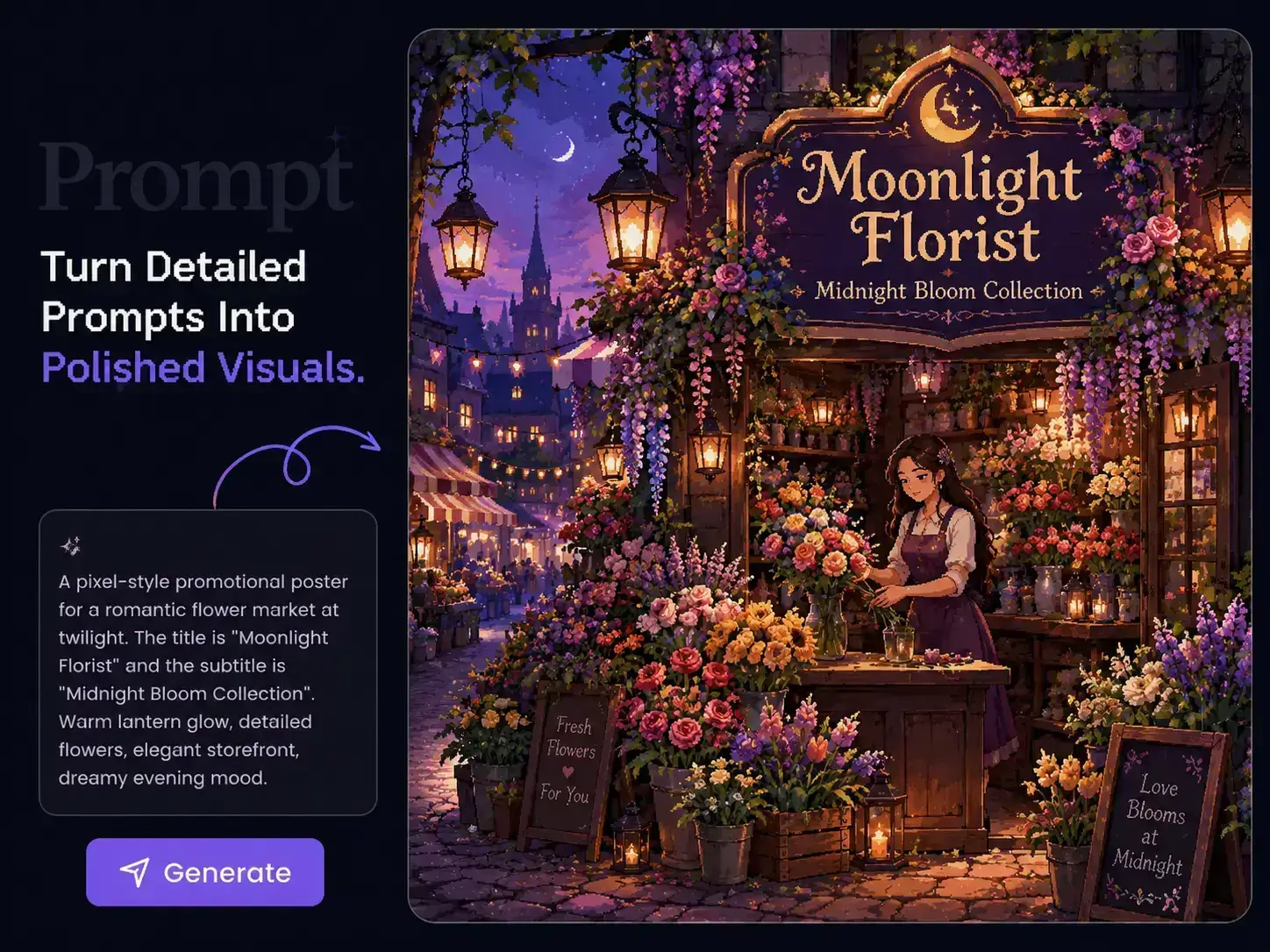
The more specific your idea gets, the easier it is for important details to disappear. Grok Imagine Image 2.0 on PicLumen handles instructions around subjects, objects, placement, lighting, colors, environments, and visual style in the same brief. You can describe a fuller scene without cutting your prompt down to the basics, making it easier to create campaign concepts, product scenes, and character visuals where several details need to work together.
Create Text That Fits the Design
A strong visual can still fall apart when the headline is wrong or the text feels disconnected from the layout. Grok Imagine Image 2.0 handles typography and composition more effectively, giving you more room to create posters, title graphics, ads, packaging concepts, and promotional artwork with text already built into the idea. Add the wording, placement, and visual direction to the same prompt instead of treating text as a separate step.

Guide the Result with Visual References
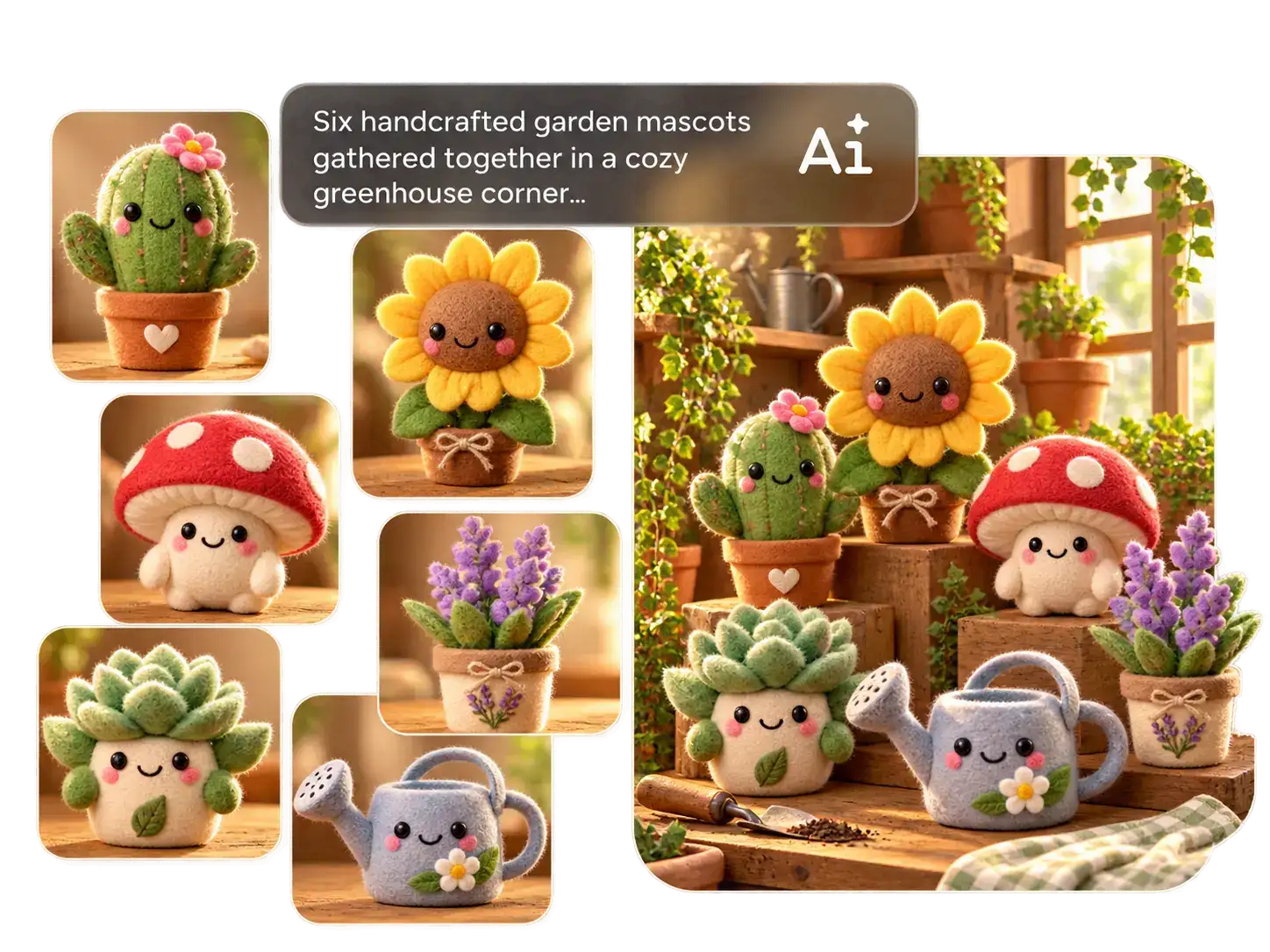
Some details are easier to show than describe. A product shape, character look, styling direction, or atmosphere can take paragraphs to explain in words. With Grok Imagine Image 2.0 on PicLumen, you can bring reference images into the creative process and give the model clearer visual context. This works especially well when your result needs to follow a recognizable subject or a specific visual direction.
What Can You Create with Grok Imagine Image 2.0?
E-Commerce
Turn one product into a fuller set of campaign visuals. Create listing images, lifestyle scenes, launch graphics, seasonal creatives, and ad-ready concepts with Grok Imagine Image 2.0 on PicLumen, using product references and clear visual briefs to explore more ways to present the same item.
Advertising
Move from campaign brief to visual concept faster. Use Grok Imagine Image 2.0 for posters, ad creatives, launch graphics, and promotional artwork when you need several directions to review before the final campaign takes shape.
Fashion & Beauty
Explore the look of a campaign before the shoot begins. Build fashion editorials, beauty visuals, makeup concepts, lookbook scenes, and styling directions from prompts and references, giving creative teams more room to test ideas early.
Gaming & Entertainment
Develop characters and worlds beyond a single concept image. Create costumes, props, environments, key art, and story-driven scenes with Grok Imagine Image 2.0 on PicLumen, then explore different directions as the visual identity takes shape.
How to Use Grok Imagine Image 2.0 on PicLumen
Step 1 Choose Grok Imagine Image 2.0
1Open the PicLumen image generator and select Grok Imagine Image 2.0 from the available models.
Step 2 Add Your Prompt and References
2Describe the image you want, including the subject, setting, composition, lighting, style, and any text that should appear. Add reference images when you want to give the model clearer visual direction.
Step 3 Set Your Image Format
3Choose the aspect ratio and other available generation settings based on where you plan to use the image, whether it is for a poster, product page, social post, or another creative project.
Step 4 Generate and Download
4Click generate and compare the results. Choose the version that best matches your brief, then download it for your campaign, design work, content, or other creative use.


Loved by Creators Worldwide
Real feedback from designers, marketers, and hobbyists sharing their PicLumen experience on Trustpilot.
J. BlaineRegular PicLumen user experience
I've been using PicLumen since late summer 2024 and I've generated several thousand images, mostly image-to-image. There were 2 minor technical glitches in that period of time. In the first one, my library didn't load but after logging out and logging in again later that day I found my library back. The second glitch- the remixing and outpainting stopped working. I contacted the support team and the issue was fixed the next day. I also requested PicLumen to provide a PayPal payment method when they switched to subscription - and they listened and responded to my request. I appreciate their responsiveness and customer service. In my communication with their support team, I found them professional and polite. My general impression is that this is a dynamic and collaborative team that is worth supporting!
My experience
Itis a really good website n really ideal to use theres only one con and that the AIS sometimes create wrong images but that doesnt happen frequently
Awesome program easy to use a little…
Awesome program easy to use a little disappointment in the fact you can’t buy lumies
 Prabhat Ranjan Singh Chauhan
Very smooth and very helpful for…
Very smooth and very helpful for everyonr who have creative mind. Thank you 👍
 Ibrahim Onuh
So very powerful and interesting
So very powerful and interesting
Menu LawrenceVery fantastic app
Very fantastic app. I love it. I will like everyone to use this App
 AK Editing Zone
Nice ai image generation
Nice ai image generation
 GPS BelAR
I tried the tool for fun and only used…
So far, I've only tried PicLumen for fun and used the free ‘basic option’. Even as an AI design novice, you can achieve great results. It should be emphasised here that if you choose a simple AI, the coins are enough to just give it a try (unlike some other tools). I like the community concept; the opportunity to get inspiration for your own ideas in the image gallery, as well as the option to ‘like’ and comment on other users' creations. The result depends, of course, on the quality of the prompt entered, but ‘practice makes perfect, as we all know!’ The only reason for the one-star deduction is that I can't try everything with the free access and can't comment on the paid options.
 Minnies
I love the app but it was more better…
I love the app but it was more better when they didn't charge you lumen to make pictures or give you a limitation but it works amazing and it gives you very neon pictures...../ and for some reason on New Year's Eve today it won't let me make pictures
Coterie Studios Coterie RecordI really like PicLumen
Zandalea here! I really like PicLumen and I used to use it daily. But after getting so many “not allowed “ messages from Sora2 I started using it less frequently.
Nice app ever
Nice app ever, like it when I needed
 Mohamed Rashad Rumaiz
This is an excellent website for free…
This is an excellent website for free users
Frequently Asked Questions
What is Grok Imagine Image 2.0?
Grok Imagine Image 2.0 is xAI's image generation model for detailed prompts, typography, structured layouts, reference-based creation, photography, design, and illustration. On PicLumen, you can use it to turn a written brief or existing image into new visual content.
What is Grok Imagine Image 2.0 best for?
You will get the most value from it when your image has several requirements that need to work together. Think posters with exact wording, product scenes with specific objects, character concepts with defined styling, or campaign visuals with a clear composition. It is especially useful when a simple subject-and-style prompt is not enough.
Does Grok Imagine Image 2.0 follow complex prompts well?
Yes. Detailed instruction following is one of the main strengths of Grok Imagine Image 2.0. You can combine requirements for subjects, objects, positioning, lighting, colors, environment, text, and overall style in the same prompt, making it a strong choice for more structured creative briefs.
Can Grok Imagine Image 2.0 generate readable text?
Yes. Typography and layout are major areas of focus for the model. You can use it for posters, ads, title graphics, packaging concepts, event creatives, and other visuals where headlines or short copy need to appear inside the image rather than being added later.
Can I use reference images with Grok Imagine Image 2.0?
Yes. Reference images are useful when you want to communicate a product, character, composition, environment, or visual direction that would be difficult to describe in words alone. Grok Imagine Image 2.0 supports multi-image input, giving the model more visual context for the result you want to create.
Can I use my own image with Grok Imagine Image 2.0 on PicLumen?
Yes. You can upload an existing image to PicLumen and use it as the starting point for a new generation. Add a new prompt to explore another style, setting, mood, composition, or creative direction through an image-to-image workflow.
Grok Imagine Image 2.0 vs. GPT Image 2: which should I use?
Both can handle detailed image briefs and reference-based workflows. Grok Imagine Image 2.0 is particularly well suited to typography, structured layouts, and prompts with several explicit visual requirements. The better choice depends on the type of image you are making, and PicLumen lets you work with different image models when your project calls for a different approach.
What image resolution does Grok Imagine Image 2.0 support?
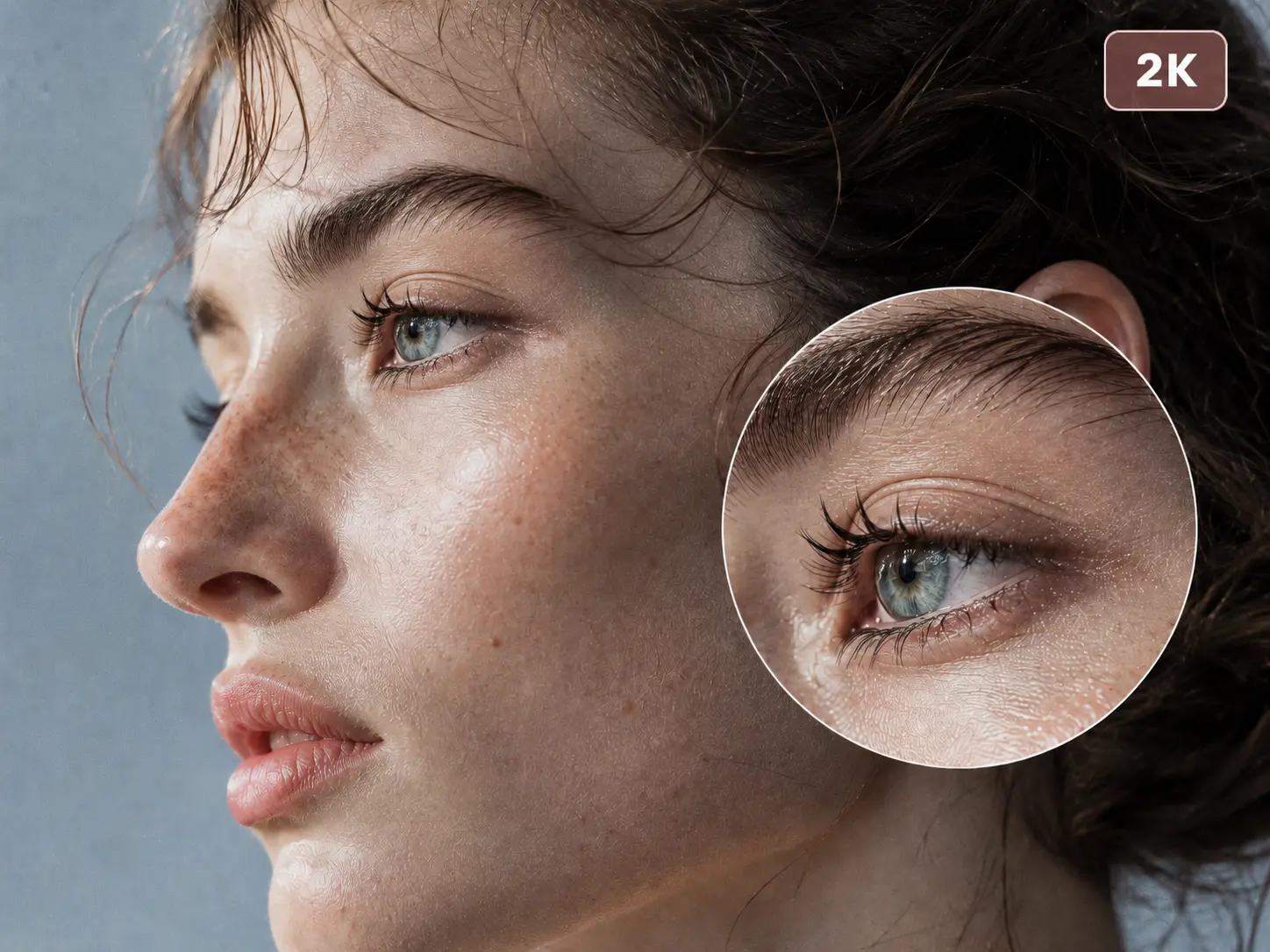
The model supports 1K and 2K image generation, giving you options for everyday creative work as well as visuals that need more detail.