Product
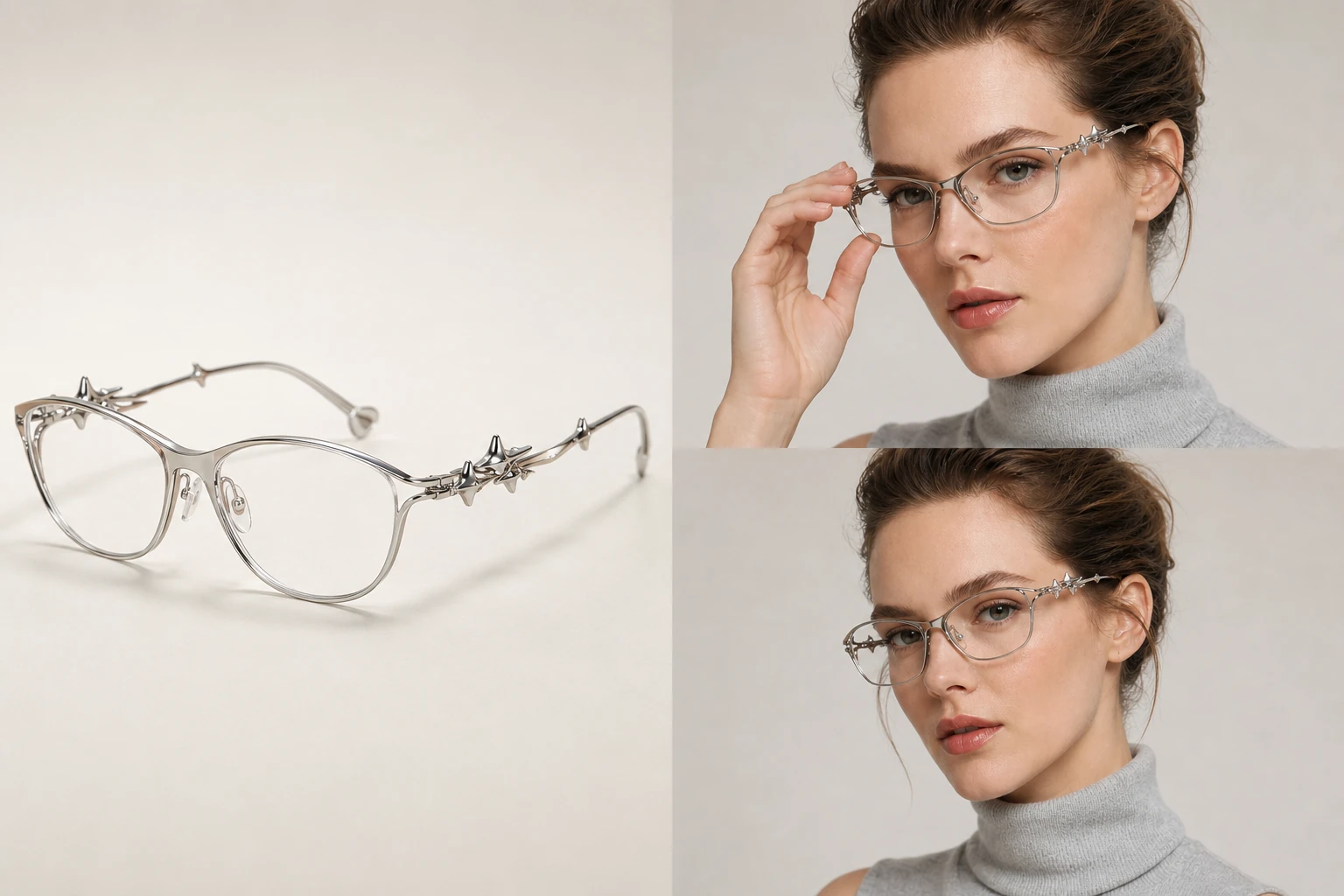
Showcase Eyewear in Motion With a Dynamic Template
Highlight Lens Tint and Reflections
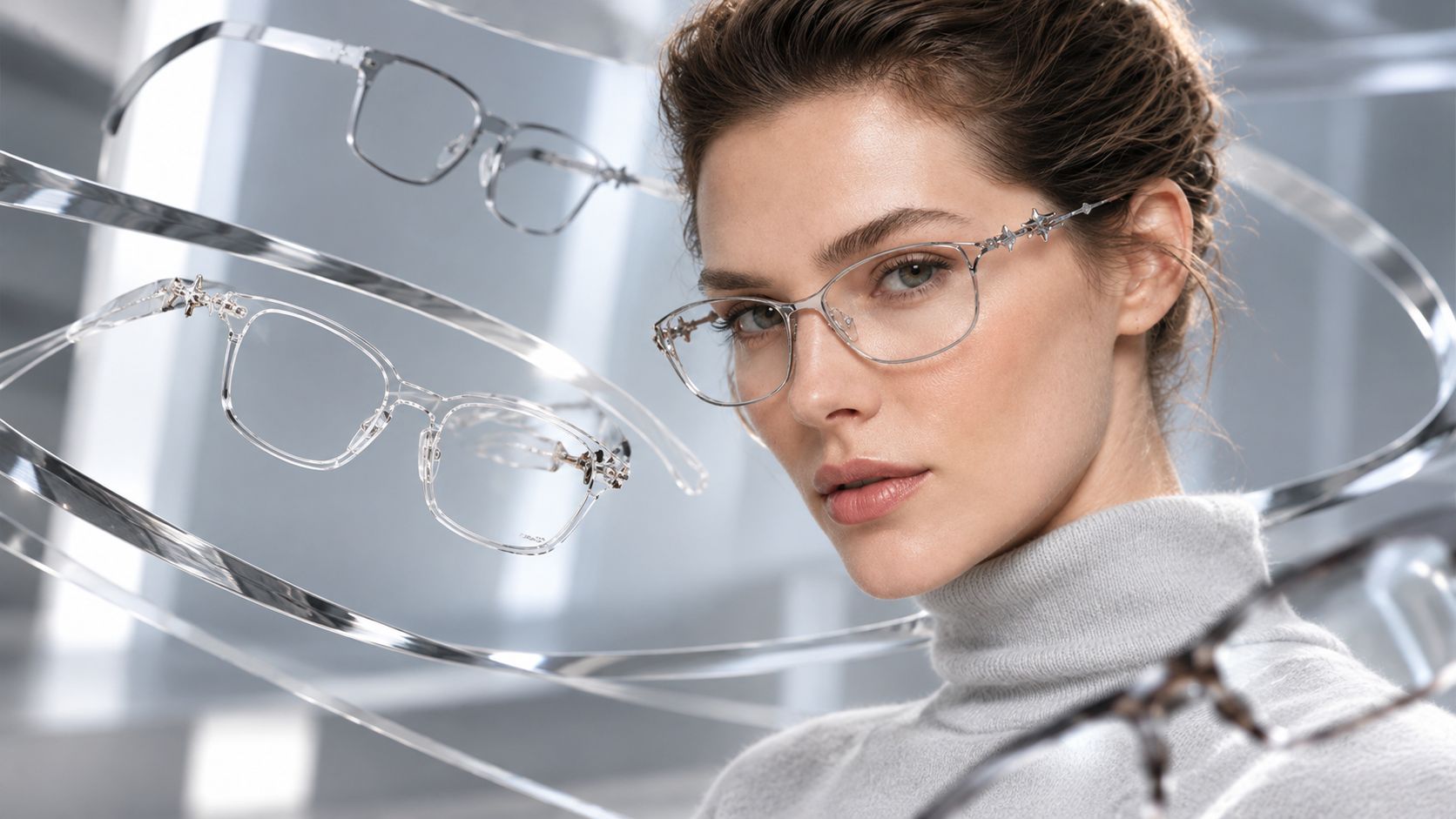
The Eyewear Motion template places your glasses into a dynamic composition, turning the frame slightly to catch the light. This helps showcase sunglasses or blue-light lenses, where the tint and coatings change depending on the viewing angle. You upload a product photo through PicLumen, and the template builds a scene that shows how the lens reacts to a light source. The generated highlights give buyers a clear idea of the lens transparency.
Reveal the Temple and Hinge Details
Buyers want to see how a frame is built, especially the temples and hinges. The dynamic angle generated by this template provides a clear view of the side profile. This helps shoppers judge the thickness of the acetate or metal arms, and see whether the hinge looks sturdy. Ensure your source photo has sharp focus on the arms so the AI can map the hardware accurately.
Simulate a 3/4 Profile View
A pair of glasses looks completely different from the side compared to the front. The template creates a three-quarter perspective that mimics how the eyewear sits on a face. This angle shows the curvature of the frame and how far the lenses sit from the eyes. For online sellers, this generated view provides a realistic spatial reference. It helps customers understand the true bulk of the frame.
Simulate a 3/4 Profile View
A pair of glasses looks completely different from the side compared to the front. The template creates a three-quarter perspective that mimics how the eyewear sits on a face. This angle shows the curvature of the frame and how far the lenses sit from the eyes. For online sellers, this generated view provides a realistic spatial reference. It helps customers understand the true bulk of the frame.
Create a Cohesive Optical Collection
Optical boutiques and eyewear brands often carry dozens of different frame shapes. Using the Eyewear Motion template across a catalog keeps the lighting and camera angles consistent. Whether you are showcasing aviators, cat-eyes, or round metal frames, the shared dynamic presentation ties the collection together. Consistent visuals help the product grid feel cohesive and allow shoppers to compare shapes easily.
Capture Lens Reflection and Angles With AI Eyewear Motion
Lens Tint Demonstrations
Sunglass sellers need to show how a lens behaves under different lighting. A static photo might hide the actual tint gradient. Using the Eyewear Motion template, the frames tilt to catch a reflection, revealing the true transparency of the lens. This setup helps buyers understand how much light the sunglasses block. Uploading a high-resolution source photo ensures the AI can map the precise curvature of the lens and reflect the light accurately.
Temple and Hinge Close-Ups
Shoppers scrutinize the build quality of eyewear, especially the hinges and temple arms. A flat, front-facing product shot often obscures these structural details. The Eyewear Motion template generates a three-quarter perspective, pulling the side profile into focus. This angle lets buyers see the thickness of the metal or acetate. It gives independent opticians a way to showcase the durability of the frame construction in their digital catalogs.
Virtual Try-On Alternatives
Customers often hesitate to buy glasses online because they cannot see how the frames sit on a face. By generating a dynamic, angled view, the template provides a better sense of the frame's depth and width. The motion effect simulates the way glasses tilt when worn. Sellers can use this generated asset to bridge the gap between a simple product photo and a physical fitting room, helping buyers judge the fit.
Consistent Optical Catalogs
An eyewear boutique might stock dozens of varying frame shapes, from aviators to round metal designs. Managing the photography for each style can result in a messy, inconsistent storefront. Using the Eyewear Motion template ties the catalog together with a unified visual language. Every frame gets the same dynamic angle and lighting treatment, ensuring the product grid looks organized and making it easier for customers to compare styles.
How to Create an Eyewear Motion Visual on PicLumen
Step 1 Upload a Product Photo
1Start with a clear photo of the glasses. A side angle or a three-quarter shot works well to show the frame's temples and hinges. Ensure the lens tint and frame texture are sharply focused. Avoid images with heavy glare or cluttered backgrounds, as a clean silhouette helps the Eyewear Motion template position the frame accurately within the dynamic scene.
Step 2 Choose a Template or Use the Default
2Review the available motion layouts or stick with the default setting. The choice depends on the angle you want to highlight. If the default three-quarter view fits your catalog, keep it. For a specific campaign, select a variation that changes the tilt of the frame or the direction of the simulated movement before generating.
Step 3 Review and Generate
3Inspect the uploaded product and the template selection. Check that the frame's hinges and lens reflections look natural in the new angle. Ensure the scale feels realistic and the background supports the eyewear. Once the composition and lighting look correct, click Generate. This finalizes the image with the frame in a dynamic, three-quarter perspective.


Loved by Creators Worldwide
Real feedback from designers, marketers, and hobbyists sharing their PicLumen experience on Trustpilot.
 Zaine Jutt
Amazing 😍😍😍😍😍😍 freee 😍😍
Amazing 😍😍😍😍😍😍 freee 😍😍
A New TV Episodes Of Ninja Sweetie On…
A New TV Episodes Of Ninja Sweetie On Paramount+
Kura AdityaThe best experience ever w
The best experience ever w
next framebest ai web creation site
best ai web creation site
 Alexsander Luís
cool it's a good ai creator but create…
cool it's a good ai creator but create imagens for cinema
It’s way easier to use then these other…
It’s way easier to use then these other apps
Can’t go wrong using this one
Can’t go wrong using this one
 Boma Halliday
GREAT QUALITY FOR THE PRICE
GREAT QUALITY FOR THE PRICE. ARGUABLY THE MOST AFFORDABLE IMAGE GENERATION SITE THERE IS WITH THE BEST OPTIONS.
 matthew sepulveda
Cool I can create cool things
Cool I can create cool things
 Coterie Studios Coterie Record
I really like PicLumen
Zandalea here! I really like PicLumen and I used to use it daily. But after getting so many “not allowed “ messages from Sora2 I started using it less frequently.
Mani Sravani BandaruVery great pictures with high quality
Very great pictures with high quality
 Me May Phim
The new addition of models is excellent.
The new addition of models is excellent.
Frequently Asked Questions
What is Eyewear Motion?
Eyewear Motion is a PicLumen template that places your frames into a dynamic, angled composition. It shifts the product away from a flat, straight-on view and introduces a sense of movement. This helps show the side profile, the hinge details, and how light reflects off the lenses. You upload a product photo, and the template builds the scene around the eyewear.
What is the best tool for creating Eyewear Motion visuals?
PicLumen provides a direct workflow for this task. You upload your frame photo, confirm the default layout or select a variation, review the angle, and click Generate. The platform builds the simulated movement and lighting around your product. You can check the lens reflection and frame details without coordinating a physical photoshoot or a model.
What kind of source photo works best?
A sharp, well-lit image of the frames works best. A side angle or a three-quarter shot captures the temples and hinges clearly. Ensure the lens tint is visible and the frame edges are distinct against the background. Avoid source photos with heavy glare or busy backgrounds, as these can interfere with how the template maps the product onto the new dynamic scene.
Can I use this template for different frame styles?
Yes. The template adapts to various eyewear types, from thick acetate frames to thin metal aviators. The visual result depends on the source image you upload. A high-resolution photo of a chunky frame will produce a different final look than a delicate wireframe. You can use the same workflow to process multiple designs, keeping the lighting consistent across your catalog.
How do I check if the final image looks natural?
Review the generated image and examine how the frame sits in the angled composition. Check that the lens reflection looks believable and the hinges are not distorted. If the frame appears warped or the shadow feels disconnected, try a cleaner source photo before generating again. Pay attention to the temple arms; they should look like they belong on the frame.
Can I use this for seasonal marketing campaigns?
Yes. The dynamic angle suits summer promotions for sunglasses or winter campaigns for optical frames. You can generate a series of images where different frames are presented at the same tilt, giving your campaign a cohesive visual theme. Using the same lighting and motion direction keeps the product grid looking organized when shoppers browse different styles.