Product
Highlight Travel Gear Features With a Luggage Showcase
Show Compartments and Zippers in Action
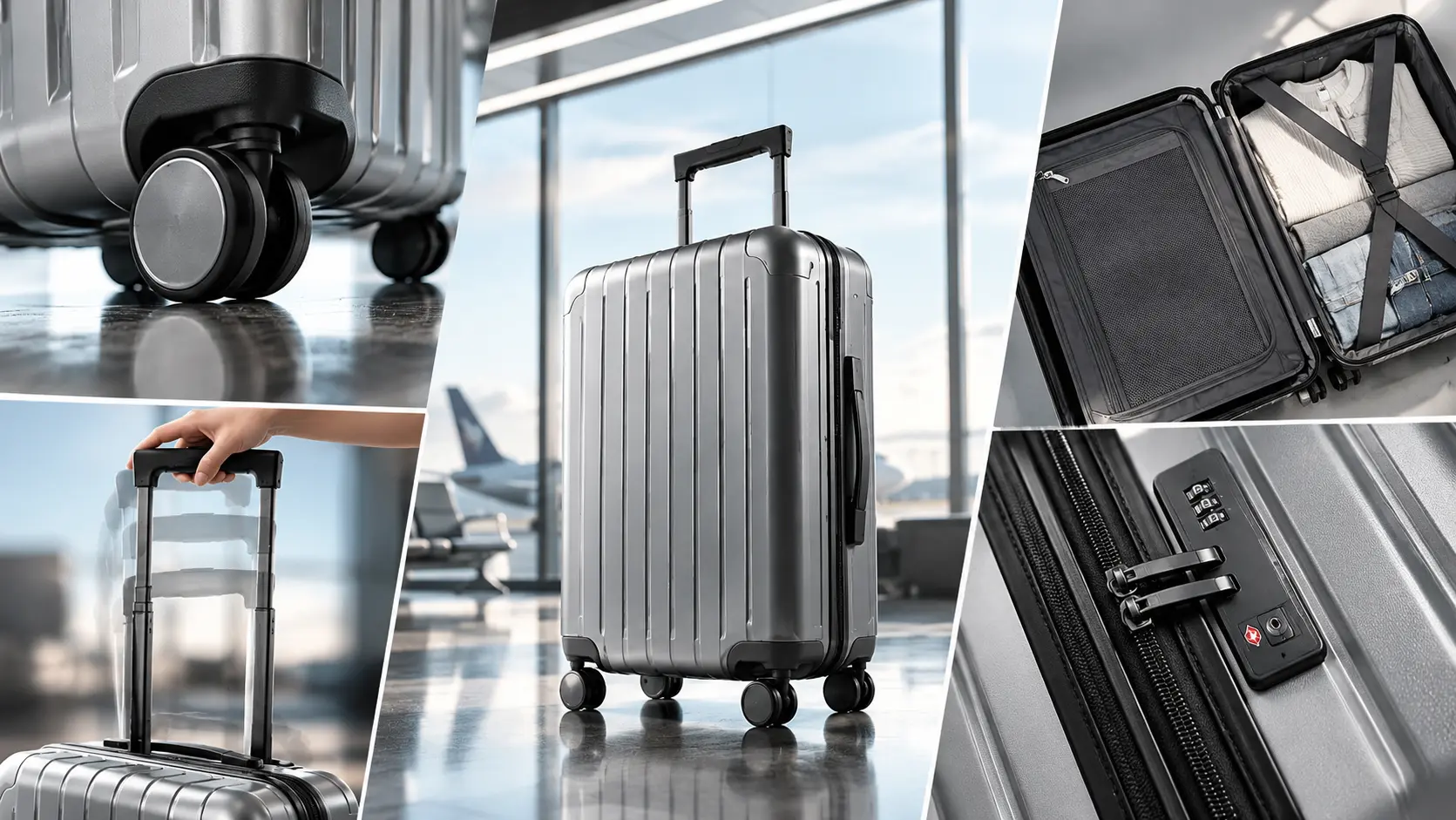
The Luggage Function Showcase template places your bag into a realistic travel context, focusing on utility. It highlights how zippers track around corners, how expansion panels work, and how internal compartments are accessed. You upload a product photo through PicLumen, and the template builds the scene to emphasize these physical details without hiding the hardware in shadows. A sharp cutout ensures the AI doesn't blur the zipper teeth.
Focusing on Hardware and Material Durability
A suitcase is judged by its wheels, handles, and fabric. When preparing your source photo, ensure the zipper pulls and wheel housings are clearly visible. The template maps the bag into the new setting, preserving the texture of the ballistic nylon or polycarbonate shell. A sharp image of the hardware helps the AI render metallic reflections accurately without losing structural details. Ensure the handles are not cropped.
Visualizing the Packing Experience
Buyers want to know how much a bag holds. Showing an open suitcase with visible packing cubes or a clamshell design communicates capacity better than a closed shell. The template frames the luggage to highlight the depth of the main compartment. This spatial context helps travelers picture their belongings fitting inside. A top-down angle works best for clamshell layouts.
Building a Cohesive Travel Catalog
Brands selling multiple luggage sizes or colors need a unified storefront. Using the Luggage Function Showcase template across a collection keeps the lighting and functional focus consistent. Whether you are featuring a carry-on or a checked bag, the shared visual approach ties the products together. Keeping the camera angle the same across different models makes it easier for shoppers to compare internal layouts.
Generate Detailed Travel Gear Scenes With AI Luggage Showcase
Carry-On Exterior Demos
Buyers often struggle to judge the true proportions of a carry-on. Showing the suitcase standing upright next to a standard hotel room chair gives a clear sense of its height and depth. The Luggage Showcase template places the bag in a realistic travel setting, letting the exterior shell take center stage. This helps shoppers see exactly how the bag looks when packed and standing next to daily furniture.
Spinner Wheel Detail Shots
Wheel durability is a major concern for frequent flyers. A standard flat photo hides the housing and tread. By placing the suitcase at an angle in the Luggage Showcase template, the generated image focuses on the spinner wheels. This angle lets the buyer inspect the rubber tread and metal housing. The shadow cast by the wheels should look grounded, not floating.
Expandable Zipper Features
Many travelers need extra room for souvenirs on the return trip. Showing the side profile of the suitcase highlights the expansion zipper. The template frames the side where the zipper sits, emphasizing the extra fabric layer. This visual detail helps buyers understand the bag's expansion capability at a glance. A close-up angle on the zipper track makes the feature stand out clearly.
Business Trip Compartments
Professionals need quick access to laptops and documents. Featuring a suitcase with a visible front pocket highlights this workflow. The template places the bag in a corporate travel setting, such as an airport lounge. The generated visual emphasizes the exterior pocket design. This shows a traveler how they can access a laptop without opening the main compartment. An angled shot works best to show the pocket depth.
How to Create a Luggage Showcase Visual on PicLumen
Step 1 Upload a Product Photo
1Start with a clear image of your suitcase. Ensure the wheels, handles, and exterior zippers are fully visible. A clean cutout against a simple background works best. Avoid heavy shadows or cropped corners, as a complete silhouette helps the Luggage Showcase template place the bag accurately into the travel environment without distorting the hardware.
Step 2 Choose a Template or Use the Default
2Review the available travel settings or stick with the default layout. The choice depends on the specific feature you want to highlight. If the default airport setting fits your catalog, keep it. For a campaign focused on business travel, select a variation that places the bag in a corporate lounge or near a boarding gate.
Step 3 Review and Generate
3Examine the uploaded bag and your template selection. Check that the spinner wheels are resting flat on the ground and the suitcase stands upright. Ensure the scale looks realistic relative to the environment. Once the perspective and shadows look correct, click Generate. This produces the final image with your luggage in a realistic travel scene.


Loved by Creators Worldwide
Real feedback from designers, marketers, and hobbyists sharing their PicLumen experience on Trustpilot.
jsbsbsbs hdhdhshwhwVery cool i like it it's so smooth
Very cool i like it it's so smooth
Rishiprasanth BRThis is a great site to create images…
This is a great site to create images as per our mind's wish. Such a great site, loved its response
 Ms. Bliss
Just getting started
Just getting started, thus far it's really good. Going to continue to review and will update.
 Ibrahim Onuh
So very powerful and interesting
So very powerful and interesting
Love this app it helps my ideas come to…
Love this app it helps my ideas come to life
 Alexsander Luís
cool it's a good ai creator but create…
cool it's a good ai creator but create imagens for cinema
 Mike Wilson
Banger ai has everything i needed and…
Banger ai has everything i needed and more
 sakura cherry
Very good Free ai photo
Very good Free ai photo, thanks, i wish consistency ,
 Zain Ali
This is the best ai in the world
This is the best ai in the world
 Saima Rizwan
Awesome Piclumen customer service!!
As a small creator balancing a full-time career job and with a passion for visual storytelling, I’ve used many platforms but PicLumen stands out for its genuine care and responsiveness. When I reached out with a request to adjust Lumen credits for my creative needs, their team responded with empathy, flexibility, and a clear commitment to supporting artists like me. Not only did they listen, they acted and credited Lumen offering with thoughtful solutions that made me feel valued, as a customer. Their communication was prompt, respectful, and encouraging, and they treated my feedback with real consideration. PicLumen isn’t just a tool it’s a partner in creativity. If you’re a creator looking for a platform that understands your journey and supports your growth, I wholeheartedly recommend them. Thank you, PicLumen, for making the creative process feel human, hopeful, and beautifully supported.
 Tim Olukayode Ajayi
Amazing Platform
Honestly, I was wowed the moment I land on PicLumen and tested their platform. I wanted to pay for the popular one before but had to stop and I am loving it all the way. I totally recommend PicLumen guys!
madhu choudharybest for AI 3d
best platform for making ai generation and easy to use
Frequently Asked Questions
What is Luggage Function Showcase?
Luggage Function Showcase is a PicLumen template that places your suitcase or travel bag into a realistic environment. It highlights the bag's physical features, such as the spinner wheels, telescopic handles, and exterior zippers. This helps shoppers see how the luggage looks when standing in an airport or hotel room. You upload a product photo, and the template builds the surrounding travel setting.
What is the best tool for creating Luggage Function Showcase visuals?
PicLumen provides a direct workflow for this task. You upload your product image, confirm the default layout or select a variation, review the bag's position, and click Generate. The platform builds the travel environment and lighting around your subject. You can verify how the wheels rest on the ground and how the bag's proportions look next to standard furniture without booking a physical photoshoot.
What kind of source photo works best?
A clean image of the suitcase with all hardware visible works best. Ensure the wheels, handles, and zipper tracks are sharply in focus against a simple background. If the source photo has cropped corners or heavy shadows, the AI may struggle to map the bag's true shape into the new scene. A complete silhouette allows the template to place the luggage accurately.
Can I showcase specific compartments or features?
Yes. While the template places the bag in a lifestyle setting, choosing an angled shot or a variation that focuses on the exterior pockets helps. If you are selling a carry-on with a front laptop sleeve, ensure that pocket is clearly visible in the source image. The template will preserve these details, letting buyers see the quick-access design.
How do I check if the final image looks natural?
Examine the bag's contact points with the ground. Ensure the spinner wheels rest flat and the suitcase stands upright without tilting. Check that the shadows fall logically against the floor. If the wheels appear to clip through the floor or the zipper track looks warped, a sharper source photo will fix the mapping. Pay close attention to how the light hits the polycarbonate shell.
Can I use this for seasonal marketing campaigns?
Yes. The travel setting suits summer vacation promotions or winter holiday travel gear. You can generate a series of images where different suitcases share the same lighting and environment, creating a cohesive visual theme for your store. Keeping the background consistent helps the product grid look organized when shoppers compare different luggage models.