Product
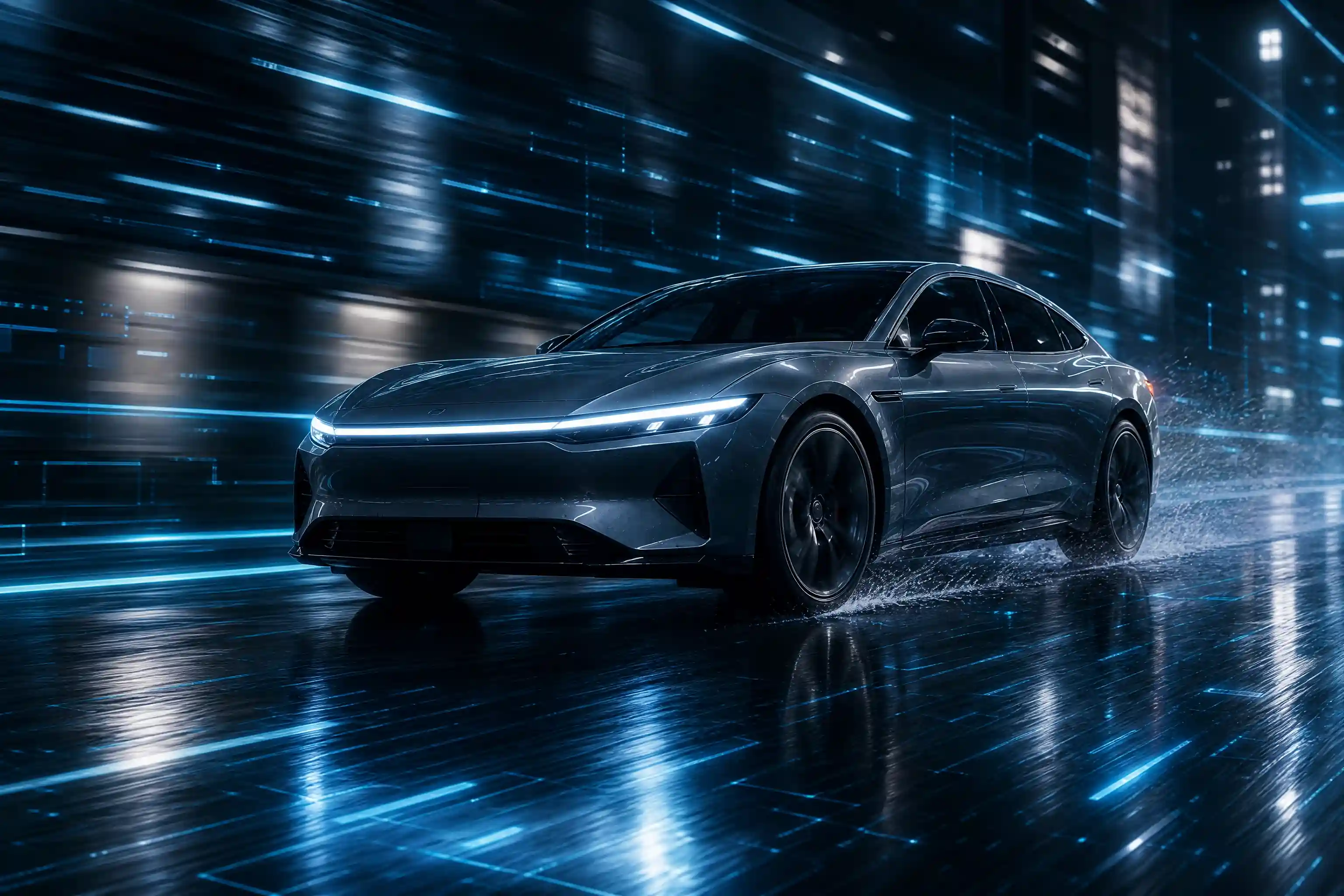
Present Vehicles with a Clear Visual Focus
Vehicle Showcase centers the vehicle in the composition, making its shape, styling, and overall character the focus. Use this visual direction to explore automotive presentation ideas, develop promotional concepts, or create a more considered image for a vehicle-related project.
Start with a clear vehicle photo and consider the impression you want the finished visual to convey. A composed image can help communicate design, performance-inspired styling, or everyday practicality without distracting from the subject. For related creator-led promotional concepts, explore the AI UGC Video Generator.

Highlight Exterior Design
Put the vehicle’s silhouette, body lines, grille, lighting, or wheel design at the center of the concept. A focused presentation is useful when the goal is to draw attention to the details that distinguish one vehicle from another.
Create a Premium Automotive Mood
Use a carefully framed vehicle photo as the starting point for an elegant, restrained visual direction. This approach suits concept boards, brand mood references, and promotional ideas where the vehicle itself should remain the main point of interest.
Shape a Promotional Concept
Develop an automotive visual for a campaign proposal, dealership presentation, or product-focused marketing draft. Keep the intended message in mind as you choose the source photo, so the composition supports the vehicle’s role in the wider creative concept.
Explore Vehicle Showcase Across Automotive Projects
A vehicle image can serve different purposes depending on the story behind it. Use the Vehicle Showcase concept to explore automotive visuals for sales presentations, design planning, editorial ideas, and brand campaigns, with each scenario shaped around a distinct communication goal.
Dealership Inventory Presentation
Prepare a consistent visual direction for presenting vehicles in a showroom or inventory context. Focus on making the featured car easy to recognize and keeping attention on its exterior, overall condition, and identifying design details.
Automotive Campaign Mockups
Develop a visual starting point for a proposed vehicle campaign. Consider how the image could support a headline, introduce a new model concept, or establish the mood for a broader marketing presentation without relying on exaggerated claims.
Vehicle Design Moodboards
Gather visual references for discussions about automotive styling, color, proportions, and exterior details. A vehicle-focused image can help teams communicate a creative direction and compare the overall impression of different design concepts.
Automotive Editorial Features
Create a visual concept for an article, review layout, or vehicle-focused feature. Choose a photo that reflects the subject of the piece, whether the editorial angle centers on design language, practical use, or the character of a particular vehicle.
How to Create a Vehicle Showcase Visual on PicLumen?
Step 1 Upload a Product or Model Photo
1Choose a clear photo of the vehicle you want to feature. Make sure the car is easy to identify and occupies a useful amount of the frame, with important exterior details visible. A simple composition can help keep attention on the vehicle rather than unrelated surroundings. Select an image that matches the intended presentation, such as a dealership concept or an automotive campaign draft.
Step 2 Choose a Template or Use the Default
2Consider the visual direction you want before choosing a template. Select an option that fits the intended automotive presentation, or use the default template directly if it suits your concept. For a Vehicle Showcase asset, think about how the vehicle’s styling and overall character should come across. You do not need to switch templates if the default already fits the purpose.
Step 3 Review and Generate
3Before generating, check that the uploaded photo clearly shows the intended vehicle and that your selected template matches the presentation you have in mind. Look for distracting elements or framing that makes the subject difficult to recognize. When the photo and template look right for your concept, click Generate to create the visual.


Loved by Creators Worldwide
Real feedback from designers, marketers, and hobbyists sharing their PicLumen experience on Trustpilot.
 J. Blaine
Regular PicLumen user experience
I've been using PicLumen since late summer 2024 and I've generated several thousand images, mostly image-to-image. There were 2 minor technical glitches in that period of time. In the first one, my library didn't load but after logging out and logging in again later that day I found my library back. The second glitch- the remixing and outpainting stopped working. I contacted the support team and the issue was fixed the next day. I also requested PicLumen to provide a PayPal payment method when they switched to subscription - and they listened and responded to my request. I appreciate their responsiveness and customer service. In my communication with their support team, I found them professional and polite. My general impression is that this is a dynamic and collaborative team that is worth supporting!
Good 👍 perfomense web site good images…
Good 👍 perfomense web site good images good
Awesome program easy to use a little…
Awesome program easy to use a little disappointment in the fact you can’t buy lumies
 Rishiprasanth BR
This is a great site to create images…
This is a great site to create images as per our mind's wish. Such a great site, loved its response
 Brijesh Chikhaliya
very good
very good , Excellent Experience
It’s been great so far
It’s been great so far, I think the limitations are me not the app.
pixaigreat chatgpt image alternative
great chatgpt image alternative
It's very fun to use
It's very fun to use. You can get daily rewards
GPS BelARI tried the tool for fun and only used…
So far, I've only tried PicLumen for fun and used the free ‘basic option’. Even as an AI design novice, you can achieve great results. It should be emphasised here that if you choose a simple AI, the coins are enough to just give it a try (unlike some other tools). I like the community concept; the opportunity to get inspiration for your own ideas in the image gallery, as well as the option to ‘like’ and comment on other users' creations. The result depends, of course, on the quality of the prompt entered, but ‘practice makes perfect, as we all know!’ The only reason for the one-star deduction is that I can't try everything with the free access and can't comment on the paid options.
 Sndhjks Bwjskb
franchement c formidable
franchement c formidable
 Edwin Capdepomt
Strong aesthetic ability.
Piclumen gives the impression of being a capable and expressive image generator with a refined aesthetic. If it maintains this level of quality in other types of scenes, it will become one of the most interesting visual tools available today.
Hesham Zohnyit is super easy and UI/UXis perfect
it is super easy and UI/UXis perfect
FAQs About Vehicle Showcase
What is Vehicle Showcase?
Vehicle Showcase is a visual template concept centered on presenting cars and other vehicles in a deliberate, polished way. It can help frame automotive design as the main subject, making it useful for exploring promotional concepts, vehicle features, and creative presentation ideas.
What is the best tool for creating Vehicle Showcase visuals?
PicLumen is a suitable place to start when creating Vehicle Showcase visuals. Choose an appropriate vehicle photo, select a fitting template or use the default, and review your choices before generating the visual.
What kind of photo should I use for a Vehicle Showcase?
Use a clear photo of the vehicle you want to present. A well-framed image with the car visible and distracting background elements kept to a minimum can help establish a stronger visual focus. Choose a photo that suits the intended presentation.
Can I choose a different template for my vehicle visual?
You can select a suitable template or use the default template directly. Consider the look you want for the vehicle presentation and choose the option that best fits your intended visual. Switching templates is not a required part of the process.
How can Vehicle Showcase visuals be used for marketing?
Vehicle Showcase visuals can support automotive promotional concepts, dealership presentation ideas, campaign mockups, and product-focused creative materials. Match the image composition to the message you want to communicate, such as vehicle styling, exterior details, or a particular brand mood.
Can Vehicle Showcase work for different types of vehicles?
The concept can be adapted to different vehicle subjects, provided the selected photo clearly shows what you want to feature. Cars, performance vehicles, and other automotive subjects can each support a distinct presentation, depending on the image and the creative direction.
Can I find PicLumen reviews on Trustpilot?
You can check PicLumen’s Trustpilot page for independent customer reviews. Reading reviews directly on Trustpilot lets you consult customer feedback rather than relying only on promotional descriptions.