Free AI Christmas PFP Generator for Your Holiday Profile

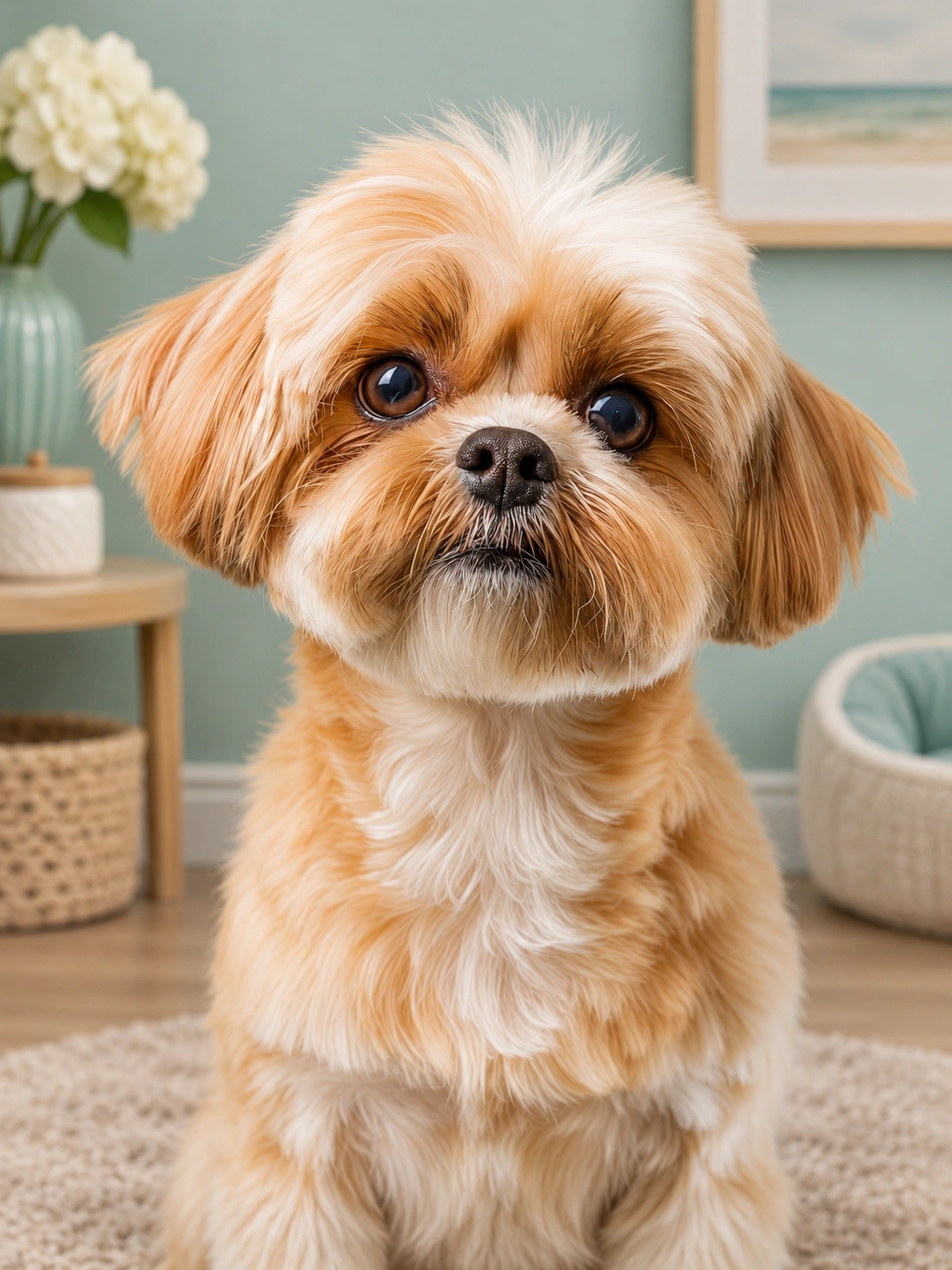
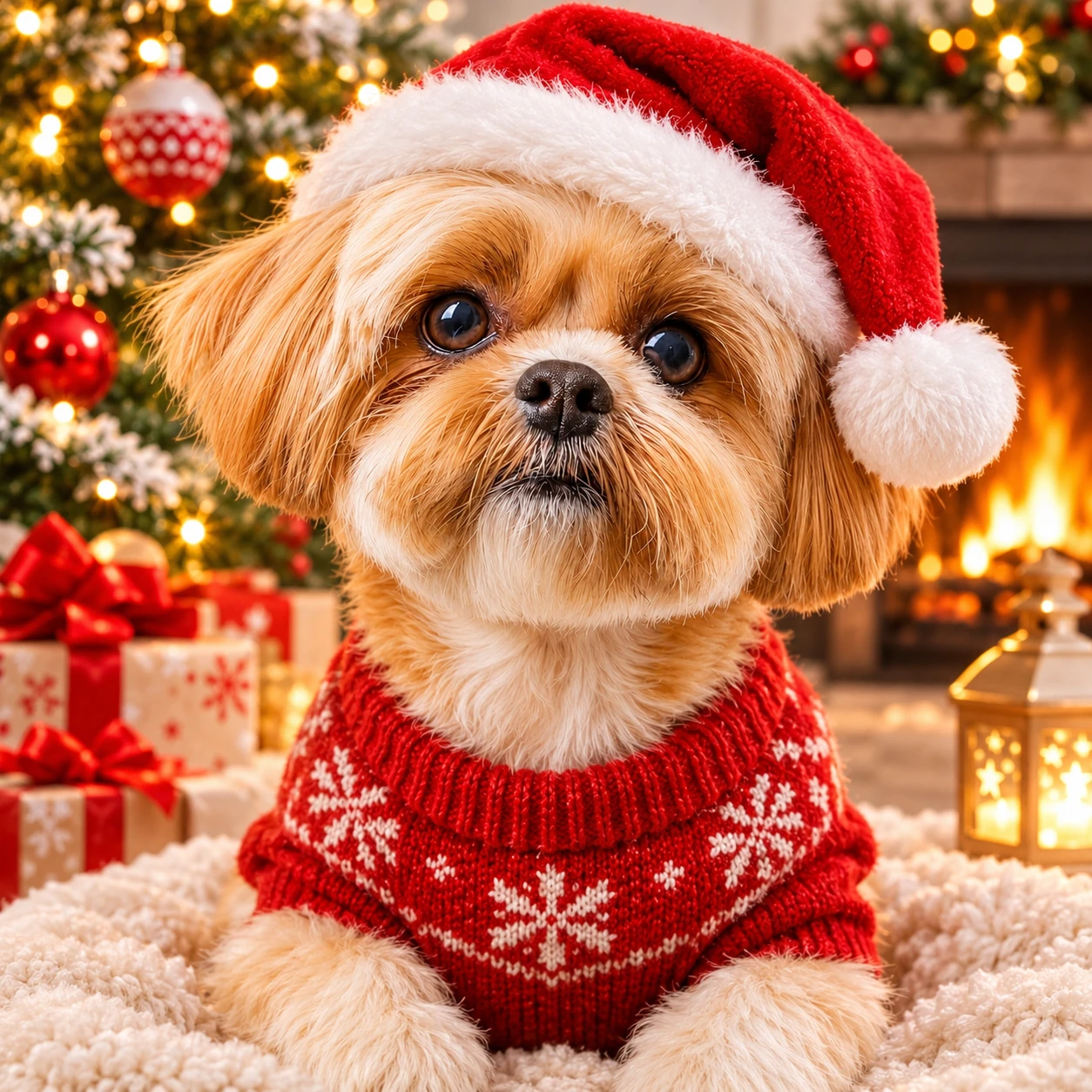
How to Make a Christmas PFP with PicLumen
Step 1 Upload Your Photo
1Upload a clear portrait with your face visible and enough room around your head. You can also start with a pet photo or an original character image. Choose a source without heavy blur or strong shadows so you have a useful reference for your new avatar.
Step 2 Choose Your Christmas Look
2Use the default Christmas template or choose another available look. If you want a more personal result, describe your preferred outfit, background, and style in the prompt. Choose a square format where available, and ask for extra space around any hat or accessories.
Step 3 Generate and Download Your Favorite
3Click Generate to create your Christmas PFP. Check your facial features, the shape of your accessories, and how the image looks as a small thumbnail. Download your favorite result, then preview the crop when you upload it to your profile.
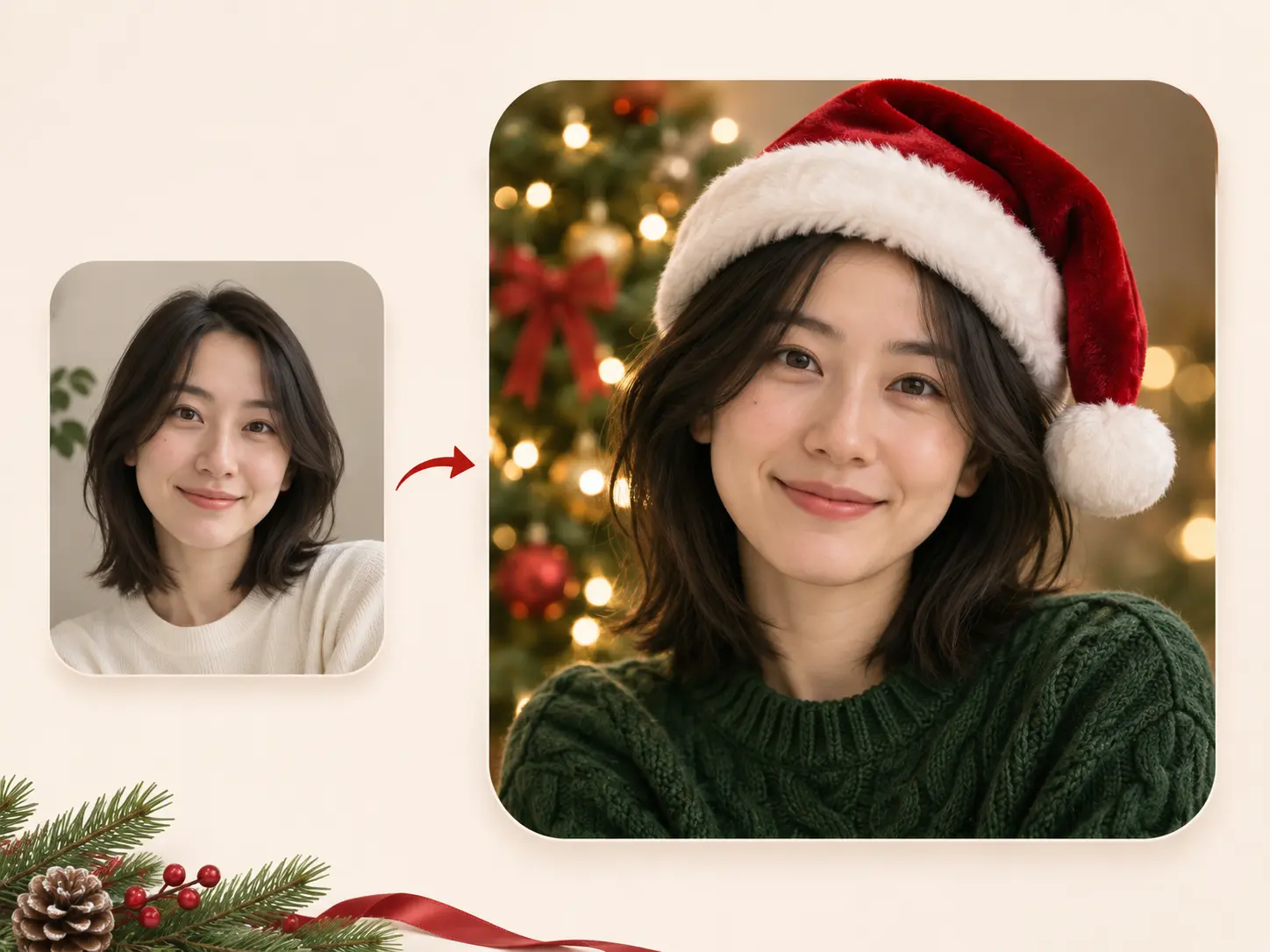
Give Your Favorite Photo a Christmas Look
Love your current photo but wish it felt more festive? You can use it as a reference in PicLumen and generate a Christmas PFP with a velvet Santa hat, a knitted scarf, or warm lights behind you. You choose the seasonal details without arranging a new photo shoot. Start with a clear portrait and describe the features you want to keep, then compare your results for the look you like best.
Find Your Kind of Christmas Style
You do not have to settle for the same red hat everyone else uses. With PicLumen, you can try a Christmas anime PFP, a soft watercolor portrait, a playful cartoon, or a realistic winter look. Choose cream knitwear and candlelight for something quiet, or oversized bows and bright ornaments for a bolder avatar. You can describe the finish you want and generate another version when you feel like trying a different direction.
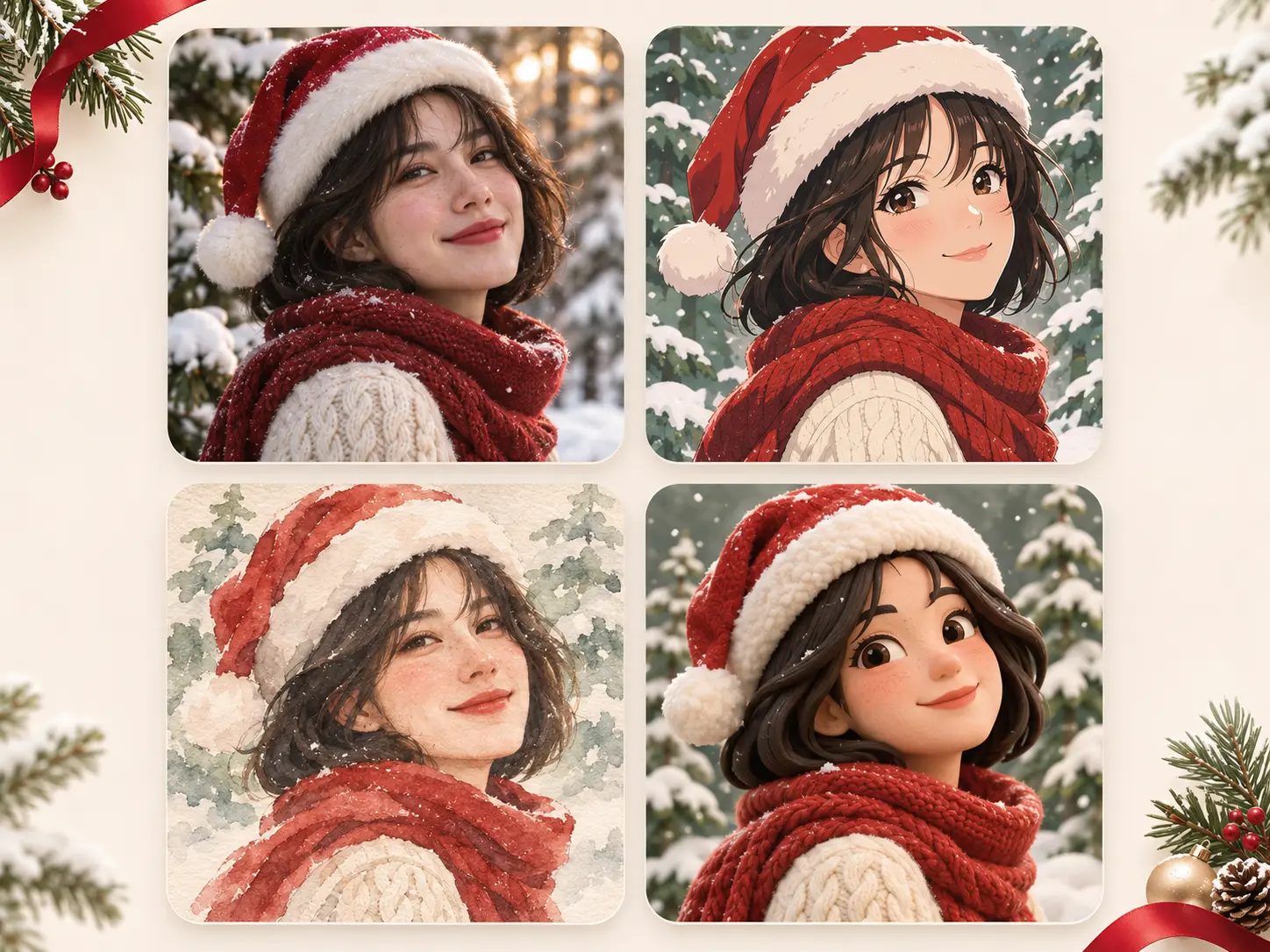
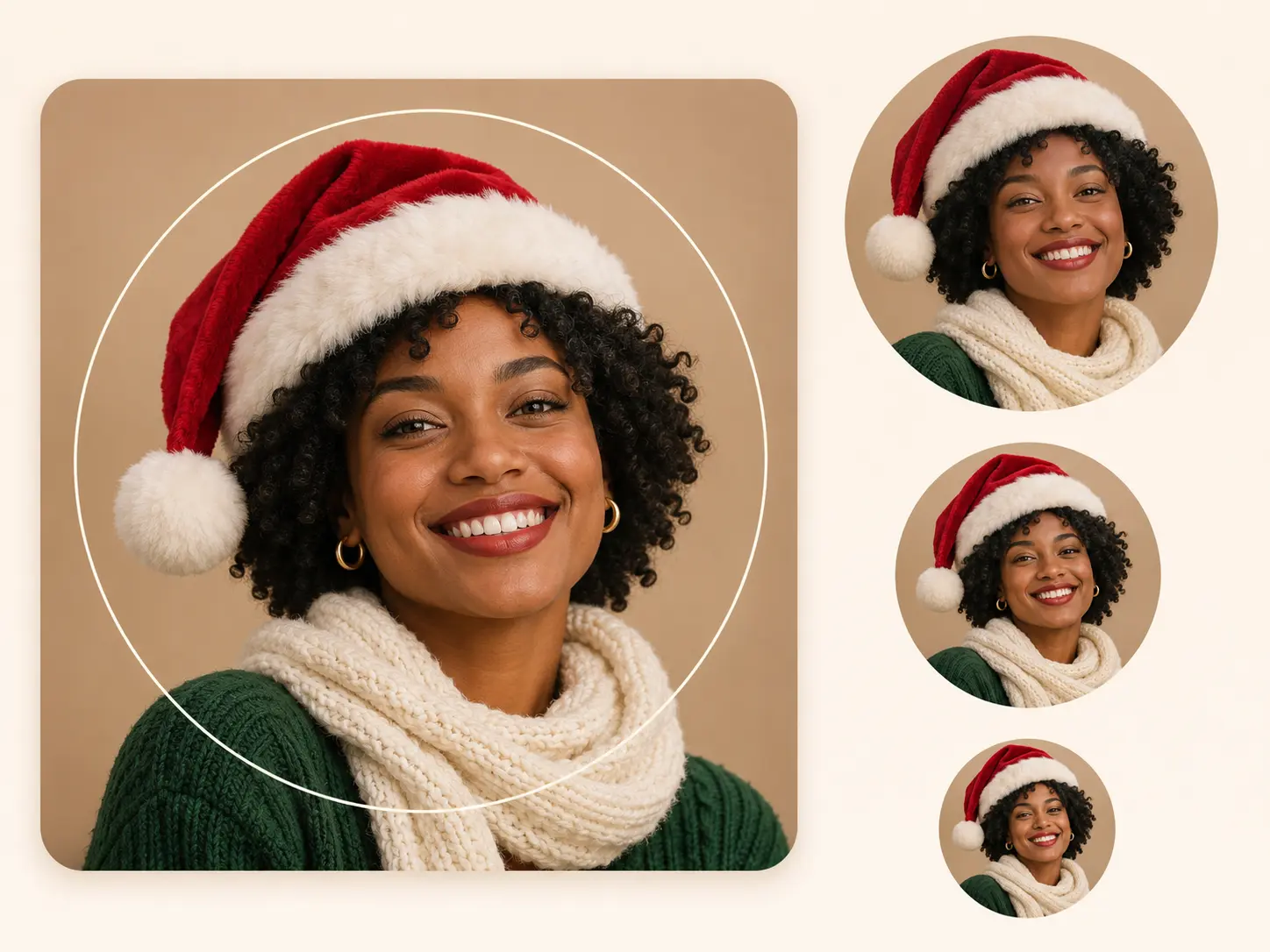
Put Your Face at the Center
Your new avatar needs to work in a tiny comment bubble, too. You can request a close-up portrait with a simple background and choose a square composition for your Christmas profile picture. Leave room around your hat and hair so you have space to adjust the crop when uploading. You get a more useful starting image when your expression stays easy to see and the decorations sit around you.
Make Your Christmas PFPs Match
Want your profiles to look like they belong together? You can create matching Christmas PFPs by reusing a color palette, art style, and background description for each portrait. Pair a red scarf with a green sweater, or give each person a different ornament to hold. Generate your pictures separately and compare them as a set. You can use the same approach for your partner, friends, or gaming group.
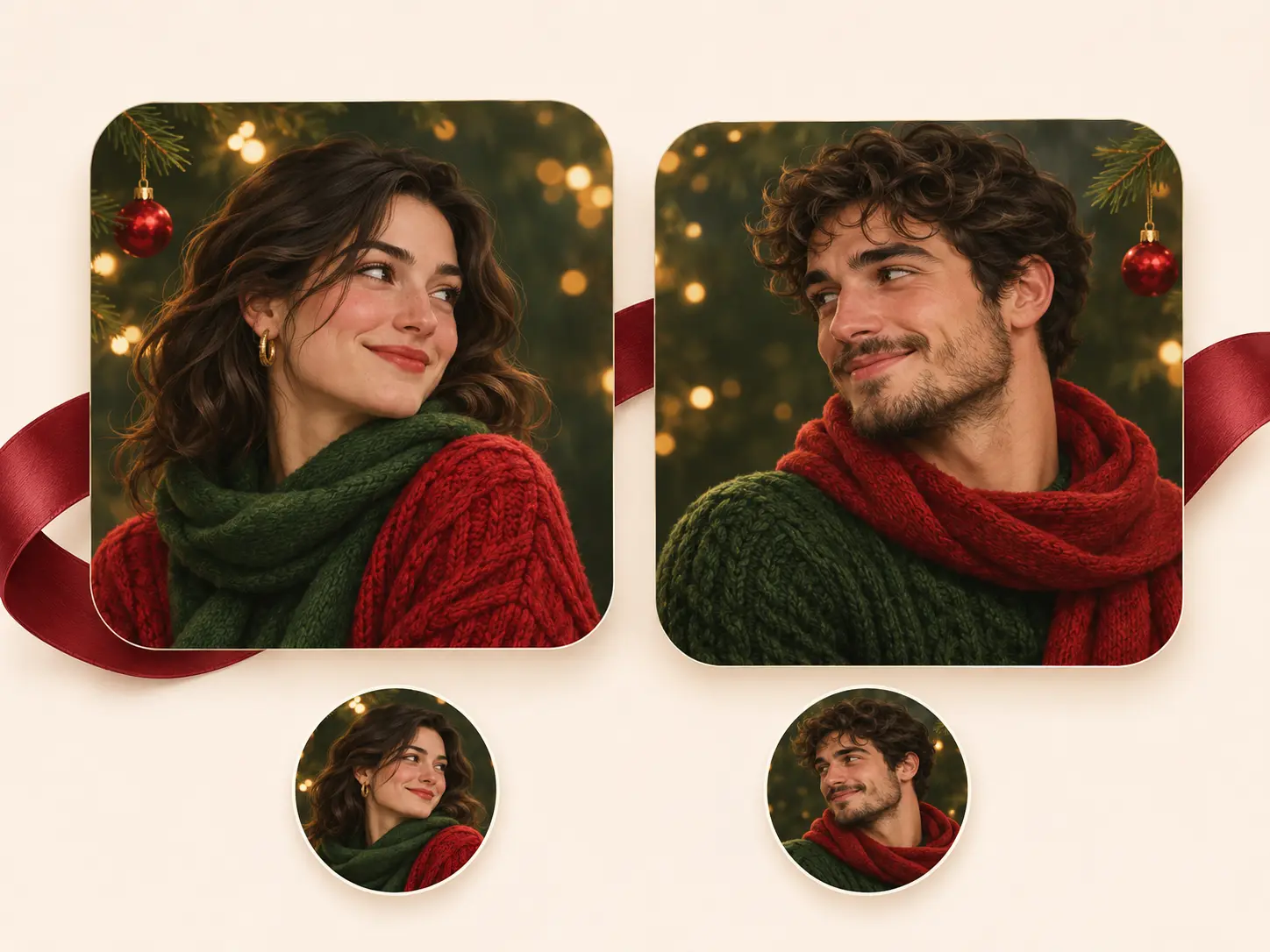
Find Your Christmas Profile Look with PicLumen AI
Anime Christmas Avatars
You can bring your original character into your holiday chats with a Christmas anime PFP. Try a red winter cape, a snowy city backdrop, or a cozy café scene for your gaming and community profiles.
Aesthetic Profiles
You can give your feed a softer seasonal look with cream knitwear, pine branches, and warm light. Build your Christmas PFP aesthetic around your usual colors so your avatar feels at home beside your posts.
Matching Profiles
You can share a matching Christmas PFP theme with your partner, best friend, or group. Pair complementary outfits and accessories with a shared backdrop for portraits that look connected across your accounts.
Cat Christmas Avatars
You can put your pet at the center of your holiday updates with a Christmas cat PFP. Try your cat peeking out of a stocking or sitting beside a tiny gift, with familiar markings your friends will recognize.
Cute Christmas Icons
You can brighten your group chats with a cute Christmas PFP featuring a chibi character, fluffy earmuffs, or a tiny animal in a knitted hat. Choose a playful look for your personal profile or a seasonal alternate account.
Funny Christmas Avatars
You can give your friends a reason to smile every time you reply. Create a funny Christmas PFP with a deadpan expression, a lopsided hat, or an oversized scarf that nearly swallows your cartoon portrait.
Hot Video Effects
Turn your photos into fun dance clips, surprising transformations, and shareable moments with trending AI video effects.
Try These Christmas PFP Prompts with PicLumen AI Image Generator
Cozy Anime
Create a Christmas anime PFP of a young adult with short dark hair, a red knitted scarf, and a cream winter coat, smiling outside a warmly lit café. Soft snowfall, expressive brown eyes, clean anime linework, warm amber lighting. Centered head-and-shoulders portrait, simple background, square composition, room above the hair, no text.
Soft Christmas Aesthetic
Create a Christmas profile portrait of a young adult wearing an ivory cable-knit sweater beside a frosted window. Muted sage green and cream palette, a few pine branches in the background, soft morning light, subtle film grain, relaxed expression, natural skin texture. Close-up portrait, face clearly visible, square composition, no text.
Matching Holiday Portraits
Create one portrait for a matching Christmas PFP set. Show [person or character description] wearing [a red sweater and green scarf / a green sweater and red scarf], holding a small gold gift box near one shoulder. Soft illustrated style, warm tree lights, deep green background, friendly expression. Centered head-and-shoulders framing, square composition, no text.
Festive Cat
Create a Christmas cat PFP of a fluffy ginger cat wearing a small red Santa hat and a green knitted collar. Curious amber eyes, clearly defined whiskers, soft fur texture, warm Christmas tree lights blurred in the background. Close-up pet portrait, ears and hat fully inside the frame, square composition, no text.
Cute Chibi Chirstmas PFP
Create a cute Christmas PFP of a chibi character with rosy cheeks, fluffy white earmuffs, and an oversized red sweater, hugging a tiny wrapped present. Rounded shapes, soft peach and mint colors, simple cream background with a few small snowflakes. Centered character, clear facial expression, square composition, no text.
Funny Christmas Portrait
Create a funny Christmas PFP of a cartoon adult with a completely unimpressed expression, wearing a crooked Santa hat and an enormous knitted scarf pulled up to the chin. One small ornament hangs from the hat. Bold clean outlines, red and forest green palette, plain warm beige background, close-up square portrait, no text.
Santa Hat Photo Restyle
Use the uploaded photo as a reference for a Christmas profile portrait. Add a red velvet Santa hat with soft white trim, fitted naturally around the head. Keep the face, hairstyle, expression, and background as close to the reference as possible. Match the hat lighting to the portrait, leave space above the pom-pom, square composition, no text.


Loved by Creators Worldwide
Real feedback from designers, marketers, and hobbyists sharing their PicLumen experience on Trustpilot.
 Isuru Nilanka
It's easy to use
It's easy to use, they have different AI models, good prices, and a nice community page.
 jsbsbsbs hdhdhshwhw
Very cool i like it it's so smooth
Very cool i like it it's so smooth
My experience
Itis a really good website n really ideal to use theres only one con and that the AIS sometimes create wrong images but that doesnt happen frequently
Ms. BlissJust getting started
Just getting started, thus far it's really good. Going to continue to review and will update.
Narender KhatanaI love this app I love this very very…
I love this app I love this very very much this is help in make a videos
It’s way easier to use then these other…
It’s way easier to use then these other apps
Elisa Likaperfect
i think they are very cool and do a great worl with AI
 Eli Kofsky
The images that come out are really…
The images that come out are really good.
Good app and make very good video
Good app and make very good video
 Ayyan Naveed
It's good
It's work very I am totally satisfied from this app I am very happy after use it
Time Saver for Artist
The refine sketch is the real reason I joined PicLumen. I have shaky hands, and so my sketches are rough, and refining them takes a lot of time and hand cramping.
 Eri Sudirjo
First
First, I thought Piclumen not too populer because people never talk about it. But now more more I love it. Like canva, Piclumen also all in one (sora, banana, and midjourney inside). Thanks for make it easier
Christmas PFP FAQs
How do I make a Christmas PFP with PicLumen?
You can upload a clear photo, choose the Christmas template, and generate a new holiday portrait. If you want a more personal look, describe your preferred outfit, background, and art style. Review your face and framing, then download your favorite result.
How do I put a Christmas hat on my PFP?
You can upload your current profile picture and request a red Santa hat with white trim. Ask to keep your expression, hairstyle, and background similar to your reference. Use a photo with space above your head, and review the result because image-to-image generation can also change other details.
Can I create a Christmas PFP without uploading a photo?
Yes. You can use PicLumen's text-to-image generation to create an original avatar. Describe your character, holiday accessories, background, and preferred style. You could try a ginger cat peeking out of a stocking or an anime character carrying a stack of presents.
How can I keep my Christmas avatar looking like me?
You can start with a sharp, well-lit portrait and request your familiar facial features, hair, and expression. Keep your first idea simple so you can judge the resemblance easily. You should compare each result with your reference, since image-to-image generation can change facial details.
Can I make matching Christmas PFPs for my partner and me?
Yes. You can generate each portrait separately using the same colors, lighting, background, and art style. Give each person a different pose or accessory to make the pair feel personal. Compare your finished pictures side by side and generate another version if the framing or colors differ too much.
Can I try a Snoopy Christmas PFP idea?
You can try a Snoopy Christmas PFP prompt in PicLumen's image generator, adding a Santa hat, a snowy setting, and a simple square composition. Your result will depend on the selected model and its content rules, so you should review the character details before choosing your avatar.
What size should I choose for my Christmas profile picture?
You can start with a square 1:1 image and keep your face near the center. Leave space above your head and around any hat, ears, or antlers. Check your chosen platform’s current upload requirements and preview its crop so your important details stay visible.
Can I make a Christmas PFP for free?
You can start with PicLumen's free options and check your available Lumens before generating. Your model choice and settings affect the credits you need. You can see the current generation cost in the creation interface before deciding which look to try.